
acer Nitro V 15.6 Gaming Laptop
4.3Editor score
15.6 FHD 165Hz display
Intel Core i5-13420H
16GB DDR4 memory included
512GB PCIe Gen 4 SSD
Finding the right laptop with Rtx 5050 requires balancing performance, portability, and budget. These machines deliver solid gaming and creative capabilities for enthusiasts who need reliable hardware without breaking the bank.
We compared ten top models based on processor power, display quality, cooling efficiency, and real-world performance. Each entry offers unique strengths, from thin designs to high refresh rate screens for immersive experiences.
Each pick highlights key specs, pros, cons, and ideal use cases to guide your decision. Prices and availability change frequently, so check current listings before purchasing to ensure you get the best deal available.
4.3Editor score

4.6Editor score

4.5Editor score
As an Amazon Associate we earn from qualifying purchases.
The following comparison table outlines the core specifications of each reviewed laptop with Rtx 5050. Use this side-by-side view to quickly identify differences in processors, memory, storage, and display technologies across all ten models.




The Acer Nitro V ranks as our top pick for a laptop with Rtx 5050 due to its balanced performance and premium features. It holds a 4.6 rating reflecting strong user satisfaction across gaming and productivity use cases.
We may earn a commission when you buy through this link, at no additional cost to you.
Its 16-inch WUXGA display offers a fast 180Hz refresh rate for fluid motion, powered by the RTX 5050 GPU with advanced ray tracing capabilities. The Intel Core 7 processor 240H handles multitasking with ease.
Trade-offs include fan noise during intensive sessions and a price point higher than entry-level options. These are acceptable for users prioritizing display quality and future-proofing via DDR5 memory.
Buyers seeking a reliable machine for both gaming and content creation will find this model delivers consistent results. It represents the strongest value in the current lineup.
The 180Hz panel ensures minimal motion blur for competitive shooters and smooth animations during video editing tasks.
DLSS 4 and NVIDIA Blackwell architecture boost frame rates significantly, extending the GPU lifespan for modern titles.
We may earn a commission when you buy through this link, at no additional cost to you.
The acer Nitro V 15.6 stands out as the most accessible option for gamers needing a laptop with Rtx 5050 graphics. Users appreciate its value, giving it a 4.3 rating for consistent performance.
We may earn a commission when you buy through this link, at no additional cost to you.
It features a 15.6-inch FHD display with 165Hz refresh rates and includes an RTX 5050 GPU with GDDR7 VRAM for smooth gaming. The Intel Core i5-13420H processor supports daily tasks effectively.
Limitations include DDR4 memory which may bottleneck future software demands, and only 512GB storage. These trade-offs fit budget buyers who can upgrade later if needed.
This model is ideal for students or entry-level gamers seeking performance without premium costs. It proves that affordable machines can still deliver excellent visual experiences.
The system is tuned for fast loading and high frame rates in popular titles thanks to the dedicated GPU.
Inclusion of a mouse pad adds immediate value, letting users start playing right out of the box.
We may earn a commission when you buy through this link, at no additional cost to you.
The ASUS ROG Strix G16 leads the premium segment of laptops with Rtx 5050, offering advanced features like MUX Switches for direct GPU routing. Its robust build earns a 4.5 rating for reliability.
We may earn a commission when you buy through this link, at no additional cost to you.
The Intel Core i5-14450HX ensures multitasking power, paired with DDR5-5600 memory for rapid data access. ROG Intelligent Cooling keeps temperatures low during intense gaming marathons.
While the price is higher, features like Wi-Fi 7 and advanced RGB lighting justify the investment for enthusiasts who want full customization. The lack of an extended warranty is a minor concern.
Premium buyers and competitive gamers will value the performance tuning and visual flair. It sets a high bar for future gaming machine designs.
The MUX Switch boosts frame rates by avoiding overhead from integrated graphics routing.
Dolby Vision HDR enhances color depth for a richer cinematic experience while watching videos.
We may earn a commission when you buy through this link, at no additional cost to you.
Alienware brings its legacy to the laptop with Rtx 5050 category with the 16 Aurora model. Its 4.1 rating reflects trust in the brand despite some limitations in display brightness.
We may earn a commission when you buy through this link, at no additional cost to you.
The Cryo-Chamber cooling system efficiently manages heat for sustained performance during long gaming sessions. A 16-inch WQXGA display provides clear visuals for content consumption.
Trade-offs include extra weight compared to other models which limits portability. The 300 nits brightness is adequate indoors but struggles in bright environments.
Buyers prioritizing service support and brand trust will appreciate this option. The onsite warranty ensures peace of mind for professional users.
The one-year onsite service allows Dell technicians to visit your home for repairs without shipping delays.
Direct airflow focuses on core components to prevent overheating even during heavy workloads.
We may earn a commission when you buy through this link, at no additional cost to you.
The msi Cyborg A15 AI focuses on portability within the laptop with Rtx 5050 range. Its 4.3 pound chassis makes it easy to carry, though users note some cooling challenges.
We may earn a commission when you buy through this link, at no additional cost to you.
Powered by an AMD Ryzen 7 processor, it handles daily tasks well. The translucent keyboard adds unique style while the 144Hz display supports fluid gameplay.
Cooling limitations can lead to higher fan speeds under heavy load. Users seeking silence may need to adjust performance settings manually.
Students who need to transport a gaming laptop daily will appreciate the light design. It offers a balance of mobility and power in one package.
Translucent keycaps provide visibility and style without compromising keyboard functionality or feel.
The slim profile fits easily into standard backpacks without adding bulk to your daily commute.
We may earn a commission when you buy through this link, at no additional cost to you.
The Lenovo IdeaPad Pro 5 excels as a laptop with Rtx 5050 for creative professionals. Its 2.8K OLED panel offers unmatched color accuracy, earning a 4.0 rating among designers.
We may earn a commission when you buy through this link, at no additional cost to you.
AMD Ryzen AI 7 processing supports complex workflows like video editing. The RTX 5050 GPU handles 3D rendering tasks efficiently within the machine.
Refresh rate is limited to 120Hz which is lower than gaming rivals but acceptable for static tasks. Power usage is higher due to the OLED technology.
Creative workers needing high fidelity visuals will find this model perfect. It balances business features with creative performance seamlessly.
The OLED panel ensures true blacks and vibrant colors essential for professional design work and photo editing.
MIL-STD-810H testing ensures the device withstands physical stresses during travel or office moves.
We may earn a commission when you buy through this link, at no additional cost to you.
The GIGABYTE Gaming A16 offers a unique angle on the laptop with Rtx 5050 market by integrating GiMATE AI. This aims to simplify tasks but may require setup time for new users.
We may earn a commission when you buy through this link, at no additional cost to you.
It features a powerful Core i7 processor and a slim chassis suitable for daily carry. The RTX 5050 GPU ensures smooth gameplay for modern titles.
Users report mixed feelings about the AI features and general performance consistency. The 3.8 rating suggests room for improvement in software optimization.
Tech enthusiasts who enjoy exploring AI tools might find this system interesting. It remains a viable choice for those wanting innovation.
GiMATE acts as a digital assistant to streamline workflows and system monitoring automatically.
A 19mm chassis allows easy storage in tight spaces without sacrificing internal cooling.
We may earn a commission when you buy through this link, at no additional cost to you.
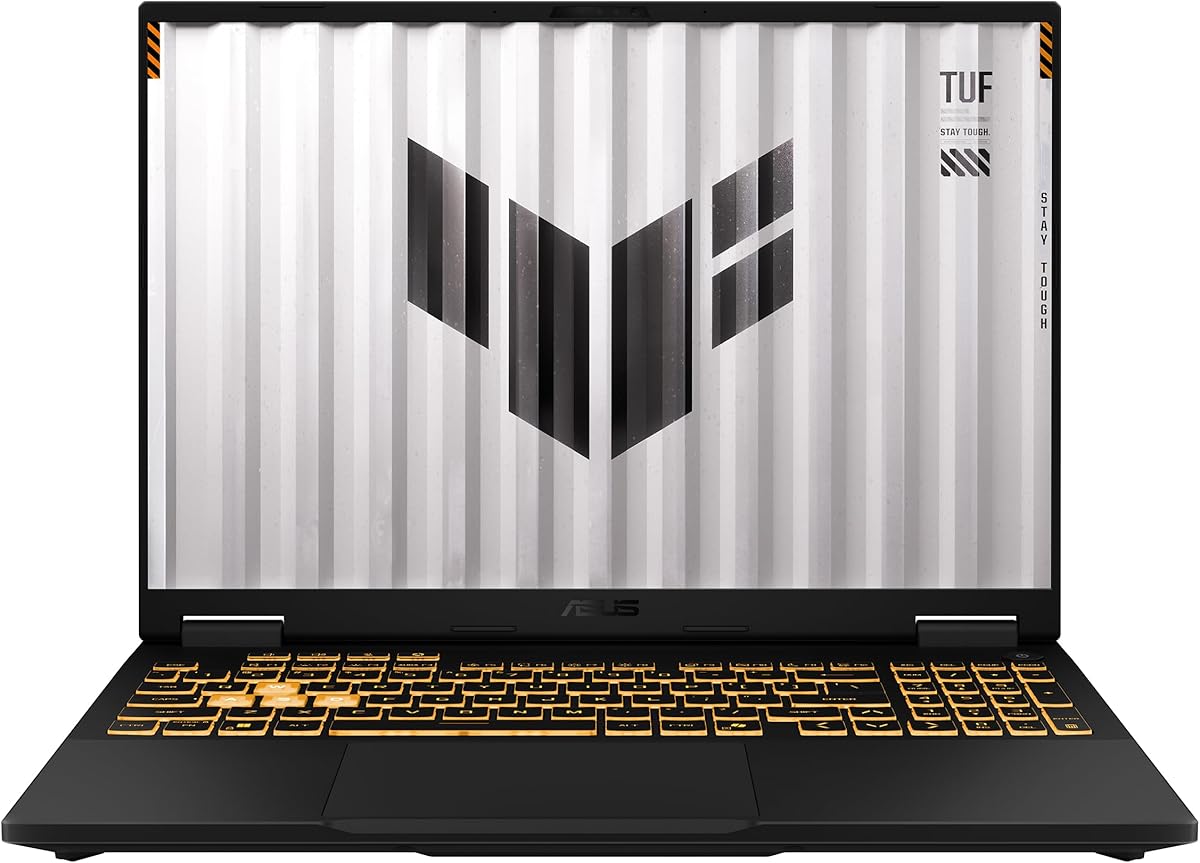
The ASUS TUF Gaming F16 emphasizes durability within the laptop with Rtx 5050 class. Its 4.5 rating highlights user satisfaction with its rugged build and solid performance.
We may earn a commission when you buy through this link, at no additional cost to you.
MIL-STD-810H testing confirms resistance to harsh conditions. The 165Hz FHD+ display ensures fluid visuals for competitive gaming without screen tearing.
Battery life is average for this category which limits unplugged usage time. Design is subtle compared to other flashy gaming laptops.
Frequent travelers or field workers will appreciate the robust construction. It delivers dependable performance even in demanding environments.
Military standard testing ensures the device can withstand drops, shocks, and extreme temperatures safely.
Full-width heat pipes allow efficient thermal management keeping components cool during long sessions.
We may earn a commission when you buy through this link, at no additional cost to you.
The Lenovo LOQ offers a balanced approach in the laptop with Rtx 5050 market. With a 4.4 rating, it provides strong performance and useful features for most gamers.
We may earn a commission when you buy through this link, at no additional cost to you.
NVIDIA G-Sync eliminates screen tearing for smooth visuals. The Core i7 processor ensures multitasking power for gaming and streaming simultaneously.
Design is functional rather than flashy which may not appeal to aesthetic-focused buyers. The price sits in the middle of the reviewed range.
Gamers looking for reliability without premium costs should consider this option. The AI optimization helps maintain steady frame rates.
G-Sync technology synchronizes refresh rates with the GPU for tear-free high-speed gaming experiences.
AI Engine+ automatically tunes system settings to maximize efficiency during different workload scenarios.
We may earn a commission when you buy through this link, at no additional cost to you.
The msi Katana 15 brings high-end specs to the laptop with Rtx 5050 category at a competitive price. It scores a 3.9 rating due to mixed performance consistency in reviews.
We may earn a commission when you buy through this link, at no additional cost to you.
Its Core i7-14650HX processor is notably powerful, ensuring smooth operation for demanding applications. The 144Hz display is functional though not the highest quality.
Battery life is a strong point allowing extended usage away from a power source. Build quality is solid but lacks advanced cooling features.
Users prioritizing raw processing power and battery life will find this model suitable. It remains a practical choice for many users.
The latest Core i7 ensures future-proof performance for software demands over the next few years.
A large capacity cell supports extended work or play sessions without needing a charger.
We may earn a commission when you buy through this link, at no additional cost to you.
Selecting the right laptop with Rtx 5050 involves evaluating several critical hardware and design factors to meet your specific usage needs effectively.
The display determines visual clarity and motion smoothness. Look for IPS or OLED panels with at least 144Hz refresh rate for gaming. Higher resolutions like WUXGA offer sharper images for creative work.
Prioritize high refresh rates and brightness to ensure a smooth and vibrant experience.
Modern Intel Core i5 and i7 or AMD Ryzen 7 processors provide necessary CPU power. DDR5 memory is becoming standard for better performance in multitasking scenarios. Aim for 16GB minimum to avoid bottlenecks.
Ensure DDR5 support and at least 16GB RAM for future proofing.
Fast PCIe Gen 4 SSDs improve boot and load times significantly. A 1TB drive offers ample space for multiple large games without needing upgrades. Smaller drives may require external storage solutions.
Opt for 1TB storage to accommodate growing game libraries easily.
Efficient cooling keeps the GPU and CPU from throttling under heavy loads. Advanced designs like Cryo-Chambers or dual fans help maintain performance during long gaming sessions.
Check cooling architecture reviews to ensure sustained performance.
Gaming laptops often suffer from short battery life due to high power draw. Look for models with larger batteries if you plan to use away from an outlet frequently.
Prioritize larger battery capacity for better portability.
Consider the weight and dimensions if you travel frequently. Slimmer chassis like the MSI Cyborg A15 are easier to carry but may compromise on cooling.
Choose a balance between weight and thermal performance.
Features like MUX switches, Wi-Fi 7, or AI optimization enhance specific workflows. These can provide extra value for competitive gamers or creators.
Verify if special features align with your usage needs.
Reliable customer support ensures peace of mind for expensive electronics. Onsite warranty options simplify repairs significantly compared to shipping models.
Prioritize extended onsite service for long term reliability.
Always ensure your laptop sits on a hard flat surface to allow proper airflow for cooling. Avoid soft fabrics like blankets that block intake vents and cause overheating during use.
Update graphics drivers regularly through the manufacturer website to access latest game optimizations and bug fixes. Keeping drivers current ensures stability and performance with new titles.
Clean dust from vents periodically using compressed air to maintain airflow efficiency. A clean system runs cooler and quieter, extending the hardware life significantly.
Yes, the RTX 5050 handles AAA titles well with DLSS enabled. It provides smooth performance for modern games at 1080p resolution and decent settings.
Absolutely, the RTX 5050 includes dedicated ray tracing cores. It enables realistic lighting effects in supported games for a more immersive visual experience.
A 1TB SSD is ideal for storing multiple large games. If you buy smaller drives, consider external storage or cloud options to manage file space.
Many models support upgrading RAM and storage. Always check manufacturer specs before buying to confirm which components can be swapped later.
144Hz is the standard baseline for smooth gameplay. Higher rates like 165Hz or 180Hz offer even smoother motion for competitive titles.
DDR5 offers faster data speeds and future proofing. It improves multitasking and loading times compared to older DDR4 standards.
Yes, the RTX 5050 accelerates video rendering and effects. Models with OLED screens are especially suited for color-accurate editing work.
With proper care, they can last 4 to 5 years easily. Cooling and maintenance are key to maximizing hardware longevity over time.
The Acer Nitro V, acer Nitro V 15.6, and ASUS ROG Strix G16 lead our list for offering balanced features and strong performance in the RTX 5050 category.
Prioritize display quality and cooling based on your main usage whether it is gaming creative work or general productivity. These factors impact daily experience most.
Always verify current pricing and availability before finalizing your purchase since costs fluctuate often. This guide serves as a reliable reference for comparing top models today.