
Razer Basilisk V3 Pro 35K Wireless Gaming Mouse
4.4Editor score
35K DPI Optical Sensor
140 Hour Battery Life
HyperScroll Tilt Wheel
13 Customizable Controls
This guide compares the top High Dpi Mouse for 4K Gaming Precision to help you find the perfect wireless or wired option for your setup and playstyle needs.
Finding the right High Dpi Mouse for 4K Gaming Precision is essential for modern gamers who demand accuracy and speed. High resolution displays reveal every pixel, so your peripheral must keep up with split-second movements. We evaluate sensors, build quality, and ergonomics to help you choose.
We compared ten leading models based on sensor performance, polling rates, and wireless reliability. Each product was analyzed for its ability to track on various surfaces including glass. Our team examined user feedback and technical specifications to ensure every recommendation meets rigorous standards.
Each pick highlights specific strengths for different playstyles and budgets. You will see detailed breakdowns of features like DPI steps and battery life. Prices fluctuate frequently so always check current listings before purchasing to ensure you get the best value available today.
4.4Editor score
4.3Editor score

4.6Editor score
This side-by-side comparison highlights the key specifications of all ten models. We focus on sensor resolution, weight, battery life, and unique features to help you make an informed decision quickly.

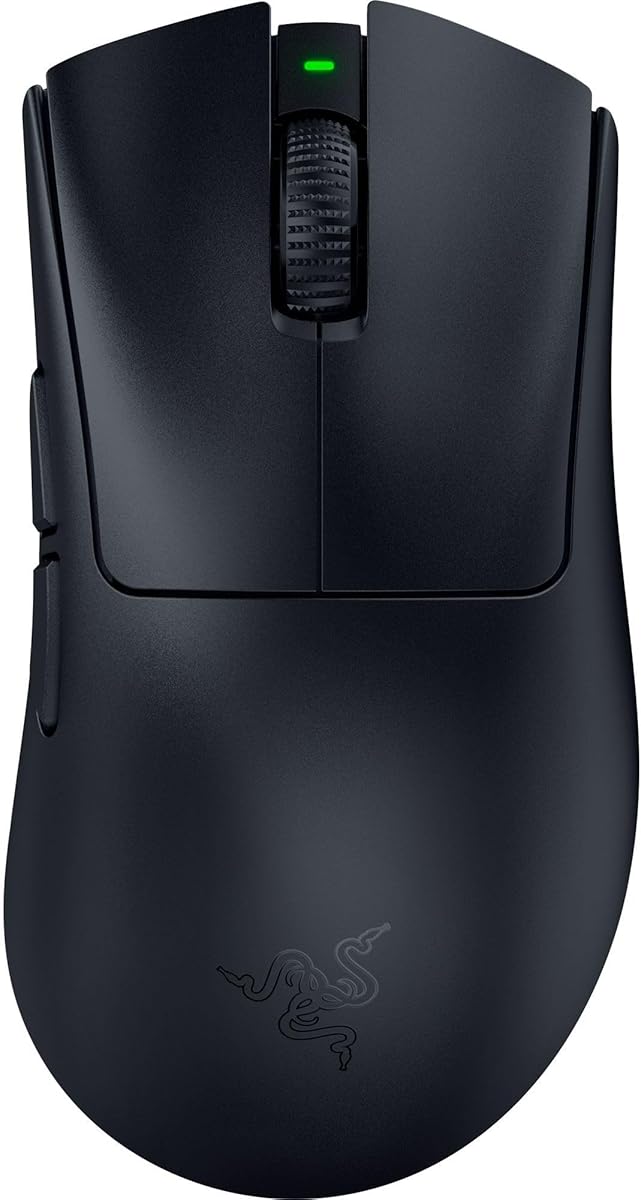




The Razer Basilisk V3 Pro 35K Wireless Gaming Mouse stands out as a top tier option for serious gamers. With a 4.4 rating it delivers high performance for precision tasks. Its standout quality is the Focus Pro 35K sensor which offers unmatched tracking.
We may earn a commission when you buy through this link, at no additional cost to you.
This mouse excels with intelligent functions that improve aim on various surfaces including glass. The HyperScroll Tilt Wheel allows smooth or tactile scrolling based on your preference. You can customize 13 controls to execute macros or essential actions quickly during play.
While the battery life reaches 140 hours the weight might feel heavy for those preferring ultra-light mice. The wireless performance is smooth though you might miss the 8000 Hz polling rate without extra accessories. These trade-offs are acceptable for the feature set provided.
Ideal for users wanting maximum control and durability this mouse is a strong recommendation. The optical switches ensure zero double-clicking issues over time. If you prioritize precision and customization this model fits your needs perfectly.
The Focus Pro 35K sensor provides better tracking on surfaces like glass. Intelligent functions ensure smoother aim adjustments.
Choose between free-spin and tactile modes using the HyperScroll wheel. This adds flexibility for content and gaming.
We may earn a commission when you buy through this link, at no additional cost to you.
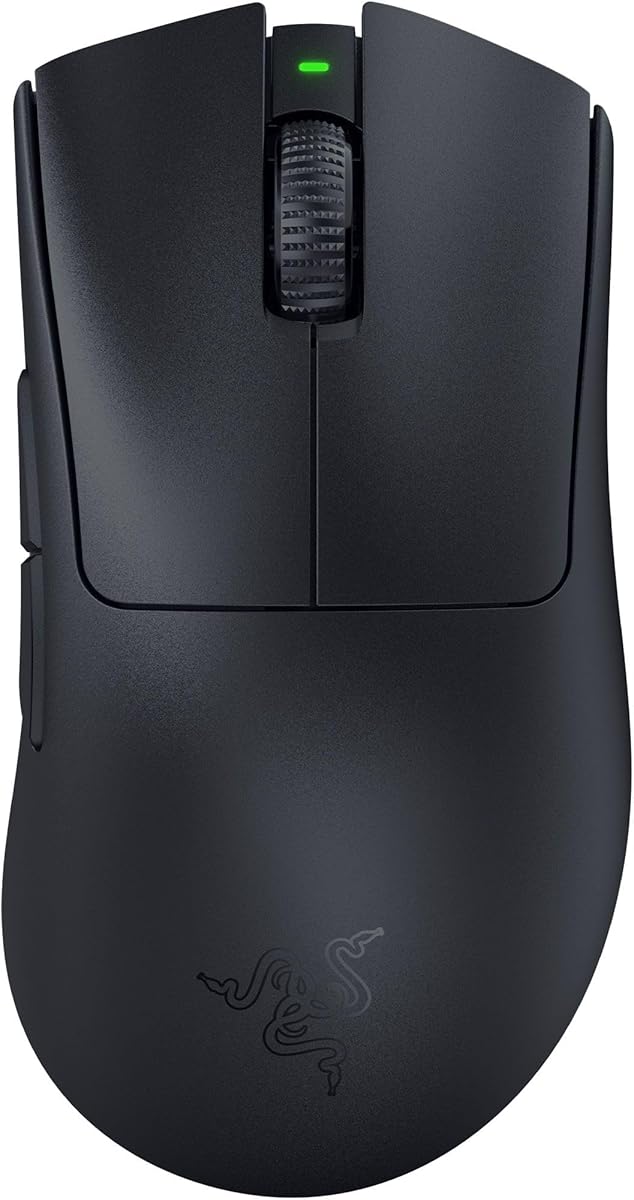
The Razer DeathAdder V3 Pro Wireless Gaming Mouse is praised for its balance of speed and comfort. It holds a 4.3 rating among gamers. Its standout quality is the ultra-light 63g design which reduces fatigue during long sessions.
We may earn a commission when you buy through this link, at no additional cost to you.
Featuring the Focus Pro 30K sensor it tracks flawlessly on various surfaces. The ergonomic form was developed with pros for handling and comfort. You get up to 90 hours of battery life which is great for extended play.
The lack of RGB and fewer programmable buttons may limit some users seeking customization. However the wireless performance remains stable in noisy environments. These are minor trade-offs given the primary goal of pure performance.
Recommended for players who prioritize weight and ergonomics over flashy features. This mouse delivers reliability and speed for competitive gaming. If you want a focused experience without extra bulk this is a great choice.
At 63g this mouse offers fast control favored by top players. It reduces strain on your hand.
Razer Hyperspeed ensures low latency connection. Performance stays stable even in noisy environments.
We may earn a commission when you buy through this link, at no additional cost to you.
The Razer Basilisk V3 Pro Customizable RGB Wireless Gaming Mouse offers a mix of performance and style. With a 4.4 rating it is favored by millions. Its standout quality is the deep customization options for buttons and lighting.
We may earn a commission when you buy through this link, at no additional cost to you.
The Focus Pro 30K sensor tracks flawlessly on glass and other surfaces. You can personalize 13-zone Chroma lighting for immersion with games. Battery life is strong with up to 110 hours on wireless mode.
Some users may find the weight higher due to RGB components. The HyperScroll wheel is excellent but may require setup time. These are acceptable given the level of control you gain over your gameplay.
Best for gamers who love to personalize their gear extensively. This model combines top sensor tech with visual flair. If customization is your priority this mouse delivers on all fronts effectively.
Customize 13 zones with millions of colors. Reacts dynamically with integrated games.
Switch between free-spin and tactile modes easily. Great for both navigation and gaming.
We may earn a commission when you buy through this link, at no additional cost to you.
The Razer DeathAdder V4 Pro Wireless Gaming Mouse sets a new standard for speed. Rated 4.4 it is built for tournaments. Its standout quality is the 56g weight combined with an 8K polling rate.
We may earn a commission when you buy through this link, at no additional cost to you.
The 45K Focus Pro sensor ensures 99.8 percent accuracy for precise tracking. You get up to 150 hours of battery life which is generous. Dual wireless and wired modes offer flexibility for different setups.
The cost is steep and the 8K polling might be overkill for casual use. Still the Gen-4 switches provide durability up to 100 million clicks. These trade-offs are worth it for competitive performance.
Perfect for esports players who need every millisecond advantage. This mouse blends lightness with high tech. If you want the cutting edge this model is your best bet.
56g weight enables faster swipes. 8K polling ensures responsive input.
45K DPI with 900 IPS tracking. Reliability across all surfaces.
We may earn a commission when you buy through this link, at no additional cost to you.
The GravaStar Mercury M1 Pro Gaming Mouse offers a unique aesthetic and build quality. With a 4.5 rating it stands out. Its standout quality is the 88g magnesium alloy shell which feels premium.
We may earn a commission when you buy through this link, at no additional cost to you.
Featuring a 26K DPI sensor and 4K polling rate it delivers pixel-perfect accuracy. You can switch between 2.4G Bluetooth and wired modes easily. Battery life is impressive with up to 200 hours.
The weight may be too high for those preferring light mice. Software tuning requires time to get settings right. However the build quality and low-latag receiver compensate well.
Best for users who value style and material quality alongside performance. This mouse provides a solid command center for victory. If you want something different this model is excellent.
Magnesium alloy adds strength and style. Reduces fatigue with ergonomic sculpting.
26K sensor with 4K polling. Split-second response in every fight.
We may earn a commission when you buy through this link, at no additional cost to you.
The ATTACK SHARK RS3 ULTRA Carbon Fiber Wireless Gaming Mouse brings high-end specs at a competitive point. Rated 4.6 it is reliable. Its standout quality is the carbon fiber hybrid shell which is lightweight.
We may earn a commission when you buy through this link, at no additional cost to you.
With a PAW3955MAX sensor it supports 52000 DPI with precise adjustments. You get up to 800 hours of battery life which is exceptional. The 8K polling rate ensures ultra-low latency performance.
Web-based customization is convenient but some users prefer desktop software. The brand is less known than giants. Yet the dual-layer skates and metal wheel provide durable smooth control.
Great for budget-conscious gamers wanting top specs. This mouse delivers stability and speed. If you want 8K polling without paying top dollar this fits.
Carbon fiber injection mold adds strength. Maintains lightweight 63g design.
Customize settings without installing desktop software. Quick setup directly through browser.
We may earn a commission when you buy through this link, at no additional cost to you.
The Logitech G502 Hero Wired Gaming Mouse is a classic for a reason. With a 4.6 rating it is highly reliable. Its standout quality is the HERO 25K sensor which offers zero smoothing.
We may earn a commission when you buy through this link, at no additional cost to you.
You get 11 programmable buttons and dual mode hyper-fast scroll wheel. Adjustable weights let you match your style precisely. LIGHTSYNC technology allows full customization of RGB lighting.
The wired connection limits mobility but ensures zero lag. Some may find the weight higher but it allows balance control. These features make it a top choice for many gamers.
Best for those needing high specs without wireless cost. This mouse is durable and accurate. If budget matters this is the best entry level choice.
HERO sensor tracks at sub-micron level. Zero smoothing for accurate aim.
Up to five weights allow balance changes. Personalize feel for long sessions.
We may earn a commission when you buy through this link, at no additional cost to you.
The Redragon M916 Wireless 49G Ultra-Light Gaming Mouse offers great value. Rated 4.5 it performs well for price. Its standout quality is the 49g weight combined with 4K tech.
We may earn a commission when you buy through this link, at no additional cost to you.
With 26K DPI and 5 redefinable levels you can switch easily. It supports BT and 2.4Ghz modes for pure mouse moving. Buttons are customizable via dedicated software.
Build quality may not match expensive brands but it is functional. The driver support is solid for keybinds. For the price the performance is hard to beat.
Ideal for budget gamers wanting wireless freedom. This mouse offers control with no hassle. If you need low cost performance this fits.
49g ultra-light materials offer fast control. Cleanest experience without extra effort.
4000Hz report rate ensures precision. Low consumption performance for battle reaction.
We may earn a commission when you buy through this link, at no additional cost to you.
The Razer Basilisk V3 Customizable RGB Wired Ergonomic Gaming Mouse is a favorite. With a 4.6 rating it fits many hands. Its standout quality is the ergonomic thumb rest design.
We may earn a commission when you buy through this link, at no additional cost to you.
You get 11 programmable buttons and HyperScroll tilt wheel for precision. The Focus plus 26K sensor tracks with zero smoothing. Optical switches provide crisp execution at 0.2ms speed.
Some prefer wireless but the cable ensures stable connection. The thumb rest adds comfort for palm grips. These features make it a top pick for wired users.
Best for those needing wired reliability with ergonomic comfort. This mouse is durable and precise. If you prefer cables this is a top choice.
Favored by millions for shape. Buttons positioned for quick access.
Free-spins for speed or tactile for precision. Ideal for cycling through skills.
We may earn a commission when you buy through this link, at no additional cost to you.
The Logitech G703 Lightspeed Wireless Gaming Mouse remains relevant. Rated 4.5 it offers pro-level response. Its standout quality is the HERO 25K sensor with 1:1 tracking.
We may earn a commission when you buy through this link, at no additional cost to you.
It supports POWERPLAY wireless charging for constant power. Rubber grips add comfort and metal spring tensioning improves feel. Battery life reaches up to 35 hours with RGB.
The battery life is shorter than newer models but charging solves this. Some find the weight heavier but grip helps. These are minor issues for a reliable tool.
Ideal for users with G ecosystems needing wireless ease. This mouse balances performance and comfort. If you like G gear this fits well.
1:1 tracking with zero smoothing. 10x power efficiency for battery.
Never worry about battery life. Keep mouse charged while at rest or play.
We may earn a commission when you buy through this link, at no additional cost to you.
Selecting the right mouse involves evaluating several key factors that affect your daily gaming experience. Below we outline the essential elements to consider before making your decision.
The sensor is the core of your mouse and determines tracking accuracy. For 4K gaming you want a DPI of 20000 or higher to see details clearly. Look for sensors with no smoothing or acceleration to ensure raw input data.
Always check for intelligent functions that help on difficult surfaces. A high DPI sensor is essential for pixel-perfect aiming in modern games.
Polling rate dictates how often the mouse reports data to your PC. Higher rates like 4K or 8K provide smoother movement but may demand more from your system. Latency must be low to avoid lag between your hand and screen.
For competitive gaming a high polling rate ensures split-second response. Ensure your PC can handle these rates to get full benefit.
Wireless mice offer freedom and reduced desk clutter but require battery management. Modern wireless tech is fast enough for esports. Wired mice are always powered and consistent but limit your movement range.
Choose based on your setup and preference for flexibility. If you hate cables prioritize wired or top wireless tech.
Weight impacts how long you can use the mouse without strain. Lightweight models around 60g are great for fast flicks. Ergonomics matter for comfort and should fit your grip style like palm or claw.
Consider adjustable weights if you want balance control. Comfort is key for marathon sessions.
Wireless models need strong battery life to avoid frequent charging. Aim for over 70 hours to ensure uninterrupted play. Charging options like USB-C or POWERPLAY add convenience for continuous use.
Check ratings for battery capacity to match your session length. Always have a backup plan for charging.
Durability is vital as you click hundreds of times daily. Optical switches reduce double-clicking issues and offer faster actuation. Materials like magnesium alloy or carbon fiber add strength without weight.
Look for click lifecycles over 50 million. Good build quality ensures longevity for your setup.
Software allows you to remap buttons and adjust DPI settings. Some use cloud profiles while others prefer local settings. Ensure the tool is intuitive so you can tweak settings quickly during setup.
Customization helps you adapt the mouse to your game. Check driver ease before buying.
Budget varies widely from entry to premium tiers. More expensive models often add features like 8K polling or RGB. Assess if these extras match your needs to avoid overspending.
Best value means features you actually use. Balance cost with performance to save money.
Install the official software from the manufacturer to update firmware and set up your buttons. This ensures all custom features work correctly and you can adjust DPI levels.
Keep the mouse feet and surface clean to maintain smooth gliding. Dust can reduce sensor accuracy so use a mouse pad to minimize issues.
Store your device in a dry place to protect electronics from moisture. If wireless keep the battery charged to extend overall device lifespan.
For 4K monitors a DPI between 16000 and 25000 is often ideal. This range allows precise pixel control without oversensitivity. Adjust based on your screen size and playstyle.
Modern wireless mice are now as fast as wired options for gaming. High polling rates ensure minimal lag. Always check specific latency numbers when choosing.
Many newer sensors can track on glass without issues. Look for optical sensors with intelligent surface support. Older models may struggle on reflective surfaces.
Long battery life ensures uninterrupted play during long sessions. Frequent charging interrupts gameplay and reduces device life. Aim for models with 100 hours if possible.
Optical switches offer faster actuation and avoid double-click issues. They are more durable over time. Many top models now switch to optical.
Disable Enhanced pointer precision in Windows settings. Use manufacturer software to set lift-off distance. This removes acceleration for raw tracking.
8K polling provides smoother updates but needs strong hardware. It is useful for competitive FPS games. Casual users may not notice much difference.
Most gamers prefer weights under 80g for speed. Lightweight options reduce fatigue and allow quick moves. Balance depends on grip and hand size.
The Razer Basilisk V3 Pro 35K and DeathAdder V3 Pro lead our top picks with top tier sensor tech and wireless reliability. These models offer the best blend of features for most gamers.
Prioritize your grip style and weight preference to find your perfect match. Whether you need light speed or durability the list covers all bases for you.
Prices change regularly so check the current listings before purchasing. Use this guide to find the best value for your High Dpi Mouse for 4K Gaming Precision needs.