
ARCTIC Case Fan Hub
4.7Editor score
Ten port PWM distribution
SATA power input support
Compact low profile design
This guide compares the top ten Fan Control Hub for PC models to help you optimize airflow manage cable management and ensure reliable cooling performance for
Modern PC builds often require more fan headers than motherboards provide. A dedicated Fan Control Hub for PC solves this by expanding connectivity while simplifying cable routing. Choosing the right hub ensures stable power delivery and synchronized lighting without overloading your system.
We evaluated ten highly rated hubs based on port count, power handling, mounting options, and compatibility with PWM and ARGB standards. Our analysis focused on real-world performance, build quality, and ease of integration into various case designs. This list covers budget-friendly options alongside premium solutions.
Each pick highlights specific strengths such as magnetic mounting, independent control, or extensive port availability. While prices fluctuate regularly, the models listed represent excellent value for different cooling needs. Always verify compatibility with your fans before purchasing to avoid wiring mismatches.
4.7Editor score

4.7Editor score
4.6Editor score
The following table provides a side-by-side overview of all ten selected fan hubs. Compare key specifications like port count, power input methods, and mounting styles to find the model that fits your specific cooling requirements.


The ARCTIC Fan Controller stands out as a top tier solution for managing complex cooling setups. With a high rating, it delivers precise independent PWM control for each of its ten ports. This level of granularity allows users to tailor airflow exactly where needed without relying on synchronized speeds.
We may earn a commission when you buy through this link, at no additional cost to you.
Key strengths include its ability to supply up to two amps per port with a total capacity of four point five amps. This ensures consistent power even when driving multiple high performance fans simultaneously. The included driver support for Windows and Linux kernels makes integration with monitoring software seamless and reliable.
While it excels in performance, setup may require careful planning to ensure cables are routed efficiently. The magnetic or adhesive mounting options provide flexibility but demand a secure surface to prevent movement during system operation. These trade-offs are minor given the superior control it offers.
This hub is ideal for enthusiasts who prioritize detailed airflow management over simplicity. If you need independent fan speed adjustments across a large array of coolers, this model provides the functionality required. We recommend it for builds requiring precise thermal tuning.
Each port allows unique speed adjustments, enabling targeted cooling for specific components like GPU or CPU areas.
High amp capacity ensures stable operation without voltage drops even under full load conditions.
We may earn a commission when you buy through this link, at no additional cost to you.
This budget friendly hub delivers exceptional value by offering ten PWM ports for minimal cost. It connects directly via SATA power to avoid motherboard header limits. The design prioritizes simplicity, passing a single PWM signal to all connected fans for synchronized operation.
We may earn a commission when you buy through this link, at no additional cost to you.
Its strengths lie in reliability and capacity. The SATA connection ensures fans receive consistent voltage without risking motherboard port overload. The black housing blends well with most builds while maintaining a low profile that fits easily in tight case areas.
The main limitation is the lack of individual control since all fans share the same speed signal. For users needing independent adjustments, this hub does not suffice. However for basic expansion it handles the task effectively without unnecessary complexity.
Choose this model if you need to expand fan headers without breaking the bank. It is perfect for standard airflow setups where synchronized speeds are acceptable. We find it offers the best balance of price and performance.
Provides ten ports at a fraction of the cost of premium controllers.
Direct SATA power prevents voltage loss common with motherboard header splitting.
We may earn a commission when you buy through this link, at no additional cost to you.
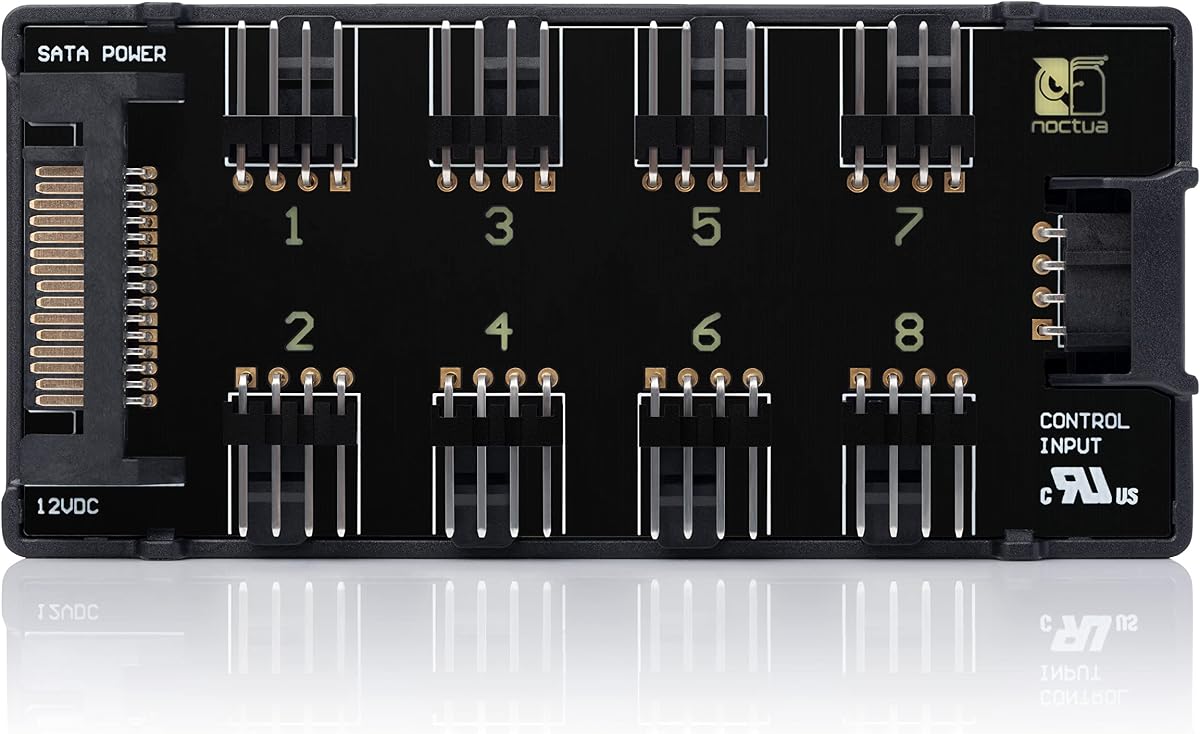
Noctua delivers a premium hub option with robust safety features and excellent build quality. The inclusion of short circuit protection fuses adds a layer of security often missing in standard hubs. Its magnetic mounting system simplifies installation significantly compared to adhesive methods.
We may earn a commission when you buy through this link, at no additional cost to you.
Key strengths include support for simultaneous power via SATA and PWM via the four pin header. This flexibility ensures maximum power availability for all connected fans. The six year warranty reflects confidence in durability and reliability over extended use.
While the cost is higher than average, the safety and longevity justify the investment. Users may find the port count slightly lower than some competitors but it remains sufficient for most high end builds. The premium finish aligns with high quality system aesthetics.
This hub is best suited for professionals or enthusiasts who value safety and warranty coverage. If reliability is your primary concern, this model offers peace of mind. We recommend it for critical cooling applications.
Built in fuses protect against overcurrent and short circuits for hardware safety.
Strong magnets allow attachment to steel panels without permanent adhesion.
We may earn a commission when you buy through this link, at no additional cost to you.
This hub combines PWM fan control with ARGB lighting synchronization in one compact unit. It supports eight groups of fans and ensures clean cable management through integrated connectors. The SATA power input guarantees stable operation under high load conditions.
We may earn a commission when you buy through this link, at no additional cost to you.
Strengths include its ability to handle both speed and lighting signals efficiently. The strong adhesive backing secures the hub firmly to chassis surfaces preventing accidental movement. Care must be taken to align ARGB plugs correctly to avoid damage.
The limitation on RGB pin direction requires attention during installation. Incorrect insertion can damage equipment so users must verify arrow markings. Despite this, the value offered by dual functionality makes it a strong contender.
Choose this hub if you need both cooling expansion and lighting control. It is well suited for mid-range builds requiring organized wiring. We find it effective for standard ARGB setups.
Handles both fan speed and RGB lighting for a complete control solution.
Robust adhesive ensures the hub stays in place during system transport.
We may earn a commission when you buy through this link, at no additional cost to you.
With twelve ports available, this hub offers one of the highest capacities in its class. It supports both PWM fans and ARGB lighting devices ensuring synchronized control. The white finish makes it a distinct choice for lighter themed builds.
We may earn a commission when you buy through this link, at no additional cost to you.
Its main advantage lies in extensive expansion capability without needing multiple units. The SATA power connection ensures all fans receive consistent voltage. However the separate purchase of the SATA cable adds a small step to setup.
Users should be aware that SATA cables are not included. This minor inconvenience is offset by the sheer number of connections available. The hub maintains stable output even under heavy load.
This model is ideal for large cases needing many fans. If you prioritize capacity over bundled accessories this hub fits the bill. We recommend it for extensive cooling configurations.
Twelve ports allow for massive fan setups without extra controllers.
White casing blends seamlessly with white or light colored PC builds.
We may earn a commission when you buy through this link, at no additional cost to you.
This hub distinguishes itself with an included RF remote for lighting control. It manages up to nine ports with magnetic mounting for easy placement. The SATA power ensures reliable performance for both fans and lighting devices.
We may earn a commission when you buy through this link, at no additional cost to you.
Strengths include the convenience of remote adjustment without accessing BIOS software. The magnetic base allows quick repositioning within the case. However reliance on remote batteries means replacement may be needed over time.
The remote adds user friendly customization which is rare at this price point. Users can change colors on the fly during gaming or operation. It simplifies the RGB experience significantly.
Choose this hub if you value ease of lighting adjustments. It is perfect for users who prefer physical controls over software. We find it excellent for RGB focused builds.
Adjust lighting effects instantly without leaving your seat.
Strong magnets allow flexible installation spots inside the chassis.
We may earn a commission when you buy through this link, at no additional cost to you.
This hub focuses on PWM fan control with ten ports for extensive cooling. It uses direct SATA input to ensure stable power delivery. The strong sticker mounting keeps the hub secure inside the case.
We may earn a commission when you buy through this link, at no additional cost to you.
Strengths lie in reliability and port availability. It avoids the complexity of RGB to prioritize performance. The compact design helps maintain clean internal wiring without cluttering the chassis.
Because it lacks RGB support users with lighting fans must use separate controllers. For cooling focused builds this specialization is acceptable. The SATA connection prevents motherboard header strain.
Select this model if you need pure PWM expansion. It suits builders who value airflow over aesthetics. We recommend it for silent system cooling.
Dedicated to fan speed control without RGB complexity.
Compact dimensions fit easily into crowded case environments.
We may earn a commission when you buy through this link, at no additional cost to you.
This hub supports both PWM fans and ARGB lighting with eight ports each. It enables independent control for speed and lighting signals. The direct SATA input ensures stable power delivery under high load.
We may earn a commission when you buy through this link, at no additional cost to you.
Strengths include versatility in handling different fan types simultaneously. The black finish blends well with standard PC builds. The strong adhesive secures the hub firmly for reliable operation.
Wiring requires attention to ensure both signals connect correctly. This may add setup time compared to simple splitters. However the functionality gained is worth the effort for complex builds.
This model fits users needing both cooling and lighting expansion. It balances functionality with ease of use. We recommend it for versatile system builds.
Handles multiple signal types to reduce need for extra cables.
Double sided stickers ensure the hub stays firmly in place.
We may earn a commission when you buy through this link, at no additional cost to you.
This hub offers extensive control options including remote and chassis key interfaces. It supports ten ports for PWM and ARGB devices. Magnetic mounting ensures secure installation without adhesives.
We may earn a commission when you buy through this link, at no additional cost to you.
Strengths include multiple control methods for lighting adjustments. The ten port capacity handles large setups. However integrating both remote and key may add complexity during setup.
The remote provides easy access while the key allows physical interaction. This dual approach suits different user preferences. The SATA connection maintains power stability across all ports.
Choose this if you want flexible lighting control. It is excellent for users who value physical buttons. We recommend it for customized builds.
Adjust lights via remote or chassis button for flexibility.
Ten ports accommodate extensive cooling and lighting needs.
We may earn a commission when you buy through this link, at no additional cost to you.
This hub provides eight ports for both PWM and ARGB at a competitive value. It uses SATA power input for stability and reliability. The black housing is compact and fits easily in most cases.
We may earn a commission when you buy through this link, at no additional cost to you.
Strengths include dual support for speed and lighting signals. The SATA input ensures consistent performance. However the SATA cable is sold separately adding minor setup cost.
The price point makes it accessible for builders on a budget. It delivers core functionality without unnecessary complexity. The clear labeling helps avoid connection errors.
Select this for balanced performance and cost. It fits users needing basic expansion. We recommend it for entry level builds.
Provides essential features at an accessible price point.
Handles both PWM and ARGB signals effectively.
We may earn a commission when you buy through this link, at no additional cost to you.
Selecting the right fan hub involves considering port count, power delivery, and control methods. This guide outlines key factors to help you make an informed decision.
Determine how many fans you need to connect simultaneously. Most hubs offer between eight and ten ports. Ensure the hub supports your specific fan types.
Choose a hub with enough ports for current and future needs.
Look for SATA power input to avoid overloading motherboard headers. This ensures stable voltage for all connected fans. High amp capacity prevents voltage drops during peak loads.
Verify total amperage to match your cooling demands.
Magnetic mounting offers flexibility and ease of repositioning. Adhesive mounting is secure but permanent. Consider where inside the case the hub fits best.
Choose mounting that suits your case layout preferences.
Ensure the hub supports your fan signal types. PWM controls speed while ARGB controls lighting. Some hubs handle both signals independently.
Verify signal compatibility before purchasing to avoid mismatches.
Some hubs offer independent control per port while others synchronize speeds. Remote controls add convenience for lighting. Software compatibility enables integration with monitoring tools.
Prioritize controls that match your management workflow.
Short circuit protection protects hardware from electrical faults. Look for fuses or built-in safeguards. Safety certifications ensure reliability and durability over time.
Choose hubs with safety features for peace of mind.
Materials affect durability and heat dissipation. Metal housings offer better protection than plastic. Check warranty terms for manufacturer support and replacement policies.
Invest in quality construction to ensure longevity.
Hubs should help reduce clutter with integrated connectors. Look for designs that keep cables tidy. Proper management improves airflow and cooling efficiency.
Select hubs that streamline your internal wiring.
Connect the SATA power cable from your PSU to the hub. Ensure the connection is secure for stable power. Route cables to minimize obstruction inside the case.
Attach each fan to the appropriate port matching speed or lighting. Verify ARGB polarity to prevent damage. Keep connections organized for easier troubleshooting.
Periodically check connections for dust or looseness. Clean the hub surface with compressed air. Monitor system temperatures to ensure fans perform correctly.
Most hubs synchronize all connected fans to one signal. Independent control requires specific models with multiple PWM outputs. Check product specs before buying if individual control is needed.
Yes most hubs connect directly to the PSU via SATA cables. This prevents overloading motherboard headers. Always ensure the SATA connector is fully seated.
Standard RGB uses twelve volt four pin connectors while ARGB uses five volt three pin. These are not compatible and may cause damage. Verify fan type before connecting.
Check the total current capacity of the hub. Most handle up to four point five amps. Exceeding this may cause performance drops or damage.
Yes multiple hubs can connect to a single motherboard header. Ensure total amperage does not exceed limits. This allows scalability for large builds.
Yes high strength magnets hold hubs firmly to steel cases. Ensure the surface is clean and flat. This prevents movement during system operation.
Incorrect voltage can damage fans or the hub. Always check connector type and orientation. Follow manufacturer labeling to prevent errors.
Typically no as long as wiring is correct. Avoid exceeding electrical limits. Consult fan manufacturers if unsure about compatibility.
We reviewed ten top models offering diverse features for cooling needs. The ARCTIC Fan Controller leads with independent control and Linux support. Budget buyers will prefer the ARCTIC Case Fan Hub.
Prioritize port count and power capacity to match your system. Ensure compatibility with PWM and ARGB signals to avoid issues. Look for safety features and solid build quality for durability.
Prices fluctuate so check current listings before buying. Always verify specifications against your specific hardware needs. A suitable hub ensures reliable performance and clean cable management.