
5-in-1 External CD/DVD Drive
4.2Editor score
Integrated SD and TF card reader
Dual USB 2.0 ports
Includes external power cable
This guide compares the top external DVD drives for Windows 11 to help you find the most reliable portable optical drive for your laptop or desktop needs.
Modern laptops often omit internal optical drives, making external USB DVD drives essential for installing software or accessing legacy media. Finding a reliable unit requires careful consideration of compatibility, speed, and build quality to ensure seamless operation with your system.
We evaluated ten highly rated external drives based on performance metrics, user feedback, and connectivity options. Our analysis focuses on devices that offer stable data transfer, broad OS support, and durable designs suitable for both home and professional environments.
Each selection below highlights specific strengths such as portability, dual interface support, or advanced error correction. Note that product availability and pricing may fluctuate over time, so verifying current details before purchase is always recommended for the best experience.
4.2Editor score

4.4Editor score

4.3Editor score
The following table provides a side-by-side overview of all ten selected drives, highlighting their key specifications and unique features to help you make an informed decision based on your specific requirements.


The ROOFULL External CD DVD Drive stands out as a highly reliable option for users needing consistent optical media access. With a rating reflecting widespread adoption and over 1.65 million units sold, it delivers stable performance for burning, reading, and ripping discs.
We may earn a commission when you buy through this link, at no additional cost to you.
Its key strengths include dual USB 3.0 and Type-C connectivity, allowing seamless integration with modern laptops and legacy systems. The built-in anti-interference tech ensures quiet operation while the included protective case adds significant value for travelers.
While it does not support Blu-ray discs, its focus on standard CD and DVD formats is sufficient for most archival and installation tasks. Mac users should note the requirement to manually eject discs via software rather than the hardware button due to OS restrictions.
This drive is ideal for professionals and students who prioritize durability and ease of use. Its straightforward setup and long warranty period make it a safe investment for anyone seeking a robust external optical solution.
The dual connector cable supports both USB-A and Type-C ports without needing extra adapters.
ROOFULL backs this unit with a two-year warranty and offers hassle-free replacement services.
We may earn a commission when you buy through this link, at no additional cost to you.
Amicool offers a sleek external drive designed for users seeking a simple plug-and-play solution without compromising on connectivity. Its dual USB 3.0 and Type-C interfaces ensure compatibility across a wide range of devices including Macs and PCs.
We may earn a commission when you buy through this link, at no additional cost to you.
The drive features intelligent error correction and anti-shock technology to maintain smooth data transfer even during movement. Users appreciate the integrated cable design that keeps everything organized and reduces the risk of losing adapters.
While it lacks support for Blu-ray discs, it handles standard DVD and CD formats effectively for media playback and software installation. Note that for optimal power delivery, direct connection to a computer port is recommended over using hubs.
This model is well-suited for general users who need reliable media access without complex setup. Its affordable price point and portable design make it a practical choice for home offices and travel.
USB 3.0 technology provides transfer speeds up to 5Gbps for quick access to files.
Supports Windows, Linux, and macOS systems ensuring broad device compatibility.
We may earn a commission when you buy through this link, at no additional cost to you.
This multifunctional drive stands out by integrating card readers and USB hub ports into a single compact unit. It serves as both an optical drive and a connectivity solution, reducing the need for separate accessories on your desk.
We may earn a commission when you buy through this link, at no additional cost to you.
Users benefit from the ability to read SD and TF cards directly without needing external card readers. The additional USB ports allow for connecting peripherals like mice or keyboards directly to the drive for better port management.
While the USB hub ports are limited to 2.0 speeds, the optical drive itself leverages USB 3.0 for faster data transfer. Including an external power cable helps mitigate potential power issues on low-output ports.
This drive is perfect for users who want a centralized solution for multiple connectivity needs. Its versatility and included accessories make it a strong budget option for home and mobile use.
Includes slots for memory cards and extra USB ports for peripherals.
Comes with an external power cable for stable operation on all ports.
We may earn a commission when you buy through this link, at no additional cost to you.
Rioddas provides a drive that prioritizes reliable data transmission through advanced shielding technology. The copper mesh integration helps prevent interference during data transfers, ensuring stable performance even in electrically noisy environments.
We may earn a commission when you buy through this link, at no additional cost to you.
A unique physical eject button allows users to manually release discs even if the computer fails to recognize the drive. This feature significantly reduces frustration when dealing with stubborn discs or system glitches.
The drive features a stylish brushed shell and embedded cable design that keeps the unit organized and travel-ready. While it lacks proprietary software, its raw performance supports most standard disc burning and reading tasks efficiently.
This model is ideal for users who value build quality and practical design features. Its fault tolerance and manual eject option make it a dependable choice for everyday media tasks.
Copper mesh technology enhances signal stability during read and write operations.
Embedded cable and physical eject button ensure user-friendly operation.
We may earn a commission when you buy through this link, at no additional cost to you.
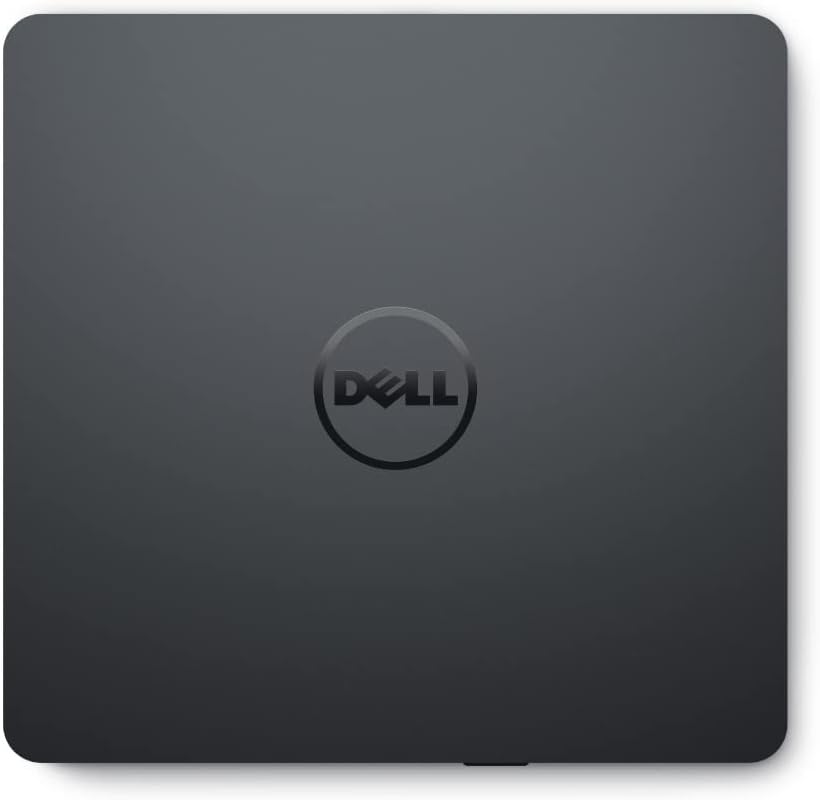
Dell's external drive offers a classic solution with pre-loaded software to simplify media management right out of the box. Its slim profile complements modern notebooks while providing essential optical functionality without extra bulk.
We may earn a commission when you buy through this link, at no additional cost to you.
The drive is fully powered by the USB port, eliminating the need for external power adapters. This portability makes it easy to carry in a bag for use on different machines without hunting for outlets.
While it operates on USB 2.0 speeds, this does not significantly hinder standard disc reading or burning tasks. The included CyberLink Media Suite provides a ready-to-use interface for playing and burning discs immediately.
This drive is perfect for Dell users or anyone preferring a no-fuss branded accessory. Its simplicity and included software make it a straightforward choice for home and office use.
Pre-loaded CyberLink Media Suite allows immediate media management.
The 14mm height ensures it fits easily in any laptop bag.
We may earn a commission when you buy through this link, at no additional cost to you.
ORIGBELIE focuses on maximizing portability with an ultra-slim 13mm profile that fits easily into any travel kit. Its design prioritizes convenience, ensuring users can carry the drive without worrying about added weight or space.
We may earn a commission when you buy through this link, at no additional cost to you.
The drive features noise reduction and shock resistance technology to protect data integrity during movement. An included storage bag and anti-skid bottom add practical touches that enhance the user experience.
While it supports USB 3.0 speeds, some laptops may require an external power connection for stable operation. This is a common trade-off for such thin devices but ensures functionality across all system types.
This drive is ideal for travelers who prioritize size and weight. Its compact form and included accessories make it a versatile option for on-the-go media access.
The 13mm slim design makes it perfect for frequent travelers.
Includes a storage bag and charging cable for versatile use.
We may earn a commission when you buy through this link, at no additional cost to you.
The ASUS ZenDrive distinguishes itself with support for M-Disc media, which offers significantly longer archival lifespans for critical data. This feature is invaluable for users who need to store important documents or media for decades.
We may earn a commission when you buy through this link, at no additional cost to you.
It also includes Disc Encryption II to secure sensitive files with password protection. The included Nero BackItUp software allows for easy backup management across Windows and Android devices.
Despite lacking USB 3.0 connectivity, its robust feature set justifies its premium positioning. The dual cables and sleek design maintain a modern aesthetic while providing versatile connection options.
This drive is best suited for professionals and enthusiasts who require enhanced security and archival capabilities. It is a solid investment for those prioritizing data longevity over raw speed.
Enables storage of data that lasts up to 1,000 years.
Disc Encryption II allows password protection for sensitive files.
We may earn a commission when you buy through this link, at no additional cost to you.
HP provides a straightforward external drive that focuses on core functionality without unnecessary complications. Its reputation for reliability ensures users receive a consistent performance across various hardware configurations.
We may earn a commission when you buy through this link, at no additional cost to you.
The drive operates seamlessly with a range of operating systems, making it a safe choice for mixed environments. Its simple design ensures ease of use for both technical and non-technical users alike.
While it lacks advanced features found in premium models, it handles standard disc reading and burning tasks effectively. This balance makes it a dependable tool for general purpose computing needs.
This model is ideal for users who prioritize stability and brand trust. It is a safe recommendation for anyone needing a reliable optical drive at a reasonable price point.
Designed to deliver reliable results across diverse hardware setups.
Simple plug and play setup minimizes installation time.
We may earn a commission when you buy through this link, at no additional cost to you.
This drive features intelligent burning technology to optimize write performance across different disc types. The pure-copper knitted net tech enhances shielding to reduce interference and improve data stability during transfers.
We may earn a commission when you buy through this link, at no additional cost to you.
Users appreciate its high rewrite speeds which allow for quick re-burning of data without long waits. The drive is designed for broad compatibility across Windows, Mac, and Linux systems.
While it does not offer extra ports or software suites, its core performance remains strong for standard tasks. The fashionable design adds a subtle touch of style to the utilitarian function.
This model is suitable for users who need a fast and reliable burner without extra frills. It is a practical tool for frequent media creation and management.
Optimizes write performance for faster and more reliable burns.
Pure-copper net reduces interference for better data integrity.
We may earn a commission when you buy through this link, at no additional cost to you.
The Dell Slim DW316 stands out for its support of DVD-RAM formats, offering flexibility for users needing rewritable storage. It is often optimized for Dell Inspiron and XPS systems ensuring seamless integration.
We may earn a commission when you buy through this link, at no additional cost to you.
Users report high satisfaction due to its reliable performance and slim form factor. The drive handles standard reading and writing tasks with consistent speed and stability.
While connectivity is limited to USB 2.0, the speed remains sufficient for standard disc usage. Its specialized support for certain laptop models adds value for owners of compatible devices.
This drive is best for users looking for a specialized solution that works well with their existing hardware. It is a practical upgrade for those who need optical access without bulk.
Supports DVD-RAM discs for increased reusability.
Optimized for specific Dell laptop models for better stability.
We may earn a commission when you buy through this link, at no additional cost to you.
Choosing the right external DVD drive involves evaluating connectivity, compatibility, and build quality to ensure it meets your specific needs.
Modern drives should ideally feature USB 3.0 or USB-C for faster data transfer and future-proofing. Ensure the drive comes with the appropriate cables to match your laptop ports.
Verify that the drive is explicitly compatible with Windows 11 or your current OS. Some drives work better on macOS or Linux requiring specific software installation steps.
If you travel frequently look for slim and lightweight models with integrated cables. An external power adapter can add bulk but ensures stable operation on lower powered ports.
Opt for drives with USB 3.0 speeds to minimize wait times during burns or large file transfers. While not always critical for video playback it improves overall efficiency.
Select a drive with a durable casing to protect internal components during transport. Shock resistance features help prevent mechanical failures caused by accidental bumps or drops.
Some drives come bundled with media players or burning software which simplifies setup. Check if the included software is still supported or if you prefer third-party alternatives.
Most drives draw power from the USB port but some may need external power for stable operation. This is common for high-performance drives or older laptop models.
Look for products with at least a one-year warranty to protect against hardware defects. Reliable customer support can be vital if you encounter connection or recognition issues.
Start by connecting the drive directly to a USB port on your computer rather than a hub. This ensures sufficient power delivery and reduces the risk of recognition issues during operation.