
Dexpt 65W Laptop Charger
4.5Editor score
Affordable price point
Multiple connector tips included
Wide voltage input range
This comprehensive guide compares the top ASUS Vivobook and Zenbook Power Cord options available in October 2026 to help you find the most reliable replacement
Finding a reliable power source is essential for keeping your ASUS laptop running smoothly throughout your day. A high-quality charger ensures stable performance and protects your device from potential electrical issues during use.
We evaluated ten top-rated replacements based on compatibility, safety features, build quality, and customer feedback. Our analysis focuses on models that support various wattages and connector types used across the ASUS lineup.
Each selection highlights key strengths and limitations to help you match the right cord to your specific model. Keep in mind that availability and pricing can change frequently, so verify details before purchasing online.
4.5Editor score

4.4Editor score
4.8Editor score
The following table provides a side-by-side look at the key specifications and features of each recommended charger to help you make an informed decision quickly.


The Superer 65W Laptop Charger stands out as a reliable option for many ASUS users needing a replacement power source. With a solid rating from buyers, it delivers consistent power for standard Vivobook and Zenbook models without overheating issues.
We may earn a commission when you buy through this link, at no additional cost to you.
Its key strength lies in the included switchable round connectors, which cover a broad range of device specifications. This versatility means you are less likely to need multiple adapters for different devices or future upgrades.
While it does not support high-wattage gaming series, the trade-off is a lower cost and simpler design that works well for daily productivity tasks. Most users find it adequate for normal charging cycles and extended use.
This charger is ideal for students and professionals who need a dependable backup or primary power source for their standard ASUS laptops. We recommend verifying your connector size before ordering to ensure a perfect fit.
The package includes four different tips to match various barrel sizes used by ASUS across different model years.
A twenty-four-month warranty provides peace of mind against defects, which is longer than many competitors offer.
We may earn a commission when you buy through this link, at no additional cost to you.
This Dexpt replacement charger offers a practical solution for users seeking a longer cord and visual feedback on charging status. The included LED indicator helps you confirm power flow at a glance, which is helpful in low-light environments.
We may earn a commission when you buy through this link, at no additional cost to you.
It maintains compatibility with most standard Vivobook and Zenbook series through interchangeable tips. The seven-and-a-half-foot cord adds flexibility for desk setups where outlets are farther from your workspace.
Some users note that verifying connector sizes is critical since this model does not support modern USB-C standards or higher wattage gaming devices. For compatible models, however, it delivers steady performance without unnecessary complexity.
We suggest this charger for home or office use where cord length matters. Always check your original adapter specifications to ensure the included tips match your device requirements.
The extra-long cord allows you to place your laptop comfortably on desks or tables near walls.
An LED light provides immediate confirmation that the charger is receiving power and charging your device.
We may earn a commission when you buy through this link, at no additional cost to you.
The Powseed charger brings versatility to the table with four different DC barrel tips to match a wide array of ASUS laptop models. This approach reduces the need to buy separate chargers for different devices in your household.
We may earn a commission when you buy through this link, at no additional cost to you.
Built with short circuit protection and standard certifications, it prioritizes safety alongside functionality. The six-foot cord is sufficient for most indoor setups, though those with limited outlet access might prefer a longer option.
While tips can occasionally loosen if not inserted firmly, the overall build quality remains solid for daily use. It avoids the complexity of USB-C but covers legacy and current round-connector models effectively.
This is a smart pick for households with multiple ASUS devices or for users who value having backup tips ready. Confirm your connector dimensions first to maximize compatibility.
Multiple tips allow one charger to serve various ASUS laptops with different barrel connector sizes.
Built-in protection features guard against electrical faults that could harm your laptop or battery.
We may earn a commission when you buy through this link, at no additional cost to you.
Users with newer ASUS models featuring USB-C ports will find this 90W charger highly effective for fast and efficient power delivery. It supports higher wattage needs that standard 65W chargers cannot meet.
We may earn a commission when you buy through this link, at no additional cost to you.
The Type-C connector aligns with modern laptop designs and simplifies cabling by supporting bidirectional data flow on compatible devices. Certifications ensure it meets safety standards for overvoltage and short circuit protection.
Pricing is higher than barrel-tip alternatives, but the performance gains for compatible models justify the cost. Be sure your device supports 90W input to take full advantage of this adapter.
This is an excellent choice for professionals using OLED or S-series Vivobooks that demand more power for performance and display brightness.
The 90W capacity supports demanding tasks while keeping your device charged during intensive use.
USB-C ensures compatibility with the latest laptop designs and future-proofing your setup.
We may earn a commission when you buy through this link, at no additional cost to you.
Rated highly by users, this 90W USB-C charger delivers premium performance for modern ASUS Zenbook and Vivobook OLED models. It supports fast charging protocols that reduce downtime and keep your workflow uninterrupted.
We may earn a commission when you buy through this link, at no additional cost to you.
Safety mechanisms protect against overheating and overcurrent, ensuring longevity for both the charger and your laptop battery. The design is sleek and compact, making it suitable for travel alongside your device.
The higher price point reflects its advanced capabilities and build quality. If your device requires 90W through USB-C, this adapter offers a reliable and efficient power source you can trust daily.
We recommend this for users seeking top-tier charging speeds and reliability for high-performance ultrabooks and convertible laptops.
Consistently high ratings indicate strong customer trust and reliable real-world performance across many users.
The compact form factor makes it easy to carry in a laptop bag without adding bulk.
We may earn a commission when you buy through this link, at no additional cost to you.
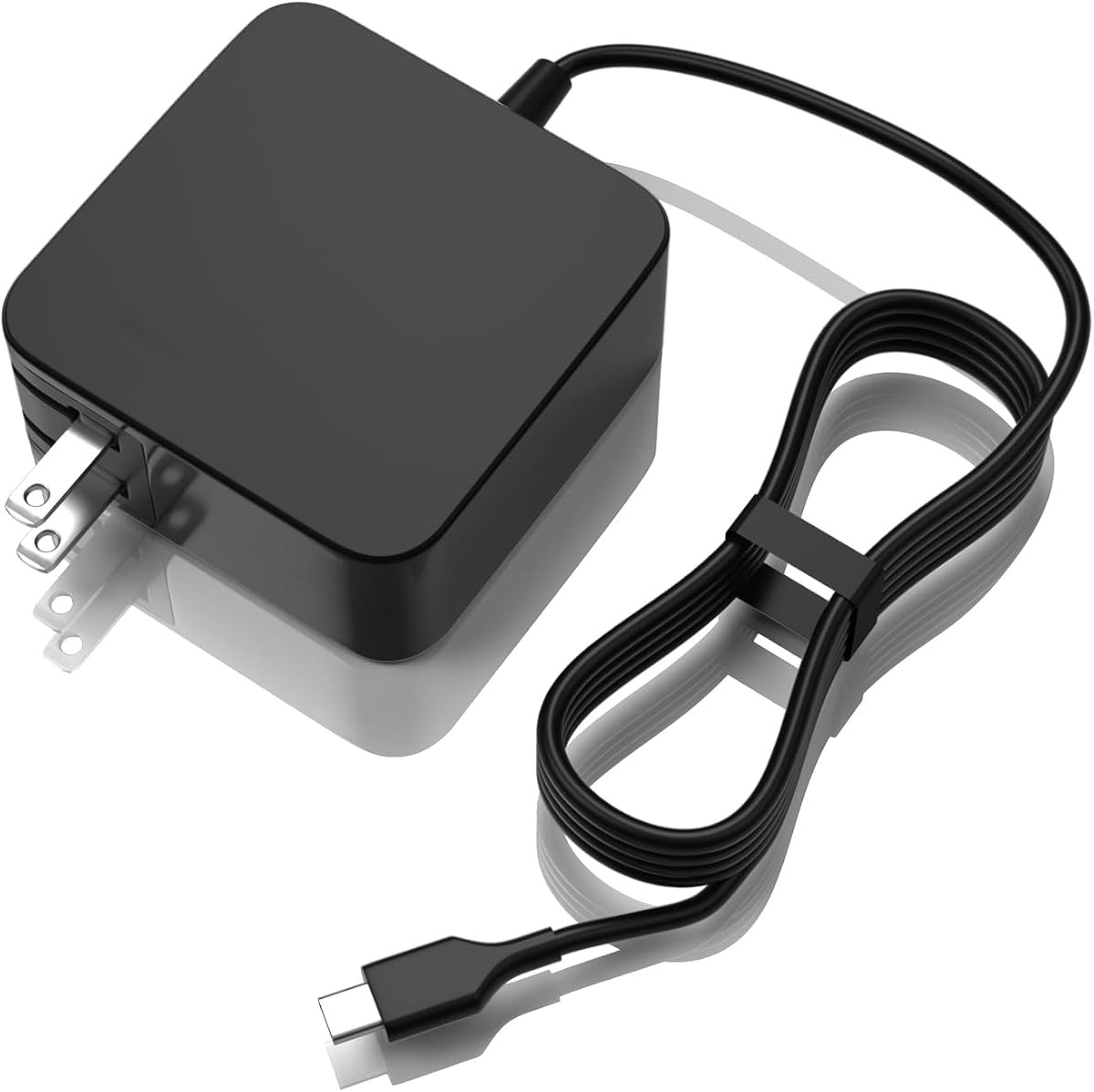
This adapter is optimized for portability, featuring a foldable plug that saves space in bags and reduces snagging during travel. It delivers steady 65W power for compatible Chromebook and Zenbook devices.
We may earn a commission when you buy through this link, at no additional cost to you.
The USB-C connector simplifies cabling, and the included five-and-a-half-foot cord is sufficient for most home or office setups. It is certified to industry safety standards for peace of mind during use.
While the cord is shorter than some alternatives, the compact footprint makes it ideal for frequent travelers or students who carry their chargers daily. Verify your device accepts 65W via USB-C.
This option suits those who prioritize portability without sacrificing charging speed for compatible laptops.
The foldable prongs reduce the bulk of the charger when packed in a backpack or case.
A compact design makes it easy to carry without adding extra weight to your daily kit.
We may earn a commission when you buy through this link, at no additional cost to you.
Nicpower offers a straightforward replacement charger that works with a wide range of standard Vivobook and Zenbook series. Its simplicity means fewer points of failure and reliable power delivery for daily needs.
We may earn a commission when you buy through this link, at no additional cost to you.
The 19V 3.42A output matches most 65W, 45W, and 33W models using round connectors. It is a cost-effective choice for users who need a spare or replacement without extra features.
Ensure you confirm the connector size before purchase, as this model does not support USB-C or gaming series. For compatible devices, it provides a hassle-free charging solution.
We recommend this for budget-conscious buyers seeking dependable power for standard ASUS laptops with barrel connectors.
Compatible with numerous Vivobook and Zenbook models across different generations and sizes.
A no-frills approach ensures reliability without unnecessary components that could complicate use.
We may earn a commission when you buy through this link, at no additional cost to you.
This 45W charger is specifically tailored for smaller ASUS laptops that require less power. Its lightweight build and six-foot cord make it convenient for daily use and travel.
We may earn a commission when you buy through this link, at no additional cost to you.
The 4.0mm tip fits select VivoBook and Zenbook models as well as some Chromebook variants. It is an economical choice for users with compatible devices who do not need higher wattage.
Avoid using this with larger laptops requiring 65W or more, as it may not sustain performance under heavy load. Verify your original charger's wattage before ordering.
We suggest this for students or travelers with compact devices who prioritize portability and cost.
The lighter weight makes it easier to carry compared to higher-wattage adapters.
A low price point makes it accessible for those needing a basic replacement for smaller models.
We may earn a commission when you buy through this link, at no additional cost to you.
The Dexpt 65W charger is an economical option for users seeking a basic replacement without extra frills. It comes with three connector sizes to cover a variety of common barrel plugs found on ASUS laptops.
We may earn a commission when you buy through this link, at no additional cost to you.
Performance is stable and consistent for standard daily tasks, though it lacks some of the longer warranties offered by other brands. The design is straightforward and easy to use.
Because it focuses on core functionality, it is an excellent choice for backup charging or for users on a tight budget. Confirm connector compatibility before purchasing.
This adapter is best suited for budget shoppers who prioritize value and broad model support.
Competitive pricing makes this one of the most affordable options available for 65W replacements.
Three included tips increase the likelihood of fitting your specific laptop model.
We may earn a commission when you buy through this link, at no additional cost to you.
The EERSY charger offers an impressive eight-and-eight-tenths foot cord, providing substantial reach for large desks or hard-to-reach outlets. It supports a wide range of Vivobook, Zenbook, and Chromebook models.
We may earn a commission when you buy through this link, at no additional cost to you.
With a high user rating, it delivers consistent performance for daily tasks. The multiple tip options help ensure compatibility across different ASUS model generations and connector styles.
While it is a standard design without advanced features, its length and flexibility make it a practical choice for home office setups. Always confirm connector size before ordering.
We recommend this for users who need extra cord length without sacrificing model compatibility.
The longer cord offers flexibility for arranging your workspace without stretching across rooms.
Consistently high ratings suggest strong satisfaction and reliable real-world performance.
We may earn a commission when you buy through this link, at no additional cost to you.
Choosing the right charger involves more than matching wattage. Consider connector type, safety features, cord length, and warranty to ensure reliable performance for your specific model.
ASUS laptops use round barrel connectors or USB-C. Check your existing plug diameter and inner pin size before purchasing a replacement to avoid incompatibility.
Always verify connector dimensions to ensure a secure fit and prevent potential damage to your charging port.
Using a charger with lower wattage than your laptop needs can cause slow charging or performance throttling. Match the output wattage exactly or choose a higher wattage option if compatible.
Select a charger that meets or exceeds your device's power requirements for optimal performance.
Look for FCC, CE, or RoHS certifications to ensure the charger meets industry safety standards. These reduce risks of overheating or electrical faults.
Certified products offer better protection for both your device and your safety during daily use.
If you work from multiple locations, consider a model with a longer cord or foldable plug. Portable chargers are easier to carry in backpacks or bags.
Choose a cord length that fits your workspace layout while balancing portability needs.
A longer warranty indicates manufacturer confidence and offers protection against defects. Many chargers come with one to two-year coverage for peace of mind.
Prioritize models with at least a one-year warranty to safeguard your investment.
Durability affects how long a charger lasts under regular use. Check user reviews regarding heat levels, cable flexibility, and connector sturdiness.
Read reviews to confirm build quality before purchasing.
Prices vary widely. Balance cost with features like cord length and tip variety. Avoid the cheapest options if they lack safety certifications.
Balance cost with features to find the best value for your needs.
Manufacturers provide lists of supported models. Cross-reference your device number to confirm it is included before ordering a replacement.
Cross-reference your device number to confirm compatibility.
Plug the AC adapter into a reliable wall outlet before connecting it to your laptop to ensure stable power delivery. Check that the connector fits snugly without forcing it into the port.
Avoid wrapping the cord tightly around the brick, as this can damage internal wires over time. Use the built-in tie or a loose coil for storage.
Keep the charger away from moisture and heat sources to maintain performance. Regularly inspect the cord for fraying or wear and replace it if damaged.
Yes, higher wattage chargers are generally safe if the voltage matches your device. The laptop draws only the power it needs, but verify connector compatibility.
Only newer Zenbook and Vivobook models with USB-C power ports support USB-C chargers. Older models require round barrel connectors.
Most third-party replacements offer between one to two years of warranty coverage. Check the specific product page for details.
Slow charging can result from using a lower-wattage charger, a damaged cable, or a depleted battery. Ensure your charger matches your device specifications.
Many of the listed options carry FCC, CE, and RoHS certifications. Always verify the product details for official safety marks.
Round barrel sizes like 4.5×3.0mm and 4.0×1.35mm are common. USB-C is increasingly used on newer models.
The ten chargers reviewed provide a range of options tailored to different needs, from budget replacements to fast USB-C solutions for OLED models.
Prioritize wattage, connector type, and safety certifications to ensure you select a charger that safely powers your device.
Prices and stock can fluctuate quickly, so confirm details on the product page before completing your purchase.