
Dell Optiplex 3050 SFF Desktop Computer PC
4.2Editor score
Intel Quad Core i5 Processor
16GB DDR4 RAM Capacity
256GB SSD Storage Space
This guide compares the top ten desktop PCs for teens including performance, connectivity, and value to help parents choose the right machine for study and
Finding the right desktop computer for a teenager requires balancing performance with reliability. Teens need machines that handle homework, streaming, and gaming without constant lag or crashes. A solid desktop offers more power than laptops and lasts longer through high school and college years.
We evaluated ten refurbished and new desktop systems based on processor speed, memory capacity, and storage options. Our analysis focuses on models that support multitasking, modern software, and future upgrades. We also considered connectivity features like Wi-Fi and ports for peripherals.
Each pick highlights specific strengths for different user needs and budgets. Note that availability and pricing can change quickly on online marketplaces. Always check current listings before making a final purchase decision for your teen's setup.
4.2Editor score

4.0Editor score

4.1Editor score
The following table provides a side-by-side look at the ten selected desktop PCs. It highlights key specifications such as processor type, memory size, and storage capacity to help you compare performance levels quickly.




This Dell OptiPlex 7060 stands out as a powerful workstation that handles demanding tasks with ease. Rated at 4.0 stars it offers a robust combination of an Intel 8th Gen i7 processor and 32GB of RAM which ensures smooth performance for school projects and entertainment.
We may earn a commission when you buy through this link, at no additional cost to you.
The 512GB NVMe SSD provides rapid boot times and quick access to files while the Windows 11 Pro operating system supports professional tools needed for advanced coursework. Wireless connectivity via WiFi and Bluetooth eliminates cable clutter and allows for seamless peripheral connections.
While it is a renewed unit which means cosmetic conditions may vary the functionality is tested to work like new. The small form factor design saves desk space but limits the ability to add a large dedicated graphics card for high-end gaming.
Students who need a reliable machine for multitasking browsing and content creation will find this system ideal. Its professional build quality ensures longevity making it a strong investment for the duration of high school and into college years.
The 8th generation i7 processor paired with 32GB of RAM allows teens to run multiple applications simultaneously without slowdowns.
The NVMe SSD storage technology ensures that programs load quickly and the system starts up in seconds saving valuable time.
We may earn a commission when you buy through this link, at no additional cost to you.
The Dell Optiplex 9020 offers a complete package that includes a monitor and productivity bundle which simplifies the setup process for families. This model is designed for essential computing tasks and provides a reliable foundation for general home use.
We may earn a commission when you buy through this link, at no additional cost to you.
Although it features an Intel Quad-Core i5 processor the 8GB of DDR3 RAM might struggle with heavy multitasking. The 500GB HDD provides ample storage but data access speeds are slower compared to modern solid-state drives found in higher-end models.
The inclusion of a monitor makes this a convenient choice for those starting from scratch who need a display immediately. Windows 11 Pro is pre-installed ensuring access to the latest features and security updates without additional installation steps.
This system suits students who primarily need a machine for web browsing writing assignments and streaming video. While not ideal for gaming or video editing it offers good value for basic educational and productivity needs.
Having a monitor included in the bundle reduces the need to purchase extra hardware separately which saves time and effort.
The Intel i5 processor handles standard applications smoothly ensuring that daily tasks are completed without frustration.
We may earn a commission when you buy through this link, at no additional cost to you.
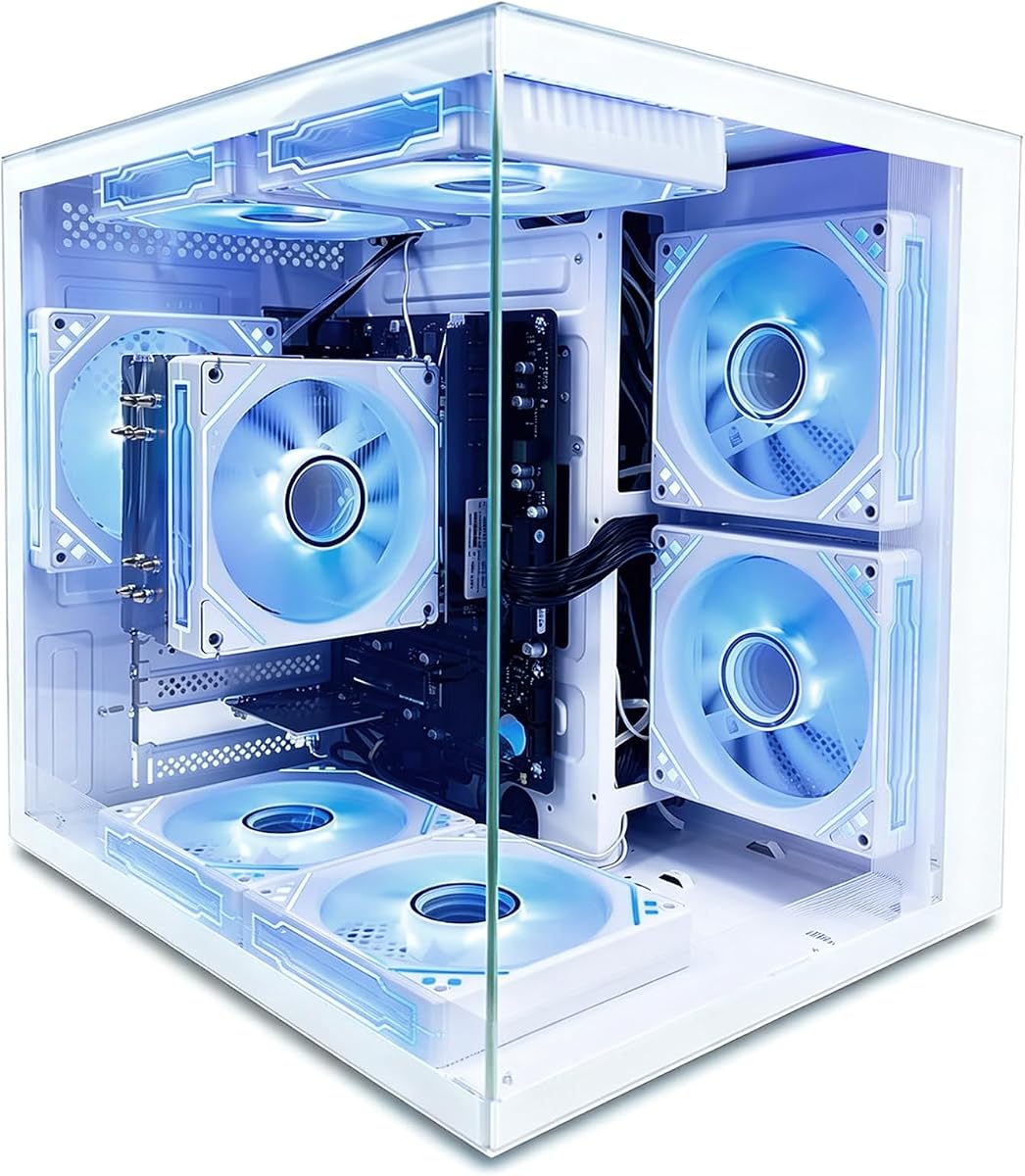
The suevery Prebuilt Desktop PC distinguishes itself with an AMD Ryzen 5 processor that includes integrated graphics capable of handling casual gaming at 1080p. This makes it a versatile choice for teens who want to play light games without needing a dedicated graphics card.
We may earn a commission when you buy through this link, at no additional cost to you.
Equipped with 16GB of DDR4 RAM it supports smooth multitasking between schoolwork and entertainment applications. The system includes RGB lighting effects that add a customizable aesthetic appeal which often appeals to younger users looking for style.
Modern connectivity features like Wi-Fi 6 ensure fast and stable internet connections for online classes and streaming. The tower design allows for future upgrades to memory and storage so the system can grow with increasing performance needs.
While the storage capacity is modest the fast SSD ensures quick boot times and responsive performance. This model is best suited for students who need a balanced machine that can handle both homework and light gaming sessions efficiently.
The integrated Vega graphics card allows users to enjoy popular games without the added cost of a separate GPU.
Expansion slots permit adding more RAM or storage later ensuring the system remains useful as requirements change.
We may earn a commission when you buy through this link, at no additional cost to you.
This Dell Optiplex 5050 SFF model is designed for efficiency with a small form factor that fits comfortably on tight desks. It offers a powerful Intel i7-7700 processor and 16GB of RAM making it suitable for complex applications and heavy web browsing.
We may earn a commission when you buy through this link, at no additional cost to you.
The 512GB NVMe SSD ensures that the system operates quickly with fast file transfers and quick application loading. Windows 11 Pro is pre-installed providing a secure and stable environment for academic projects and daily computing needs.
The wired keyboard and mouse included in the bundle provide immediate usability without requiring additional purchases. However the absence of a Wi-Fi adapter means users must rely on a wired ethernet connection which may limit placement flexibility.
For teens with limited desk space who need a reliable high-performance machine this model is an excellent choice. It balances professional-grade specs with a compact footprint ensuring it does not overwhelm the workspace while delivering consistent performance.
The compact design minimizes desk footprint leaving room for other essentials like books and study materials.
NVMe technology provides significantly faster read and write speeds compared to traditional hard drives.
We may earn a commission when you buy through this link, at no additional cost to you.
This Dell OptiPlex RGB Desktop combines performance with visual flair through its RGB lighting panel and included monitor. It features an Intel Core i7 processor and 16GB of RAM ensuring that daily tasks are handled efficiently and reliably.
We may earn a commission when you buy through this link, at no additional cost to you.
The 512GB SSD provides fast access to files and quick boot times which enhances the overall user experience. A 24-inch HDMI monitor is included along with a keyboard mouse and headset making it a fully ready-to-use setup straight out of the box.
While the RGB lighting adds a gaming aesthetic the machine lacks a dedicated graphics card which limits high-end gaming performance. However it is well suited for general multitasking and media consumption needs common in a teen environment.
Parents looking for a complete system that looks appealing and functions well will appreciate this bundle. The combination of modern storage and a large monitor supports both study and entertainment effectively without requiring extra purchases.
RGB LED lights on the front panel allow users to customize the look of their setup with various color patterns.
The inclusion of a monitor keyboard mouse and headset simplifies setup by removing the need to source peripherals separately.
We may earn a commission when you buy through this link, at no additional cost to you.
This Dell Optiplex 3050 SFF model offers an excellent balance of performance and cost making it a top choice for budget-conscious buyers. It includes 16GB of DDR4 RAM and a 256GB SSD ensuring responsive performance for web browsing and office applications.
We may earn a commission when you buy through this link, at no additional cost to you.
The Intel Quad Core i5 processor handles everyday tasks with ease while the built-in WiFi adapter provides convenient wireless connectivity. Support for 4K displays means users can connect to high resolution monitors for better clarity during work or media consumption.
While the storage is smaller than other models the SSD technology ensures fast system response and boot speeds. This machine is ideal for students who need a reliable computer for homework research and streaming without overspending on high-end hardware.
The compact design fits well in smaller rooms and the certified refurbished status adds reliability assurance. This system delivers solid value and performance for core computing needs without unnecessary extras that drive up the price.
16GB RAM is a strong feature at this price point allowing for smooth multitasking across many applications.
Support for 4K displays ensures the system remains relevant for high-quality visual outputs in the future.
We may earn a commission when you buy through this link, at no additional cost to you.
The Dell Optiplex 3060 stands out for its generous storage and memory configuration offering 1TB of solid-state storage and 32GB of RAM. This combination ensures that teens can store large libraries of media and run heavy applications simultaneously without performance issues.
We may earn a commission when you buy through this link, at no additional cost to you.
Equipped with an Intel i5-8500 hexa-core processor it provides strong multi-threaded performance for multitasking. The built-in WiFi and Bluetooth capabilities eliminate the need for external adapters allowing for a cleaner and more efficient cable setup.
Windows 11 Professional is installed ready for advanced features that might be needed for higher-level coursework or content creation. The system is designed for stability and reliability making it a great fit for home and office environments alike.
For students who manage large video projects or extensive media collections this storage capacity is invaluable. It reduces the need for external drives and keeps all files easily accessible on the main system for quick access.
With 1TB of storage users can keep thousands of files photos and videos without running out of space.
32GB of RAM supports running multiple virtual machines or complex creative tools with ease.
We may earn a commission when you buy through this link, at no additional cost to you.
The Dell Gaming OptiPlex RGB is designed specifically for light gaming enthusiasts with a dedicated GeForce GT 1030 graphics card. This allows for playing popular titles like CS GO and GTA V at decent frame rates without needing extra hardware upgrades.
We may earn a commission when you buy through this link, at no additional cost to you.
It includes an Intel Core i7 processor and 16GB of RAM which support smooth performance for both gaming and school tasks. The RGB lighting adds a custom aesthetic that appeals to gamers while the included monitor and accessories simplify setup.
While the graphics card is entry-level it is sufficient for casual play and older titles. The system is not intended for modern AAA gaming at high settings but it provides a solid foundation for a gaming desk setup.
Students who want to combine their work and play needs in one machine will find this model convenient. The inclusion of a monitor and headset makes it a ready-to-go package that saves time on assembling individual components.
The GeForce GT 1030 enables playable frame rates in many popular games without relying on slow integrated graphics.
A complete bundle with monitor keyboard mouse and headset ensures immediate use right after unboxing and initial setup.
We may earn a commission when you buy through this link, at no additional cost to you.
This Dell OptiPlex 7070 SFF features the latest 9th Generation i7 processor and Wi-Fi 6E technology for top-tier connectivity and speed. It offers 32GB of RAM and 1TB of NVMe storage ensuring maximum performance for the most demanding tasks and storage needs.
We may earn a commission when you buy through this link, at no additional cost to you.
The system is designed to redefine productivity with a Windows 11 Pro setup that supports advanced professional workflows. Wireless keyboard and mouse are included providing a clean workspace without the clutter of cables which is ideal for smaller desks.
While it has limited room for graphics card upgrades its raw processing power and storage speed make it excellent for content creators and power users. It ensures that even heavy multitasking remains smooth and efficient throughout the day.
For families willing to invest in a long-term solution this premium model offers the best specs in the selection. It will remain relevant for years as software requirements increase making it a future-proof choice for academic and professional growth.
Wi-Fi 6E support ensures the fastest possible wireless speeds and reduced latency for online classes and gaming.
1TB SSD and 32GB RAM provide ample resources for running complex software and storing large files simultaneously.
We may earn a commission when you buy through this link, at no additional cost to you.
The Dell OptiPlex 7050 is a balanced mid-range option that combines an Intel Core i5 processor with 16GB of RAM and a 512GB SSD. It delivers reliable performance for general computing tasks and supports 4K displays for high-resolution output.
We may earn a commission when you buy through this link, at no additional cost to you.
Built-in Wi-Fi and Bluetooth provide seamless connectivity while Windows 11 Pro ensures access to the latest software updates and tools. The system is certified refurbished and tested to work like new offering peace of mind regarding quality.
Although it has a TPM 1.2 chip which is older than the recommended 2.0 for full security features it still runs Windows 11 effectively for daily use. The balance of price and specs makes it a practical choice for home and office users.
Students needing a dependable machine for research writing and streaming will appreciate its stability. It handles moderate workloads well and offers enough room for growth if performance needs increase over time.
The combination of 16GB RAM and SSD storage ensures responsive performance for most daily applications and browsers.
Support for 4K displays allows users to connect to sharper monitors for a clearer viewing experience.
We may earn a commission when you buy through this link, at no additional cost to you.
Choosing the right desktop requires evaluating several key factors that impact performance and usability. This section breaks down what to look for when selecting a machine for a teenager.
The processor is the brain of the computer and determines how fast it can run applications. For teens who multitask between browser tabs and school software a quad-core or higher processor like an Intel i5 or i7 is recommended. A higher clock speed measured in GHz also helps with quick response times.
Look for an 8th generation processor or newer to ensure longevity and software compatibility.
Random Access Memory allows the system to handle multiple programs at once without slowing down. 16GB of RAM is the sweet spot for most teens as it supports heavy browsing and media consumption. 32GB is ideal for those planning to edit videos or run professional software.
Ensure the desktop allows future RAM upgrades so it can be enhanced later if needed.
Solid State Drives are significantly faster than traditional Hard Drives and drastically reduce boot times. Aim for at least 256GB of SSD storage for a smooth experience. Larger sizes like 1TB are useful if the user stores many large files or games locally.
Prioritize models with SSDs even if the total capacity is smaller than an HDD alternative.
Modern desktops should include Wi-Fi and Bluetooth to connect to wireless peripherals and routers easily. Check the number of USB ports available for connecting mouse keyboards and external drives. DisplayPort or HDMI support is crucial for connecting to high-resolution monitors.
Verify that the model includes necessary wireless adapters or ports for your specific needs.
Windows 11 is the current standard and supports the latest security features and applications. Ensure the desktop comes with a genuine license for Windows 11 Pro or Home. An updated OS ensures compatibility with online school platforms and collaboration tools.
Avoid older operating systems that may no longer receive security updates.
Integrated graphics are sufficient for basic tasks like video streaming and web browsing. However if the teen plays games a dedicated graphics card will provide a better experience. Some models allow for upgrades so you can add a card later if needed.
Check the power supply capacity if you plan to upgrade the graphics card in the future.
Certified refurbished desktops offer significant savings while maintaining quality standards through testing. They often come with warranties and support to ensure reliability. New systems provide the latest components but may be more expensive for the same performance.
Buy from reputable sellers who offer warranties to protect your investment against defects.
Desktop towers come in various sizes from compact Mini PCs to full-sized towers. Small Form Factor models save space but have limited room for internal upgrades. Larger towers offer more ports and expansion options for future growth.
Choose a size that fits the available desk space without limiting essential connectivity.
Keep your desktop in a well-ventilated area to prevent overheating. Dust accumulates over time and can block vents so clean the case gently every few months with compressed air.
Install security software and keep your operating system updated to protect against threats. Use strong passwords and enable automatic updates for your antivirus and firewall.
Back up important files regularly to an external drive or cloud storage to prevent data loss. This ensures that school projects and personal photos remain safe even if hardware issues arise.
A desktop generally offers better performance and longevity for the same price. It is easier to upgrade components like RAM and storage over time. However laptops provide portability for school which depends on the student's specific needs.
Yes many refurbished models have the power to run casual games smoothly. Dedicated graphics cards enable higher performance for gaming. Check the specs to ensure the system meets the requirements of the games your teen wants to play.
Some bundles include a monitor while others do not. Verify the product description to see if a display is part of the package. If not you will need to purchase one separately using an HDMI or DisplayPort connection.
If the PC supports TPM and secure boot you can upgrade directly through Windows Update. Otherwise you may need to perform a clean installation using a USB drive. Ensure your data is backed up before attempting any OS changes.
Always inspect the package immediately upon delivery for signs of external damage. Contact the seller or platform support within the return window if any issues are found. Most certified refurbished sellers offer warranties to cover defects.
Not all desktops include built-in Wi-Fi adapters so check the connectivity specs carefully. If not included you may need to purchase a USB adapter. Ensure the model has Ethernet ports for a wired connection if wireless is not available.
With proper maintenance a desktop can last several years without needing replacement. Upgrading parts like RAM or storage can extend its lifespan significantly. Software needs change but hardware remains useful for many years with care.
Certified refurbished units undergo testing to ensure they meet performance standards. They are often inspected by authorized professionals who fix any major issues. This makes them a reliable and budget-friendly option for students.
We reviewed ten versatile desktop options ranging from budget bundles to premium workstations. Each model offers unique strengths depending on the specific needs and financial constraints of the buyer.
Prioritize RAM and storage speed when making your choice to ensure smooth performance over time. A system with 16GB of RAM and an SSD will serve a student well throughout their academic journey.
Always verify the current status and warranty terms before purchasing. Prices and availability change frequently so check the latest listings to confirm the best deal available today.