
Canon PIXMA TR4720
3.8Editor score
Compact 4-in-1 design
Auto Document Feeder
Mobile Printing Support
This guide compares the top ten cheap fax machine options available today, evaluating features, reliability, and value to help you choose the right affordable
Finding a reliable cheap fax machine can be challenging in a digital world where email dominates communication. Yet many businesses still require fax capabilities for contracts, medical records, and legal documents. This guide helps you navigate the market to find an affordable solution that meets your specific requirements without breaking the bank.
We have carefully selected ten different models ranging from dedicated fax units to multifunction printers with fax capabilities. Each product was evaluated based on transmission speed, memory capacity, paper handling, and overall ease of use. Our goal is to provide a clear comparison so you can make an informed decision quickly and confidently.
Each pick in this list highlights specific strengths and ideal use cases for different types of users. Whether you need a simple standalone unit or a versatile all-in-one printer, there is an option here for you. Please note that prices and availability change frequently, so always check the current listing before making your final purchase decision.
3.8Editor score

4.0Editor score
3.9Editor score
The following table provides a side-by-side comparison of all ten products featured in this guide. It highlights key specifications and capabilities to help you quickly identify which model aligns best with your specific faxing needs and budget constraints.


The Canon PIXMA TR8620a stands out as a top contender for those seeking a versatile fax solution that doubles as a full office printer. With a solid rating and comprehensive features, it handles printing, copying, scanning, and faxing with ease. Its wireless capabilities ensure seamless integration into modern home offices where mobility is key.
We may earn a commission when you buy through this link, at no additional cost to you.
This machine offers significant convenience through its auto 2-sided printing feature which reduces paper consumption and costs over time. The 200-sheet capacity means fewer refills during busy workdays. Additionally, the ability to connect with Alexa allows users to manage tasks using voice commands making it highly accessible for all users.
While the price is higher than basic models, the multifunctionality justifies the investment for many users. The only real trade-off is the physical size which might be too large for very tight desk spaces. However, for a home office needing robust capabilities this machine delivers consistent performance and reliability.
Ultimately, this model is ideal for small business owners or professionals who need a reliable fax function without sacrificing print quality or speed. If you value automation and smart home integration, this is a strong choice. It balances traditional fax needs with modern printing requirements effectively for long term satisfaction.
Connecting with Alexa allows hands-free monitoring of ink levels and printing tasks for added convenience.
Auto 2-sided printing helps reduce waste and keeps your workspace cleaner and more organized.
We may earn a commission when you buy through this link, at no additional cost to you.
The Canon PIXMA TR4720 is an excellent choice for individuals looking for an affordable fax machine that does not compromise on essential functions. It fits seamlessly into small spaces while providing printing, scanning, copying, and faxing capabilities. The built-in fax feature is reliable for occasional use without the need for complex setups.
We may earn a commission when you buy through this link, at no additional cost to you.
Its auto document feeder allows you to fax multiple pages at once which is a significant time saver for batch processing. The mobile printing capability ensures you can send jobs from your smartphone or tablet easily. This flexibility makes it a practical tool for anyone managing tasks on the go without being tied to a desk.
Though the paper capacity is limited to 100 sheets, this is acceptable for light to moderate usage. The only notable drawback is the basic fax functionality which lacks advanced memory features found in higher-end models. However, for most home users, these limitations are minor compared to the cost savings offered.
This machine is perfect for students, freelancers, or small home offices needing a cost-effective solution. It delivers good value for money while covering all the basics required for daily document handling. If budget is your primary concern, this model offers a solid starting point for your fax needs.
Its white design and small size make it easy to fit into any home office corner.
Print and fax directly from your phone using the Canon PRINT app for added convenience.
We may earn a commission when you buy through this link, at no additional cost to you.
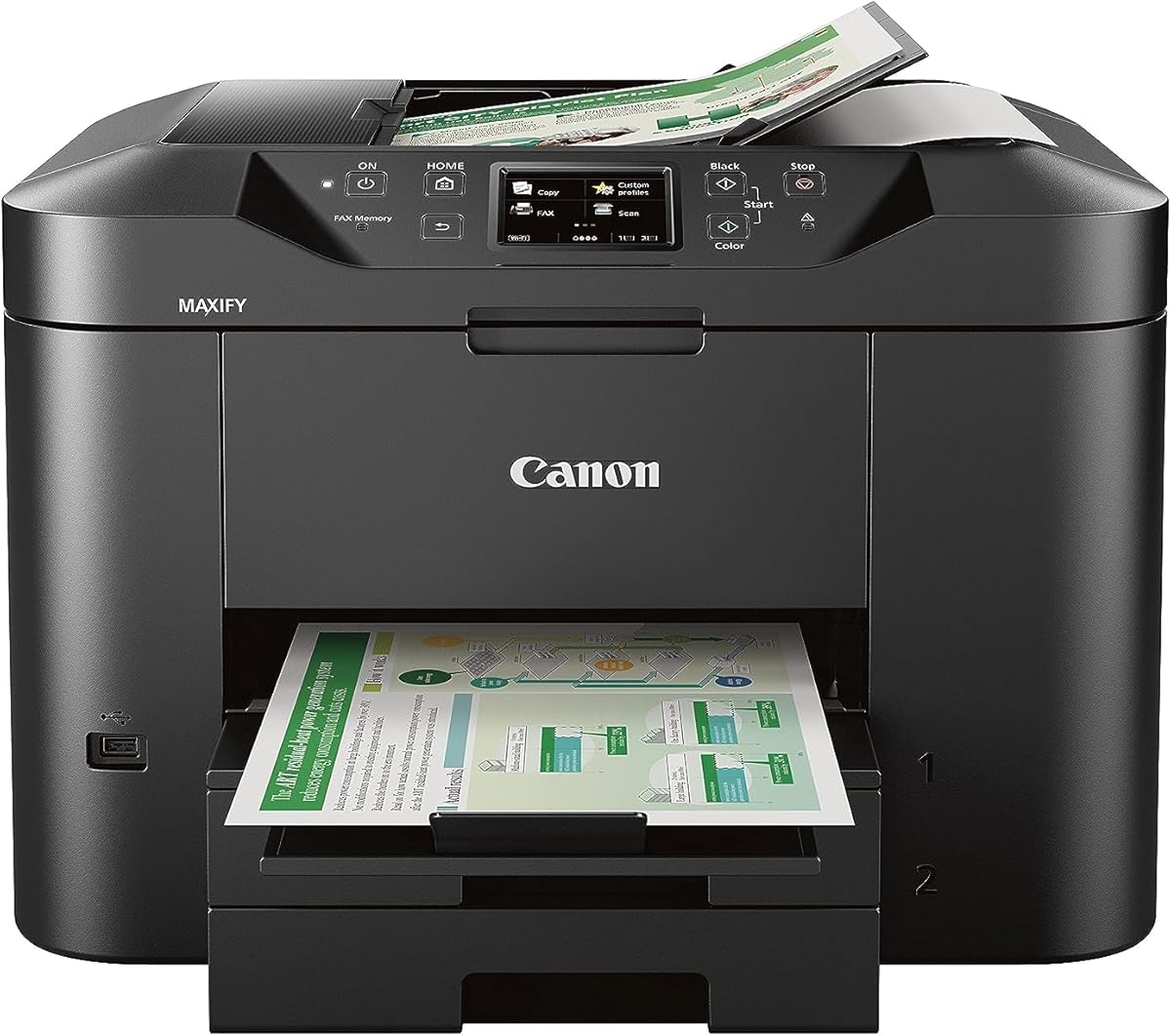
The Canon MAXIFY MB2720 is designed for those who need a robust solution that can handle higher volumes of work. With a massive 500-sheet paper capacity and a 20,000 page duty cycle, it is built to last and keep up with busy schedules. It offers wireless color printing along with reliable faxing capabilities for business needs.
We may earn a commission when you buy through this link, at no additional cost to you.
One of its standout features is the use of Dual Resistant High Density Inks which ensure that text remains sharp and does not smudge easily. This quality is essential for professional documents that require a polished look. Additionally, the mobile app support allows you to manage tasks remotely which adds significant flexibility to your workflow.
While it comes with a higher price tag compared to basic models, the durability and performance justify the investment for small businesses. The only real downside is the physical weight which might make it harder to move around. However, once placed in your office, it serves as a reliable workhorse for years to come.
This machine is best suited for growing businesses that need a dependable fax and print solution without constant maintenance. It balances cost and performance effectively for those who need more than just occasional faxing. If you prioritize durability and professional output quality, this model is a top recommendation.
The large paper trays reduce refills so you can focus on work instead of maintenance.
Laser-sharp text ensures your documents look professional and credible to clients.
We may earn a commission when you buy through this link, at no additional cost to you.
The Brother FAX-575 Personal is a dedicated unit that excels at providing straightforward faxing and phone capabilities. It is designed for users who want a simple machine without the complexity of multifunction setups. With a solid rating and a 9,600 BPS modem, it ensures quick transmission times for efficient document sharing.
We may earn a commission when you buy through this link, at no additional cost to you.
Its 512 KB memory can store up to 25 pages which is useful if you need to send documents when the phone line is busy. The black-and-white copying feature is handy for quick duplicates without needing another machine. This model is built for reliability and consistency in everyday faxing tasks.
While the design may look older compared to modern all-in-one printers, the functionality remains effective for specific needs. The main trade-off is the physical size which requires more desk space than compact units. However, for those needing a dedicated fax line, this model provides a stable and dependable performance over time.
This machine is ideal for offices or homes that require a dedicated fax and phone line. It is simple to operate and maintains a high level of performance for daily use. If you prefer a traditional fax setup without extra printing features, this is a strong and reliable option.
The fast modem speed helps you send documents quickly without long wait times.
Store multiple pages in memory to fax them later without holding up your work.
We may earn a commission when you buy through this link, at no additional cost to you.
The Brother FAX-575 Renewed offers the same functionality as the new model but at a significantly reduced price. This makes it an excellent choice for budget-conscious buyers who still need reliable fax and phone capabilities. It comes with a 9,600 BPS modem ensuring fast transmission speeds similar to brand new units.
We may earn a commission when you buy through this link, at no additional cost to you.
Choosing a renewed product is also an environmentally friendly decision as it extends the life of the hardware. The unit includes the same 512 KB memory and 50-sheet capacity which are essential for handling regular fax tasks. For those who do not mind a pre-owned look this model delivers outstanding value.
The main consideration is that it is a certified refurbished unit which might show minor cosmetic signs of previous use. However, the internal components are tested to ensure they meet quality standards. This makes it a safe bet for anyone needing a fax machine without spending a lot of money.
This option is perfect for small businesses or individuals looking to minimize upfront costs. It provides the essential features needed for daily communication without unnecessary extras. If you want to save money while maintaining performance, this renewed unit is a smart and practical investment.
Get professional fax features at a fraction of the price of a new unit.
Recycling electronics helps reduce waste and supports environmental conservation efforts.
We may earn a commission when you buy through this link, at no additional cost to you.
The Sharp UXB20 Inkjet Fax Machine combines faxing with inkjet printing capabilities for versatile document handling. It features a 9,600 bps modem for efficient transmission and includes a corded handset for direct voice calls. The out-of-paper memory ensures that incoming documents are stored even if the machine is out of paper.
We may earn a commission when you buy through this link, at no additional cost to you.
One of its best features is the 30 speed dial presets which allow you to send faxes to frequent contacts instantly. This saves time and simplifies the process for businesses with recurring communication needs. Additionally, the distinctive ring detection helps you manage multiple phone lines on a single device easily.
While the user rating is lower than other models, the feature set offers significant utility for those needing specific fax functions. The main drawback is the requirement for ink cartridges which need regular monitoring and replacement. For users who prioritize convenience and specific dialing features, this model is worth considering.
This machine is suitable for small offices that need a mix of faxing and basic printing without high volume. It provides a good balance of features at an affordable price point. If you value speed dialing and memory retention, this is a functional choice for daily operations.
Store frequently used numbers to send faxes instantly without entering digits manually.
Keep incoming faxes safe even when paper runs out to avoid data loss.
We may earn a commission when you buy through this link, at no additional cost to you.
The HP DeskJet 2955 is a modern all-in-one printer that supports faxing alongside printing and scanning tasks. It is designed for home users who want wireless connectivity and a compact footprint in their workspace. With a 60-sheet input tray and AI features, it helps create clean documents with minimal effort.
We may earn a commission when you buy through this link, at no additional cost to you.
Its wireless capabilities allow you to print and send faxes directly from your devices without cables. The Instant Ink trial ensures you do not run out of ink unexpectedly, which is helpful for maintaining uptime. The AI formatting removes unwanted content automatically making it easier to print only what you need.
The machine is not a dedicated fax unit so its fax functions are more basic than standalone devices. This limitation might be a drawback if you send large volumes of faxes regularly. However, for light use it integrates well into a home office setup with other modern conveniences.
This printer is ideal for home users who need occasional faxing and strong wireless printing capabilities. It balances cost and features for small households. If you value smart features and ease of use, this model offers a flexible solution for your document tasks.
HP AI tools help format web pages and emails cleanly to avoid wasted paper.
Connect via Wi-Fi to print and fax from any room in your home easily.
We may earn a commission when you buy through this link, at no additional cost to you.
The Brother intelliFAX-2840 is a laser fax machine that delivers fast and clear document transmission for office environments. With a speed of 21 ppm, it ensures that large documents are handled efficiently. The laser technology guarantees high-quality text output that looks professional and clean every time.
We may earn a commission when you buy through this link, at no additional cost to you.
It is designed for users who prioritize speed and clarity in their faxing tasks. The 200 x 300 dpi resolution is sufficient for most document needs without compromising quality. For offices needing a dedicated fax solution that performs well under daily use, this model offers solid reliability and consistent results.
One limitation is the lack of network readiness which limits it to direct phone line connections. Additionally, it is a dedicated fax machine meaning it does not handle other tasks like printing or scanning. For specialized fax needs, this is a strong option that focuses on core performance.
This machine is best for offices that need a standalone fax unit with high speed and quality. It avoids the complexity of multifunction printers for those who only need faxing. If speed and text quality are your priorities, this model is a dependable choice for daily use.
Laser technology ensures sharp text and consistent output for professional documents.
Fast processing speeds help you handle heavy fax loads without delays.
We may earn a commission when you buy through this link, at no additional cost to you.
The Brother FAX-575 Thermal is a thermal transfer fax machine that focuses on simple and effective document handling. It features a 9.6 Kbps speed and a 400 x 400 dpi resolution ensuring clear text output. The thermal transfer technology helps maintain image quality while keeping operational costs low.
We may earn a commission when you buy through this link, at no additional cost to you.
With a 50-sheet input tray and 10-sheet auto document feeder, it handles small to medium fax jobs efficiently. The Energy Star rating indicates it is designed to use energy efficiently which can lower utility costs. This unit is a good option for those needing a straightforward fax solution without complex features.
The main consideration is that this is a renewed unit which means it is pre-owned and restored. While it functions well, you should check for any cosmetic issues upon arrival. For users who want a basic fax machine at a reduced price, this model provides good value and reliability.
This machine is suitable for home offices or small businesses needing basic fax and copy functions. It is easy to operate and requires minimal maintenance. If you prefer a simple design and efficient operation, this thermal unit is a practical choice for your needs.
Energy Star certification ensures lower power consumption for a greener workspace.
Thermal transfer delivers consistent image quality without needing liquid ink.
We may earn a commission when you buy through this link, at no additional cost to you.
The Panasonic KX-FHD331 is a plain paper fax machine designed for users who want to avoid thermal paper rolls. It supports caller ID and features an answering machine interface which adds convenience for busy users. With a 9.6 Kpbs modem speed, it handles basic fax tasks reliably for standard office needs.
We may earn a commission when you buy through this link, at no additional cost to you.
Using plain paper makes documents easier to file and store without curling or fading over time. The answering machine interface allows you to manage voice messages and faxes on the same line efficiently. This model is straightforward and easy to set up for those who need immediate functionality.
The user rating suggests some reliability concerns so it may not be the best choice for heavy daily use. However, for light or occasional faxing it offers a functional solution at a standard price point. If you prioritize plain paper output, this model provides a useful alternative to thermal options.
This machine is best for users who need basic faxing with minimal technical features. It is a budget-friendly option for small offices or home use. If simplicity and plain paper output are your main priorities, this is a solid choice to consider.
Plain paper faxes are easier to organize and archive than thermal paper versions.
Know who is calling before you answer for better call management and security.
We may earn a commission when you buy through this link, at no additional cost to you.
Choosing the right fax machine involves looking at several key factors to ensure you get the best value for your money. This guide breaks down what to consider so you can find a machine that fits your specific needs and budget constraints.
Fax speed determines how long it takes to transmit a single page. Look for a modem speed of at least 9,600 bps to ensure quick transmission times. Faster speeds reduce wait times especially if you send documents regularly.
Always check the modem speed before buying to ensure it meets your workflow needs.
Memory capacity allows the machine to store pages for later transmission if the line is busy. A capacity of at least 25 pages is recommended for smooth operation during peak hours. Higher memory means fewer interruptions in your daily tasks.
Prioritize models with sufficient memory to avoid missed documents during busy periods.
The paper tray capacity impacts how often you need to refill paper during use. A 50-sheet capacity is standard but 100 sheets or more is better for busy offices. Consider both input tray size and whether it supports plain or thermal paper.
Choose a paper capacity that matches your typical volume to minimize interruptions.
Many modern fax machines include features like speed dial, copying, and answering machine interfaces. Look for features that add value to your workflow such as auto document feeders or mobile printing. Extra features can reduce the need for separate devices.
Select machines with features that complement your current setup to save space and cost.
Connectivity options such as wireless or Ethernet allow you to integrate the fax into your network. Wireless models offer flexibility for printing and faxing from devices around your home or office. Network-ready machines are ideal for shared office environments.
Wireless and network options provide the flexibility needed for modern work environments.
A good warranty ensures that you are covered if the machine encounters hardware issues. Look for products with at least a one-year warranty and reliable customer support. Extended warranties can be worth it for expensive or critical machines.
Always check warranty terms to ensure you have protection for your purchase.
Operating costs include ink or toner expenses and energy consumption. Thermal fax machines may have different costs than inkjet or laser models. Energy Star certified models help keep utility bills low over time.
Factor in long term ink and energy costs when calculating overall value.
Durability depends on the build quality and duty cycle of the machine. Business models often have higher duty cycles meaning they can handle more pages per month without wear. Home models are generally built for lighter use.
Choose a machine with a duty cycle that matches your monthly usage volume.
To get the best performance from your fax machine, always ensure it is placed on a stable surface away from direct sunlight or heat. Connect the phone line securely to avoid transmission errors and test the line before sending important documents. Regularly check that all cables are in good condition to prevent connectivity issues.
Keep the paper trays clean and free of dust or debris which can cause jams. Load paper correctly according to the manual to ensure smooth feeding through the machine. If your model uses ink or toner, replace cartridges as soon as they are low to avoid streaky prints.
Schedule regular cleaning of the glass scanner and internal components to maintain image quality. Update the firmware if your model supports network connectivity to benefit from performance improvements. Proper maintenance extends the life of your machine and ensures it continues to function reliably.
While traditional faxes require a landline, some modern machines allow you to use VoIP services or email-to-fax providers. These digital solutions remove the need for a physical phone line entirely. However, always check if your fax machine is compatible with VoIP before switching.
Plain paper fax machines use standard office paper which is easier to file and store. Thermal fax machines use special coated paper that may curl or fade over time. Plain paper models are generally preferred for professional use due to better document longevity.
Start by checking the phone line connection and ensuring there is no interference from other devices. Clear any paper jams and make sure the machine has enough memory to store the documents. If the issue persists, try sending to a different number to isolate the problem.
Many all-in-one printers include fax capabilities but they may lack some dedicated features of standalone units. They are convenient for home offices needing multiple document functions in one device. Check that the specific model supports faxing before purchasing.
Buying a refurbished machine can save money while providing similar functionality to a new unit. Look for certified refurbished products with a warranty to ensure quality. It is a great option for budget-conscious buyers who do not need the latest features.
Operating costs vary based on usage and whether you use ink or thermal paper. Electricity costs are minimal but consumables like paper and ink add up over time. Plain paper models generally have lower long-term consumable costs.
We hope this guide has helped you identify the right cheap fax machine for your specific needs. The top picks offer a balance of affordability, performance, and features suitable for both home and small office environments.
When making your final decision, prioritize the features that matter most to your daily workflow such as speed or memory capacity. Investing a little extra in reliability can save you time and frustration in the long run.
Remember that prices and stock levels change frequently so be sure to check the latest listings before buying. With the right choice, you can keep your communication smooth and professional without overspending.