
Lenovo ThinkPad E16 Gen 2 Business Laptop
4.5Editor score
AMD Ryzen 7 Processor
16GB DDR5 RAM
512GB PCIe SSD
Finding the right business laptop can be challenging given the vast array of options available today. Lenovo Thinkpad laptops have long been renowned for their durability, keyboard quality, and enterprise-grade security features. This guide explores the current lineup to help you find a model that fits your workflow.
We have carefully selected ten distinct models ranging from entry-level to high-performance workstations. Each product was evaluated based on processor speed, memory capacity, display quality, and overall reliability. Our goal is to provide a clear comparison that highlights the strengths and weaknesses of each option.
Every pick in this list includes detailed specifications and real-world usage insights. You will see what makes each machine unique and who it is best suited for. Please note that product availability and pricing can fluctuate frequently, so verify details before purchasing.
4.5Editor score

4.4Editor score

5.0Editor score
As an Amazon Associate we earn from qualifying purchases.
The following table provides a side-by-side overview of all ten models. It highlights key specifications such as processor type, memory amount, and storage capacity to help you quickly identify the best fit for your requirements.




This laptop stands out as a compelling option for users seeking balanced performance without breaking the bank. It features a robust AMD Ryzen 7 processor that handles multitasking with ease. The inclusion of DDR5 RAM ensures future-proofing for modern software demands.
We may earn a commission when you buy through this link, at no additional cost to you.
Performance is a key strength here. The 8-core architecture allows for smooth operation when running multiple applications simultaneously. The dedicated Radeon graphics chip also helps with light creative tasks or media consumption without bogging down the system.
While the screen is bright and clear, it does not offer the highest color accuracy which might matter for photo editing. Additionally, the chassis is built for durability rather than extreme portability which adds a bit of weight to the total package.
This model is ideal for students or professionals who need reliable computing power for daily tasks. If you value raw performance and connectivity over ultra-lightweight design, this ThinkPad offers excellent value for your investment today.
The bundled 5-in-1 hub adds significant versatility to the port selection. It allows you to connect multiple peripherals simultaneously without needing extra dongles.
Built-in privacy shutters and Windows 11 Professional provide essential security layers. This is crucial for handling sensitive business data in public environments.
We may earn a commission when you buy through this link, at no additional cost to you.
This model represents the next generation of business computing with its focus on AI integration. The Intel Ultra processor delivers exceptional multitasking capabilities for data analysis and productivity workflows. It is designed to meet the evolving needs of modern enterprises.
We may earn a commission when you buy through this link, at no additional cost to you.
The AI Boost NPU accelerates specific workflows which can improve efficiency in tasks like transcription or coding assistance. Combined with DDR5 memory, the system handles complex spreadsheets and virtual machines smoothly without noticeable lag during operation.
One trade-off is that heavy workloads may impact battery longevity depending on usage patterns. Also the storage configuration uses a specific form factor that limits straightforward upgrades by the end user compared to older models.
It is a top choice for executives and analysts who require high-end reliability. The security features and connectivity options make it suitable for a wide range of professional environments and hybrid work setups.
The integrated fingerprint reader and TPM chip provide multi-factor protection for sensitive data. This ensures that unauthorized access is prevented even if the device is lost.
Thunderbolt 4 support allows for rapid data transfer and connection to external displays. This future-proofs the device for docking station setups in office environments.
We may earn a commission when you buy through this link, at no additional cost to you.
This premium workstation is designed for demanding professionals who require top-tier performance. The AMD Ryzen AI 7 Pro processor enables local AI workflows without heavy cloud dependency. It is an excellent choice for those in architectural engineering or media creation.
We may earn a commission when you buy through this link, at no additional cost to you.
The ISV certification ensures compatibility with specialized software like AutoCAD and Revit. The 32GB of memory and 1TB of storage provide ample resources for large files and complex simulations without performance bottlenecks during daily operations.
While the price is higher than standard models, the durability and speed justify the investment for business users. Some users might prefer a larger screen for detailed design work but the portability is a strong benefit for travel.
It is best suited for professionals who need certified reliability and powerful AI features. The hybrid-work readiness ensures that you stay productive whether you are in the office or working remotely from home.
The device uses recycled materials and plastic-free packaging to meet corporate sustainability goals. This aligns with modern ESG procurement requirements for large businesses.
Wi-Fi 7 support provides stable wireless connections for high-bandwidth applications. This ensures seamless video conferencing and data transfer on the go.
We may earn a commission when you buy through this link, at no additional cost to you.
This laptop offers substantial performance with 32GB of RAM and a 1TB SSD included out of the box. It is built for reliability and designed to withstand demanding fieldwork and travel situations. The rapid charging feature helps keep you productive throughout the day.
We may earn a commission when you buy through this link, at no additional cost to you.
The inclusion of a touchscreen adds versatility for presentations and touch interactions. Dual Thunderbolt 4 ports allow for massive external display setups which is ideal for multi-monitor productivity workflows. The numeric keypad is a huge plus for data entry tasks.
Battery life can be affected by using the touchscreen frequently. Additionally the larger 16-inch chassis might not fit into smaller bags as easily as 14-inch models but it offers significant screen real estate.
It is a great choice for IT users and students who need extra power without buying a workstation. The enterprise-grade security and Copilot AI support make it a smart pick for efficient business productivity.
You can expand your workspace to three external monitors without a docking station. This is achieved through the robust port selection and Thunderbolt capabilities.
The IR camera and fingerprint reader provide strong authentication methods. This protects your data and ensures only authorized users access the system.
We may earn a commission when you buy through this link, at no additional cost to you.
This model is designed for reliable everyday performance for students and home users. The bundled Microsoft 365 subscription provides immediate access to essential productivity tools right out of the box. It is a cost-effective solution for basic computing needs.
We may earn a commission when you buy through this link, at no additional cost to you.
The laptop handles web browsing and media streaming smoothly. The 15.6-inch display offers a comfortable viewing experience for homework or entertainment. Its lightweight design makes it easy to carry around the house or to school.
Storage is limited to 128GB which may require cloud services for larger file storage. The processor is optimized for efficiency rather than high-end gaming or heavy video editing tasks.
It is perfect for budget-conscious buyers who need a dependable machine for daily tasks. The durability and security features like TPM 2.0 ensure peace of mind for family use.
Weighing just 3.42 lbs this device fits easily into backpacks. The slim Frost Blue design adds a touch of style to the functional build.
The display includes Low Blue Light software to reduce eye strain. This is beneficial for long study sessions or extended work from home.
We may earn a commission when you buy through this link, at no additional cost to you.
This device delivers exceptional multitasking capabilities for business applications and video conferencing. It is built with legendary ThinkPad durability which makes it ideal for executives and entrepreneurs. The professional design fits well in corporate environments.
We may earn a commission when you buy through this link, at no additional cost to you.
All-day battery life ensures you can work through long meetings without constant charging. The backlit keyboard enables comfortable typing in any lighting condition which is a key feature for night work. Security is enhanced with a built-in fingerprint reader.
The chassis is robust but the keyboard feel is typical for business laptops rather than mechanical. It prioritizes function over flashy design which is generally a positive trait for productivity machines.
It is a solid choice for remote workers who need a dependable machine. The Windows 11 Pro offers advanced management tools that are valuable for enterprise users.
The optimized operating system supports efficient workflow management. This helps you stay organized and focused on critical tasks.
Every component is tested to ensure long-term durability. This reduces downtime and ensures you can rely on your machine daily.
We may earn a commission when you buy through this link, at no additional cost to you.
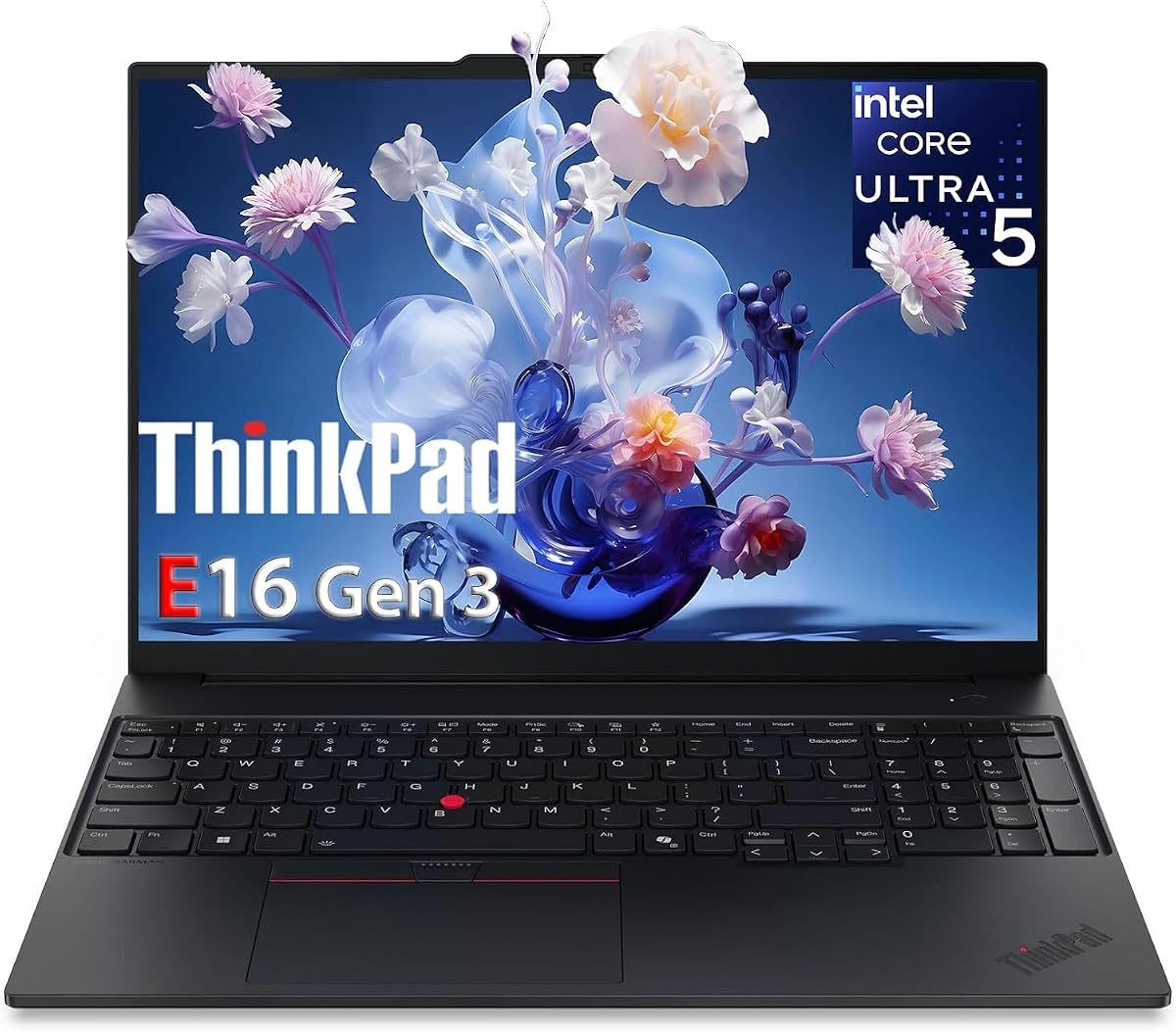
This version of the E16 Gen 3 offers enterprise-class performance with 32GB of RAM. It powers seamless multitasking across complex spreadsheets and resource-intensive applications. The visual productivity is enhanced by a high-resolution IPS display.
We may earn a commission when you buy through this link, at no additional cost to you.
Connectivity is a major highlight with Thunderbolt 4 and support for three external 4K displays. This makes it perfect for financial analysts or designers who need multiple screens to manage their workflow efficiently.
The increased memory and storage come with a slightly higher weight than the base models. However the performance gains are worth it for users who demand speed and capacity.
It is best suited for professionals who need maximum capability in a business laptop. The security features ensure that sensitive data is protected while you work.
The display supports high brightness and accurate colors for clear visibility. This reduces eye strain during long working hours.
The inclusion of Thunderbolt 4 ensures compatibility with future accessories. This extends the lifespan of the device significantly.
We may earn a commission when you buy through this link, at no additional cost to you.
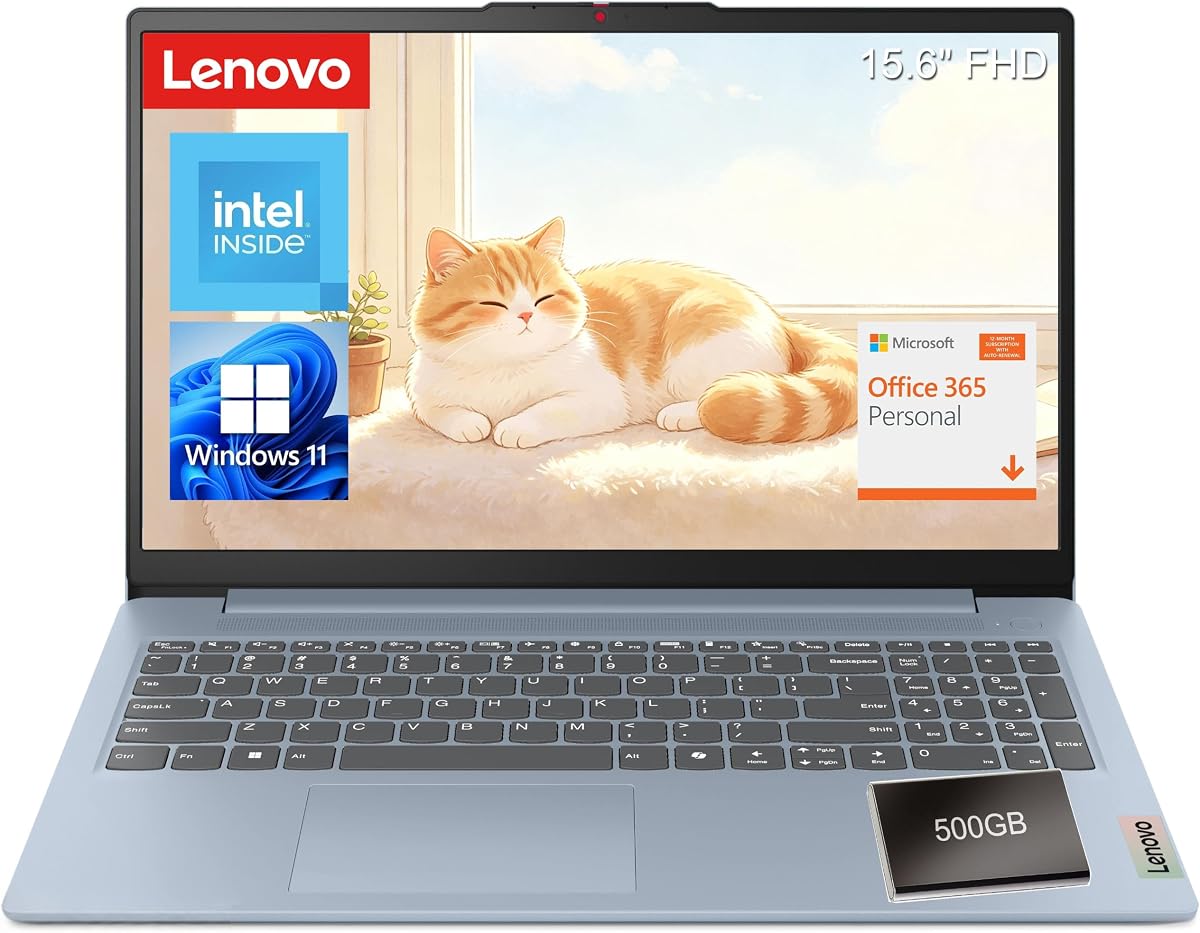
This laptop is engineered for ultra-portability with a slim 0.70-inch profile. It weighs just 3.42 lbs making it easy to carry anywhere. It includes a 500GB external hard drive for additional storage which is a valuable bonus.
We may earn a commission when you buy through this link, at no additional cost to you.
The display offers a crystal-clear Full HD resolution. The anti-glare coating reduces eye strain which is important for long study or work sessions. Dolby Audio speakers provide rich sound for media consumption.
The processor is designed for efficient everyday tasks rather than heavy computing. This keeps the system cool and the battery life stable during typical usage scenarios.
It is ideal for students and casual users who prioritize portability. The durable design ensures it can withstand daily wear and tear in a backpack.
The bundled external drive compensates for the limited internal storage. This allows you to keep large files without slowing down the system.
Enhanced stereo speakers deliver clear sound for calls and media. This improves the overall multimedia experience without headphones.
We may earn a commission when you buy through this link, at no additional cost to you.
This model offers a cost-effective way to access business-grade hardware. It is a certified refurbished unit that provides significant savings. The AMD Ryzen 5 processor delivers reliable speed for everyday tasks.
We may earn a commission when you buy through this link, at no additional cost to you.
The standard keyboard includes a TrackPoint which is a staple for ThinkPad fans. Connectivity is robust with multiple USB ports and HDMI support. The Windows 11 Pro operating system adds value with enterprise features.
Buying renewed means there is some risk compared to buying new. The specs use DDR4 memory which is slightly older than DDR5. However for basic business tasks it remains a powerful option.
It is best for buyers who want a discount on a capable machine. The certification ensures the device meets functional standards before it reaches you.
The TrackPoint allows for precise cursor control without moving hands. This is a unique feature found on ThinkPad keyboards.
A range of ports ensures you can connect various peripherals. This includes support for external monitors and storage devices.
We may earn a commission when you buy through this link, at no additional cost to you.
This unit offers reliable speed for business multitasking and everyday productivity. The 16GB of RAM and 512GB SSD provide a solid baseline for performance. It is a refreshed version of the T14s which remains a popular model.
We may earn a commission when you buy through this link, at no additional cost to you.
The 14-inch display offers crisp visuals which are perfect for video conferences and media. The lightweight chassis makes it easy to carry in a briefcase or backpack. Backlit keyboard helps typing in dim environments.
While the processor is older it is still capable for standard office applications. The reduced port selection might require dongles for some peripherals. These trade-offs are acceptable given the low price point.
It is a great choice for budget buyers who need a durable business laptop. The Windows 11 Pro ensures compatibility with modern security and management tools.
The 14-inch Full HD display provides vibrant colors. Wide viewing angles make it easy to share screens with others.
Optimized memory allows for faster application launches. This helps maintain a smooth workflow throughout the day.
We may earn a commission when you buy through this link, at no additional cost to you.
Selecting the right laptop involves balancing performance needs with budget constraints and portability requirements. This section breaks down the key factors you should consider before making a purchase.
The processor is the engine of your laptop and determines how well it handles tasks. Newer models feature Intel Ultra or AMD Ryzen AI chips that offer AI acceleration and efficient power usage. For heavy multitasking, aim for 8 cores or higher to ensure smooth operation.
Look for processors with high turbo speeds and dedicated NPUs for AI tasks. This ensures your machine stays relevant for years as software becomes more demanding.
RAM impacts how many applications you can run at once without slowdowns. 16GB is the standard for modern productivity, while 32GB is ideal for power users running virtual machines or large datasets. DDR5 memory is preferred for its speed and efficiency.
Ensure the laptop allows for upgrades if possible. Having enough memory upfront prevents the need for expensive replacements later in your device's lifecycle.
Solid State Drives offer much faster boot times and file access than traditional drives. NVMe SSDs are the current standard and provide lightning-fast performance. A capacity of 512GB is a good baseline, with 1TB being better for media storage.
Choose a model with PCIe Gen4 or Gen5 support if available. This maximizes read and write speeds which improves overall system responsiveness significantly.
A high-resolution display reduces eye strain and improves the visual experience. Look for IPS panels which offer better viewing angles and color accuracy than TN screens. Anti-glare coatings are essential for reducing reflections in bright environments.
Prioritize screens with at least 300 nits of brightness for outdoor or bright office use. A good display is critical since you spend hours looking at it every day.
Versatile ports reduce the need for dongles and hubs. Thunderbolt 4 provides high-speed data transfer and docking capabilities. USB-A ports are still useful for legacy peripherals like mice or hard drives.
Check for Wi-Fi 6E or Wi-Fi 7 support for the fastest wireless speeds. A good selection of ports ensures you can connect to everything from projectors to external monitors.
Battery capacity determines how long you can work away from an outlet. Efficient processors and optimized power management extend usage time. Look for models that advertise all-day battery life for travel.
Rapid charging technology can save you in a pinch. A battery that recovers 80% in an hour is very helpful when you have limited time to charge between meetings.
Business laptops should withstand daily wear and travel. Models tested to MIL-STD-810H standards resist shock and extreme conditions. Look for materials that are lightweight yet sturdy like magnesium alloy or carbon fiber.
A solid hinge and robust chassis protect internal components. Investing in a durable machine reduces the risk of damage during transit and extends its usable life.
Enterprise-grade security protects sensitive data from theft and unauthorized access. Features like fingerprint readers, facial recognition, and privacy shutters are standard on ThinkPads. Look for TPM chips that secure hardware-level encryption.
Windows 11 Pro includes BitLocker which encrypts data on your drive. These built-in security tools are essential for protecting confidential information on any business device.
Proper maintenance ensures your laptop runs smoothly for years. Keep it clean by using a soft, lint-free cloth to wipe the screen and keyboard. Avoid using harsh chemicals that might damage the anti-glare coating on the display.
Optimize your settings to extend battery life when you are not near a power source. Reduce screen brightness and disable unnecessary background processes. Enable power saving modes when the device is not in heavy use to preserve energy.
Always close the lid properly to avoid stressing the hinge mechanism. Store the device in a padded case when traveling to protect against bumps and drops. Regularly update the BIOS and drivers to ensure compatibility with new software.
Yes, many ThinkPad models offer high-resolution IPS displays and enough RAM to handle creative software. The P series is specifically designed with ISV certifications for professional design tools. However you should check for dedicated graphics if you work with 3D rendering.
It depends on the specific model. Some entry-level units have soldered RAM that cannot be changed later. Business lines like the T and P series often allow upgrades. Always check the specifications before buying to confirm expandability.
Modern ThinkPad batteries can last anywhere from 8 to 14 hours depending on usage. Efficient processors and optimized power settings help achieve all-day performance. Heavy tasks like video editing will drain the battery faster than basic browsing.
Most business models include Windows 11 Pro which offers better security and management tools. Home versions are usually reserved for personal laptops. Pro features like BitLocker encryption are crucial for business environments.
Generational updates typically bring newer processors and better connectivity standards. Gen 3 models often feature Intel Ultra chips and Wi-Fi 6E. These changes improve speed and efficiency without major design changes.
Certified refurbished units undergo rigorous testing and come with warranties. They are a cost-effective way to get business-grade hardware. Just ensure you buy from a reputable source to avoid potential defects.
You can activate the privacy shutter by sliding it over the lens when not in use. Some models have a physical toggle switch on the webcam. This ensures no visual data is captured when you are not on a call.
Yes, most models support multiple external displays via HDMI or Thunderbolt ports. You can connect up to three 4K monitors on high-end configurations. This makes them ideal for multi-tasking setups in office environments.
We have reviewed ten top Lenovo Thinkpad Laptop options ranging from budget-friendly to premium workstations. The ThinkPad E16 Gen 2 offers great value while the P14s provides professional-grade power. Choosing the right one depends on your specific workload and budget.
Prioritize performance and durability if you are a business user who travels frequently. For general productivity, a model with 16GB RAM and a 512GB SSD will serve you well. Ensure you select a screen size that feels comfortable for your daily tasks.
Prices and availability change often so please check the current details before you buy. We hope this guide helps you find a reliable machine that meets your needs. Your investment in a quality laptop will pay off in productivity and longevity.