
Gaming Desktop PC Core i7 14700KF
4.5Editor score
Core i7 14700KF processor
RTX 4070 12GB GPU
16GB DDR5 RAM 1TB SSD
This guide compares ten top gaming PCs with RTX 4070 GPUs for performance, features, and value to help you choose the perfect rig for 1440p gaming.
Finding the right gaming PC means balancing power, price, and build quality. Today we look at systems featuring the NVIDIA GeForce RTX 4070, which delivers smooth 1440p gaming and solid ray tracing performance for modern titles.
We evaluated ten ready to play desktops across processors, memory, storage, and cooling. Each system was checked for compatibility, upgrade potential, and real world gaming experience to help you decide which one fits your setup.
Every pick shows what makes it stand out, from budget friendly builds to premium machines with advanced cooling. Prices and availability change often, so check current listings before you buy to get the best deal available today.
4.5Editor score

4.6Editor score
3.9Editor score
Here is a side by side look at all ten systems. Each entry highlights core specs like processor, graphics card, memory, and storage so you can quickly see how they stack up against one another for your needs.


This gaming desktop delivers strong performance for its price with a Core i7 14700KF processor and RTX 4070 graphics. It handles modern games at high settings and supports multitasking and content creation without strain.
We may earn a commission when you buy through this link, at no additional cost to you.
The 16GB DDR5 RAM and 1TB SSD ensure fast load times and responsive system behavior. WiFi 6 provides reliable wireless connectivity for online play and streaming without needing extra hardware or cables.
While it lacks premium features like liquid cooling or extensive RGB, the system focuses on raw power and efficiency. The build is practical and supports most mainstream gaming needs out of the box.
Buy this if you want a capable PC for 1440p gaming and general use without overspending. It offers excellent value for gamers and creators who need performance without premium branding costs.
The Core i7 14700KF handles demanding tasks with ease, supporting gaming, streaming, and creative workloads without slowdowns or bottlenecks during intense sessions.
DDR5 RAM and a 1TB NVMe SSD provide quick application launches and fast file access, keeping your workflow smooth and responsive during multitasking or large file transfers.
We may earn a commission when you buy through this link, at no additional cost to you.
This MXZ gaming PC combines a strong Core i7 13700F CPU with RTX 4070 graphics to deliver reliable performance for 1440p gaming. The system includes 16GB DDR4 RAM and a 1TB NVMe SSD for speed.
We may earn a commission when you buy through this link, at no additional cost to you.
Six RGB fans add visual flair while improving airflow, keeping components cool during extended sessions. It comes with Windows 11 Pro pre installed, ready for work and play straight out of the box.
The inclusion of free lifetime tech support and a one year warranty provides peace of mind for buyers. This makes it a solid choice for those who want support without extra costs or hassles.
Choose this if you want a balanced system with style and support at a competitive price. It suits gamers and home users who need dependable performance and reliable assistance when needed.
Six RGB fans enhance the case aesthetics and provide better airflow, helping to maintain cooler temperatures during gaming and other intensive tasks without extra hardware.
Free lifetime tech support and a one year parts and labor warranty ensure you get help when issues arise, making ownership easier for users without technical expertise.
We may earn a commission when you buy through this link, at no additional cost to you.
The Skytech Gaming King 95 stands out with an RTX 4070 Super GPU and Ryzen 7 7700 CPU, delivering excellent 1440p gaming performance. Its white case with ARGB fans offers a clean look.
We may earn a commission when you buy through this link, at no additional cost to you.
Sixteen gigabytes of DDR5 6000 RAM provide fast memory speeds for multitasking and gaming, while the 1TB NVMe SSD ensures quick load times and responsive system behavior out of the box.
The bundle includes a free gaming keyboard and mouse, saving you extra money when setting up your station. The system is assembled in the USA with a one year warranty for peace of mind.
Pick this system for superior GPU performance and a complete package with peripherals. It fits gamers who want a stylish build, fast components, and a ready to use setup without extra purchases.
The RTX 4070 Super delivers stronger performance than the standard 4070, enabling higher frame rates and better ray tracing at 1440p for smoother, more immersive gaming experiences.
Including a free gaming keyboard and mouse means you can start playing right away without additional costs, making this a great all in one solution for new gamers.
We may earn a commission when you buy through this link, at no additional cost to you.
This MXZ PC features the new AMD Ryzen 7 9700X processor paired with RTX 4070 Super graphics, offering a modern platform for future gaming and content creation workloads right away.
We may earn a commission when you buy through this link, at no additional cost to you.
It includes 16GB DDR5 RAM and a 1TB NVMe SSD for fast data access, while the six RGB fans help maintain airflow. Windows 11 Pro is pre installed for productivity and gaming needs.
As one of the first systems with the 9700X, it represents early access to new technology with support for future software and game optimizations without waiting for hardware updates.
Choose this if you want the latest AMD platform and strong GPU performance. It suits early adopters and users who value new tech features and support for upcoming software releases.
The Ryzen 7 9700X offers a new CPU architecture with improved efficiency and support for future upgrades, positioning this system well for long term software and game compatibility.
DDR5 RAM and Windows 11 Pro provide current standards for performance and security, while lifetime tech support ensures help is available if you need assistance during setup.
We may earn a commission when you buy through this link, at no additional cost to you.
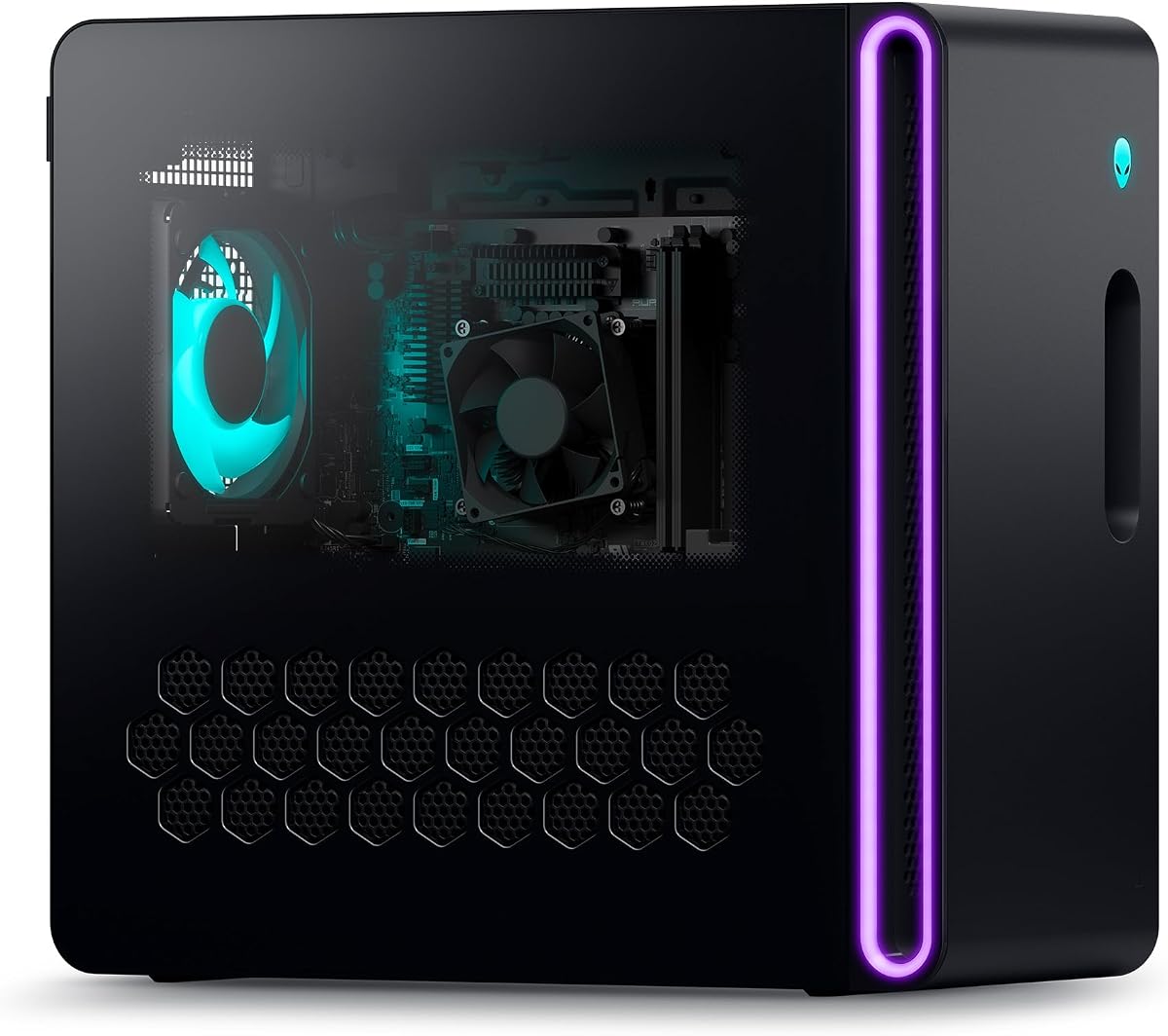
This Alienware Aurora features the next gen RTX 5070 GPU and Core Ultra 7 265F processor, delivering top tier performance for 1440p and 4K gaming with advanced AI and ray tracing features.
We may earn a commission when you buy through this link, at no additional cost to you.
It includes 32GB DDR5 RAM and 2TB SSD storage for large game libraries and smooth multitasking. The premium chassis with AlienFX lighting offers a modern look and customizable illumination zones.
Dell provides 1 year onsite service so technicians visit your home to fix issues, saving you shipping or repair hassles. This service adds significant value for those who prefer hassle free support.
Select this system for cutting edge performance and premium support. It fits high end users who want the latest hardware, a sleek design, and reliable onsite assistance without delay.
The RTX 5070 brings next gen architecture with improved ray tracing and efficiency, enabling smoother gameplay and higher settings for the most demanding modern titles and games.
Dell 1 year onsite service means a technician can visit your home or office to fix covered issues, making repairs easier and faster without sending the system elsewhere.
We may earn a commission when you buy through this link, at no additional cost to you.
The MSI Codex Z2 packs an RTX 5070 GPU and Ryzen 7 8700F CPU for powerful gaming and creative work. Its 32GB DDR5 RAM and 2TB storage handle large projects and game libraries smoothly.
We may earn a commission when you buy through this link, at no additional cost to you.
The system uses a simple chassis with effective cooling and MSI Center software to manage fans and RGB lighting. Windows 11 Home is included for gaming and general productivity tasks out of the box.
Thirty two gigabytes of RAM allow seamless multitasking between games, streaming, and editing without slowdowns. The large SSD ensures ample space for multiple applications and files without needing extra drives.
Choose this for a balanced workstation and gaming PC with ample memory and storage. It suits creators and gamers who need performance and capacity without sacrificing simplicity or ease of use.
With 32GB DDR5 RAM, you can run multiple applications and games simultaneously without slowdowns, making this ideal for streaming while gaming or editing while browsing the web.
MSI Center software gives you control over RGB lighting, fan curves, and performance profiles, letting you tailor the system to your preferences and usage scenarios with ease.
We may earn a commission when you buy through this link, at no additional cost to you.
The MSI Codex R2 offers an RTX 5070 GPU with a Core i5 14400F CPU, giving strong performance for 1440p gaming. It comes with 32GB DDR5 RAM and a 1TB NVMe SSD for speed.
We may earn a commission when you buy through this link, at no additional cost to you.
Four fans help maintain cooling performance during long gaming sessions, while Wi-Fi 6E ensures stable connectivity with low latency for online play and downloads without lag or interruptions.
It is built on standard components, so upgrading storage or RAM later is straightforward. This allows owners to enhance performance over time without needing to replace the whole system or case.
Buy this if you want next gen graphics at an entry level price. It fits new gamers or families who need a reliable system with strong GPU and memory performance for years to come.
The RTX 5070 offers next gen performance even with an i5 CPU, letting you enjoy high frame rates and ray tracing in modern games while saving money on the processor side.
32GB DDR5 RAM ensures the system handles heavy multitasking and future games without bottlenecks, giving you room to grow and upgrade storage or other parts later easily.
We may earn a commission when you buy through this link, at no additional cost to you.
The MSI Aegis RS2 features a 360mm liquid cooler and Core Ultra 7 265K CPU for top thermal performance and overclocking potential. It pairs with RTX 4070 Super graphics for 1440p gaming.
We may earn a commission when you buy through this link, at no additional cost to you.
Thirty two gigabytes of DDR5 RAM and 2TB SSD ensure fast multitasking and ample storage for large libraries. DLSS 3.5 improves image quality and frames using AI for smoother gameplay in supported titles.
The system uses standardized MSI components for easy upgrades and management. This makes maintenance and part swaps simpler without needing expert skills or tools to modify your setup later on.
Choose this if you want strong cooling and AI graphics tech. It fits users who need top performance and manageability without sacrificing ease of use or upgrade potential for future needs.
A 360mm liquid cooler removes heat more efficiently than air, keeping CPU temperatures low for stable performance and longer component life during heavy gaming and streaming sessions.
DLSS 3.5 uses AI to boost frame rates and image quality, delivering smoother gameplay and better visuals without needing higher CPU power or extra hardware to support high settings.
We may earn a commission when you buy through this link, at no additional cost to you.
The Alienware Aurora R16 features a refined design with optimized airflow and a 12 phase voltage regulation system to deliver stable power for the Core i7 14700F and RTX 4070 Super.
We may earn a commission when you buy through this link, at no additional cost to you.
It includes 32GB DDR5 RAM and a 1TB NVMe SSD for fast system performance. The case uses AlienFX lighting with millions of colors to match your setup style and personal lighting preferences.
Its larger internal passageways improve acoustics and cooling efficiency, reducing noise during gaming. One year onsite or in home service ensures help is available quickly without needing shipping or extra steps.
Pick this if you want a sleek, well cooled design and premium service. It fits users who value aesthetics, acoustic performance, and convenience over maximizing every dollar of upgrade potential.
The case layout uses larger passageways and cable management to improve airflow and reduce noise, keeping the system cooler and quieter during long gaming and streaming sessions.
AlienFX lighting with millions of colors lets you match your PC to your theme or mood, providing a personalized look and feel across your entire gaming ecosystem easily.
We may earn a commission when you buy through this link, at no additional cost to you.
The iBUYPOWER Y40 includes a massive 2TB NVMe SSD and 32GB DDR5 RAM, ideal for storing many games and projects. It runs a Core i7 14700F and RTX 4070 Super for strong gaming performance.
We may earn a commission when you buy through this link, at no additional cost to you.
RGB DDR5 memory and a tempered glass case add style, while a free gaming keyboard and mouse save cost. The system has no bloatware so it starts clean and ready for your apps.
WiFi readiness and Windows 11 Home make setup simple for home use. With 2TB of fast storage, you can keep multiple titles installed without frequent uninstalling or drive swapping between games.
Select this for large storage and ready to play value. It fits gamers and families who want space for many games and a complete bundle with peripherals and clean software out of the box.
Two terabytes of NVMe SSD space lets you store many AAA games and files with fast load times, reducing the need to swap drives or manage limited space during play.
No bloatware means the system starts with clean Windows 11 Home, letting you install only what you need without unwanted apps slowing performance or cluttering the desktop.
We may earn a commission when you buy through this link, at no additional cost to you.
Choosing the right gaming PC means looking at key parts and features. Here are the main factors to consider to find a system that fits your performance needs and budget.
The CPU determines how well your PC handles games, streaming, and multitasking. Look for Core i7 or Ryzen 7 models in the latest generations to avoid bottlenecks and get strong performance in CPU heavy games and apps.
Aim for at least 8 cores and 16 threads with modern IPC for future proofing and smooth performance while gaming and streaming at the same time.
The RTX 4070 offers excellent 1440p performance with ray tracing and DLSS. Consider the RTX 4070 Super or next gen RTX 5070 if available for better frame rates and support for new games.
Focus on VRAM size and ray tracing performance to ensure games run smoothly at high settings without texture issues or stuttering during demanding scenes.
Sixteen gigabytes of DDR5 RAM is a good starting point, but 32GB is better for multitasking and future games. DDR5 offers faster speeds and better efficiency than older DDR4 RAM.
Prioritize systems with at least 16GB, ideally 32GB, and DDR5 speeds of 5600MHz or higher for best performance and upgrade potential over time.
A 1TB NVMe SSD is recommended to hold your OS, apps, and several large games. Two terabytes is better if you want to keep many titles installed without needing external drives.
Look for systems with at least 1TB NVMe storage to avoid constant file management and ensure quick load times and fast boot up speeds.
Effective cooling keeps performance stable during long gaming sessions. Air cooling with multiple fans is common, but liquid cooling offers better thermal control for overclocking and high loads.
Choose systems with multiple case fans and quality CPU coolers to avoid throttling and keep temperatures low during intensive gaming and streaming workloads.
Systems built with standard parts allow you to upgrade RAM or storage later. Check if the case has room for more drives or better GPUs and if the power supply supports upgrades.
Look for open designs and standard power supplies with enough wattage to avoid replacing the entire system when you want better performance in the future.
WiFi 6 or 6E provides reliable wireless networking for online gaming. Ensure there are enough USB ports and DisplayPort or HDMI outputs for your monitors and peripherals without adapters.
Check for built in WiFi and modern USB ports to connect devices easily and get low latency wireless performance for online play and streaming.
A one year warranty and technical support are standard. Premium brands may offer onsite service to reduce repair hassle and downtime for home and office use.
Prioritize brands with good support and clear warranty terms to get help when issues arise without paying extra for repairs or service calls.
Start by placing your PC in a well ventilated area away from walls and heat sources. Make sure there is space around the case for airflow and that the cooling fans have clear paths to pull in air.
Update your GPU and chipset drivers regularly through manufacturer tools or Windows Update. This ensures new game optimizations and security patches are applied to keep performance stable and secure.
Use dust filters or a can of compressed air to clean vents every few months to prevent overheating. Also monitor temperatures using built in software to catch cooling issues early before they impact performance.
Yes, the RTX 4070 handles most AAA titles at 1440p with high or ultra settings. Features like DLSS and ray tracing help achieve smooth frame rates in modern and demanding games.
Sixteen gigabytes is the current minimum for gaming but 32GB is recommended for multitasking and future titles. It ensures smoother performance when streaming or running other apps while gaming.
Most prebuilt systems come with drivers preinstalled, but you should update GPU and chipset drivers for new games. Using the GPU manufacturer tool keeps performance stable and optimized.
Many prebuilt PCs allow RAM and SSD upgrades if they use standard parts. Check the manufacturer specs for available slots and compatible types before purchasing to ensure upgrade paths exist.
The RTX 5070 offers next gen performance with improved ray tracing and efficiency. If available and within budget, it provides stronger frame rates and better future proofing for new games.
A minimum of 650 watts is recommended for RTX 4070 systems. Higher wattage like 750 or 800 watts gives more headroom for upgrades and stable power delivery under heavy loads.
The systems listed show a range of options from budget to premium builds. Each delivers strong 1440p gaming performance with the RTX 4070 or 5070 and supports modern titles and multitasking needs.
Prioritize components that match your use case like more RAM for multitasking or faster storage for large libraries. Cooling and upgrade potential also matter for long term use and system longevity.
Check current prices and availability before buying since deals change often. A little research and patience can help you find the best value and setup for your gaming goals and budget.