
MAIWO Hard Drive Docking Station Cloner
4.5Editor score
Offline cloning support
48TB total capacity
3x USB 3.0 hub
Finding the right hard drive duplicator cloner docking station is essential for efficient data management and reliable backup solutions. These devices allow you to copy data directly between drives without needing a computer, saving time and reducing complexity in your workflow.
We evaluated ten top-rated models based on cloning speed, drive compatibility, build quality, and user-friendly features. Each product was assessed for its ability to handle various drive types and sizes while maintaining stable performance during intensive data transfer tasks.
Each pick highlights unique strengths to help you choose the best tool for your specific storage needs. Keep in mind that product availability and pricing can change frequently, so verify current details before making your final purchase decision.
4.5Editor score

4.5Editor score

4.5Editor score
As an Amazon Associate we earn from qualifying purchases.
The following table provides a side-by-side comparison of all ten selected hard drive duplicator cloner docking station models to help you quickly identify key specifications and features that matter most for your specific requirements.

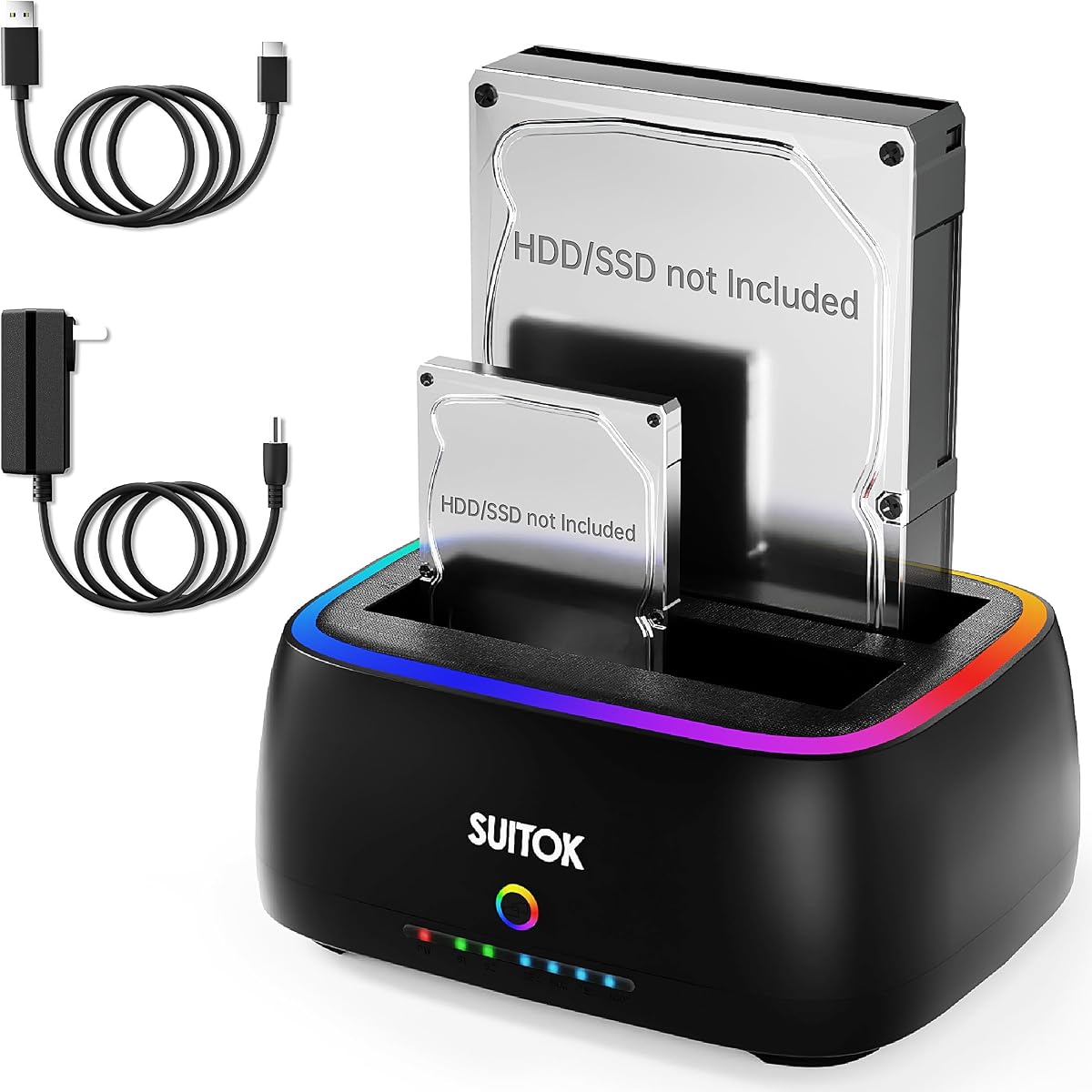



The SABRENT USB 3.0 Dual Bay Hard Drive Docking Station stands out as a top choice for users needing reliable data duplication without a computer. With a solid 4.5-star rating, it delivers consistent performance for cloning tasks up to 60Mbps while supporting standard desktop SATA drives up to 10TB.
We may earn a commission when you buy through this link, at no additional cost to you.
Its standout quality lies in the seamless offline cloning process. You simply insert the source and target drives, press the clone button, and the device handles the rest. The USB 3.0 interface ensures data transfer speeds up to 5Gbps when connected to a PC, making file access quick and efficient.
While it lacks USB-C connectivity which might limit newer laptop compatibility, the tool-free design and robust build quality make up for it. Users appreciate the straightforward operation without needing software installation or complex configurations for basic cloning tasks.
This docking station is ideal for home users, small office workers, or IT professionals managing regular backups. If you need a dependable, fast, and easy-to-use hard drive duplicator cloner docking station that handles large drives reliably, this model is a strong recommendation.
Clone drives without a computer by pressing a dedicated button for instant data duplication between source and target drives.
Handles standard 2.5 and 3.5 inch SATA hard drives and SSDs with support for capacities up to 10TB per drive.
We may earn a commission when you buy through this link, at no additional cost to you.
This SABRENT model updates the classic docking station design with modern USB-C connectivity, appealing to users with newer laptops and devices. It maintains the reliable offline cloning functionality found in the original version but adds flexibility for contemporary setups.
We may earn a commission when you buy through this link, at no additional cost to you.
Key strengths include the ability to mount both drives simultaneously when connected to a computer, allowing file transfers between drives or simultaneous access. The offline clone function works independently at up to 60MBps ensuring quick duplication without interrupting your computer workflow.
The primary trade-off is the reliance on USB-C which requires checking port availability on your computer or purchasing an adapter. Additionally, like many docks in this category, it supports only SATA drives excluding IDE or M.2 formats which might limit versatility for older or specialized drives.
Ideal for professionals with modern tech stacks who value USB-C convenience, this dock balances speed and ease of use. It fits well into workflows requiring frequent drive swaps or cloning tasks without tying up computer resources during the process.
Connect to newer computers and laptops via USB-C for improved compatibility with current hardware standards.
Both bays mount as separate drives when connected to a computer enabling simultaneous file transfers and access.
We may earn a commission when you buy through this link, at no additional cost to you.
The ICY BOX TripleBay docking station stands out by supporting both SATA drives and M.2 NVMe SSDs making it a versatile premium option for diverse storage needs. With 10Gbps transfer speeds via USB 3.2 Gen 2, it significantly outpaces standard USB 3.0 docks in data-intensive scenarios.
We may earn a commission when you buy through this link, at no additional cost to you.
Its standout feature is flexible offline cloning between different drive types such as NVMe to NVMe or SATA to NVMe. This capability is invaluable for migrating data from older HDDs to newer SSDs without additional hardware or adapters complicating the process.
The larger triple bay design accommodates multiple drives simultaneously but adds size and cost compared to dual-bay options. While the higher price reflects advanced features, users should ensure they need NVMe support to justify the investment over simpler SATA-only models.
Best suited for power users, IT technicians, or media professionals managing various drive formats this dock provides unmatched flexibility. If you require high-speed transfers and cross-type cloning capabilities in a single device this model delivers premium performance worth the extra cost.
Clon and access M.2 PCIe NVMe SSDs alongside traditional 2.5 and 3.5 SATA drives in one unit.
USB 3.2 Gen 2 technology enables data transfer speeds up to 10Gbps for rapid large file handling.
We may earn a commission when you buy through this link, at no additional cost to you.
The MAIWO hard drive duplicator offers exceptional value with support for up to 48TB total capacity across two bays making it an attractive option for budget-conscious buyers needing large storage handling. Its 4.5-star rating reflects strong user satisfaction with core cloning and docking performance.
We may earn a commission when you buy through this link, at no additional cost to you.
Key strengths include the integrated 3x USB 3.0 hub which adds extra connectivity for flash drives or peripherals while the dedicated 12V 3A power supply ensures stable operation with high-capacity drives. The offline cloning progress LED indicators help track duplication status without computer monitoring.
Users should note this model is limited to SATA drives lacks USB-C and has simpler construction than premium models. However, for straightforward cloning tasks requiring reliable power and extra USB ports, these trade-offs are often acceptable for the significant cost savings.
Ideal for home offices or small businesses needing occasional backup solutions, this dock balances functionality and affordability. If your primary needs involve cloning SATA drives and expanding USB connectivity without breaking the bank this is a practical choice to consider.
Supports up to 24TB per drive for a total of 48TB capacity ideal for extensive data archives.
Three additional USB 3.0 ports allow connecting flash drives and peripherals without extra adapters.
We may earn a commission when you buy through this link, at no additional cost to you.
This affordable SATA cloning dock balances modern USB-C connectivity with practical features for everyday backup tasks. With support for up to 40TB total capacity and a straightforward one-key offline clone function, it caters to users needing quick duplication without complex software.
We may earn a commission when you buy through this link, at no additional cost to you.
Its standout features include the vertical design promoting better airflow for heat dissipation and LED progress bars for clear cloning status tracking. USB 3.2 Gen1 ensures adequate data transfer speeds up to 5Gbps which suffices for most standard backup and file transfer needs.
The main limitations are SATA-only support and basic build quality compared to pricier models. However, the tool-free design and competitive price make it accessible for home users or IT professionals needing an additional docking solution for occasional cloning tasks.
Best for those who prioritize simplicity and cost-effectiveness over advanced features, this dock delivers reliable performance for common scenarios. If you need a no-frills solution that supports USB-C and large drives without overspending this is a worthy option.
Vertical open-air design enhances heat dissipation during prolonged cloning operations for stable performance.
LED indicators display real-time cloning progress with 25 50 75 and 100 percent markers for user awareness.
We may earn a commission when you buy through this link, at no additional cost to you.
StarTech delivers a professional-grade hard drive duplicator designed for IT environments requiring consistent performance and durability. With duplication speeds up to 28GB per minute and USB 3.2 Gen 2 support it outperforms many consumer docks in speed and reliability benchmarks.
We may earn a commission when you buy through this link, at no additional cost to you.
Its key strength lies in the sector-by-sector standalone cloning which works with any file format and copies entire drives including empty sectors. The tool-less tray-less design allows quick drive swaps while the 2-year warranty with lifetime technical assistance reinforces its enterprise-ready positioning.
While more expensive than many alternatives this model justifies the cost through superior build quality and specialized features like TRIM support for SSD longevity. Users prioritizing speed and professional support over lowest price will find this docking station a worthwhile investment.
Ideal for IT professionals, server administrators, or businesses handling frequent drive imaging and backup tasks, this dock provides enterprise-level reliability. If you need a robust tool for mission-critical cloning operations where performance and support matter most this model excels.
Standalone sector-by-sector copying achieves speeds up to 28GB per minute for efficient large drive duplication.
Includes 2-year warranty plus free lifetime 24/5 multilingual technical assistance for enterprise users.
We may earn a commission when you buy through this link, at no additional cost to you.
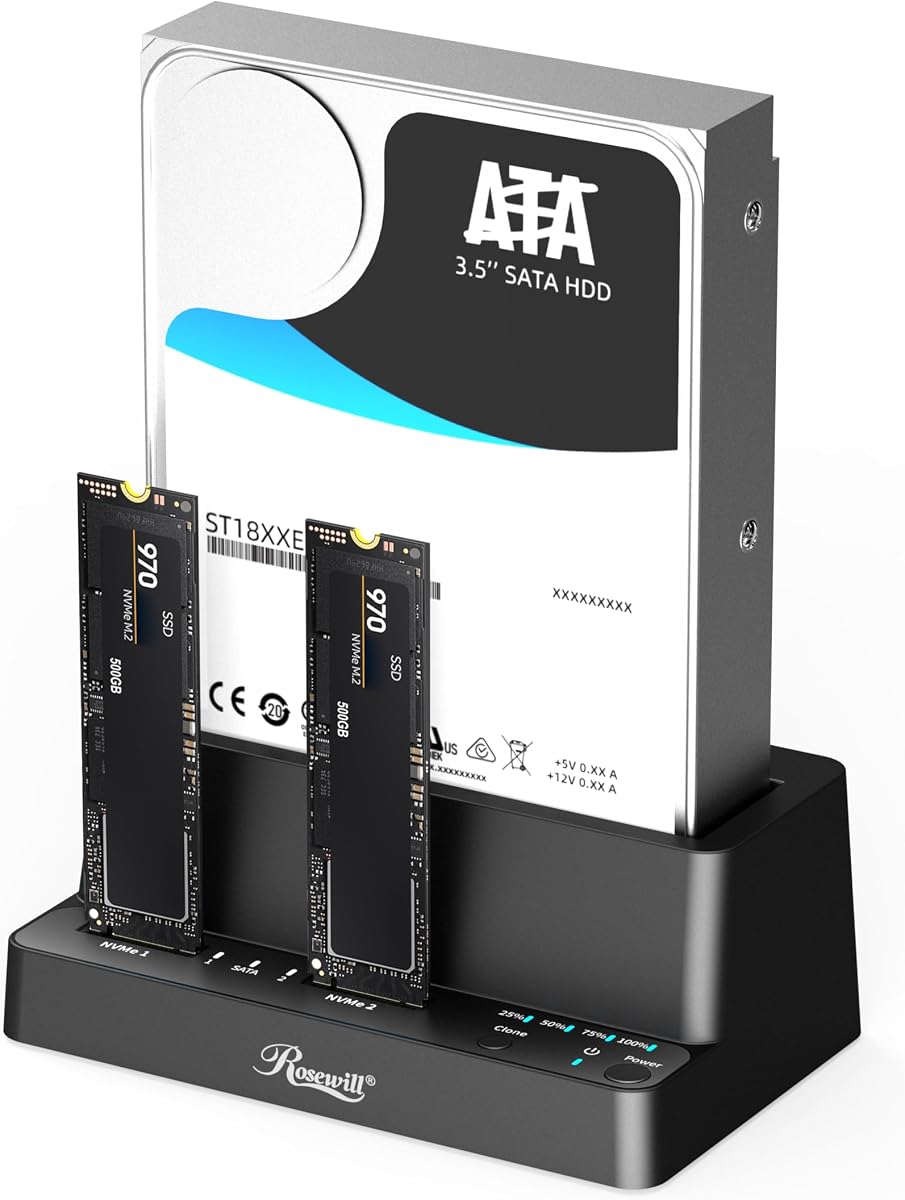
The Rosewill docking station combines NVMe and SATA support in a compact triple bay design catering to users with mixed drive types. With USB 3.2 Gen 2×1 enabling up to 10Gbps transfer speeds it ensures rapid data access and efficient cloning performance for various storage devices.
We may earn a commission when you buy through this link, at no additional cost to you.
Its standout feature is the ability to simultaneously connect and manage multiple drives including M.2 SSDs without tools making it versatile for diverse workflows. The offline cloning function allows quick duplication without a computer while the portable size suits travelers or field technicians.
While it requires a separate power adapter and sits at a mid-range price point, the flexibility to handle both modern NVMe and traditional SATA drives justifies the cost for many users. Build quality is solid though not premium enough for heavy enterprise use.
Best for tech enthusiasts, hybrid storage users, or professionals managing multiple drive formats this dock offers excellent versatility. If you need one solution for both SATA and NVMe drives with fast transfer speeds and easy hot-swapping this model is a strong fit.
Handles both M.2 NVMe SSDs and 2.5 or 3.5 SATA HDDs in one triple bay unit.
Compact lightweight design makes it easy to carry for on-the-go data management tasks.
We may earn a commission when you buy through this link, at no additional cost to you.
ORICO's five-bay docking station provides exceptional scalability for users needing to manage large volumes of drives simultaneously. Supporting up to 100TB total capacity with a single-button 1:4 offline duplicator feature it enables creating multiple copies of a source drive efficiently.
We may earn a commission when you buy through this link, at no additional cost to you.
Its standout design includes a durable aluminum-alloy build for effective heat dissipation and professional aesthetics. The built-in S.M.A.R.T and TRIM support ensures drive health monitoring and performance optimization during regular cloning and docking operations.
However, user feedback shows some inconsistency in reliability and quality control compared to top-rated models. The large footprint also requires ample desk space. Despite these factors, the unique five-bay capacity makes it valuable for specific high-volume needs.
Best for photographers, media producers, or data centers managing multiple drives, this station offers unmatched expandability. If your workflow demands simultaneous access to five drives or frequent multi-copy cloning this model fills a niche few other docks address.
Connect and access up to five drives simultaneously for massive storage expansion in one unit.
Duplicate one source drive to four targets simultaneously with a single button press without a computer.
We may earn a commission when you buy through this link, at no additional cost to you.
The WAVLINK docking station delivers solid performance with UASP transfer protocol enabling speeds up to 20% faster than standard USB 3.0. With support for 16TB per bay and both USB 3.0 and USB-C interfaces it offers flexible connectivity for various computer setups.
We may earn a commission when you buy through this link, at no additional cost to you.
Its key advantages include offline cloning up to 60Mbps and a built-in power control switch for energy efficiency after inactivity. The tool-free installation and hot-swapping capability make it easy to use across Windows, Mac, and Linux systems without drivers.
While it lacks NVMe support and advanced enterprise features found in higher-priced models, it provides reliable daily docking and cloning functions at an accessible price point. The dual interface options enhance compatibility with older and newer devices alike.
Best for home users or small businesses needing dependable SATA drive access and occasional cloning tasks, this dock balances features and cost effectively. If you want UASP speed benefits and USB-C flexibility without overspending this is a practical choice.
UASP transfer protocol provides up to 20% faster data speeds than standard USB 3.0 connections.
Built-in power switch and automatic sleep mode reduce energy consumption during idle periods.
We may earn a commission when you buy through this link, at no additional cost to you.
The StarTech 4-bay duplicator and eraser stands out for its comprehensive standalone capabilities including secure data erasure alongside cloning. Designed for IT professionals, it supports both USB 3.0 and eSATA connections enabling fast host device communication when needed.
We may earn a commission when you buy through this link, at no additional cost to you.
Key strengths include a clear LCD menu for intuitive navigation of duplication and erase modes, and secure erase compliance with NIST SP 800-88 standards for proper data wiping. The inclusion of IDE cable adapters also provides backward compatibility with older drives.
While it carries a higher price than basic docks, the added value of secure erasure tools and multi-drive cloning justifies the cost for businesses handling data retirement or bulk imaging tasks. Build quality remains robust for continuous professional use.
Best for organizations requiring secure data sanitization alongside backup operations, this duplicator delivers enterprise-grade functionality. If you need reliable multi-drive cloning with guaranteed secure erasure features for compliance this model is a top-tier professional solution.
Performs quick and secure erase operations compliant with NIST standards for proper data wiping.
One source drive can be duplicated to three target drives simultaneously in standalone mode.
We may earn a commission when you buy through this link, at no additional cost to you.
Selecting the right hard drive duplicator cloner docking station depends on understanding your specific storage needs, drive types, and desired features for efficient data management.
Ensure the docking station supports the drive types you own such as 2.5 inch, 3.5 inch SATA HDDs, SSDs, or M.2 NVMe drives. Some models only work with SATA drives while others add NVMe support for modern SSDs. Check if IDE drives are supported if you have older hardware.
Match the dock's interface to your drive collection to avoid compatibility issues that prevent cloning or data access.
Offline cloning speeds typically range from 60Mbps to 28GB per minute depending on the model. Faster cloning is essential for large drives to minimize downtime. Look for standalone cloning options that do not require a computer for direct drive-to-drive duplication.
Prioritize higher cloning speeds if you work with large capacity drives or perform frequent backups to save time.
Modern docks use USB-C for broader compatibility with newer laptops while older ones may rely on USB 3.0 USB-A ports. USB 3.2 Gen 2 offers faster 10Gbps speeds compared to standard 5Gbps USB 3.0. Consider your computer's available ports before purchasing.
Choose a connection type that matches your devices to ensure stable high-speed data transfers without adapters.
Some docking stations limit supported drive capacities while others handle drives up to 20TB or more per bay. If you work with large data archives or high-capacity drives, verify the maximum capacity the dock supports to avoid functionality issues.
Select a dock with sufficient capacity headroom to accommodate current and future drive sizes you plan to use.
Aluminum alloys or metal housings improve heat dissipation during prolonged operations compared to plastic models. Adequate cooling prevents overheating which can damage drives or slow performance. Look for vents and anti-vibration pads for stability.
Invest in a well-built dock with proper cooling features to ensure reliable performance during extended cloning sessions.
Features like USB hubs, TRIM support, S.M.A.R.T monitoring, or secure erase tools add value depending on your workflow. Some docks offer LCD displays for easier navigation while others include tool-free designs for quick drive swaps.
Identify features that address your specific needs such as drive health monitoring or multi-copy cloning for better efficiency.
Prices vary widely from affordable models under $30 to professional units costing several hundred dollars. Consider how often you need the device and prioritize models with longer warranties and technical support for critical applications.
Balance cost against the frequency of use and need for reliability to choose the best value for your situation.
To begin, connect the docking station to a power source using the provided adapter, then attach it to your computer via USB or USB-C cable if online access is needed. Ensure the dock is placed on a flat surface with adequate ventilation to prevent overheating.
For offline cloning insert the source drive into one bay and the target drive into another then press the clone button. Wait for the LED indicators to show completion before removing drives to avoid data corruption or incomplete transfers.
Regularly clean dust from the dock's vents with compressed air to maintain cooling efficiency. Avoid leaving drives inserted when not in use for long periods to reduce unnecessary wear and ensure stable performance during active sessions.
Most hard drive duplicator cloner docking stations offer offline cloning functionality that does not require a computer. You can clone drives directly by pressing a button on the dock. However, using the dock as a regular docking station for file transfers or access requires connecting to a computer via USB.
No, the target drive must be equal to or larger than the source drive capacity for successful cloning. Attempting to clone to a smaller drive will fail or result in data loss since there is insufficient space to store all source data.
USB 3.0 typically refers to the traditional rectangular USB-A port while USB-C uses the smaller oval reversible connector found on modern laptops. USB-C docks often support faster speeds and better compatibility with newer devices but may require adapters for older computers.
Cloning time depends on drive capacity and speed. For a 1TB drive cloning at 60Mbps it might take several hours while faster docks with higher speeds can complete the task much quicker. Larger drives naturally take more time to duplicate fully.
Only specific models designed with M.2 NVMe slots support NVMe SSDs. Most standard docking stations work only with 2.5 and 3.5 inch SATA drives. Check the product specifications carefully if you need to connect or clone NVMe drives.
Yes, most modern docking stations are compatible with macOS systems without needing drivers. However, some older models may not support newer Apple Silicon Macs like M1 or M2. Verify Mac compatibility before purchasing if you use Apple hardware.
The right hard drive duplicator cloner docking station depends on your drive types, capacity needs, and budget. From budget-friendly SATA options to versatile NVMe-compatible models this guide highlights tools for every requirement and technical level.
Prioritize features like offline cloning speed connection type, and drive compatibility to ensure the dock fits your workflow smoothly. Investing in a reliable model with proper cooling and adequate capacity will provide long-lasting performance for your backup and duplication tasks.
Always check current availability and specifications before purchasing since product details can change. With the right choice, you can streamline your data management process and keep your storage solutions efficient and secure.