
HP Ultrabook 14 Laptop
4.1Editor score
Affordable Price Point
Anti-Glare Screen
Includes Accessories
Finding a reliable laptop that includes Microsoft Office without a subscription is a top priority for many professionals and students alike. These devices offer immediate productivity tools right out of the box, saving you time and money on software licensing fees. Whether you need a powerful machine for business or a portable option for school, having a lifetime license ensures you never worry about renewal costs again.
To create this comprehensive guide, we evaluated ten distinct laptop models that explicitly advertise lifetime access to Microsoft Office applications. Our analysis focused on processor performance, memory capacity, storage options, display quality, and overall build durability. We also considered the value added by included accessories like docking stations, external drives, and wireless peripherals that enhance the user experience significantly.
Each product entry in this list provides a detailed breakdown of specifications, pros, cons, and real-world usage scenarios to help you make an informed decision. While the models vary in size, power, and price point, they all share the common benefit of pre-installed Office software that works indefinitely. Please note that availability and specific bundle configurations can change frequently so verify details before purchasing.
4.1Editor score

4.0Editor score

5.0Editor score
As an Amazon Associate we earn from qualifying purchases.
This side-by-side comparison highlights the key specifications and features of all ten laptops reviewed in this guide to help you quickly identify which model best suits your specific computing needs and budget constraints for long-term productivity.




This HP laptop stands out as a versatile machine for professionals who need a responsive touchscreen interface alongside robust processing power. It comes equipped with a 16GB RAM configuration and a spacious 1TB SSD which ensures smooth multitasking and quick access to large files. The inclusion of a lifetime Microsoft Office license makes it an attractive option for those tired of subscription models.
We may earn a commission when you buy through this link, at no additional cost to you.
The 12th Gen Intel Core i3 processor delivers reliable performance for everyday business tasks ranging from document editing to video conferencing. The touchscreen display adds an intuitive layer of control allowing users to navigate Windows 11 Pro with gestures and taps. Copilot AI integration further boosts productivity by offering intelligent assistance directly within the interface for streamlined workflows.
While the screen resolution is HD rather than full HD which might affect crispness for graphic design the overall value proposition remains strong. The battery life supports a typical workday though heavy usage may require a charger nearby. The enterprise-grade security features of Windows 11 Pro protect sensitive data effectively for business environments.
Ideal for students and small business owners this laptop balances performance and practicality without compromising on essential software. The pre-installed Office suite means you can start working immediately upon setup without extra costs. If you prioritize a touchscreen and generous storage this model delivers exceptional utility for the price point.
Copilot AI helps you be smarter and more creative by integrating directly into your workflow for quick answers and task automation.
Windows 11 Pro offers enterprise-grade protection including hardware-based isolation and encryption to keep your business data safe from threats.
We may earn a commission when you buy through this link, at no additional cost to you.
This HP Ultrabook offers an incredible entry point for users seeking a functional laptop without breaking the bank. It features an anti-glare display that reduces eye strain during long sessions and includes a lifetime Microsoft Office license for immediate use. The bundled accessories such as a wireless mouse and external drive add significant value to the overall package.
We may earn a commission when you buy through this link, at no additional cost to you.
The Quad-Core Intel N150 processor handles basic computing tasks with ease making it suitable for web browsing document editing and light media consumption. Windows 11 Pro provides a secure environment with features like BitLocker encryption to safeguard your personal information. The compact 14 inch form factor makes it easy to carry around campus or to meetings.
While 8GB RAM may limit heavy multitasking it is sufficient for standard office work and study needs. The storage setup combines a fast 128GB UFS drive with a 500GB external option allowing flexibility for file management. Users should note that performance is optimized for productivity rather than demanding gaming or video editing tasks.
Students and budget-conscious professionals will find this laptop meets their essential requirements efficiently and affordably. The combination of reliable performance and included software ensures you get the most out of your investment. For those who prioritize portability and cost this model is a standout choice in its category.
The included wireless earbuds and external hard drive extend functionality without extra costs making it a complete solution out of the box.
The anti-glare panel ensures you can work outdoors or under bright lights without distracting reflections on the screen.
We may earn a commission when you buy through this link, at no additional cost to you.
This powerhouse laptop delivers exceptional performance with 32GB of RAM and a massive 2TB SSD ideal for demanding multitasking and extensive data storage. The 17.3 inch HD+ display offers ample screen real estate for detailed work while the lifetime Microsoft Office license ensures productivity tools are always available. Copilot AI support enhances user experience by providing intelligent assistance directly from the keyboard.
We may earn a commission when you buy through this link, at no additional cost to you.
The Intel Core i3-N305 processor supports up to 3.8 GHz ensuring quick response times for complex applications and heavy workflows. Windows 11 Pro provides advanced security features that protect your data while maintaining a streamlined user interface. Connectivity options include multiple USB ports and HDMI for easy integration with external monitors and peripherals.
While the laptop is larger and heavier than standard models the performance gains justify the size for stationary or office-based use. The lack of a backlit keyboard might be a drawback in dim environments but the screen brightness compensates in well-lit spaces. Users should check the included USB hub and pouch for added convenience and portability.
Professionals handling large datasets or creative projects will appreciate the robust memory and storage configurations offered here. The combination of top-tier specs and essential software makes it a comprehensive solution for high-end needs. For those needing reliability and power this laptop sets a strong standard in the premium category.
With 32GB RAM you can run dozens of browser tabs and heavy applications simultaneously without slowdowns or lag.
Microsoft Copilot helps you generate content and analyze data faster with intelligent suggestions and quick answers on demand.
We may earn a commission when you buy through this link, at no additional cost to you.
This HP laptop offers a compelling mix of performance and connectivity with an 8-core processor and extensive storage options tailored for business use. The 17.3 inch display provides a wide viewing area for spreadsheets and presentations while the lifetime Office license ensures your productivity tools are always active. Wi-Fi 6 support keeps you connected at high speeds even in crowded environments.
We may earn a commission when you buy through this link, at no additional cost to you.
The inclusion of 16GB RAM allows for smooth multitasking ensuring you can switch between applications without delays or freezes. Storage is split between a fast SSD for system files and an external drive for backups making data management straightforward and secure. Windows 11 Pro adds enterprise security features that protect sensitive information from potential threats effectively.
Although the laptop is substantial in weight it excels as a desktop replacement for home offices or workspaces where portability is less critical. The accessory bundle includes a docking station and wireless mouse enhancing usability immediately upon unpacking. Users should consider the screen resolution limitations if they require high-definition visual clarity for design work.
Business professionals needing a reliable workstation with plenty of power and storage will find this model well-suited for daily tasks. The pre-installed software and robust hardware combine to deliver a hassle-free computing experience. For those prioritizing functionality over portability this laptop offers excellent value and capability.
Wi-Fi 6 and multiple USB ports ensure stable connections to various peripherals and networks for uninterrupted workflow.
Windows 11 Pro features hardware-based isolation and encryption to keep your business data safe from unauthorized access.
We may earn a commission when you buy through this link, at no additional cost to you.
Designed for students and professionals on the move this slim laptop offers a perfect balance of portability and performance with 16GB RAM. The 14 inch screen fits easily into backpacks while the lifetime Microsoft Office license keeps you productive in any location. Copilot AI integration provides quick access to helpful tools and automation for everyday tasks.
We may earn a commission when you buy through this link, at no additional cost to you.
The Quad-Core Intel N150 processor handles routine tasks efficiently ensuring a smooth experience for web browsing and document creation. Windows 11 Pro enhances security with features that protect your data while maintaining a user-friendly interface. The green finish adds a distinctive look that stands out from standard silver or black laptops.
Battery life supports a full day of classes or meetings without needing a constant power source which is crucial for on-the-go users. While the keyboard lacks backlighting it remains functional in well-lit environments like libraries or offices. The external storage option ensures you have enough space for projects and media files without cluttering the main drive.
Students seeking a reliable and stylish device for academic work will appreciate the thoughtful design and included software. The combination of high RAM and AI support makes it capable of handling modern educational requirements. For those prioritizing mobility and ease of use this laptop delivers strong performance in a compact form.
Despite its slim profile the laptop maintains robust performance with ample memory for demanding academic applications.
Copilot AI helps streamline complex tasks by providing intelligent suggestions and automation features directly within the system.
We may earn a commission when you buy through this link, at no additional cost to you.
This HP model delivers crisp visuals with a Full HD display that makes viewing photos and videos more engaging than standard screens. The 8-Core processor supports robust performance for multitasking while 16GB RAM ensures smooth operation across multiple windows. The 1TB SSD provides ample space for all your essential files and applications without worrying about running out of storage.
We may earn a commission when you buy through this link, at no additional cost to you.
Windows 11 Pro offers a secure environment with enterprise-grade tools that protect your data while you work. The inclusion of a lifetime Microsoft Office license means you can start working immediately without additional subscription costs. Accessories like a USB hub enhance connectivity options for peripherals that are essential for daily tasks.
The sleek design keeps the laptop lightweight and easy to carry while maintaining enough power for professional demands. Battery life supports extended use making it suitable for travel or long work sessions away from an outlet. Users should note that the port selection is adequate but may require adapters for specific connection types.
Professionals who value visual clarity and reliable performance will find this laptop meets their needs effectively. The combination of high resolution and robust specs makes it ideal for media-rich workflows and general productivity. For those looking for a balanced machine with premium features this model stands out as a strong choice.
The Full HD screen renders colors vividly ensuring an immersive viewing experience for media and creative tasks.
With fast storage and ample memory you can switch between tasks quickly without interruptions or lag during work.
We may earn a commission when you buy through this link, at no additional cost to you.
This versatile laptop combines a responsive touchscreen with a powerful processor making it ideal for interactive work and learning environments. The 12GB RAM supports smooth multitasking for everyday applications while the 6-Core i3 processor ensures quick boot times and fast performance. Windows 11 Pro adds a layer of security to protect your data during daily operations.
We may earn a commission when you buy through this link, at no additional cost to you.
The lifetime Microsoft Office 2021 license provides essential tools for productivity without the burden of monthly fees. The silver finish offers a professional look that fits well in business or educational settings. Despite the compact SSD the system manages files efficiently using the internal drive for critical data and cloud storage for archives.
Users will appreciate the intuitive control offered by the touchscreen which simplifies navigation and annotation tasks. Battery life supports a typical day of use though heavy workloads may require periodic recharging. The overall build quality feels sturdy and capable of withstanding the rigors of daily commuting or desk use.
Students and small business owners seeking a responsive and secure machine will find this model offers solid utility. The pre-installed software and capable hardware ensure you are ready to work right out of the box. For those who prefer touch interaction this laptop delivers a satisfying experience at a competitive price point.
The touchscreen interface allows for natural gestures and direct interaction with content enhancing usability for presentations.
With speeds up to 4.4 GHz the processor handles demanding applications without slowing down during critical tasks.
We may earn a commission when you buy through this link, at no additional cost to you.
This premium laptop features a spacious 17.3 inch display that provides excellent workspace for complex spreadsheets and multi-window setups. The 8-Core processor delivers reliable performance for daily tasks while 16GB RAM supports efficient multitasking across applications. Wi-Fi 6 ensures fast and stable internet connectivity for seamless video calls and cloud access.
We may earn a commission when you buy through this link, at no additional cost to you.
Windows 11 Pro offers enhanced security features that protect your system from threats and unauthorized access. The lifetime Office 2024 license ensures you have access to all necessary tools for productivity without extra costs. The silver finish and robust build design give the laptop a professional appearance suitable for business environments.
While the laptop is designed more for stationary use than travel it excels as a home office workstation. The included accessories and ports allow for easy connection to external monitors and peripherals. Users should consider the weight before commuting frequently as it is best suited for fixed workspaces or travel to meetings.
Professionals who need a large screen for productivity will find this laptop meets their requirements effectively. The combination of hardware and software provides a comprehensive solution for work and study needs. For those prioritizing screen size and performance this model offers a strong value proposition.
The 17.3 inch screen gives you ample room to arrange multiple windows side by side for better multitasking.
Wi-Fi 6 and multiple USB ports ensure you can connect to networks and peripherals without interruptions.
We may earn a commission when you buy through this link, at no additional cost to you.
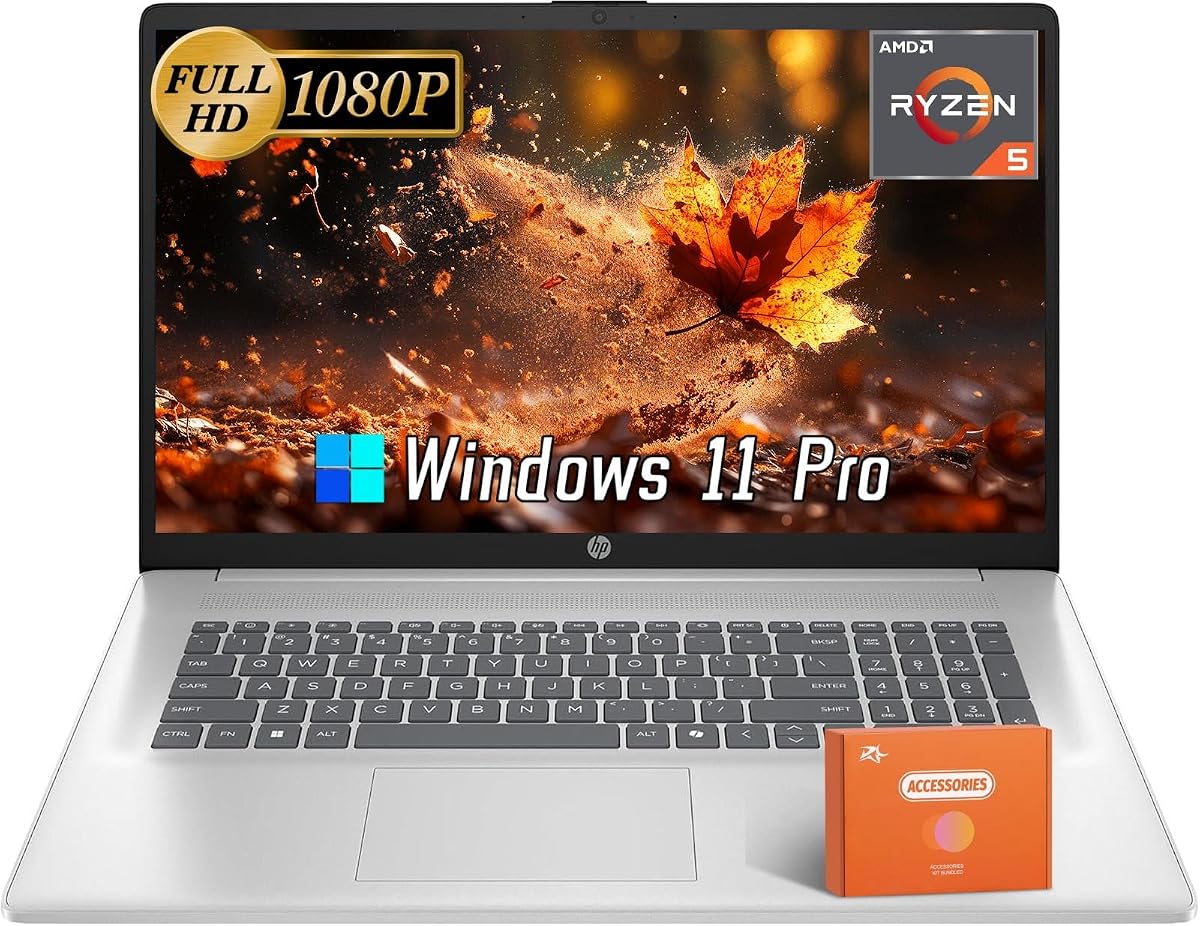
This HP laptop features an AMD Ryzen processor that delivers solid graphics performance ideal for creative tasks and multimedia work. The 17.3 inch FHD+ display provides vibrant visuals with an anti-glare coating that reduces eye strain during long sessions. Windows 11 Pro and a lifetime Office license ensure you have a secure and productive environment for all tasks.
We may earn a commission when you buy through this link, at no additional cost to you.
The 16GB RAM supports smooth multitasking allowing you to run multiple applications without slowdowns or interruptions. The 512GB SSD offers fast access to your files and applications ensuring quick boot times and responsive performance. Wi-Fi 6 connectivity keeps you connected to high-speed networks for reliable remote work and streaming.
While the laptop is heavier than portable options it excels as a versatile workstation for home or office use. The included accessories enhance usability by providing immediate access to necessary peripherals and tools. Users should consider the size before travel as it is best suited for stationary work environments or occasional travel.
Professionals who need graphics capabilities and a large display will find this laptop meets their needs well. The combination of AMD technology and Windows security provides a robust platform for demanding applications. For those prioritizing performance and visual quality this model offers excellent value and capability.
The FHD+ screen delivers vibrant visuals that make creative work and media consumption enjoyable and precise.
The AMD Ryzen processor handles graphics intensive tasks efficiently making it suitable for design and media projects.
We may earn a commission when you buy through this link, at no additional cost to you.
This laptop stands out with a powerful 10-Core Intel i5 processor that handles demanding tasks with speed and efficiency. The 16GB RAM supports smooth multitasking for multiple applications and browser tabs without performance drops. Windows 11 Pro offers enterprise security features to protect your data while maintaining a streamlined user experience.
We may earn a commission when you buy through this link, at no additional cost to you.
The Intel Iris Xe graphics provide capable performance for multimedia and light creative tasks making it versatile for various workflows. The 17.3 inch HD+ display offers a wide workspace for productivity though it lacks touch input. A lifetime Microsoft Office license ensures you have essential productivity tools pre-installed and activated immediately.
USB connectivity includes a hub for easy expansion allowing you to connect peripherals without needing adapters. The natural silver finish adds a sleek professional touch that fits well in business environments. Users should note that the lack of a backlit keyboard may limit usability in low-light conditions.
Professionals who need raw processing power and graphics capability will find this laptop delivers robust performance. The combination of high-end specs and essential software makes it a strong choice for work and study. For those prioritizing speed and reliability this model offers a compelling solution at a competitive value.
With 10 cores and 12 threads the processor handles complex workflows and multitasking with ease and speed.
Intel Iris Xe graphics enable smooth rendering of videos and light creative tasks without needing a dedicated GPU.
We may earn a commission when you buy through this link, at no additional cost to you.
Selecting the right laptop involves balancing hardware performance with software value to ensure long-term satisfaction and productivity.
The processor is the heart of your laptop determining how fast it can handle applications and multitasking. Look for modern Intel or AMD chips with at least 6 cores to ensure smooth performance for daily tasks. Higher clock speeds and better architecture contribute to faster boot times and responsive workflows especially when running multiple programs.
Memory allows your laptop to handle multiple tasks at once so 16GB is recommended for seamless multitasking. Storage should ideally be a solid state drive for faster access to files and operating systems. Larger storage capacities help manage extensive media libraries and project files without running out of space.
A high-resolution display reduces eye strain and improves clarity for text and images. Look for anti-glare coatings if you work in bright environments. The screen size should match your portability needs with 14 inches being portable and 17 inches offering more workspace.
Battery life determines how long you can use your laptop away from a power source. Aim for a model that offers at least 6 to 8 hours of mixed usage for a full workday. Fast charging capabilities can be a valuable addition to minimize downtime during busy schedules.
Lifetime Microsoft Office licenses save you from recurring subscription costs and ensure you always have access to productivity tools. Verify that the license is legitimate and activated correctly upon purchase. Check if the bundle includes the latest version such as Office 2024 to stay current with features and security updates.
Sufficient ports are crucial for connecting peripherals like mice keyboards and external drives. Look for USB-C ports for modern data transfer and HDMI for external monitors. Wi-Fi 6 support ensures faster and more stable internet connections which is essential for remote work and streaming.
A sturdy build ensures your laptop withstands daily wear and tear especially if you travel frequently. Consider materials like aluminum or reinforced plastics for durability. Keyboard comfort and trackpad responsiveness also impact long-term usability and productivity in professional settings.
Begin by setting up your Windows user account and ensuring your system updates are installed to benefit from the latest security patches and features. Activate your lifetime Microsoft Office license following the provided instructions to ensure you do not accidentally install a conflicting subscription version. Take time to configure your privacy settings and install any necessary antivirus software for added protection.
Optimize your performance by organizing files into logical folders on the SSD and using cloud storage for less frequently accessed data. Adjust power settings to balance performance and battery life based on whether you are plugged in or running on battery. Use the task manager to identify any unnecessary background processes that might slow down your workflow over time.
Yes the lifetime license means you pay once and keep access to the specific Office version forever without subscription fees. However it is tied to the device or account and does not allow upgrades to newer major versions without a new purchase. Always back up your data in case you need to reinstall software after a hardware failure.
Some models allow RAM upgrades but many budget laptops have soldered memory that cannot be changed. Check the specific product specifications or manufacturer support page before buying to confirm upgradeability. If you plan on heavy multitasking consider a model with 16GB or more out of the box to future-proof your investment.
Office 2024 includes newer features improved security patches and compatibility with modern systems compared to Office 2021. Both offer core apps like Word Excel and PowerPoint but newer versions handle newer file formats better. Always verify which version is included in the bundle to ensure it meets your workflow requirements.
A lifetime license typically applies to one device so using it on multiple computers requires separate licenses or a multi-device subscription. Check the specific terms of the offer you purchase to understand device limits clearly. If you work on a phone and laptop you may need to use the cloud version for mobile access.
HD screens use less power which helps extend battery life on budget models. While Full HD looks sharper for photo editing HD is sufficient for text and basic office work. Consider your visual needs and budget when choosing between resolution options to get the best value for your specific use case.
Many bundles include essentials like a wireless mouse USB hubs or external drives to help you start working immediately. These accessories vary by seller so check the product description for details. Some sellers include protective cases or bags that add value to the purchase and improve portability.
Choosing a laptop with a lifetime Microsoft Office license ensures you have a reliable workstation without ongoing subscription costs. The models reviewed here offer various configurations to suit different needs from budget-friendly options to high-performance units with large displays. Each device comes pre-configured to start working immediately after setup.
Prioritize processor power and memory capacity based on your typical workload to avoid performance bottlenecks during daily tasks. Consider screen size and portability requirements to ensure the laptop fits your lifestyle whether you work at a desk or on the go. Always check for included accessories that enhance usability and convenience.
Prices and availability can change quickly so verify the current offer and warranty details before finalizing your purchase. Investing in a quality laptop with essential software pre-installed saves time and money in the long run. Make sure you follow the setup guide to activate your license correctly for uninterrupted productivity.