
Ethernet Adapter for Fire TV Stick
4.7Editor score
Affordable pricing point
Universal stick compatibility
LED status indicator
This guide compares the top Ethernet Adapter for Fire TV Devices to help you choose the best wired connection option for your streaming setup and avoid
Streaming high-quality video requires a stable internet connection that Wi-Fi often struggles to provide during peak hours. An Ethernet Adapter for Fire TV Devices offers a reliable wired solution to eliminate buffering and ensure smooth playback for your favorite shows.
We analyzed ten top-rated products based on compatibility, build quality, speed capabilities, and user feedback to create this comprehensive comparison. Our goal is to help you find the perfect adapter that matches your specific Fire TV model and networking needs without unnecessary complexity.
Each pick below highlights key strengths and potential limitations so you can make an informed decision before purchasing. Please note that product availability and pricing may change over time, so always verify current details on the retailer's site before checking out.
4.7Editor score

4.5Editor score

4.1Editor score
The following table provides a side-by-side overview of all ten adapters evaluated in this guide. Compare their key specifications and features to quickly identify which model aligns best with your specific Fire TV device and network requirements.


This Micro-USB Ethernet Adapter stands out as a top choice for users seeking a straightforward wired connection solution for their Fire TV setup. With a strong rating and positive user feedback, it delivers consistent performance that eliminates the frustration of intermittent Wi-Fi dropouts during streaming.
We may earn a commission when you buy through this link, at no additional cost to you.
The adapter allows your Fire TV device to connect directly to a wired Ethernet network, which significantly improves reliability and frees up bandwidth for other devices on your home network. It works seamlessly with most Fire TV Stick models, Fire TV Cube, and older Fire TV units equipped with a micro-USB port.
While the adapter is highly effective for its intended purpose, it does require a compatible micro-USB port, meaning it will not work with newer USB-C based devices. Additionally, users may need to ensure their power adapter can supply sufficient power for both the TV and the Ethernet adapter simultaneously.
If you own a Fire TV device with a micro-USB port and want to upgrade from Wi-Fi to a wired connection without complications, this adapter is an excellent starting point. It provides the stability needed for smooth 4K streaming and reliable smart home control.
Direct Ethernet connection ensures consistent internet speeds without the interference common to wireless networks.
Supports a broad range of Fire TV Stick models and Fire TV units from previous generations.
We may earn a commission when you buy through this link, at no additional cost to you.
Designed specifically for the latest Fire TV Stick HD models with USB-C ports, this right angle adapter solves a common physical layout challenge. By angling the Ethernet port, it prevents the cable from bending sharply, which reduces strain on the connector and keeps the setup tidy.
We may earn a commission when you buy through this link, at no additional cost to you.
The right angle design is particularly useful when the Fire TV stick is plugged directly into the TV HDMI port with little clearance behind it. It allows the Ethernet cable to exit horizontally or vertically, avoiding interference with the TV wall or other connected devices.
Although the data transmission speed is capped at 480 Mbps due to the USB-C USB 2.0 limitation on the Stick HD, this is sufficient for most standard and HD streaming needs. Users should be aware that this model does not support Gigabit speeds found in higher-end adapters.
For owners of the Fire TV Stick HD 2nd Gen who need a stable wired connection without adding bulk to their setup, this adapter is a practical solution. It ensures your device stays connected even in tight entertainment center configurations.
The angled connector prevents cable kinking and allows for a cleaner look in tight spaces.
Tailored for the newest Fire TV Stick HD models that have moved away from micro-USB ports.
We may earn a commission when you buy through this link, at no additional cost to you.
The ELECTOP adapter distinguishes itself with the potential for Gigabit Ethernet speeds, offering a significant upgrade over standard 10/100 Mbps options. This makes it ideal for users with high-speed internet plans who want to maximize their Fire TV device's connectivity potential without buffering.
We may earn a commission when you buy through this link, at no additional cost to you.
Constructed from high-quality aluminum alloy, the adapter is designed to dissipate heat effectively during long streaming sessions. This build quality helps maintain performance and longevity, addressing concerns about overheating that can sometimes occur with plastic enclosures.
An LED indicator provides immediate visual feedback on the connection status, which is helpful for troubleshooting. The inclusion of self-adhesive tapes allows users to secure the adapter to the Fire TV Stick, preventing loose connections caused by hanging cables.
If you have a Fire TV device with a micro-USB port and a Gigabit internet plan, this adapter provides the infrastructure needed to utilize those faster speeds. It represents a premium option for those who prioritize performance and durability in their networking hardware.
Supports up to 1000Mbps wired connections for fast loading and smooth 4K streaming.
Aluminum construction helps keep the adapter cool during extended periods of active use.
We may earn a commission when you buy through this link, at no additional cost to you.
This Firestick Ethernet Adapter offers a reliable and affordable way to upgrade your streaming setup from Wi-Fi to Ethernet. Users appreciate its ability to eliminate buffering and lag, providing a smoother experience for 4K content and online gaming sessions.
We may earn a commission when you buy through this link, at no additional cost to you.
The adapter features a sleek aluminum alloy design that helps dissipate heat during extended use, ensuring consistent performance. It includes self-adhesive tapes to secure the device near the Fire TV Stick, which helps prevent connectivity issues from dangling cables.
It works seamlessly with various Fire TV Stick models, Google Home Mini, and Chromecast devices that have a micro-USB port. While it is limited to 100 Mbps speeds, this is generally sufficient for most household streaming needs without paying for premium features.
For those seeking a straightforward upgrade to a wired connection without spending a lot of money, this adapter delivers solid performance. It is a practical choice for improving network reliability in everyday streaming environments.
Provides a budget-friendly path to stable wired internet for your streaming devices.
Tapes help position the adapter properly to avoid loose connections behind the TV.
We may earn a commission when you buy through this link, at no additional cost to you.
ZEXMTE delivers a robust Ethernet solution that addresses the frustration of unstable Wi-Fi connections. With a strong user rating, this adapter is known for providing consistent speeds that support smooth 4K streaming and lag-free browsing on your Fire TV device.
We may earn a commission when you buy through this link, at no additional cost to you.
The aluminum casing is not just aesthetically pleasing but functional, helping to keep the adapter cool during long viewing sessions. Smart status lights offer instant visual confirmation that your connection is active, making it easier to troubleshoot network issues quickly.
Setup is a quick one-minute process where you plug the adapter into the USB port and connect to your router. This simplicity makes it accessible for users who may not be technically inclined but still want the reliability of a wired connection.
If you value simplicity and reliability in your network accessories, this adapter is a strong contender. It works well with Fire TV Sticks from multiple generations and other common streaming devices with micro-USB ports.
Get connected in less than a minute with a simple plug and play experience.
Aluminum casing ensures the adapter stays cool during extended binge-watching sessions.
We may earn a commission when you buy through this link, at no additional cost to you.
This adapter has garnered high ratings from users who appreciate its reliable performance and straightforward design. It offers a dependable way to transition from Wi-Fi to a wired connection, effectively eliminating buffering issues caused by signal interference.
We may earn a commission when you buy through this link, at no additional cost to you.
The design includes a built-in LED indicator that shows the real-time working status of the connection. This feature helps users confirm that their device is properly connected without needing to navigate complex settings menus on their Fire TV.
Constructed from aluminum alloy, the adapter is built to dissipate heat efficiently and withstand regular use. It comes with self-adhesive tapes that allow for a secure placement near the Fire TV Stick, preventing the adapter from dangling freely.
For users looking for a cost-effective and highly rated option to stabilize their streaming connection, this adapter is an excellent choice. It performs well with a variety of TV sticks that feature a standard micro-USB port.
Built-in LED light lets you know at a glance if your wired connection is active.
Tapes help keep the adapter stable to avoid connection drops due to movement.
We may earn a commission when you buy through this link, at no additional cost to you.
UGREEN is known for quality accessories, and this Ethernet adapter delivers consistent performance with a practical focus on cable length. It provides a stable 100 Mbps wired connection that helps you watch videos smoothly without the interruptions typical of wireless networks.
We may earn a commission when you buy through this link, at no additional cost to you.
A standout feature is the 3.3 ft USB power cable included with the adapter. This extra length is helpful when there is limited space behind your TV, allowing you to connect to a power source without needing an additional extension cord.
The adapter comes with a USB-A power cord that can power both the network adapter and the TV stick simultaneously. This convenience reduces cable clutter, but it is important to use a wall charger over 5W for normal operation rather than a TV USB port.
If you have a setup where the power outlet is not directly behind your TV, this adapter's longer cable makes it a practical choice. It offers reliability and convenience for users who want to minimize extra hardware in their home theater.
The 3.3 ft cable provides flexibility for placement when outlets are far away.
Power cord powers both the adapter and TV stick to reduce wall socket usage.
We may earn a commission when you buy through this link, at no additional cost to you.
Cable Matters offers a reliable Ethernet adapter designed to eliminate buffering caused by unreliable Wi-Fi signals. It provides a stable wired connection that allows your streaming devices to perform at their best during high-demand usage.
We may earn a commission when you buy through this link, at no additional cost to you.
The adapter supports high-speed data transmission that delivers almost five times the speed of traditional Fast Ethernet. This makes it suitable for users who want faster responsiveness and smoother loading times for their content.
It features a convenient 3-foot USB power cable that simplifies setup by allowing easy connection to a wall charger. This included cable ensures that both your Fire Stick and the adapter receive adequate power without additional accessories.
For those who want a reputable brand and strong performance capabilities, this adapter is a solid choice. It balances speed and ease of use effectively for most standard streaming requirements.
Delivers data speeds that significantly outpace traditional Fast Ethernet connections.
Long power cable makes it easier to connect when outlets are hard to reach.
We may earn a commission when you buy through this link, at no additional cost to you.
This adapter provides a straightforward solution for hard-wiring your internet connection to reduce common streaming issues like buffering and lag. It is designed to work with devices featuring a Type B Micro USB connection for reliable network access.
We may earn a commission when you buy through this link, at no additional cost to you.
The driver-free setup means you can plug it in and start using it immediately without installing any software. This simplicity ensures that anyone can improve their internet connection without dealing with technical configuration steps.
While it supports speeds up to 100 Mbps, which is standard for many wired connections, it offers a steady stream that helps prevent the fluctuations often seen with Wi-Fi. Experts generally recommend using a wired connection for the best streaming experience.
If you are looking for a no-fuss way to stabilize your Fire Stick connection without extra costs, this adapter fits the bill. It provides a reliable link to your router for consistent performance.
No drivers or software needed, just plug in for instant activation.
Wired connection eliminates waves of speed fluctuations seen in wireless networks.
We may earn a commission when you buy through this link, at no additional cost to you.
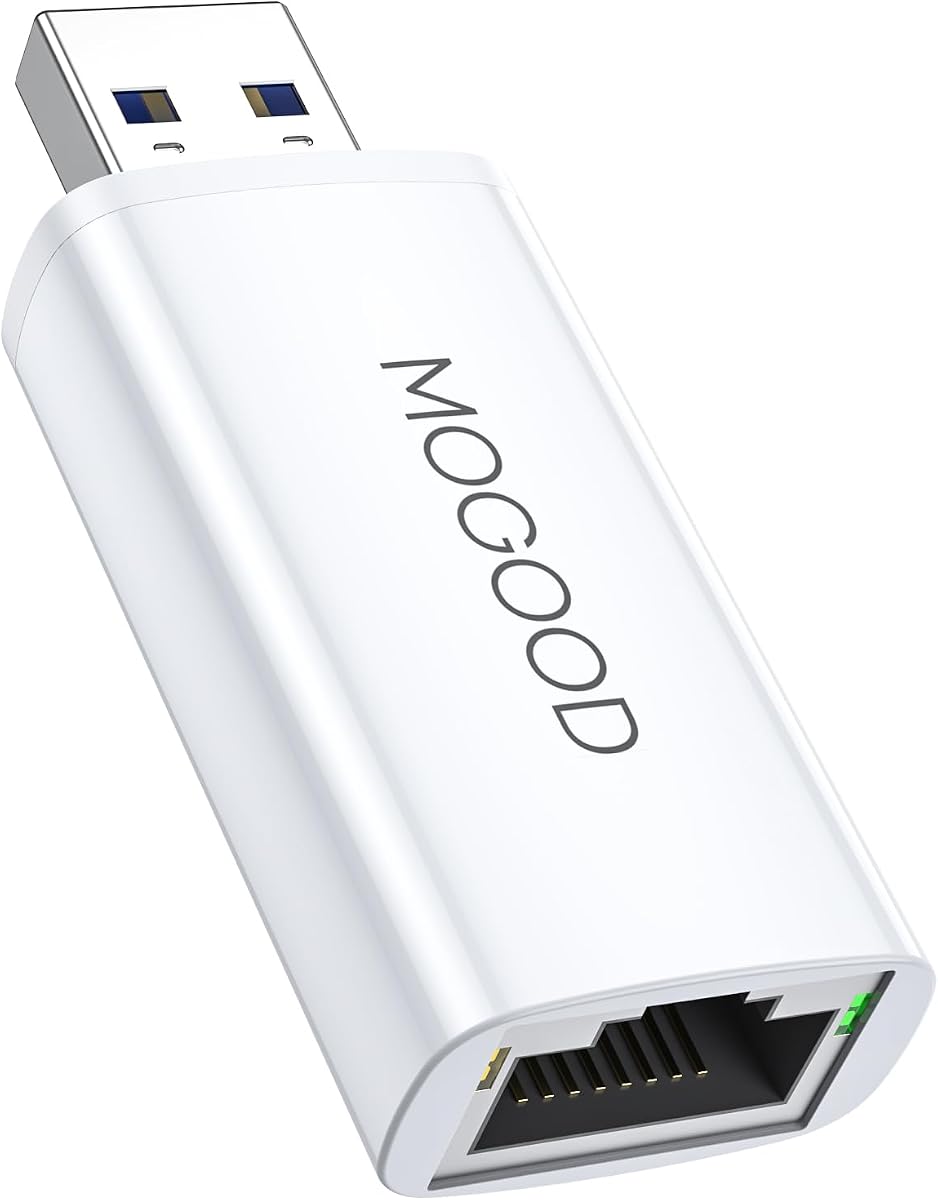
The MOGOOD adapter delivers up to 1000 Mbps wired network speed through a USB 3.0 connection. It is designed for users who require high-speed connectivity for laptops, PCs, or compatible TV devices that support USB 3.0 interfaces.
We may earn a commission when you buy through this link, at no additional cost to you.
Its wide compatibility extends beyond Fire TV devices to laptops, Chromebooks, and other computers requiring stable network links. The USB 3.0 interface provides faster data transfer compared to older USB 2.0 standards, ensuring robust performance for demanding applications.
The adapter is plug-and-play on most systems, meaning you can get online immediately without installing drivers. This convenience makes it a versatile tool for both home and office environments where quick setup is valued.
If your Fire TV device supports USB 3.0 or you have other devices that need Gigabit speeds, this adapter offers powerful performance. Just ensure your device can handle the connection before purchasing.
Provides faster data transfer speeds than standard USB 2.0 for improved connectivity.
Works with laptops, PCs, and TVs that have compatible USB ports for networking.
We may earn a commission when you buy through this link, at no additional cost to you.
Selecting the right Ethernet adapter requires understanding your Fire TV model's port type and your internet speed needs. This guide breaks down the critical factors to consider to ensure you purchase a compatible and effective networking solution.
The most important factor is verifying the port type on your Fire TV device. Older models use a micro-USB port, while newer Fire TV Stick HD models have switched to USB-C. Using an adapter with the wrong connector will prevent any connection from working, so check your device's specs before purchasing.
Always match the adapter connector to your Fire TV's USB port type to ensure compatibility and proper function.
Consider the Ethernet speed your adapter supports. While 10/100 Mbps adapters are sufficient for most HD and 4K streaming, Gigabit (1000 Mbps) adapters offer future-proofing for faster internet plans. If you have a high-speed internet service, a Gigabit adapter helps ensure you aren't bottlenecked by your hardware.
Choose a Gigabit adapter if you have high-speed internet plans to fully utilize your available bandwidth for streaming.
The physical size and orientation of the adapter can affect how well it fits behind your TV. Right-angle adapters are beneficial for tight spaces where a straight plug might interfere with the TV wall or HDMI ports. Additionally, some adapters include adhesive tapes to secure them, preventing loose connections.
Look for compact or right-angle designs if you have limited space behind your television setup.
Streaming for extended periods can generate heat within electronic accessories. Adapters with metal casings, such as aluminum alloy, dissipate heat more effectively than plastic ones. This helps maintain stable performance and extends the lifespan of the adapter during continuous use.
Metal casings are recommended to keep the adapter cool during long binge-watching sessions.
Some adapters require external power, while others draw power directly from the Fire TV USB port. Ensure your Fire TV's power adapter can supply enough wattage for both the TV and the adapter simultaneously. If not, you may need an additional power cable or wall charger.
Verify power requirements to avoid connection drops caused by insufficient power supply.
Plug-and-play functionality is a standard feature for modern adapters, meaning no driver installation is needed. However, features like LED status indicators can make troubleshooting easier by visually confirming the connection status. Simple setup ensures you spend less time configuring and more time streaming.
Prioritize adapters with clear indicators and simple connections to reduce setup time.
Prices vary based on speed and build quality. Basic 10/100 Mbps adapters are often the most affordable, while Gigabit or premium-branded options cost more. Determine your needs first; if you only need standard speeds, you can save money by avoiding unnecessary premium features.
Select the adapter that matches your speed needs without paying for features you won't use.
To set up your Ethernet adapter, first power off your Fire TV device. Connect the adapter to the USB port on your Fire TV, then plug one end of an Ethernet cable into the adapter and the other end into your router or modem. Power on your Fire TV and allow it to detect the new connection.
Once connected, check the network settings on your Fire TV to confirm that the device is using a wired connection. Some models may need a restart to recognize the Ethernet adapter properly. If the connection fails, try unplugging and replugging the adapter to ensure it is seated firmly.
To maintain the adapter, avoid bending the Ethernet cable sharply near the connector as this can damage internal wires. Keep the adapter free from dust and ensure it has adequate airflow to prevent overheating. Use the included tapes if provided to secure the adapter and reduce physical strain on the connection.
An Ethernet adapter is not strictly necessary if your Wi-Fi signal is strong and stable. However, if you experience frequent buffering or slow speeds, a wired connection via an adapter provides a more reliable and faster internet link for streaming.
Most Fire TV Stick models up to the 3rd Gen, Fire TV Cube, and older Fire TV units use micro-USB ports. Newer models like the Fire TV Stick HD (2nd Gen) use USB-C, so you must choose an adapter matching your device's specific port type.
Yes, connecting via Ethernet can improve 4K streaming by providing consistent bandwidth and reducing interruptions from Wi-Fi interference. This stability helps prevent buffering that can occur when wireless signals fluctuate during high-resolution playback.
Yes, these adapters are compatible with standard routers that have Ethernet ports. You simply connect an Ethernet cable from your router to the adapter, and it will work as long as the router is providing internet access.
Many adapters are designed to draw power from the Fire TV's USB port, but some may require an external power source for stability. Check the product specifications to confirm whether your adapter needs an additional power cable or wall adapter.
If your Fire TV does not switch to Ethernet automatically, check your network settings and disconnect the Wi-Fi manually. In some cases, restarting the Fire TV after connecting the Ethernet adapter helps the device prioritize the wired connection.
We have explored ten top options ranging from budget-friendly basic adapters to high-performance Gigabit models. The Micro-USB Ethernet Adapter for Amazon Fire TV Devices and the Right Angle USB-C version stand out for their reliability and design tailored to specific Fire TV models.
When choosing an adapter, prioritize compatibility with your device's port type and the speed requirements of your internet plan. A solid build quality and convenient features like status LEDs can also enhance your long-term experience with the product.
Remember that product prices and availability fluctuate regularly, so verify the current details before finalizing your purchase. With the right wired connection, you can enjoy uninterrupted streaming and fully optimize your Fire TV setup.