
PS to HDMI Converter for PS1 / PS2
4.3Editor score
S-Video based conversion
Includes HDMI and power cables
Plug and play setup
This guide compares the top ten HDMI Adapter for PS1 options to help you connect your classic console to modern TVs with clear video quality and reliable
Connecting your classic PlayStation 1 to a modern television requires the right HDMI Adapter for PS1 to ensure your favorite games look their best. These adapters convert analog signals into digital HDMI outputs, allowing you to enjoy retro gaming on HD displays without compromising on simplicity or setup ease.
We evaluated ten distinct models based on signal quality, compatibility, and ease of use to find the most reliable options available today. Each product was reviewed for its ability to handle various video formats and maintain low latency during gameplay, ensuring a smooth experience for enthusiasts and casual players alike.
Each pick highlights key features like aspect ratio switching and power requirements so you can choose the right fit for your setup. Please note that prices and availability change frequently, so checking the latest details on the product pages is recommended before making your final purchase decision.
4.3Editor score

4.6Editor score

4.2Editor score
This side-by-side comparison outlines the key specifications and features of each HDMI Adapter for PS1 to help you quickly identify the model that matches your specific gaming needs and display requirements.

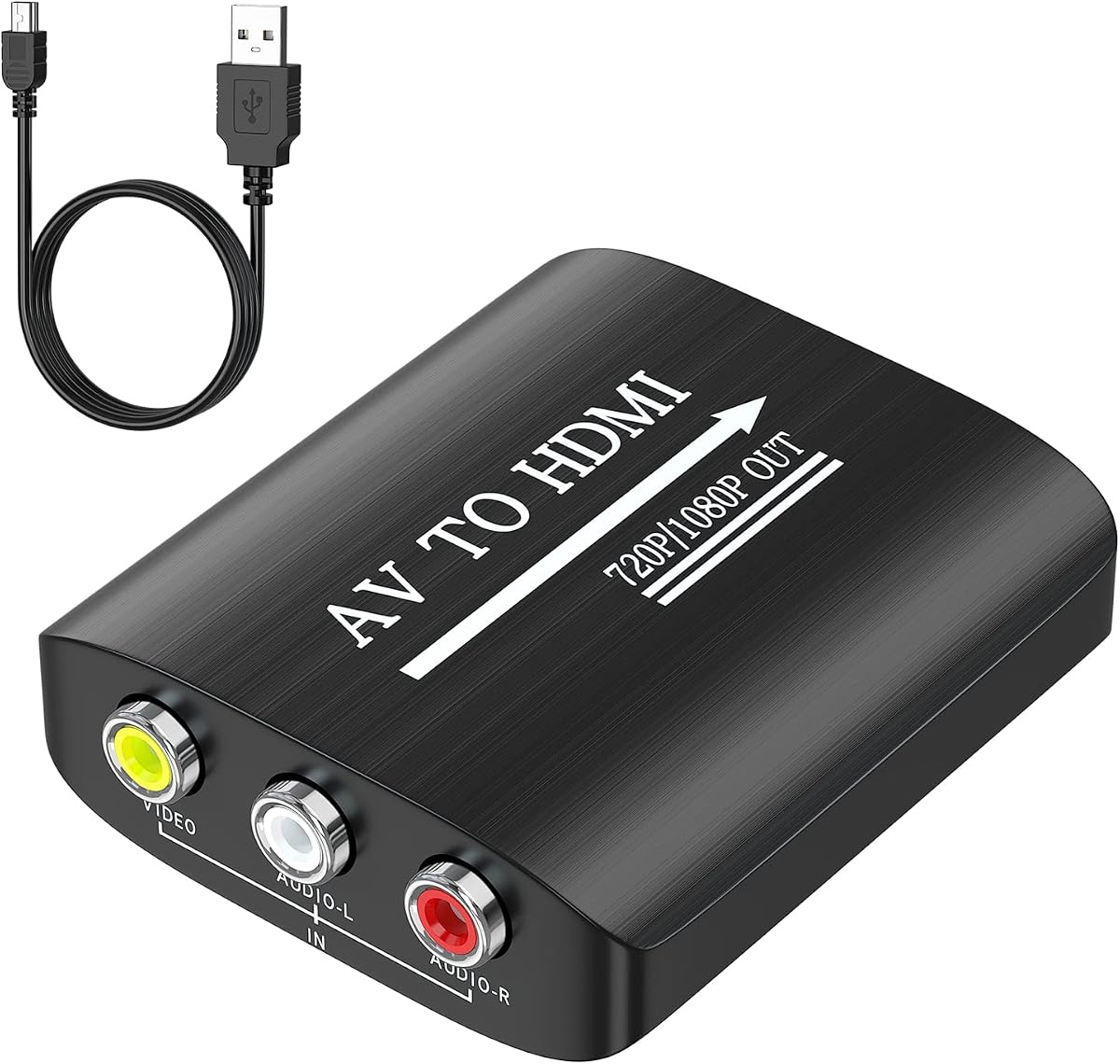


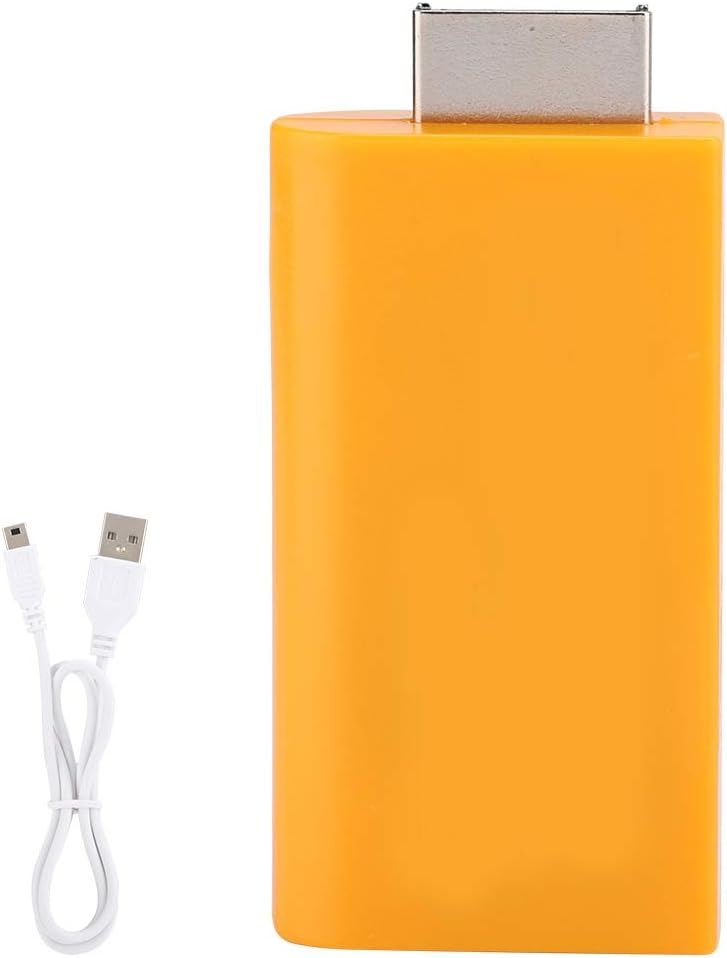

The HD Link HDMI Cable stands out as the top choice for users seeking a reliable HDMI Adapter for PS1. With a solid rating and advanced signal processing, it ensures your retro games look sharp on modern displays without complicated setups.
We may earn a commission when you buy through this link, at no additional cost to you.
Its standout feature is the ability to upscale analog signals effectively, providing precision and color accuracy. The built-in toggle switch allows you to easily change between 4:3 and 16:9 aspect ratios, ensuring authentic retro proportions or widescreen compatibility.
While the price is slightly higher than some competitors, the included one-year warranty and detachable design justify the investment. This flexibility means you can use high-end HDMI cables if needed, extending the versatility of your setup.
This adapter is ideal for serious retro gamers who want consistent performance and minimal lag. If you value ease of use and signal quality, this model offers the best balance of features and reliability available today.
The upscaling technology ensures that analog signals are converted cleanly, maintaining detail and color fidelity that standard converters often lose.
A simple toggle switch lets you adjust the display mode instantly, accommodating both classic CRT looks and modern wide-screen TVs.
We may earn a commission when you buy through this link, at no additional cost to you.
This S-Video Based HDMI Adapter offers an affordable entry point into connecting your PS1 to modern screens. It focuses on providing a cleaner signal path than standard composite conversions, which can significantly improve visual clarity on HDTVs.
We may earn a commission when you buy through this link, at no additional cost to you.
The inclusion of both an HDMI cable and a Micro USB power cable makes setup straightforward. You do not need to hunt for extra accessories, as everything required is in the box, allowing you to start gaming within minutes.
While it requires an external power source, this is standard for converters of this type. The trade-off is a stable power supply that prevents signal drops, ensuring your gameplay remains smooth without unexpected interruptions.
For budget-conscious gamers, this is an excellent choice. It delivers solid performance and compatibility without breaking the bank, making it a top contender for those just starting to explore retro gaming on new displays.
By utilizing the S-Video Y/C signal, this converter separates color and luminance for a clearer image compared to standard composite inputs.
The package includes essential cables like HDMI and power, saving you the hassle and cost of buying additional adapters separately.
We may earn a commission when you buy through this link, at no additional cost to you.
The Kaico PS1 HDMI adapter is designed specifically for PlayStation enthusiasts who want high fidelity. It supports all PlayStation output resolutions and offers a built-in switch to toggle between RGB and Component modes, ensuring the best possible image for your specific console version.
We may earn a commission when you buy through this link, at no additional cost to you.
Its component cable quality display capability sets it apart from generic converters. This level of detail in signal processing results in a richer image with better color separation, making it ideal for competitive gaming or immersive retro experiences.
The main consideration is the need to manually switch modes to match your console output. While this adds a step, it ensures compatibility and prevents signal errors. The twelve-month warranty offers peace of mind regarding long-term durability and support.
This is the best premium choice for users who prioritize image quality over cost. If you have the time to configure settings correctly and want a reliable, supported product, this adapter delivers a superior gaming experience.
A physical switch allows you to select between RGB and Component modes, optimizing signal compatibility for both PS1 and PS2 consoles.
A twelve-month support period covers repair or replacement, ensuring you are protected against manufacturing defects for a full year.
We may earn a commission when you buy through this link, at no additional cost to you.
This HDMI Adapter for PS1 focuses on delivering a true RGB signal output to preserve image fidelity. It is a portable solution that allows for easy setup without needing drivers, making it accessible for casual users.
We may earn a commission when you buy through this link, at no additional cost to you.
The signal processing aims to provide precision in color and resolution. While it does not improve the original quality beyond the console's limits, it ensures the transfer is clean and effective for modern displays.
The package includes a micro USB cable but not a power adapter, which may be an inconvenience. Additionally, it is not compatible with all television brands, so checking display compatibility is important before purchasing.
For those seeking a straightforward RGB solution at a reasonable price, this adapter works well. It is a solid middle-ground option that balances cost with the necessary features for reliable video conversion.
Supports true RGB signal output to ensure accurate color representation from your console to your HDMI display.
The portable form factor makes it easy to transport, allowing you to set up retro gaming on different screens.
We may earn a commission when you buy through this link, at no additional cost to you.
The GINGIN converter is a versatile HDMI Adapter for PS1 that works with many classic consoles. It converts standard composite inputs into HDMI signals, supporting various resolutions to match modern display standards effectively.
We may earn a commission when you buy through this link, at no additional cost to you.
It supports PAL, NTSC, and other TV standards, ensuring compatibility across different regions. The included USB power cable simplifies setup, allowing you to get started quickly without needing extra accessories.
Users must note that the PS2 console needs to be set to RGB output for the best results. Additionally, it cannot improve video quality, acting purely as a signal converter rather than an upscaler.
This adapter is a great choice if you own multiple retro systems beyond just the PS1. Its broad compatibility and low cost make it a practical solution for family game nights and multi-console setups.
Compatible with a wide range of consoles including Xbox 360, Wii, and N64, making it a versatile option for collectors.
Supports multiple international standards like PAL and NTSC, ensuring it works with consoles from various regions.
We may earn a commission when you buy through this link, at no additional cost to you.
The Tengchi RCA to HDMI Converter provides a simple and effective HDMI Adapter for PS1 experience. It supports 1080p output, ensuring your classic games are displayed with clarity on high-definition screens.
We may earn a commission when you buy through this link, at no additional cost to you.
The package includes a converter, HDMI cable, and USB cable, making it a complete solution. Installation is straightforward as it uses a plug-and-play design that requires no driver installations or complex settings.
While it supports standard TV formats, it does not support 3D or 4K signals. This limitation is typical for retro adapters, which focus on maintaining the original resolution rather than enhancing it beyond source limits.
This model is excellent for those seeking a reliable converter at an affordable price. The one-year warranty adds value, giving you confidence in the product's durability and performance over time.
Supports 1080p resolution output to ensure your game looks sharp on modern HD TVs without unnecessary scaling artifacts.
Includes all necessary cables for setup, reducing the need for additional purchases and simplifying the connection process.
We may earn a commission when you buy through this link, at no additional cost to you.
BITFUNX offers a specialized HDMI Adapter for PS1 that supports both RGB and component signals effectively. It handles multiple resolutions and ensures zero transmission loss for a clean digital output on modern devices.
We may earn a commission when you buy through this link, at no additional cost to you.
The built-in switch allows you to toggle between RGB and Component modes easily. This flexibility ensures compatibility with different console configurations and helps you optimize the signal path for your specific setup.
While the signal processing is advanced, it is important to switch modes correctly on your console. This manual step ensures the best results, though it might confuse first-time users unfamiliar with console settings.
This adapter is ideal for enthusiasts who need flexibility across PS1 and PS2 models. With robust features and reliable performance, it stands out as a strong choice for dedicated retro gaming setups.
Ensures that the digital signal remains intact from conversion to display, preventing any quality degradation during transfer.
Compatible with PS1, PS One, and both Fat and Slim PS2 models, offering versatile support for various console generations.
We may earn a commission when you buy through this link, at no additional cost to you.
CAMWAY provides a user-friendly HDMI Adapter for PS1 that simplifies retro gaming setups. It supports a 60Hz signal and offers an aspect ratio button, making it easy to adjust the display to your preference.
We may earn a commission when you buy through this link, at no additional cost to you.
Unlike traditional converters, this one works without changing console video output configurations. This plug-and-play feature saves time, letting you enjoy your games immediately after connecting the device to your TV.
It is important to note that HDMI cables are not included. You will need to provide your own cable for connection, which is a minor inconvenience compared to the ease of setup and use.
This adapter is perfect for casual gamers who want quick access to classic titles. The compact design and simple operation make it an excellent choice for family game nights and portable setups.
Requires no manual video settings on your console, allowing you to start playing within minutes of connection.
Built-in button lets you switch between 4:3 and 16:9 modes, ensuring the correct aspect ratio for any game.
We may earn a commission when you buy through this link, at no additional cost to you.
This HDMI Adapter for PS1 emphasizes durability and signal stability. It features an anti-interference design and tinned copper wires to maintain clear audio and video during long gaming sessions.
We may earn a commission when you buy through this link, at no additional cost to you.
The palm-sized form factor makes it easy to store or transport. Whether you are setting up a permanent home console or taking it to a friend's house, the compact design ensures it fits comfortably in any bag.
It is a straightforward plug-and-play solution that requires no driver installation. While it does not offer advanced features like aspect ratio toggles, it delivers reliable conversion for standard HDMI displays effectively.
For those prioritizing durability and simplicity, this adapter is a solid option. It provides a clean signal conversion without unnecessary complexity, making it suitable for users who value reliability above all.
Built with shielded cables and tin-plated connectors to reduce signal noise and maintain clarity during gameplay.
A palm-sized footprint allows for easy storage and transport, perfect for portable retro gaming setups.
We may earn a commission when you buy through this link, at no additional cost to you.
Y.D.F offers a budget-friendly HDMI Adapter for PS1 that meets basic needs well. It supports both 4:3 and 16:9 aspect ratios and works with PS1 and PS2 consoles without the need for driver installations.
We may earn a commission when you buy through this link, at no additional cost to you.
The adapter relies on RGB signal mode display to ensure a clean transfer. While it does not enhance the quality, it provides a reliable and flexible way to connect older consoles to modern screens.
Its flexible and portable design makes it easy to manage cables and set up. This simplicity is ideal for users who want a straightforward solution without extra features they might not use.
This model is great for casual players who need a basic, effective connection. If your goal is simply to get your console running on an HDMI screen without hassle, this adapter delivers the essentials.
Includes a switch to toggle between 4:3 and 16:9, letting you match your display preferences easily.
Plug-and-play functionality means no drivers are needed, making it simple to connect and start gaming immediately.
We may earn a commission when you buy through this link, at no additional cost to you.
Choosing the right HDMI Adapter for PS1 involves understanding signal types, power needs, and display compatibility to ensure a smooth gaming experience.
The core function of any HDMI Adapter for PS1 is converting analog signals to digital. Look for converters that support RGB or S-Video inputs rather than just composite, as these separate color and luminance for a clearer image. Avoid models that claim to upscale quality if they lack specific processing chips.
Choose adapters with explicit support for RGB or S-Video to maximize clarity on modern screens.
Most adapters require an external 5V power source via a Micro USB cable. Ensure the package includes this cable or that you have one available. Without stable power, the signal may drop or the device may fail to connect to your TV.
Always check if the Micro USB power cable is included to avoid setup delays.
Retro games often rely on a 4:3 aspect ratio, but modern TVs are 16:9. Some adapters include a physical switch to toggle between these modes. This feature helps prevent image stretching or compression, preserving the original look of your games.
Select a model with an aspect ratio switch to ensure authentic proportions on your display.
While most adapters work with both PS1 and PS2, some may require specific console settings like RGB output. Verify that the adapter lists compatibility with your specific console model. This avoids issues where the device connects but fails to display a video signal.
Confirm the adapter explicitly lists support for your specific console model and required settings.
Some converters come with an HDMI cable, while others do not. Knowing what is included helps you budget for extra accessories. A complete kit with all necessary cables saves time and ensures you can start playing immediately after unboxing.
Check if the package includes an HDMI cable to avoid buying one separately.
Durability matters for long-term use. Look for connectors that are tinned to resist oxidation and cables that are shielded for interference. A warranty, even if short, provides protection against defects and ensures the manufacturer stands behind their product.
Prioritize models with shielded cables and a warranty to protect your investment over time.
Most adapters output 720p or 1080p HDMI signals. While the original console output may be lower, these adapters pass the signal cleanly to your TV. Ensure the adapter supports the resolution your TV uses to avoid compatibility errors or flickering.
Ensure the adapter supports 1080p or 720p output to match modern TV standards.
The best adapters are plug-and-play without requiring software installation. Look for units that do not need driver updates or complex menu changes on the console. This simplicity reduces frustration and ensures a seamless experience for all users.
Choose adapters that require no drivers or manual console setup for a quick start.
To set up your HDMI Adapter for PS1, connect the PS1 console to the adapter using the appropriate cables. Ensure the adapter is powered using the Micro USB cable connected to a 5V source before turning on your console.
Once connected, plug the HDMI cable into your TV and select the correct input source. Use the aspect ratio switch if available to adjust the display to match your screen's preferences without distortion.
Keep the adapter and cables clean and dry. Avoid bending the cables sharply to prevent damage to the internal wiring. Proper care ensures stable signal transmission and extends the lifespan of your adapter for years of gaming.
Yes, most adapters use standard AV or S-Video cables that match your console's output. These are often sold separately or may be included depending on the specific adapter model. Check the product description to confirm what is included before purchasing.
No, adapters primarily convert analog signals to digital HDMI formats. They do not enhance the original quality beyond the console's limits. Some models offer upscaling, but this does not add detail that was not present in the original output.
Ensure the adapter is properly powered and set to the correct mode like RGB. Some TVs require the HDMI input to be set to a specific resolution or standard. Check your console settings and adapter configuration to match your display.
Most modern adapters support 1080p output to match current TVs. However, some older or basic models may only support 720p. Verify the supported resolution in the product specifications to ensure compatibility with your display.
Use the physical toggle switch found on the adapter body to change aspect ratios. Press the switch to toggle between the two modes. This allows you to adjust the display to fit your screen preferences easily.
Yes, most require an external 5V USB power source to function correctly. Without sufficient power, the signal conversion may be unstable or fail. Ensure you have a compatible USB power adapter or port available.
We reviewed ten top options for the HDMI Adapter for PS1, highlighting models that excel in signal quality and ease of use. From budget-friendly converters to premium choices with advanced features, there is a solution for every retro gaming setup.
Prioritize adapters with RGB support and aspect ratio switches to maintain the authentic look of your favorite games. Ensure you have the necessary cables and power sources ready for a seamless setup experience.
Prices and availability may vary, so verify current details before purchasing. Choosing the right adapter ensures your classic PS1 games shine on modern screens, preserving the nostalgia of retro gaming for years to come.