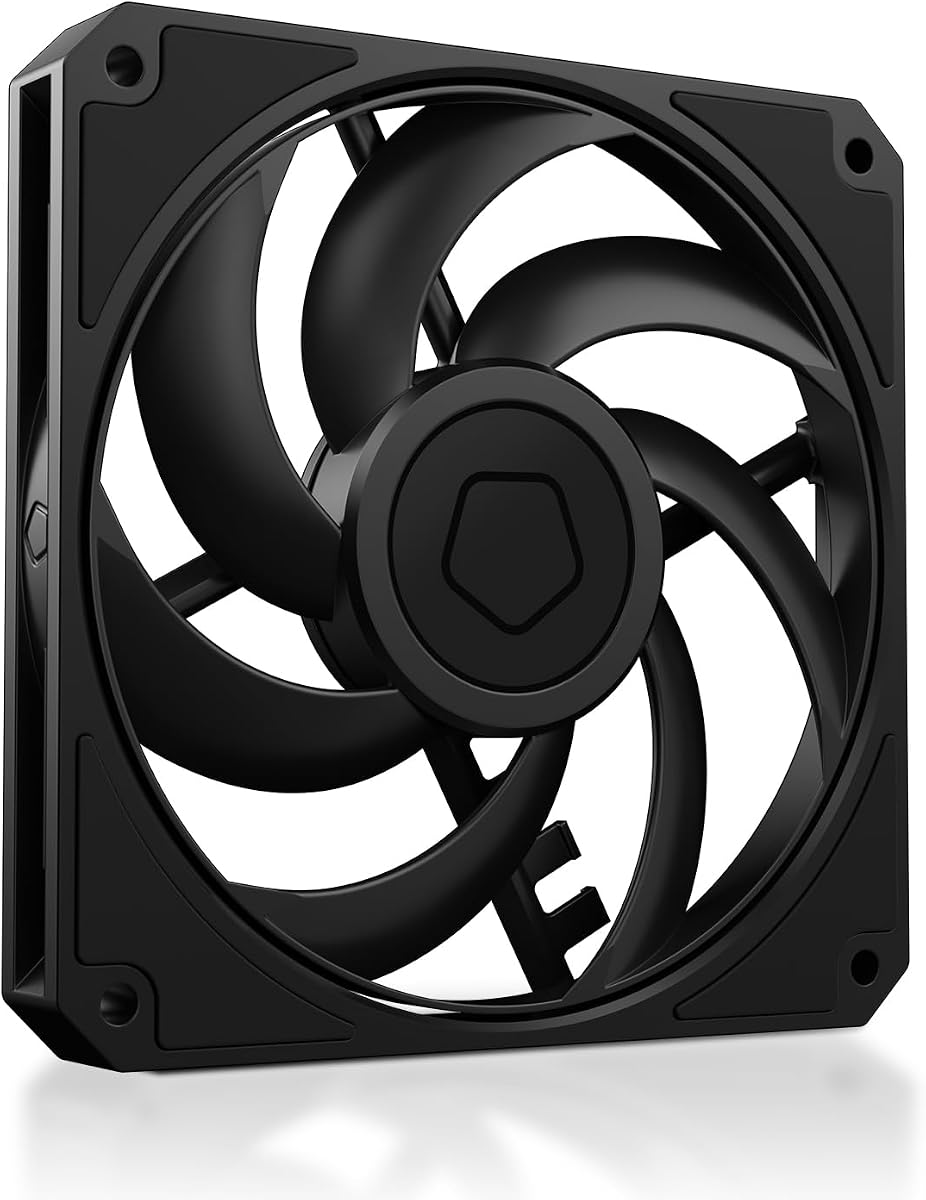
ID-COOLING AM-120-SLIM
4.8Editor score
High 59.6 CFM airflow
500-2500 RPM range
Affordable slim option
This guide compares the top low profile case fans for SFF builds, focusing on airflow, noise, and static pressure to help you choose the right cooling solution.
Building a compact PC requires careful attention to thermal management. Low profile case fans offer the necessary cooling power within a slim 15mm chassis. These specialized fans ensure your system stays cool without compromising on internal space.
We analyzed ten top-rated models based on performance data and user feedback. Each fan was evaluated for airflow efficiency, noise levels, and static pressure capabilities. Our goal is to help you find the perfect match for your specific build constraints.
Every pick includes detailed specifications and real-world usage scenarios. You will see how each fan performs in tight spaces and under load. Please note that prices and availability can change, so check current listings before buying.
4.8Editor score

4.9Editor score

4.6Editor score
This side-by-side comparison highlights key specifications for all ten selected fans. Compare dimensions, speed ranges, and airflow metrics to determine which model fits your thermal needs best.



This fan represents the pinnacle of quiet cooling technology. It holds the highest rating among all slim fans we reviewed. Its advanced design ensures optimal airflow while keeping noise to an absolute minimum.
We may earn a commission when you buy through this link, at no additional cost to you.
The Flow Acceleration Channels and Advanced Acoustic Optimisation frame work together to smooth out airflow turbulence. This results in consistent cooling performance even when air resistance is high. The 4-pin PWM control allows for precise speed management.
While it comes at a premium price, the longevity and performance justify the cost. The included accessories like extension cables and adaptors add significant value. It is a reliable choice for long-term builds.
You should buy this if you prioritize silence and top-tier performance. It fits perfectly in low-profile coolers and small form factor cases. For the best balance of noise and efficiency, this is the top recommendation.
The frame design minimizes vibration and air noise. This ensures a peaceful computing environment even under heavy load.
Ideal for radiators and heat sinks. The optimized blade shape pushes air through dense components effectively.
We may earn a commission when you buy through this link, at no additional cost to you.
This 3-pack offers excellent value for builders needing multiple units. Each fan is engineered for static pressure to handle radiators well. The slim 15mm profile saves crucial space in tight chassis.
We may earn a commission when you buy through this link, at no additional cost to you.
The upgraded engine technology improves cooling performance over previous models. PWM PST control ensures fans can be daisy-chained for simplified cabling. This keeps noise low while maintaining maximum cooling potential.
The only trade-off is that airflow is slightly lower than some competitors. However, for radiators or restricted spaces, static pressure matters more. The price per fan makes this a smart buy for ITX cases.
Choose this if you need multiple fans for a liquid cooling loop. It is suitable for small form factor cases where a 25mm fan will not fit. Great for efficient and budget-friendly thermal solutions.
High static pressure guarantees efficient cooling. This is key for heat sinks and radiators with high air resistance.
PWM PST technology allows speed control via a single header. This reduces cable clutter inside the PC case.
We may earn a commission when you buy through this link, at no additional cost to you.
This fan stands out for delivering high performance at a low cost. It offers a massive 59.6 CFM airflow which is rare for slim fans. The hydraulic bearing helps maintain quiet operation during normal use.
We may earn a commission when you buy through this link, at no additional cost to you.
The PWM speed control allows you to balance cooling and noise easily. It supports speeds up to 2500 RPM for maximum heat dissipation. This makes it suitable for mini-ITX and SFF case applications.
While the build quality is functional rather than premium, it gets the job done. The price point allows you to buy extra fans for better airflow. It is a smart choice for budget builds.
Buy this if you need high airflow without spending much money. It fits well in tight radiator installations and low-profile CPU coolers. Ideal for those prioritizing specs over aesthetics and brand name.
Delivers 59.6 CFM which is impressive. This ensures adequate cooling even in restricted airflow scenarios.
Standard mounting and 4-pin PWM work broadly. Compatible with desktop cases and NAS systems easily.
We may earn a commission when you buy through this link, at no additional cost to you.
This model combines Noctua performance with a modern black aesthetic. It is perfect for builds where you want a cohesive look. The quality and reliability match the standard brown version perfectly.
We may earn a commission when you buy through this link, at no additional cost to you.
The design features Flow Acceleration Channels for smooth and quiet airflow. It allows speeds up to 1850 RPM but can stop at 0% PWM for silence. This makes it versatile for different cooling needs.
The customization options with colored pads allow personal touches. However, the price is higher than standard versions. Still, the visual appeal and performance are worth it for enthusiasts.
Choose this for premium builds that need a clean black look. It works well in ITX builds and space-restricted applications. A top choice for style-conscious builders seeking quality cooling.
Includes self-adhesive pads in multiple colors. You can match your theme or highlight accents subtly.
Stops completely at 0% PWM for silence. This extends lifespan and saves power during idle.
We may earn a commission when you buy through this link, at no additional cost to you.
This fan delivers pure performance with a focus on silence. It features an optimized frame designed specifically for radiators and heatsinks. The German engineering ensures durability and reliability.
We may earn a commission when you buy through this link, at no additional cost to you.
The 7 optimized blades reduce noise while maintaining strong airflow. You can operate it at very low minimum RPM for quiet sessions. The rifle bearing provides a lifespan of 80,000 hours.
While it is not the thinnest option available, it fits most 120mm mounts easily. The build quality feels robust. It is a solid choice for those who value brand reputation.
Buy this if you want reliable and quiet operation. It is perfect for demanding configurations where noise is a concern. Ideal for users trusting German quality standards.
Provides 80,000 hours of operation. This ensures your system stays cool for years.
Seven blades reduce noise effectively. This balances maximum airflow with acoustic comfort.
We may earn a commission when you buy through this link, at no additional cost to you.
This fan offers a balanced mix of performance and silence. The 15mm thin design fits well in small form factor cases. It uses an S-FDB bearing to keep noise low.
We may earn a commission when you buy through this link, at no additional cost to you.
It features four corners with vibration absorbing pads. This reduces friction and improves the overall silent performance. The PWM connection allows automatic speed control based on system needs.
While the specs are average compared to high-end models, it is reliable. It is suitable for low profile CPU air coolers. The price is competitive for the performance provided.
Choose this if you need a standard slim fan without excess noise. It works perfectly with downward coolers. A great option for compact builds on a budget.
Pads reduce vibration and noise. This ensures smooth operation without rattling.
Automatic speed control via motherboard. Allows flexible thermal management.
We may earn a commission when you buy through this link, at no additional cost to you.
This model is designed for extremely compact cases. The 92mm size is ideal for specific low-profile CPU coolers. It delivers high performance despite its tiny size.
We may earn a commission when you buy through this link, at no additional cost to you.
It features AAO frame systems for superior quiet operation. The speed can reach 2500 RPM to ensure cooling. The chromax black swap edition adds style flexibility.
Because of the small size, volume is lower than 120mm fans. However, it excels in tight spaces where larger fans fail. The build quality remains top-notch.
Buy this for specialized builds like HTPCs or ITX. It fits where 120mm fans cannot. A premium option for constrained spaces and low-profile cooling.
Only 14mm thick. Allows installation on low-profile coolers easily.
500 to 2500 RPM speed range. Flexible for both silent and cooling modes.
We may earn a commission when you buy through this link, at no additional cost to you.
This fan is perfect for systems without PWM headers. It uses a 3-pin Molex connector for broad compatibility. It offers three fixed speeds via low-noise adaptors.
We may earn a commission when you buy through this link, at no additional cost to you.
The speeds allow fine-tuning between maximum airflow and near-silent operation. This provides flexibility without needing a motherboard header. The design remains premium quiet like other A-series fans.
It does not offer automatic speed control but manual options are available. The included accessories make it easy to install. It is a reliable choice for older systems.
Choose this if you have limited PWM headers. It works well in ITX builds or space-restricted applications. A great option for those needing standard 3-pin support.
Three speeds for flexibility. Allows silent or high air performance.
Works with any 3-pin header. The adapter helps power via PSU.
We may earn a commission when you buy through this link, at no additional cost to you.
This option provides the best airflow for larger 140mm slots. Despite being slim at 16mm, it moves a lot of air. It fits small form factor cases better than standard thick fans.
We may earn a commission when you buy through this link, at no additional cost to you.
The upgraded engine technology boosts performance noticeably. PWM PST control keeps noise to a minimum while ensuring cooling. It is suitable for heat sinks and radiators.
While 140mm slots are less common, this fan is ideal if you have one. The balance of size and performance is rare. It offers a great alternative to 120mm fans.
Buy this if your case supports 140mm slim mounts. It ensures low installation height with great cooling. Perfect for those needing larger airflow in tight spaces.
140mm fan for better flow. 16mm height fits standard slots.
Improved engine tech boosts performance. Keeps noise to minimum levels.
We may earn a commission when you buy through this link, at no additional cost to you.
This fan offers high performance with a focus on quiet operation. It is designed for low-profile CPU coolers and HTPCs. The build quality is premium and durable.
We may earn a commission when you buy through this link, at no additional cost to you.
It includes anti-vibration mounts and extension cables. The 4-pin PWM header ensures automatic speed control. It provides maximum cooling when needed and stays silent when idle.
The price is high but reflects the exceptional quality. It is a reliable choice for critical cooling. The lifespan of 150,000 hours ensures long-term usage.
Choose this for top-tier builds needing reliable cooling. It fits ITX builds and space-restricted applications perfectly. A great option for those prioritizing quality.
Advanced frame and Flow Channels. Optimizes silent and quiet cooling.
Includes extension and Y-cable. Great for multi-fan setups.
We may earn a commission when you buy through this link, at no additional cost to you.
Selecting the right low profile case fan requires understanding specific technical factors. This guide explains what to look for to ensure optimal cooling and silence.
Standard fans are often 25mm thick but low profile fans are usually 15mm. Check your case or cooler clearance before buying. A thicker fan may not fit in tight slots.
Always measure your available space. Choosing 15mm ensures compatibility with most SFF and low-profile coolers.
Most modern fans use 4-pin PWM connectors for speed control. This allows your motherboard to adjust fan speed automatically. Some older fans use 3-pin connectors.
Check your motherboard headers. PWM offers more control while 3-pin provides basic constant speeds.
Airflow is measured in CFM and matters for unrestricted cases. Static pressure measured in mmH2O is key for radiators. High static pressure pushes air through dense components.
Choose airflow for general cases and static pressure for radiators. This ensures efficient cooling under resistance.
Noise is measured in dB(A) or Sone. Lower numbers mean quieter fans. Look for models with optimized bearings and blades.
Prioritize silent operation for living rooms or offices. Noise levels should match your tolerance.
Look for a wide speed range like 500 to 2500 RPM. This allows you to balance cooling with noise. A low minimum RPM keeps the fan silent when idle.
Higher max RPM gives cooling power during stress. Balance these for your needs.
Bearings affect lifespan and noise. Hydraulic or rifle bearings are common for quiet fans. Avoid sleeve bearings which wear out faster.
Check for lifespans of 80,000 hours or more. This ensures long-term reliability.
Frames should be rigid to reduce vibration. Quality materials also improve airflow efficiency. Look for anti-vibration mounts in the box.
Solid build quality ensures less rattling. This is crucial for low noise performance.
Prices vary from budget to premium brands. Sometimes buying a 3-pack saves money. Compare features per dollar before choosing.
Value bundles are great for multiple mounts. Don't overpay for features you don't need.
Install the fan by aligning the screw holes with the case or cooler. Use the included anti-vibration pads to reduce noise. Secure the fan firmly but do not overtighten the screws.
Connect the fan cable to the correct 4-pin PWM header. This ensures automatic speed control. Check your manual for the specific header location on your motherboard.
Regularly clean dust from the fan blades with compressed air. Dust buildup can reduce airflow and increase noise. Maintain your fans every few months for peak performance.
A low profile case fan is designed with a thickness of 15mm instead of the standard 25mm. This slim design allows it to fit in tight spaces and on compact CPU coolers where larger fans cannot.
Yes low profile fans work well on radiators if they have high static pressure. Look for fans optimized for pressure to ensure they push air effectively through the fins of the radiator.
Not necessarily. Many low profile fans are engineered to be quieter than standard fans. However, because they spin faster to move air, noise depends on the specific model and speed settings.
They can be quieter due to optimized blades. But thinner fans often need higher RPM to match airflow which can increase noise. Always check the dB(A) rating before buying.
Use compressed air to blow dust out of the fan blades. Hold the fan blades still to prevent them from spinning too fast. Cleaning every few months keeps performance high.
15mm is generally the best thickness for small cases. It fits almost all low-profile CPU coolers and SFF chassis while still providing decent airflow for cooling.
We have reviewed ten excellent options for low profile case fans. From the premium Noctua models to budget-friendly choices like ID-COOLING, there is something for every build.
Prioritize static pressure for radiators and airflow for open cases. Ensure your case supports 15mm thickness before purchasing. This ensures a smooth installation process.
Check current prices on Amazon before buying. The list above is accurate but prices fluctuate. Use the links provided to find the best deal today.