
Light Gaming Laptop AMD Ryzen 7
4.6Editor score
AMD Ryzen 7 430U Processor
16GB RAM for Multitasking
FHD Display with Thin Bezel
Choosing the right laptop for Enscape is crucial for architects and designers who need reliable real-time rendering capabilities. The software demands strong graphics processing and sufficient memory to handle complex 3D models without lag or slowdowns during design sessions.
We evaluated ten current models based on their processor power, RAM capacity, and display quality to find machines that support Enscape effectively. Each entry was assessed for its ability to render scenes smoothly while maintaining portability for professionals on the go.
Every product in this list offers unique strengths suited for different workflow needs and budget levels. Prices fluctuate regularly so always verify the current cost before purchasing to ensure you get the best value for your specific design requirements.
4.6Editor score

4.1Editor score

4.2Editor score
As an Amazon Associate we earn from qualifying purchases.
This side-by-side comparison highlights the key specifications of every laptop included in our guide to help you quickly identify the hardware that matches your rendering needs.






The HP 17 inch Business Laptop stands out as a top contender for architects needing reliable hardware. With a 4.5 rating and robust specs, it offers a balanced mix of performance and display quality suitable for rendering work.
We may earn a commission when you buy through this link, at no additional cost to you.
Its AMD Ryzen 5 CPU paired with 16GB RAM ensures smooth handling of multiple applications. The 17.3 inch FHD display provides ample space to view detailed models while the numeric keypad aids precise data entry.
While it lacks a dedicated graphics card, the integrated AMD Radeon graphics manage light rendering tasks effectively. The battery life supports all day use without constant plugging which benefits professionals working away from desks.
This laptop is ideal for students or small firms needing a workhorse without breaking the bank. It delivers consistent performance for daily design tasks and remains a solid choice for Enscape workflows.
The 17.3 inch FHD display with anti glare coating reduces eye strain during long modeling sessions. Its wide viewing angles ensure colors remain consistent when reviewing designs with clients.
Preloaded Windows 11 and Office 365 for Web streamline document creation and project management. The included AI Copilot helps organize tasks and summarize information efficiently.
We may earn a commission when you buy through this link, at no additional cost to you.
The Light Gaming Laptop delivers impressive performance for its price range making it perfect for budget conscious users. It features an AMD Ryzen 7 processor and 16GB RAM which supports demanding software like Enscape.
We may earn a commission when you buy through this link, at no additional cost to you.
This model excels in multitasking with fast boot times and ample storage for project files. The FHD display offers clear visuals for daily design work and the thin bezel maximizes screen real estate.
Users should note that integrated graphics may limit complex scene rendering speeds. However for standard drafting and moderate visualization it handles tasks efficiently without overheating during use.
Ideal for freelancers or students starting their careers this laptop offers high value. It balances cost and capability well ensuring you can run essential tools without overspending on hardware.
The AMD Ryzen 7 430U processor provides up to 4.3GHz speed for quick processing. This ensures applications launch rapidly and complex files load without long waits.
Multiple USB ports and HDMI allow easy connection to external monitors. WiFi 6 ensures fast internet speeds for cloud collaboration and large file transfers.
We may earn a commission when you buy through this link, at no additional cost to you.
The HP Laptop 14 inch serves as a compact entry level option for those needing basic mobility. While not powerful enough for heavy rendering it handles simple tasks and document reviews effectively.
We may earn a commission when you buy through this link, at no additional cost to you.
Its Intel N150 processor works well for web browsing and light software use. The 14 inch HD display is sufficient for viewing references though it lacks the resolution for detailed modeling work.
Limited RAM and storage mean users may need external drives for larger projects. However for quick checks or presentations on the go this device remains convenient and reliable for students.
Best suited for casual users or secondary devices this laptop complements a main workstation. It provides essential functionality without bulk making it a practical addition to a professional toolkit.
Weighing significantly less than larger models this laptop fits easily in backpacks. The slim design ensures you can carry it to meetings without added weight or strain.
Includes one year of Office 365 which simplifies document management. Preloaded apps help users start working immediately upon setup without extra installation steps.
We may earn a commission when you buy through this link, at no additional cost to you.
The HP OmniBook 3 14 inch brings cutting edge technology with an OLED display and long battery life. It targets professionals who prioritize screen quality and mobility over raw rendering power.
We may earn a commission when you buy through this link, at no additional cost to you.
With 16GB RAM and a Snapdragon processor it handles everyday multitasking smoothly. The 2K display offers stunning visuals making it great for reviewing render details with vivid colors.
The ARM architecture may limit compatibility with certain desktop applications. Users should check specific software requirements before committing to ensure full functionality within their design workflow.
This device shines as a companion laptop for clients meetings and travel. It delivers premium build quality and efficiency perfect for those who value style and battery endurance.
The OLED panel provides deep blacks and vibrant colors for accurate design reviews. This helps architects present materials and lighting effects realistically during presentations.
Built in AI tools like Otter.ai assist with meeting notes and transcriptions. These features save time on administrative tasks allowing focus to remain on creative work.
We may earn a commission when you buy through this link, at no additional cost to you.
The Lenovo V15 Gen 4 is designed for business users needing stability and performance. Its Core i5 processor and 16GB RAM provide enough power for moderate design and rendering tasks.
We may earn a commission when you buy through this link, at no additional cost to you.
Windows 11 Pro offers enhanced security features useful for corporate environments. The numeric keypad and full size keyboard ensure comfortable typing during long work sessions.
While it lacks a dedicated GPU the integrated graphics support basic visualization. Users looking for heavy 3D rendering might find it limiting compared to gaming laptops with stronger cards.
This model is best for office environments where reliability and connectivity matter. The RJ45 port ensures stable internet connections which is vital for cloud based workflows.
Includes HDMI and USB ports for easy connection to projectors and drives. This flexibility simplifies setups for client meetings and collaborative design reviews.
Built with quality components to handle daily professional use without wear. The chassis withstands frequent transport making it a trusted tool for traveling designers.
We may earn a commission when you buy through this link, at no additional cost to you.
The HP 2025 New 17 inch stands out with massive 32GB RAM and ample storage. This configuration supports heavy multi tasking and large project files essential for complex Enscape workflows.
We may earn a commission when you buy through this link, at no additional cost to you.
The bundled 512GB portable SSD adds extra convenience for transporting large renders. A large 17.3 inch screen allows detailed viewing of architectural plans and models simultaneously.
While powerful it is heavier than ultra thin models so portability is a tradeoff. The weight is justified by the raw power needed for professional grade rendering performance daily.
Ideal for power users who need local storage and memory this laptop excels. It handles demanding tasks with ease ensuring smooth operations even when running multiple heavy applications.
The 1.5TB total storage ensures you never run out of space for projects. This is crucial for archiving old files while keeping current work accessible.
32GB RAM prevents slowdowns when running browsers and modeling software together. This headroom allows for seamless transitions between tools without lag or crashes.
We may earn a commission when you buy through this link, at no additional cost to you.
The HP OmniBook 3 16 inch offers a 2K touchscreen that aids direct interaction with design elements. Its long battery life makes it perfect for working in various locations throughout the day.
We may earn a commission when you buy through this link, at no additional cost to you.
While 8GB RAM is minimal for heavy rendering it handles basic tasks well. The Ryzen 3 processor provides steady performance for students or casual design enthusiasts.
Touchscreen functionality allows intuitive navigation through menus and layers in software. This can speed up workflow steps and provide a more engaging user experience overall.
Recommended for users who value screen quality and battery over raw power. It serves as a reliable secondary device or primary machine for lighter design requirements.
Touchscreen support enables direct manipulation of objects in compatible apps. This feature enhances productivity by reducing reliance on mouse inputs during sessions.
Up to 14 hours of battery life ensures all day productivity without plugs. Fast charge restores half the battery in just 45 minutes when needed urgently.
We may earn a commission when you buy through this link, at no additional cost to you.
The Dell 15.6 Laptop balances performance and comfort for everyday professional use. Its ergonomic hinges and separate numeric keypad support comfortable typing during long drafting sessions.
We may earn a commission when you buy through this link, at no additional cost to you.
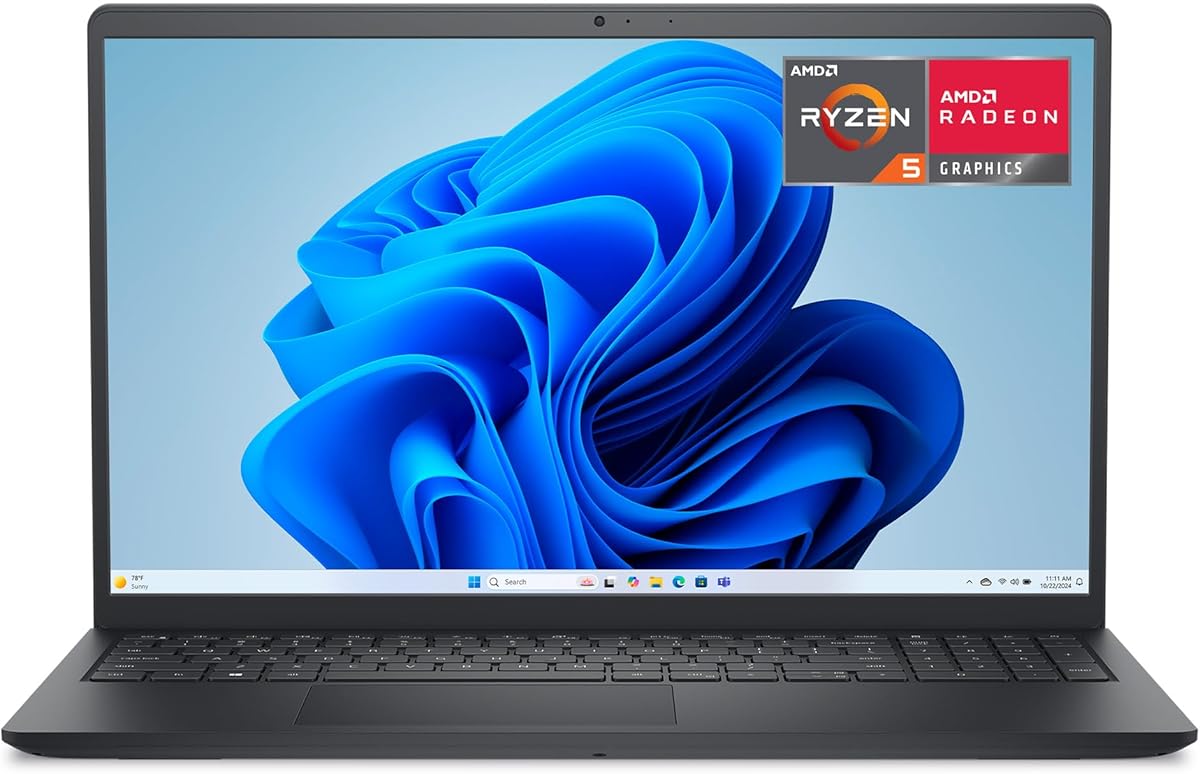
Adaptive thermals keep the system cool under load preventing overheating issues. The AMD Ryzen 5 processor ensures smooth operation for standard design tools and rendering tasks.
One year onsite service provides peace of mind for business continuity. This support ensures quick resolution of hardware issues minimizing downtime during critical project phases.
Best for professionals needing a dependable machine with solid support options. It offers consistent performance for general workflows without demanding extensive technical management.
Lifted hinges improve typing ergonomics to reduce wrist strain over time. This design element helps maintain productivity during extended work periods.
Adaptive thermals adjust power usage based on the surface the laptop rests on. This ensures stable performance whether on a desk or lap during travel.
We may earn a commission when you buy through this link, at no additional cost to you.
The Dell 16 Laptop features a modern Core 7 processor and generous 16GB RAM. This setup supports smooth multitasking and efficient handling of design documents and apps.
We may earn a commission when you buy through this link, at no additional cost to you.
Its FHD+ screen with ComfortView Plus reduces blue light during long sessions. This eye care feature helps professionals maintain focus while working late into the night.
The camera with temporal noise reduction ensures clear video calls for remote teamwork. High quality visuals are vital for client meetings where presentation professionalism is key.
Ideal for hybrid workers needing reliability and visual comfort. It bridges the gap between performance and portability making it a versatile choice for modern offices.
ComfortView Plus technology filters harmful blue light without distorting colors. This protection helps prevent eye fatigue during prolonged screen use.
Fast Wi-Fi ensures quick file transfers and seamless cloud access. Robust networking is essential for modern design workflows and collaborative projects.
We may earn a commission when you buy through this link, at no additional cost to you.
The HP OmniBook 3 17.3 inch offers a large screen and ample storage at a great value. It suits users who prioritize screen real estate for viewing complex drawings and blueprints.
We may earn a commission when you buy through this link, at no additional cost to you.
With 512GB SSD storage you get fast boot times and quick access to files. The AMD Ryzen 3 processor handles basic tasks well though heavy rendering may be slower.
Battery life is rated up to 14 hours supporting all day use on the go. Fast charge capabilities ensure you can get back to work quickly during power dips.
Best for students or professionals needing a large viewable area for reference work. It provides reliable performance for daily computing needs without excessive cost or weight.
The 17.3 inch display allows side by side comparison of multiple documents. This layout supports efficient review workflows without constant window switching.
Advanced AI noise reduction filters background sounds during video calls. This ensures clear communication with remote teams or clients in noisy environments.
We may earn a commission when you buy through this link, at no additional cost to you.
Selecting the right laptop for Enscape involves balancing performance components with portability needs to ensure smooth rendering and efficient workflow.
The CPU is the heart of your laptop for running complex algorithms in Enscape. Look for multi core processors like AMD Ryzen 5 or Intel Core i5 to handle real time rendering without lag.
Prioritize models with higher clock speeds to ensure responsive performance during design sessions.
Sufficient RAM is critical for multitasking between modeling software and browser windows. Aim for at least 16GB to prevent slowdowns when handling large textures or complex geometry.
16GB is the minimum sweet spot for smooth operation with Enscape active.
Integrated graphics can handle basic tasks but a dedicated GPU provides better rendering speeds. Check if the system supports hardware acceleration for smoother real time previews.
Integrated graphics work for light use but dedicated cards improve visual fidelity.
A high resolution display helps you see fine details in architectural models. Look for Full HD or higher with good color accuracy to ensure your designs look as intended.
High resolution and good color accuracy are essential for design work.
Fast SSDs reduce boot times and load files quickly saving valuable project hours. NVMe drives are preferred over older HDDs for speed and reliability in daily tasks.
NVMe SSDs provide the speed needed for quick application launches.
Long battery life supports professionals working in varied environments without constant access to power. Aim for machines offering at least eight hours of real world usage.
Aim for at least eight hours of battery life for true mobility.
If you travel frequently weight and size matter more than raw power. Balance performance needs with physical bulk to ensure comfort during transport.
Balance weight and size with performance for comfortable transport.
Ensure your laptop has enough ports for external monitors and storage drives. HDMI and USB C connections are standard requirements for modern office setups.
HDMI and USB-C ports are vital for connecting external tools.
Start by installing the latest graphics drivers to ensure compatibility with rendering software. Updated drivers often include performance optimizations that can speed up your workflow significantly.
Keep the laptop on a flat hard surface to allow proper airflow and cooling. Using a laptop stand can help prevent overheating during intensive rendering tasks.
Regularly clear temporary files and cache to maintain storage speed and system responsiveness. This simple maintenance habit keeps your machine running smoothly over time.
Enscape typically requires at least an Intel i5 or AMD Ryzen 5 CPU with 16GB of RAM. Ensure you have a dedicated GPU with at least 4GB VRAM for best performance and stability.
Yes but integrated GPUs may struggle with complex scenes or high resolution outputs. For best results prioritize laptops with dedicated graphics cards for faster rendering times.
Screen resolution is crucial as it affects your ability to see fine details in plans. Aim for Full HD or higher to ensure accuracy when working on small elements.
Touchscreens are optional but can offer intuitive navigation in certain applications. They are not essential but add convenience for those who prefer direct touch interaction.
Both AMD and Intel offer capable options depending on the model. Focus on core count and clock speed rather than brand alone for optimal performance.
Update drivers regularly keep background apps closed and ensure good ventilation. These steps help maintain peak performance during heavy rendering workloads.
Yes 16GB is the recommended baseline for most architectural workflows. For extremely complex projects consider upgrading to 32GB for smoother multitasking.
HDMI and USB-C with DisplayPort support are the most common and reliable options. Ensure your laptop has the correct ports for your specific monitor setup.
The laptops highlighted in this guide cover a wide range of needs from entry level to premium performance. Whether you choose a budget option or a high end model the right choice depends on your specific workload.
Prioritize RAM and processor power when deciding since these components directly impact rendering efficiency. A balanced system ensures you can work without interruptions during critical project phases.
Always check current prices before purchasing as deals change frequently. Investing time in research ensures you get the best value for your professional needs.