
HDMI KVM Switch 3 Monitors 2 Computers 4K@60Hz KVM Switches
4.5Editor score
Supports 4K@60Hz visuals
Four USB 3.0 ports
Includes power adapter
This guide compares the top KVM switches for triple monitors to help you find the perfect solution for sharing screens across multiple computers efficiently.
Finding a reliable KVM switch for triple monitors can transform your workspace. It allows seamless switching between computers while maintaining a clean setup with shared peripherals and displays.
We evaluated ten top-rated models based on resolution support, USB connectivity, and ease of use. Each product offers unique features tailored for professionals, gamers, and home office users.
Every pick includes detailed specs and pros to help you decide. Remember that prices fluctuate regularly, so check current offers before purchasing to ensure you get the best deal available today.
4.5Editor score

4.9Editor score

4.2Editor score
The following table provides a side-by-side comparison of all ten products reviewed in this guide to help you identify the best fit for your specific needs.





This docking station acts as a powerful KVM switch for triple monitors. It holds a near-perfect rating for its ability to merge laptops and desktops into one setup seamlessly.
We may earn a commission when you buy through this link, at no additional cost to you.
It offers exceptional resolution support and lets you charge laptops via USB-C while using monitors. The included remote makes switching between PCs quick and easy.
The main drawback is that video cables are not included. Also, MacBooks only support mirrored displays, not extended ones, through this unit.
Buy this if you need a complete docking solution with high-end specs. It is ideal for professionals needing reliable multi-monitor connectivity and fast data transfer.
The unit provides up to 100W charging through a single USB-C cable while transferring data at 10Gbps speeds.
Switching computers does not interrupt the shared Ethernet connection, allowing background downloads to continue on the inactive system.
We may earn a commission when you buy through this link, at no additional cost to you.
This unit is a budget-friendly choice for users needing basic triple monitor switching. It delivers solid 4K@60Hz visuals and includes essential USB cables for connectivity.
We may earn a commission when you buy through this link, at no additional cost to you.
It supports both extended and copy modes easily via Windows settings. The panel button makes switching intuitive and requires no complex driver installation.
It lacks hotkey support and relies solely on HDMI ports. While effective, it may not suit users with older DisplayPort-only setups.
Choose this switch if you want simplicity and value. It works well for home offices sharing keyboards and mice across two computers.
The HDMI interface handles 4K@60Hz visuals well, ensuring crisp images for daily work tasks and multimedia consumption.
Four USB 3.0 ports allow sharing of printers, scanners, and drives with data speeds up to 5Gbps.
We may earn a commission when you buy through this link, at no additional cost to you.
This premium docking station offers top-tier performance for gaming and creative work. It supports ultra-high refresh rates up to 480Hz and provides robust data sharing.
We may earn a commission when you buy through this link, at no additional cost to you.
The shared Ethernet feature is a standout, keeping internet connections alive on the unused computer. This is vital for remote workers needing constant connectivity.
It requires careful compatibility checks for MacBooks which lack extended display support. The price reflects its advanced features compared to basic switches.
Invest in this for professional-grade workflows. It handles demanding tasks like 3D rendering and high-speed file transfers with ease.
Refresh rates up to 480Hz eliminate screen tearing and stuttering during intense gaming or video editing sessions.
The unit combines a KVM, dock, and hub into one device, reducing clutter on your desk significantly.
We may earn a commission when you buy through this link, at no additional cost to you.
This switch stands out by supporting four computers instead of the usual two. It allows users to manage multiple systems from a single monitor setup efficiently.
We may earn a commission when you buy through this link, at no additional cost to you.
It includes all necessary cables like HDMI and USB 3.0 in the box. This saves time and ensures you have compatible connectors right out of the box.
Managing four PCs requires careful cable organization. Also, specific cable lengths are needed to ensure stable 8K signal transmission without degradation.
Perfect for IT professionals or small offices needing multi-system access. It simplifies testing and development workflows across different machines.
By supporting four inputs, it reduces the need for multiple switches and keeps your desk organized.
The device handles up to 8K@60Hz or 4K@144Hz, catering to high-end display requirements.
We may earn a commission when you buy through this link, at no additional cost to you.
This switch offers a flexible hybrid design combining HDMI and DisplayPort inputs. It supports Mac users who need basic peripheral sharing across systems.
We may earn a commission when you buy through this link, at no additional cost to you.
An external power switch helps restart the unit without unplugging cables. The 8K@60Hz support ensures future-proof visual quality for your displays.
Mac users should note that only mirrored displays work with this model. Additionally, cable length limits are strict for maximum performance.
Use this for mixed environments with different connection types. It bridges the gap between HDMI and DP users easily and effectively.
Mixing HDMI and DP allows you to connect computers with different video ports without adapters.
A dedicated power switch lets you reset the unit quickly when signals fail to detect automatically.
We may earn a commission when you buy through this link, at no additional cost to you.
This model is a solid choice for HDMI-only setups. It supports extended modes and includes a wired controller for easy remote switching.
We may earn a commission when you buy through this link, at no additional cost to you.
The included 12V adapter ensures stable power even for high-power peripherals. It avoids the need for separate power solutions for USB hubs.
It lacks DisplayPort compatibility and relies heavily on HDMI 2.1 cables. Users must ensure their PCs support multiple HDMI outputs.
Ideal for budget-conscious users with HDMI displays. It provides reliable switching without breaking the bank or requiring technical expertise.
The wired controller allows you to place the switch away from your desk for a cleaner look.
Support for both extended and copy modes lets you choose the workflow that suits you best.
We may earn a commission when you buy through this link, at no additional cost to you.
Designed for three computers, this switch offers a rare option for triple PC sharing. It includes USB cables to ensure immediate plug-and-play setup.
We may earn a commission when you buy through this link, at no additional cost to you.
The 8K@60Hz support caters to high-resolution needs. You can manage three systems without changing keyboards or monitors manually.
Each PC must support multi-display output properly. Also, short cable lengths are recommended to maintain stable signal quality.
Great for environments with multiple machines needing shared access. It helps streamline workflows in shared office spaces.
Three input channels allow you to share resources across more systems than standard two-port switches.
All necessary cables are included in the package so you can start using it immediately.
We may earn a commission when you buy through this link, at no additional cost to you.
This unit focuses on performance with 144Hz support. It is perfect for gamers needing smooth motion without switching cables manually.
We may earn a commission when you buy through this link, at no additional cost to you.
The DisplayPort connection ensures reliable signal stability. It handles demanding applications well without dropping frames or signals.
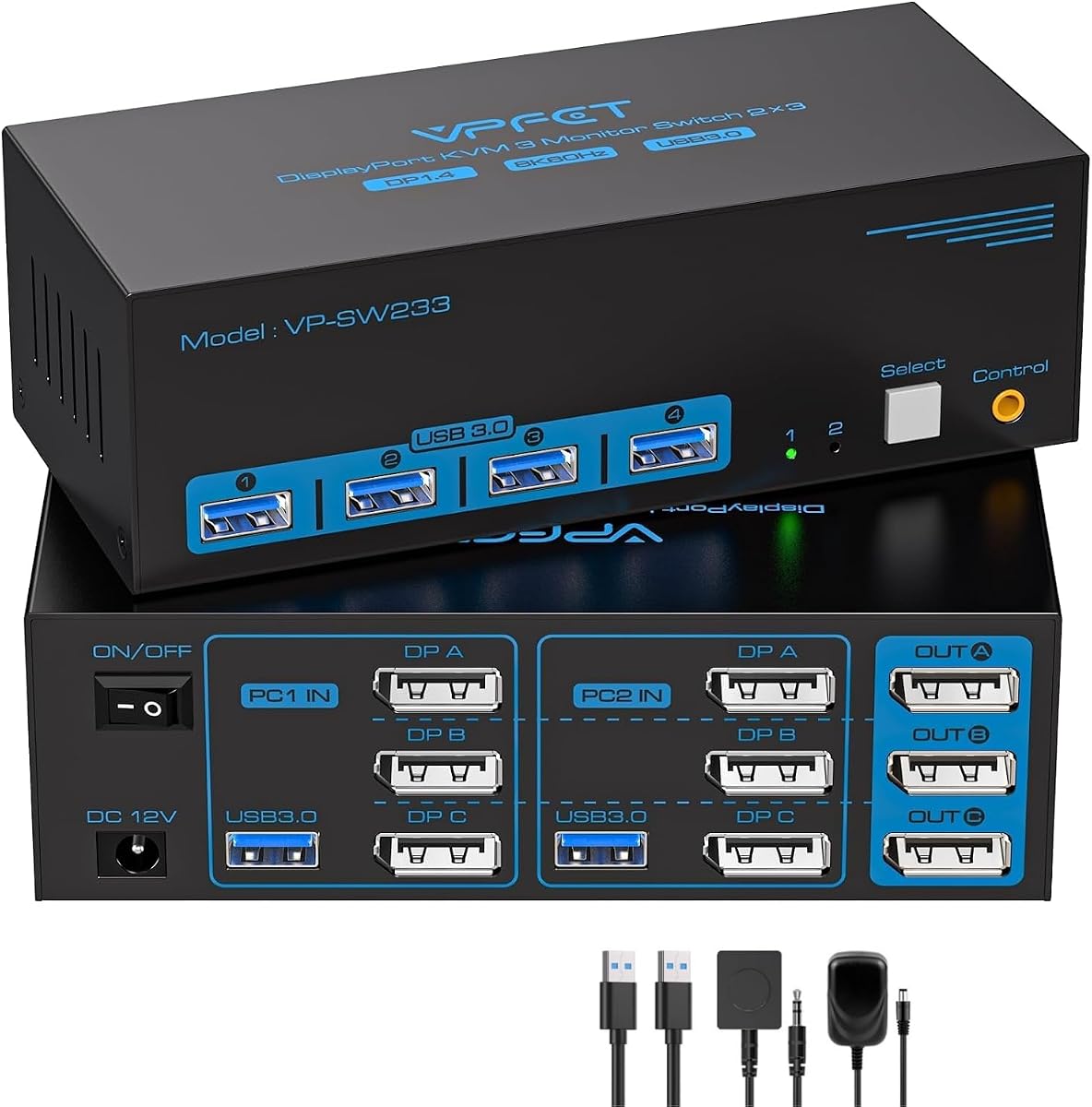
It requires three DisplayPort outputs per computer which limits PC compatibility. Also, it lacks HDMI support for older monitors.
Buy this for high-performance gaming setups. It delivers fluid visuals and easy switching for competitive play.
144Hz support ensures smooth motion which is crucial for responsive gaming and video editing.
DisplayPort offers reliable signal transmission even at high resolutions and refresh rates.
We may earn a commission when you buy through this link, at no additional cost to you.
This model is highly versatile with many included cables. It comes with HDMI and DP cables so you can use it right away.
We may earn a commission when you buy through this link, at no additional cost to you.
The 144Hz support adds gaming capabilities. A one-year warranty offers peace of mind for your investment.
EDID emulation is not supported which may affect resolution detection on some systems. You must ensure your PCs support triple displays.
Choose this for complete convenience. It offers great value with everything you need in the box.
Includes HDMI and DP cables plus USB cables so you do not need to buy extras.
A one-year warranty gives you assurance against defects and ensures reliable support.
We may earn a commission when you buy through this link, at no additional cost to you.
Selecting the right KVM switch involves checking resolution, ports, and compatibility. Follow these factors to ensure seamless switching between computers.
Ensure the switch supports your monitor specs like 4K@60Hz or 144Hz. Some units cap refresh rates which affects smooth motion.
Check if your PCs have HDMI or DisplayPort ports. The switch must match these connectors to avoid adapters.
Look for USB 3.0 ports for fast data transfer. Some units have 4 or more ports to share peripherals easily.
Consider panel buttons versus wired remotes. A remote helps place the switch away from your desk.
Ensure the unit has a power adapter for stability. Some models need external power to run USB hubs.
Verify compatibility with Windows, macOS, or Linux. Macs often only mirror displays through some switches.
Use the button or remote to switch computers. Press Windows+P to set monitor modes like extended or copy.
A KVM switch allows you to control multiple computers using one set of keyboards and monitors. It supports three displays for efficient workflow.
Many modern switches support 4K@60Hz. Check specs carefully as some lower models cap at 4K@30Hz.
Yes but Macs often only mirror displays through some switches. Extended mode depends on the specific KVM model.
Choose switches with at least four ports. This allows sharing keyboards mice and printers across computers.
Most reliable units require external power adapters. This ensures stable connections for high-power USB devices.
Some advanced docking stations share Ethernet. Most basic KVM switches do not share network connections.
Prices change frequently so check current deals today. This guide helps you pick the right KVM switch for your workspace.