
ATTACK SHARK X68 HE
4.6Editor score
Adjustable hall effect switches
True 8000Hz polling
Web driver customization
This guide compares the top 10 keyboards for Valorant focusing on magnetic switches, rapid trigger, polling rate, and build quality to help players find the
Choosing the right keyboard for Valorant can significantly impact your aim, movement, and overall performance in competitive matches. Players need fast response times and precise input registration to execute counter-strafing and peek-and-shoot techniques effectively without delay.
We evaluated ten top-rated gaming keyboards based on their switch technology, polling rates, actuation customization, and overall build quality. Each product was analyzed for its ability to support rapid trigger functions and low latency communication essential for tactical shooter games.
Every pick highlights key features like magnetic switches, compact layouts, and durability ratings to help you decide what fits your setup. Remember that product availability and pricing may vary over time so always check current listings before making your final purchase decision.
4.6Editor score

4.1Editor score

4.4Editor score
Here is a side-by-side comparison of all ten keyboards to help you evaluate their specific specifications and features at a glance.
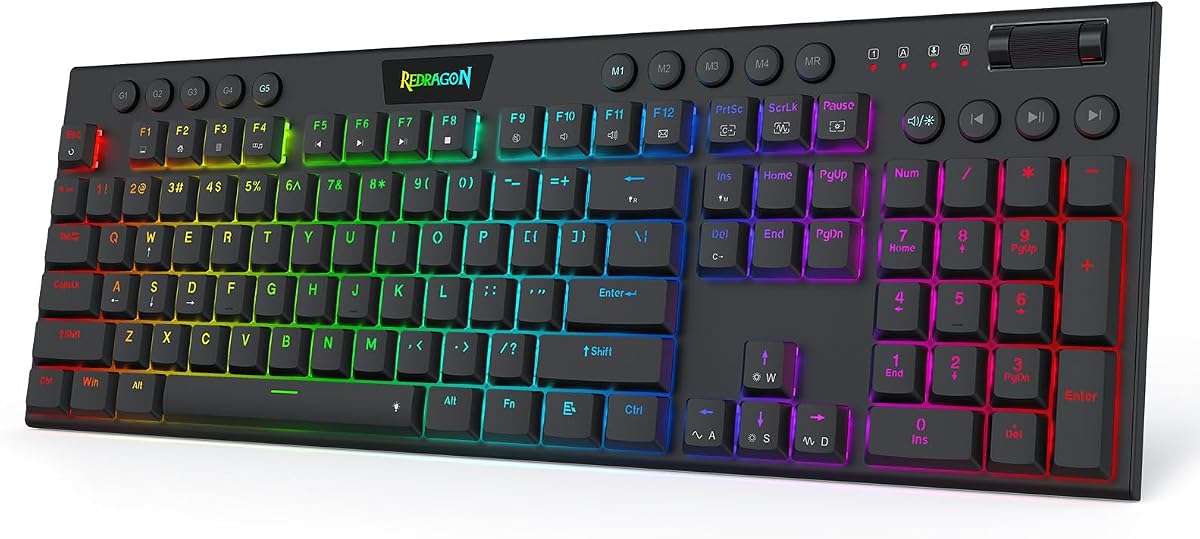





The Redragon K673 HE stands out with its Hall-Effect Rapid Trigger technology designed specifically for competitive shooters. It received solid ratings for its ability to reset keys instantly allowing faster movement sequences.
We may earn a commission when you buy through this link, at no additional cost to you.
This keyboard features UltraMag POM magnetic switches that detect presses without physical contact ensuring precise timing. The 8000Hz polling rate transmits inputs faster than standard keyboards giving a clear edge in high-tension rounds.
While it is a wired model which may limit desk flexibility for some users the stability benefits outweigh this minor drawback for most competitive players. The soft tactile feedback reduces fatigue during long sessions.
Players seeking a reliable magnetic switch keyboard at an accessible price point should consider this model first. It delivers the responsiveness needed for Valorant without breaking the bank.
The rapid trigger feature resets the key the moment you release it enabling faster counter-strafing than traditional mechanical switches.
Software allows saving multiple actuation profiles from 0.1mm to 3.4mm so you can tailor sensitivity to your play style.
We may earn a commission when you buy through this link, at no additional cost to you.
The Redragon K686 HE mirrors the K673 HE in core magnetic switch technology but offers a slightly different layout and user feedback. It earned strong ratings for consistency and response speed.
We may earn a commission when you buy through this link, at no additional cost to you.
Built with next-gen UltraMag POM switches it ensures keypresses are sensed without physical contact. This design minimizes wear and allows the timing adjustments essential for peek-and-fire maneuvers in tactical shooters.
The dual-module floating structure adds noise dampening layers that create a softer sound profile. While the software tuning is powerful new users might find the driver interface slightly complex at first.
This model is ideal for players who want the benefits of Hall-Effect switches without sacrificing build quality. The consistent performance makes it a trustworthy companion for ranked play.
Anti-wobble independent switch-plate design paired with dampening layers delivers a quiet experience without harsh clacking.
Desktop or web-based drivers let you calibrate switches to keep your setup consistent across different game titles.
We may earn a commission when you buy through this link, at no additional cost to you.
The Redragon K618 HE brings a low-profile design that shortens travel distance for quicker keystrokes. It holds a perfect rating score indicating high satisfaction among users testing its speed.
We may earn a commission when you buy through this link, at no additional cost to you.
Its magnetic switches are optimized for counter-strafing allowing you to stop and shoot faster. The dedicated 4×5 macro zone lets you record combos instantly without needing to install extra software.
Although the low-profile layout may take time to get used to for some typists it significantly lightens the workload on your wrists. The slim 30 percent reduction in height contributes to a cleaner desk setup.
Choose this keyboard if you prefer a compact feel and want to reduce hand strain during extended sessions. The macro keys add versatility for players who use frequent command sequences.
Record combos or adjust volume instantly via the dedicated zone keeping your gameplay uninterrupted during intense matches.
A low-profile design shortens travel distance so keystrokes register quicker and typing feels lighter on your wrists.
We may earn a commission when you buy through this link, at no additional cost to you.
The Corsair Clipper PRO MINI combines Hall Effect technology with a durable build that can withstand spills and dust. Its IP57 rating makes it a robust choice for long gaming sessions.
We may earn a commission when you buy through this link, at no additional cost to you.
Equipped with CORSAIR AXON hyper-processing it delivers up to 8000Hz polling for near-instant input registration. The MGX hyperdrive switches offer adjustable actuation points allowing precise tuning for every key.
Its 60 percent layout maximizes mouse space for low-sensitivity aiming but means sacrificing dedicated arrow keys. The sound dampening keeps keystrokes quieter which helps maintain focus during competitive matches.
Players looking for a premium keyboard that balances durability with performance should consider this model. The compact design suits setups where space is at a premium without losing key features.
Built to handle intense gameplay with water and dust resistance plus durable PBT keycaps that resist wear.
FlashTap SOCD enables cleaner directional inputs and sharper counter-strafing for consistent execution under pressure.
We may earn a commission when you buy through this link, at no additional cost to you.
The Razer Huntsman Mini uses optical beam-based actuation to register key presses at the speed of light. This tech ensures shorter actuation distance and faster response times than standard mechanical switches.
We may earn a commission when you buy through this link, at no additional cost to you.
Its linear optical switches are paired with Razer Snap Tap for optimized movement prioritizing the latest input between assigned keys. The fully programmable macros allow for complex command execution.
The aluminum top frame provides structural integrity while the oil-resistant double-shot PBT keycaps resist grime buildup. However you need Razer Synapse software to unlock features like Snap Tap.
Gamers who value speed and deep customization will appreciate this compact optical keyboard. The 60 percent form factor saves desk space while retaining high-performance capabilities.
Optical beam technology registers key presses faster than traditional switches offering a competitive edge in reflex games.
Fully programmable macros and Razer Hypershift allow remapping keys for complex commands in any game.
We may earn a commission when you buy through this link, at no additional cost to you.
The Aula WIN60 HE leverages magnetic switches for precise and consistent actuation without physical contact. It supports up to 8000Hz polling which ensures ultra-fast response times.
We may earn a commission when you buy through this link, at no additional cost to you.
Designed for FPS titles like Valorant it enables faster peeking and quick-stop shooting to enhance accuracy. The ultra-low RT step distance of just 0.02mm provides lightning-fast reaction speed.
Its web-based driver allows customization without downloading bulky software which is convenient for quick settings adjustments. The dynamic RGB lighting adds visual flair to your desk setup.
Players wanting magnetic switch performance without a high price tag should find this model appealing. The compact design fits well in limited desk spaces while delivering competitive features.
Remap keys and customize lighting via a web browser without needing system compatibility or large downloads.
Ultra-low RT step distance ensures lightning-fast response times perfect for rapid shooting and complex combos.
We may earn a commission when you buy through this link, at no additional cost to you.
The AULA WIN68 HE offers industry-leading 8000Hz polling for faster response than traditional keyboards. It features Hall Effect magnetic switches allowing individual key customization down to 0.1mm.
We may earn a commission when you buy through this link, at no additional cost to you.
This fast trigger keyboard ensures commands take effect instantly giving you an edge in game. The customizable web driver lets you set functions without installing software on Windows.
With 16.8 million RGB colors you can match the lighting effects to your setup atmosphere. The compact 60 percent design saves desktop space while retaining arrow keys.
Ideal for coders and gamers needing speed and portability this model delivers efficiency at a low cost. The web driver simplifies setup and maintenance for casual users.
Adjust actuation points individually to match keystroke habits for different games and typing preferences.
Light up keyboard features 16.8 million RGB colors with preset effects for great ambient lighting.
We may earn a commission when you buy through this link, at no additional cost to you.
The AULA F75 Pro offers tri-mode connectivity supporting Bluetooth and 2.4GHz wireless plus wired options. It has a high rating for its smooth typing and pleasant mechanical sound.
We may earn a commission when you buy through this link, at no additional cost to you.
Equipped with hot-swappable base you can customize switches without soldering to DIY your keyboard. The 4000mAh battery provides long-lasting life for wireless gaming and work.
Side-printed PBT keycaps are durable and allow light to shine through fonts for a cool style. The multi-function knob helps control backlight and media easily during use.
For those needing flexibility across devices this wireless keyboard balances performance and comfort well. The side-printed keycaps offer a unique aesthetic for your desk setup.
Switch between Bluetooth and 2.4GHz wireless or USB connection seamlessly using shortcut keys.
Supports 3-pin or 5-pin switch replacement to easily customize feel without soldering issues.
We may earn a commission when you buy through this link, at no additional cost to you.
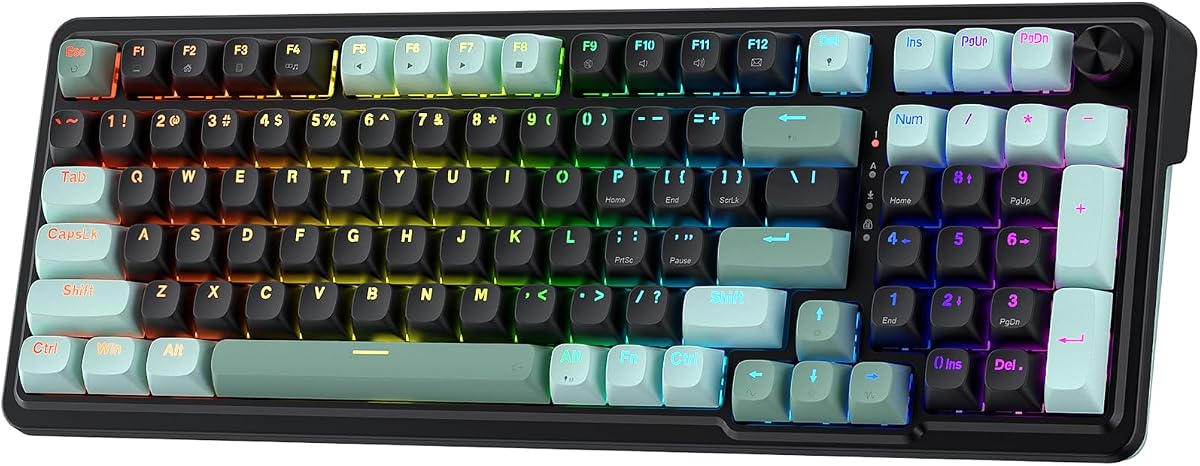
The ATTACK SHARK X68 HE allows binding four functions to one key based on pressing degrees for ultimate flexibility. It features 8000Hz polling and true 0.01mm RT accuracy for fast responsiveness.
We may earn a commission when you buy through this link, at no additional cost to you.
Designed for FPS and rhythm games it helps reduce latency to an impressive 0.125ms. The top mount structure and HiFI typing sound provide a stable quiet and smooth operation.
Web driver support makes remapping and customization easy without software installs. The PBT keycaps are durable and offer superior shine-through for RGB lighting effects.
Competitive gamers seeking exact control over their inputs will benefit from this keyboard precision. Its ergonomic design retains separate arrow keys for practical gameplay use.
0.01mm RT accuracy ensures ultra-response performance perfect for fast-paced games like Valorant.
Scientific structure with curved wrist rest offers stable and comfortable use during extended gaming.
We may earn a commission when you buy through this link, at no additional cost to you.
The ASUS ROG Strix Scope II 96 delivers full-size functionality in a compact 96 percent design. It features tri-mode connectivity for seamless connection across multiple devices.
We may earn a commission when you buy through this link, at no additional cost to you.
Its hot-swappable pre-lubed switches allow customizing the typing experience. The integrated sound-dampening foam absorbs noise for a quieter and refined keystroke acoustics.
With up to 1500 hours of battery life in wireless mode it supports long sessions without recharging. The multi-function wheel provides intuitive control for media and lighting.
Players needing a full layout with wireless flexibility will find this model robust. The premium build quality justifies the cost for those wanting top-tier peripherals.
Only 1 cm wider than TKL while retaining full-size functionality and number pad.
Sound-dampening foam absorbs pinging noises for improved keystroke acoustics and quiet operation.
We may earn a commission when you buy through this link, at no additional cost to you.
Selecting the right keyboard requires understanding how switch type polling and layout affect your gameplay performance in competitive matches.
Magnetic and optical switches provide faster actuation and reset times than standard mechanical switches. These are essential for rapid trigger capabilities in games requiring quick counter-strafing.
Look for Hall-Effect switches with adjustable actuation points to tailor sensitivity to your style.
Higher polling rates such as 8000Hz ensure input signals reach your PC faster reducing perceived latency. This is critical for precise timing in shooter games.
Prioritize keyboards with at least 1000Hz polling though higher rates offer better responsiveness.
Compact layouts like 60 percent save mouse space but sacrifice number keys and navigation clusters. Full-size or 75 percent layouts provide more functionality for general use.
Choose a size that fits your desk and does not limit your movement or key access during gameplay.
Wired connections generally offer more stable latency than wireless options though modern 2.4GHz wireless is nearly as reliable. Wireless provides flexibility for tidy desk setups.
Decide based on whether portability or consistent performance is your top priority for gaming sessions.
Water resistance and durable keycaps extend the lifespan of your keyboard under heavy use. PBT keycaps resist wear better than ABS plastics over time.
Consider IP ratings if you often drink near your setup or need robust peripherals for long play.
Software support allows mapping macros and adjusting actuation points for personalized control. Web-based drivers simplify installation without bloatware for some models.
Ensure the software works on your operating system and offers intuitive controls for setup and maintenance.
Dampening layers reduce harsh clacking sounds which can distract you during intense matches or calls. A quieter typing experience improves comfort over long hours.
Check for structural designs that minimize vibration and sound transmission from switch actuation.
Prices vary widely between models with magnetic switches often costing more than traditional mechanical ones. Determine your spending limit to find the best value for necessary features.
Higher cost models typically offer better build quality and additional customization options for advanced users.
Connect your keyboard securely and install any required drivers to enable rapid trigger and customization features. Calibrate your actuation points to suit your preferred typing and gaming speed.
Use the provided software to set up macros and lighting effects that enhance your workflow. Keep settings saved in profiles so you can switch quickly between games or tasks.
Regularly clean your keycaps and switches using compressed air to remove dust and debris. Avoid liquid spills to maintain performance especially if your device lacks waterproofing.
Rapid trigger allows keys to reset immediately upon release instead of waiting for the key to return to its resting position. This reduces delay in input and enables faster counter-strafing in shooters.
Yes magnetic switches generally offer faster actuation and adjustable sensitivity which suits the precision required in Valorant. They also tend to be more durable since they do not rely on physical contact.
A higher polling rate like 8000Hz ensures your keystrokes reach the system faster reducing lag. This can help in fast-paced scenarios where split-second timing matters for movement and aim.
Most competitive players prefer 60 percent or TKL layouts to maximize mouse space for aiming. However choose what feels comfortable and does not hinder your access to key commands.
Modern wireless keyboards with 2.4GHz connections perform nearly as well as wired ones. Still ensure low latency to avoid any input delay that could affect your movement timing in games.
Use compressed air to blow out dust from between keys and switch housing. For keycaps wipe with a damp cloth and avoid using strong chemicals that may damage materials.
Most magnetic keyboards need software to adjust actuation points but some offer on-board controls. Check product details to see if customization can be done without installing apps on your PC.
PBT keycaps provide better durability and texture than ABS which helps prevent fingerprints and wear. They do not directly improve speed but enhance comfort and long-term usability.
We reviewed ten top-rated keyboards featuring magnetic and optical switches that excel in rapid trigger and responsiveness for Valorant players.
Prioritize high polling rates and adjustable actuation to match your playstyle. Compact layouts often suit tactical shooters but comfort matters most for long sessions.
Always check the latest prices and availability since product details may change. Selecting the right keyboard can give you the edge needed to dominate your matches.