
IDVisor Smart V2 ID Scanner
4.8Editor score
Dual photo capture per record
GPS tracking and remote lock
12+ hour battery operation
Finding the right Id Scanners for Age Verification is critical for any business selling age-restricted items. These devices help prevent underage sales and ensure legal compliance across various jurisdictions.
We evaluated ten leading models based on scanning speed, accuracy, durability, and software features. Our comparison covers countertop and handheld options suitable for different operational needs.
Each review highlights key strengths and weaknesses to guide your decision. Remember that product availability and pricing can change, so verify current details before purchasing.
4.8Editor score

4.5Editor score

4.9Editor score
As an Amazon Associate we earn from qualifying purchases.
The following table provides a side-by-side comparison of all ten models reviewed in this guide to help you quickly identify the best fit.



The IDetect ID Scanner stands out as a top budget choice with a high rating of 4.9. It offers instant age validation and integrates seamlessly with POS systems.
We may earn a commission when you buy through this link, at no additional cost to you.
Its primary strength is speed and ease of use, making it ideal for high traffic bars and clubs. The device pops up on your screen to notify staff of tampered or banned IDs.
While it lacks advanced features like hologram detection, it provides 100% diligence proof for compliance. This trade-off is acceptable for businesses needing simple and reliable scanning.
We recommend this device for small businesses seeking affordable and effective age verification. Its durability ensures it can handle busy point of sale environments.
This scanner connects via USB and works directly with most Windows POS systems for instant alerts.
Made with premium materials, it is built to withstand the rigors of daily use in bars and banks.
We may earn a commission when you buy through this link, at no additional cost to you.
This Countertop ID Scanner is our Editor's Choice for its balance of features and cost. It offers unlimited free scanning and optional fake detection credits.
We may earn a commission when you buy through this link, at no additional cost to you.
It instantly verifies age and creates compliance logs to protect your business during inspections. The clear Go or No-Go results make decisions easy for staff.
The only limitation is that it is a fixed unit requiring a standard outlet. This is a minor trade-off for the reliability and lack of battery maintenance.
It is perfect for establishments with a fixed point of sale. Choose this for comprehensive age verification without ongoing subscription fees.
Automatic logs help you meet state laws and avoid fines during regulatory inspections.
Powered by Intellicheck technology, it analyzes encrypted data for high accuracy verification.
We may earn a commission when you buy through this link, at no additional cost to you.
The AgeVisor Mini offers a fast and reliable experience with motion activated scanning for one-handed use. It calculates age automatically and supports multiple ID types.
We may earn a commission when you buy through this link, at no additional cost to you.
Its loyalty tracking feature adds value by identifying frequent visitors and enhancing customer management. The compact design fits well in limited counter spaces.
While the user rating is lower, the device offers no ongoing fees and lifetime upgrades. Some advanced checks require pay-per-use DMV services.
Consider this for retail or liquor stores needing a small footprint. It balances speed with useful customer insights.
Motion activated scanning allows staff to keep one hand free while verifying IDs.
Track visit counts to reward frequent customers or identify potential security risks.
We may earn a commission when you buy through this link, at no additional cost to you.
The IDVisor Smart V2 delivers premium features like dual photo capture per record and GPS location tracking. It saves over 50,000 customers and includes voice warnings.
We may earn a commission when you buy through this link, at no additional cost to you.
Its customer relationship management tools highlight repeat clients and allow custom tags like VIP or banned. This helps maintain a secure and efficient venue.
The higher price point is justified by the advanced software and hardware features. It requires more setup but offers significant long-term value.
Ideal for large clubs or venues needing detailed tracking. Choose this for top-tier security and customer insights.
Use GPS to locate or remotely erase data if the device is lost or stolen.
Capture two photos and notes per person to build detailed and secure profiles.
We may earn a commission when you buy through this link, at no additional cost to you.
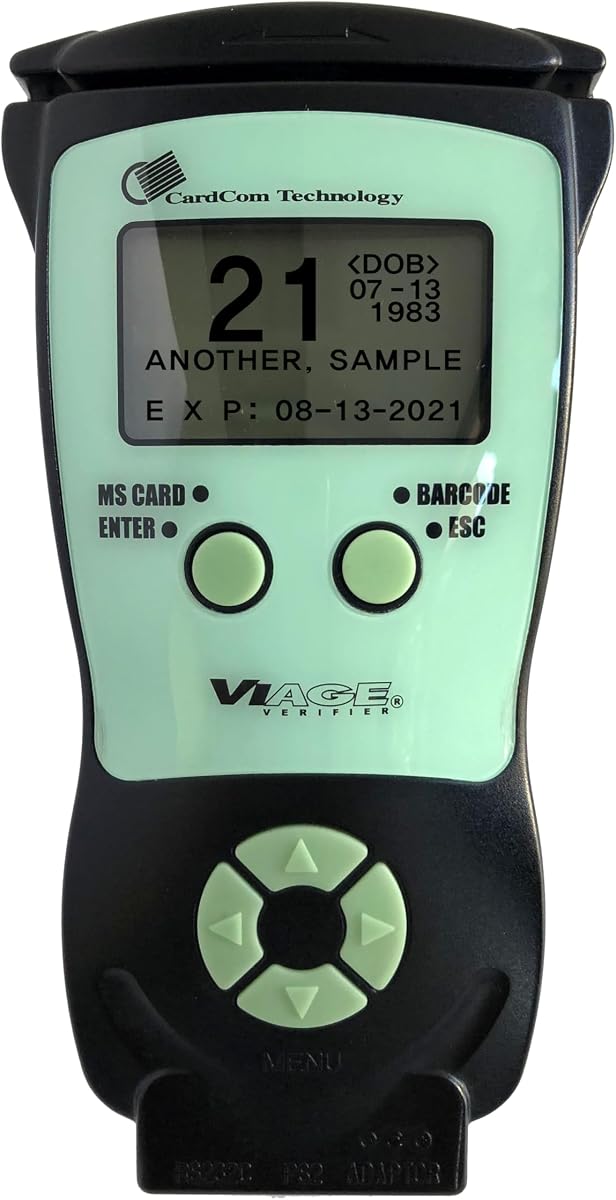
The CAV3200 is a portable scanner designed for bars and retail with dual scanning technology. It supports magnetic stripes and 2D barcodes for nationwide coverage.
We may earn a commission when you buy through this link, at no additional cost to you.
It comes with free compliance software and updates, ensuring you stay current without extra costs. The standalone operation allows flexibility without needing a PC.
It is user friendly and ergonomic, reducing training time for staff. The lack of advanced CRM is balanced by simplicity.
This is great for businesses needing mobility and reliability. Choose it for compliant scanning at a reasonable price.
Read both magnetic stripes and barcodes to ensure compatibility with various ID formats.
Get compliance reporting and updates included with the purchase to save on ongoing costs.
We may earn a commission when you buy through this link, at no additional cost to you.
The IDVisor Smart Plus features an extra large five-inch LCD screen for clear viewing. It includes customer management tools and allows record export in Excel format.
We may earn a commission when you buy through this link, at no additional cost to you.
Its cloud networking enables multiple devices to sync, which is useful for larger venues. The interface is intuitive and supports various ID types.
The price is comparable to other premium models but with a focus on screen quality. It is slightly heavier due to the larger display.
Best for businesses needing clear visual feedback. Choose this for enhanced readability and data flexibility.
The five-inch screen ensures staff can read results clearly even in dim lighting.
Sync records across multiple devices via WiFi for seamless management and backup.
We may earn a commission when you buy through this link, at no additional cost to you.
This Portable ID Scanner is built for tough environments with IP68 and MIL-STD-810H ratings. It features a swappable battery for long shifts and fast charging.
We may earn a commission when you buy through this link, at no additional cost to you.
It supports U.S. licenses and passports with optional mobile driver's license upgrades. The fake ID detection offers high accuracy to ensure compliance.
The rugged design ensures it survives drops and dust, which is critical for clubs. Setup may require attention to state laws.
Choose this for heavy-duty mobile use. It is a robust option for demanding venues.
Built to withstand drops and dust with industrial grade protection standards.
Support for digital IDs as an upgrade ensures you stay ahead of regulation.
We may earn a commission when you buy through this link, at no additional cost to you.
The Quantum Edge V3 is designed to handle wet environments like bars with its water and dust seal. It includes a carry case and works via Wi-Fi.
We may earn a commission when you buy through this link, at no additional cost to you.
It validates IDs quickly with audible warnings to alert staff of issues. The handheld design makes it easy to move around a venue.
It is durable and reliable for high volume use. The focus is on simplicity and protection against environmental factors.
Choose this for clubs needing a rugged handheld. It offers peace of mind in challenging settings.
Dust and water seals ensure the device survives spills in bars or clubs.
Wi-Fi enables easy data transfer and updates to your management software.
We may earn a commission when you buy through this link, at no additional cost to you.
This Countertop ID Scanner is a fixed station designed for compliance with state laws. It creates flexible logs and displays clear results instantly.
We may earn a commission when you buy through this link, at no additional cost to you.
It works fully without a computer and protects privacy by not storing photos. Reliable support is available including nights and weekends.
The lack of portability is offset by simplicity and compliance features. It is a straightforward tool for legal verification.
Select this for fixed entry points needing legal assurance. It ensures your business meets regulations.
Complies with key verification laws in states like Pennsylvania and Utah.
No photos are stored during the scan process to protect patron privacy.
We may earn a commission when you buy through this link, at no additional cost to you.
The Swish S1 is a USB optical scanner that creates high resolution images of IDs. It includes Scan-ID software for automatic age verification and database management.
We may earn a commission when you buy through this link, at no additional cost to you.
It does not damage cards and works without external power. The small footprint fits easily on any desk.
It is limited to Windows but offers a simple drop-and-scan interface. Manual entry is required for IDs without 2D barcodes.
Choose this for desktop archiving. It is a simple and effective tool for record keeping.
Capture clear images of IDs to maintain a searchable database of patrons.
No moving parts or rollers means fragile cards are not damaged during scanning.
We may earn a commission when you buy through this link, at no additional cost to you.
Choosing the right scanner depends on your venue size, budget, and compliance needs.
Ensure the device supports magnetic stripes and 2D barcodes for compatibility with all ID formats.
Look for models that read encrypted data to detect fake IDs.
Handheld models offer mobility for door checks while countertop units suit fixed points of sale.
Choose based on whether staff need to move around or stay at a desk.
Select scanners that automatically log scans to meet state regulations and protect against fines.
Ensure the software is compliant with specific local laws for your region.
Check if the scanner works with your existing POS or management systems.
Look for cloud sync options if you need data across multiple devices.
For portable models, battery life is critical to avoid downtime during shifts.
Choose models with swappable batteries if you need continuous use.
Bars and clubs often have wet and dusty environments so look for IP ratings.
Devices with MIL-STD ratings can handle drops and rough handling.
Advanced models allow tagging and loyalty tracking which can help with security.
Decide if you need detailed records or just age verification.
Some devices have one-time costs while others require subscription fees for updates.
Calculate total cost of ownership to avoid unexpected ongoing expenses.
Start by installing the driver software on your PC and connecting the device via USB. Ensure the software is updated to the latest version.
For scanning, place the ID on the scanner or insert it into the slot to capture the data. The screen will display the age status and any warnings.
Regularly clean the scanning window with a soft cloth and store the device in a dry place to prevent damage.
Many models offer optional photo storage or logging for compliance. However some devices are designed to verify age without saving personal data.
Some newer models support mobile driver's licenses with an upgrade. Check the product specifications for mDL support before purchasing.
Most handheld models offer at least 12 hours of operation. Some have swappable batteries to extend use beyond a single shift.
The scanner typically displays a warning and logs the incident. Staff can then choose to deny service based on the alert.
Several countertop and portable models work standalone without a PC. They display results directly on the device screen.
Most manufacturers provide complimentary phone or email support. Some also offer lifetime software updates for the device.
We reviewed ten top models offering features from basic counting to advanced customer management.
Prioritize compliance features and durability based on your specific venue requirements.
Always check current availability and terms before making your final purchase decision.