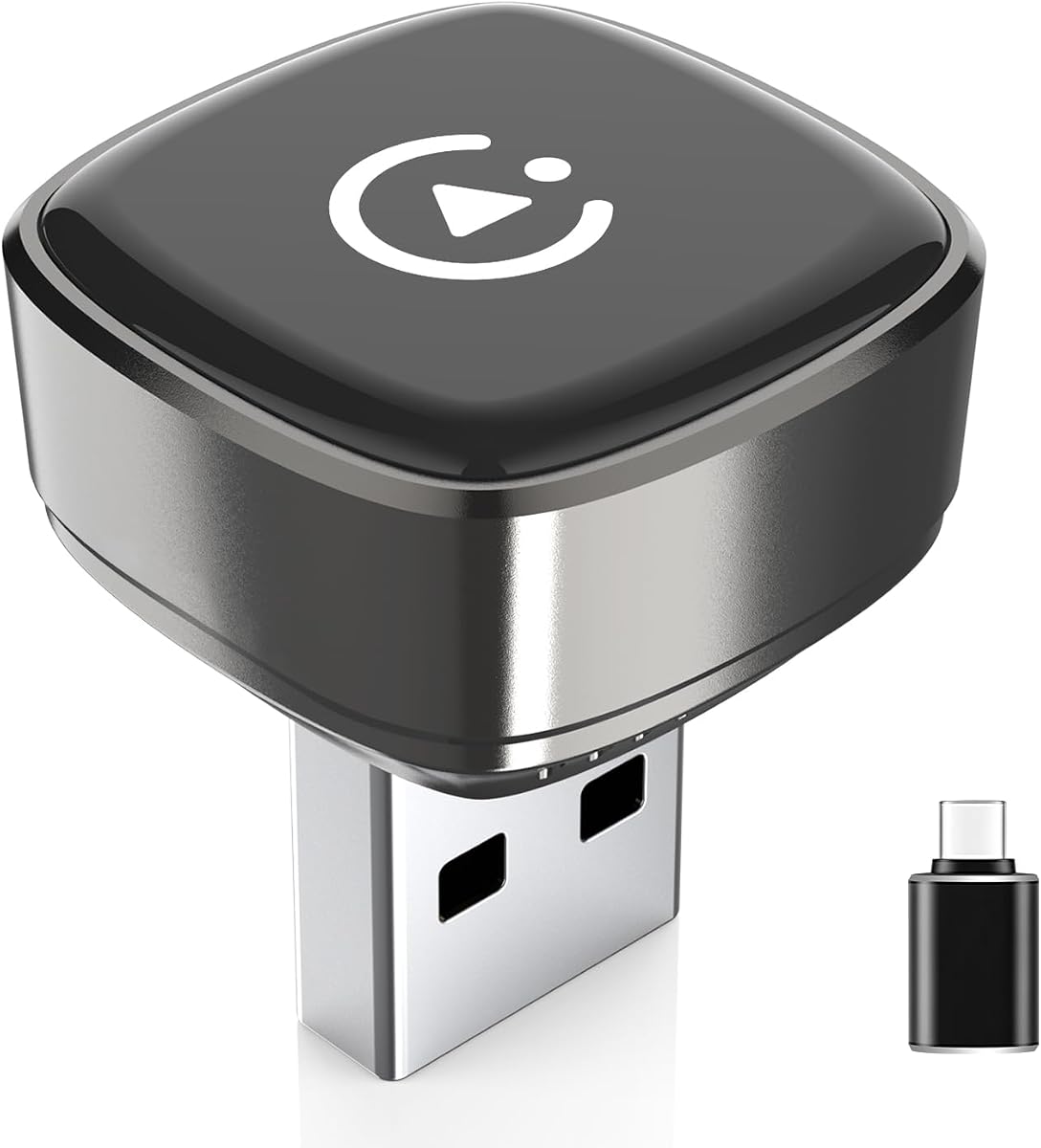
Wireless Carplay Adapter Grey
4.2Editor score
Affordable wireless conversion option
Plug and play simplicity
Compatible with 800 plus vehicles
This expert guide compares the top Hulu Carplay adapters for 2026, analyzing wireless performance, streaming compatibility, and vehicle integration for drivers.
Transform your vehicle into a mobile entertainment hub with the right Hulu Carplay adapter. These devices convert wired systems to wireless while enabling seamless streaming of favorite shows during safe stops or park mode.
We evaluated ten leading models based on connection stability, app compatibility, and ease of use. Our analysis focuses on devices that support Hulu and other major platforms while maintaining core navigation and communication features effectively.
Each pick highlights specific strengths and potential limitations to help you choose wisely. Note that availability and model features may vary by region or vehicle compatibility, so always verify requirements before purchasing online or in store.
4.2Editor score

2.9Editor score

3.4Editor score
This side-by-side comparison evaluates all ten products based on streaming capabilities, wireless reliability, and vehicle integration features to help you identify the right fit for your specific needs and driving habits.
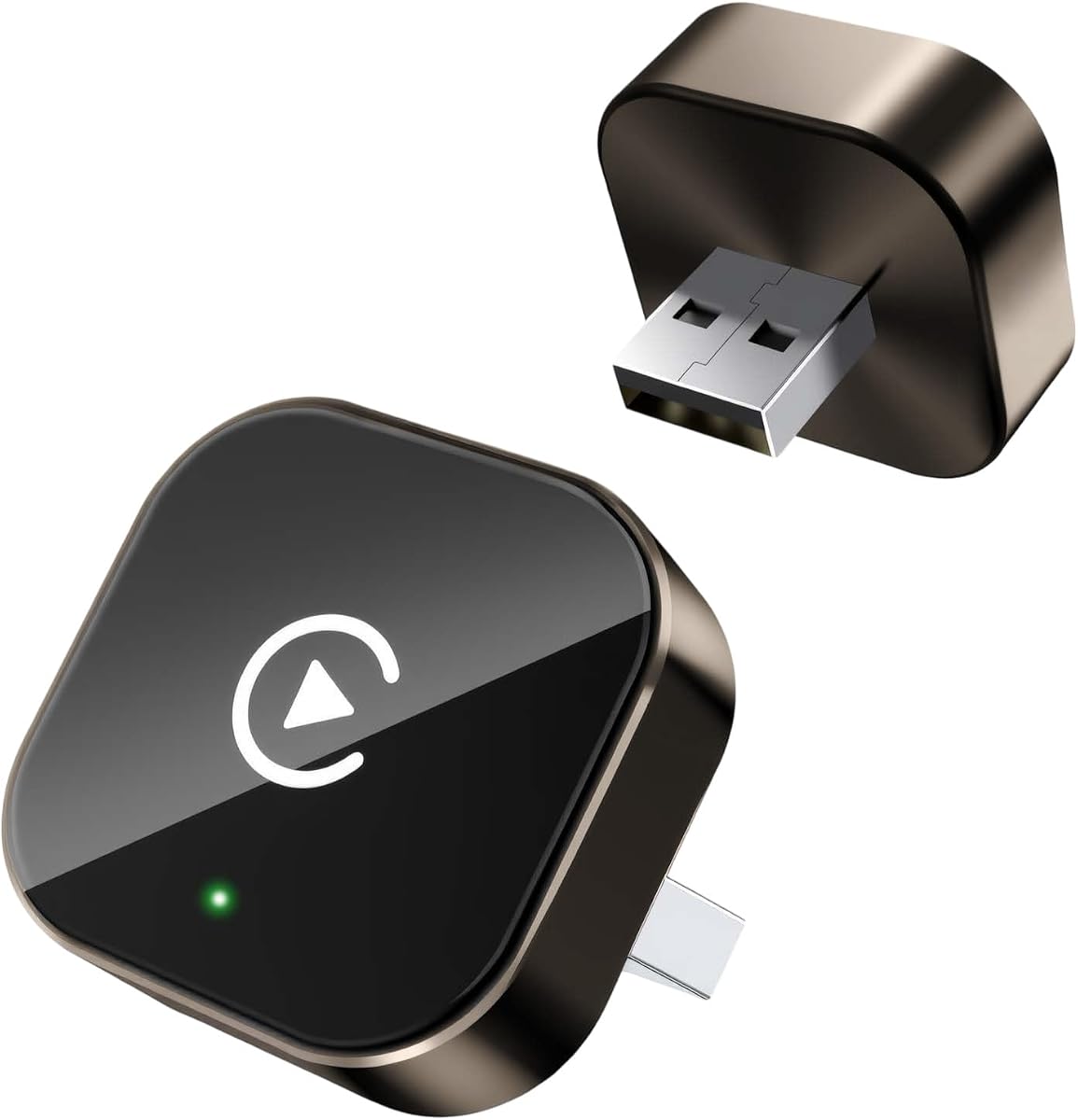


This adapter provides a straightforward path to wireless CarPlay functionality without enabling direct streaming. It ranks first for its reliability and ease of use, offering a stable connection that converts your existing wired system to wireless quickly.
We may earn a commission when you buy through this link, at no additional cost to you.
Its standout quality lies in the auto-reconnect feature that links your phone automatically upon starting the car. The compact metal construction ensures durability and resistance to scratches while fitting unobtrusively into your dashboard USB port for daily convenience.
While it does not support Hulu or other streaming apps directly, it excels at its primary function of wireless navigation and music. The trade-off is acceptable for drivers who prioritize stable connectivity and want to keep their dashboard clean from extra cables.
Buy this if you need a simple, affordable solution to eliminate USB cables while using CarPlay navigation and music. It is ideal for those who do not require in-car video streaming capabilities during stops or park mode scenarios.
The adapter simplifies pairing with just three steps ensuring you spend minimal time configuring before driving away confidently.
Constructed with high-quality metal casing it resists daily wear and tear maintaining performance over extended usage periods.
We may earn a commission when you buy through this link, at no additional cost to you.
This device stands out for allowing users to select two streaming apps from a broad list including Hulu. It earns the Editor's Choice badge for flexibility, converting wired systems to wireless while projecting video apps directly onto the vehicle screen.
We may earn a commission when you buy through this link, at no additional cost to you.
Its key strength is the freedom to switch between apps like Netflix or Disney plus based on passenger preference or trip type. You retain all original steering wheel controls and voice commands which ensures safety and familiarity during operation without extra hardware.
However successful the setup requires a touchscreen display and internet connection which may limit some users. The rating suggests occasional connectivity hiccups but for those needing video streaming, the benefits outweigh these minor integration trade-offs significantly.
Select this if you need Hulu or similar apps directly integrated without external HDMI hardware. It is best for families wanting flexible entertainment options during stops or park mode where visual content is allowed and safe.
You can pick two apps at a time letting you tailor in-car entertainment to your specific needs and preferences easily.
All original controls and buttons remain functional maintaining the safety and design integrity of your vehicle dashboard.
We may earn a commission when you buy through this link, at no additional cost to you.
This adapter ranks third for its exceptional performance and near-zero latency during navigation and media playback. It uses advanced dual-band Wi-Fi and Bluetooth to deliver a smooth experience that feels responsive and reliable for daily driving needs.
We may earn a commission when you buy through this link, at no additional cost to you.
Its standout quality is the multi-core processor that preserves sound quality and vehicle controls effectively. You can enjoy seamless navigation and music without stuttering or lag which is critical for maintaining safety and awareness while operating your vehicle on roads.
While it does not enable Hulu streaming directly, the reliability ensures CarPlay apps work flawlessly. The trade-off is minimal for users prioritizing connection stability over video features since the device supports iOS devices and modern vehicle systems comprehensively.
Buy this if you need a high-performance wireless upgrade without video capabilities. It is ideal for drivers who value lag-free maps and music while keeping their existing car setup unchanged and simple.
Using both 2.4 and 5.8GHz frequencies reduces interference and boosts signal strength significantly for consistent connectivity.
Steering wheel buttons and knobs function exactly as before ensuring you never lose familiar controls while driving.
We may earn a commission when you buy through this link, at no additional cost to you.
This adapter delivers consistent wireless performance with a focus on durability and signal stability. It converts wired systems seamlessly allowing drivers to enjoy navigation and music without physical cables while maintaining all original vehicle functions effectively and reliably.
We may earn a commission when you buy through this link, at no additional cost to you.
The tight-fit structural design ensures reliable signal even on bumpy roads or winding paths. Its compact appearance blends well with modern interiors without looking obtrusive or bulky which is appreciated by those seeking a discreet upgrade to their current setup easily.
Though it lacks direct streaming features, the auto-reconnect function saves time on every trip. The trade-off is acceptable for users who prefer simple wireless access over complex video options and value long-term reliability from a certified product.
Choose this for a solid everyday wireless upgrade that prioritizes stability. It is best for drivers seeking a hassle-free experience without video streaming or complex app configurations in their vehicles.
The design ensures stable transmission even on rough terrain reducing dropouts and keeping your connection secure always.
Free lifetime firmware updates keep performance optimized and fix bugs over time extending the useful life.
We may earn a commission when you buy through this link, at no additional cost to you.
This adapter shines for its ability to switch between multiple users seamlessly. It uses advanced chip technology to minimize latency and maintain speed which ensures quick connectivity when different drivers take over the vehicle on shared family rides.
We may earn a commission when you buy through this link, at no additional cost to you.
Its standout feature is the robust aluminum housing that withstands heat and physical stress over time. The transmission rate improves speed by significant margins ensuring maps and media load fast without delay which matters during daily commutes or trips.
While it does not support streaming apps, the multi-user capability is valuable for shared vehicles. The trade-off is minor for households where multiple iPhones connect to the same car regularly needing quick transitions without re-pairing each time.
Buy this if you share your vehicle with other iPhone users. It is ideal for families wanting fast, reliable switching without losing data or needing to reconfigure settings between drives regularly.
The device remembers paired users allowing quick switches without complex manual reconnections between drivers.
Aluminum alloy housing dissipates heat effectively protecting internal components during long drives in warm weather.
We may earn a commission when you buy through this link, at no additional cost to you.
This device earns the Best Premium badge by enabling external HDMI streaming like Fire Stick or Roku alongside wireless CarPlay. It transforms your vehicle into a mobile media hub allowing passengers to watch Hulu during stops without complex built-in apps.
We may earn a commission when you buy through this link, at no additional cost to you.
Its key strength is the dual functionality that keeps navigation active while streaming. You plug in a TV stick directly which provides the content you want while keeping your core system features intact and operational for safety and utility.
The trade-off is the need for an external streaming stick and internet connection. However for users wanting maximum flexibility this hardware-based approach avoids software limitations and offers broader content access than built-in box solutions.
Select this if you already own streaming sticks or want maximum content options. It is best for entertainment-focused setups where passengers need diverse video choices while the driver keeps CarPlay active.
Support for external HDMI devices means you can use any streaming stick rather than relying on pre-installed apps.
The adapter turns your car infotainment system into a versatile entertainment center for all passenger needs.
We may earn a commission when you buy through this link, at no additional cost to you.
This adapter offers a 4-in-1 chipset that includes AirPlay and screen mirroring alongside wireless CarPlay. It connects quickly in five seconds and supports multi-user switching making it versatile for drivers who need diverse connectivity options beyond standard CarPlay usage.
We may earn a commission when you buy through this link, at no additional cost to you.
Its standout quality is the inclusion of additional features like screen mirroring for photos or YouTube during breaks. The dedicated processor ensures synchronization and high fidelity which enhances the overall multimedia experience when using non-protected content or media files.
However DRM-protected apps like Hulu are blocked due to copyright restrictions. The trade-off is acceptable for users who want broader mirroring capabilities and quick auto-connect functionality without sacrificing core navigation performance during daily driving.
Buy this if you want AirPlay features alongside wireless CarPlay. It is best for those who need to mirror content or switch devices frequently without complex setup each time.
Unlocks CarPlay, Android Auto, AirPlay, and Screen Mirroring for versatile connectivity beyond simple wireless options.
Families can switch between devices seamlessly using the memory function built into the system software.
We may earn a commission when you buy through this link, at no additional cost to you.
This device offers pre-installed apps including Netflix, TikTok, and Hulu for direct streaming. It uses dual Wi-Fi to manage connections and allows USB drive playback which makes it versatile for entertainment during stops or long family road trips comfortably.
We may earn a commission when you buy through this link, at no additional cost to you.
Its key strength is the convenience of built-in apps without needing to install new software constantly. The Mini HDMI output lets you connect external monitors for rear passengers ensuring everyone stays entertained while you drive safely and effectively.
However app downloads are not supported limiting customization. The trade-off is acceptable if you want immediate access to popular content and value the flexibility of playing offline files directly from a USB drive.
Choose this if you want built-in entertainment options. It is best for long trips where passengers need videos and offline files play without relying on external streaming hardware or complex setup.
Pre-installed apps provide instant entertainment options including major streaming services and social media platforms.
Offline files on USB drives ensure you stay entertained even without a strong internet connection while driving.
We may earn a commission when you buy through this link, at no additional cost to you.
This adapter focuses on delivering a stable wireless connection without extra complexity. It supports navigation, music, and Siri while preserving original car controls which makes it a reliable choice for drivers who want to eliminate cables without extra features.
We may earn a commission when you buy through this link, at no additional cost to you.
Its standout quality is the automatic reconnection that activates every time you start the car. You can leave your phone in your pocket and enjoy a clutter-free experience that works consistently without manual re-pairing on daily commutes or trips.
While it lacks streaming or HDMI capabilities, the simplicity ensures reliable performance. The trade-off is suitable for those who value stability over entertainment features and want a device that just works without intervention or fuss.
Buy this for a clean, straightforward wireless upgrade. It is ideal for daily drivers who prioritize reliability and want to keep their dashboard free from unnecessary cables or devices.
Setup requires just three steps ensuring you can start using wireless CarPlay immediately after installation.
The device reconnects automatically on startup saving time and ensuring your phone links instantly each morning.
We may earn a commission when you buy through this link, at no additional cost to you.
This adapter converts both wired CarPlay and Android Auto to wireless seamlessly. It is perfect for families using mixed devices allowing effortless switching without unplugging cables which makes it a versatile solution for diverse household technology preferences.
We may earn a commission when you buy through this link, at no additional cost to you.
Its key strength is the ultra-compact design that fits flush with the USB port. The dual-band chip ensures fast reconnection within seconds preserving all OEM controls and voice assistants for safety and convenience during daily driving and navigation tasks.
The trade-off is standard wireless functionality without video streaming. However, the cross-platform support offers broad utility for users needing to support both iPhone and Android devices on a shared vehicle reliably and consistently.
Choose this if you need compatibility with both platforms. It is ideal for households with mixed devices wanting seamless transitions without sacrificing core navigation or control functionality while driving.
Converts both CarPlay and Android Auto to wireless allowing seamless transitions between different phone users.
The flush-fit shape keeps the port tidy and ensures the device stays hidden without disrupting the interior.
We may earn a commission when you buy through this link, at no additional cost to you.
Selecting the right adapter depends on your specific needs for streaming, connectivity, and vehicle compatibility. Understanding key factors ensures you find a solution that enhances safety and entertainment effectively without disrupting your driving experience.
Determine if you need built-in app support like Hulu or external HDMI compatibility. Some devices come with pre-installed video apps or allow streaming stick connections which offer flexibility for long trips or park mode usage.
Prioritize models that match your entertainment needs without sacrificing performance during driving.
Verify that your car has a factory-wired CarPlay or Android Auto system before purchasing. Most adapters convert wired systems to wireless but they do not add CarPlay functionality to vehicles that lack it initially.
Check your vehicle year and model against the adapter's compatibility list to ensure proper function and avoid return hassles.
Look for dual-band Wi-Fi and Bluetooth 5.3 or higher for stable connections. Stable signals prevent dropouts and ensure smooth navigation which is critical for safety during daily commutes and long road trips.
Choose devices with auto-reconnect features to save time and keep focus on the road rather than pairing issues.
Opt for plug-and-play models that require minimal configuration. Complex setups can be frustrating and may lead to incorrect installation which affects performance and overall user satisfaction over time.
Simple pairing processes ensure you can start using the device immediately without technical expertise or extra tools.
Select adapters with metal or aluminum alloy housings for better heat dissipation and longevity. Vehicles experience temperature extremes which can damage plastic components but durable materials protect internal chips and ensure consistent performance.
Robust construction ensures the adapter survives daily vibrations and temperature changes without failure.
If you share your vehicle with multiple drivers consider models that support seamless switching. Multi-user memory allows different phones to connect quickly without manual reconfiguration which is useful for family or ride-share scenarios.
This feature simplifies transitions and ensures every driver gets their preferred navigation and app settings instantly.
Some streaming models require a touchscreen display for video output. Ensure your head unit supports touch controls if you plan to use apps that rely on on-screen interaction or media selection features.
Verify screen capabilities to avoid purchasing a device that cannot function as intended with your vehicle system.
Choose brands offering lifetime firmware updates and technical support. Regular updates fix bugs and improve compatibility ensuring your device works with new phone versions and software changes over the years.
Strong customer support provides peace of mind if you encounter connection issues or need assistance with setup.
Plug the adapter into your car's USB port and allow it to boot up. Pair it with your phone via Bluetooth and Wi-Fi settings ensuring both connections are active for smooth wireless transmission and functionality.
Once paired the device will auto-connect when you start the car. Launch your CarPlay or streaming apps from the car screen and enjoy navigation or video content safely during stops or park mode scenarios.
Keep the adapter away from extreme heat sources and dust. Update the firmware regularly through the manufacturer's tools to maintain stability and resolve any performance issues that may arise during daily use.
No, most adapters restrict video streaming during driving for safety. Apps like Hulu typically work only in park mode or when the vehicle is stationary. Always verify local laws and device settings to ensure legal and safe usage habits.
Yes, both the adapter and streaming apps require an internet connection. You will need to connect the device to your phone's hotspot or a car Wi-Fi network to stream Hulu or other video content effectively.
Many adapters are not compatible with Tesla or BMW systems. Check the product specifications carefully before purchasing to confirm your vehicle is supported. Avoid generic models if your car has proprietary infotainment software.
Use the adapter's interface or home button to switch between CarPlay and streaming modes. Some devices require you to toggle modes manually while others allow seamless transitions via on-screen buttons for better navigation.
Most adapters consume minimal power when idle but may drain battery if left on for hours. Unplug the adapter or use a power-saving mode when the vehicle is off to preserve battery life and avoid issues.
Yes, many models support both CarPlay and Android Auto. Verify that your vehicle has wired Android Auto if you intend to use that mode specifically on the adapter for compatibility.
Use the USB port on the dash or center console and position the device so it does not block other ports. The compact size of most units allows them to remain hidden while maintaining easy access for updates or maintenance.
The adapter does not include an internet subscription. You must connect to your own cellular hotspot or in-car Wi-Fi to stream content. Ensure your mobile plan includes data to enjoy uninterrupted streaming while parked.
The top picks include the AUTOSKY AI Box Lite Flex for app flexibility, the Wireless Carplay Adapter Grey for budget simplicity, and the AutoSky CarPlay TV Adapter for external hardware support. Each offers distinct benefits depending on your vehicle and entertainment needs.
Prioritize connection stability and vehicle compatibility over flashy features if you drive frequently. A reliable adapter ensures smooth navigation and music playback which is essential for safety and convenience on daily commutes and longer trips.
Always verify your car's system type and local laws before purchasing. Prices and features may change so check current listings to ensure the device meets your requirements for wireless upgrades and entertainment streaming.