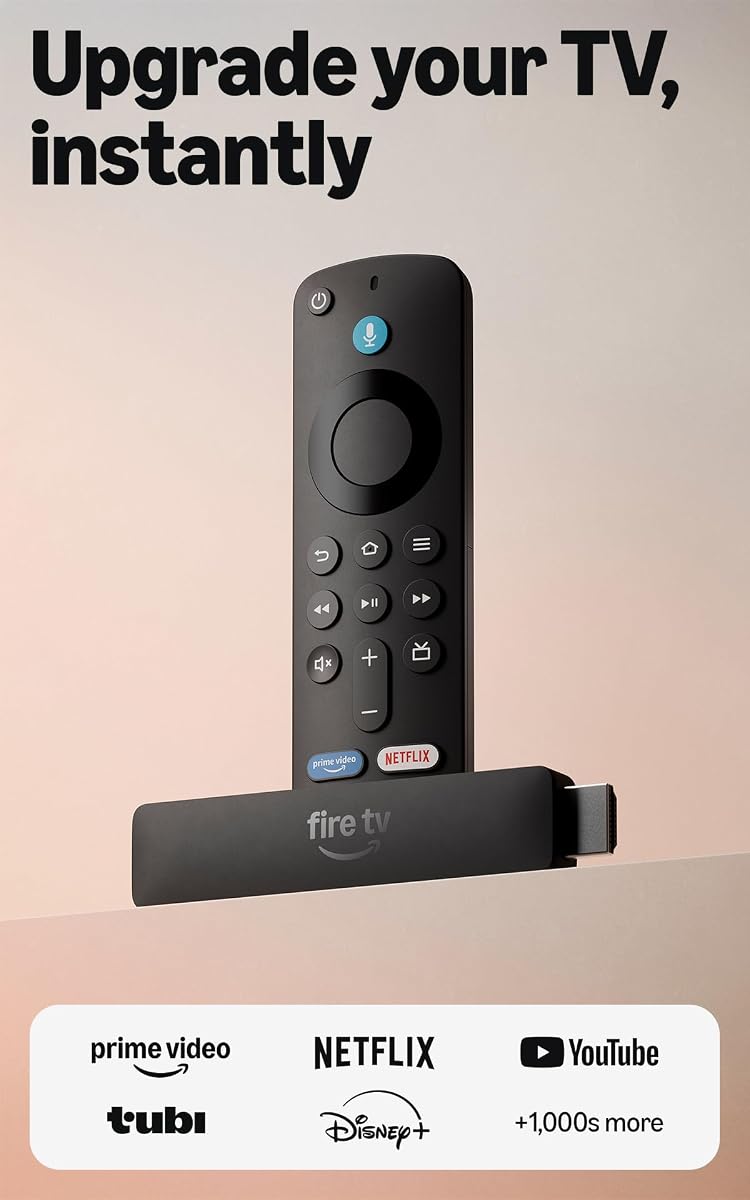
Amazon Fire TV Stick HD
4.1Editor score
Direct power via USB-C
Full HD with Wi-Fi 6
Alexa Voice Remote included
This guide compares the top ten HDMI streaming devices for 2026 focusing on performance picture quality ease of use and overall value for every type of viewer.
Finding the right HDMI streaming device can transform your entertainment setup into a powerhouse of modern media consumption. Whether you are looking for crisp 4K visuals or simple voice control options there is a perfect match for your television and lifestyle needs today.
We have analyzed the latest models from leading brands including Roku Amazon Fire TV and ONN to bring you a comprehensive comparison. Our evaluation focuses on streaming performance picture quality audio support and the overall user experience provided by each device.
Each pick in this list highlights specific strengths such as budget affordability premium features or specific ecosystem integration. Please note that availability and pricing may change frequently so always check the current details before making your final purchase decision.
4.1Editor score

4.4Editor score

4.6Editor score
This side-by-side comparison provides a quick overview of the key specifications and capabilities of each device to help you make an informed decision quickly.




The Roku Ultra stands out as the top choice for those seeking a premium streaming experience with unmatched performance and features. It delivers stunning 4K picture quality with Dolby Vision and immersive Dolby Atmos audio to bring your favorite movies to life.
We may earn a commission when you buy through this link, at no additional cost to you.
Its lightning-fast processor ensures that apps launch instantly and navigation is smooth without any lag. The included Voice Remote Pro features backlit buttons and a rechargeable battery making it convenient to use even in the dark.
While it is priced higher than basic stick options the added features like Ethernet connectivity and private listening mode justify the cost for serious home theater enthusiasts. The setup is straightforward and the interface remains clutter-free.
This device is perfect for anyone who wants the best possible streaming performance and does not mind paying a bit extra for premium features. It simplifies the viewing experience while offering robust connectivity options.
Support for Dolby Vision and Dolby Atmos ensures you get the highest quality audio and video standards available on consumer streaming devices today.
With both Wi-Fi 6 and an Ethernet port you can choose the most stable connection for your network environment to avoid buffering.
We may earn a commission when you buy through this link, at no additional cost to you.
The Fire TV Stick HD offers an incredible value for users who want to upgrade their TV without spending much money. It provides access to thousands of apps and services in crisp Full HD resolution with fast performance.
We may earn a commission when you buy through this link, at no additional cost to you.
Its unique design allows it to draw power directly from your TV via the included USB-C cable eliminating the need for a separate wall adapter. This makes it ideal for travel or rooms with limited power outlets.
While it lacks 4K support it is more than sufficient for standard definition TVs and the Wi-Fi 6 ensures smooth streaming for most households. The voice search feature helps find content quickly across platforms.
This stick is the perfect choice for budget-conscious buyers or secondary TVs where maximum resolution is not a priority. It brings smart functionality to any display easily.
The Direct Power feature means you only need to plug into one HDMI port and a USB source simplifying cable management significantly.
Built-in Alexa voice control allows you to search for content and manage smart home devices directly from the remote.
We may earn a commission when you buy through this link, at no additional cost to you.
The Fire TV Stick 4K Max represents the pinnacle of streaming stick technology with support for the latest Wi-Fi 6E standard and powerful graphics processing. It delivers vibrant 4K visuals and immersive sound for a cinema-like experience at home.
We may earn a commission when you buy through this link, at no additional cost to you.
With double the storage of other sticks it can hold more apps and games. The processor is designed for fluid navigation and quick app launches making it feel incredibly responsive during use.
The premium features come at a slightly higher price but the enhanced connectivity and future-proofing make it a smart investment. It is particularly strong for users with large libraries and multiple connected devices.
If you want the best performance and latest features in a stick format this is the device to choose. It balances power with convenience effectively.
Support for the 6 GHz band reduces congestion and ensures consistent high-speed streaming even in busy households.
Sixteen gigabytes of space allows you to install more games and applications without constantly managing storage limits.
We may earn a commission when you buy through this link, at no additional cost to you.
The Roku Ultra LT offers a fantastic balance of performance and affordability providing high-end picture quality without the premium price tag of the Ultra. It supports stunning 4K HDR and Dolby Vision for rich visuals.
We may earn a commission when you buy through this link, at no additional cost to you.
It comes with everything you need to get started including an HDMI cable and a reliable Voice Remote. The interface is intuitive and launches apps quickly for seamless browsing.
While it lacks the advanced features of the full Ultra like a rechargeable remote it covers all the essentials for a great streaming session. It is a solid choice for living rooms.
Buyers looking for reliable 4K streaming at a reasonable price will appreciate this model. It simplifies the entertainment experience significantly.
The package includes a high-speed HDMI cable and a USB extension cord making setup straightforward right out of the box.
Dolby Vision support ensures that colors and contrast are optimized for compatible TVs delivering a superior image.
We may earn a commission when you buy through this link, at no additional cost to you.
The Fire TV Stick 4K Plus is designed for users who want robust performance and cloud gaming capabilities without needing a console. It streams content in vibrant 4K with Dolby Vision for immersive viewing.
We may earn a commission when you buy through this link, at no additional cost to you.
Its support for Wi-Fi 6 ensures smooth performance even when many devices are connected to the network. The voice remote makes it easy to find shows across different apps efficiently.
Gaming enthusiasts will appreciate the ability to play titles via the cloud without extra hardware. The streaming quality is consistent and reliable for daily use.
This device is ideal for families who want a mix of movie watching and light gaming in a compact form. It provides excellent value for the features offered.
Stream popular games directly from the cloud using a compatible controller and subscription for console-like fun on any TV.
Use your remote to control compatible smart home devices and check weather or manage lighting with simple voice commands.
We may earn a commission when you buy through this link, at no additional cost to you.
The Fire TV Stick 4K Select delivers essential 4K streaming capabilities at an accessible price point for those who want high resolution without overspending. It uses AI to help you find content faster across apps.
We may earn a commission when you buy through this link, at no additional cost to you.
Setup is quick with a simple plug and play experience. The voice remote helps you search and launch shows easily without typing. It is a reliable entry point into 4K streaming.
While it may not have the latest processor features it handles most streaming tasks well. The interface is clean and offers a wide range of popular apps.
This is a great choice for users who primarily watch streaming services and want to upgrade to 4K resolution. It keeps costs low while maintaining quality.
AI-powered search helps you discover shows and movies quickly by understanding natural language requests and preferences.
Simply plug into HDMI connect to Wi-Fi and you are ready to stream content from hundreds of services.
We may earn a commission when you buy through this link, at no additional cost to you.
The ONN Android TV 4K provides access to the full Android TV ecosystem at an affordable price. It allows you to download a wide variety of apps from the Google Play Store.
We may earn a commission when you buy through this link, at no additional cost to you.
Chromecast built-in makes it easy to cast content from your phone to your TV. The voice remote with Google Assistant helps you control playback and search using your voice.
It includes a high-speed HDMI cable to get started immediately. The interface is familiar to Android users and supports 4K resolution.
This device is perfect for those who prefer the Google ecosystem and want a simple setup. It provides a strong foundation for streaming.
Cast your favorite shows and photos from your phone or tablet directly to the TV for seamless sharing.
Access a massive library of apps including games and utility tools to customize your streaming experience.
We may earn a commission when you buy through this link, at no additional cost to you.
The Roku Ultra LT 2023 is a reliable workhorse that delivers smooth streaming with strong picture quality. It features a quad-core processor for fast app launches and responsive navigation.
We may earn a commission when you buy through this link, at no additional cost to you.
One of its standout features is the ability to plug headphones directly into the remote for private listening. This allows you to watch TV without disturbing others in the room.
It includes Ethernet for a stable connection which is ideal for high-bandwidth streaming. The interface remains simple and easy for all ages to use.
This model is great for households that value privacy and stability. It offers a solid streaming experience without unnecessary complexity.
Plug wired headphones into the remote to enjoy private audio control while watching TV without waking others.
Use the included Ethernet connection to ensure steady streaming quality without wireless interference.
We may earn a commission when you buy through this link, at no additional cost to you.
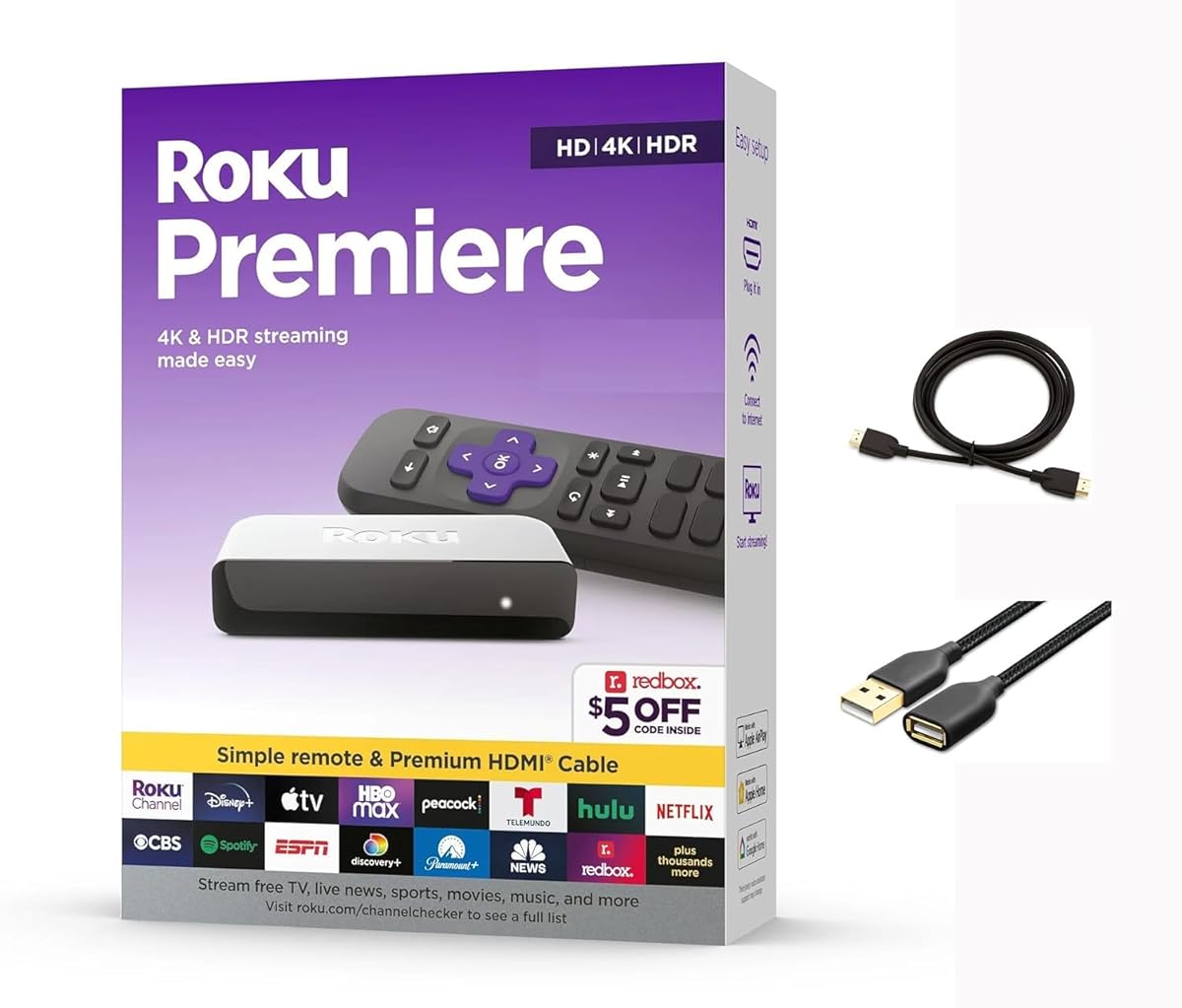
The Roku Premiere is a compact and powerful device that supports 4K HDR streaming for vivid picture quality. It includes a premium high-speed HDMI cable for easy installation.
We may earn a commission when you buy through this link, at no additional cost to you.
With AirPlay support you can easily share photos and videos from your iPhone to your TV. The mobile app allows you to control the device and use voice search.
The guided setup walks you through everything step by step. It is an excellent choice for those who want 4K without extra features.
This device is suitable for users who prefer simplicity and value picture quality. It delivers a straightforward streaming experience.
Share content from your Apple devices directly to your TV using built-in AirPlay support for convenience.
The included premium HDMI cable ensures you can connect to your TV immediately without buying extras.
We may earn a commission when you buy through this link, at no additional cost to you.
This Fire TV Stick HD provides a straightforward way to add smart features to any TV. It offers Full HD streaming with reliable performance for daily viewing.
We may earn a commission when you buy through this link, at no additional cost to you.
Voice search helps you find content quickly across your favorite apps. The compact design makes it easy to transport or hide behind a TV.
It supports Direct Power for easy setup and is powered by your TV. The interface is simple and gives access to major streaming apps.
This is a good option for secondary rooms or budget upgrades. It ensures you have a connected TV experience easily.
Use the included remote to control playback and search for content using simple voice commands.
Plug into your TV for power and reduce clutter by eliminating the need for a wall adapter.
We may earn a commission when you buy through this link, at no additional cost to you.
Selecting the right streaming device involves evaluating several factors to ensure it meets your specific viewing needs and budget.
Resolution is a primary factor in choosing a streaming device. Options range from Full HD 1080p to 4K Ultra HD. If you have a large TV with 4K capabilities investing in a device that supports Dolby Vision or HDR10+ will ensure you get the best image quality. For smaller screens or secondary rooms standard HD may suffice.
Always check your TV's capabilities before buying to match the output resolution.
A stable internet connection is critical for uninterrupted streaming. Newer devices support Wi-Fi 6 or even Wi-Fi 6E which offer faster speeds and better performance in congested networks. If your router is far from the TV look for devices with long-range receivers or Ethernet ports for wired connections.
Prioritize Wi-Fi 6 support for future-proofing and smoother 4K streaming.
Different devices run different operating systems like Roku OS Android TV or Fire OS. Each offers a unique interface and app selection. Consider which ecosystem you prefer and whether your favorite apps are well-supported. Voice assistants like Alexa or Google Assistant can also enhance usability.
Choose an OS that aligns with your existing smart home setup.
Modern remotes often include voice search and power controls for other devices. Look for remotes with backlit buttons if you plan to watch in the dark. Rechargeable batteries add convenience compared to disposable ones.
A good remote significantly improves the daily user experience.
Internal storage determines how many apps you can install. Devices with higher storage and faster processors offer smoother navigation and more gaming capabilities. Basic models may have limited space but sufficient for streaming apps.
Ensure the device has enough power to handle your most demanding apps.
High-quality audio enhances the cinematic experience. Look for devices that support Dolby Atmos or DTS:X if you have a soundbar or surround sound system. Basic models usually support standard stereo output.
Audio capabilities should match your home theater setup.
Streaming devices range from budget-friendly sticks to premium boxes. Determine your budget and prioritize features that matter most such as resolution or smart home control. Often the best value lies in mid-range options.
Assess your needs to find the best balance between cost and features.
Consider how well the device works with your other gadgets. For example Apple users might prefer AirPlay support while Android users may want Google Cast. Smart home integration can also streamline control of lights and thermostats.
Integration with your existing devices simplifies daily use.
To set up your device plug it into an available HDMI port on your TV. Connect the power source using the provided USB cable and plug it into a wall outlet or your TV. Switch your TV input to the corresponding HDMI channel to see the setup screen.
Follow the on-screen instructions to connect to your Wi-Fi network. Sign in to your preferred streaming apps using your existing accounts. Download any necessary updates to ensure the software is current for optimal performance.
Regularly restart your device every few weeks to clear cache and improve speed. Keep the device in a well-ventilated area to prevent overheating. Avoid exposing it to direct sunlight or moisture to maintain its lifespan.
Most streaming devices work out of the box without a subscription but accessing premium content like movies or live sports usually requires paid app subscriptions. However many devices offer free ad-supported channels that require no payment.
Yes as long as your TV has an HDMI port you can connect a streaming device. If your TV lacks HDMI you may need an adapter to convert HDMI to composite or VGA for older models.
Devices like the Fire TV Stick 4K Max or Roku Ultra offer better performance for cloud gaming. Look for models with faster processors and Wi-Fi 6 to reduce latency during play.
Not all models support 4K. Budget options like the Fire TV Stick HD typically offer 1080p resolution. To enjoy 4K you must select a model explicitly labeled as 4K or 4K Max.
Improve performance by ensuring your Wi-Fi signal is strong or using an Ethernet cable. Restarting your device clears memory and updates the software. Keeping apps updated also prevents crashes and lag.
Yes many devices offer live TV services like Pluto TV or subscription services such as YouTube TV. These apps provide access to live news and sports without traditional cable subscriptions.
Sticks are compact and plug directly into HDMI ports while boxes offer more ports and better cooling. Sticks are ideal for portability whereas boxes may support Ethernet and external storage.
Most devices update automatically to ensure security and performance. You should check for updates manually every month or whenever you notice performance issues.
Choosing the right HDMI streaming device depends on your priorities for resolution connectivity and ecosystem. The Roku Ultra leads in premium performance while the Fire TV Stick HD offers excellent budget value for casual viewers.
When deciding consider how often you use streaming apps and whether you need advanced features like private listening or cloud gaming. Matching the device specs to your TV and network setup ensures the best experience.
Remember that availability and deals can change frequently so check the current prices before buying. We hope this guide helps you find the perfect streaming solution for your home.