This guide compares the top HDMI Lightning Adapter for iPhone models for reliable 1080p mirroring on TVs and projectors without lag or connection issues.
As an Amazon Associate we earn from qualifying purchases. We may earn a commission when you buy through links on this page, at no additional cost to you. Read our affiliate disclosure.As an Amazon Associate we earn from qualifying purchases.Purchases through our links may earn us a commission, at no extra cost to you. Read our affiliate disclosure.
Finding the right HDMI Lightning Adapter for iPhone can transform how you share content on larger screens. Whether for presentations or entertainment, a reliable adapter ensures smooth video and audio sync without frustrating dropouts.
We evaluated ten popular models based on compatibility, build quality, and performance. Each option supports common apps and offers different features like charging ports or OTG support to suit various user needs effectively.
Every pick highlights key strengths and potential limitations to help you choose wisely. Keep in mind that availability and pricing fluctuate regularly, so verify current details before making your final purchasing decision online.
Top 3 Picks for Best HDMI Lightning Adapter for iPhone
Best Budget
Lightning to HDMI Adapter for iPhone to TV, 1080P 4K@60Hz Video & Audio Sync Screen Converter Digital AV Adapter with Charging Port for iPhone 14 13 12 11 X 8 7 on HDTV/Projector/Monitor
Top 10 Best HDMI Lightning Adapter for iPhone in 2026 Compared
This side by side comparison outlines key specifications and unique features across all ten selected adapters to help you identify the best match for your specific device and usage scenario.
ProductsSpecificationsEditor scorePrice
1
Best Budget
Lightning to HDMI Adapter for iPhone, [Apple MFi Certified] Digital AV Dongle
KikoSaka Lightning to HDMI Cable for iPhone TV Adapter Apple MFi Certified
1080p HD Resolution
MFi Certified Chip
Supports All iOS
Compact Portable Design
The KikoSaka Lightning to HDMI Cable stands out as a top contender for iPhone users needing reliable screen mirroring. With an impressive 4.3 rating, it delivers consistent performance for presentations and media playback without frustrating interruptions.
Pros
Stable connection
Compact size
Supports latest iOS
Easy setup
Reliable brand
Cons
No charging port
Short cable included
We may earn a commission when you buy through this link, at no additional cost to you.
Its MFi certification ensures compatibility across various iPhone and iPad models, from older generations to the latest releases. The adapter supports 1080p HD output, making it ideal for high quality visuals on TVs and projectors.
While it lacks a built-in charging port which some users might prefer, its compact design makes it highly portable for travel. The plug and play functionality eliminates the need for extra apps or complex settings adjustments.
This adapter is perfect for professionals or families who want a straightforward solution for connecting their Lightning devices to big screens. We recommend it for its balance of reliability and ease of use in daily scenarios.
Seamless Screen Mirroring
Experience uninterrupted video playback with crystal clear 1080p resolution that brings your iPhone content to life on any HDMI enabled display.
Travel Friendly Portability
The lightweight and compact build ensures this adapter fits easily into any bag or pocket for on the go presentations and entertainment.
Lightning to HDMI Adapter for iPhone to TV, 1080P 4K@60Hz Video & Audio Sync Screen Converter Digital AV Adapter with Charging Port
1080p HD Support
Integrated Charging Port
iOS 17 Compatible
Pocket Sized Design
This adapter offers exceptional value for budget conscious buyers seeking reliable screen mirroring capabilities. With a solid 4.4 rating, it supports essential functions like video playback and app presentations without sacrificing performance quality.
Pros
Affordable price
Built-in charging
Latest iOS support
Durable build
Easy to use
Cons
Requires external power
Limited app support
We may earn a commission when you buy through this link, at no additional cost to you.
The inclusion of a charging port allows you to keep your iPhone powered up during extended use, which is a significant advantage for long meetings or movie nights. It supports iOS 17 ensuring future proof compatibility.
While it requires an external power source to function optimally, this design choice helps maintain stable signal transmission without overheating. The compact size makes it easy to carry in your daily tech kit.
Ideal for students and casual users, this adapter delivers all the core features you need at a competitive price point. Its straightforward setup process ensures you spend more time enjoying content rather than troubleshooting connections.
Power While You Play
Never run out of battery during critical moments with the dedicated charging port that keeps your device powered up while mirroring content.
Future Ready Compatibility
Rest assured your adapter works seamlessly with the latest iOS updates protecting your investment against compatibility issues for years to come.
Apple's official Lightning to Digital AV Adapter remains the gold standard for users prioritizing guaranteed quality and seamless integration. Its 4.2 rating reflects consistent performance for mirroring iPhone content on large displays without issues.
Pros
Official Apple quality
Guaranteed compatibility
Simple setup
Durable build
Audio passthrough
Cons
Higher price
Requires extra cable
We may earn a commission when you buy through this link, at no additional cost to you.
As an Apple certified product, it offers unmatched reliability across all Lightning compatible devices. The adapter supports up to 1080p HD resolution ensuring sharp visuals for both work presentations and home entertainment needs.
The main trade-off is its higher price compared to third-party options and the requirement to purchase a separate HDMI cable. However, this ensures you receive a product that meets strict quality standards for safety and performance.
This adapter is best suited for professionals or enterprises needing certified equipment for presentations. If you want peace of mind and consistent results without worrying about compatibility issues, this is the top choice.
Certified Reliability
Trust in Apple's rigorous quality testing to ensure your adapter works flawlessly with all iOS devices without unexpected connection drops.
Crystal Clear Audio Video
Experience synchronized audio and video output that enhances your viewing experience with vibrant colors and clear sound quality.
Lightning to HDMI Adapter for iPhone, [Apple MFi Certified] Digital AV Dongle
MFi Certified
1080p Sync
Lightning Charging Port
No External Power
This MFi certified adapter provides a robust solution for mirroring iPhone and iPad content on various displays. With a 4.2 rating, it handles everyday tasks like presentations and local video playback smoothly without requiring extra power sources.
Pros
Supports most apps
Lightning charging port
Portable design
Easy plug play
Multiple device support
Cons
Not HDCP protected
Limited video apps
We may earn a commission when you buy through this link, at no additional cost to you.
The built-in lightning charging port allows you to keep your device powered during extended use sessions. Its compact design makes it convenient for travel while supporting a wide range of iOS devices from older to newer models.
Keep in mind that due to copyright restrictions it does not support certain streaming services like Netflix or Amazon Video. However it works well with other platforms like YouTube and local video files saved on your device.
Ideal for casual users who need an affordable yet reliable adapter for general purposes. Its user-friendly setup and compatibility with common apps make it a practical choice for home or business use.
Charging While Mirroring
Maintain battery levels during presentations by utilizing the built-in lightning port that allows simultaneous charging and video output.
Broad iOS Compatibility
Works seamlessly with multiple iPhone and iPad models ensuring you get consistent performance across your entire Apple device lineup.
Apple MFi Certified Lightning to HDMI Digital AV Adapter
MFi Certified Chip
1080p HD Output
Included Charging Port
Widely Compatible
This MFi certified adapter offers a reliable way to connect iPhone devices to larger displays with a convenient charging port. Its 4.1 rating indicates consistent performance for users who need to present or watch media on TVs.
Pros
Stable signal output
Includes charging feature
Wide device support
Compact build
Easy to carry
Cons
Limited video app support
Requires HDMI cable
We may earn a commission when you buy through this link, at no additional cost to you.
Designed to support a broad range of iPhone models from 6 through 14 and various iPads it ensures versatility for different users. The charging port helps extend battery life during longer sessions without unplugging.
While it does not support copyright protected apps like Netflix it works well for YouTube local videos and presentations. This limitation is standard across most adapters due to industry regulations on content protection.
If you need a dependable adapter for general use that keeps your phone charged you will find this option practical. Its simple plug and play nature means less time setting up and more time sharing content.
Extended Use Capability
Keep your device powered throughout long meetings or movie sessions with the convenient integrated charging port feature.
Universal Device Support
Compatible with multiple iPhone generations ensuring you get reliable performance regardless of which model you currently own.
Apple MFi Certified Apple Lightning to HDMI Cable Adapter for iPhone to TV
MFi Certified
1080p HD Display
6.6ft Cable Length
Plug Play Play
This adapter stands out for its included 6.6ft cable which offers greater flexibility for positioning your device away from the TV. With a 4.3 rating it delivers high quality video mirroring suitable for both casual viewing and professional presentations.
Pros
Long cable included
High definition output
Stable connection
Wide compatibility
Easy setup
Cons
No charging port
Bulkier design
We may earn a commission when you buy through this link, at no additional cost to you.
The built-in MFi certified chip ensures a stable connection reducing the risk of flickers or dropouts during use. It supports a wide range of iPhone and iPad models making it versatile for households with multiple devices.
While it lacks a built-in charging port the long cable helps reduce clutter and allows you to place your phone out of view while presenting. It is perfect for users who prioritize cable length over power features.
Ideal for home theater setups or classroom environments where device placement matters. If you need to connect from a distance without additional accessories this model offers a convenient all-in-one solution.
Flexible Cable Reach
Enjoy greater freedom in placing your iPhone away from the TV with the included extended length cable.
Crystal Clear Output
Get sharp and vibrant visuals up to 1080p resolution for a premium viewing experience on any large screen.
Another listing for the Apple official adapter reinforces its status as a trusted choice for quality seekers. With consistent 4.2 ratings this device mirrors your iPhone content reliably without compatibility issues across iOS versions.
Pros
Genuine Apple quality
Reliable performance
Easy to connect
Supports all apps
Durable materials
Cons
Expensive
No charging feature
We may earn a commission when you buy through this link, at no additional cost to you.
It supports all major apps for video and presentation needs while maintaining audio sync seamlessly. The robust build quality ensures longevity making it worth the investment for frequent users or business settings.
Keep in mind it requires a separate HDMI cable purchase and lacks a pass-through charging option. These factors might add to the total cost and setup effort compared to all-in-one third party solutions.
For those who prefer working with official accessories this adapter offers peace of mind. It is an excellent pick for anyone prioritizing guaranteed compatibility over budget considerations or extra features.
Guaranteed Compatibility
Eliminate setup guesswork with an official accessory designed specifically for seamless integration with your iPhone and iPad.
Professional Grade Build
Experience a sturdy and durable construction that withstands frequent use in business or educational environments.
lulaven Lightning to HDMI Adapter Cable for iPhone/iPad to TV MFi Certified
MFi Certified
1080p HD
Zero Lag
Hotel Friendly
With over two thousand verified ratings this lulaven adapter proves popular among users seeking reliable screen mirroring. Its 4.3 rating reflects satisfaction with its zero lag performance which is crucial for gaming and presentations.
Pros
High user reviews
Zero lag performance
Hotel ready
Easy to use
Supports games
Cons
Limited streaming apps
No extra ports
We may earn a commission when you buy through this link, at no additional cost to you.
Designed with travel and hotel use in mind it connects easily without needing extra network setup. It supports all major apps except those with HDCP restrictions making it versatile for YouTube and local content.
While it lacks extra ports like USB the simple design ensures focus on core functionality. The compact form factor allows easy storage in a laptop bag for daily commuting or business trips.
Ideal for gamers or business travelers who need consistent performance. If you value reliability and proven track record this adapter is a strong contender in the budget friendly segment.
Zero Lag Gaming
Experience smooth gameplay on a big screen without input delays making it perfect for mobile gaming enthusiasts.
Hotel Room Ready
Connect to hotel TVs instantly without needing to log into public Wi-Fi networks or deal with complex settings.
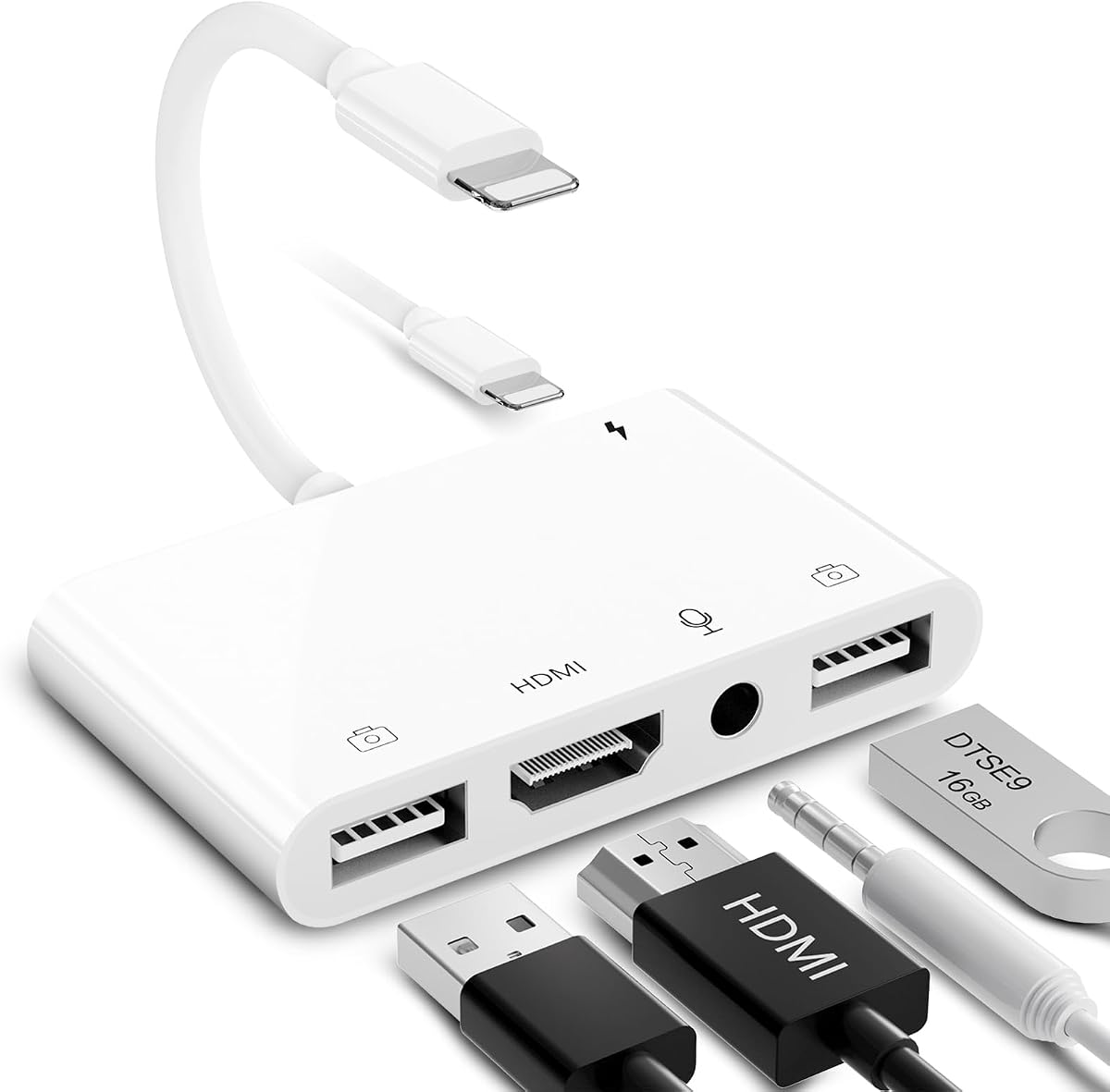
Lightning to HDMI Adapter for iPhone/iPad to TV Dual USB OTG Adapter
Dual USB Ports
HDMI Output
3.5mm Audio
OTG Support
This multiport adapter expands your iPhone connectivity options beyond just video with dual USB slots and a headphone jack. Its 4.3 rating suggests users appreciate the added flexibility for data transfer and audio streaming.
Pros
Multiple USB ports
Headphone jack
OTG capability
Mirroring support
Versatile design
Cons
Bulky size
Requires power
We may earn a commission when you buy through this link, at no additional cost to you.
You can connect keyboards mice or flash drives directly while mirroring to TV for enhanced productivity. The headphone port supports high quality audio making it useful for live streaming or gaming needs.
The device does require power for HDMI functionality and is bulkier than basic adapters. This trade-off offers significant utility for professionals needing to connect multiple peripherals during presentations or workflows.
Perfect for power users who need more than just video output. If you want to connect external devices directly to your iPhone this adapter provides unmatched versatility in a single package.
Peripheral Connectivity
Attach keyboards and mouse devices for enhanced productivity while presenting content on a larger display screen.
Live Streaming Ready
Use the headphone jack to monitor audio while streaming directly from your iPhone to an external display device.
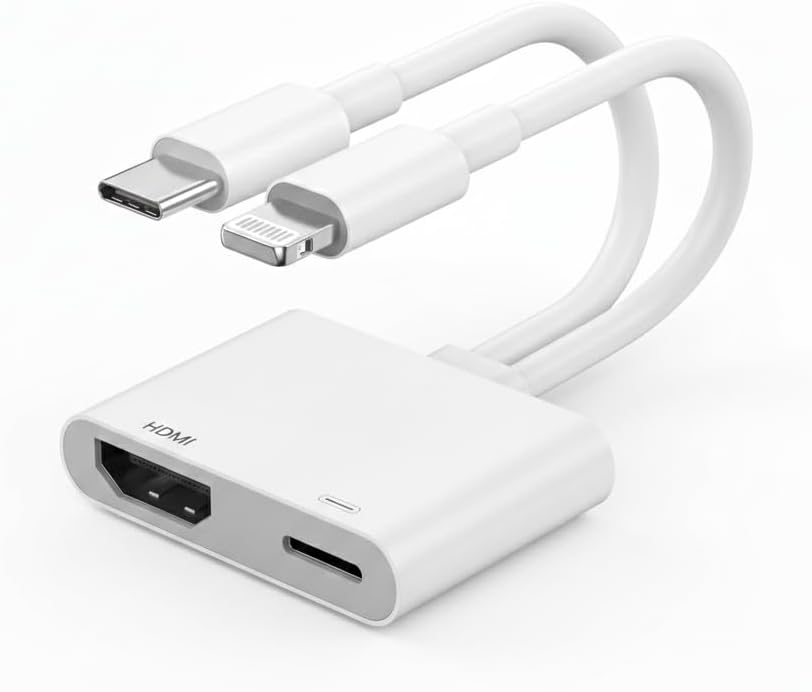
[MFi Certified] USB-C and Lightning to HDMI Adapter, 4K@60Hz Sync Screen Apple to Digital AV Adapter
Lightning USB-C
4K Output
100W Charging
Dual Compatibility
This versatile adapter supports both Lightning and USB-C devices allowing users to connect iPhones and MacBooks seamlessly. With a high 4.6 rating it stands out for its ability to output 4K resolution on compatible screens.
Pros
USB-C support
4K resolution
100W charging
Highly rated
Dual device support
Cons
Limited Lightning app support
Complex for some
We may earn a commission when you buy through this link, at no additional cost to you.
The 100W charging port ensures fast pass-through charging for your devices during long sessions. It handles standard video apps well though Lightning devices still face some HDCP restrictions for streaming services.
While the USB-C mode supports more apps the Lightning side follows standard limitations. This hybrid design makes it a future proof choice for households transitioning between different connection standards.
Ideal for users with mixed device ecosystems who need a single adapter for all. If you want high resolution output and charging in one compact package this model offers the most features available.
Universal Device Support
Connect both Lightning and USB-C devices with one adapter simplifying your tech setup for future device upgrades.
High Resolution Output
Enjoy stunning 4K clarity on compatible displays for the best possible viewing experience from your media files.
We may earn a commission when you buy through this link, at no additional cost to you.
Buying Guide – How to Choose the Best HDMI Lightning Adapter for iPhone
Choosing the right adapter involves considering compatibility features and price to match your specific use case.
Certification Status
Always look for MFi certification to ensure the adapter works safely with your iPhone without damaging ports. Non-certified adapters may cause connection issues or hardware wear over time.
MFi certified adapters guarantee stability and reduce risks of hardware damage.
Resolution Support
Most adapters support 1080p HD which is sufficient for most TVs and projectors. Some premium models support higher resolutions like 4K for detailed visuals on large screens.
Check if the adapter supports your display's native resolution for optimal image quality.
Charging Capabilities
Adapters with pass-through charging ports allow you to power your device while mirroring content. This is essential for long presentations or watching movies to avoid battery drain.
Prioritize models with charging ports if you need extended usage without interruptions.
App Compatibility
Understand that copyright protected apps like Netflix do not work due to HDCP restrictions. Most adapters support YouTube and local media though but streaming services may be limited.
Confirm the adapter supports your primary apps before purchasing to avoid disappointment.
Build Quality
Durable materials and sturdy connectors ensure longevity especially if you plan to travel with the adapter. Cheap plastic models may break easily when plugged and unplugged frequently.
Choose adapters with reinforced connectors for better durability during regular use.
Price vs Features
Third-party adapters are often cheaper than Apple official ones but may lack some build quality. Consider what features you need like OTG ports or cable length before spending.
Balance your budget with necessary features to find the best value option.
Portability
Compact adapters are easier to carry in bags or pockets for on-the-go use. Bulkier models with multiple ports may be too large for casual travel.
Select a size that fits your lifestyle whether daily commuting or business trips.
Cable Length
Some adapters come with built-in cables while others require separate purchases. A longer cable offers more flexibility in positioning your device away from the screen.
Check included accessories to avoid extra costs and ensure proper connection reach.
How to Use and Care for Your HDMI Lightning Adapter for iPhone
To set up your adapter simply plug the Lightning end into your iPhone and connect an HDMI cable from the adapter to your TV. Then wait for the Trust prompt on your device to allow the connection.
Ensure your iPhone is updated to the latest iOS version to avoid compatibility issues with the adapter. If you experience black screens try restarting your device or checking the HDMI cable connection.
Keep the adapter clean by wiping it with a dry cloth to prevent dust from clogging the Lightning port. Store it in a protective case when not in use to avoid bending or breaking the connector pins.
Frequently Asked Questions
Does this adapter support Netflix or Amazon Video?
Most adapters including Apple's do not support apps with HDCP protection like Netflix or Amazon Video due to copyright restrictions. However you can still stream content from YouTube and play local video files saved on your device.
Do I need to buy a separate HDMI cable?
Unless specified otherwise most adapters do not include an HDMI cable. You will need to purchase a compatible HDMI cable separately to connect the adapter to your TV or projector for display output.
Can I charge my iPhone while using the adapter?
Many adapters have a Lightning charging port allowing you to keep your device powered during use. If your model lacks this feature you may drain your battery faster during long presentations or video sessions.
Is MFi certification important for these adapters?
MFi certification ensures the adapter meets Apple's standards for safety and compatibility. Using non-certified adapters can lead to connection issues or potential damage to your device's charging port over time.
What resolution do these adapters support?
Most adapters support up to 1080p HD which works well with standard TVs and projectors. Some newer models offer 4K support for higher resolution displays but check specs before buying to confirm compatibility.
Why does my screen go black when using the adapter?
This often happens due to HDCP restrictions or iOS updates affecting compatibility. Try restarting your iPhone or contacting customer support for firmware guidance if the issue persists with legitimate apps.
Are these adapters compatible with iPad models?
Yes most Lightning adapters work with iPads that use a Lightning connector. They mirror the iPad screen to external displays supporting apps like Keynote and Safari for presentations or browsing.
Final Thoughts on Choosing the Best HDMI Lightning Adapter for iPhone
This guide highlighted ten reliable adapters ranging from budget-friendly to premium options. Each model offers unique benefits whether you need charging features or high resolution output for your specific use case.
Prioritize MFi certification and charging capabilities if you plan to use the adapter for extended periods. Consider your budget and how often you will carry it before selecting the best fit.
Prices and availability may change so always check current listings before purchasing. Ensure you have all necessary cables and accessories to avoid delays when setting up your new adapter.
This guide compares the best desoldering wick options for electronics repair. We review top picks based on copper quality, width variety, flux content, and
Discover the top 10 face tracking selfie sticks that follow you for vlogging. Compare AI features, stability, lighting, and controls in our October 2026…