
OREI HDMI Audio Extractor ARC
4.4Editor score
4K@60Hz with HDR pass-through
Downmixes 5.1 to stereo
CEC pass-through enabled
Compare the top HDMI Audio Extractor models for 2026. We analyze audio quality, resolution support, ARC compatibility, and value to find the perfect device for
Finding the right HDMI Audio Extractor is essential for modern home theater setups. These devices let you separate audio from video signals, connecting to soundbars or receivers when your TV lacks the necessary outputs. Quality extractors ensure crisp sound without compromising video fidelity.
We evaluated ten top-rated models based on performance, compatibility, and features. Our analysis covers 4K and 8K support, ARC and eARC capabilities, and audio format handling. Each product was reviewed for its ability to integrate seamlessly with various gaming consoles, streaming devices, and PCs.
Each pick highlights unique strengths, whether it is budget-friendly performance or premium eARC support. While ratings reflect current user feedback, pricing and availability fluctuate regularly. Check the latest details before purchasing to ensure you get the best value for your specific audio needs.
4.4Editor score

4.2Editor score

4.1Editor score
This side-by-side comparison highlights the key technical specifications and capabilities across all ten selected HDMI Audio Extractors. Use this table to quickly identify which model supports your specific resolution needs and audio output requirements.






This OREI extractor ranks as our top choice for users needing future-proof audio separation. It supports 8K video pass-through and HDMI 2.1 protocols, ensuring compatibility with next-gen consoles and media players. The ARC support allows it to work with TV audio return channels effectively.
We may earn a commission when you buy through this link, at no additional cost to you.
Its high bandwidth capacity ensures that video signals remain intact while audio is diverted to external systems. The HDMI 2.1 compliance is crucial for gamers who need low latency and high refresh rates. The metal enclosure helps dissipate heat efficiently during prolonged use.
A notable trade-off is the lack of eARC support, which limits bandwidth for advanced audio formats like Dolby Atmos in some setups. Additionally, the price is higher than standard extractors. However, the performance and durability justify the cost for serious home theater enthusiasts.
Choose this model if you need an extractor that handles the latest video standards and ARC features. It is ideal for connecting PCs, consoles, or streaming boxes to high-end audio systems without losing video quality. The included international power supply adds significant value for diverse locations.
With 8K and 4K@120Hz support, this extractor ensures your setup is ready for the next generation of displays and content.
ARC compatibility allows you to pull audio directly from your TV's return channel, simplifying cable management.
We may earn a commission when you buy through this link, at no additional cost to you.
This OREI model stands out for its premium feature set including ARC and advanced downmixing capabilities. It handles 4K@60Hz video seamlessly, making it perfect for modern streaming devices and game consoles. The downmix feature ensures that multichannel audio can be converted to stereo for analog outputs easily.
We may earn a commission when you buy through this link, at no additional cost to you.
The inclusion of CEC pass-through allows for better control integration between your TV and source devices. HDR pass-through support means you won't lose visual quality while separating audio. The metal housing provides durability, and the included power adapter ensures stable operation even with high bandwidth signals.
Users should note that while the volume control is not available via TV remote on the optical outputs, the audio quality remains excellent. The price reflects these premium capabilities, which may be steep for casual users. However, for those seeking high fidelity and compatibility, it is a strong choice.
This device is best for users with high-end TVs who need reliable ARC extraction. It connects well with soundbars or receivers that accept optical or analog inputs. The ability to downmix formats like Dolby Digital and DTS makes it versatile for older speaker systems.
The built-in downmix capability converts 5.1 surround sound to stereo PCM, allowing analog systems to receive usable audio signals.
Support for HDR10, Dolby Vision, and wide color gamuts ensures that the video output remains vibrant and true to source.
We may earn a commission when you buy through this link, at no additional cost to you.
The VPFET extractor is an excellent entry-level option for basic audio separation needs. It supports 4K video resolution and provides both optical and 3.5mm audio outputs for versatility. The design focuses on simplicity, making it easy to integrate into existing setups without complex configurations.
We may earn a commission when you buy through this link, at no additional cost to you.
Its low energy consumption allows it to be powered via a USB port, reducing the need for extra wall adapters. The support for DTS 5.1 via optical output ensures decent surround sound capabilities for compatible receivers. The passive pass mode helps resolve issues when signal conflicts occur.
While it lacks ARC and eARC support, which limits its use with TV audio return channels, it excels with external sources like consoles or PCs. The 4K@30Hz limit means it may not suit high refresh rate gaming setups. However, for general media watching, it performs admirably.
Buy this model if you need a cost-effective solution for older TVs or devices that lack audio outputs. It is ideal for connecting DVD players, consoles, or set-top boxes to external speakers. The included support and warranty service add confidence to the purchase.
Users can choose between optical digital or 3.5mm analog outputs, offering flexibility for different audio equipment types.
If audio or video signals fail, switching to pass mode ensures both signals are transmitted through, maintaining display functionality.
We may earn a commission when you buy through this link, at no additional cost to you.
This OREI converter delivers solid performance for users needing high resolution without the complexity of ARC. It supports 4K@60Hz video pass-through, which is suitable for most gaming and media setups. The broad audio format support ensures that most surround sound signals can be extracted reliably.
We may earn a commission when you buy through this link, at no additional cost to you.
The metal housing design offers better heat dissipation and durability compared to plastic alternatives. It works seamlessly with consoles like PS5 and Xbox, as well as streaming devices. The inclusion of HDCP 2.2 compliance ensures compatibility with protected content from services like Netflix.
The absence of ARC support means it cannot be used to extract audio directly from a TV's return channel. Additionally, specific high refresh rate modes are not supported. However, for standard 4K media and gaming, it provides reliable performance at a reasonable price point.
This model is recommended for users who need a straightforward converter for external sources. It is particularly useful for those with older receivers that require specific audio formats like LPCM. The compact design allows it to fit easily into any entertainment center.
Supporting 4K@60Hz ensures that users get the most out of their displays without video degradation during audio extraction.
Support for LPCM, Dolby Digital, and DTS ensures that most source devices will output compatible audio to the extractor.
We may earn a commission when you buy through this link, at no additional cost to you.
This eSynic extractor is tailored for users needing to connect TV ARC/eARC ports to analog systems. It supports a high sampling rate of 192kHz, which ensures high-fidelity audio reproduction. The device focuses specifically on TV audio return, making it a specialized tool for upgrading TV sound.
We may earn a commission when you buy through this link, at no additional cost to you.
The audio signal indicators provide visual feedback on the status, helping users troubleshoot connection issues quickly. It is designed to work seamlessly with HDMI ARC cables, ensuring stable transmission from the TV. The USB power requirement keeps setup simple without bulky adapters.
A key limitation is that it only supports PCM audio, which means digital formats like Dolby Digital are downmixed internally. This restricts its use with optical inputs if surround sound is required. However, for stereo systems, the quality is excellent and the price is reasonable.
Buy this if you want to use your TV's built-in apps with an external amplifier. It is perfect for connecting a soundbar or stereo receiver to a TV that lacks analog outputs. Ensure your TV supports ARC or eARC before purchasing to guarantee functionality.
The 192kHz support ensures that high-quality audio streams are preserved, reducing compression artifacts and noise.
LED indicators show the working status, making it easier to confirm that the audio signal is being extracted correctly.
We may earn a commission when you buy through this link, at no additional cost to you.
The J-Tech Digital extractor offers reliable performance for users needing audio extraction with high resolution. It supports 4K@60Hz video and high refresh rates like 1080p@120Hz, making it suitable for gaming. The support for CEC allows basic control features to pass through the device.
We may earn a commission when you buy through this link, at no additional cost to you.
It handles Dolby Digital passthrough effectively, which is great for optical audio systems. The device is designed to be plug and play, reducing the need for complex setup steps. The metal casing helps with heat dissipation, ensuring longevity even during extended gaming sessions.
Users must set their source device to PCM when using analog outputs to avoid noise. Some older devices or streaming boxes are not compatible with this extractor, which limits versatility. However, for standard setups with HDMI 2.0 sources, it performs well.
This model is recommended for gamers and home theater users who need 4K support. It is ideal for connecting consoles to receivers that accept optical or analog inputs. Always check device compatibility to avoid potential issues with specific streaming hardware.
Support for 1080p@120Hz and 144Hz ensures smooth gaming experiences without compromising on audio extraction.
CEC pass-through allows for simplified control, enabling users to manage basic device interactions easily.
We may earn a commission when you buy through this link, at no additional cost to you.
This VPFET extractor is designed specifically to extract audio from a TV's eARC or ARC port. It offers both optical and coaxial outputs, providing flexibility for various audio systems. The support for 192kHz sampling rates ensures high-quality audio transfer suitable for modern soundbars.
We may earn a commission when you buy through this link, at no additional cost to you.
The dedicated ARC/eARC status indicator helps users verify the connection mode quickly. It is built to upgrade older audio systems by allowing them to receive high-definition audio from TV apps. The compact design makes it easy to hide behind a TV or inside a cabinet.
It does not support CEC, which means you may need to control volume separately on your audio device. Since it only works with TV ARC ports, it is not useful for external sources. However, it solves the problem of TVs lacking analog or digital audio outputs.
Use this extractor if you want to connect a soundbar to a TV that lacks other audio outputs. It is perfect for users who want to enjoy streaming content through better speakers. Ensure your TV supports eARC or ARC for the device to function correctly.
With both Toslink and coaxial ports, users can choose the connection type that best matches their receiver or soundbar.
The 192kHz capability ensures that even high-quality audio streams are handled without quality loss during extraction.
We may earn a commission when you buy through this link, at no additional cost to you.
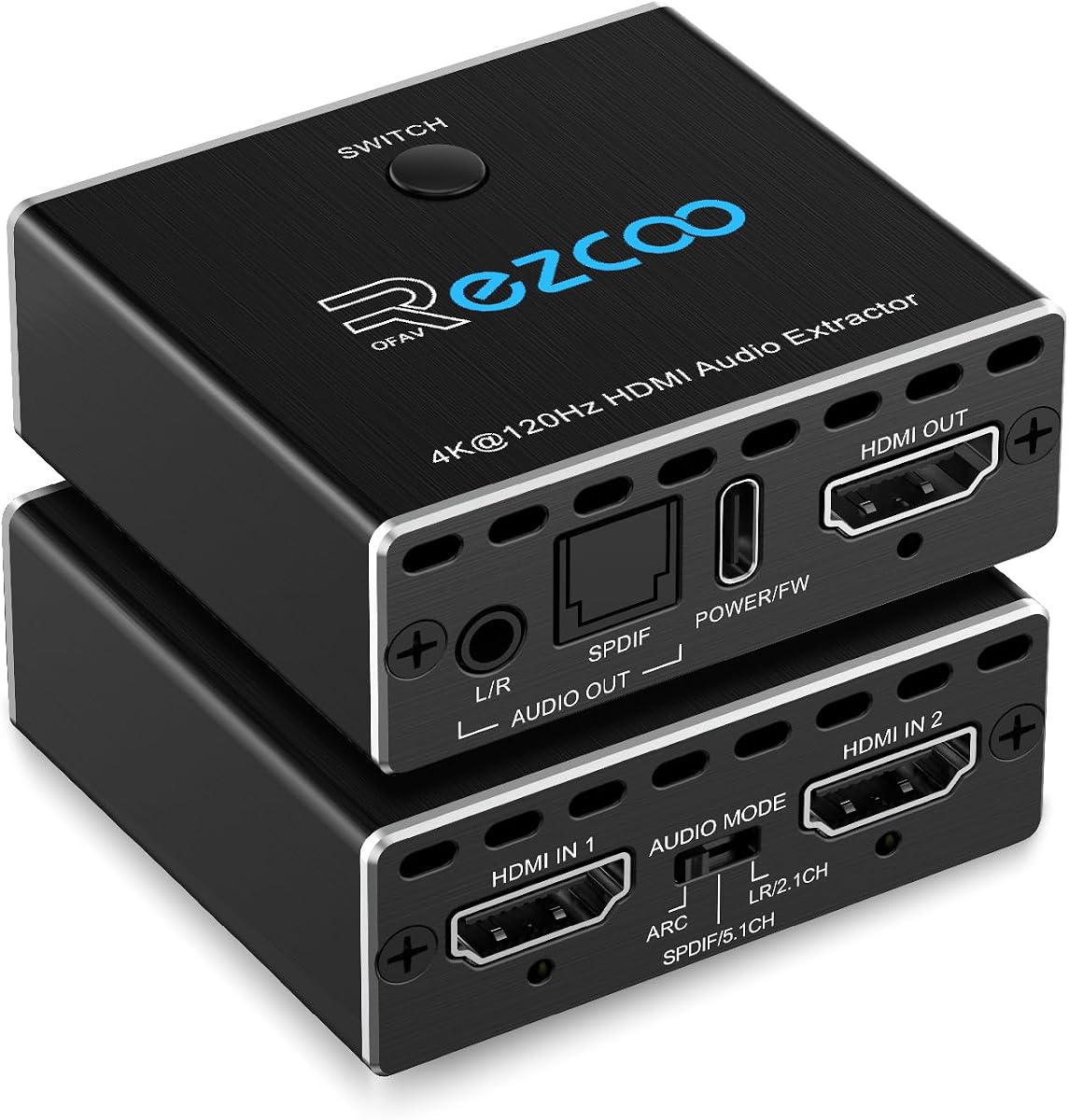
This device combines a video switch with an audio extractor, offering versatility for multiple sources. It supports 4K@120Hz video and HDMI 2.1 protocols, making it ideal for gaming. The automatic switching feature allows users to toggle between inputs without manual interaction.
We may earn a commission when you buy through this link, at no additional cost to you.
The extractor supports advanced audio formats like DTS:X and True HD via optical output. This ensures that gaming and media setups retain high fidelity while switching between consoles. The compact design helps save space while providing multiple input options.
Users should note that it does not support 1 in 2 out configurations, limiting its use for specific setups. The price is higher than single extractors, but the switching function adds value. Always use high-quality HDMI 2.1 cables to ensure stable transmission.
This extractor is perfect for gamers with multiple consoles who need a single display setup. It allows for seamless switching between devices while maintaining audio and video quality. The ability to pass high-resolution audio formats makes it a comprehensive solution.
Users can connect two sources like PS5 and Xbox, and switch between them easily without changing cables manually.
Support for DTS:X ensures that immersive audio formats are maintained for a true surround sound experience.
We may earn a commission when you buy through this link, at no additional cost to you.
This extractor offers a high-end solution for users needing both ARC and pass-through capabilities. It supports 8K@60Hz video, ensuring top-tier compatibility with modern displays. The triple operating modes allow users to select how audio is processed based on their setup.
We may earn a commission when you buy through this link, at no additional cost to you.
The Pass mode mirrors native TV audio, while R/L and SPDIF modes offer downmixing options for stereo or surround. This flexibility makes it suitable for a wide range of setups. The HDMI 2.1 support ensures low latency and high bandwidth capabilities.
Some users may find the mode selection process slightly complex at first. Additionally, it requires a Type-C power cable, which must be connected for proper operation. However, the feature set and build quality are impressive for the price range.
Use this model if you need a versatile extractor that handles both external sources and TV ARC. It is ideal for users with high-end systems who want to manage audio routing precisely. Ensure your setup supports 8K or 4K@120Hz to maximize performance.
Users can switch between Pass, R/L, and SPDIF modes to optimize audio for different receivers and speakers.
Support for HDR10+ and Dolby Vision ensures that the video quality remains stunning during audio extraction.
We may earn a commission when you buy through this link, at no additional cost to you.
This splitter offers a compact solution for basic audio extraction needs. It supports 4Kx2K@30Hz and 3D video, making it suitable for many standard setups. The USB-powered design reduces cable clutter and makes it easy to power from a source device.
We may earn a commission when you buy through this link, at no additional cost to you.
It is designed for use with consoles and media players, allowing audio to be sent to external speakers. The lightweight design makes it portable and easy to move between setups. It provides a reliable way to add audio to displays that lack speakers.
It does not support ARC, limiting its use with TV audio return channels. The 4K@30Hz limit means it may not suit high refresh rate needs. However, for casual viewing and standard gaming, it performs well without breaking the bank.
This is a great choice for users needing a simple, inexpensive solution. It works well with devices like Switch, Xbox, and PCs to output audio. Always use the included USB cable for stable power if your HDMI port cannot supply enough current.
Support for 3D imaging allows users with compatible TVs to enjoy immersive visuals while separating audio.
The small form factor makes it easy to carry between devices or hide behind entertainment units.
We may earn a commission when you buy through this link, at no additional cost to you.
Choosing the right HDMI Audio Extractor requires careful consideration of several technical factors. This guide breaks down the essential specifications to ensure you select a model that fits your system perfectly.
The extractor must support at least the same resolution and refresh rate as your source and display. Look for devices that support 4K@60Hz or higher if you have next-gen consoles. Ensure the HDMI 2.0 or 2.1 protocols match your setup to avoid bottlenecks.
Always match the resolution capability of the extractor to your display. Using a device that does not support the source resolution may result in black screens or lower quality output.
Determine whether you need optical (Toslink) or analog (3.5mm/L/R) outputs based on your equipment. Some extractors support both, offering flexibility. Optical is better for surround sound systems, while analog is suitable for older speakers or headphones.
Check your speaker or receiver inputs before buying. A mismatch in output type will require additional adapters that may degrade quality or cause compatibility issues.
If you need to extract audio from your TV, ensure the extractor supports ARC or eARC. Standard HDMI inputs often cannot handle TV signals. eARC provides higher bandwidth for lossless audio formats like Dolby Atmos.
Confirm your TV has an ARC/eARC port. If you are only using external sources, this feature may be less critical than resolution support.
Some extractors can downmix formats like Dolby Digital into stereo PCM for analog outputs. Others require PCM input to function correctly. Check if the device supports 5.1 surround sound pass-through if you have a compatible receiver.
Verify whether your audio system requires specific formats. If you use analog outputs, PCM support is essential to avoid static noise.
Most extractors require external power. Some work via USB, while others use AC adapters. Ensure you have a convenient power source near your setup to avoid messy cabling.
If you rely on USB power, ensure your source device provides enough wattage. Using a wall adapter may be necessary for stability.
Metal enclosures offer better heat dissipation and durability compared to plastic. Look for devices with good ventilation if you plan to run them for extended periods.
A solid build ensures the device lasts longer and handles heat better during high-bandwidth video transmission.
Choose reputable brands that offer technical support and warranties. HDMI standards evolve, so good customer service can help with firmware updates or compatibility issues.
A warranty provides peace of mind against defects. Look for brands with active support teams for long-term reliability.
Connect the HDMI cable from your source device to the input port on the extractor. Ensure the source is powered on before plugging in the extractor. Connect the HDMI output from the extractor to your display using a high-quality cable.
Plug your audio equipment into the appropriate output port (optical or analog). If using optical, secure the cable firmly. For analog, use shielded cables to reduce interference. Configure your source device audio settings to PCM if using analog outputs.
Power the extractor using the provided USB or AC adapter. Allow a moment for the device to initialize. Adjust volume on your audio device. Clean the unit with a dry cloth periodically to maintain heat dissipation.
You do not need one for basic TV viewing. However, if you want to connect external speakers, soundbars, or receivers for better sound quality, an extractor is essential. It routes the audio from the TV to your external system, bypassing the built-in speakers.
Check that your source device is set to output PCM if using analog ports. Ensure the extractor is powered. If using ARC, verify your TV has ARC enabled. Cables should be connected securely. A device restart often resolves initial handshake issues.
Most extractors only split audio from one source to one display. If you need to send video to multiple screens, you will need a HDMI splitter. Extractors are designed to separate audio and video for a single display path.
Yes. eARC supports higher bandwidth and lossless audio formats like Dolby Atmos. Standard ARC is limited to compressed surround sound. Choose an eARC extractor if your TV and sound system support it for the best audio experience.
Many modern extractors do support 3D video pass-through. Always check the specifications to confirm. This feature ensures that you can enjoy 3D content on your display while still extracting audio for external systems.
Audio sync issues often occur due to processing delays. Try different HDMI cables. Check if your audio device has a sync adjustment setting. Some extractors have built-in delay controls. Ensure all devices have the latest firmware updates.
The ten models reviewed offer a wide range of options for different home theater setups. Whether you need basic audio separation or advanced eARC support, there is a model that fits your needs.
Prioritize video resolution and audio output compatibility when making your choice. If you need high bandwidth, look for HDMI 2.1 or eARC capable devices to ensure future-proofing.
Always check current pricing and availability before purchasing. Specifications can vary slightly, so reading recent reviews helps ensure you select the best device for your current audio needs.