
Ethernet Adapter for Fire TV Stick
4.7Editor score
10/100 Mbps speeds
Aluminum alloy casing
Plug-and-play setup
This comprehensive guide compares the top 10 Fire TV Stick Ethernet Adapter models to help you find the best wired connection for your streaming needs.
Streaming devices often struggle with unstable wireless connections. A reliable Fire TV Stick Ethernet Adapter solves this by providing a stable wired link to your home network for smooth playback.
We evaluated ten top-rated adapters based on compatibility, build quality, and speed. This list covers options for micro-USB and USB-C ports to ensure you find the right fit.
Each pick highlights key features, pros, and cons to simplify your decision. Prices fluctuate frequently, so verify current costs before finalizing your purchase to ensure you get the best deal.
4.7Editor score

4.5Editor score
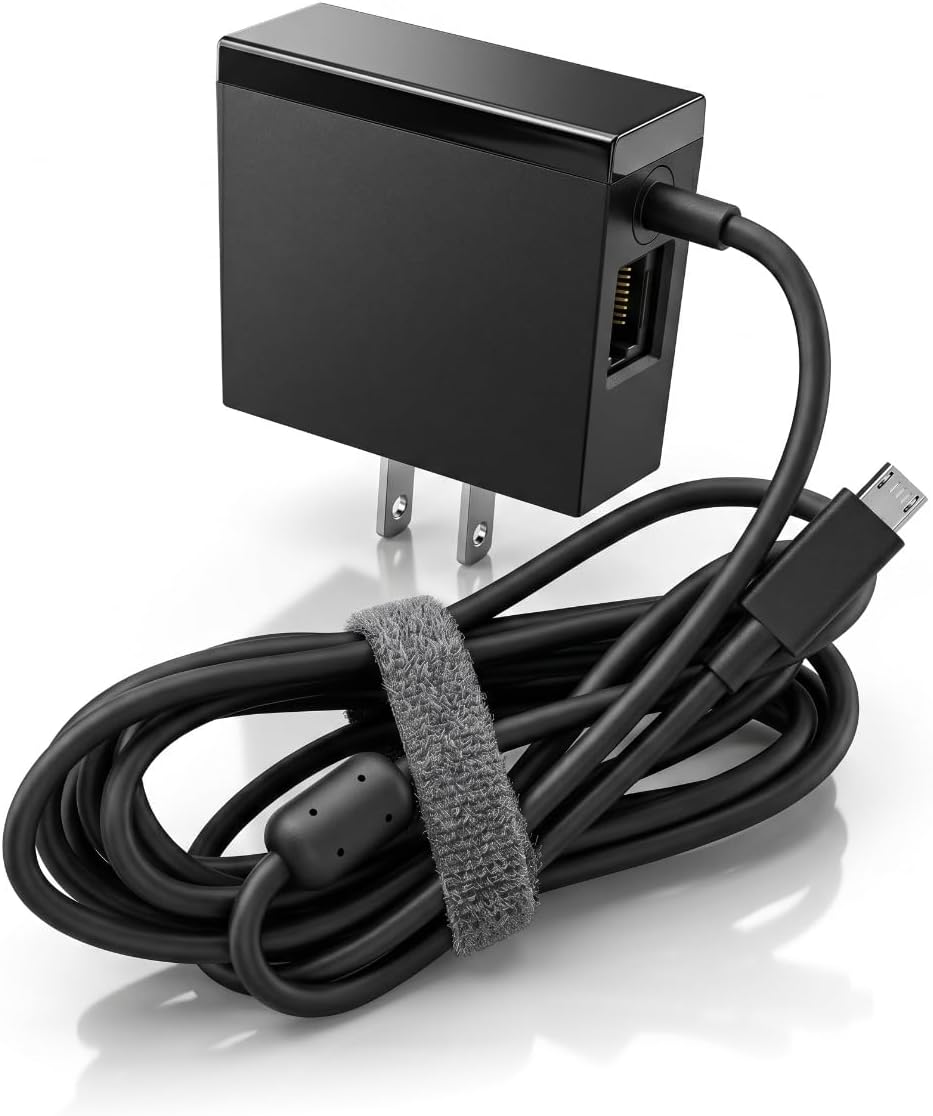
4.6Editor score
This side-by-side comparison highlights the key specifications and features of each adapter to help you quickly identify the best match for your device.


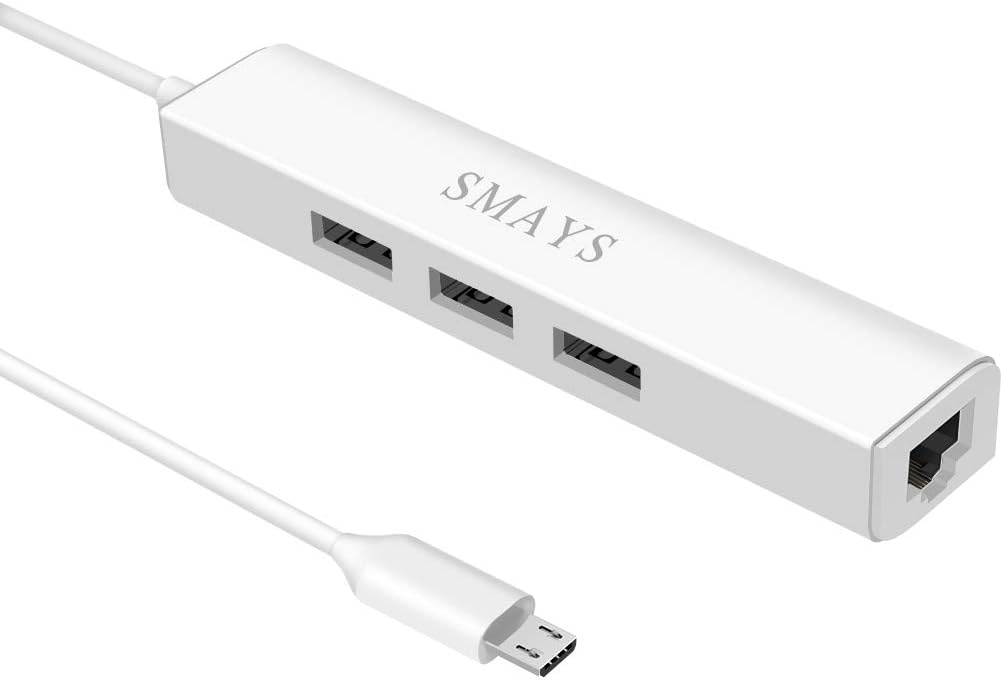
This adapter offers a straightforward solution for Fire TV users needing wired connectivity. It supports micro-USB ports and provides 10/100 Ethernet speeds to stabilize your streaming experience.
We may earn a commission when you buy through this link, at no additional cost to you.
The design allows direct connection to your router, freeing up WiFi bandwidth for other devices. It works with a wide range of Fire TV Stick models, ensuring broad usability.
While it does not support USB-C devices, the included setup instructions make installation quick. Power requirements are minimal and can be met by your existing Fire TV adapter.
Choose this model if you have a compatible Fire TV and prioritize simple setup. It delivers consistent performance for HD streaming without the hassle of wireless instability.
Wired connections eliminate the signal dropouts that often plague wireless streaming devices.
Connecting the adapter takes only minutes and requires no driver installations or software updates.
We may earn a commission when you buy through this link, at no additional cost to you.
This adapter is designed specifically for the Fire TV Stick HD with USB-C ports. It offers a right-angle connection that helps keep cables tidy and secure.
We may earn a commission when you buy through this link, at no additional cost to you.
Supporting up to 480mbps speeds, it provides a stable wired link for streaming. The right angle design prevents the adapter from obstructing other ports or cables.
It is not compatible with micro-USB devices, so verify your Fire TV model before purchase. Ensure you have a USB-C port to utilize this adapter effectively.
Invest in this model for Fire TV Stick HD users seeking a sleek and functional upgrade. The design minimizes cable clutter while maintaining reliable connection speeds.
The right angle orientation allows for easier cable management in tight spaces behind your TV.
480mbps speeds ensure smooth streaming for HD content without noticeable latency or buffering.
We may earn a commission when you buy through this link, at no additional cost to you.
This adapter promises extreme speeds up to 1000Mbps for seamless streaming. It features an aluminum alloy build that aids in heat dissipation during long sessions.
We may earn a commission when you buy through this link, at no additional cost to you.
The LED indicator helps you confirm connection status at a glance. It works well with Fire TV Stick 4K and other devices with micro-USB ports.
Ensure your device supports Ethernet via micro-USB before buying as it does not fit Fire TV gen 1. Proper power supply is crucial for optimal performance.
Choose this for high-speed needs where buffering is unacceptable. The build quality and speed potential make it a solid choice for serious streaming.
Gigabit speeds allow for rapid data transfer which is vital for high-resolution video streaming.
Aluminum casing ensures the device stays cool even during extended periods of heavy network usage.
We may earn a commission when you buy through this link, at no additional cost to you.
Offering a budget-friendly option, this adapter delivers reliable 10/100 Mbps speeds. It includes adhesive tapes to secure the device behind your TV.
We may earn a commission when you buy through this link, at no additional cost to you.
The aluminum build ensures it stays cool during use. Plug-and-play functionality means you can get started without technical knowledge.
It is not compatible with USB-C devices so check your port type first. The simplicity of the design makes it a user-friendly choice.
Pick this if you need a dependable connection without spending much. It balances cost and performance effectively for most streaming needs.
No complex drivers are needed making setup accessible for everyone regardless of technical skill.
Compact and lightweight it fits neatly behind your TV and the included tape keeps it in place.
We may earn a commission when you buy through this link, at no additional cost to you.
This adapter provides a seamless transition from Wi-Fi to wired connection. It features smart status lights to show when the network is live.
We may earn a commission when you buy through this link, at no additional cost to you.
The aluminum casing helps keep the device cool. It is compatible with a wide range of Fire TV Sticks and Chromecast Ultra devices.
Setup is designed to take about one minute for immediate use. Ensure you do not use it with Fire TV Cube as it is not compatible.
Opt for this adapter for its reliable performance and durable design. It offers a solid upgrade for those seeking stability over speed.
Status lights provide immediate confirmation of connectivity so you know the setup worked.
Constructed with aluminum it is built to withstand daily use without overheating or failing.
We may earn a commission when you buy through this link, at no additional cost to you.
This adapter comes with a 3.3 ft USB power cable which is helpful for tight setups. It supports speeds up to 100Mbps for smooth video playback.
We may earn a commission when you buy through this link, at no additional cost to you.
The USB-A power cord allows powering both the adapter and the TV Stick. This avoids the need for extra cables and reduces clutter.
Be sure to connect to a USB wall charger for normal operation. It is not compatible with Fire TV Stick 1st gen or Max models.
Select this model if you need extra cable length for convenience. It provides reliable performance at an accessible price point for most users.
The extended cable length offers flexibility in placing your router relative to your TV setup.
Included power cord simplifies the connection process and eliminates the need for additional purchases.
We may earn a commission when you buy through this link, at no additional cost to you.
Designed for speed, this adapter offers up to 1000Mbps for high-performance streaming. The aluminum alloy shell ensures durability and effective heat dissipation.
We may earn a commission when you buy through this link, at no additional cost to you.
Green and yellow LED lights help you monitor the adapter operation at a glance. It works seamlessly with Fire TV Stick 4K models.
Note that this adapter does not work with Fire TV Cube or Roku devices. Check your device compatibility carefully before purchase.
Choose this for maximum throughput if your network plan supports it. It is a strong option for users needing top-tier speed.
Gigabit Ethernet ensures your streaming device is not the bottleneck for your internet speed.
LED indicators provide instant visual feedback on the connection status for quick troubleshooting.
We may earn a commission when you buy through this link, at no additional cost to you.
This adapter offers speeds up to 300Mbps which is faster than traditional standards. It is designed to provide a stable connection for various streaming devices.
We may earn a commission when you buy through this link, at no additional cost to you.
The 3-foot USB power cable simplifies setup behind your TV. It supports backward compatibility ensuring it works with older Ethernet standards.
Installation is simple and requires no drivers. Be aware that you need to connect to a wall charger for adequate power supply.
Opt for this adapter if you value proven reliability and speed. It is a solid choice for maintaining a stable network link.
Faster data transmission compared to older standards ensures smoother high-resolution video playback.
Backward compatibility ensures this adapter works even with older networking equipment or routers.
We may earn a commission when you buy through this link, at no additional cost to you.
This hub combines Ethernet connectivity with USB expansion for added functionality. It features three female USB ports for drives or accessories.
We may earn a commission when you buy through this link, at no additional cost to you.
Supported devices include Fire TV Stick and Cube as well as Chromecast. You will need a 5V/2A wall charger to power the hub.
The Ethernet port ensures stable internet while you use USB peripherals. It is not suitable for tablets or cell phones.
Select this if you need extra USB ports alongside Ethernet. It is a versatile solution for expanding your streaming device capabilities.
USB ports allow you to connect external storage for media playback directly through the streaming device.
The integrated Ethernet port guarantees a reliable internet connection while using USB peripherals.
We may earn a commission when you buy through this link, at no additional cost to you.
This adapter combines power delivery with a 100Mbps RJ45 port in one unit. It is designed to ensure stable 4k signal transmission.
We may earn a commission when you buy through this link, at no additional cost to you.
Supporting Fire TV Stick and Chromecast Ultra it provides original standard power. The design helps eliminate signal delay and loss issues.
It does not support USB-C devices so check your model before buying. Ensure you use it with compatible Fire TV Stick generations.
Choose this if you want a streamlined power and network solution. It offers reliable performance for 4k streaming needs.
Combining power and Ethernet into one device reduces cable clutter behind your entertainment setup.
The original standard power adapter ensures the device receives consistent power for stable streaming.
We may earn a commission when you buy through this link, at no additional cost to you.
Choosing the right adapter requires checking your device's port type and understanding speed needs. This guide covers key factors to consider.
Check if your Fire TV Stick uses micro-USB or USB-C ports. Newer models have switched to USB-C so selecting the wrong adapter will not work.
Always verify the port type before purchasing to ensure physical compatibility with your device.
Look for adapters supporting 10/100 Mbps or Gigabit speeds. Higher speeds prevent buffering during 4K streaming.
Match the speed to your internet plan to avoid bottlenecks in your home network.
Aluminum alloy housings help dissipate heat which is important for long streaming sessions.
Durable materials extend the lifespan of the adapter and protect your device from overheating.
Some adapters require extra power cables or wall chargers to function correctly.
Ensure you have the right power setup to avoid connection issues or unstable performance.
Check the length of the included cables to ensure they reach your router.
Longer cables provide flexibility in placing the adapter in tight spaces behind the TV.
Read the product details to confirm compatibility with your specific Fire TV model.
Avoid adapters that explicitly exclude your device generation to prevent returns.
Look for plug-and-play options that do not require drivers or software.
Simple setup saves time and ensures you get connected quickly without technical steps.
Prices vary based on features and build quality so set a realistic budget.
Balance cost with necessary features to get the best value for your needs.
Connect the micro-USB or USB-C plug into your Fire TV Stick port carefully. Avoid forcing the connector to prevent damage to the port.
Plug the Ethernet cable into the adapter and the other end into your router. Ensure both cables are securely connected for a stable link.
Use the included power cable or wall charger if required. Keep the adapter in a well-ventilated area to avoid overheating.
Yes you need an adapter with the correct port type. Most older sticks use micro-USB while newer ones use USB-C.
Yes it often reduces buffering by providing a more stable connection than Wi-Fi.
No most adapters are plug-and-play and work immediately without software installation.
Sometimes yes especially if your TV's USB port lacks sufficient power for the adapter.
No you must match the adapter to your Fire TV Stick port type exactly.
A 10/100 Mbps adapter is usually enough but Gigabit offers better headroom.
Yes many adapters work with Chromecast or similar devices with the same port.
Check cable connections and try a different Ethernet cable or power source first.
This guide reviewed ten top adapters to help you find the right wired connection for your setup. Options range from budget-friendly to high-speed models depending on your needs.
Prioritize compatibility and build quality to ensure a reliable connection that reduces buffering. A stable connection enhances your overall streaming experience significantly.
Prices and availability change often so check current offers before making your final decision. We hope this guide helps you upgrade your streaming setup effectively.