
32GB FAT32 USB 3.0 Flash Drive with a USB3.0 C Adapter and Keychain (Grey)
4.5Editor score
USB 3.0 fast speeds
Includes USB C adapter
Metal heat dissipation design
Explore our expert guide comparing the top FAT32 USB Flash Drive options for reliable data storage, fast transfer speeds, and wide device compatibility in 2026.
Finding the right FAT32 USB Flash Drive ensures seamless data transfer across various devices without compatibility headaches. Whether you need to store documents, media, or backups, a reliable drive offers peace of mind and efficient workflow management for professionals and students alike.
We evaluated ten top-rated models based on build quality, transfer speeds, compatibility, and user feedback. Each product was analyzed for its FAT32 formatting readiness, physical durability, and practical features like keychains or adapters to help you make an informed purchasing decision today.
Every pick in this guide highlights specific strengths tailored to different needs, from budget-friendly options to high-performance drives. Please note that availability and pricing can change frequently, so verify current details on the product pages before completing your order to ensure you get the best value.
4.5Editor score

4.5Editor score

4.6Editor score
This side-by-side comparison evaluates all ten selected models to highlight their unique specifications and capabilities. Review the key features below to identify which drive best matches your specific storage needs and device requirements for optimal performance.
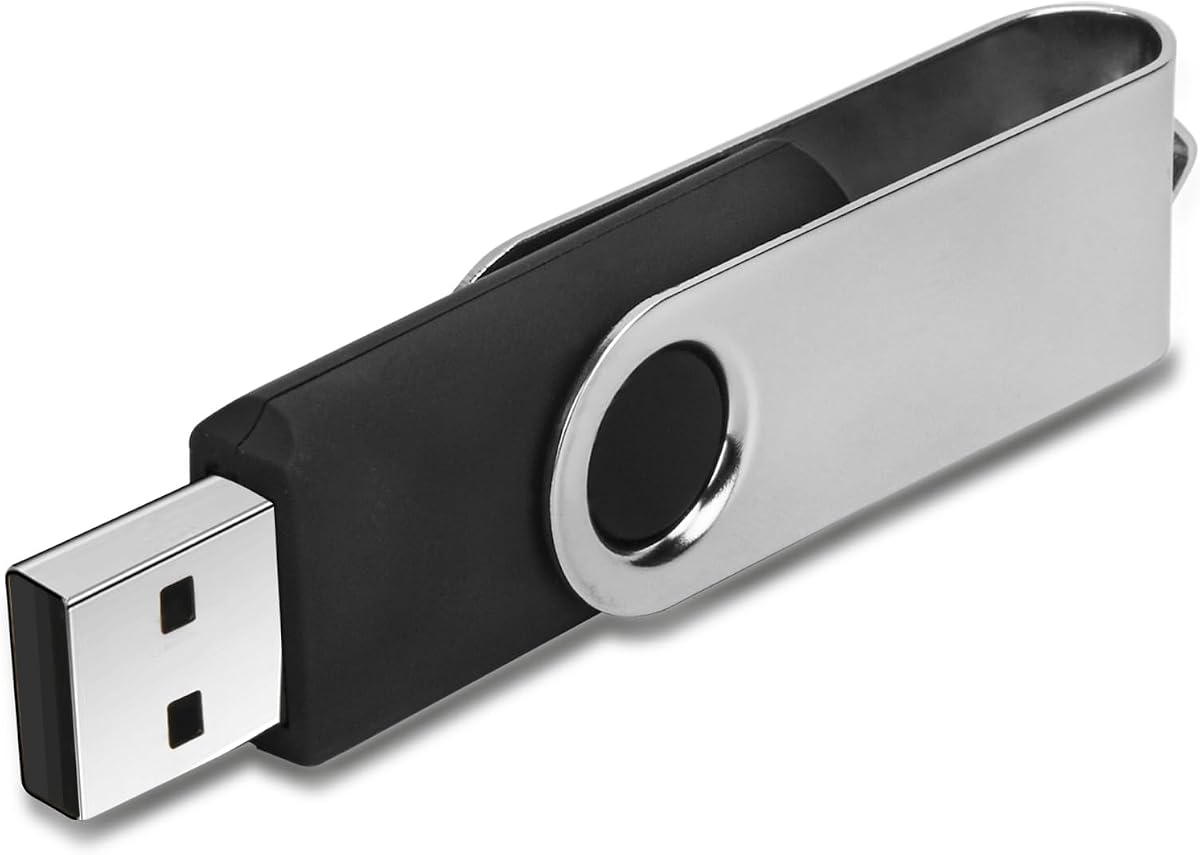




This 32GB FAT32 USB 3.0 flash drive stands out as a top contender for users seeking speed and versatility. With a 4.5 star rating, it delivers reliable performance for daily data transfers across PCs, Macs, and modern devices requiring USB-C connectivity.
We may earn a commission when you buy through this link, at no additional cost to you.
The drive boasts read speeds up to 105MB/s, making it ten times faster than standard USB 2.0 options. The included USB C adapter ensures you can connect to newer laptops and tablets without needing extra dongles. Its metal design aids heat dissipation during extended use.
While the write speeds are modest at 40MB/s, this is typical for budget-friendly drives and acceptable for general storage tasks. The adapter is detachable which could lead to loss if not secured properly. However the value proposition remains strong for most users.
Ideal for students and professionals who need fast access to files on the go. The keychain attachment helps prevent loss while the FAT32 format ensures broad compatibility with TVs and car systems. We recommend this drive for its balance of speed and features.
The included USB C adapter extends usability to modern devices without compromising speed when connected to USB 3.0 ports.
Textured metal casing provides durability and efficient heat management during continuous data transfers.
We may earn a commission when you buy through this link, at no additional cost to you.
This 32GB FAT32 formatted USB 2.0 flash drive offers straightforward reliability for users who prioritize simplicity over raw speed. Its 4.5 star rating reflects consistent performance for basic storage needs across a wide range of operating systems and hardware.
We may earn a commission when you buy through this link, at no additional cost to you.
The drive features an LED indicator that flashes during data transfers, providing visual confirmation that your files are being written or read. This is particularly useful when connecting to devices without clear screen feedback like car stereos or audio equipment.
Performance is limited by USB 2.0 standards meaning large file transfers will take longer than USB 3.0 models. The plastic body is durable enough for occasional use but lacks the premium feel of metal alternatives. Still it functions perfectly for its intended purpose.
Best suited for casual users or environments where older ports are common such as older vehicles or printers. The included string attachment allows for easy carrying and prevents misplacement. We find this a solid choice for backup or sharing small files.
The red LED light activates during data transfer helping users confirm active connections on devices without displays.
Supports multiple Windows versions and Mac OS ensuring it works with nearly any computer or laptop made in the last two decades.
We may earn a commission when you buy through this link, at no additional cost to you.
This 16GB USB flash drive is designed for portability and ease of use. With a 4.6 star rating it appeals to users who need a small, reliable tool for carrying documents and media without worrying about losing the cap.
We may earn a commission when you buy through this link, at no additional cost to you.
The metal swivel cover protects the connector by rotating into the body which eliminates the risk of losing the cap. Its small size makes it easy to slip into a pocket or attach to a keyring for constant access. The FAT32 format ensures it works immediately on most devices.
Storage capacity is limited to 16GB which might be insufficient for large video libraries but is perfect for essential files. The USB 2.0 interface means transfers will not be rapid but are sufficient for daily tasks. Build quality feels sturdy despite the small form factor.
Ideal for students or travelers who need quick access to schoolwork or travel documents. The included keychain prevents loss and adds convenience. We recommend this for users needing a no-fuss drive for lightweight storage needs.
The rotating metal cover protects the USB connector from damage and eliminates the need for a separate cap.
Tiny dimensions allow for easy transport and attachment to keychains without adding bulk to your gear.
We may earn a commission when you buy through this link, at no additional cost to you.
This USB drive offers a reliable solution for storing and transferring digital data. With a 4.5 star rating it provides consistent performance for everyday tasks like sharing documents or backing up small files across different computers.
We may earn a commission when you buy through this link, at no additional cost to you.
The drive features an LED indicator that signals active data transfer helping users avoid accidental unplugging. Its compatibility spans various Windows versions and Mac OS ensuring it works seamlessly across diverse systems. The FAT32 format supports files needed for media players and printers.
While it lacks USB 3.0 speeds it serves well for non-urgent transfers. The plastic build is lightweight but may feel less robust than metal options. The included string slot allows for attaching a lanyard to prevent loss during travel.
This is a solid choice for general home use or school assignments. Its simplicity and broad compatibility make it a hassle-free option for most users. We suggest this for those needing basic storage without advanced features.
The LED light provides immediate feedback during data transfer preventing accidental disconnection errors.
Pre-formatted FAT32 ensures the drive works immediately with computers TVs and audio systems without extra setup.
We may earn a commission when you buy through this link, at no additional cost to you.
This two-pack offers excellent value for users needing multiple drives for backups or sharing. With a 4.5 star rating both drives deliver dependable performance for storing photos music and documents on the go without requiring software installation.
We may earn a commission when you buy through this link, at no additional cost to you.
Each drive features a rotating metal clip that protects the connector and allows for secure attachment to bags or belts. The two colors help differentiate files for different projects or users. The LED indicator provides visual confirmation of transfer status which is helpful in low light.
Performance is standard for USB 2.0 so expect moderate speeds for large files. The build quality is functional but not premium. Having two drives ensures you always have a backup ready which is a significant advantage for data safety and organization.
Best for families or office environments where multiple people need portable storage. The color coding simplifies tracking data across different drives. We recommend this pack for anyone needing redundancy and convenience at a reasonable cost.
Distinct black and blue colors allow easy identification of different data sets or users.
The 360 degree rotating clip ensures the connector is protected and the drive stays attached to your gear.
We may earn a commission when you buy through this link, at no additional cost to you.
This compact drive combines speed and portability in a tiny package. With a 4.2 star rating it delivers fast transfer speeds and includes an adapter for modern USB-C devices making it suitable for current laptops and tablets.
We may earn a commission when you buy through this link, at no additional cost to you.
The metal body is thin and lightweight allowing it to stay plugged into laptops without obstruction. Read speeds up to 85MB/s significantly outpace USB 2.0 drives. The included adapter bridges the gap for USB-C ports ensuring broad connectivity without extra purchases.
The small size means the adapter can be easily lost if not tethered. Lanyards are provided to help secure the adapter to the drive. Write speeds are decent but vary based on the host device used. Overall it offers great performance for its size.
Perfect for users who frequently switch between older and newer computers. The low profile ensures it does not hinder keyboard use when plugged in. We recommend this for tech-savvy users needing a versatile pocket drive.
The tiny dimensions allow the drive to remain connected to laptops without blocking ports or causing obstruction.
Included USB-C adapter extends compatibility to modern devices while maintaining USB 3.0 performance speeds.
We may earn a commission when you buy through this link, at no additional cost to you.
This TEWENE drive features a unique clip design that securely attaches to bags or keychains. With a 4.3 star rating it offers fast speeds and modern connectivity making it a practical choice for travelers and students needing reliable storage on the go.
We may earn a commission when you buy through this link, at no additional cost to you.
The USB 3.1 Gen 1 technology provides read speeds up to 85MB/s for quick file access. The sturdy clip ensures the drive stays with your keys or gear preventing accidental loss. An included USB-C adapter supports smartphones and newer laptops easily.
While the clip adds minimal bulk it significantly improves security compared to dangling drives. The build quality feels robust enough for daily use. The adapter is separate so careful storage is required to prevent misplacement during travel.
Ideal for professionals and travelers who need secure attachment to their equipment. The speed and versatility make it a strong contender. We recommend this for users who value durability and easy access to files anywhere.
The exclusive clip design firmly attaches the drive to bags or keychains for secure transport without extra cases.
Supports USB-A and USB-C ports ensuring compatibility with both legacy and modern devices seamlessly.
We may earn a commission when you buy through this link, at no additional cost to you.
This drive offers substantial storage for extensive media collections. With a 4.6 star rating it delivers exceptional read speeds and a premium metal casing that protects data effectively. The password protection adds security for sensitive files.
We may earn a commission when you buy through this link, at no additional cost to you.
Transfer speeds up to 150MB/s make moving large video files quick and efficient. The durable metal design resists wear and tear better than plastic alternatives. SanDisk SecureAccess software allows creating a password-protected safe for private documents.
The drive lacks a USB-C option which limits direct use with modern tablets without an adapter. The price is higher than smaller drives but justified by the capacity and speed. Overall it is a high-performance tool for power users.
Best for photographers or videographers needing to transfer large files quickly. The metal build ensures longevity even with frequent use. We recommend this for those who prioritize speed and capacity over budget constraints.
Read speeds up to 150MB/s allow complete movies to be transferred in under thirty seconds on compatible ports.
Built-in password protection secures private files using AES encryption supported by most operating systems.
We may earn a commission when you buy through this link, at no additional cost to you.
This three-pack from Lexar offers speed and robust security features. With a 4.6 star rating each drive delivers fast transfers and includes DataShield technology to protect sensitive data with password-protected encryption and secure deletion.
We may earn a commission when you buy through this link, at no additional cost to you.
The retractable design keeps the USB connector safe without needing a cap. Transfer speeds up to 100MB/s are impressive for this price range. DataShield allows creating a safe zone where deleted files cannot be recovered providing strong protection for confidential information.
Setup requires downloading software which might be a hurdle for less technical users. The plastic retractable mechanism is convenient but may feel less sturdy than metal. Overall it is a secure option for storing private data across multiple devices.
Best for corporate users or those needing privacy for personal files. The 3-pack ensures backups are easy to manage. We recommend this for users who prioritize data security and consistent performance.
DataShield creates password-protected safe zones where deleted files are securely erased to prevent recovery.
Push-button retractor protects the connector physically and removes the need for a removable cap.
We may earn a commission when you buy through this link, at no additional cost to you.
This SanDisk drive is a staple for reliable data storage. With a 4.7 star rating it offers consistent performance and includes software for securing private files. The five-year warranty reflects confidence in its durability and quality.
We may earn a commission when you buy through this link, at no additional cost to you.
Read speeds up to 100MB/s ensure fast access to your data. SanDisk SecureAccess creates a password-protected vault for sensitive documents. The drive is compatible with most systems and works out of the box after format checks.
The SecureAccess software must be installed to unlock full security features. The plastic casing is standard for this tier but lacks the premium feel of metal models. Still the brand reputation and warranty make it a safe purchase.
Ideal for general users seeking a trusted drive with extra security options. The warranty provides peace of mind for long-term use. We recommend this for anyone valuing reliability and brand trust.
Backed by a five-year warranty this drive offers reliable data storage with consistent speed over time.
SecureAccess software encrypts private files allowing access only with a password for added security.
We may earn a commission when you buy through this link, at no additional cost to you.
Selecting the right FAT32 USB Flash Drive involves evaluating several key factors to ensure compatibility and performance. This section outlines the most important aspects to consider before making your purchase.
Storage capacity determines how much data you can hold on the drive. Options range from 16GB to 128GB and beyond. For documents and photos a 32GB drive is sufficient. Larger video files may require more space.
Choose capacity based on your typical file sizes and transfer needs to avoid running out of space.
USB interface speed dictates how fast files transfer. USB 3.0 and 3.1 offer much faster speeds than USB 2.0. If you frequently move large files look for USB 3.0 or higher models to save time.
Higher interface speeds improve workflow efficiency especially when working with multimedia content.
Ensure the drive works with your devices. FAT32 is widely supported by computers TVs and car systems. If you have newer laptops check for USB-C compatibility or included adapters to avoid connection issues.
Broad compatibility ensures you can use the drive across various systems without needing extra hardware.
Physical durability affects how long the drive lasts. Metal casings dissipate heat and resist impact better than plastic. Look for protective features like swivel caps or clips to prevent connector damage during transport.
Robust build quality protects your data from physical wear and tear during daily use.
Features like keychains clips or lanyards help prevent losing the drive. Compact designs fit easily into pockets or bags. Evaluate how you plan to carry the drive to choose a style that suits your habits.
Practical portability features keep your drive secure and accessible wherever you go.
Some drives include password protection or encryption software. This is vital for sensitive business or personal data. Check if the security tools require software installation or are built-in for ease of use.
Strong security features protect confidential information from unauthorized access if the drive is lost.
A solid warranty indicates manufacturer confidence in the product. Look for at least a one-year warranty with some brands offering five years. Check support options for help if issues arise during use.
Good warranty coverage ensures peace of mind and assistance if the drive fails unexpectedly.
Balance cost against features offered. A higher price does not always mean better performance but often includes better build or speed. Compare models with similar specs to find the best value for your budget.
Prioritize essential features to get the most functionality for your investment without overpaying.
Connect the drive to a USB port on your computer or device. Wait for the operating system to recognize it before accessing files. Avoid removing the drive while data transfers are active to prevent data corruption or loss.
Regularly back up important files to another location such as cloud storage or a hard drive. USB flash drives can fail unexpectedly so having copies ensures your data remains safe even if the drive is damaged or lost.
Store the drive in a cool dry place away from magnets and extreme temperatures. Keep it in a protective case when carrying it in your pocket or bag to avoid physical damage to the connector or body.
FAT32 is a file system compatible with most devices including computers TVs and car audio systems. It allows seamless data transfer without needing drivers. Most flash drives come pre-formatted with FAT32 to work universally.
Plug the drive into your computer and open the file explorer. Copy files from your computer and paste them into the USB drive folder. Ensure the transfer completes safely before removing the drive to avoid errors.
Many modern tablets support USB drives via USB-C or OTG adapters. Check if your tablet has USB support and use the appropriate adapter. Ensure the drive is formatted correctly for your tablet's operating system.
Try connecting to a different USB port or restarting your computer. If still not detected check Disk Management to see if the drive needs formatting or a new drive letter assigned to make it visible.
Use password protection software like SanDisk SecureAccess or encryption tools. Store sensitive files in a secure folder. Always back up your data to a cloud service or external hard drive for added safety.
USB 3.0 drives offer faster transfer speeds and more bandwidth than USB 2.0 models. They also have blue connectors often but work with USB 2.0 ports at slower speeds. USB 3.0 is recommended for large file transfers.
Most drives have a lifespan of around 100,000 write cycles depending on quality. With careful handling and proper usage they can last several years. Regular backups extend your data's life even if the drive fails.
The top three picks highlight excellent options for different needs ranging from budget-friendly versatility to robust security features. The 32GB FAT32 USB 3.0 drive offers great value while the TEWENE provides secure storage options.
Prioritize transfer speeds and build quality when choosing for long-term reliability. Ensure compatibility with all your devices to avoid connectivity issues. Consider storage capacity based on your typical file sizes.
Check current availability and prices before purchasing as offers may change. Select the model that best fits your workflow needs for efficient data management and safe file storage across your devices.