
Dell Wired Mouse MS116
4.6Editor score
Wired connection for reliability
Compact and portable design
Affordable price point
Discover the top external mouse for Dell laptop users in our comprehensive guide comparing wireless, wired, and ergonomic options for productivity and gaming.
Finding the right external mouse for your Dell laptop can significantly boost your productivity and comfort during long work sessions. A good mouse offers precision tracking, ergonomic design, and reliable connectivity to match your specific workflow needs.
We compared ten top-rated mice based on build quality, battery life, compatibility with Dell systems, and user feedback. Our analysis covers wired and wireless options from trusted brands like Dell, Logitech, and TECKNET to help you choose wisely.
Each pick highlights key features, pros, and cons to guide your decision. Prices may fluctuate due to sales or stock availability, so check current listings before purchasing to ensure you get the best value for your budget.
4.6Editor score

4.9Editor score

4.6Editor score
This side-by-side comparison details the key specifications of all ten models to help you quickly identify the best fit for your Dell laptop setup based on connectivity and features.






The Dell Advanced Wireless Compact Mouse stands out as the top choice for Dell laptop users due to its seamless integration and reliability. With a 4.9 rating, it promises precision and comfort for daily tasks.
We may earn a commission when you buy through this link, at no additional cost to you.
Its dual-mode connectivity allows you to choose between Bluetooth 5.0 and 2.4GHz wireless for flexible pairing. The 36-month battery life ensures minimal interruptions, while the 1600 DPI sensor handles high-resolution screens smoothly.
While it requires AA batteries, the long runtime offsets the need for frequent changes. The Dell Display and Peripheral Manager software adds value by optimizing workspace performance specifically for Dell PCs.
Ideal for professionals seeking a reliable tool, this mouse balances performance and convenience. We recommend it for anyone wanting a streamlined experience with their Dell setup.
The dual-mode option ensures you can switch between devices without hassle, making it perfect for multitasking across multiple screens.
Using the Dell Peripheral Manager lets you customize shortcuts and settings to enhance your workflow efficiency significantly.
We may earn a commission when you buy through this link, at no additional cost to you.
The Dell Wireless Gaming Mouse MS5120W offers high-performance features tailored for gaming and intensive workloads. Its 4000 DPI sensor and 7 buttons provide precise control for complex tasks.
We may earn a commission when you buy through this link, at no additional cost to you.
Dual-mode connectivity ensures it works with various operating systems including Windows and Mac. The 36-month battery life and Dell Advanced Exchange Service add reliability and peace of mind for users.
While designed for gaming, its customization via Dell Peripheral Manager makes it versatile for productivity too. However, the extra buttons might be unnecessary if you stick to basic web browsing.
This mouse is perfect for gamers or power users needing high precision. Choose it if you want robust features and Dell's trusted warranty support.
The 4000 DPI allows for detailed cursor control, essential for design work or fast-paced gaming environments.
Dell's Advanced Exchange Service means you get a replacement unit quickly if the mouse fails within the warranty period.
We may earn a commission when you buy through this link, at no additional cost to you.
The Dell Wired Mouse MS116 is an excellent budget-friendly option for users who prefer simplicity. It delivers solid performance without the complexity of wireless connectivity.
We may earn a commission when you buy through this link, at no additional cost to you.
Its wired connection ensures zero lag and no need to replace batteries, making it reliable for office environments. The compact design fits easily into laptop bags for travel.
While it lacks advanced features like Bluetooth or adjustable DPI, it gets the job done for standard tasks. The affordable price makes it accessible for anyone needing a spare mouse.
Choose this if you want a no-fuss mouse for everyday use. It is ideal for students or budget-conscious buyers who prioritize functionality over bells and whistles.
A wired connection eliminates signal interference, ensuring consistent cursor movement without connectivity drops.
At a low price point, it offers a cost-effective solution for replacing a broken touchpad or adding a mouse to a new setup.
We may earn a commission when you buy through this link, at no additional cost to you.
The VssoPlor Wireless Mouse combines style with practicality, featuring a black and gold finish. It is lightweight and perfect for users who value aesthetics alongside functionality.
We may earn a commission when you buy through this link, at no additional cost to you.
Its intelligent sleep mode conserves battery life effectively, while the 2.4GHz connection ensures stability up to 10 meters. The quiet clicks make it ideal for shared office spaces.
While it lacks advanced customization, its simplicity is a strength for basic navigation. The slim design ensures it slips easily into pockets or laptop sleeves without bulk.
Consider this mouse if you need a travel-friendly tool. It suits users who want a quiet, reliable mouse without spending much on unnecessary features.
The auto sleep function activates after five minutes of inactivity, preserving power for when you actually use the device.
Whisper-quiet clicks prevent disturbing colleagues in libraries or open offices, maintaining a calm atmosphere.
We may earn a commission when you buy through this link, at no additional cost to you.
The Logitech M510 Full Size offers outstanding comfort with its contoured shape and soft rubber grips. It is designed to reduce hand fatigue during extended use on your Dell laptop.
We may earn a commission when you buy through this link, at no additional cost to you.
Its two-year battery life and Unifying receiver provide convenience for desktop and laptop setups. The side-to-side scrolling adds a layer of productivity for spreadsheets and web browsing.
While it is bulky for travel, the ergonomic benefits outweigh this for stationary use. Setting up the Logitech SetPoint software unlocks extra customizations to match your workflow.
This is the top choice for users prioritizing comfort. Buy it if you spend hours daily at your computer and want relief from wrist strain.
The broad palm area and curved sides support natural hand positions, preventing strain over long workdays.
Side buttons let you switch applications or zoom in images quickly, saving time on repetitive clicks.
We may earn a commission when you buy through this link, at no additional cost to you.
The Logitech M185 Compact is a tiny powerhouse, ideal for tight workspaces or laptops with limited surface area. Its ambidextrous shape ensures comfort for both left and right-handed users.
We may earn a commission when you buy through this link, at no additional cost to you.
With plug-and-play simplicity, it works immediately with any OS without software installation. The included battery means you can start using it straight out of the box.
It might not have advanced tracking, but for basic tasks it is efficient. The small footprint ensures it fits easily in any laptop bag alongside your charger.
Opt for this if you travel frequently or have small hands. It balances reliability and portability in a package that does not break the bank.
No drivers are needed to set this up, meaning you can save it to your PC and begin working instantly.
The small receiver stays in your port without obstructing other USB devices, ensuring a clutter-free workspace.
We may earn a commission when you buy through this link, at no additional cost to you.
The TECKNET Compact Wireless Mouse stands out with its unique Mint Green color and compact dimensions. It brings a touch of personality to your tech setup while remaining fully functional.
We may earn a commission when you buy through this link, at no additional cost to you.
Its quiet buttons ensure minimal disturbance, making it great for shared environments. The 15-month battery life and 3 DPI levels offer versatility for different tasks.
While designed for smaller hands, its portability makes it a handy travel companion. The included USB connector stores safely inside the mouse when not in use.
Choose this if you want a stylish and affordable tool. It is perfect for students or those looking for a colorful accessory that works well on Dell laptops.
The mint green finish gives your desk a fresh look, while the small size saves valuable workspace real estate.
Soft clicks and a shape tailored for small to medium hands ensure a pleasant experience during regular use.
We may earn a commission when you buy through this link, at no additional cost to you.
The Logitech M330 Silent Plus is engineered for quiet environments, reducing click sounds by over 90 percent. It is perfect for offices or libraries where noise is a concern.
We may earn a commission when you buy through this link, at no additional cost to you.
Its contoured plastic grips provide comfort for right-handed users during long sessions. The optical tracking works well on various surfaces, and the 18-month battery life reduces maintenance.
While it does not support vertical scrolling, its focus on silence and simplicity is appealing. The plug-and-play nature ensures you can start using it immediately.
Select this mouse if you value a quiet workspace. It is ideal for professionals who need reliable navigation without disturbing others.
The patented technology dampens the sound of clicks while maintaining the tactile feedback you expect from a standard mouse.
The design fits naturally in the right hand, reducing strain during extended hours of use on your Dell laptop.
We may earn a commission when you buy through this link, at no additional cost to you.
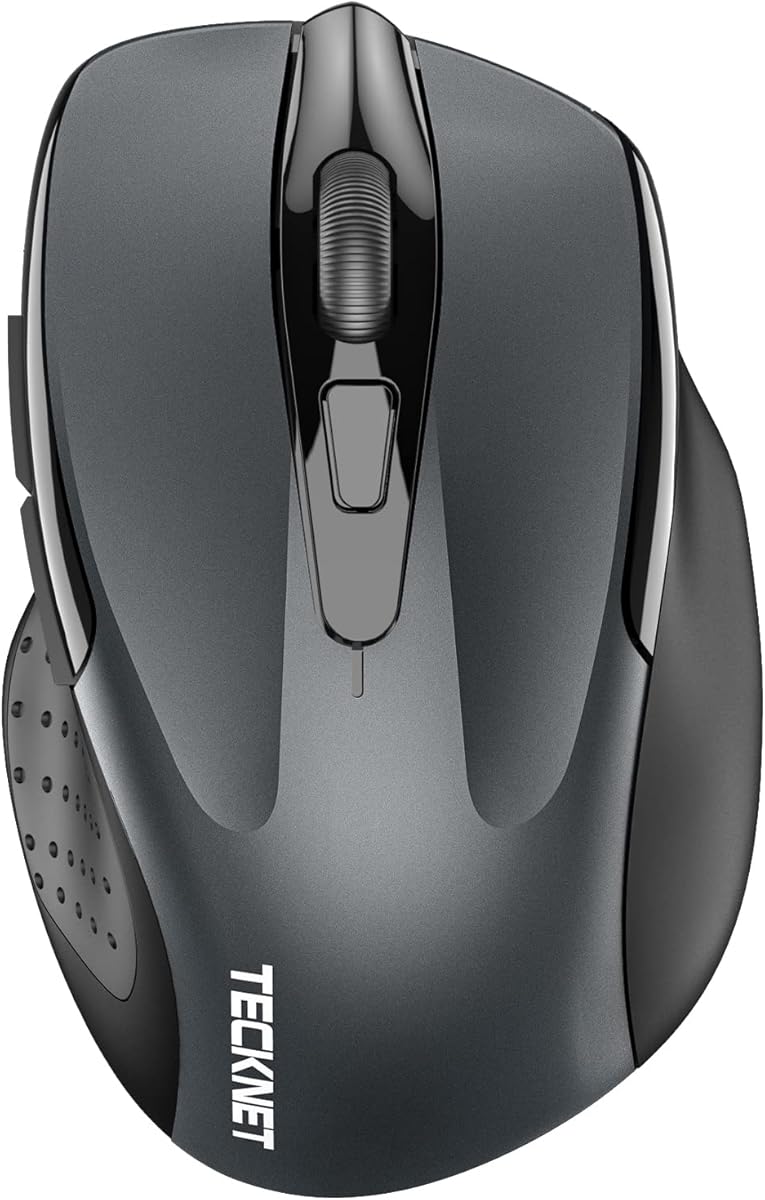
The TECKNET Wireless Mouse BT 5.0 offers dual connectivity, allowing you to switch between two devices seamlessly. This versatility is perfect for users working on multiple laptops or tablets.
We may earn a commission when you buy through this link, at no additional cost to you.
Its high 4800 DPI supports precise movement for detailed work, while silent clicks keep the environment peaceful. The 6 buttons provide quick access to common tasks.
While it uses AAA batteries, the auto sleep technology extends usage significantly. The compact form factor suits those with limited desk space or traveling needs.
Choose this if you need flexibility. It works well for hybrid workflows where connecting to more than one device is necessary.
A simple slide of a button lets you jump between devices instantly, streamlining your multitasking setup.
With 6 adjustable DPI settings, you can fine-tune the cursor speed to match your personal comfort and task requirements.
We may earn a commission when you buy through this link, at no additional cost to you.
The TECKNET Rechargeable Mouse eliminates the need for disposable batteries, offering an eco-friendly option for tech users. Its rechargeable battery charges quickly for extended use.
We may earn a commission when you buy through this link, at no additional cost to you.
Dual connection options let you switch between Bluetooth and USB seamlessly. The silent clicks and high DPI settings ensure both quietness and precision for everyday tasks.
While you must recharge it occasionally, the environmental benefits are significant. The included cable makes maintenance easy without extra costs for batteries.
Pick this if you want to reduce waste. It is ideal for conscious consumers who still demand quality performance from their peripherals.
Recharging the internal battery saves money and reduces waste, making it a sustainable choice for your workspace.
A full charge takes only 2 hours, and provides up to 3 months of use with typical daily activity.
We may earn a commission when you buy through this link, at no additional cost to you.
Selecting the right mouse depends on your specific needs and usage habits. We break down the essential factors to consider before making a purchase.
Decide between wired, Bluetooth, or 2.4GHz wireless options based on your port availability and mobility needs. Wired ensures stability while wireless offers freedom of movement.
Choose wireless if you want to reduce cable clutter, or wired if you play games where latency matters.
Long battery life means fewer interruptions and less frequent maintenance. Look for models with auto-sleep modes to conserve power when not in use.
Opt for rechargeable models if you want to avoid buying disposable batteries over time.
Comfort is critical for long work sessions. Look for contoured shapes, soft grips, and sizes that fit your hand comfortably to prevent fatigue.
Prioritize ergonomic designs if you experience wrist pain or plan to use the mouse for hours daily.
DPI determines cursor sensitivity. Higher DPI is better for high-resolution screens, while lower DPI aids precision tasks.
Adjustable DPI settings allow you to switch modes based on your current task for better efficiency.
Ensure the mouse works with your Dell operating system whether Windows or Linux. Some mice offer dedicated software for better integration.
Check if the mouse supports both Windows and Mac if you switch between systems frequently.
Extra buttons can speed up workflows if you map them to frequent commands. Look for software that lets you configure these actions.
Consider models with programmable buttons if you use complex applications like design tools or browsers often.
A durable mouse withstands daily wear and tear. Materials should feel sturdy and clicks should remain responsive over time.
Check warranty coverage to ensure support if the device develops issues within the first year.
If you travel often, choose a compact mouse that fits in your laptop bag easily. Smaller designs save space but might compromise comfort.
Look for mice with removable receivers that store inside the body to avoid losing them during transport.
Start by connecting your mouse via Bluetooth or USB receiver. Follow on-screen prompts to pair if using wireless modes and ensure your battery is charged.
Clean the optical sensor regularly using a microfiber cloth to maintain tracking accuracy. Dust or debris can interfere with movement detection on your desk surface.
Update the manufacturer software periodically to access the latest driver features and security fixes. This ensures your mouse operates efficiently alongside your Dell system.
Yes, most universal mice work with Dell laptops through standard USB or Bluetooth connections. Ensure your operating system supports the mouse drivers for best compatibility.
The Dell Wireless Gaming Mouse MS5120W offers high DPI and customizable buttons tailored for gaming. It provides the precision needed for competitive play.
Open the battery compartment on the bottom of the mouse and insert fresh batteries. Ensure the polarity matches the markings before closing the cover.
Wired mice offer zero latency which is great for precision, but modern wireless mice are reliable for general productivity. Choose based on whether you prioritize mobility or stability.
Yes, ergonomic shapes support natural hand positions to reduce muscle fatigue. They are highly recommended for users with long hours at their desk.
Enable sleep mode features and turn off the mouse when not in use. Avoid using it on dark surfaces that may cause tracking issues and drain battery.
We highlighted top picks like the Dell Advanced Wireless Compact Mouse for its seamless integration and the Logitech M510 for ergonomic comfort.
Prioritize factors such as battery life and ergonomics to ensure the mouse fits your daily workflow and comfort needs effectively.
Prices and stock vary frequently so verify current details before purchasing to secure the best deal for your chosen model.