
MNN 15.6 Inch FHD Portable Monitor
4.3Editor score
Full HD 1080P display
Dual USB-C ports
Ultra-slim lightweight design
Finding the perfect external display for your MacBook Neo requires careful consideration of screen quality, connectivity options, and portability. Whether you are a creative professional or a frequent traveler, the right monitor can significantly boost your productivity and enhance your visual experience on the go.
We have rigorously evaluated ten top-rated portable monitors based on real-world performance, user feedback, and technical specifications. Our comparison focuses on key aspects such as resolution, refresh rates, color accuracy, and compatibility with modern USB-C and Thunderbolt standards to ensure seamless integration with your setup.
Each pick in this guide highlights unique strengths tailored to different needs, from budget-friendly options to premium high-refresh displays. Please note that product availability and pricing can change frequently, so we recommend checking the latest details directly on the retailer's page before making your final decision.
4.3Editor score

4.8Editor score
4.8Editor score
As an Amazon Associate we earn from qualifying purchases.
This side-by-side comparison allows you to quickly assess the key specifications of all ten selected portable monitors. We have organized the data to highlight differences in screen size, resolution, connectivity ports, and special features so you can identify the model that best fits your specific workflow and budget requirements.


The VisionOwl Portable Monitor stands out as the top choice for users seeking a high-performance external display. With a stellar 4.8 rating from verified buyers, this 16-inch screen offers a perfect blend of resolution and refresh rate that caters to both creative work and gaming.
We may earn a commission when you buy through this link, at no additional cost to you.
Its 2.5K QHD resolution provides crisp text and detailed images, while the 144Hz refresh rate ensures smooth motion for video playback and dynamic content. The 16:10 aspect ratio is particularly beneficial for MacBook users as it eliminates black bars when mirroring or extending displays seamlessly.
While the premium pricing and slightly higher weight compared to basic 1080P models are trade-offs, the superior panel quality and robust metal construction justify the investment. Users seeking a long-term portable workstation will appreciate the durability and visual fidelity this device offers.
We recommend this monitor for professionals who need accurate colors for design work or gamers who demand high refresh rates on the go. It is the ideal upgrade for anyone wanting to transform their MacBook Neo into a powerful mobile desktop setup.
The 16:10 aspect ratio ensures that the external screen matches the native display of most modern MacBooks, providing a uniform visual experience without awkward letterboxing.
With 470 nits of brightness, this display remains clear and vibrant even in well-lit coffee shops or outdoor settings where standard monitors might struggle.
We may earn a commission when you buy through this link, at no additional cost to you.
The MNN 15.6 Inch FHD Portable Monitor is an excellent entry-level option for those needing extra screen space without breaking the bank. Rated 4.3 by users, it delivers reliable performance for everyday tasks and casual media consumption on a budget.
We may earn a commission when you buy through this link, at no additional cost to you.
Its Full HD resolution ensures sharp text for document editing and web browsing, while the HDR support adds a touch of vibrancy to video content. The dual USB-C ports allow for flexible connectivity, making it easy to charge and display simultaneously using a single cable setup.
Though it lacks the high refresh rates and ultra-slim build of more expensive units, the included smart cover and lightweight design make it a practical choice for students and travelers. It offers tremendous value for money considering the feature set provided.
This monitor is best suited for users who prioritize cost-effectiveness and portability over cutting-edge display specifications. It is a smart purchase for anyone looking to expand their workspace efficiently without a significant financial outlay.
The dual USB-C ports support single-cable solutions for power and video, simplifying the connection process for laptops with limited ports.
Comes with a durable smart cover that doubles as a stand, protecting the screen during transport and setting up the perfect viewing angle instantly.
We may earn a commission when you buy through this link, at no additional cost to you.
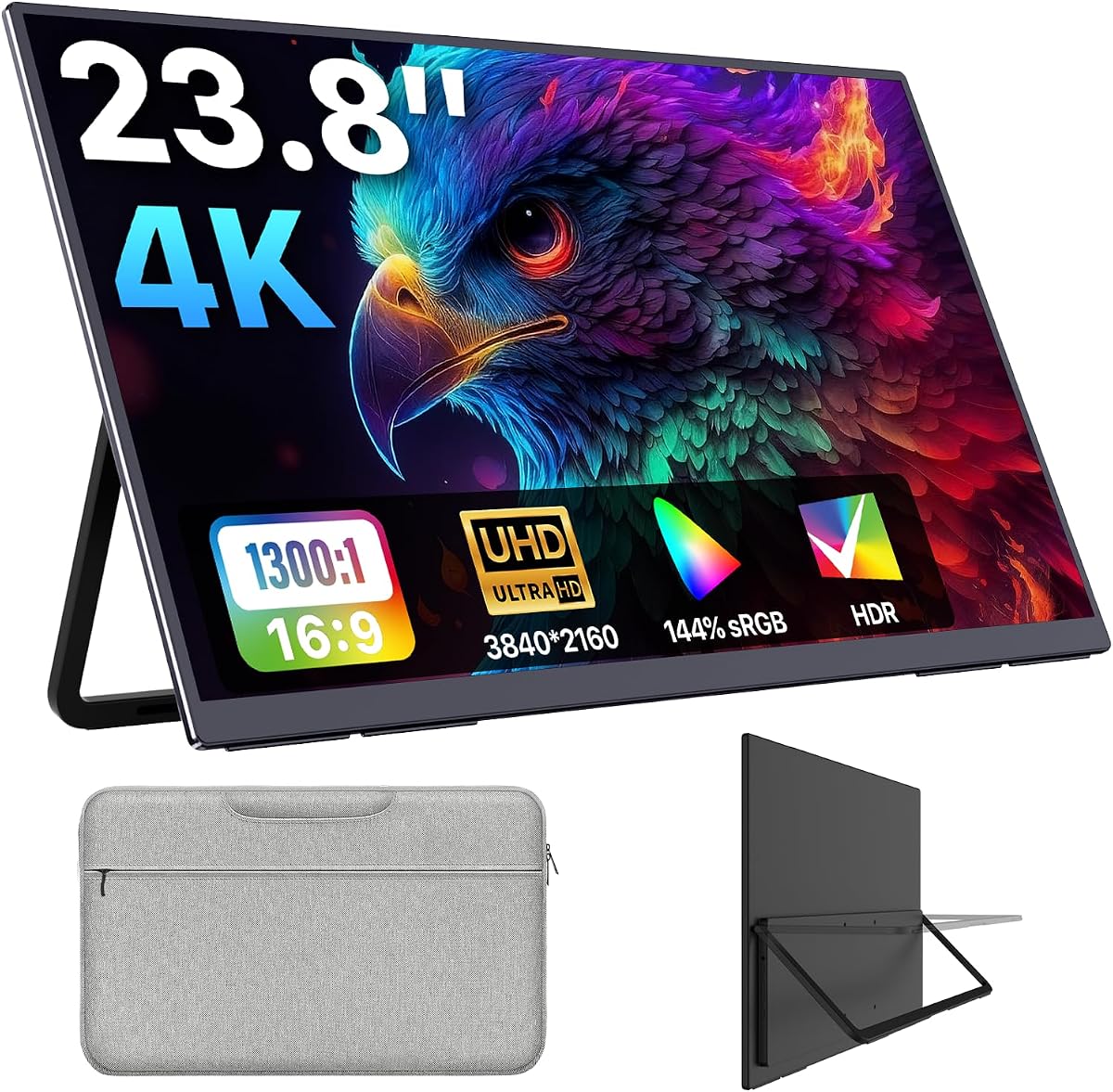
The Upperizon Portable Monitor redefines what a portable screen can be with its stunning 23.8-inch 4K display. Boasting a 4.8 rating, it is designed for professionals who need large screen real estate for complex multitasking and detailed creative work.
We may earn a commission when you buy through this link, at no additional cost to you.
With a massive 144% sRGB color gamut, this monitor delivers incredibly accurate and vibrant colors, making it ideal for photo and video editing. The frameless design maximizes the viewing area, allowing you to focus entirely on your content without distracting bezels.
The weight of 5.46 lbs and requirement for a dedicated power adapter mean it is best for semi-portable setups rather than quick hops on a commute. However, for stationary travel or hotel work, the visual clarity and screen space it offers are unmatched.
We recommend this monitor for power users who require the highest resolution and color fidelity available in a portable form factor. It is the definitive choice for creative professionals who cannot compromise on screen quality while on business trips.
The 144% sRGB coverage ensures that what you see on screen matches your final output, which is critical for professional design and media work.
A 23.8-inch display provides ample room for spreadsheets and code windows side-by-side, significantly boosting productivity for data-heavy tasks.
We may earn a commission when you buy through this link, at no additional cost to you.
The ASUS ZenScreen MB16ACV is a classic choice for users seeking a dependable and comfortable portable monitor. With a 4.5 rating, it offers a balanced mix of performance and eye-care features that make long work sessions more pleasant.
We may earn a commission when you buy through this link, at no additional cost to you.
The anti-glare surface and TÜV Rheinland-certified flicker-free technology help reduce eye strain during extended use. Its hybrid signal solution supports various connection types, ensuring you can connect to older laptops or devices with standard USB-A ports.
While it may lack the latest high refresh rates or advanced HDR features found in newer models, its durability and included 3-year warranty make it a safe long-term investment. The included kickstand also allows for flexible positioning in different environments.
This monitor is ideal for business travelers and office workers who prioritize reliability and eye health over gaming specs. It is a solid choice for anyone wanting a no-fuss external display that works right out of the box.
ASUS backs this unit with a 3-year warranty, offering peace of mind for frequent travelers who rely on their gear daily.
Supports both USB-C and USB-A ports via hybrid solution, ensuring compatibility with a wide range of devices regardless of port type.
We may earn a commission when you buy through this link, at no additional cost to you.
The InnoView 15.6 Inch FHD Portable Monitor is designed for versatility and ease of use across multiple devices. Rated 4.3 by customers, it simplifies your setup with built-in speakers that eliminate the need for external audio devices.
We may earn a commission when you buy through this link, at no additional cost to you.
With a mix of HDMI and Type-C ports, it accommodates almost any laptop or console you might own. The included protective case ensures the screen stays safe during transit, making it a hassle-free option for daily commutes and travel.
While the display quality is standard for this price range, the convenience of plug-and-play functionality and the extra protection add significant value. It is a practical tool for students and casual users who need a reliable second screen.
We suggest this monitor for users who want an all-in-one solution with audio and protection included. It is a great option for those looking to expand their workspace without dealing with extra cables and accessories.
Built-in speakers provide immediate audio output for meetings and media without needing to pair Bluetooth headphones or speakers.
Compatible with laptops, phones, tablets, and gaming consoles, making it a highly flexible addition to your existing tech ecosystem.
We may earn a commission when you buy through this link, at no additional cost to you.
The InnoView 15.6 Inch 1080P monitor is perfect for users prioritizing a slim and lightweight form factor. Rated 4.4 by buyers, it slips easily into backpacks and briefcases without adding bulk to your travel gear.
We may earn a commission when you buy through this link, at no additional cost to you.
Its ultra-slim 0.25 inch thickness and 1.5-pound weight make it arguably one of the most portable options available. The built-in adjustable stand allows you to set the screen at a comfortable viewing angle quickly and securely.
While it uses standard IPS panels and offers typical brightness, the convenience of its design is the main selling point. It is an excellent tool for people on the go who need a simple extra screen without compromising on portability.
We recommend this model for frequent travelers and students who value space-saving design. It is a straightforward, effective solution for adding a second screen to your mobile workstation setup.
The ultra-slim profile ensures it fits into tight spaces in luggage or backpacks, making it easy to pack for any trip.
The adjustable stand integrates directly into the bezel so you can position the monitor instantly without needing external props.
We may earn a commission when you buy through this link, at no additional cost to you.
The cocopar 16 Inch 2.5K monitor is a strong contender for gamers and creative professionals needing smooth visuals on the go. With a 4.8 rating, it delivers fluid motion through its 144Hz refresh rate and supports 110% sRGB for rich colors.
We may earn a commission when you buy through this link, at no additional cost to you.
Its full metal chassis provides a premium feel and better durability than plastic alternatives. The option to mount it on a VESA arm adds flexibility for desktop setups, while the lightweight design still supports travel use.
While it comes at a higher price point than basic HD monitors, the performance benefits and build quality justify the cost for power users. It bridges the gap between portability and high-end performance effectively.
We suggest this monitor for users who need both gaming performance and color accuracy in a portable device. It is a versatile tool for anyone wanting a reliable and high-spec second screen anywhere.
The aluminum alloy body resists dents and scratches better than plastic models, ensuring the device lasts longer during travel.
Standard VESA holes allow you to mount the monitor on stands or arms, freeing up desk space when used in a stationary location.
We may earn a commission when you buy through this link, at no additional cost to you.
The KEFEYA 14 Inch FHD Screen Extender is designed for those who want a compact dual-screen setup directly on their laptop. Rated 4.5 by users, it fits laptops from 13 to 17 inches, providing immediate visual expansion without external cables.
We may earn a commission when you buy through this link, at no additional cost to you.
With its ability to rotate 180 degrees, you can adjust the viewing angle to share screens with others or change orientation as needed. This flexibility makes it ideal for collaborative work or presentations in dynamic environments.
Though the 14-inch size offers less space than larger monitors, it maintains a small footprint that is easy to manage in cramped spaces. It is a clever solution for those who want a second screen without adding weight to their bag.
We recommend this for professionals and students who need quick screen extension without a full external monitor. It is a practical choice for meetings and presentations where portability and ease of sharing are essential.
The 180-degree rotation allows you to turn the screen outward easily, making it perfect for sharing info with colleagues or clients.
Attaches directly to your laptop so it does not take up additional space in your bag, keeping your travel load minimal and efficient.
We may earn a commission when you buy through this link, at no additional cost to you.
The kksmart 18.5 Inch FHD monitor offers a wide viewing experience that balances portability with screen real estate. With a 4.8 rating, it delivers a 100Hz refresh rate and frameless design that enhances immersion for media and productivity.
We may earn a commission when you buy through this link, at no additional cost to you.
Its lightweight construction at 2.24 pounds makes it easy to carry while still providing more horizontal space than standard 15-inch models. The built-in speakers and VESA compatibility add extra utility for various usage scenarios.
While not as compact as 14-inch models, it fits well in larger bags and provides a significant upgrade in viewing width. It is a strong option for users who need more room for spreadsheets or code without moving to a full-size desktop monitor.
We recommend this monitor for travelers who need a bit more screen space than a typical portable unit offers. It is a reliable choice for multitaskers who value a wider layout on the go.
The 18.5-inch width provides more room for side-by-side application windows, improving productivity during data entry and analysis tasks.
The borderless bezel minimizes distractions and maximizes the usable screen area, offering a cleaner and more modern aesthetic.
We may earn a commission when you buy through this link, at no additional cost to you.
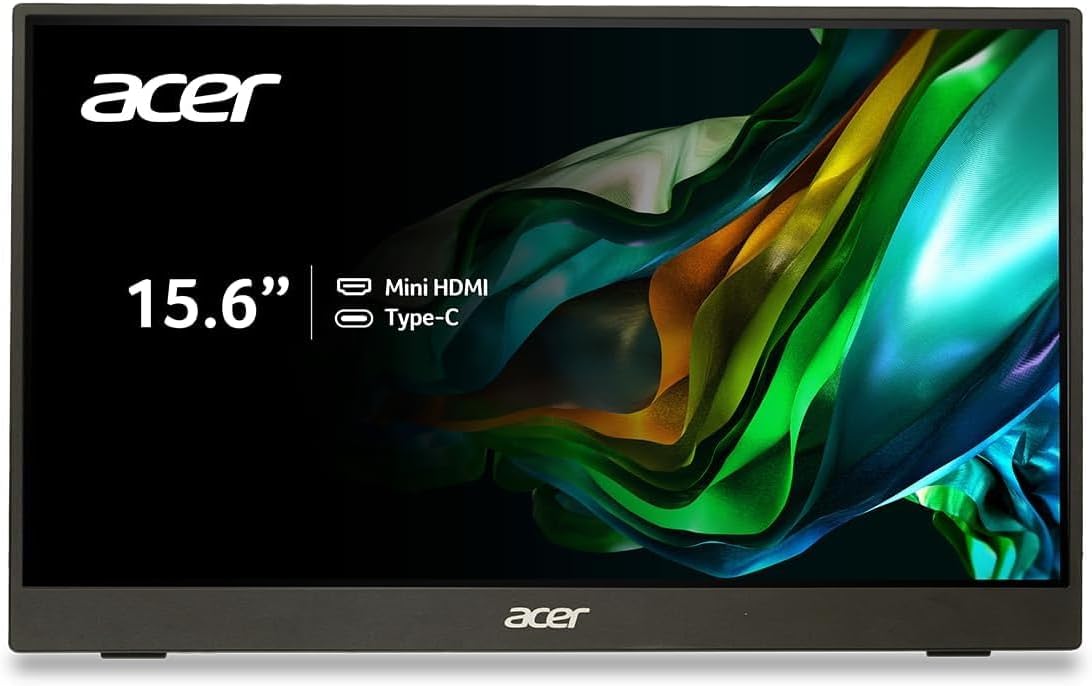
The Acer PM161Q 15.6 Inch Portable Monitor is a reliable and affordable option for general-purpose use. Rated 4.3 by buyers, it provides a solid IPS display with good viewing angles and standard performance metrics for daily tasks.
We may earn a commission when you buy through this link, at no additional cost to you.
AMD FreeSync technology helps reduce screen tearing for smoother visuals during video playback or light gaming. Its slim design and ergonomic tilt allow for comfortable viewing angles, making it a friendly choice for long sessions.
While it lacks some premium features like high refresh rates or dual USB-C ports, it covers the basics effectively at a competitive price. It is a great value proposition for users who do not need advanced gaming capabilities.
We suggest this monitor for general users and students looking for a budget-friendly upgrade. It is a practical addition to your setup that offers solid performance and reliability without unnecessary extras.
FreeSync synchronizes the monitor's refresh rate with your GPU, reducing screen tearing for a smoother visual experience in videos and games.
The adjustable tilt mechanism allows you to find a comfortable angle quickly, reducing neck strain during extended viewing sessions.
We may earn a commission when you buy through this link, at no additional cost to you.
Choosing the right external monitor involves balancing several technical and practical factors. Below are the key aspects to consider to ensure you select a device that meets your specific needs.
Resolution determines the sharpness of your display, with options ranging from Full HD (1080P) to 4K. Screen size affects how much workspace you have, typically ranging from 14 to 23 inches. For MacBook users, 1080P is sufficient for text work while 2.5K or 4K offers better detail for creative tasks.
Select a resolution and size that fits your bag and budget. Higher resolution means better clarity but may require more powerful graphics output.
Refresh rate measures how many times per second the image updates, usually measured in Hertz (Hz). Standard monitors are 60Hz, but gaming models offer 100Hz or 144Hz. Higher refresh rates make motion smoother which is vital for gaming and video editing.
Choose a high refresh rate if you play games or watch fast-motion content. For static work like coding or writing 60Hz is typically adequate.
MacBooks rely heavily on USB-C and Thunderbolt ports for video output. Ensure your monitor supports USB-C for single-cable charging and video. HDMI is useful for older devices or gaming consoles. Look for hybrid signal solutions if you need broader compatibility.
Verify your laptop supports Thunderbolt 3 or DP Alt Mode for single-cable video. This ensures a clean setup without needing multiple power adapters.
Color accuracy is measured by sRGB or Adobe RGB coverage. For design work, aim for monitors with 99% or more sRGB coverage. Some models offer HDR support for better contrast and brightness in video content.
Prioritize color accuracy if you edit photos or videos. Standard monitors may show colors differently than your main laptop screen.
A portable monitor should be light and slim to fit easily in travel bags. Metal builds offer durability while plastic ones reduce weight. Check for protective cases or covers that come with the unit to prevent damage.
Consider the weight and thickness if you travel frequently. A durable build ensures the monitor survives the rigors of daily commuting.
Many portable monitors have built-in kickstands that allow landscape and portrait orientation. VESA mounts let you attach the screen to an arm for stable positioning. Adjustable stands help prevent neck strain during long sessions.
Look for models with versatile stands or VESA holes. This flexibility lets you set up the screen for your preferred posture and workspace.
Some monitors include built-in speakers which can eliminate the need for external audio devices. While sound quality may not match dedicated speakers, they are useful for basic calls and media.
Check for built-in speakers if you need audio on the go. External speakers might be better for high-fidelity listening.
Reputable brands often offer longer warranties, ranging from one to three years. This protects your investment against manufacturing defects and reliability issues. Good customer service is also important for troubleshooting.
Choose brands with strong warranty policies for peace of mind. A longer warranty indicates confidence in the product's durability.
To connect your monitor, plug a USB-C or HDMI cable into your MacBook Neo and the monitor. If using USB-C, ensure the port supports video output. Your system should automatically detect the display allowing you to arrange it in System Settings.
Keep the screen clean by using a soft microfiber cloth. Avoid harsh chemicals that could damage the coating. Store the monitor in its protective case or sleeve when traveling to prevent scratches and physical damage.
Adjust brightness and color settings to match your environment. Use eye care features like blue light filters during long work sessions to reduce strain. Proper setup ensures your monitor lasts longer and performs at its best.
Most modern MacBook Neo models support video output via USB-C so you can connect a compatible USB-C monitor directly. Check your specific port to ensure it supports Thunderbolt 3 or DP Alt Mode for seamless single-cable connection.
Full HD 1080P is a balanced choice for general use and portability. If you do creative work or want sharper text, consider 2.5K or 4K options though they may require more power and processing.
Yes many of these monitors support HDMI and USB-C inputs making them compatible with PS5 Xbox or Nintendo Switch. Look for higher refresh rates like 144Hz for smoother gameplay.
Some models include a power adapter while others rely on USB-C power delivery. Check the product details carefully as some may need an external power source for optimal brightness.
You can adjust settings using the physical buttons or OSD menu on the monitor. You can also tweak display settings in macOS System Preferences to match your color needs.
Many models like the VisionOwl and cocopar include VESA mounting holes. This allows you to attach them to monitor arms for a stable desk setup.
IPS panels offer good color accuracy and viewing angles at a lower cost. OLED provides better contrast but is rarer in portable monitors due to cost and size constraints.
Typically portable monitors weigh between 1.5 and 5 pounds. Lighter models around 1.5 pounds are easier to carry in a backpack for travel.
We have reviewed the top ten external monitors for MacBook Neo users, ranging from budget-friendly options to high-performance premium displays. Each option offers unique benefits depending on whether you prioritize resolution refresh rate or portability.
When making your final decision focus on what matters most for your workflow. If color accuracy and smooth visuals are essential consider the VisionOwl or cocopar models. For those on a budget the MNN or ASUS ZenScreen offer solid performance.
Remember that prices and availability can fluctuate so double-check the latest details on the product pages. Selecting the right monitor will significantly enhance your productivity and visual experience wherever you work.