
Nimukol Digital Clock
4.7Editor score
Large 7 inch display
Voice announcement support
Auto dimming feature
This guide compares the top digital clocks with date and day of week for seniors, featuring large displays, voice alerts, and easy settings for daily routines.
Finding a clear clock helps seniors stay oriented daily. Look for large text, full dates, and simple alarms that support memory and reduce confusion in busy homes.
We compared ten models based on screen size, readability, alarm options, and ease of setup. Each unit offers unique features like voice output or automatic time adjustments to simplify life.
Every pick includes real specs and user ratings. Prices vary by seller and change over time, so check current listings before buying to ensure the best value for your needs.
4.7Editor score

4.6Editor score

4.6Editor score
This side-by-side table shows key specs for each model. Compare display size, battery options, alarm types, and special features to find the right fit for your home.


The SSYA Dementia Clock earns our top spot with its massive 11.5 inch display and full text spelling for dates and days. It simplifies time tracking for seniors and kids alike.
We may earn a commission when you buy through this link, at no additional cost to you.
Its 12 customizable alarms and automatic DST help manage routines without extra effort. The sun and moon icons add visual context for day and night periods.
While it costs more than basic models, the clarity and feature set justify the price. Setup remains simple enough for most users to start quickly.
Buy this if you need maximum visibility and detailed scheduling tools. It is ideal for those with memory challenges or vision limitations.
The large non-abbreviated display reduces confusion by showing full day and month names clearly.
Twelve alarm slots let users set reminders for medication, meals, and other daily tasks.
We may earn a commission when you buy through this link, at no additional cost to you.
The Mitoart model delivers strong value with voice output and a clear 7 inch screen. It helps visually impaired users hear the time without guessing.
We may earn a commission when you buy through this link, at no additional cost to you.
Its automatic dimming adjusts brightness at night to reduce sleep disruption. One-click setup makes it accessible for tech-shy seniors.
Though it lacks premium features like photo playback, it covers core needs well. The price remains friendly for those on a tight budget.
Choose this for reliable basics without extra cost. It suits households needing voice cues and easy brightness control.
Pressing a button announces the time aloud, aiding users with poor vision.
Brightness adjusts at set times to avoid glare during evening hours.
We may earn a commission when you buy through this link, at no additional cost to you.
This clock offers a premium feel with a high resolution display and solid housing. It targets users needing reliable daily tools without complex options.
We may earn a commission when you buy through this link, at no additional cost to you.
Five customizable alarms and auto-dimming provide flexibility for various routines. US-based support adds peace of mind for buyers.
It trades voice features for simplicity and durability. The packaging omits sensitive terms to respect user preferences.
Select this for durable design and local support. It fits families seeking a straightforward and sturdy timekeeper.
Solid housing and US customer service ensure long-term use and easy help.
Five alarms let users track multiple daily events without confusion.
We may earn a commission when you buy through this link, at no additional cost to you.
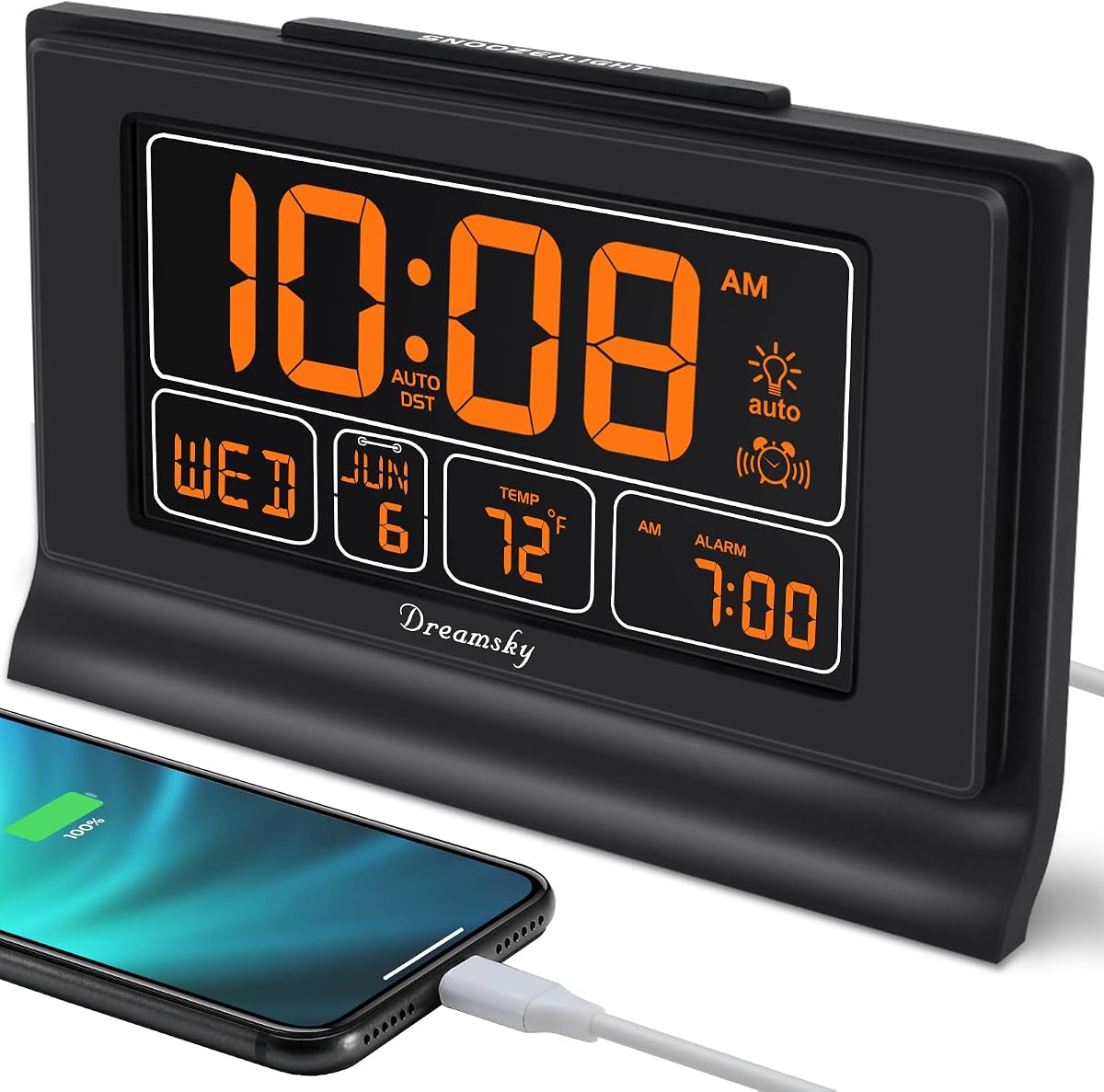
DreamSky focuses on convenience with a built-in USB port for phone charging. It adds a practical touch to bedside routines.
We may earn a commission when you buy through this link, at no additional cost to you.
Battery backup ensures time stays accurate during power cuts. Four brightness levels allow custom night viewing without hassle.
The alarm count is lower than top picks, but it suits simple needs. Auto DST removes seasonal setting chores for users.
Opt for this if device charging is a priority. It balances features and ease of use well.
Use the back USB port to charge phones while keeping the clock running.
Backup battery maintains time during outages so you do not reset manually.
We may earn a commission when you buy through this link, at no additional cost to you.
This model stands out with SD card photo playback and twenty alarm slots. It offers high customization for unique household needs.
We may earn a commission when you buy through this link, at no additional cost to you.
Twelve display themes let users match room decor or accessibility preferences. Multilingual support aids diverse language speakers.
The range of options may overwhelm some seniors. Simplify use by limiting active alarms and themes.
Pick this for personalized touches and high alarm capacity. It suits tech-savvy users wanting flexibility.
Insert an SD card to show family photos on the clock screen.
Adjust colors and themes to suit individual vision or style needs.
We may earn a commission when you buy through this link, at no additional cost to you.
Nimukol offers a simple layout with voice cues and auto-dimming. It targets users who want straightforward functionality without distraction.
We may earn a commission when you buy through this link, at no additional cost to you.
The 7 inch screen shows full day and date clearly. Setup takes one click for immediate use.
It lacks advanced customization but covers essentials well. Budget-conscious buyers will appreciate its low cost and clear display.
Choose this for basic alerts and voice help. It fits seniors needing simple daily reminders.
One-click setup ensures quick start without complex menus.
Time voice helps those with weak vision stay oriented.
We may earn a commission when you buy through this link, at no additional cost to you.
DIWAKREM features an IPS screen with a wide viewing angle. This helps users read from different angles without color shift.
We may earn a commission when you buy through this link, at no additional cost to you.
Automatic time memory restores settings after power failures. Eight language options support multilingual households.
The alarm count is moderate. It suits daily needs without overwhelming users with too many choices.
Select this for reliable viewing and easy recovery. It is good for shared spaces.
IPS screen ensures clear images from wide viewing angles.
Power loss does not erase time or date settings.
We may earn a commission when you buy through this link, at no additional cost to you.
KOSUMOSU leans toward bedroom style with a mirror finish and temp display. It targets users who prefer modern aesthetics.
We may earn a commission when you buy through this link, at no additional cost to you.
Dual alarms cover workdays and weekends. Snooze helps with waking gently each morning.
It lacks senior-specific features like voice or large text. Better for tech-savvy or younger buyers.
Buy this for looks and basic alarms. It is less ideal for memory care needs.
Mirror-style casing matches contemporary decor.
Indoor temperature adds value beyond time display.
We may earn a commission when you buy through this link, at no additional cost to you.
Peakeep offers a large display with USB charging for convenience. It helps keep devices powered alongside daily alerts.
We may earn a commission when you buy through this link, at no additional cost to you.
Five volume levels cater to different hearing needs. Auto DST saves seasonal adjustments.
It lacks advanced senior features but remains reliable. Ideal for general use in bedrooms.
Choose this for utility and simplicity. It fits standard households.
Use the USB port to power phones at night.
Five levels allow quiet or loud wake-up.
We may earn a commission when you buy through this link, at no additional cost to you.
DreamSky auto-sets time and zone when plugged in. It reduces initial setup steps for most users.
We may earn a commission when you buy through this link, at no additional cost to you.
Battery backup preserves settings during power loss. USB port adds device charging.
Its 5 inch screen is compact. Might not suit those needing very large text.
Pick for auto features and backup. It suits general use well.
Clock sets itself when connected to power.
Multiple zones support accurate local time.
We may earn a commission when you buy through this link, at no additional cost to you.
Selecting the right clock involves matching screen size, features, and power needs to the user's routine. Focus on clarity and ease of setup.
Larger screens reduce eye strain and help those with vision decline. Look for full text for day and month to avoid confusion.
Prioritize at least 7 inches with high contrast fonts for best results.
Voice announcements assist users with poor vision. Multiple alarms support medication and appointment reminders.
Choose models with customizable alarms to fit daily schedules.
Plug-in clocks avoid frequent battery changes. Backup batteries keep settings during outages.
Verify battery type and power cord inclusion before buying.
Simple setups save time and reduce frustration. One-click or guided menus are ideal.
Avoid complex menus if the user has limited tech experience.
Auto-dimming protects sleep and reduces glare. Manual options add control for night use.
Ensure the clock adjusts to room light automatically.
Extra functions like USB charging or photo playback add value. Balance useful tools with simplicity.
Select only features that match actual daily needs.
Sturdy builds and warranty coverage ensure long use. US-based support aids quick issue resolution.
Check for warranty terms and company location.
Multilingual support helps diverse households. Themes and colors can aid memory or style preferences.
Pick models offering relevant languages or themes.
Start by placing the clock at eye level on a stable surface. Plug it into an accessible outlet to avoid cord hazards.
Set time and date through the provided menu keys. Use the backup battery if available to retain settings.
Clean the screen with a soft dry cloth to avoid damage. Adjust brightness to match the room's lighting.
Most models include a backup battery that keeps time and settings during outages. When power returns, the clock resumes normally without reset.
Many clocks support multiple languages. Check the menu for language settings to switch between options like English or Spanish.
Use the alarm slots to set specific times. Label them as medication reminders if the model supports custom text.
Voice announcement models help those with poor vision. Look for large fonts and high contrast displays for better readability.
Automatic DST models update time twice a year. Check if your clock has this feature to avoid manual changes.
Some models include USB ports for phone charging. Verify this feature if you want to save outlet space.
Auto-dimming adjusts brightness at set times. Manual options also allow custom dimming for quiet nights.
Our top picks highlight strong options for seniors with different needs. The SSYA leads in clarity, Mitoart in value, and American Lifetime in build quality.
Prioritize display size, voice alerts, and battery backup to match your routine. Avoid features that add unnecessary complexity.
Check current prices and availability before purchasing. Each model offers distinct benefits to support daily independence.