
Samsung 8GB DDR4 Memory
4.8Editor score
Affordable 8GB upgrade
High 3200MHz rate
Single rank efficiency
This comprehensive guide compares the top DDR4 Sodimm Laptop RAM modules for performance, compatibility, and reliability to help you upgrade your laptop
Choosing the right memory upgrade can transform your laptop's speed and efficiency. DDR4 Sodimm modules offer significant gains for multitasking and productivity across modern systems.
We analyzed ten leading options based on speed, capacity, compatibility, and reliability. Our selection includes trusted brands known for quality and performance in laptop memory upgrades.
Each pick highlights key specifications and ideal use cases for various needs. Note that stock and availability may shift, so verify details before purchasing your upgrade today.
4.8Editor score
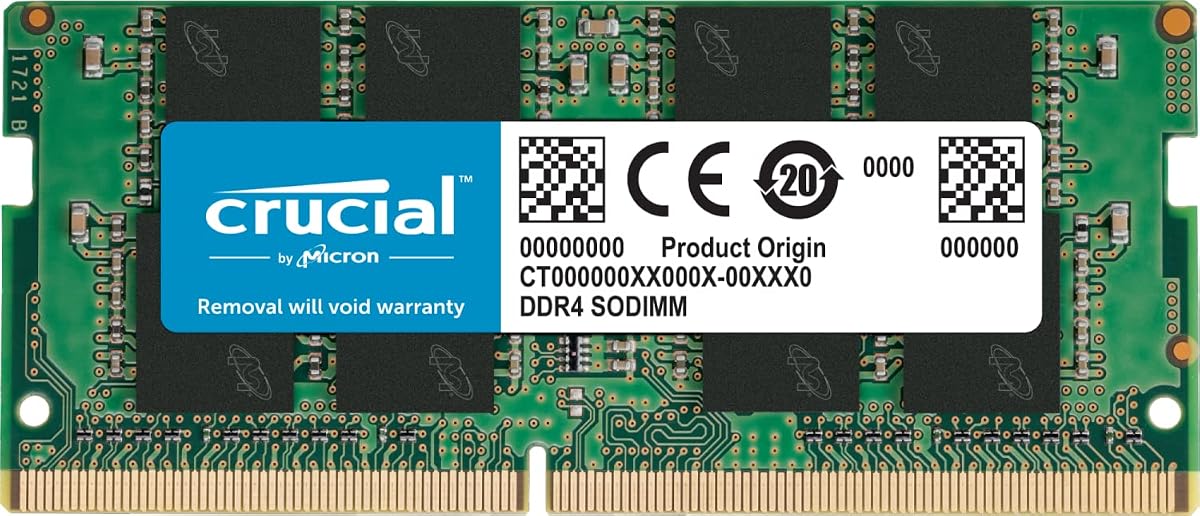
4.8Editor score
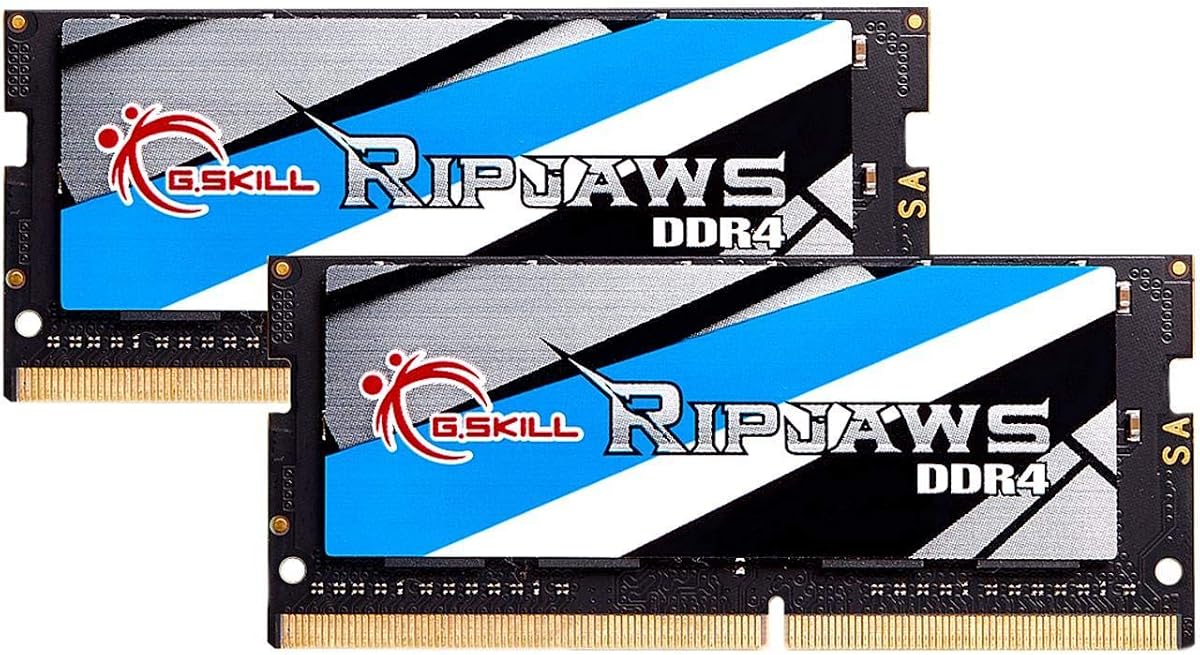
4.7Editor score
The following table provides a side-by-side overview of each product's key specifications. Use this comparison to identify the module that best fits your laptop's technical requirements.


This module is a standout choice for users seeking reliable performance. With a 4.8 rating, it delivers robust speed and system responsiveness across many laptops.
We may earn a commission when you buy through this link, at no additional cost to you.
The Crucial System Scanner ensures seamless compatibility for your specific device. Its 3200MHz speed and 16GB capacity significantly boost multitasking and application loading.
While premium pricing may deter some budget shoppers, the reliability and support justify the cost. It ensures stable operation without errors during intensive tasks.
Ideal for professionals and power users, this RAM is a solid long-term investment. Upgrade with confidence knowing your laptop will handle demanding workflows effortlessly.
Crucial offers a System Scanner to verify compatibility before purchase. This reduces the risk of installing incompatible memory modules.
The 3200MHz speed improves system responsiveness significantly. Multitasking becomes smoother with ample 16GB capacity for modern applications.
We may earn a commission when you buy through this link, at no additional cost to you.
Samsung modules are renowned for their reliability and performance. This 16GB unit offers high capacity at a competitive price point for budget-conscious buyers.
We may earn a commission when you buy through this link, at no additional cost to you.
Its 3200MHz speed ensures quick data access and system responsiveness. Dual rank architecture helps handle heavier workloads more effectively than single rank modules.
Quality assurance testing guarantees dependable performance across supported laptops. However, checking compatibility manually is required since no automatic scanner is provided.
Perfect for cost-effective upgrades, this memory is suitable for general productivity and media tasks. It delivers solid value without compromising on speed or capacity.
2Rx8 dual rank configuration enhances memory bandwidth. This leads to better performance in data-intensive applications compared to single rank options.
Samsung's reputation for quality ensures dependable operation. Every module undergoes strict testing to meet high performance standards consistently.
We may earn a commission when you buy through this link, at no additional cost to you.
This kit is designed for users needing massive memory capacity for demanding workloads. The 32GB total allows for intensive multitasking and virtualization tasks effortlessly.
We may earn a commission when you buy through this link, at no additional cost to you.
Operating at up to 3200MT/s, it delivers top-tier speed. The dual-channel kit ensures matched modules for enhanced stability and performance over time.
While higher in cost, the included JEDEC default profile simplifies initial setup. Overclocking potential offers room for enthusiasts to squeeze out extra performance if supported.
Best suited for professionals in content creation or data analysis. This kit ensures your laptop handles complex workflows without memory bottlenecks slowing you down.
Modules are sold as matched kits for guaranteed stability. This prevents issues that arise from mixing different memory models or batches.
Overclocking features allow for performance tuning via BIOS. This flexibility caters to users seeking maximum speed capabilities.
We may earn a commission when you buy through this link, at no additional cost to you.
Ideal for users looking to add a modest memory boost without spending much. The 8GB capacity is perfect for general users seeking better multitasking.
We may earn a commission when you buy through this link, at no additional cost to you.
Its 3200MHz speed is compatible with many laptops, downclocking to 2933 or 2666MHz as needed. This flexibility ensures compatibility across various generations.
Installation is straightforward with Crucial guides. Micron quality testing ensures reliability even at this lower price point for everyday tasks.
Recommended for basic productivity and browsing upgrades. It offers significant performance improvement over older modules without breaking the bank.
Speed automatically adapts to laptop capabilities. This ensures smooth operation even on systems that do not support 3200MHz natively.
Backed by decades of memory expertise. Rigorous testing guarantees top performance and reliability for your system.
We may earn a commission when you buy through this link, at no additional cost to you.
This kit provides excellent value for those needing dual channel performance. The 32GB total allows for significant multitasking improvements over single module setups.
We may earn a commission when you buy through this link, at no additional cost to you.
Compliant with JEDEC standards, it ensures stability across supported systems. Technical support and warranty coverage add peace of mind to your purchase decision.
The dual module configuration maximizes memory bandwidth effectively. This setup is optimal for modern applications that benefit from higher throughput.
Best for power users and content creators. It balances high capacity with reliability, making it a smart investment for long-term system use.
Adherence to industry standards ensures stability. This compliance reduces risks of system errors or incompatibility with your hardware.
Lifetime warranty provides long-term protection. Technical support is available to assist with any installation or compatibility issues.
We may earn a commission when you buy through this link, at no additional cost to you.
A-Tech offers a straightforward solution for users needing basic memory expansion. The 8GB capacity and 2400MHz speed suit older or budget laptops well.
We may earn a commission when you buy through this link, at no additional cost to you.
Easy installation without expertise required simplifies the upgrade process. Friendly support teams are available before and after purchase to ensure satisfaction.
While slower than top-tier options, it provides necessary performance for light tasks. It is an ideal choice for extending the life of older systems.
Perfect for users prioritizing cost savings. This module ensures your laptop runs smoothly without demanding high-speed capabilities or complex configurations.
Designed for affordability without sacrificing core reliability. This makes it accessible for budget-conscious buyers seeking essential upgrades.
No special tools or knowledge required for installation. Users can upgrade their system quickly and easily at home.
We may earn a commission when you buy through this link, at no additional cost to you.
GIGASTONE provides a versatile memory kit suitable for a wide range of devices. The 32GB kit ensures ample space for multiple applications running simultaneously.
We may earn a commission when you buy through this link, at no additional cost to you.
Speed flexibility allows operation at 2933 or 2666MHz if needed. This adaptability ensures compatibility across various laptop models and generations.
Non-ECC unbuffered configuration ensures standard operation for consumer laptops. It offers a balanced approach between performance and system stability effectively.
Best for users needing high capacity without premium pricing. This kit delivers excellent value for multitasking and everyday productivity requirements.
Modules adapt speed based on system support. This flexibility ensures smooth operation regardless of motherboard limitations.
Two 16GB modules enable dual channel benefits. This configuration significantly boosts data throughput and overall system performance.
We may earn a commission when you buy through this link, at no additional cost to you.
This module is perfect for users wanting a speed boost without complex configurations. The single rank design simplifies installation and compatibility checks.
We may earn a commission when you buy through this link, at no additional cost to you.
High 3200MHz speed improves performance even with 8GB capacity. It efficiently expands available memory resources for better workload management.
Reducing bottlenecks allows for smoother operation during tasks. Samsung's quality assurance ensures reliable operation throughout the module's lifespan.
Ideal for general users needing quick upgrades. This memory provides a solid balance of speed and reliability for daily tasks.
Single rank design simplifies system recognition. It ensures compatibility with laptops that may not support dual rank modules easily.
Operating at 3200MHz delivers fast data access. This speed is beneficial even for smaller capacity modules in modern systems.
We may earn a commission when you buy through this link, at no additional cost to you.
This single module offers the highest capacity in a compact form. Perfect for laptops with limited slots needing massive memory upgrades efficiently.
We may earn a commission when you buy through this link, at no additional cost to you.
Dual rank configuration enhances performance significantly. It ensures the system handles demanding workflows without slowing down under pressure.
At the higher end of pricing, it suits professional use cases. The reliability and speed justify the cost for productivity-focused users.
Best for users with single slot laptops. This module ensures maximum potential is unlocked without needing additional hardware slots.
Provides massive capacity in one slot. This is ideal for laptops that only allow one RAM upgrade.
High capacity ensures longevity. This module supports newer applications that require larger memory footprints.
We may earn a commission when you buy through this link, at no additional cost to you.
CORSAIR brings a sleek option for users who value design and stability. The slim profile ensures physical compatibility with modern laptop cases.
We may earn a commission when you buy through this link, at no additional cost to you.
Auto-overclocking capability works on compatible systems without manual BIOS setup. This simplifies gaining performance boosts quickly and easily.
Stability is enhanced through selected DRAM materials. It ensures consistent operation during long sessions without thermal or electrical issues.
Recommended for users wanting aesthetic value. This module balances looks and performance for those who care about system build quality.
Slim design ensures physical compatibility. This is crucial for modern laptops with tight internal spacing.
Features auto-overclocking for select laptops. This reduces manual configuration effort for users wanting better performance.
We may earn a commission when you buy through this link, at no additional cost to you.
Selecting the right RAM involves understanding capacity, speed, and compatibility. This guide breaks down key factors to help you make an informed decision.
Capacity determines how many applications you can run simultaneously. 8GB is sufficient for basic tasks, while 32GB is ideal for heavy multitasking.
Choose capacity based on your specific workload requirements and future proofing.
Speed affects how quickly data is processed. Higher MHz ratings like 3200MHz offer better responsiveness than slower options.
Ensure your laptop supports the speed to avoid downclocking penalties.
Not all RAM fits all laptops. Always check your laptop's specs to ensure support for SODIMM form factor and specific speeds.
Use manufacturer tools to scan your system before buying to avoid errors.
Single rank modules are simpler, but dual rank can offer better bandwidth. Choose based on your laptop's slot configuration.
Dual rank is generally better for performance if slots allow.
Trusted brands like Crucial and Samsung offer better testing and warranties. This reduces the risk of hardware failure.
Investing in reputable brands ensures long-term system stability.
Standard voltage is 1.2V. Timing like CL22 balances speed and latency. Lower CAS latency is better for responsiveness.
Stick to standard JEDEC timings for maximum compatibility.
Before installation, power down the laptop and disconnect all cables. Ground yourself to avoid static damage to sensitive components.
Insert the module into the slot at an angle and press down until the clips click. Ensure it sits flush with the surrounding components.
After installation, restart the computer and check the BIOS to confirm the memory is detected correctly. Update drivers if needed.
It is generally recommended to stick to matched kits to ensure stability. Mixing brands can sometimes lead to system instability or reduced speeds.
Most modern laptops support up to 64GB, but some older models may cap at 16GB. Always check your specific model's motherboard limits.
Higher speed improves performance only if your system supports it. Otherwise, it will downclock to the supported speed, negating benefits.
Check your laptop specifications or use a tool like CPU-Z. Sodimm refers to the small form factor for laptops.
Yes, it is safe if you follow proper procedures. Disconnect power and ground yourself to prevent static discharge during installation.
Most SODIMM modules are compatible with both Intel and AMD laptops. Verify specific compatibility in the product description to be sure.
Choosing the right RAM involves balancing capacity, speed, and budget. Our top picks cover a range of needs from basic upgrades to high-performance kits.
Prioritize compatibility and brand reliability to ensure long-term stability. Investing in quality memory extends your laptop's lifespan significantly.
Prices and availability fluctuate often, so verify current offers before purchasing. Check your system requirements to confirm the best choice today.