
Cosmo Mini 100 Copy Stand
4.3Editor score
Compact portable design
Floating magnet board included
Adjustable column height
This guide compares the top copy stands for film scanning and photo digitizing to help you find the perfect tool for archiving your memories efficiently.
Choosing the right copy stand is essential for anyone looking to digitize photos or film without expensive scanners. A good stand ensures stability, proper alignment, and consistent results for your archival projects.
We evaluated ten top-rated models based on build quality, camera compatibility, and ease of use. Our analysis covers everything from compact desktop units to heavy-duty professional systems.
Each pick below highlights specific strengths and ideal use cases for different users. Please note that product availability and pricing may vary over time as market conditions change.
4.3Editor score

4.2Editor score

4.2Editor score
The table below provides a side-by-side comparison of all ten products reviewed in this guide to help you quickly identify the best fit for your specific digitization needs.


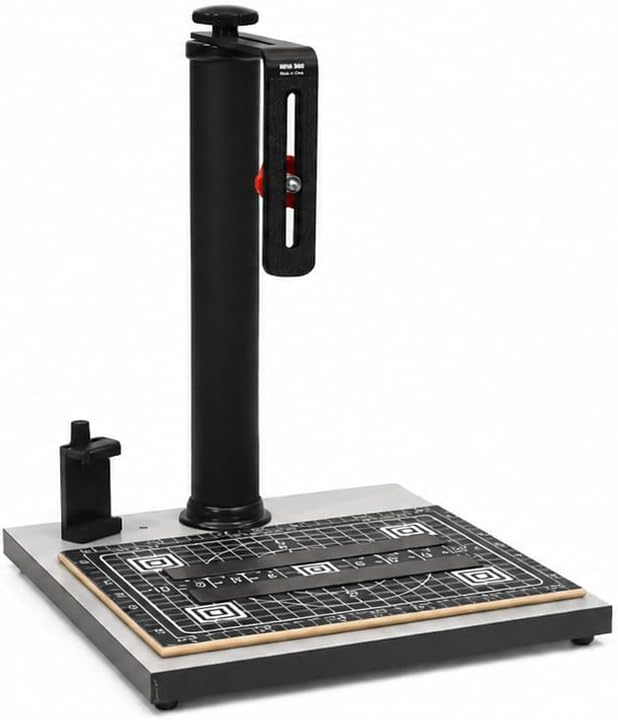


The Cosmo Mini 100 Copy Stand is a compact solution designed for hobbyists and casual users who need to digitize small items. With a rating of 4.3 stars, it is praised for its simplicity and ease of setup.
We may earn a commission when you buy through this link, at no additional cost to you.
Its standout qualities include the adjustable column that ranges from 11 to 16 inches and the included Floating Magnet Board. The baseboard features a durable dark gray melamine finish and holes for both cameras and smartphones.
While it lacks the robust construction of professional units, its trade-offs are acceptable for home archiving. The light-duty support means it may not hold heavy DSLRs securely.
This stand is ideal for students and families digitizing old photos. If you need a portable tool for social media or personal archiving, this is a reliable and affordable choice.
Assembling in under one minute makes this stand easy to transport and store in small spaces.
The Floating Magnet Board ensures originals stay flat during capture, improving image quality significantly.
We may earn a commission when you buy through this link, at no additional cost to you.
The Cosmo Mini 300 earns Editor's Choice for balancing portability with sturdier construction. It supports cameras up to 3 lbs, making it versatile for various setups.
We may earn a commission when you buy through this link, at no additional cost to you.
Its key strengths include a 1.5 inch steel tube column and a reversible bracket that offers significant vertical and horizontal adjustment. The baseboard is slightly larger than the 100.
Trade-offs involve the added weight of 8 lbs, which reduces portability slightly compared to the 100 model. However, the stability gained justifies this for most hobbyists.
Anyone needing a reliable middle-ground option should buy this. It is perfect for digitizing slides, negatives, and documents without breaking the bank.
The steel column provides better stability than aluminum tubes found on lighter models.
Multiple horizontal adjustment holes allow precise positioning of the camera lens over the subject.
We may earn a commission when you buy through this link, at no additional cost to you.
This Copy Macro Stand is designed specifically for film digitization with DSLR or mirrorless cameras. It features a sturdy aluminum base and leveling feet to ensure stability.
We may earn a commission when you buy through this link, at no additional cost to you.
Key strengths include a camera quick-release plate and adjustable leveling feet. This makes framing negatives and slides consistent and prevents camera shake during exposure.
It lacks the magnetic board for flat documents found in Cosmo models, which is a trade-off for its macro photography focus. It is better suited for 3D objects.
Photographers working with negatives will find this most useful. If you use heavy lenses, this stand provides the necessary rigidity and precision.
Built-in bubble level keeps your camera perfectly aligned during film duplication tasks.
Quick release clip works seamlessly with DSLRs and L-brackets for fast setup.
We may earn a commission when you buy through this link, at no additional cost to you.
The Kaiser RS 2-XA is a compact professional-grade copy stand with an impressive rating of 4.6 stars. It is ideal for users needing a high-quality, durable base.
We may earn a commission when you buy through this link, at no additional cost to you.
It features a non-reflective matte gray base board with printed scales and inch/cm markings. The aluminum tubing column is rotatable, allowing flexible positioning for different shooting angles.
Trade-offs include the higher price and the fact that lighting kits are sold separately. It is also limited to 3.3 pounds load, which is low for heavy setups.
Those needing precision and brand reliability should choose this. It is a classic design that offers longevity and professional build quality.
The matte finish prevents glare and ensures your documents are captured clearly without distractions.
The rotatable column allows you to adjust the camera angle without moving the heavy base.
We may earn a commission when you buy through this link, at no additional cost to you.
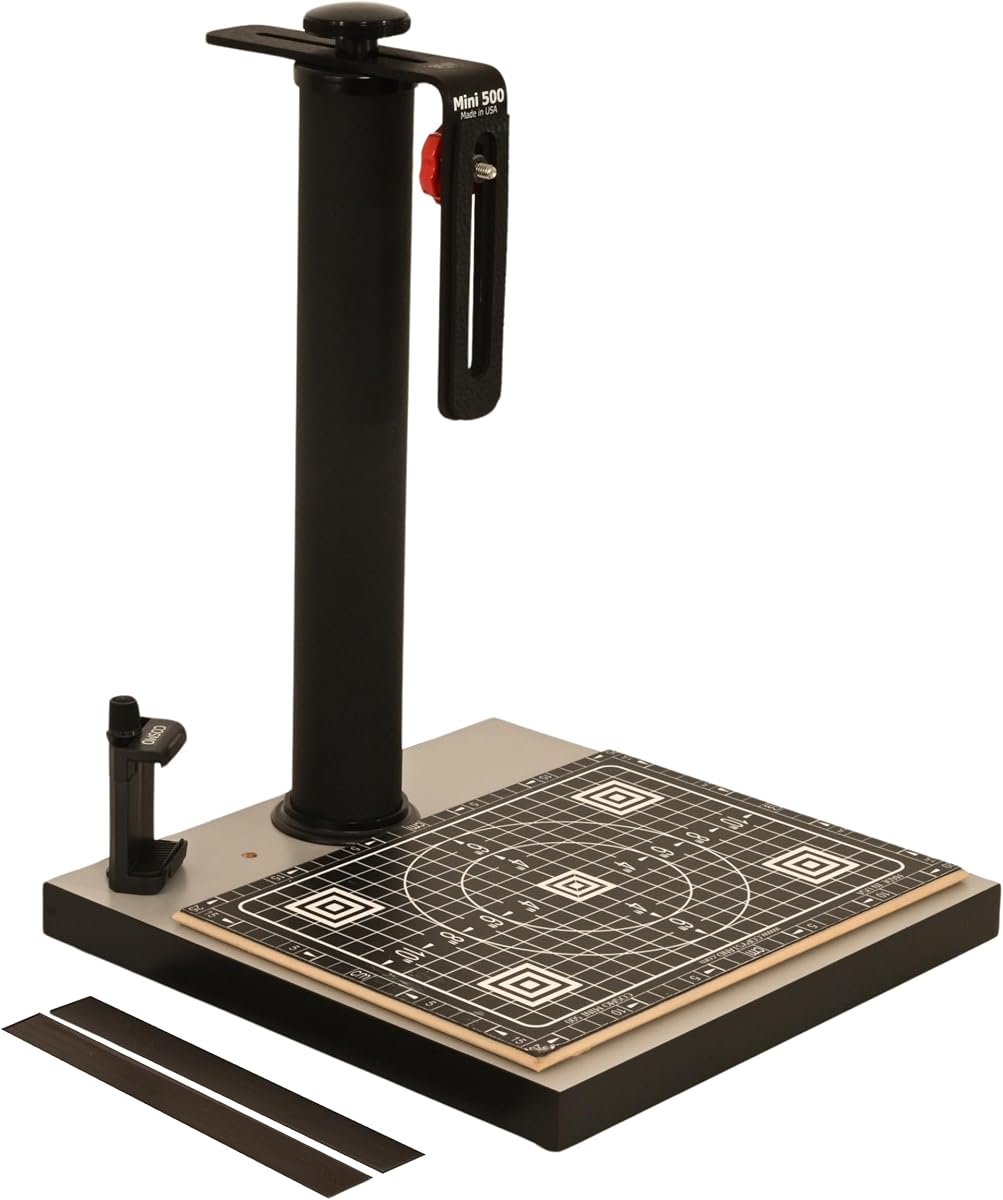
The Cosmo Mini 500 offers a heavier build than the 300, featuring a fixed 2-inch steel column for increased rigidity. It is designed for users prioritizing stability.
We may earn a commission when you buy through this link, at no additional cost to you.
Its precision baseboard is 12×12 inches and includes a floating magnet board. The bracket allows 9 to 19 inches vertical adjustment and 4 inches of horizontal travel.
Trade-offs include the 9-pound weight and fixed column tube, which reduce portability. However, the extra stability prevents micro-vibrations during shooting.
If you work with heavier cameras or need consistent results, this is the best compact choice. It is perfect for creative work like sketches and calligraphy.
The 2 inch fixed steel column provides excellent support for heavier camera setups.
The 1/2 inch precision grid on the board ensures accurate alignment for your photos.
We may earn a commission when you buy through this link, at no additional cost to you.
The Mini 500 Pro is a variation of the 500 with a slightly larger baseboard and high build quality. It supports cameras up to 3 lbs.
We may earn a commission when you buy through this link, at no additional cost to you.
Key strengths include a precision 1/2 inch grid and the same robust steel column. The baseboard measures 13×12.5 inches, offering more workspace.
Trade-offs involve its weight and fixed column, which limit portability. It is best suited for a dedicated workspace rather than travel.
Users needing a large surface area for documents or art should choose this. It provides a stable platform for detailed digitization.
The larger baseboard allows you to digitize bigger documents without needing to move the stand.
The steel construction ensures that the camera remains perfectly steady throughout your session.
We may earn a commission when you buy through this link, at no additional cost to you.
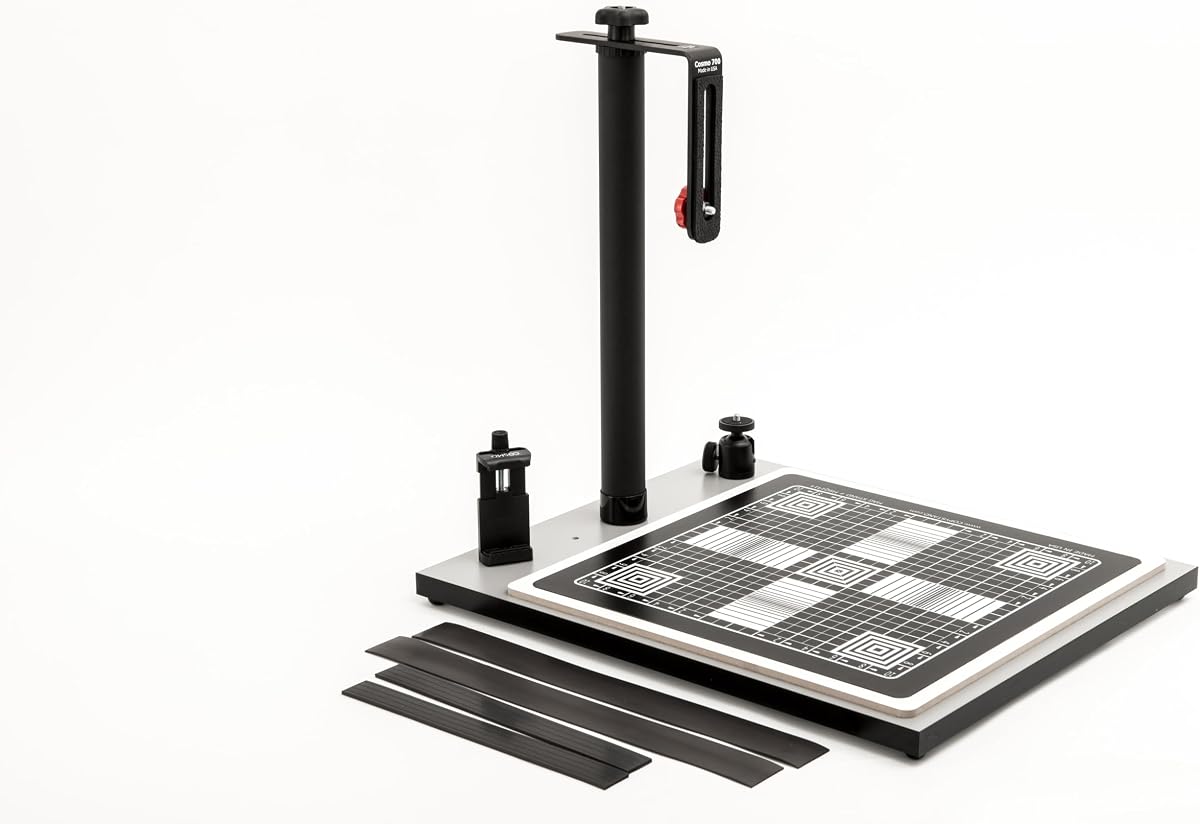
The Cosmo Mini 700 is designed for large formats including food plates and 3D objects. It features a massive baseboard of 15.5×18.5 inches.
We may earn a commission when you buy through this link, at no additional cost to you.
Its standout features include a 15×15 inch Floating Magnetic Board and a ball head for precise angle adjustments. It supports DSLR cameras under 3 lbs.
Trade-offs include its massive weight of 14 lbs and large footprint. It is not portable and is best suited for a fixed studio setup.
If you need to digitize large documents or food photography, this is the ideal choice. It provides the most versatile surface area of any consumer stand.
The included ball head allows for smooth and precise angle adjustments for any angle.
The large 15×15 inch magnetic board ensures even large originals stay flat.
We may earn a commission when you buy through this link, at no additional cost to you.
The Cosmo Mini 700 Plus shares the same specs as the standard 700 but often targets food photographers and online sellers. It carries a high rating of 4.8 stars.
We may earn a commission when you buy through this link, at no additional cost to you.
It includes a large 15×15 inch Floating Magnetic Board and a ball head. The massive baseboard supports all types of 3D objects and documents.
Trade-offs mirror the 700 with significant weight and size. It is not suitable for travel and requires a dedicated table space.
For vendors selling food or large collectibles, this is the best choice. It ensures professional-quality overhead shots consistently.
The generous size makes it perfect for capturing plated meals without cutting off corners.
The consistent overhead angle ensures all product photos look uniform for your online store.
We may earn a commission when you buy through this link, at no additional cost to you.
The Kaiser RS1 represents the premium tier of copy stands. It features a roll-off spring mechanism and an extra-wide vibration-resistant column.
We may earn a commission when you buy through this link, at no additional cost to you.
Its standout features include interchangeability and a professional-grade build. The column is designed to eliminate any shake during high-resolution capture.
Trade-offs are significant cost and complexity. It is overkill for casual users and requires careful handling due to its weight and mechanics.
Only professionals requiring maximum precision should invest in this. It is an investment in longevity and flawless image capture.
The roll-off spring mechanism compensates for weight, allowing smooth vertical adjustment.
The extra-wide column ensures absolute stability for critical film digitization work.
We may earn a commission when you buy through this link, at no additional cost to you.
This Photography Copy Holder is a standalone magnetic board designed to sit on a desk or base of a copy stand. It has a perfect 5.0 rating.
We may earn a commission when you buy through this link, at no additional cost to you.
It features a laminated surface with 1/2 inch precision grids and two magnetic strips to secure originals. It is made of wood and rubber steel.
Trade-offs are that it lacks a vertical column. It is a component rather than a full stand, requiring your own camera mount.
If you already have a tripod, this is the best accessory for document digitizing. It ensures your documents stay perfectly flat and aligned.
Squared corners and precision grids allow you to align your camera lens perfectly.
The magnetic strips hold originals flat without creasing the edges of your documents.
We may earn a commission when you buy through this link, at no additional cost to you.
Selecting the right copy stand requires evaluating several technical factors to ensure it fits your workflow and equipment.
The size of the baseboard determines how large a document or object you can capture without moving it. Larger boards offer more flexibility but require more desk space.
Choose a baseboard that is slightly larger than your largest frequent subject.
Column height affects the working distance between your camera and the subject. Taller columns allow for a wider field of view without moving the camera away.
Ensure the height range accommodates your specific camera lens focal length.
Materials like steel and aluminum provide different levels of stability. Steel columns are heavier but minimize vibration, which is critical for high-resolution photography.
Opt for metal construction if you plan to use heavy cameras regularly.
Floating magnet boards help keep flat documents and photos smooth during capture. They use magnetic strips to hold the item without visible clips.
Look for boards with grid lines to assist in alignment and positioning.
Check if the stand supports your specific camera mounting needs. Look for quick-release plates or standard 1/4 inch screws.
Ensure the mount accommodates your phone or DSLR without needing extra adapters.
Weight and footprint determine how easy it is to transport your gear. Lightweight stands are easier to move but may sacrifice some stability.
Consider portability if you plan to use the stand in multiple locations.
Quality manufacturing ensures the stand lasts for years. Look for powder-coated finishes and reinforced joints.
Higher durability often correlates with better long-term stability.
Prices vary significantly from entry-level options to professional systems. Determine your budget while ensuring the basic requirements are met.
Do not compromise on stability for a lower price if you are using expensive cameras.
To begin, assemble the baseboard and column securely according to the manufacturer's instructions. Ensure all tightening knobs are firm to prevent wobbling.
Next, place your subject on the board and secure it using the provided magnetic strips or clips. Align the camera lens with the center grid marks on the board.
Finally, take test shots to adjust height and lighting. For cleaning, use a dry cloth to remove dust and avoid harsh chemicals that could damage the laminate.
A copy stand is used to hold cameras at a fixed overhead position for digitizing flat or small 3D objects. It ensures consistent lighting and alignment for high-quality scans.
Yes, many copy stands include phone holders or side holes to position a smartphone camera directly over the subject. This allows you to digitize items without a DSLR.
A floating magnet board keeps flat originals smooth without visible clips. This prevents shadows and creases, ensuring a clean and uniform capture.
Most consumer stands support up to 3 lbs, which covers many DSLRs. For heavier setups, professional models like the Kaiser RS1 are recommended.
Use a sturdy column and tighten all adjustment knobs before shooting. A remote shutter release or timer also prevents vibration when pressing the button.
Copy stands offer more flexibility for 3D objects and do not require feeding items through a machine. They are often faster and more durable for large batches.
We found that the Cosmo Mini 300 offers the best balance for most users, while the Kaiser RS1 serves professionals needing maximum precision.
Prioritize stability and baseboard size based on your frequent subjects. Ensure the stand supports your camera weight and mounting type.
Remember to check current prices and availability before purchasing. Selecting the right tool now will ensure years of high-quality digitization.