10 Best Conference Room Monitor (November 2026) Expert Guide
Written by Jamie · Updated November 2026
Finding the right conference room monitor is essential for modern business communication. A high-quality display ensures clear visuals during presentations and video calls, keeping all participants engaged and informed throughout the meeting.
We evaluated ten top-rated commercial displays based on resolution, connectivity options, and reliability. Our analysis covers size variations from compact to large format, ensuring you find a screen that fits your specific meeting space needs.
Each pick highlights key strengths like 4K clarity and smart features. Note that prices fluctuate based on availability and market conditions, so verify current listings before making your final purchasing decision for your office.
Top 3 Picks for Best Conference Room Monitor
Best Budget
LG UL3G 43" Class 4K UHD Conference Room & Digital Signage IPS LED Display (43UL3G-B) Bundle Including: 2X HDMI Cable, Surge Protector, Cable Ties, TV Cleaning Kit
As an Amazon Associate we earn from qualifying purchases.
Top 10 Best Conference Room Monitor in 2026 Compared
This side-by-side comparison highlights the core specifications of each display to help you evaluate size, resolution, and specific business features at a glance.
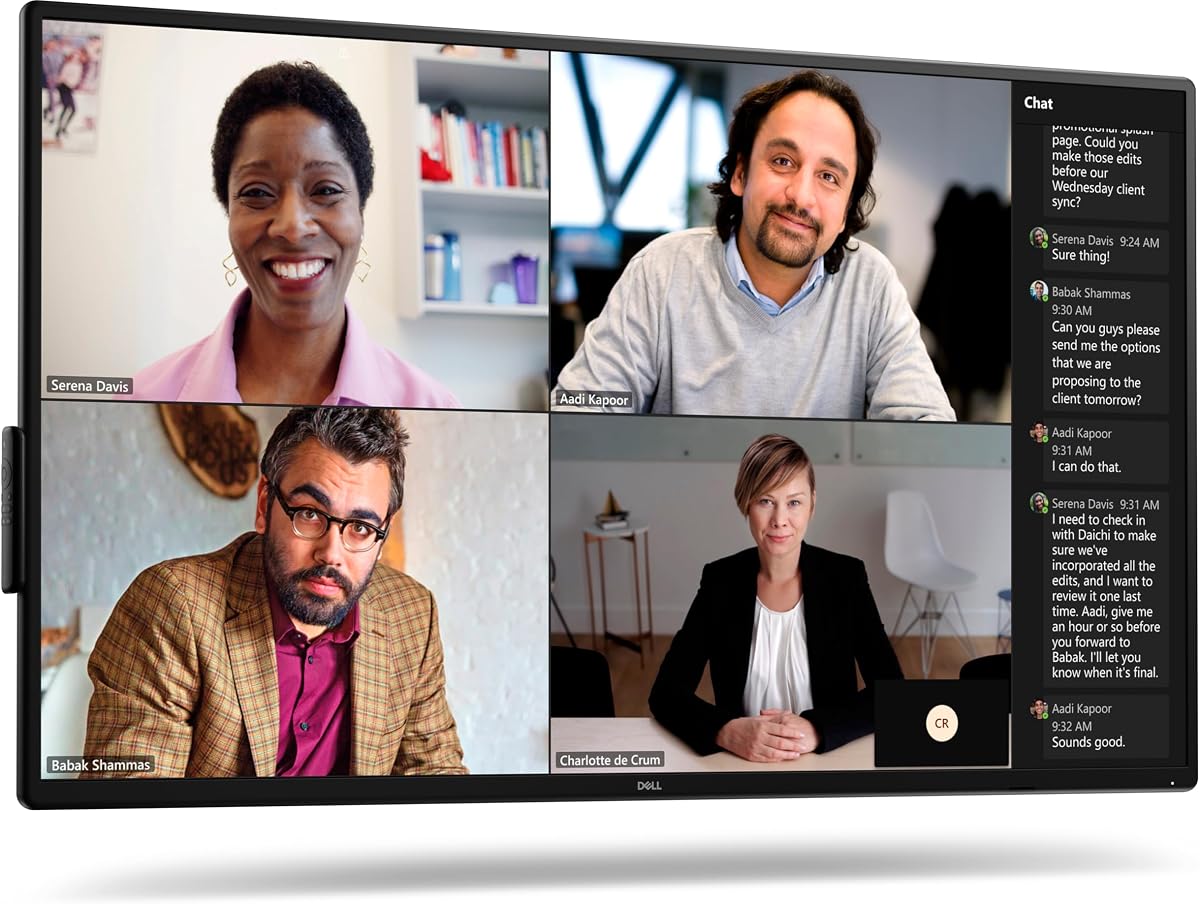
The Dell P5524Q stands out as a reliable 55-inch 4K monitor designed for professional meeting environments. It delivers sharp visuals and includes essential security features like a cable lock slot for safety in open offices.
Pros
Sharp 4K resolution
Anti-glare technology
Secure cable options
Wide viewing angle
Cons
Limited smart features
Requires external compute
We may earn a commission when you buy through this link, at no additional cost to you.
Its anti-glare coating ensures that presentations remain clear even under bright overhead lighting. The integrated speakers provide basic audio for meetings without needing extra hardware, making it a convenient setup choice.
While it lacks advanced built-in smart media features compared to some competitors, this simplicity often translates to better stability during critical business calls. Users prioritize consistent display performance over complex operating systems.
This monitor is ideal for enterprises needing a robust visual display that integrates seamlessly with existing conference room PCs. It is a top recommendation for professional spaces requiring reliability and clear video conferencing visuals.
Enhanced Visual Clarity
The 4K resolution provides crisp text and graphics, ensuring remote participants can read shared documents clearly during video conferences.
Security and Safety
Physical security features like the cable lock slot protect your investment in high-traffic areas where unauthorized access might be a concern.
Samsung QB65R 65 inch 4K UHD LED Commercial Signage Display
65 inch 4K display
Crystal Color technology
Integrated Wi-Fi and Bluetooth
SoC media player
The Samsung QB65R offers a massive 65-inch canvas perfect for large boardrooms where visibility is paramount. It leverages 4K UHD quality and Crystal Color technology to ensure lifelike presentations that capture audience attention effectively.
Pros
Large 65 inch size
Built-in Wi-Fi
Dynamic Crystal Color
Slim design
Cons
Higher price point
Complex initial setup
We may earn a commission when you buy through this link, at no additional cost to you.
With built-in Wi-Fi and Bluetooth, this display supports wireless content sharing from tablets and mobile phones. This flexibility enhances collaboration by allowing presenters to move freely without being tethered to a laptop connection.
The slim design facilitates clean cable management and easy wall mounting, contributing to a professional aesthetic. However, the advanced features and SoC technology require a bit more time to configure correctly for optimal performance.
This premium display is best suited for high-visibility conference spaces or digital signage applications where image quality and connectivity are critical. It provides a comprehensive solution for modern business communication needs.
Dynamic Visual Quality
Dynamic Crystal Color ensures that images and videos appear vibrant and realistic, making complex data presentations more engaging.
Wireless Collaboration
Bluetooth and Wi-Fi connectivity allow for seamless integration with mobile devices, streamlining the presentation workflow for teams.
LG UL3G 43" Class 4K UHD Conference Room & Digital Signage IPS LED Display
43 inch 4K UHD
IPS panel wide angles
WebOS 4.1 system
Bundle includes cables
The LG UL3G delivers exceptional value by offering a 43-inch 4K display at a competitive price point. It is designed to be a versatile solution for smaller meeting rooms or digital signage applications where cost is a key factor.
Pros
Cost effective pricing
Wide IPS viewing angles
Included accessory bundle
Built-in SoC
Cons
Smaller screen size
Basic audio quality
We may earn a commission when you buy through this link, at no additional cost to you.
Its IPS panel ensures consistent image quality from wide viewing angles, making it easy for all participants to see clearly. The bundle includes essential accessories like HDMI cables and a surge protector, simplifying the initial installation process.
While the screen size is smaller than premium models, it remains highly effective for standard meeting environments. The built-in System on Chip eliminates the need for external media players, keeping the setup tidy and functional.
This display is an excellent choice for businesses looking to upgrade their conferencing capabilities without breaking the budget. It balances performance and price effectively for smaller to medium-sized conference spaces.
Value Bundle Package
The included surge protector and cables save additional setup costs and ensure immediate connectivity out of the box for your office.
Versatile Connectivity
Support for external devices via USB and wireless sharing via Bluetooth Low Energy enhances its utility beyond standard video conferencing.
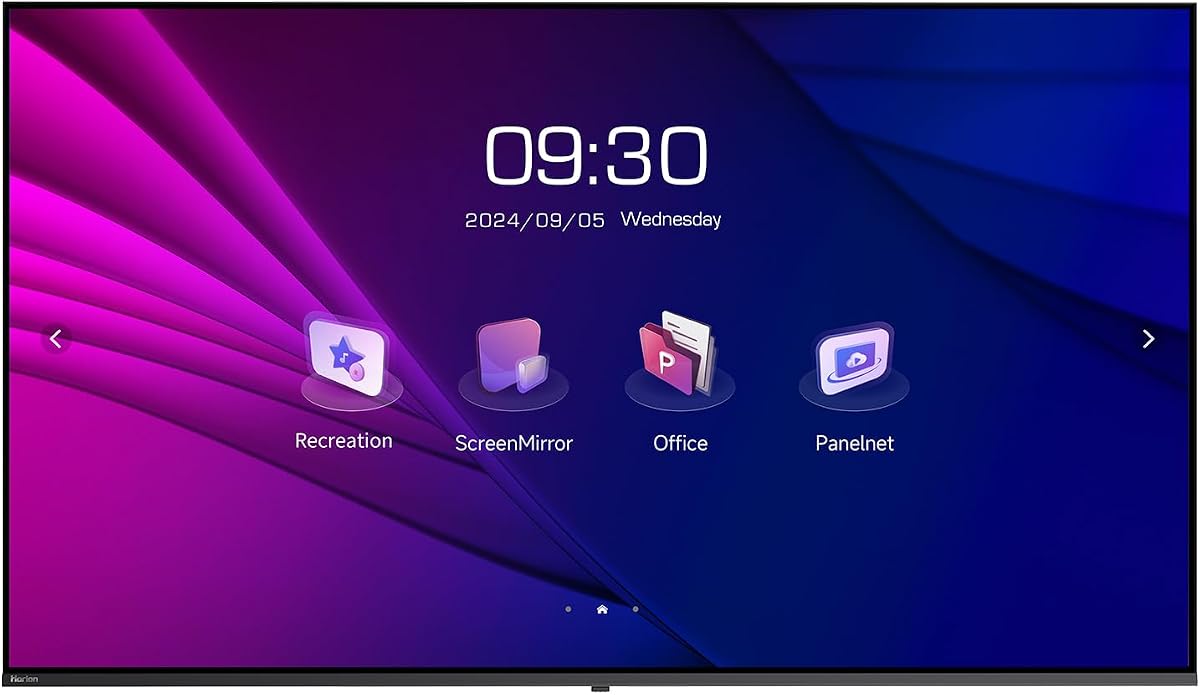
The HORION 75-inch display is engineered for high-traffic commercial environments with a brightness of 320 cd/m2. This ensures that visuals remain vibrant even in bright retail spaces or sunlit conference rooms where standard screens might struggle.
Pros
High brightness output
Dual WiFi stability
TÜV Low Blue Light
Vertical mount flexibility
Cons
Limited brand recognition
Heavier unit weight
We may earn a commission when you buy through this link, at no additional cost to you.
Its Dual WiFi Pro system uses twin independent modules to eliminate lag during wireless casting, providing a seamless experience for presentations. The TÜV Rheinland-certified Low Blue Light technology protects eye health during long hours of daily operation.
The display supports vertical mounting for unique signage applications like lobby directories. While the brand may be less known than major players, the technical specifications and reliability metrics suggest it is a robust choice for demanding business needs.
For organizations requiring reliable 24/7 operation in varied lighting conditions, this monitor offers significant advantages. It is a strong contender for businesses that need durability and clear visibility over an extended period.
Stable Wireless Performance
The dual WiFi modules dedicate separate channels for internet and casting, ensuring smooth presentations without connectivity interruptions.
Eye Comfort Protection
Low Blue Light technology reduces harmful emissions, making it suitable for environments where staff spend extended hours looking at the screen.
The Dell P5525QC offers a 55-inch UHD display with robust connectivity options including USB-C and DisplayPort. It is designed for professional environments that rely on high-quality external compute devices for conferencing solutions.
Pros
Multiple modern inputs
High brightness level
Stable IPS panel
Dell build quality
Cons
No specific smart OS
Requires external device
We may earn a commission when you buy through this link, at no additional cost to you.
With a brightness of 400cd/m2, the screen remains visible in well-lit meeting rooms. The IPS panel ensures consistent colors and viewing angles, which is critical when multiple participants are seated around a conference table.
While it does not include an integrated operating system, its versatility as a pure display makes it compatible with a wide range of laptops and conferencing hardware. This flexibility allows businesses to upgrade their computing power independently of the screen.
This model is ideal for businesses that prioritize connectivity and image fidelity over built-in smart features. It supports modern workflows where devices are frequently swapped or updated as technology evolves.
Modern Port Selection
USB-C allows for single-cable connectivity with many modern laptops, simplifying the connection process for visiting guests or presenters.
Professional Reliability
Dell's reputation for build quality ensures that this monitor can withstand the daily demands of a busy commercial meeting room environment.
The Philips 34-inch UltraWide monitor combines display and conferencing hardware into a single sleek unit. It features a built-in webcam and noise-canceling microphone, reducing the clutter of separate video devices on a desk.
Pros
Integrated video hardware
Windows Hello support
Curved immersion
Advanced replacement warranty
Cons
Narrower aspect ratio
Limited viewing distance
We may earn a commission when you buy through this link, at no additional cost to you.
Designed with a curved 1500R radius panel, it offers an immersive experience that can reduce eye strain during long work hours. The USB-C docking capability allows for power and data transfer through a single cable to your laptop.
While it is more suited for individual workstation conferencing or smaller huddle rooms rather than large meeting spaces, its integration simplifies setup. The 4-year advance replacement warranty provides peace of mind for business users.
This monitor is best for small teams or executives needing an all-in-one solution without external cameras. It balances productivity and convenience for those who prioritize a streamlined workspace.
All-in-One Video
Integrated webcam and microphone eliminate the need for external peripherals, making it ideal for quick impromptu video calls.
Ergonomic Design
The curved screen matches the natural field of view, reducing neck movement and improving comfort during extended video conferences.
The Samsung QB43R is a 43-inch commercial display that balances price and performance for standard meeting rooms. It includes intelligent UHD upscaling and a System-on-chip technology that simplifies content management without external players.
Pros
Excellent value
Integrated smart features
Reliable warranty
WebEx compatible
Cons
Medium size constraints
Basic audio output
We may earn a commission when you buy through this link, at no additional cost to you.
Its compatibility with Cisco WebEx room kits makes it a strong candidate for businesses already invested in that conferencing ecosystem. The slim design ensures easy installation while maintaining a professional appearance on the wall.
With a 3-year warranty included, users can expect reliable operation over time. It offers a solid option for smaller to medium rooms where a 65-inch screen might be too large or cost-prohibitive.
This model is a practical choice for businesses seeking a proven commercial solution. It provides the essential features needed for effective communication without unnecessary complexity or cost.
Seamless Integration
Support for Cisco WebEx kits ensures that existing conferencing setups can utilize the display without extensive configuration changes.
Content Management
The embedded media player allows for local content playback, reducing dependency on networked devices for simple presentations.
The Sony FW75BZ30L is a 75-inch UHD commercial monitor known for its high fidelity and color accuracy. It supports HDR, which enhances the depth and detail of media presentations, making it suitable for high-end executive meetings.
Pros
Superior image fidelity
Large 75 inch screen
Flexible orientation
Sony reliability
Cons
Limited smart features
High price tag
We may earn a commission when you buy through this link, at no additional cost to you.
This display allows for both landscape and portrait orientations, offering flexibility for digital signage or vertical data presentation. The VA LCD panel provides good contrast ratios, ensuring deep blacks and vibrant colors even in controlled lighting.
While it may lack some of the smart features found in other brands, its primary strength lies in pure display performance. It is a preferred choice for businesses that prioritize visual excellence above all else.
Ideal for luxury offices or design studios, this monitor ensures that every detail is visible. It is an investment in quality that pays off in the clarity of every presentation.
Color Precision
Sony's processing ensures that colors are represented accurately, which is vital for creative reviews and marketing presentations.
Versatile Mounting
Support for both portrait and landscape orientations allows for creative installation options that fit unique room layouts.
The Samsung QE50T is built to operate reliably for up to 16 hours a day, 7 days a week. This durability makes it a workhorse for environments where the display might be left on for extended periods without interruption.
Pros
Designed for longevity
Dust-proof rating
Media player included
3-side bezel-less
Cons
Moderate brightness
Basic connectivity
We may earn a commission when you buy through this link, at no additional cost to you.
It features a 3-side bezel-less design that enhances the visual experience by minimizing distractions. The built-in media player supports USB content playback, offering a simple way to share files without connecting a laptop.
The IP5X dust-proof rating ensures protection against dust particles, which is beneficial in industrial or high-traffic commercial spaces. Combined with a 3-year warranty, it offers significant peace of mind for facility managers.
This model is ideal for businesses needing a robust, always-on display. It balances functionality and reliability, making it a practical choice for commercial applications.
Continuous Operation
Designed for 16/7 operation, this display is built to handle long hours without overheating or degradation.
Dust Resistance
The IP5X rating protects internal components from dust, extending the lifespan of the device in less controlled environments.
The Logitech MeetUp is an all-in-one video conferencing system designed for huddle and small rooms. It features a 4K sensor with a wide 120-degree field of view, ensuring every participant is captured clearly.
Pros
All-in-one camera
High quality audio
Wide field of view
Plug-and-play
Cons
Requires existing display
Small room focus
We may earn a commission when you buy through this link, at no additional cost to you.
Its beamforming microphones capture voices up to 4 meters away, and the motorized pan/tilt feature expands the view to 170 degrees. This makes it easy to focus on the whiteboard or specific areas of interest during meetings.
While it is not a display itself, it complements existing conference room monitors perfectly. It simplifies the conferencing setup by combining camera, mic, and speakers into a single manageable unit.
For businesses needing to upgrade audio and video quality in smaller spaces, this system is a top choice. It streamlines collaboration by making remote meetings feel more personal and immersive.
Audio Clarity
Beamforming microphones isolate voices from background noise, ensuring clear communication during busy or noisy office hours.
Flexible Viewing
The motorized tilt and pan capabilities allow the camera to focus on specific areas, improving interaction with physical whiteboards.
We may earn a commission when you buy through this link, at no additional cost to you.
Buying Guide – How to Choose the Best Conference Room Monitor
Selecting the right conference room monitor requires evaluating display technology, connectivity options, and physical size to suit your specific meeting space needs.
Display Size and Resolution
The physical size of the monitor should match the room size to ensure everyone can read text clearly. 4K resolution is increasingly standard for crisp visuals, while larger screens like 65 or 75 inches are better for large boardrooms.
Always choose a screen size that allows text to be readable from the furthest seat in the room.
Panel Type and Viewing Angles
IPS panels generally offer wider viewing angles and more consistent colors compared to VA panels. This is crucial in conference rooms where participants sit at wide angles around a table.
Prioritize IPS technology if your meeting room has a wide seating arrangement to ensure uniform image quality.
Brightness and Anti-Glare Coating
High brightness measured in nits is essential for well-lit rooms or spaces with windows. Anti-glare coatings help reduce reflections that can obstruct the view during video conferences.
Look for monitors with at least 300 nits of brightness and a matte finish for bright environments.
Connectivity and Ports
Ensure the monitor supports the necessary ports like HDMI, DisplayPort, and USB-C for modern laptops. Some displays include USB hubs that simplify cable management for multiple devices.
Check that the available ports match the inputs of your current conferencing system and computers.
Smart Features vs External Compute
Smart displays include a built-in operating system allowing independent content playback, while standard monitors rely on an external PC. Smart features add convenience but can sometimes be less stable than dedicated conferencing PCs.
Decide if you need the display to function independently or if you prefer it to simply be a visual output for a PC.
Audio Capabilities
While many monitors include built-in speakers, dedicated audio systems often provide better sound quality for video calls. Consider whether the built-in audio is sufficient for your room size.
For larger spaces, verify if the speakers are loud enough or if you need to add an external audio system.
Mounting and Flexibility
Ensure the monitor supports VESA mounting if you plan to wall mount it. Some displays offer vertical orientation support which is useful for digital signage or vertical data presentation.
Confirm the weight and VESA pattern before purchasing a mounting solution to ensure safe installation.
Warranty and Support
Commercial monitors often come with longer warranties than consumer models. A 3-year warranty is common and protects against defects during the expected lifespan of the device.
Always check the warranty terms to ensure you have adequate coverage for your business operations.
How to Use and Care for Your Conference Room Monitor
Proper installation is key to the longevity and performance of your display. Secure the monitor on a stable wall mount or cart using the provided VESA holes to prevent accidental falls.
Clean the screen regularly with a soft, dry microfiber cloth to remove dust and smudges. Avoid using harsh chemicals or paper towels that could scratch the anti-glare coating.
Adjust brightness and contrast settings to match the ambient light in the room. This helps reduce eye strain for users and ensures that presentations remain visible without unnecessary glare.
Frequently Asked Questions
What is the minimum size for a conference room monitor?
For small huddle rooms, a 32 to 43-inch monitor is usually sufficient. However, for standard conference rooms, a 55-inch screen is recommended to ensure text is legible from a distance.
Do I need a separate computer to use a conference monitor?
Not necessarily. Many commercial monitors have built-in smart features or media players. However, for advanced video conferencing like Teams or Zoom rooms, a dedicated PC or mini PC is often preferred.
How do I connect a laptop to a conference room monitor?
Most laptops can connect via HDMI or USB-C. USB-C is preferred for modern devices as it can transfer video, data, and charge the laptop with a single cable.
Are commercial monitors better than consumer TVs for offices?
Yes. Commercial monitors are built for longer daily operation hours and include features like anti-glare coatings and robust connectivity options that standard consumer TVs lack.
Can I mount a conference monitor vertically?
Many commercial displays support both landscape and portrait orientations. Check the VESA rating and display specs to ensure the model supports vertical mounting securely.
What resolution is best for video conferencing?
4K resolution is ideal as it provides clear text and sharp video details. Even if your video call is in HD, the higher resolution ensures the shared screen content is crisp and readable.
How do I manage cables in a conference room?
Use cable management slots or sleeves to hide wires behind the wall. Some monitors include cable lock slots or channels to organize inputs neatly and prevent tripping hazards.
What is the typical lifespan of a commercial monitor?
Commercial monitors are designed to run for 16 to 24 hours a day. With proper maintenance, they typically last between 5 to 7 years depending on usage intensity.
Final Thoughts on Choosing the Best Conference Room Monitor
We have explored ten top-rated monitors ranging from budget-friendly 43-inch options to premium 75-inch displays. Each model offers unique strengths in terms of resolution, connectivity, and build quality for different business needs.
Prioritize display quality and reliability when making your choice. For high-end meeting rooms, look for features like HDR and wide viewing angles, while smaller spaces may benefit from smart features and compact sizes.
Prices and availability change frequently based on market demand and retailer promotions. Always verify the current specifications and pricing on the official product pages before finalizing your purchase to ensure you get the best value.