
NBCP Wired Controller for PS5
3.8Editor score
Linear Hall-effect Triggers
Built-in Microphone Support
10ft Wired Connection
Discover the top affordable controllers for PlayStation 5 in this expert guide comparing features, compatibility, and value for budget-conscious gamers seeking
Finding a reliable gaming controller without breaking the bank can be challenging for PlayStation 5 owners. Many players seek affordable alternatives that do not compromise on essential features like responsiveness or comfort during long gaming sessions.
This guide compares ten carefully selected budget-friendly options available on the market today. We evaluate connectivity, build quality, special features, and user feedback to help you make an informed decision for your gaming setup.
Each recommendation highlights specific strengths and ideal use cases for different types of players. Please note that product availability and pricing may fluctuate frequently, so verify current details before making your final purchase decision.
3.8Editor score

4.3Editor score

4.8Editor score
The following table provides a side-by-side overview of all ten budget controllers reviewed in this guide. Each entry summarizes key specifications to help you quickly identify the model that best fits your specific gaming requirements and platform preferences.


This purple wireless controller stands out for its impressive battery life and Hall Effect technology. With a 4.3 rating, it delivers reliable performance for extended sessions without frequent recharging needs.
We may earn a commission when you buy through this link, at no additional cost to you.
The 1500mAh battery ensures over ten hours of play, while the Hall Effect sticks prevent common drift issues. Users appreciate the surrounding RGB tape light that adds a personalized aesthetic to their setup.
While the initial setup may require resetting the device, the programmable macros and turbo functions offer significant gameplay advantages. The adjustable vibration allows fine-tuning for different game genres effectively.
Highly recommended for players seeking long battery life and customization options on a budget. This model balances performance and style better than many competitors in this price range.
The large battery capacity minimizes interruptions, allowing you to focus on completing game chapters without worrying about power levels.
Programmable buttons and turbo options let you configure complex inputs for competitive advantage in action and shooter games.
We may earn a commission when you buy through this link, at no additional cost to you.
The NBCP wired controller offers a straightforward and reliable solution for competitive gamers. Its lack of wireless components means no battery anxiety or potential signal interference during intense matches.
We may earn a commission when you buy through this link, at no additional cost to you.
Features like linear Hall-effect triggers provide precise input for racing or shooting games. The included built-in microphone facilitates communication without needing a separate headset setup.
While being wired limits mobility, the ten-foot cable provides ample reach for most setups. Users must adjust system settings to enable audio properly through the controller jack.
Ideal for players who prioritize stability over convenience and do not mind the cable. It remains a strong choice for PC gamers seeking a budget-friendly input device.
Direct cable connection ensures instant signal transmission, which is crucial for competitive shooters and fighting games.
The built-in microphone allows for quick voice chat setup without additional peripheral costs or configuration.
We may earn a commission when you buy through this link, at no additional cost to you.
As the official Sony controller, this model sets the standard for performance and compatibility on the PS5 platform. With a 4.8 rating, it consistently delivers the intended experience designed by the console manufacturer.
We may earn a commission when you buy through this link, at no additional cost to you.
Support for Steam games and PC connectivity extends its utility beyond the console. Firmware updates via PC ensure long-term stability and feature parity with the latest software releases.
While it costs more than third-party alternatives, the build quality and seamless integration justify the investment for many users. It remains the safest choice for those wanting guaranteed compatibility.
Recommend this for anyone seeking the authentic PlayStation experience without compromising on features. Its versatility across devices makes it a versatile addition to any gaming enthusiast's collection.
Seamless pairing with Windows PCs allows you to use the same controller across multiple devices without hassle.
Official firmware tools let you update the controller directly from your PC, keeping it compatible with new titles.
We may earn a commission when you buy through this link, at no additional cost to you.
This red camo controller combines visual flair with solid functional performance for the PS5. It offers the same reliable Hall Effect technology found in other models while standing out aesthetically.
We may earn a commission when you buy through this link, at no additional cost to you.
Users appreciate its compatibility with original charging docks, removing the need for proprietary charging bases. The turbo feature adds utility for games requiring rapid button presses.
As with other models, initial setup may require resetting the device to ensure proper functionality. Battery life supports regular usage, though it is slightly less than the purple variant.
Perfect for gamers who want a distinctive look without sacrificing core features. It delivers reliable performance that aligns well with standard gameplay expectations.
Standard charging dock support ensures you can reuse existing accessories without buying additional charging stations.
The camo finish helps your controller stand out among standard black or white options in a shared gaming environment.
We may earn a commission when you buy through this link, at no additional cost to you.
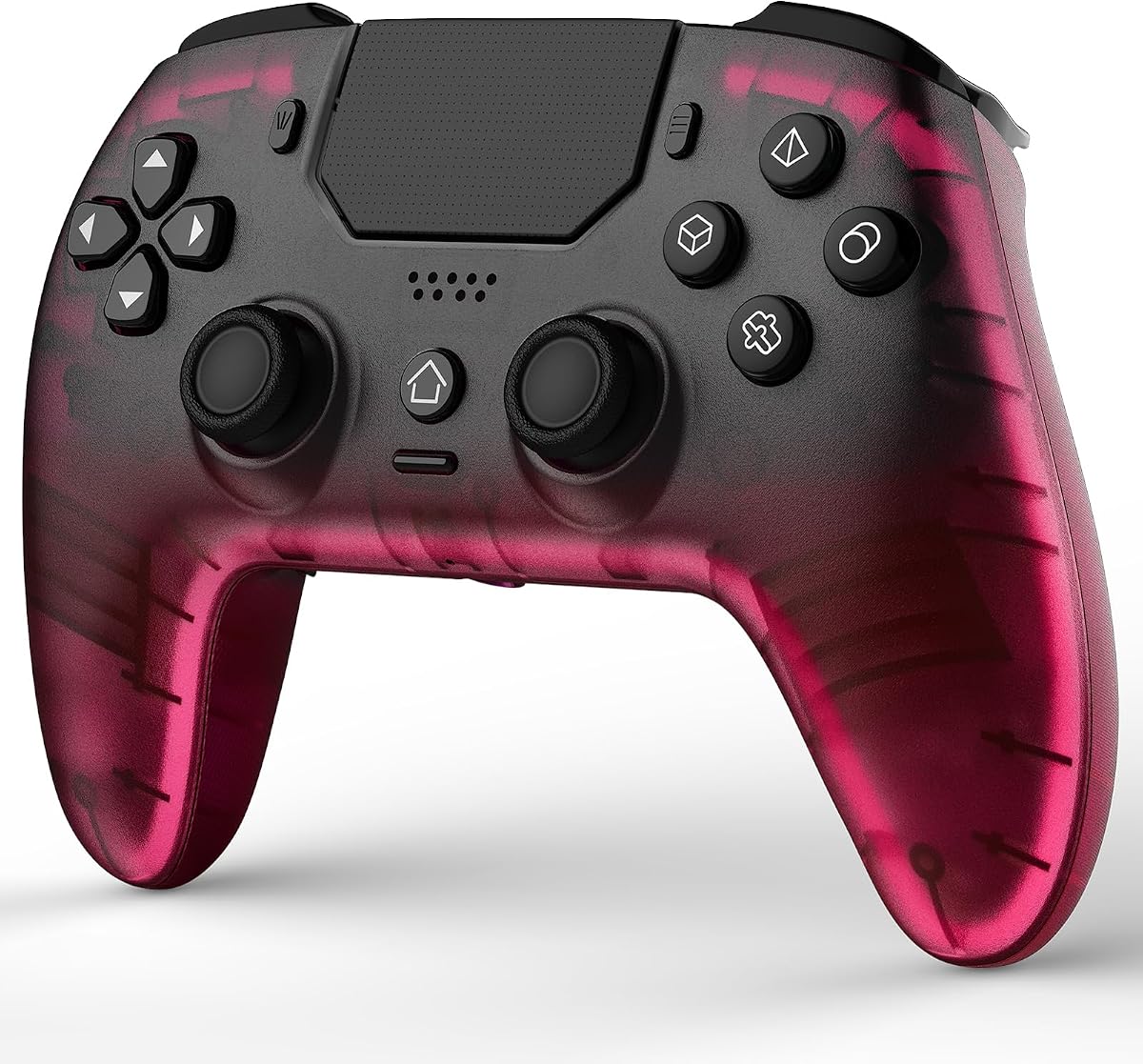
The Hot Pink variant offers a bold visual choice for gamers who want their hardware to match their personal style. It retains the technical features seen in other BETMI models like Hall Effect sticks and RGB lighting.
We may earn a commission when you buy through this link, at no additional cost to you.
With a fifteen-hour battery capacity, it provides extensive play time before needing a recharge. RGB light modes allow further personalization of the controller's appearance during gameplay.
Setup requires an initial wired connection to the console, which is standard for many third-party devices. The macro programming feature helps streamline complex commands for specific game mechanics.
Choose this if color and battery life are your primary concerns. It offers a solid balance of style and function suitable for casual to intermediate gaming needs.
The Hot Pink and clear finish provides a unique look that appeals to players wanting to customize their gaming aesthetic.
Macro support allows you to assign complex command sequences to single buttons for faster execution during gameplay.
We may earn a commission when you buy through this link, at no additional cost to you.
This transparent controller offers a sleek modern look that reveals internal components for a unique aesthetic appeal. It functions similarly to other BETMI models with robust battery life and Hall Effect technology.
We may earn a commission when you buy through this link, at no additional cost to you.
The built-in mute button is a practical addition for users who need to quickly silence their microphone during sessions. RGB lighting modes complement the clear design to enhance visual impact.
As with many alternatives, initial connection may require specific steps to ensure stability with the console. The battery capacity ensures you can play for extended periods without interruption.
Ideal for users valuing design aesthetics alongside reliable performance. It provides a visually distinct option that maintains functional parity with standard controllers.
The clear shell design adds a modern touch to your gaming setup, showing off internal technology.
Dedicated mute buttons allow for quick privacy adjustments without navigating system menus during active games.
We may earn a commission when you buy through this link, at no additional cost to you.
The white controller offers a clean, minimalist look that matches many gaming setups and console aesthetics. It includes Hall Effect joysticks to ensure long-term accuracy and prevent drift issues effectively.
We may earn a commission when you buy through this link, at no additional cost to you.
Features like 6-axis motion sensing and LED light bars provide standard functionality expected from modern controllers. USB charging support allows easy power management using standard cables.
Initial setup requires a wired connection to pair with the console correctly. The vibration motors enhance immersion by providing feedback for in-game events like explosions or impacts.
Best for users who prefer a neutral color that blends well with existing equipment. It offers reliable performance without the need for extensive customization or additional accessories.
The white finish provides a professional look that matches many console designs and reduces visible wear over time.
Built-in gyroscope support allows for tilt-based controls in games that support motion input features.
We may earn a commission when you buy through this link, at no additional cost to you.
This black variant delivers a traditional look suitable for any gaming environment. It focuses on core features like Hall Effect joysticks and linear triggers to ensure accurate input during gameplay.
We may earn a commission when you buy through this link, at no additional cost to you.
The built-in speaker adds an audio layer for game cues without headphones. Linear triggers offer precise control in racing games where acceleration levels matter significantly.
Users note that the microphone function requires an external headset rather than a built-in component. Connectivity via Bluetooth 5.3 ensures smooth wireless performance once paired correctly.
Ideal for those wanting a reliable standard controller without extra gimmicks. It performs solidly for general gaming tasks and supports multiple platforms effectively.
The standard black finish ensures your controller remains understated and blends seamlessly with various console setups.
Precise trigger sensitivity allows for nuanced acceleration control in racing simulations and competitive shooters.
We may earn a commission when you buy through this link, at no additional cost to you.
This controller includes a convenient one-click wake-up feature that streamlines the start of gaming sessions. It holds a high rating due to its ergonomic design and solid feature set for the price.
We may earn a commission when you buy through this link, at no additional cost to you.
The LED colors are customizable via a dedicated lighting button. Memory functions save your preferred color settings so you do not have to adjust them every time you use it.
A critical note is that users must update the controller via a guide to ensure all functions work properly. Without updates, features like vibration may not operate correctly initially.
Recommended for users who value convenience and customization. The wake-up feature saves time, and the high rating suggests good overall quality and satisfaction among users.
Simply pressing the home button can wake the console, reducing the need to find the original controller.
Switching colors and effects helps match your mood or gaming setup aesthetic instantly without complex menus.
We may earn a commission when you buy through this link, at no additional cost to you.
The Akalyptra controller distinguishes itself with rear paddles that allow complex actions without taking thumbs off sticks. This is particularly useful for fighting or action games requiring quick inputs.
We may earn a commission when you buy through this link, at no additional cost to you.
It includes Hall Effect triggers and eight RGB light modes for additional customization. The turbo function enables rapid-fire effects with a simple button hold for repetitive actions.
Users may face issues with the speaker or audio that require specific upgrade tutorials to resolve. These technical hurdles are manageable but add steps to the initial setup experience.
Best for competitive players who need paddle functionality on a budget. The ability to map combos improves reaction times and overall control efficiency during intense gameplay.
Back buttons enable complex button combinations without removing thumbs from the joysticks for faster reactions.
Multiple lighting modes add visual flair and help distinguish your controller in multiplayer environments.
We may earn a commission when you buy through this link, at no additional cost to you.
Selecting the right controller involves balancing cost, compatibility, and features. Consider these factors to find a budget model that meets your specific gaming needs effectively.
Most budget controllers offer wireless connectivity via Bluetooth 5.3, which ensures low latency and broad compatibility. Some models only offer wired connections, which eliminate battery concerns but limit mobility.
Verify whether the model supports your specific console generation or PC platform before purchasing to avoid compatibility issues.
Battery capacity varies significantly between brands, ranging from eight hours to over fifteen hours on a single charge. Longer battery life reduces the frequency of recharging and interruptions during gameplay.
Prioritize models with capacities above 1000mAh if you plan on long gaming sessions without access to a charging dock.
Traditional analog sticks can drift over time due to physical wear and tear. Hall Effect joysticks use magnetic sensors to eliminate contact points, significantly increasing lifespan and reliability.
Look for controllers explicitly mentioning Hall Effect technology to ensure long-term accuracy and prevent drift issues effectively.
Many budget controllers include a 3.5mm audio jack for connecting headsets directly to the device. However, some lack built-in microphones, requiring external gear for voice communication.
Check if the controller supports both audio output and microphone input to ensure it fits your communication needs.
Budget controllers vary in durability and feel. Ergonomic designs and soft-touch materials improve comfort during extended sessions, while cheaper plastics may feel flimsy.
Read user reviews regarding build durability and comfort to gauge whether the physical design will hold up over time.
Features like turbo buttons, programmable macros, and rear paddles add functionality that can enhance specific game genres. These can provide competitive advantages in shooters or action titles.
Decide if advanced features are necessary for your playstyle or if basic controls suffice for your favorite games.
While many controllers claim compatibility with PS5 and PC, some do not work with PS4 or older systems. Always verify platform support before purchase.
Confirm the device supports your console generation and PC operating system to ensure seamless connectivity.
RGB lighting, color options, and programmable buttons allow personalization of your gaming experience. Some controllers offer app support for deeper customization of controls and colors.
Choose a model with customization options if you value personalizing your setup beyond standard hardware.
Always connect the controller to the console via USB-C cable the first pairing to establish a stable wireless connection. Press the home button after connecting to sync the device properly.
Charge the controller fully before the first use using a high-quality USB-C cable. Keep the device in a dry environment and avoid exposing it to extreme temperatures.
Clean the controller regularly using a microfiber cloth to remove dust and oils. If using Hall Effect sticks, avoid unnecessary force to maintain sensor accuracy over time.
Most budget controllers work with all standard PS5 games, but some titles requiring haptic feedback or adaptive triggers may not function fully. Check compatibility lists for specific requirements.
Locate the reset hole on the back of the device and press it with a small tool. This clears previous pairings and allows you to reconnect via the standard pairing process.
Hall Effect sticks are more durable and resistant to drift because they use magnetic sensors instead of physical contacts. This makes them superior for longevity and accuracy.
Yes, most wireless models support Windows PCs via Bluetooth or USB cable. Ensure the specific model lists PC compatibility in its product description for seamless use.
Charging times vary by battery size but generally take between two to three hours. Ensure you use the included cable or a quality alternative for safe charging.
Many third-party sellers offer limited warranties ranging from six months to one year. Check the specific seller policy and manufacturer details for coverage information.
Weak vibration may result from low battery levels or incorrect system settings. Ensure the controller is fully charged and check system audio settings for vibration options.
You should use a data-capable USB-C cable rather than a charging-only cable. Using a non-data cable may prevent pairing and firmware updates from working properly.
This guide highlights ten viable options for gamers seeking quality without overspending. The linhugame Wireless Controller leads for value with its battery life and Hall Effect technology.
Prioritize factors like battery capacity and joystick type based on your specific gaming habits. Wired options provide stability while wireless models offer convenience for casual play.
Always verify current pricing and availability before purchasing as deals change frequently. Choose a model that fits your platform and style to ensure satisfaction.