
Epson EcoTank ET-2803
4.2Editor score
Equivalent to eighty cartridges
Zero cartridge waste
Hands-free voice printing
Finding the right cartridge free printer can transform your home office workflow by eliminating the hassle of frequent ink cartridge replacements. These devices use refillable tanks that offer significant cost savings over time while maintaining high print quality for documents and photos.
We have evaluated the leading models available this month based on ink capacity, print speed, connectivity options, and overall user satisfaction. Our analysis highlights how each system handles high-volume tasks and ensures you get the most value from your investment without hidden fees.
Each selection below showcases key strengths and potential limitations to help you decide which model fits your specific needs. Please note that availability and pricing can change frequently so always verify current details before making your final purchase decision online.
4.2Editor score

4.1Editor score

4.3Editor score
As an Amazon Associate we earn from qualifying purchases.
The following table provides a side-by-side comparison of all ten models to help you quickly identify which features matter most for your specific printing needs and budget constraints.




The HP Smart Tank 5003 stands out as a top choice for home users seeking reliability and cost efficiency. With a strong user rating it delivers consistent performance across document and photo printing tasks.
We may earn a commission when you buy through this link, at no additional cost to you.
This model includes enough ink for up to three years of use which significantly reduces the total cost of ownership. The mess-free refill system allows you to replenish ink without spills or complex maintenance steps.
While it offers excellent value some users may find the initial setup requires patience. Software updates are necessary to maintain peak performance but they are generally manageable.
Anyone needing a versatile home office printer should consider this model for its balance of features and long-term savings. It is particularly well-suited for households with moderate to high printing needs.
The inclusion of ink for three years means you can focus on printing without worrying about running out frequently.
Refilling is designed to be simple with direct bottle connections that prevent spills during the process.
We may earn a commission when you buy through this link, at no additional cost to you.
The Epson EcoTank ET-2803 offers exceptional value for budget-conscious buyers who still want advanced features. It holds a high user rating for its reliability and ease of use in home environments.
We may earn a commission when you buy through this link, at no additional cost to you.
Each ink bottle set replaces about eighty individual cartridges providing dramatic savings on replacement costs. The Heat-Free technology ensures sharp text and vibrant colors while consuming less energy than traditional printers.
The interface is straightforward but lacks advanced customization options found in higher-end models. Print speeds are adequate for home use but may lag behind faster models during large jobs.
This printer is ideal for users seeking an eco-friendly option that reduces plastic waste without compromising on quality. It is a smart choice for those prioritizing long-term cost over speed.
Saving up to ninety percent on ink compared to cartridge-based printers makes this a financially sound investment.
By eliminating plastic cartridges you help reduce landfill waste while enjoying convenient wireless printing capabilities.
We may earn a commission when you buy through this link, at no additional cost to you.
The Epson EcoTank ET-2903 represents a premium option with features designed for higher productivity. It receives high praise for its speed and user-friendly interface that simplifies navigation.
We may earn a commission when you buy through this link, at no additional cost to you.
With a color display and faster print speeds this model handles larger jobs more efficiently than basic versions. The included ink lasts up to three years ensuring minimal interruptions to your workflow.
The higher upfront investment may not suit every budget but the long-term savings justify the cost for active users. Its size requires a dedicated space which might be tight in smaller setups.
If you need reliable performance and advanced controls this printer delivers a superior experience. It is perfect for power users who require speed and consistent quality without compromise.
With eleven pages per minute for black text you can complete work documents quickly without waiting.
The color display simplifies settings adjustments making it easy to manage tasks without a computer.
We may earn a commission when you buy through this link, at no additional cost to you.
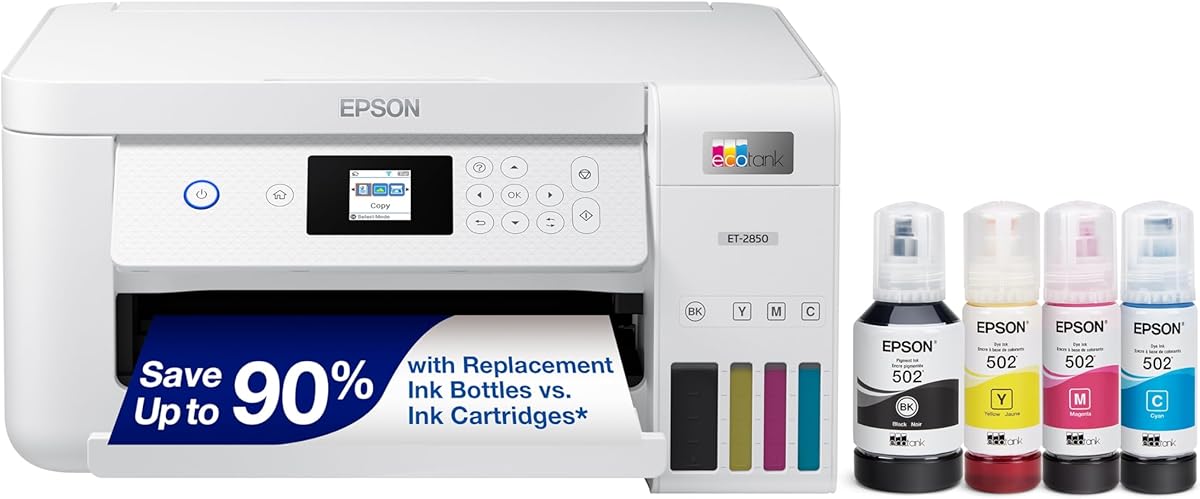
The Epson EcoTank ET-2850 adds useful features like auto duplex printing to the standard EcoTank lineup. It is highly rated for its ability to save paper while maintaining consistent quality.
We may earn a commission when you buy through this link, at no additional cost to you.
Using pigment black ink ensures documents look crisp and professional. The color display enhances usability and helps you manage settings with greater control.
While the price is higher than entry models the paper savings from duplex printing offset some costs over time. Photo capabilities are standard but may lack the depth of specialized photo printers.
This model is well-suited for small offices or students who print frequently and value paper savings. It offers a balanced set of tools for everyday document management tasks.
Automatic two-sided printing reduces paper usage significantly which is great for both cost and environment.
Pigment black ink provides text that resists smudging and looks sharp on various paper types.
We may earn a commission when you buy through this link, at no additional cost to you.
The Epson EcoTank ET-4800 provides standard multifunction capabilities with a focus on reliability and capacity. It is designed for users who need consistent performance across scanning copying and printing.
We may earn a commission when you buy through this link, at no additional cost to you.
Its high-capacity tanks ensure fewer interruptions while the Heat-Free technology reduces energy consumption. The system integrates easily with modern devices for wireless operation.
Some users report longer initial setup times or occasional connectivity quirks that need patience. Overall it remains a solid option for those prioritizing tank capacity over speed.
Consider this model if you need a workhorse for mixed media tasks without frequent maintenance. It supports a wide range of paper types for flexible output options.
Heat-Free technology uses less power than laser alternatives making it a greener choice for daily use.
High-resolution scanning ensures digital copies of documents are clear and easy to archive.
We may earn a commission when you buy through this link, at no additional cost to you.
The Canon MegaTank G3270 delivers straightforward printing with a reliable ink supply for home tasks. It is well-reviewed for its ease of setup and consistent color performance.
We may earn a commission when you buy through this link, at no additional cost to you.
With enough ink for two years you can print thousands of pages before needing replacements. The compact design fits well in smaller workspaces or home desks.
Lacking auto duplex printing means you must flip pages manually for double-sided work. The display is functional but offers fewer controls than larger Epson models.
This printer is a good fit for casual users who do not need high-speed duplex capabilities. It is particularly strong for photo printing at home.
Setup is quick and intuitive making it accessible even for those new to wireless printers.
Color output is vibrant and detailed making it a strong choice for occasional photo projects.
We may earn a commission when you buy through this link, at no additional cost to you.
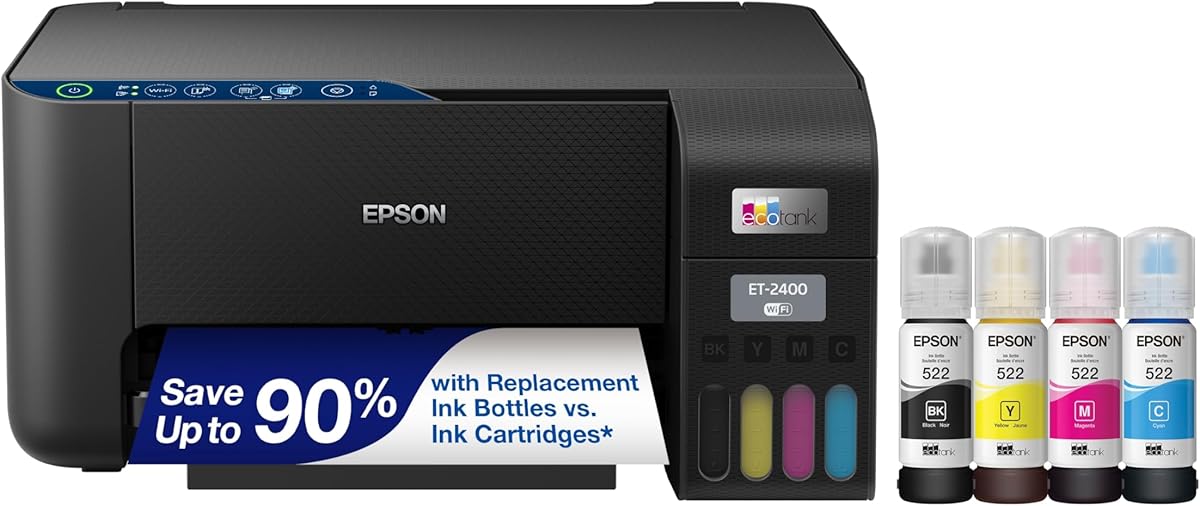
The Epson EcoTank ET-2400 offers a practical balance of cost and functionality for everyday printing. Users appreciate its steady reliability and ability to handle varied document types.
We may earn a commission when you buy through this link, at no additional cost to you.
It supports wireless printing which allows you to manage tasks from any device on your network. The refillable tanks ensure you avoid the expense of disposable cartridges.
Print speeds are moderate so larger jobs may take a bit longer than premium models. The controls are simple which may limit advanced customization for power users.
This model is a smart pick for households needing dependable printing without high complexity. It works well for school assignments and general office documentation.
By eliminating cartridges you save on replacement costs and reduce ongoing maintenance expenses significantly.
Connectivity allows you to print directly from phones and tablets without needing a connected computer.
We may earn a commission when you buy through this link, at no additional cost to you.
The Epson EcoTank ET-2800 provides dependable performance with strong ink capacity for home use. It is often chosen for its balance of features and affordability among similar models.
We may earn a commission when you buy through this link, at no additional cost to you.
With ten pages per minute it handles routine jobs efficiently while the Heat-Free technology maintains quality. Wireless support ensures easy integration with mobile devices and laptops.
It lacks a touch screen interface which may make navigation slightly less intuitive than color display models. Performance is reliable but not the fastest available in this category.
This printer is a solid choice for those who value consistency over advanced features. It works well for general printing and scanning needs in a home setting.
The ink bottles provide enough volume to match ninety individual cartridges reducing replacement frequency.
Its small size fits into tight spaces making it ideal for apartments or shared desks.
We may earn a commission when you buy through this link, at no additional cost to you.
The Epson EcoTank ET-2980 delivers strong performance with an emphasis on long-term ink supply. It is rated highly for its ability to handle extended printing needs without frequent refills.
We may earn a commission when you buy through this link, at no additional cost to you.
Wireless printing allows you to send documents from smartphones or tablets easily. The design supports straightforward refilling to keep your workflow uninterrupted.
Speed is standard for this category which may be a limitation for high-volume users. Lack of duplex printing requires manual flipping for two-sided documents.
This model suits users who want a simple reliable printer for general tasks. It is especially effective for households with moderate printing demand.
Connectivity options let you print from anywhere on your network without needing cables or direct connections.
The included ink is designed to last years reducing the need for frequent purchases or visits to stores.
We may earn a commission when you buy through this link, at no additional cost to you.
The Epson EcoTank ET-2988 offers premium features like auto duplex printing at a lower price through renewed options. It is appreciated for its speed and comprehensive functionality.
We may earn a commission when you buy through this link, at no additional cost to you.
With fifteen pages per minute it handles busy workloads efficiently. The color display helps manage settings easily and provides clear feedback on status.
Buying a renewed product may mean less warranty protection but it saves money upfront. Ensure you check seller ratings before purchasing used electronics.
This option is ideal for users who want high-end features without the full cost. It is a smart pick for budget-aware buyers seeking productivity.
Renewed items often provide significant savings compared to new units while retaining core functionality and performance.
Faster print speeds and duplexing mean you can complete tasks more quickly during busy workdays.
We may earn a commission when you buy through this link, at no additional cost to you.
Selecting the right model involves evaluating several key factors that impact performance and long-term value.
Look for models that include enough ink to last a significant period such as two to three years. High yield tanks mean fewer replacements and lower overall operating costs for your printing needs.
Prioritize printers with large reservoirs to reduce maintenance frequency and keep workflow uninterrupted.
Assess pages per minute ratings to ensure the printer can handle your typical document volume efficiently. Higher speeds help when you need to print large jobs quickly without delays.
Choose a duty cycle that matches your daily printing volume to avoid wear and tear on the device.
Wireless and mobile printing capabilities allow you to print from various devices without cables. Ensure compatibility with your existing devices and smart assistants for seamless operation.
Confirm support for AirPrint or similar protocols to simplify setup and daily use across platforms.
Check resolution and ink technology to guarantee sharp text and vibrant colors for documents and photos. Different models use different technologies that impact clarity and color depth.
Opt for printers with proven color accuracy if you frequently print visual or graphic content.
Evaluate tray capacity and support for various media types to ensure flexibility. Larger trays reduce refilling interruptions and enable handling of envelopes and labels.
Auto duplex printing can save paper and time if you frequently produce two-sided documents.
A mess-free refill system prevents spills and makes maintenance easier for users of all skill levels. Keyed bottles or easy-access tanks simplify the replenishment process significantly.
Choose designs that minimize user error to protect your printer from potential ink issues.
Robust software tools enhance usability by providing easy navigation and maintenance alerts. Apps often allow remote management and monitoring of ink levels without physical access.
Ensure the manufacturer provides regular updates to maintain compatibility with new devices.
Review warranty terms and customer service availability to ensure peace of mind. Reliable support can save time and money if issues arise with the unit.
Check for extended warranty options or service plans that suit your usage intensity.
Begin by setting up the printer in a stable environment away from direct sunlight and moisture. Follow the initial instructions to fill the ink tanks correctly using the provided bottles to avoid spills.
Keep the printer covered when not in use for extended periods to prevent dust from accumulating on the printhead. Regular cleaning cycles help maintain optimal print quality and prevent clogs over time.
Use genuine ink bottles recommended by the manufacturer to avoid damage and ensure warranty coverage. Monitor ink levels via the companion app to refill before running out completely for seamless operation.
Most modern systems include enough ink to last anywhere from two to three years depending on usage. This high capacity reduces the need for frequent replacements and lowers overall printing costs significantly.
While some users attempt to use third-party ink it is generally not recommended by manufacturers. Using genuine ink ensures optimal performance and keeps your warranty valid in case of issues.
Yes nearly all models in this category include wireless capabilities for printing from smartphones and laptops. They often support AirPrint or proprietary apps for easy integration without cables.
No maintenance is often simpler because there are no cartridges to replace. Regular cleaning cycles and occasional alignment tasks are typical but much less involved than traditional printers.
Many models produce impressive photo quality using specialized ink types. However dedicated photo printers may offer better results for professional gallery quality output needs.
Yes many models are designed for small to medium office workloads with high capacity tanks. However check duty cycle ratings to ensure they can handle daily volume requirements.
The printer will stop printing when ink levels are critically low. Refilling tanks is quick and mess-free so you can resume work immediately with the included bottles.
Yes mobile printing is a standard feature in most models. Dedicated apps and system features allow you to send documents directly from your smartphone or tablet.
We highlighted ten top models ranging from budget-friendly options to premium high-speed units to suit various needs. Each brings unique strengths in ink capacity speed and connectivity to improve home or office workflows.
When deciding prioritize ink yield and maintenance ease to ensure long-term satisfaction. Consider your typical document volume to find a balance between upfront cost and ongoing performance.
Always verify current pricing and availability before purchasing since offers change regularly online. Selecting the right model today can save you significant time and money on future printing tasks.