
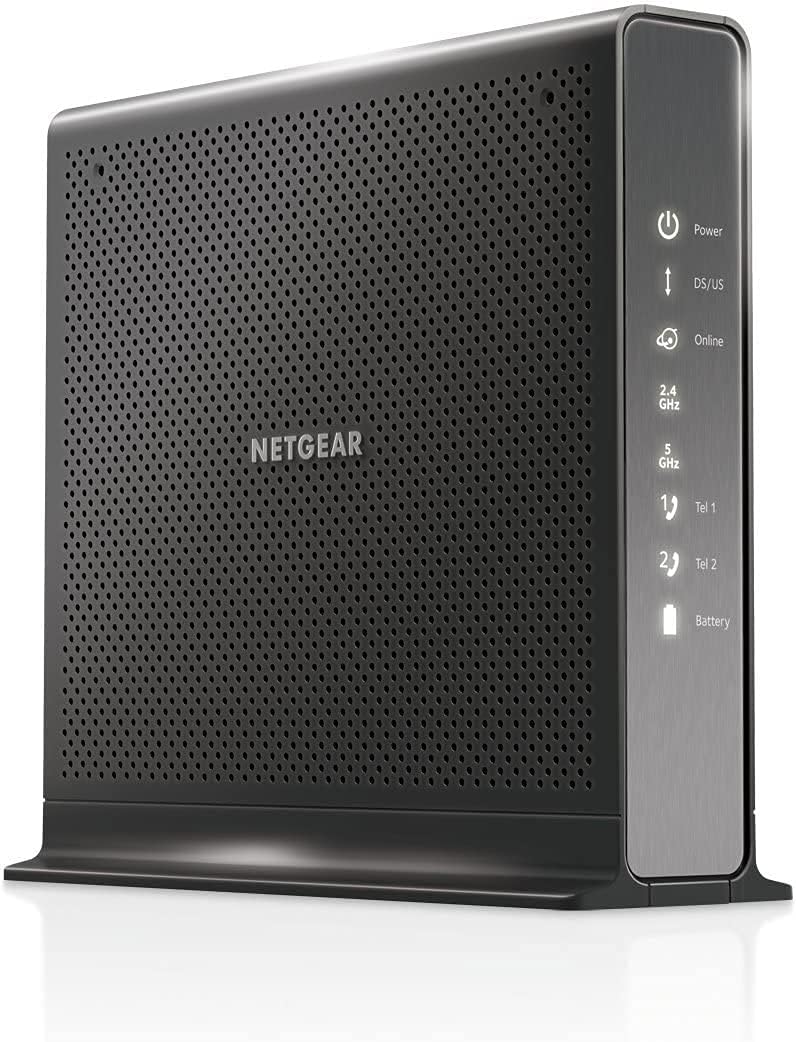
NETGEAR Nighthawk Cable Modem and WiFi 5 Router Combo (C7000)
4.2Editor score
AC1900 WiFi 5 Speeds
DOCSIS 3.0 Certified
Simple Setup App
This guide compares the top ten cable modem WiFi router combos for home internet, evaluating speed, coverage, compatibility, and features to help you choose.
Finding the right cable modem WiFi router combo can simplify your home network setup significantly. These all-in-one devices eliminate the need for separate hardware, reducing clutter and often saving you monthly rental fees from your internet service provider.
We have carefully selected and analyzed ten leading models available on the market today. Our evaluation focuses on technical specifications, provider compatibility, wireless performance, and user feedback to ensure you get a reliable connection for all your devices.
Each product entry highlights key features, pros, cons, and ideal use cases to guide your decision. Please note that availability and specifications may vary by region and provider, so always verify compatibility before purchasing your new networking equipment.
4.2Editor score

4.1Editor score

3.9Editor score
The following table provides a side-by-side look at the technical specifications and key features of all ten products reviewed in this guide to help you make an informed choice.





The NETGEAR Nighthawk CAX30 stands out as a top performer for users seeking a reliable and high-speed networking solution. With a strong rating from verified buyers, it delivers robust performance suitable for modern households. Its combination of DOCSIS 3.1 modem technology and WiFi 6 routing ensures that your internet connection is both fast and efficient across multiple devices.
We may earn a commission when you buy through this link, at no additional cost to you.
Key strengths include support for cable plans up to 1Gbps with providers like Xfinity, Spectrum, and Cox. The device covers up to 2,000 square feet, making it ideal for medium to large homes. Features like four Gigabit Ethernet ports allow you to hardwire gaming consoles and desktops for minimal latency. The inclusion of OFDMA technology helps maintain stable speeds even when many devices are connected simultaneously.
Honest trade-offs include the lack of support for fiber or DSL connections, which limits its use to cable internet users. Additionally, while the security features are robust, some advanced protections require a separate subscription. These limitations are acceptable for most users who prioritize speed and reliability on a cable network.
This modem router combo is best suited for households that demand high-speed internet for streaming, gaming, and remote work. It is a solid investment for anyone looking to consolidate their network hardware into one powerful device. For those with standard to high-tier cable plans, it offers excellent value and long-term performance.
The AX2700 WiFi 6 technology ensures lower latency and higher throughput for all your connected devices.
Certified compatibility with major ISPs like Xfinity, Spectrum, and Cox guarantees smooth activation and service.
We may earn a commission when you buy through this link, at no additional cost to you.
The NETGEAR Nighthawk C7000 offers an excellent balance of performance and cost for budget-conscious buyers. With a high rating of 4.2 stars, it is trusted by thousands of users for reliable internet delivery. This device is designed to handle cable internet plans up to 800Mbps, making it suitable for most standard home needs without breaking the bank.
We may earn a commission when you buy through this link, at no additional cost to you.
Its key strengths lie in its straightforward setup and strong wired connectivity. The four Gigabit Ethernet ports ensure that your most important devices get fast, stable connections. Beamforming+ technology helps improve wireless range and reduces dead spots, ensuring a consistent signal throughout your home. It is also compatible with major providers like Xfinity and Cox.
While it lacks the latest WiFi 6 technology, the AC1900 speeds are still sufficient for streaming HD video and casual gaming. The lack of future-proofing is the main trade-off compared to newer models, but for users with standard plans, this is a minor issue. The savings on equipment rental fees quickly offset the initial purchase price.
This unit is perfect for small to medium households that do not need the absolute fastest speeds. It is an ideal choice for those upgrading from older equipment or moving to cable internet for the first time. If you want reliable performance without spending a premium, this model is a top contender.
Save on monthly rental fees while enjoying reliable speeds that handle everyday streaming and browsing with ease.
Four Gigabit ports provide direct connections for desktops and consoles to minimize lag and maximize stability.
We may earn a commission when you buy through this link, at no additional cost to you.
This renewed version of the Nighthawk CAX30 provides a great opportunity to access high-end features at a reduced cost. Maintaining a 4.2 rating, it suggests that quality control for refurbished units is strict. Users get the same powerful DOCSIS 3.1 modem and WiFi 6 router capabilities as the brand-new model without the full price tag.
We may earn a commission when you buy through this link, at no additional cost to you.
The main benefit is the significant cost savings while retaining modern performance capabilities. It supports internet speeds up to 1Gbps and covers large areas effectively. The link aggregation feature allows for even more flexibility if your ISP supports higher tier plans in the future. It remains a robust choice for gaming and 4K streaming.
However, buying renewed means there might be minor cosmetic wear or a shorter warranty period compared to new units. This is a standard trade-off for refurbished electronics but should be considered if you need pristine condition or extended coverage. Most users find that the functional performance is indistinguishable from new devices.
Ideal for cost-savvy users who want top-tier tech without overspending, this product delivers exceptional value. It works well for households with multiple users and devices needing simultaneous connectivity. If you are comfortable with refurbished electronics, this is one of the smartest choices on the market today.
Enjoy near-new performance with a substantial discount, perfect for those looking to optimize their networking budget.
Retains the full power of DOCSIS 3.1 and WiFi 6 to handle modern high-bandwidth applications effortlessly.
We may earn a commission when you buy through this link, at no additional cost to you.
Another variation of the popular CAX30 model, this unit continues to offer versatile performance for a variety of home setups. It maintains the high standards expected from the Nighthawk series with strong connectivity options. With features like USB 3.0 ports, it adds convenience for sharing storage or peripherals across your network.
We may earn a commission when you buy through this link, at no additional cost to you.
The standout features include support for plans up to 2Gbps in some configurations, making it ready for future upgrades. The compact design fits well in various living spaces without sacrificing power. Security features like WPA3 encryption ensure that your data remains protected from potential threats while you enjoy high-speed internet.
One consideration is that setup requires ISP activation, which can take some time depending on your provider. Also, it is not compatible with fiber or DSL services, limiting its use to cable infrastructure. These are manageable steps for most users who are already subscribed to cable internet plans.
This model is excellent for tech-savvy users who want flexibility and security in one box. It is suitable for families who need to connect many devices without slowing down the network. Whether for work from home or entertainment, it provides a solid foundation for a modern connected home.
USB 3.0 ports allow easy sharing of external drives and printers across your local network without extra hardware.
Prepared for higher speed plans with DOCSIS 3.1 technology that supports gigabit and beyond for upcoming needs.
We may earn a commission when you buy through this link, at no additional cost to you.
The ARRIS Surfboard G34 combines a sleek design with powerful performance, making it a standout option for modern homes. It supports cable internet plans up to 2.5 Gbps, ensuring you can take advantage of the fastest speeds available. The AX3000 WiFi 6 technology provides reliable coverage and speed for all your wireless devices.
We may earn a commission when you buy through this link, at no additional cost to you.
Key strengths include its compact modern design which saves space on your shelf or desk. Setup is straightforward, allowing you to get online quickly with simple LED indicators to show status. It is certified to work with major providers like Cox, Xfinity, and Spectrum, ensuring reliable connectivity and service stability.
While it has a slightly lower rating compared to some competitors, this often reflects specific user preferences rather than performance issues. The lack of advanced management features might be a downside for power users who want deep customization. However, for most households, it offers a straightforward and effective networking solution.
This modem is best for those who prioritize aesthetics and simplicity in their home network setup. It is ideal for users who want a reliable connection without dealing with complex settings. If you need a modern device that supports high-speed plans, the G34 is a strong choice to consider.
A compact modern footprint fits easily into any living space while maintaining high performance standards for all users.
CableLabs certification ensures compatibility and optimal performance across major US Internet Service Provider networks.
We may earn a commission when you buy through this link, at no additional cost to you.
This renewed unit of the C7000 offers an attractive option for those looking to save money while maintaining quality. With a strong 4.2 rating, it demonstrates that refurbished units can perform just as well as new ones. The AC1900 speeds provide ample bandwidth for typical streaming and browsing tasks in a standard household.
We may earn a commission when you buy through this link, at no additional cost to you.
The main advantages are the cost savings and proven reliability. Many users report excellent performance and longevity from these units. The four Ethernet ports ensure you can connect multiple devices directly if needed. It is simple to set up and manage using the provided app or browser interface.
However, older WiFi 5 technology means it may not be as efficient as WiFi 6 routers in high-density environments. If you have many devices connecting simultaneously, performance might dip during peak hours. This trade-off is acceptable if your internet plan is under 800Mbps and you do not need advanced features.
Best for users who need a straightforward solution without extra cost, this renewed combo delivers consistent results. It works well for smaller homes or apartments where extensive range is not critical. If you want to avoid rental fees and get reliable service, this model is a solid investment.
High ratings indicate that refurbished units perform reliably, offering peace of mind for cost-conscious buyers.
Handles daily streaming and browsing tasks effectively, providing stable internet for standard household needs.
We may earn a commission when you buy through this link, at no additional cost to you.
The NETGEAR Nighthawk CAX80 is designed for users who demand the highest performance available on cable networks. With support for plans up to 2 Gbps and AX6000 WiFi 6 speeds, it offers top-tier throughput for heavy users. This premium unit ensures that even multiple streams and downloads do not slow down your network.
We may earn a commission when you buy through this link, at no additional cost to you.
Key strengths include a 2.5 Gig Multi-Gig Ethernet port for fast wired connections. This is ideal for NAS systems or gaming PCs that need more than 1 Gbps speeds. The coverage extends up to 2,500 square feet, accommodating large homes with ease. It supports 30+ connected devices simultaneously without significant slowdowns.
One trade-off is the higher price point, which may not be necessary for average internet plans. Setup can be slightly more involved due to advanced features and settings. These factors are acceptable for users who need maximum speed and reliability regardless of cost or technical complexity.
This modem is perfect for large households, gamers, and professionals with high-speed requirements. It ensures that your network is future-proof and ready for the fastest cable plans available. If you want the best performance and are willing to invest in quality, this is the ultimate choice.
The 2.5 Gig Ethernet port unlocks maximum wired speeds for professional workstations and high-end gaming PCs.
With 2500 square feet of range, every room in a large home stays connected without dead zones.
We may earn a commission when you buy through this link, at no additional cost to you.
This unit stands out by integrating voice services directly into the modem router combo, ideal for Xfinity Voice users. It allows you to connect up to two phone lines without needing extra adapters. This simplifies your home setup significantly by reducing the number of devices required for voice and internet services.
We may earn a commission when you buy through this link, at no additional cost to you.
The main strength is convenience for households already subscribed to Xfinity cable and voice plans. It supports speeds up to 600Mbps which is sufficient for typical family needs. The design is compact, saving space while delivering reliable AC1900 WiFi performance for all devices. Setup is straightforward and follows standard ISP protocols.
Limitations include the lack of advanced VoIP features compared to dedicated routers. It also does not include a built-in battery backup for power outages, which may be required for some users. However, for those who just want basic home phone service, it works perfectly well.
This device is best for Xfinity subscribers who want an all-in-one solution for internet and landline phone. It reduces clutter and simplifies billing by combining services into one hardware unit. If you need reliable voice service and standard internet, this model meets your needs effectively.
Supports up to two phone lines directly from the modem, eliminating the need for separate adapters or boxes.
Combines modem and router into one compact unit saving desk space while supporting both data and voice services.
We may earn a commission when you buy through this link, at no additional cost to you.
The NETGEAR C6250 offers an accessible entry point for users needing a straightforward and budget-friendly modem router combo. With strong customer ratings, it delivers dependable service for basic internet needs. It is compatible with major providers like Xfinity, Spectrum, and Cox, ensuring it fits into most existing cable networks.
We may earn a commission when you buy through this link, at no additional cost to you.
Key strengths include its simple setup and reliable performance for plans up to 300 Mbps. The compact design makes it easy to hide in a media center or office. It supports up to 25 devices, which is ample for small to medium households. Built-in parental controls add value for families wanting to manage screen time.
However, it only has two Gigabit Ethernet ports which might limit wired connections for large setups. Also, AC1600 speeds may struggle if you have very heavy multi-device usage. These are acceptable trade-offs for the price point and simplicity it offers to most users.
This model is ideal for small households or apartments with standard internet plans. It provides a hassle-free solution for streaming, browsing, and casual gaming without advanced requirements. If you want a reliable and easy-to-use combo without extra cost, the C6250 is a smart choice.
Includes parental controls to help manage screen time and filter content for a safer browsing experience.
Provides a low-cost way to upgrade your network with reliable speeds for standard daily internet usage.
We may earn a commission when you buy through this link, at no additional cost to you.
The ARRIS SBG7600AC2 is a trusted choice with a long history of reliability in home connectivity. With a high 4.3 rating, users appreciate its solid performance and durability. It supports plans up to 800 Mbps, making it a versatile option for many households looking for fast internet without overspending.
We may earn a commission when you buy through this link, at no additional cost to you.
Its strengths include AC2350 WiFi speeds which are robust for streaming and gaming. The app provides real-time monitoring and enhanced parental controls, giving you control over your network. It is certified for use with major ISPs like Cox and Xfinity, ensuring compatibility is smooth and quick to activate.
One drawback is that it lacks some modern technologies like OFDMA which help in high-density device environments. However, for most users this does not impact daily experience significantly. It remains a dependable workhorse for those who prioritize stability and ease of use over cutting edge features.
This combo is ideal for households needing reliable connectivity for entertainment and work. It offers a balance of performance and value that suits long-term use. If you trust a brand with proven history and want simple setup with strong support, this is an excellent choice.
The app provides live status updates on connected devices, giving you full control and insight into your network.
Over 260 million modems sold proves the brand's commitment to durability and consistent performance over time.
We may earn a commission when you buy through this link, at no additional cost to you.
Choosing the right combo requires understanding several technical factors that impact your daily internet experience and device compatibility.
DOCSIS technology determines the maximum speed your modem can handle. DOCSIS 3.1 supports multi-gigabit speeds up to 10 Gbps theoretically, making it ideal for future-proofing your setup. Older DOCSIS 3.0 models are sufficient for plans under 1 Gbps but may become obsolete as providers increase speeds.
Look for DOCSIS 3.1 if you want to ensure compatibility with future speed upgrades without needing to replace your modem soon.
Modern WiFi standards like WiFi 6 offer better performance in crowded networks by handling more devices efficiently. Look for models labeled AC or AX for compatibility with current devices. AX numbers indicate total theoretical throughput which helps compare raw speed potential.
Choose WiFi 6 for homes with many connected devices to ensure stable and fast wireless performance.
Not all modems work with every internet service provider. Always check the manufacturer's compatibility list before buying. Most major brands support Xfinity, Spectrum, and Cox, but some may not work with fiber or DSL providers.
Verify your ISP's approved modem list on their website to avoid activation issues after purchase.
Most combos offer four Gigabit Ethernet ports for wired devices like PCs or gaming consoles. Some high-end models include Multi-Gig ports that support speeds faster than 1 Gbps. USB ports allow you to attach printers or storage for network-wide access.
Ensure the number of ports meets your needs for wired devices to minimize network congestion.
Wireless range depends on home size and layout. Most combos cover between 1500 to 2500 square feet effectively. If you have a large home, consider a combo with higher range ratings or plan for mesh extensions.
Check the manufacturer's coverage estimate to match your home size for consistent signal strength.
Built-in security features like firewalls and WPA3 encryption protect your network from intruders. Some models come with optional security software subscriptions that add advanced threat protection. Ensure the router has regular firmware updates to patch vulnerabilities over time.
Prioritize combos with automatic security updates and strong encryption protocols for safer browsing.
Purchasing your own modem can save you $10 to $15 monthly on rental fees. This initial investment pays for itself in one to two years. Buying a combo unit further reduces costs by replacing two separate devices.
Calculate the rental fees you currently pay to see how quickly ownership will save you money.
Modern combos offer mobile apps for easy setup and network management. These tools let you pause internet access, check speed, or run diagnostics remotely. A user-friendly interface helps non-technical users maintain their network efficiently.
Look for models with dedicated management apps to simplify network control and troubleshooting.
Connect the coaxial cable to the modem port securely before plugging in the power. Wait for the online light to stabilize before attempting to connect your devices or configure settings.
Place the device in a central, elevated location to maximize WiFi signal reach. Keep it away from metal objects and thick walls to reduce interference and improve connection stability.
Update the firmware regularly through the management app to ensure security and performance. Restart the device monthly to clear temporary data and resolve any minor connectivity issues.
No, these devices are designed specifically for cable internet providers that use coaxial cables. Fiber internet requires optical network terminals or ONTs, which are different hardware. Always check with your provider before purchasing equipment to ensure compatibility.
Buying your own modem can save you between $10 to $15 monthly in rental fees depending on your provider. Over a few years, this adds up to significant savings that outweigh the initial purchase cost. It is a smart long-term investment for most households.
These combos are generally not compatible with Verizon or AT&T DSL or fiber services. They are built for cable providers like Xfinity, Spectrum, and Cox. Always verify with your ISP if they support third-party modems before buying.
WiFi 6 offers better performance when many devices are connected simultaneously. If you have a large number of smart home devices or heavy streaming users, it is worth the investment. For basic browsing, older WiFi 5 is often sufficient.
If your plan speed exceeds the modem's capability, you may not get the full speed you pay for. Choosing a DOCSIS 3.1 model ensures you have headroom for future upgrades. Always match your modem to your current and potential future speeds.
Most providers have an online activation portal where you register the MAC address of your new modem. Follow the steps on your provider's website and restart the modem. Customer support can help if you encounter issues during activation.
We have reviewed ten top options ranging from budget-friendly to premium models to suit various home needs. The NETGEAR Nighthawk CAX30 leads as our Editor's Choice for balancing speed and reliability. Budget buyers will find great value in the C7000 or renewed options available.
When choosing, prioritize compatibility with your ISP and support for your plan's maximum speeds. Features like WiFi 6 and DOCSIS 3.1 are worth investing in for long-term value. Also consider coverage area and security features to match your household size.
Prices and availability may change over time, so check current listings before buying. Always verify your internet plan details to ensure you select a modem that fully supports your speed tier. With the right choice, you can enjoy faster speeds and save on rental fees.