
Brailliant BI 40X Braille Display
5.0Editor score
40-cell refreshable display
Bluetooth 5 technology
32GB internal storage
This guide compares the top Braille Displays for Blind Users including refreshable screens and manual slates to help you choose the right accessibility tool
Braille displays provide essential tactile feedback for blind users navigating digital content. Choosing the right device depends on your specific needs, device compatibility, and budget constraints for optimal accessibility.
We evaluated ten diverse products ranging from premium refreshable displays to affordable manual slates. Each option was assessed for build quality, feature set, and practical usability in daily scenarios.
Every pick highlights unique strengths for different user groups and use cases. Keep in mind that availability and pricing may change frequently so verify current details before purchasing your preferred device.
5.0Editor score

4.5Editor score

4.8Editor score
This side-by-side comparison shows key specifications for all ten products. Use this table to quickly identify which device matches your required cell count, portability, and feature needs.




The Brailliant BI 20X stands out as a versatile refreshable display ideal for daily use. It offers a compact twenty-cell braille surface with robust connectivity options for multiple devices simultaneously.
We may earn a commission when you buy through this link, at no additional cost to you.
Its standout quality is seamless multi-device support allowing connection to five Bluetooth devices and one USB port at once. This flexibility makes switching between phone tablet and computer effortless without repeated re-pairing.
Trade-offs include the higher price point compared to basic slates which may deter budget-conscious buyers. However the onboard apps and library access justify the investment for users needing full independence.
This device suits blind users seeking reliable screen reader access and offline functionality. We recommend it for students professionals or anyone needing a portable yet powerful braille tool daily.
The ability to maintain connections across five Bluetooth devices simplifies workflow significantly. Users can switch between smartphone and laptop without interrupting their reading session or needing to reconfigure settings each time.
KeySoft Lite apps provide essential tools like editors and calculators without internet access. This feature ensures users remain productive during commutes or in areas with limited connectivity enhancing overall utility.
We may earn a commission when you buy through this link, at no additional cost to you.
The Brailliant BI 40X delivers an expanded forty-cell refreshable braille display for users requiring more information at once. It maintains the same reliable connectivity and battery life as its smaller sibling.
We may earn a commission when you buy through this link, at no additional cost to you.
Its key strength lies in the increased cell count which allows for faster reading speeds and context retention. Combined with Bluetooth 5 technology this device ensures faster and more stable wireless performance on all supported devices.
While it offers premium performance the larger size and higher cost may be constraints for some users. However for professionals managing complex documents or long-form content these trade-offs are negligible compared to productivity gains.
We recommend this device for advanced users or professionals who read extensively. Its superior storage and connectivity make it an investment in long-term efficiency and comfort for heavy daily use.
Forty cells allow users to view entire lines of text without constant scrolling. This reduces eye strain and cognitive load especially when reading technical or lengthy materials throughout the workday.
Bluetooth 5 ensures a stable connection across modern devices with faster data transfer. This guarantees compatibility with future smartphones and tablets without requiring firmware updates or hardware replacements soon.
We may earn a commission when you buy through this link, at no additional cost to you.
The Hable One is a unique alternative to traditional displays offering tactile input for smartphones. It allows users to type accurately using eight buttons without needing prior Braille expertise through provided tutorials.
We may earn a commission when you buy through this link, at no additional cost to you.
Its primary strength is the extraordinary battery life exceeding one month on a single charge. This reliability ensures users never miss critical communications or appointments due to dead devices during long days out.
The main limitation is that it functions as input only rather than providing visual feedback like a display. However for users focused on typing emails or texts this limitation is often acceptable given the low cost.
We recommend this device for those new to Braille or seeking affordable typing solutions. It bridges the gap between smartphone accessibility and tactile input making digital communication private and efficient for everyone.
Users do not need prior Braille skills to start typing immediately. Free onboarding calls and tutorials guide beginners quickly ensuring immediate utility without steep learning curves or additional training costs.
Over one month on a single charge reduces anxiety about power loss during travel. This longevity ensures the device remains available for critical tasks or emergencies without frequent recharging interruptions.
We may earn a commission when you buy through this link, at no additional cost to you.
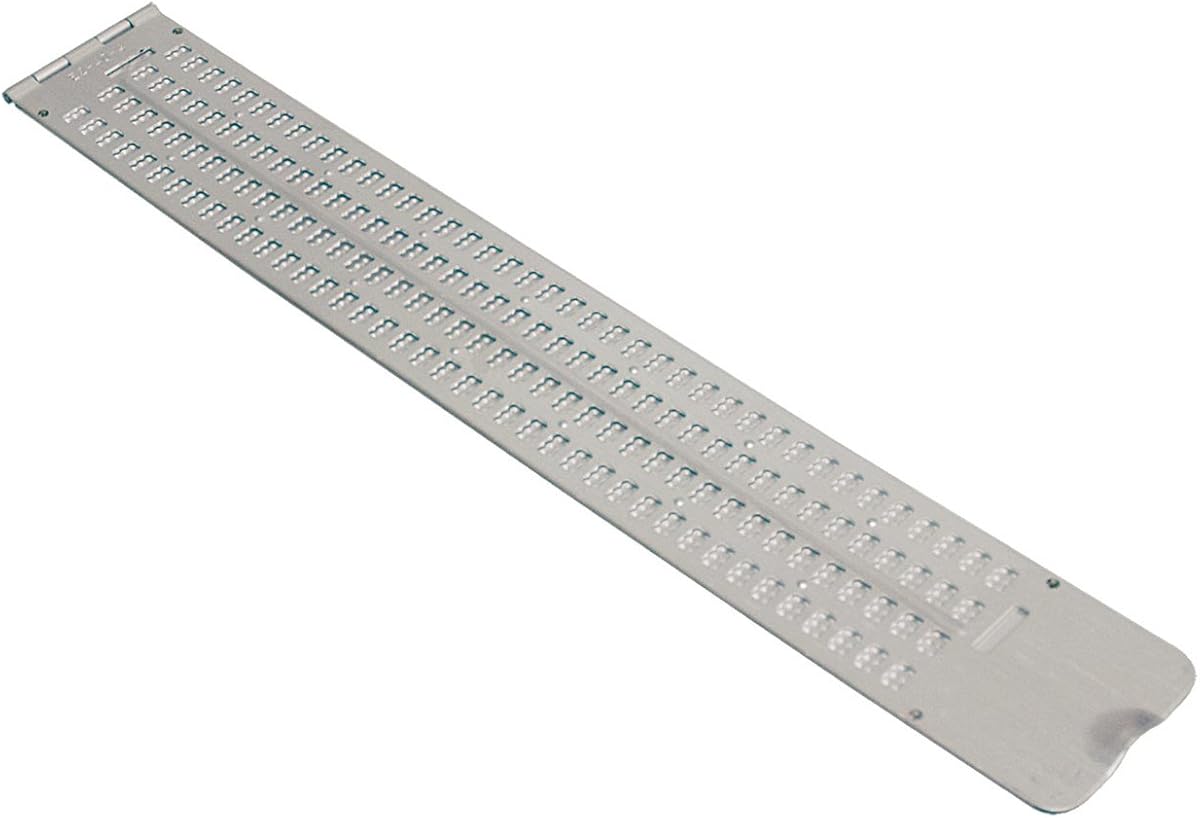
The Braille Slate 13 Lines offers a classic analog solution for creating physical Braille documents. Its durable aluminum construction ensures longevity for writing notes or messages without any electronic dependencies.
We may earn a commission when you buy through this link, at no additional cost to you.
Its key strength lies in simplicity and reliability requiring no power source to function. Users can write notes anywhere instantly without worrying about charging cables or battery levels during critical situations.
The low rating may indicate usability challenges or design flaws compared to modern alternatives. Additionally manual writing is slower and less convenient than digital typing for frequent or urgent communication needs.
We recommend this device for those needing a backup tool for analog tasks. It serves well for quick notes or educational demonstrations but may not suit heavy daily professional usage requirements.
This slate works perfectly in any environment regardless of power availability or technical issues. It ensures users can always communicate in Braille even during emergencies or power outages where electronics fail.
As one of the most affordable tools in this list it provides low-cost access to Braille creation. This makes it an ideal choice for beginners or schools needing multiple writing tools for students.
We may earn a commission when you buy through this link, at no additional cost to you.
The Business Card Slate excels at creating short precise labels and identification tags. Its ultra-thin aluminum design ensures it fits easily into pockets or briefcases for quick tasks on the go.
We may earn a commission when you buy through this link, at no additional cost to you.
Its standout feature is the built-in signature guide ensuring straight and professional results. This tool is invaluable for labeling files organizing items or creating identification tags with perfect alignment every time.
While highly rated for specific tasks it is limited to short text like signatures or tags. Users needing to write long documents or full pages will find this size restrictive compared to larger slates.
We recommend this device for organizational tasks and quick professional labeling. It serves as a specialized tool for maintaining neatness and professionalism in physical documentation or personal inventory.
The signature guide ensures straight embossing essential for business cards and formal documents. This reduces wasted materials and maintains a polished appearance which is critical for professional settings and client interactions.
We thin aluminum construction allows the slate to fit seamlessly into wallets or small pockets. This ensures the tool is always available for immediate use without adding bulk to daily carry items.
We may earn a commission when you buy through this link, at no additional cost to you.
The Full-Page Slate is designed to work with standard letter-size paper making it ideal for longer notes. Its quiet plastic construction ensures discreet writing without the loud clatter of metal slates.
We may earn a commission when you buy through this link, at no additional cost to you.
Its strength is the ability to snap entire sheets of paper in allowing uninterrupted writing sessions. Users can leave pages inside the slate ensuring notes remain safe and unwrinkled when away from home.
The plastic material is durable but may feel less premium compared to aluminum options. Additionally it requires managing physical paper which can be cumbersome compared to digital storage and retrieval methods.
We recommend this device for students or writers needing full-page physical notes. It is perfect for taking notes in class or drafting documents that require tactile review and permanent physical storage.
Designed specifically for North American letter-size paper this slate maximizes writing space. Users can write full pages without constant repositioning of the tool ensuring a natural workflow and uninterrupted thought.
Plastic construction dampens the sound of embossing creating a quieter writing experience. This is particularly beneficial in libraries or meeting rooms where noise from metal slates might disturb others.
We may earn a commission when you buy through this link, at no additional cost to you.
The Pocket Slate is engineered for portability fitting easily into briefcases or backpacks for daily carry. Its lightweight aluminum build ensures durability while maintaining a slim profile for discreet use on the go.
We may earn a commission when you buy through this link, at no additional cost to you.
Its key strength is its balance of size and capacity offering forty cells per line. This allows for more comprehensive notes than smaller slates while remaining small enough to fit in a pocket.
The manual operation requires physical effort and may be slower than digital alternatives. However its reliability and zero power requirements make it a valuable backup tool when electronic devices are unavailable.
We recommend this device for professionals traveling frequently. Its portability ensures users always have a reliable writing tool available for quick notes or messages without adding significant bulk to luggage.
The lightweight aluminum construction provides robust protection against bumps and drops. This ensures the slate remains functional after years of travel making it a reliable tool for professionals on the move.
Its slim dimensions allow it to slip effortlessly into jacket pockets or small compartments. This ensures the tool is always within reach when inspiration strikes or a quick note is needed urgently.
We may earn a commission when you buy through this link, at no additional cost to you.
The Handheld Label-Maker offers a specialized tool for organizing items with accessible Braille labels. Its spin dial design simplifies selection of characters making it easy to create clear identification tags.
We may earn a commission when you buy through this link, at no additional cost to you.
Its primary strength is the included roll of tape ensuring immediate use upon arrival. Users can quickly label household items or files without waiting for additional supplies or extra shipping costs.
The limited tape length means replacements will be needed frequently for larger projects. However for basic home organization needs this device remains cost-effective and efficient for creating permanent labels.
We recommend this device for those needing to organize shared spaces. It allows sighted and blind users to collaborate easily creating a universally accessible environment for families or offices.
The spin dial and trigger mechanism make character selection intuitive even for beginners. This ensures users can focus on the content of the label rather than struggling with complex mechanical adjustments.
Creating Braille labels helps everyone identify items regardless of sight. This promotes independence and reduces confusion in kitchens or offices where labels are essential for daily efficiency.
We may earn a commission when you buy through this link, at no additional cost to you.
The Transparent Braille Keyboard Overlays transform standard keyboards into accessible tools with minimal cost. They apply easily to existing keys allowing users to feel character positions without losing original visibility.
We may earn a commission when you buy through this link, at no additional cost to you.
Its key strength is the use of durable Lexan material ensuring the stickers resist wear over time. The 3M adhesive keeps them firmly in place preventing slipping or peeling even after extensive daily use.
These stickers work alongside screen readers rather than replacing a physical display. Users must still rely on audio feedback for verification but this solution improves typing accuracy and speed significantly.
We recommend this device for users seeking a low-cost accessibility upgrade. It is perfect for offices or homes where installing dedicated braille hardware is not feasible due to budget constraints.
The transparent design ensures original key legends remain visible for sighted colleagues. This creates a seamless bilingual environment where everyone can share the same keyboard without confusion or awkwardness.
The strong adhesive prevents peeling during cleaning or daily contact. This ensures the overlays remain functional for months without needing to be replaced frequently saving time and money.
We may earn a commission when you buy through this link, at no additional cost to you.
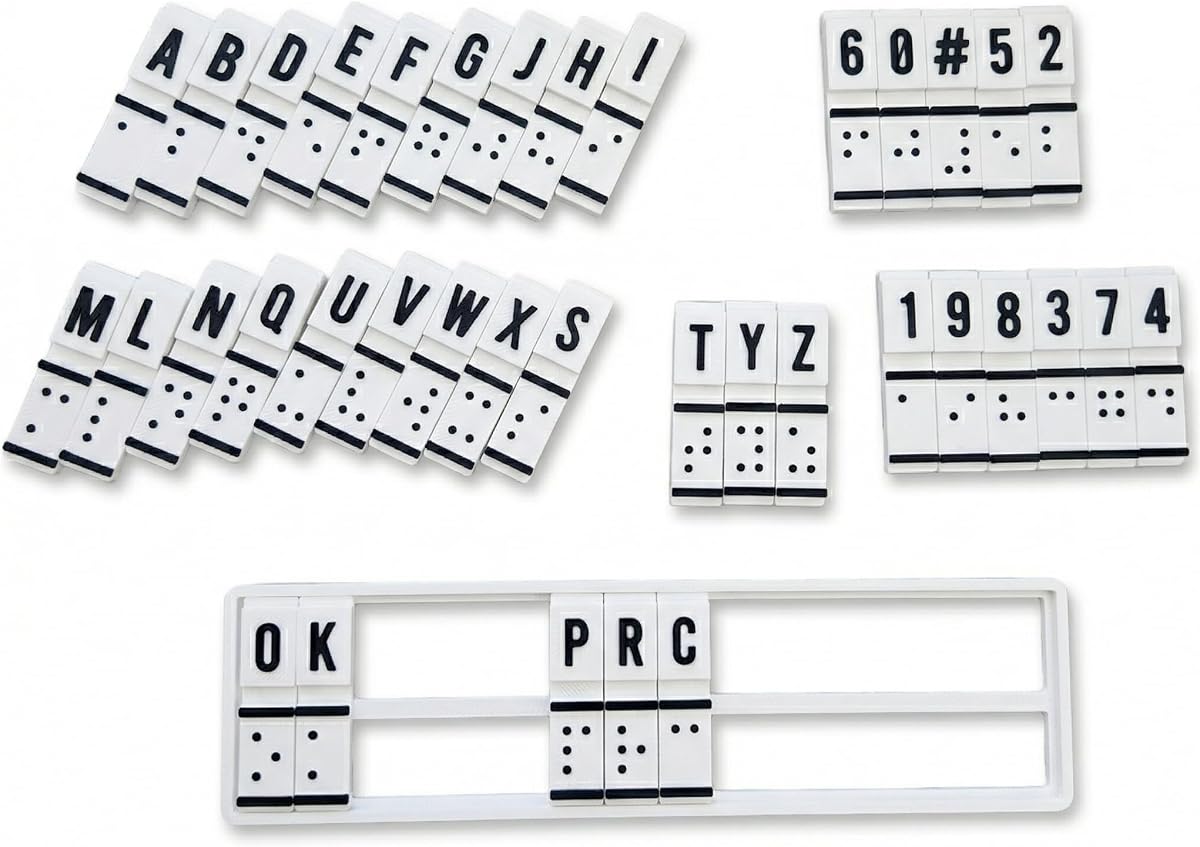
The Braille Learning Training Translation Machine is designed specifically for beginners and educators. It combines tactile training with translation functions to bridge sighted and non-sighted communication effectively.
We may earn a commission when you buy through this link, at no additional cost to you.
Its strength is its interactive nature encouraging users to practice muscle memory through physical interaction. This hands-on approach builds confidence and literacy skills without needing complex electronic devices or expensive hardware.
The low rating may indicate limited features or usability concerns compared to dedicated devices. However for introductory learning sessions it remains a practical tool for building foundational skills safely.
We recommend this device for families and teachers introducing Braille. It serves as a gentle and safe starting point for learners before transitioning to more advanced electronic displays.
The tactile design encourages active participation rather than passive reading. This helps learners retain knowledge longer by engaging both muscle memory and cognitive understanding simultaneously during sessions.
Simple text conversion bridges the gap between sighted and non-sighted users. This fosters better communication and understanding in classrooms or family settings where literacy skills are shared.
We may earn a commission when you buy through this link, at no additional cost to you.
Selecting the right Braille display requires understanding your primary use cases and technical requirements. We break down six essential factors to simplify your decision process.
Cell count determines how much information is visible at once. Twenty cells offer compact portability while forty cells allow faster reading speeds and better context retention during complex tasks.
Choose a higher cell count if you read technical documents frequently.
Modern devices should support multiple Bluetooth connections for seamless switching between smartphones tablets and computers. USB ports remain essential for stable connections with desktop setups.
Ensure the device supports at least five Bluetooth connections for flexibility.
Long battery life ensures reliability throughout the workday. Look for models offering at least twenty hours of usage to avoid frequent interruptions during critical tasks.
Check battery longevity before purchase for all-day performance assurance.
Internal storage capacity determines how much offline content you can keep accessible. Models with sixteen to thirty-two gigabytes allow storage of books and notes without constant internet access.
Opt for higher storage if you rely on offline libraries regularly.
Weight and physical dimensions matter for daily carry. Lightweight models fit easily into backpacks while heavier units may be better suited for stationary desk use.
Select a compact design for frequent travelers or commuters.
Built-in apps and compatibility with major screen readers enhance usability. Check for support of specific operating systems and essential tools like editors or calculators.
Verify software compatibility with your current devices before buying.
Clean refreshable displays gently with a soft dry cloth to avoid damaging the braille cells. Avoid liquids or harsh chemicals which can corrode sensitive internal components over time.
Store manual slates in protective cases to prevent bending or damage to the metal pins. Keep styluses separate to avoid scratching the writing surface during transport.
Update firmware regularly for electronic displays to ensure compatibility with new operating systems. Regular updates fix bugs and improve battery efficiency for long-term reliability and performance.
Refreshable displays use electronic pins to change Braille cells dynamically while manual slates require physical embossing. Refreshable units offer instant feedback and connectivity whereas slates provide offline reliability and low cost for simple tasks.
Most refreshable displays function independently with built-in applications or keyboard input. Manual slates are fully standalone requiring no external devices. However some specialized devices like keyboards rely heavily on phone integration for full utility.
Modern refreshable displays typically offer up to twenty hours of use on a single charge. Manual slates require no batteries as they rely on mechanical force to emboss characters permanently.
Most modern devices support Bluetooth 5 ensuring seamless compatibility with iPhones and Android phones. Always check the manufacturer's compatibility list to confirm specific operating system support before purchasing your device.
Yes refreshable displays allow users to read and compose emails directly through connected screen readers. Manual slates do not support digital reading but can be used to transcribe emails onto paper.
Electronic displays typically come with charging cables and sometimes protective cases. Manual slates often include styluses or label tape depending on the specific model purchased from the retailer.
We highlighted top contenders ranging from premium forty-cell displays to affordable portable keyboards. The right choice depends on balancing features like storage connectivity and physical size for your daily needs.
Prioritize devices offering reliable multi-device connectivity if you switch between phone and laptop often. Battery longevity and offline functionality should remain central to your decision for uninterrupted productivity.
Always verify current prices and availability as terms change frequently. Confirm warranty details with the seller to ensure peace of mind with your new accessibility device purchase.