
Yealink Sp92 Conference Speaker
4.1Editor score
AI noise cancelling support
360-degree room coverage
Teams certified device
Discover the top Bluetooth speakerphone for the Home Office options for 2026. We compare audio quality, connectivity, and battery life to help you choose.
Finding the right Bluetooth speakerphone for the Home Office is crucial for clear communication. A good device ensures your voice is heard clearly while minimizing background noise during calls.
We compared ten leading models based on audio quality, microphone performance, and ease of connectivity. Our analysis covers essential features needed for professional remote work environments.
Each pick highlights specific strengths like battery life or noise cancellation. Please note that prices fluctuate frequently, so verify current costs before making your final purchase decision today.
4.1Editor score
4.4Editor score

4.4Editor score
This side-by-side comparison highlights the key specifications and unique features of each top-rated device to help you make an informed purchasing decision.

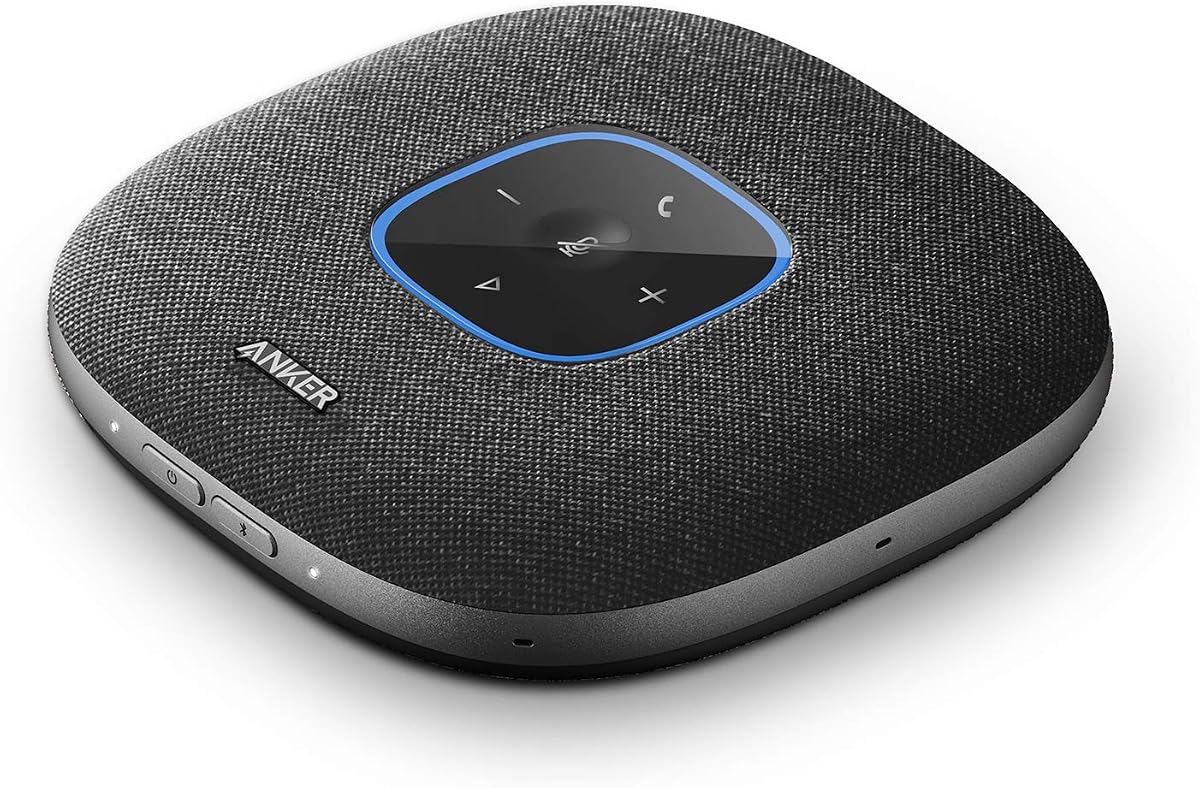


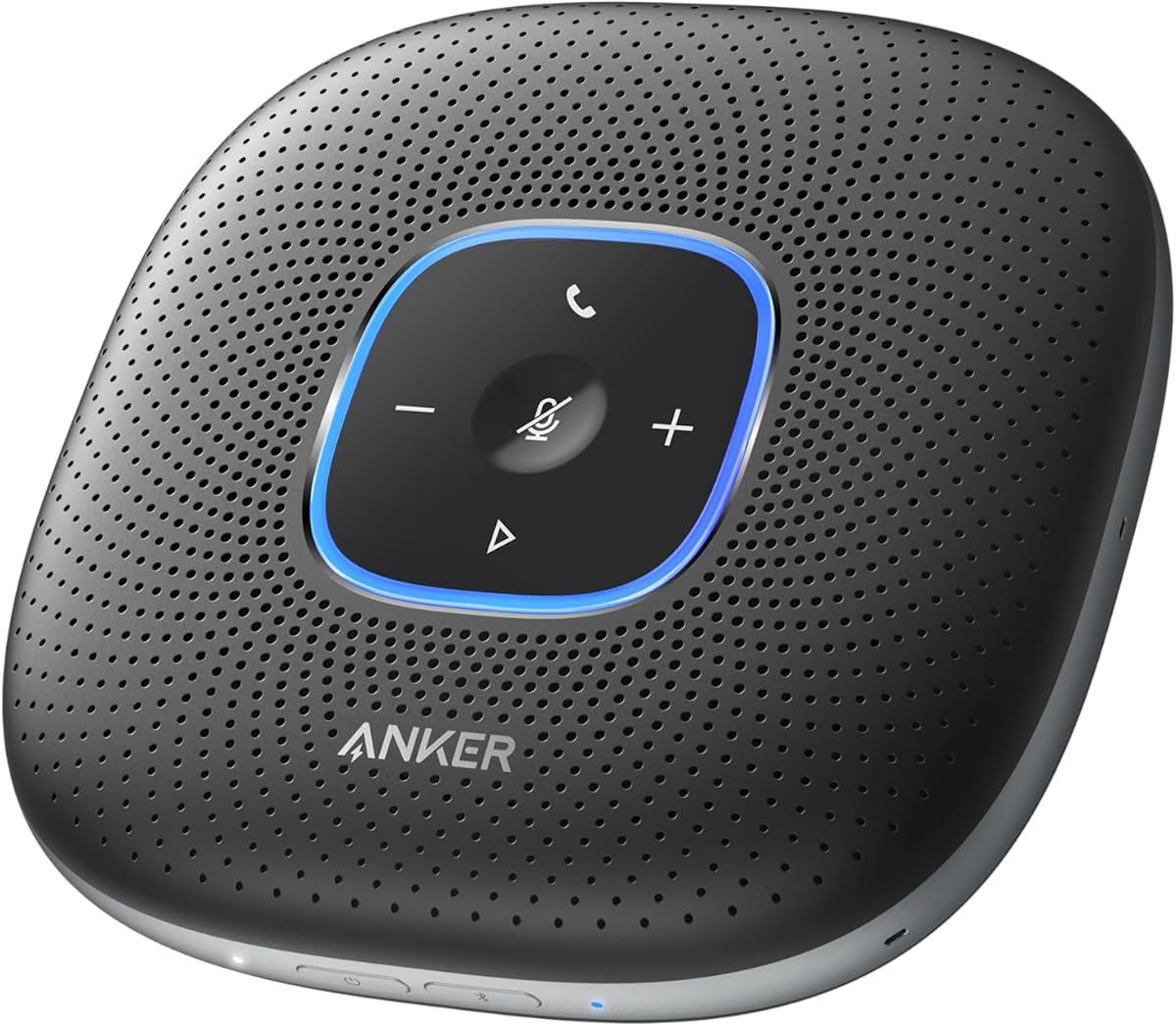
The Anker PowerConf Speakerphone stands out as a top choice for professional environments. With a 4.4 star rating, it delivers reliable performance for remote workers seeking high-quality audio.
We may earn a commission when you buy through this link, at no additional cost to you.
Its six microphones arranged in a 360-degree array ensure that voices are captured from any direction. The AI-powered Voice Radar 3.0 technology effectively reduces background noise and echo.
While it is a robust device, it may be too large for some portable setups. The price reflects its premium features, making it a significant investment for home offices.
This speakerphone is ideal for users who prioritize clear communication and frequent meetings. We recommend it for teams needing consistent performance across various conferencing platforms.
The Voice Radar technology uses deep learning to distinguish between voices and ambient sounds effectively.
With a 5200mAh battery, you can enjoy up to 24 hours of continuous call time without interruption.
We may earn a commission when you buy through this link, at no additional cost to you.
The Anker PowerConf S330 offers a straightforward solution for those who prefer wired connections. It simplifies connectivity for home office users without technical expertise.
We may earn a commission when you buy through this link, at no additional cost to you.
Its smart voice enhancement feature eliminates background noise while boosting voice clarity. The four high-sensitivity microphones capture audio within a 3-meter range effectively.
Users may find the lack of wireless connectivity limiting for flexible setups. However, the USB-C connection ensures stability and reliability during critical meetings.
This model is perfect for desk-bound professionals needing consistent audio quality. It balances performance and simplicity for everyday conferencing needs.
Connect via USB-C and join meetings instantly without installing drivers or complex software.
A 1.75-inch driver paired with passive radiators adds depth to meeting audio and music.
We may earn a commission when you buy through this link, at no additional cost to you.
The Anker PowerConf S3 provides flexibility with both Bluetooth and USB options. It is designed to meet the diverse needs of modern remote workers.
We may earn a commission when you buy through this link, at no additional cost to you.
Real-time voice optimization ensures you sound crystal clear to participants. The six-microphone array covers your entire meeting space with 360-degree voice pickup.
Some users might find the app requirements slightly intrusive for basic usage. However, the customization options enhance the overall meeting experience significantly.
Choose this speakerphone if you need a versatile device that adapts to different environments. It offers a balanced mix of features for various work scenarios.
Hear every word of online meetings without words being skipped even with simultaneous speakers.
Use the companion app to customize settings and enhance your audio experience further.
We may earn a commission when you buy through this link, at no additional cost to you.
The Jabra Speak 510 is a trusted name in the conferencing market. It offers a blend of portability and quality for professional meetings.
We may earn a commission when you buy through this link, at no additional cost to you.
Its setup in seconds feature allows you to join meetings hassle-free. Whether you connect via Bluetooth or USB, it remains flexible with your devices.
Compared to newer models, its features might feel basic. But for basic calls, its reliability and sound quality remain competitive in the market.
This device suits frequent travelers needing a lightweight and reliable option. It is an excellent choice for those prioritizing ease of use over advanced features.
Get started with your meetings instantly without complicated configurations or downloads.
The portable design lets you carry high-quality sound with you for on-the-go meetings.
We may earn a commission when you buy through this link, at no additional cost to you.
The Yealink Sp92 delivers exceptional value with its budget-friendly price point. It provides solid performance for small meeting rooms and home offices.
We may earn a commission when you buy through this link, at no additional cost to you.
Its real-time AI noise cancellation filters out over 1000 noises like keyboard taps. The 360-degree room coverage ensures all voices are picked up clearly.
While the design is simple, it functions well for daily calls. Some users may prefer a more premium aesthetic for professional settings.
This speakerphone is ideal for budget-conscious buyers needing reliable connectivity. It meets essential requirements for small teams and individual users effectively.
Real-time AI filters over 1000 noises like keyboard taps for accurate speech reproduction.
Weighing just 276g, it slips easily into any laptop bag for business travel.
We may earn a commission when you buy through this link, at no additional cost to you.
The Lenovo Speakerphone is designed for enterprise environments needing robust audio. It prioritizes voice clarity with eight intelligent beamforming microphones.
We may earn a commission when you buy through this link, at no additional cost to you.
Its AI-powered noise cancellation effectively reduces background distractions. The Microsoft Teams certified controls offer seamless integration for corporate users.
While highly functional, it might be expensive for casual users. The advanced features are better suited for professional collaborative environments.
Consider this model for larger teams requiring dependable and scalable solutions. It offers excellent performance for hybrid workspaces and enterprise needs.
Eight intelligent microphones prioritize voices and reduce background distractions effectively.
Certified for Microsoft Teams with dedicated buttons for fast and reliable call control.
We may earn a commission when you buy through this link, at no additional cost to you.
The Jabra Speak2 55 represents premium quality for conferencing needs. It delivers immersive sound and clear voice normalization for professional meetings.
We may earn a commission when you buy through this link, at no additional cost to you.
Its four beamforming microphones capture sound from all directions effectively. Voice level normalization equalizes surrounding voices so everyone is heard clearly.
The cost may be prohibitive for some users. However, the advanced audio processing and durability justify the investment for serious professionals.
This speakerphone is best for users prioritizing high-end audio and Teams integration. It ensures your voice is heard clearly in any meeting environment.
Four beamforming microphones pick up sound from all directions effectively.
Fully compatible with Microsoft Teams for optimal performance and integration.
We may earn a commission when you buy through this link, at no additional cost to you.
The Jabra Speak 510 MS offers a straightforward solution for softphone users. It connects easily to PCs and mobile devices for high-quality calls.
We may earn a commission when you buy through this link, at no additional cost to you.
HD voice technology ensures conversations are clear and natural. Its wide compatibility with Microsoft Lync and other platforms makes it versatile for legacy systems.
Modern features like advanced noise cancellation are absent. But for basic conferencing needs, it remains a reliable and affordable option.
This device suits users with standard connectivity needs. It provides solid performance for those not requiring the latest audio technologies.
HD Voice provides conversations in high definition sound quality.
Connects to your PC, tablet, or smartphone for flexible use.
We may earn a commission when you buy through this link, at no additional cost to you.
The Jabra Speak 710 combines immersive sound with portability. It is designed for professionals needing reliable audio across multiple conferencing platforms.
We may earn a commission when you buy through this link, at no additional cost to you.
Its omnidirectional microphone covers up to six people comfortably. The lightweight design makes it perfect for on-the-go meetings and remote work.
The lack of active noise cancellation might be a drawback. However, the superior audio quality and platform support make up for it.
This speakerphone is ideal for travelers needing robust performance. It brings any room into a conference-ready environment effectively.
Features immersive sound for calls and music with HD voice support.
Provides in-room coverage for up to 6 people for efficient meetings.
We may earn a commission when you buy through this link, at no additional cost to you.
The YAMAHA YVC-330 offers premium audio with advanced SoundCap technology. It eliminates background noise outside a 3ft range for crystal-clear calls.
We may earn a commission when you buy through this link, at no additional cost to you.
Its self-silence feature mutes the microphone when participants are not speaking. The three unidirectional microphones ensure human voice activity detection is precise.
The high price and size may limit its appeal for home offices. But for professional meeting rooms, it offers unmatched sound quality.
This conference phone is best for users prioritizing sound fidelity. It elevates audio conferencing to the next level effectively.
Built-in far-field noise reduction eliminates background noise outside a 3ft range.
Built-in self silence mutes the microphone while participants are not speaking.
We may earn a commission when you buy through this link, at no additional cost to you.
Choosing the right speakerphone requires understanding key features that impact call quality and usability in home offices.
High-quality microphones are essential for capturing your voice clearly. Look for multiple microphones with noise cancellation to reduce background interference.
Prioritize devices with advanced arrays like beamforming for better voice focus.
Bluetooth offers flexibility, while USB provides stability. A dual-connection speakerphone adapts to different setups seamlessly.
Ensure compatibility with your devices to avoid connection issues.
Long battery life ensures uninterrupted meetings throughout the day. Consider models with at least 20 hours of talk time.
Check charging times to minimize downtime during work hours.
Effective noise cancellation filters out distractions like typing or traffic. This keeps your voice clear for other participants.
Look for AI-driven features for the best results.
Certifications like Zoom or Teams ensure optimized performance with specific platforms. This can prevent compatibility issues.
Choose a certified device if you use these tools regularly.
A lightweight and compact design makes travel easier. Consider if you need to move the device between rooms or offices.
Smaller devices are easier to pack and store.
Clear speakers ensure you hear others without distortion. Look for drivers with good bass response for natural audio.
Superior sound enhances the overall meeting experience.
Plug-and-play features simplify installation. Avoid devices requiring complex drivers or apps unless necessary.
Quick setup saves time and reduces technical headaches.
Start by charging the device fully before first use. Connect it to your computer or phone via Bluetooth or USB for immediate setup.
Place the speakerphone in a central location for optimal sound pickup. Avoid placing it near walls or other reflective surfaces.
Clean the microphones regularly to prevent dust buildup. Keep the device dry and store it in its case when not in use.
The Anker PowerConf Speakerphone is highly rated for its audio quality and noise cancellation. It balances performance and features well for most users.
Wireless offers convenience, while wired ensures stability. Choose based on your need for mobility versus connection reliability.
Use a speakerphone with AI noise cancellation. Also, choose a quiet room and avoid placing the device near noisy appliances.
Yes, many models support multi-device pairing. This allows seamless switching between your phone and laptop.
Most modern speakerphones offer 12 to 24 hours of talk time. This covers a typical workday without needing frequent recharging.
Most work plug-and-play without extra software. However, some brands offer companion apps for customization.
Use a soft, dry cloth to wipe the exterior. Avoid liquids and ensure the microphones are free of dust for clear sound.
Look for Zoom or Teams certifications if you use these platforms. They ensure optimized performance and compatibility for meetings.
We reviewed ten top Bluetooth speakerphones, highlighting the Anker PowerConf as a top pick for overall performance. Each model offers unique benefits for different needs.
Prioritize features like noise cancellation and battery life based on your daily routine. Consider portability if you often move between workspaces.
Remember to check current prices before buying to ensure you get the best value. The market changes often, so staying updated is key.