
Silverstone FX350-G-VT
4.5Editor score
80 Plus Gold Certification
Flex ATX 1U Form Factor
Class-Leading Single Rail
This guide compares the top 350W PSU options available in October 2026, evaluating efficiency, build quality, connectors, and reliability for budget builds.
Finding the right power supply is crucial for any computer build, especially when working with limited wattage needs. A good 350W PSU ensures stable power delivery, efficient energy use, and reliable protection for your components without overspending on unnecessary capacity.
We compared ten distinct power supply units based on their efficiency ratings, connector availability, cooling solutions, and overall build quality. Each model was analyzed for its suitability in entry-level systems, small form factor builds, and basic desktop environments requiring minimal power draw.
Each pick below highlights specific strengths like modularity, warranty coverage, or specific form factors. Please note that pricing and availability fluctuate frequently, so verify current offers before purchasing to ensure you get the best value for your specific system requirements.
4.5Editor score

4.6Editor score

3.9Editor score
The following table provides a side-by-side comparison of all ten power supply units reviewed in this guide. It highlights key specifications including wattage, certifications, connector types, and physical dimensions to help you make an informed decision quickly.



The Thermaltake Smart 500W stands out as a reliable choice for budget-conscious builders needing stable power. With an 80 Plus White certification, it ensures efficient energy conversion which translates to lower electricity bills and less heat generation compared to non-certified units.
We may earn a commission when you buy through this link, at no additional cost to you.
Its continuous 500W output provides ample headroom for systems that nominally require 350W, ensuring stable operation even under peak load. The Active PFC technology corrects power factor efficiently, while multiple protection features guard against overloads and voltage spikes that could damage sensitive components.
While it lacks modular cabling, the standard fixed cables are sufficient for basic builds. The 120mm fan runs quietly under normal loads, contributing to a peaceful computing environment. The 5-year warranty reflects confidence in long-term durability and reliability for entry-level systems.
Ideal for office PCs, media centers, or entry-level gaming rigs, this unit offers excellent value. Users prioritizing reliability and efficiency over modularity will find this PSU meets their needs without unnecessary cost or complexity.
The 80 Plus White certification ensures at least 80 percent efficiency under typical load, reducing wasted energy and heat output significantly compared to uncertified alternatives.
Built-in protections include Over Power, Over Voltage, and Short Circuit safeguards, ensuring your hardware remains safe during electrical anomalies or system failures.
We may earn a commission when you buy through this link, at no additional cost to you.
The Silverstone FX350-G-VT delivers exceptional efficiency for its class with 80 Plus Gold certification, making it ideal for small form factor builds. Its 350W continuous output is perfectly rated for low-power systems running 24/7 without excessive heat or noise concerns.
We may earn a commission when you buy through this link, at no additional cost to you.
Engineered for Flex ATX 1U enclosures, this PSU saves significant space while maintaining robust performance. The class-leading single +12V rail ensures stable power delivery to critical components like the CPU and GPU, minimizing voltage drops during high-demand scenarios.
Fixed cables simplify installation in tight cases but limit flexibility for cable management. Despite the compact design, it supports essential PCIe 6pin connectors and includes Active PFC for efficient energy usage across wide voltage ranges without manual switching.
Perfect for home servers, office mini-PCs, or embedded systems, this unit balances performance and footprint effectively. Users needing reliable power in a constrained space will appreciate its efficiency and build quality.
The Flex ATX 1U form factor allows installation in ultra-thin cases, freeing up internal space for additional storage or cooling solutions.
A single +12V rail design prioritizes stability for modern components, reducing complexity and improving reliability under continuous operation.
We may earn a commission when you buy through this link, at no additional cost to you.
The Apevia ITX-PFC400W offers the flexibility of fully modular cabling in a compact Mini-ITX package, making installation cleaner and easier. With 400W maximum power, it exceeds the typical 350W requirement, providing headroom for future component upgrades without replacing the unit.
We may earn a commission when you buy through this link, at no additional cost to you.
Supporting Active PFC across 90-264V ensures stable operation regardless of local power conditions. The connector variety includes necessary SATA and PCIe options, covering most basic system needs. Double ball bearing fan cooling enhances longevity compared to sleeve bearings.
While modular design improves airflow and aesthetics, users must connect all cables properly for power-on functionality. Some users report varying quality control, so checking current stock condition is advisable before purchase for best reliability.
Best for enthusiasts building small form factor systems who prioritize clean cable management and upgrade potential. The modularity justifies the premium over fixed-cable alternatives in constrained environments.
Fully modular cables let you connect only what is needed, reducing clutter and improving airflow inside compact cases significantly.
Active PFC supports wide input voltage ranges, making this PSU suitable for international use or unstable power grids without manual adjustment.
We may earn a commission when you buy through this link, at no additional cost to you.
The APEVIA VENUS450W delivers 450W continuous power suitable for entry-level desktop systems. Its auto-thermally controlled 120mm fan adjusts speed based on internal temperature, balancing noise and cooling performance effectively during typical office or home use.
We may earn a commission when you buy through this link, at no additional cost to you.
Comprehensive protection features like short-circuit and over-voltage safeguards provide essential peace of mind. The flexible CPU and motherboard connectors split for compatibility with different board requirements, simplifying installation across various platforms.
Fixed cables are straightforward for basic setups but may limit airflow optimization compared to modular units. While efficiency is standard, the protection systems ensure safe operation even during unexpected power fluctuations common in older homes.
A solid budget choice for basic office PCs or home media centers where cost is a primary driver. Users prioritizing simple functionality and protection over advanced efficiency will find this unit adequate.
Thermal sensor fan control reduces noise during low loads while ramping up cooling when internal temperatures rise during sustained usage.
Splitting connectors accommodate both 4-pin and 8-pin CPU power, ensuring fit on older and newer motherboards without adapters.
We may earn a commission when you buy through this link, at no additional cost to you.
The ARESGAME AGV Series offers 500W continuous power with 80 Plus Bronze certification, improving energy efficiency compared to standard uncertified units. The 5-year warranty signals strong manufacturer confidence in component durability and long-term reliability for entry-level builds.
We may earn a commission when you buy through this link, at no additional cost to you.
All-black cables provide a clean aesthetic for standard cases, though modularity is absent. The 120mm ultra quiet fan ensures low noise levels during typical operation, making it suitable for living room PCs or quiet office environments.
Protection systems cover essential safety concerns, ensuring safe shutdowns during power irregularities. The lack of modular cables means more clutter inside the case, but for basic systems, this is rarely a significant issue.
Ideal for budget gamers or office users needing reliable power with better efficiency than standard options. The warranty and clean design make it a compelling choice for those avoiding premium costs.
80 Plus Bronze certification ensures higher efficiency at typical loads, reducing wasted energy and heat generation within your system.
The 5-year warranty provides long-term peace of mind, covering potential defects and ensuring support for the lifespan of typical entry-level systems.
We may earn a commission when you buy through this link, at no additional cost to you.
This unit serves as a standard replacement option for existing ATX cases requiring 350W power. Its ROHS compliance ensures environmentally friendly materials are used in manufacturing, which is beneficial for eco-conscious users and compliance with global standards.
We may earn a commission when you buy through this link, at no additional cost to you.
Multiple model variants (HG2-6300P, etc.) provide compatibility with different system configurations. While specific efficiency ratings aren't prominent, the design adheres to standard ATX requirements for voltage stability and connector layout.
The basic feature set is sufficient for non-gaming office PCs or media setups where power needs are predictable. It provides straightforward functionality without unnecessary complexity for users upgrading older machines.
Best for replacing aging units in existing systems where matching the original form factor is priority. Users prioritizing compatibility and cost over advanced efficiency will find this a practical solution.
ROHS certification ensures restricted hazardous substances are avoided in production, supporting safer disposal and environmental responsibility.
Standard ATX dimensions and voltage standards ensure fit in most mid-tower cases and compatibility with modern motherboards.
We may earn a commission when you buy through this link, at no additional cost to you.
Designed for low energy consumption, this 350W PSU is perfect for basic desktop systems where electricity costs are a concern. The 115/230V manual switch offers flexibility for use in different regions without needing replacement units.
We may earn a commission when you buy through this link, at no additional cost to you.
Clear connector markings make installation quick and error-free, reducing the risk of mismatched cables. Thermal sensors control fan speed automatically, ensuring quiet operation when full cooling capacity is unnecessary.
While efficiency certifications may not be prominent, the design emphasizes minimal power draw during idle states. This approach suits users prioritizing low heat and stable basic performance over high-wattage capabilities.
Best for entry-level office PCs or home use where efficiency and simplicity drive purchasing decisions. Users needing reliable power without complex features will appreciate its straightforward design.
Manual 115/230V switching allows safe operation across different power grid standards, reducing the need for separate regional units.
Fan speed adjusts dynamically to internal temperature, minimizing noise during cool periods while ensuring adequate cooling under load.
We may earn a commission when you buy through this link, at no additional cost to you.
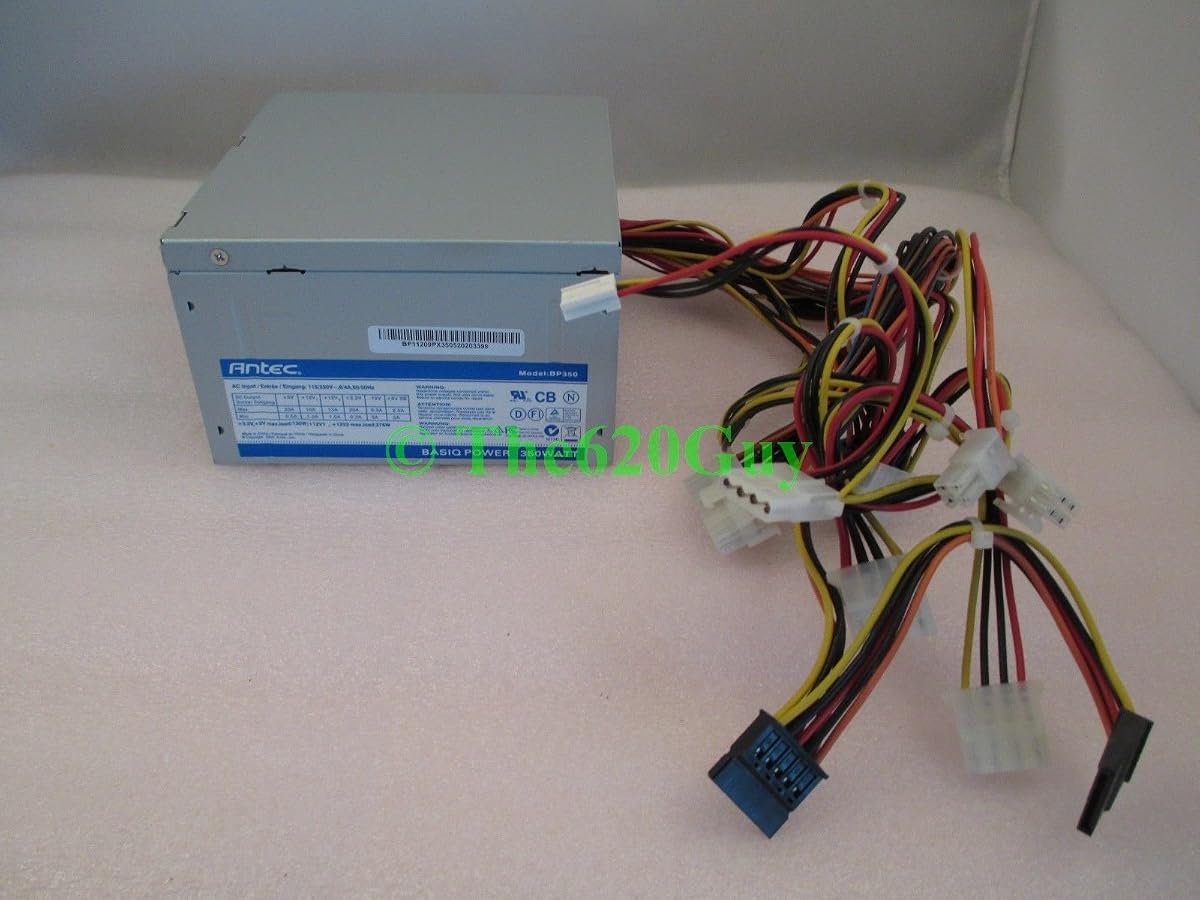
Antec brings years of experience to this Basiq line, offering reliable power for entry-level users at an unbeatable price. The 350W output ensures stable operation for office machines, media centers, and basic home computers without overcomplicating the design.
We may earn a commission when you buy through this link, at no additional cost to you.
Built with solid quality components, this unit performs efficiently without requiring premium features. The 24/4-pin design aligns with standard ATX12V specifications, ensuring compatibility with most modern motherboards and components.
Fixed cables limit customization but simplify installation for straightforward builds. The focus on reliability and essential protection systems ensures safe operation even in varied electrical environments.
Ideal for budget builders who prioritize brand reputation and reliability. Users needing a dependable PSU for a simple build will find this model meets expectations without extra cost.
Antec's established reputation ensures consistent quality control and support, reducing risks associated with lesser-known manufacturers.
Despite the budget focus, internal design ensures efficient power delivery, minimizing wasted energy and heat generation during use.
We may earn a commission when you buy through this link, at no additional cost to you.
This version of the Antec Basiq features an 80mm quiet fan designed to minimize noise in standard ATX cases. The ATX12V V2.01 compliance ensures compatibility with systems needing specific voltage rails, making it suitable for older and basic modern builds.
We may earn a commission when you buy through this link, at no additional cost to you.
Antec's commitment to quality ensures safe power delivery through built-in protections. The compact 80mm fan is engineered for low noise, making this ideal for living room PCs or quiet offices where sound matters.
Fixed cables simplify internal layout for small case builds. While it lacks advanced modularity, the straightforward design reduces failure points and keeps costs low for entry-level users.
Best for users prioritizing quiet operation and brand reliability within a tight budget. Those needing a simple, dependable PSU for a standard build will appreciate its performance and value.
The 80mm fan is engineered for low noise output, ensuring the PSU does not contribute significantly to overall system noise levels.
ATX12V V2.01 compliance guarantees compatibility with motherboards requiring specific voltage rail configurations and connector layouts.
We may earn a commission when you buy through this link, at no additional cost to you.
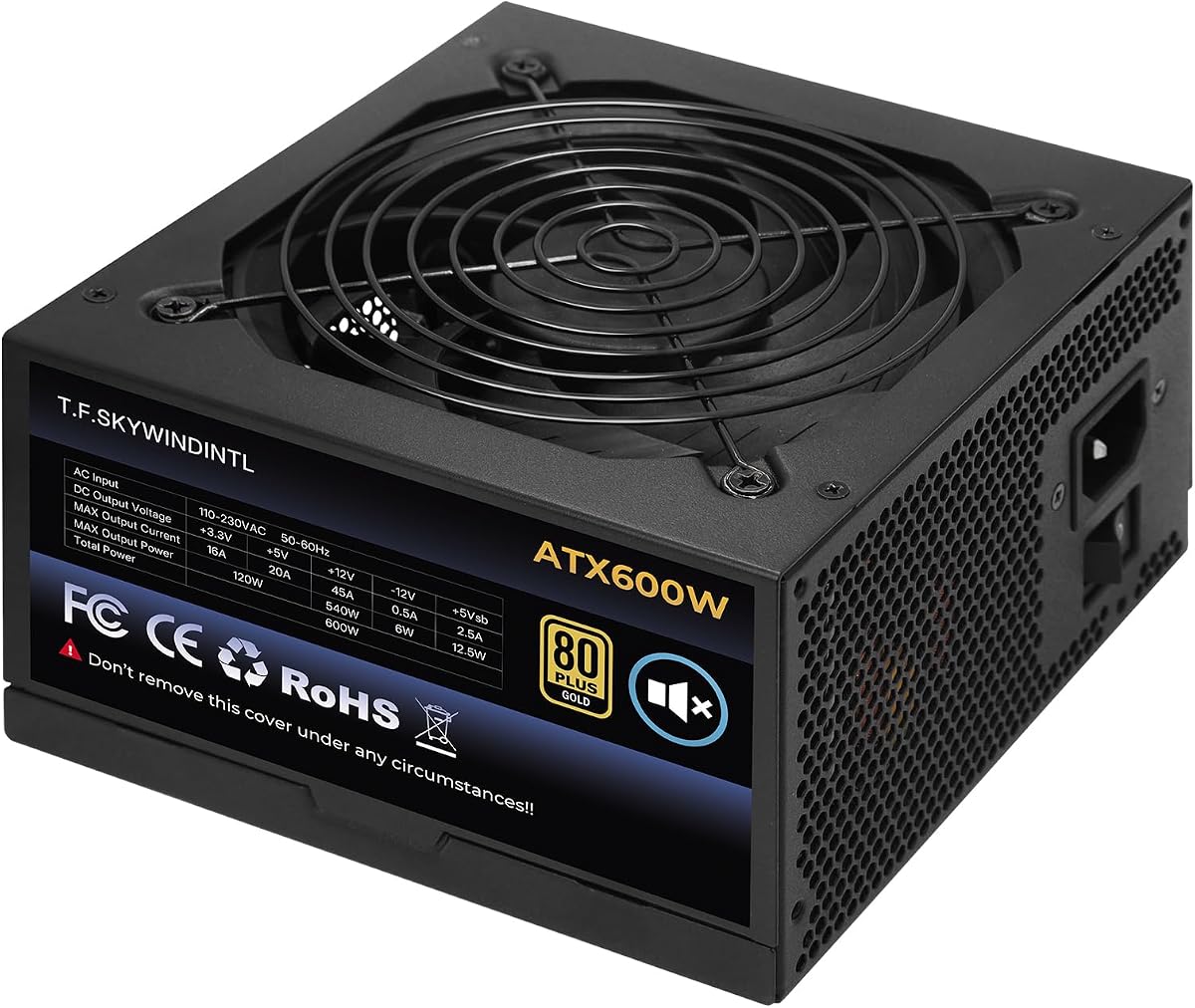
While technically a 600W unit, this PSU offers 80 Plus Gold efficiency and 600W continuous output, making it a powerful option for systems needing more than 350W. The 125mm FDB fan ensures silent operation even under heavier loads.
We may earn a commission when you buy through this link, at no additional cost to you.
Full voltage 100-240V Active PFC supports unstable grid environments, ensuring safe operation without manual voltage switching. Extensive protection features cover over-voltage and current scenarios, safeguarding components from electrical damage.
While it exceeds typical 350W requirements, this extra capacity allows for future upgrades without replacing the PSU. The fixed cables are manageable for standard ATX cases, offering ample connectors for modern gaming and workstation setups.
Best for users planning future upgrades or needing higher wattage for mid-range graphics. The Gold efficiency ensures lower energy costs and reduced heat even under demanding workloads.
The 600W capacity supports adding more powerful GPUs or additional drives without requiring immediate PSU replacement for system growth.
Fluid dynamic bearing fan technology reduces noise significantly, ensuring whisper-quiet performance regardless of internal temperature increases.
We may earn a commission when you buy through this link, at no additional cost to you.
Selecting the right power supply requires understanding key specifications that impact performance, efficiency, and reliability. This section outlines the critical factors to consider before purchasing a 350W PSU for your system.
Efficiency ratings like 80 Plus White, Bronze, or Gold indicate how much input power is converted to usable output. Higher efficiency reduces wasted energy, lowers electricity costs, and generates less heat, which improves system stability over time.
Look for at least Bronze certification if possible, as this ensures better energy conversion and reduced heat output compared to non-certified options.
Continuous wattage reflects the power supply's ability to deliver stable power over extended periods. Even if a unit lists 350W peak, ensure it provides consistent continuous output to avoid voltage drops during system load.
Choose a PSU with continuous wattage matching your system's needs, ideally leaving a 20 percent headroom for future upgrades.
The connectors provided must match your components requirements. A good PSU includes necessary SATA, Molex, PCIe, and motherboard connectors. Modularity simplifies cable management but is less critical for small or basic builds.
Verify connector count and type, especially for GPUs or additional drives, to avoid needing adapters that may compromise safety.
The physical dimensions of the PSU must fit your case. Standard ATX is common, but small form factor systems may require Flex ATX or SFX units. Ensure the size fits your case to avoid installation issues.
Measure your case clearance before purchasing to confirm the PSU will fit without interference from other components.
Protection features like Over Voltage, Over Power, Short Circuit, and Over Temperature safeguards prevent component damage. Reliable units include multiple protections to ensure safe shutdowns during electrical anomalies.
Prioritize PSUs with comprehensive protection systems to safeguard your investment against power surges and component failures.
Effective cooling prevents overheating and extends component life. Fans may vary in size (80mm vs 120mm) and bearing type (sleeve vs ball). Larger fans typically run quieter and dissipate heat more efficiently.
Choose a PSU with adequate cooling for your case airflow and prioritize low noise if the PC is located in quiet environments.
Warranty length reflects manufacturer confidence and provides peace of mind. Established brands often offer better quality control and customer support. A 3 to 5 year warranty is standard for budget to mid-range units.
Select reputable brands and longer warranties to ensure reliable service and replacement options if issues arise.
Input voltage compatibility ensures safe operation across different regions. PSUs supporting wide voltage ranges (100-240V) with Active PFC remove the need for manual switching and handle unstable grids better.
Check the input voltage range to ensure it matches your local power grid for stable and safe operation.
Proper installation is critical for safety and performance. Ensure all cables are fully seated and connected securely to the motherboard, GPU, and drives. Verify that the PSU switch is set to the correct input voltage if applicable.
Regular cleaning helps maintain airflow and cooling efficiency. Use compressed air to remove dust from the PSU fan and vents every few months. Avoid opening the PSU casing, as internal components retain dangerous voltages even when unplugged.
Monitor system temperatures and listen for unusual noises during operation. If the fan becomes louder or the system shuts down unexpectedly, check for blockages or overheating. Replace the PSU if signs of failure like burning smells or excessive heat appear.
350W is generally sufficient for entry-level gaming PCs using low-power GPUs like GTX 1050 or RX 6400. However, modern games and higher-end graphics cards typically require 500W or more. For gaming, check your GPU requirements before selecting a 350W unit.
80 Plus certification indicates the PSU achieves at least 80 percent efficiency under typical load conditions. Higher tiers like Bronze, Gold, or Platinum mean even better efficiency, resulting in lower electricity bills and less wasted heat.
Yes, 350W is ideal for office PCs performing basic tasks like web browsing, word processing, and light media consumption. These systems rarely exceed 150W, leaving significant headroom and ensuring stable operation.
Modular PSUs allow connecting only needed cables for cleaner builds but cost more. Fixed units are simpler and cheaper. For standard ATX cases, fixed cables usually suffice. Modular is better if airflow and aesthetics are priorities.
Active PFC (Power Factor Correction) improves efficiency by aligning input power with output usage. It ensures stable power delivery across a wide voltage range, reducing wasted energy and enabling compatibility with different electrical grids.
A quality PSU typically lasts 5 to 10 years depending on usage and quality. Regular cleaning and avoiding overclocking or excessive loads extend lifespan. Check warranty terms for replacement options if the unit fails.
Yes, PSU fans contribute to overall system noise. Units with larger fans (120mm) or fluid dynamic bearings run quieter than smaller or sleeve-bearing fans. Thermal control also helps by slowing fans during cool operation.
Yes, established brands offer better quality control, customer support, and warranty service. Lesser-known units may use lower quality components, risking system stability. Investing in reputable manufacturers ensures reliable power delivery and safety.
Choosing the right 350W PSU depends on balancing efficiency, reliability, and specific form factor needs. Our top picks like the Thermaltake Smart 500W and Silverstone FX350-G-VT offer excellent efficiency and build quality for different use cases.
Prioritize continuous wattage, protection features, and connector compatibility for your specific system. A slightly higher wattage can provide future upgrade room without extra cost. Ensure the PSU fits your case and matches your motherboard requirements.
Always verify current pricing and availability before purchasing as these fluctuate regularly. A reliable power supply protects your entire system, so investing in a quality unit ensures long-term stability and peace of mind.