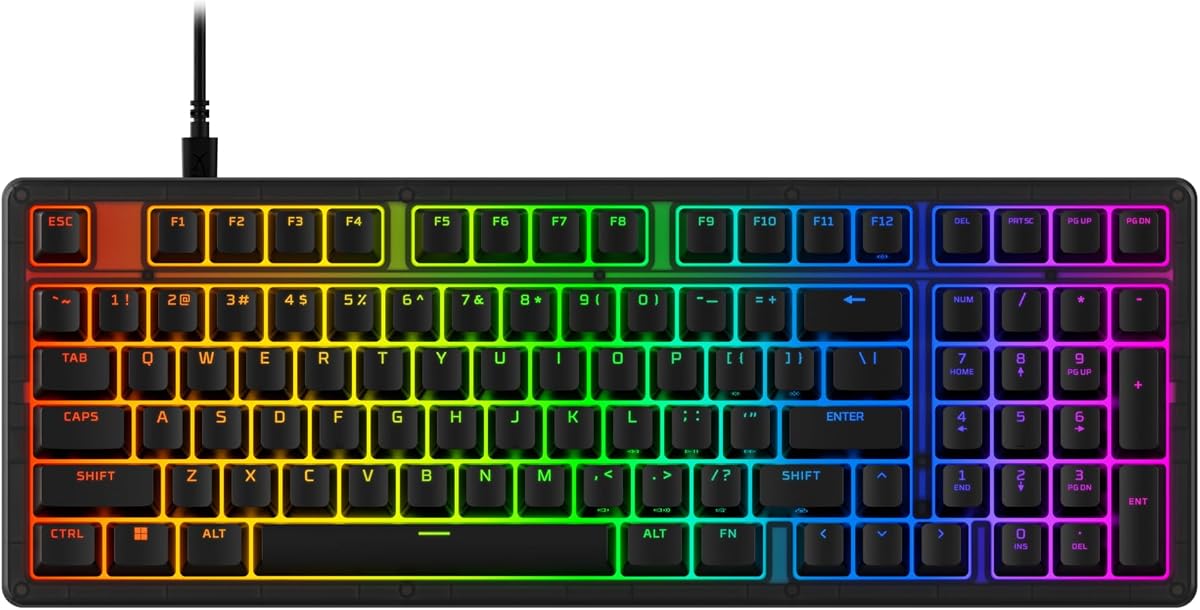
HyperX Eve 1800
4.6Editor score
10-zone customizable RGB lighting
Membrane switches with anti-ghosting
Dedicated media control buttons
Finding the right typing tool often means balancing functionality with desk real estate. The 1800 compact keyboard offers a unique middle ground, preserving essential keys like the number pad while shrinking the overall footprint. This layout is ideal for users who need numeric entry but want more mouse space or a cleaner setup.
We evaluated ten leading models based on build quality, switch performance, connectivity options, and overall value. Our analysis covers mechanical and membrane switches, wireless capabilities, and specialized features like hot-swappability or industrial durability. Each product was assessed for its ability to meet diverse user needs without compromising on core typing experience.
Each entry below details specific strengths, limitations, and ideal use cases to guide your decision. We highlight key specifications and user feedback to ensure transparency. Please note that prices and availability fluctuate frequently, so verify current details before purchasing to ensure you get the best deal available today.
4.6Editor score

4.6Editor score

4.4Editor score
As an Amazon Associate we earn from qualifying purchases.
The following table provides a side-by-side comparison of all ten selected keyboards, highlighting their primary specifications, connectivity types, and unique features to help you quickly identify the model that best fits your specific requirements and budget constraints.




The HyperX Eve 1800 stands out as a compelling budget option for those seeking a compact 1800 layout without sacrificing essential functionality. With a strong user rating of 4.6 stars, it delivers a full-size experience in a condensed form factor that frees up desk space for peripherals like headsets and mice. The inclusion of membrane switches provides a cushioned feel that many users find comfortable for long sessions.
We may earn a commission when you buy through this link, at no additional cost to you.
Its 10-zone customizable RGB lighting allows for dynamic visual personalization that syncs with gaming aesthetics or workspace themes. The keyboard features dedicated media buttons for quick adjustments to volume and gaming modes, enhancing usability during intense gameplay or media consumption. Additionally, anti-ghosting and 12-key rollover ensure reliable keypress performance even during rapid inputs.
While membrane switches may not offer the same tactile feedback as mechanical alternatives, they provide a satisfying and quiet typing experience suitable for shared environments. The trade-off is a potentially shorter lifespan compared to mechanical switches, but the lower price point offsets this for casual users. HyperX NGENUITY software enables further customization of lighting and macros, adding value to the package.
This keyboard is ideal for budget-conscious gamers or office workers who need extra desk space without giving up the numeric keypad. It balances cost and features effectively, making it a top choice for entry-level 1800 compact keyboard seekers. We recommend it for anyone prioritizing layout efficiency and visual customization over high-end mechanical feedback.
The 1800 form factor condenses a full keyboard into a smaller footprint, ideal for cramped desks while keeping essential keys accessible.
Ten zones of RGB lighting can be tailored through software to match your setup or provide visual cues during games.
We may earn a commission when you buy through this link, at no additional cost to you.
The Cherry G80-1800 is engineered for reliability in demanding environments, offering a mechanical keyboard solution that prioritizes longevity and consistent performance. With a rating of 4.1 stars, it is a trusted choice for industrial applications where continuous use is the norm. The keyboard utilizes CHERRY MX BLACK switches known for their linear characteristics and high durability over time.
We may earn a commission when you buy through this link, at no additional cost to you.
Gold crosspoint contacts ensure reliable switching performance even after millions of actuations, making it suitable for high-frequency typing or data entry tasks. The inclusion of both USB and PS/2 connections provides exceptional flexibility, allowing integration with legacy systems or modern setups without compromise. This dual-interface support is particularly valuable for specialized computing needs.
The space-saving design measures approximately 15.94 inches in width, fitting seamlessly into tight workspaces or 19-inch rack installations. While it lacks some modern gaming features like RGB lighting, its focus on core functionality and build quality shines. The keyboard is built to meet rigorous standards, ensuring it can withstand tough conditions where consumer-grade options might fail.
For professionals in industrial, medical, or legacy computing fields, this keyboard offers a robust typing experience that justifies its cost. It is best suited for users who value durability and connectivity options over aesthetic enhancements. We recommend it for environments requiring a dependable, long-lasting input device with mechanical precision.
MX Black switches are rated for over 100 million actuations, ensuring consistent performance in high-use industrial settings.
Support for both USB and PS/2 allows seamless connection to a wide range of modern and legacy computer systems.
We may earn a commission when you buy through this link, at no additional cost to you.
The HyperX Origins 2 1800 delivers a high-end gaming experience with a focus on customization and speed. Rated at 4.6 stars, it stands out for its hot-swap capability and an industry-leading 8k polling rate that ensures near-instantaneous input response. The compact 1800 layout allows gamers to reclaim desk space without sacrificing the full functionality of a traditional full-size keyboard.
We may earn a commission when you buy through this link, at no additional cost to you.
One of its standout features is the swappable housing design, which uses a simple 8-screw assembly to let users change the keyboard's look without buying a new unit. The hot-swap 5-pin sockets allow easy switch replacement for different tactile or clicky experiences, adding significant value for enthusiasts. O-ring mounts and reverb-dampening silicon weight improve sound and stability during keystrokes.
The high-profile form factor elevates key engagement, which can reduce strain during long typing sessions. Factory-lubed Linear Red switches provide smooth actuation and a subtle sound profile, ideal for competitive gaming. HyperX NGENUITY software layers offer extensive customization for lighting, macros, and profiles, though open-source files exist for creative DIY projects.
This keyboard is perfect for gamers and enthusiasts who want a balance of performance and personalization. It justifies its premium price with features that are rare in compact form factors. We recommend it for users seeking a versatile, high-performance board that can be tailored to their specific typing preferences and aesthetic tastes.
The 8k polling rate communicates with your PC up to 8000 times per second, minimizing latency during critical gameplay moments.
Hot-swap sockets and swappable housings let you change switches and colors without tools or soldering for endless variety.
We may earn a commission when you buy through this link, at no additional cost to you.
Cherry Electronics G80-1800LPCEU is a specialized industrial keyboard designed to meet rigorous quality standards while providing essential mechanical typing performance. Although specific ratings are not available, its reputation for quality is backed by ISO certifications and a focus on durability. The keyboard features mechanical keyswitches that ensure precise and reliable input for professional environments where accuracy is paramount.
We may earn a commission when you buy through this link, at no additional cost to you.
Its support for both USB and PS/2 interfaces makes it highly versatile for connecting to various legacy and modern systems without requiring adapters. The compact dimensions of approximately 15.9 inches by 7.1 inches allow it to fit into tight workspace constraints typical of industrial control panels or medical setups. This design prioritizes function over form, ensuring it remains stable and effective in demanding conditions.
The construction quality is designed to withstand heavy daily use, aligning with Cherry's long history of manufacturing reliable input devices. While it does not offer modern features like RGB lighting or wireless connectivity, its focus on core reliability and standards compliance makes it a valuable tool for professionals. The keyboard is built to perform consistently over long periods without degradation.
Ideal for industrial, medical, or enterprise settings where reliability and standards compliance are non-negotiable. It may not suit gamers or casual users seeking aesthetic flair, but it excels in its intended niche. We recommend it for organizations needing a proven, durable input device that meets international standards for safety and performance.
The keyboard meets ISO 9001 and 14001 standards, ensuring consistent quality and environmental management in its manufacturing process.
Support for USB and PS/2 connections ensures compatibility with a wide range of legacy and modern computer systems.
We may earn a commission when you buy through this link, at no additional cost to you.
The Logitech Alto Keys K98M redefines the 1800 compact keyboard category with its focus on typing comfort and wireless versatility. Rated at 4.4 stars, it features a gasket mount design that absorbs vibrations for a satisfying clicky typewriter-like feel. The 98-key layout includes a numpad in a compact footprint, making it ideal for those who need number entry without bulk.
We may earn a commission when you buy through this link, at no additional cost to you.
Hot-swappable Marble Switches allow users to tailor the tactile feedback without soldering, adding a layer of customization usually found in custom boards. Connectivity is seamless with both Bluetooth Low Energy and Logi Bolt USB Receiver support, enabling connections to multiple devices across Windows and macOS. The keyboard offers up to 12 months of wireless use and recharges via USB-C, ensuring it stays powered through heavy workdays.
The transparent top case and vibrant colors give it a stylish appearance that complements modern workspaces. Action Keys can be programmed via Logi Options+ to boost productivity with one-click access to AI-enhanced features. However, the white backlighting only limits visual customization compared to RGB options, which may be a drawback for gamers.
This keyboard is best suited for professionals who value comfort, aesthetics, and wireless flexibility. It delivers a premium typing experience that justifies its higher price point for those willing to invest in quality. We recommend it for users seeking a high-end wireless solution that balances productivity features with ergonomic comfort.
The gasket mount and UniCushion design absorb shock to provide a smooth, precise typing experience that reduces fatigue.
Logi Options+ app enables custom actions and easy switching between up to three devices for a streamlined workflow.
We may earn a commission when you buy through this link, at no additional cost to you.
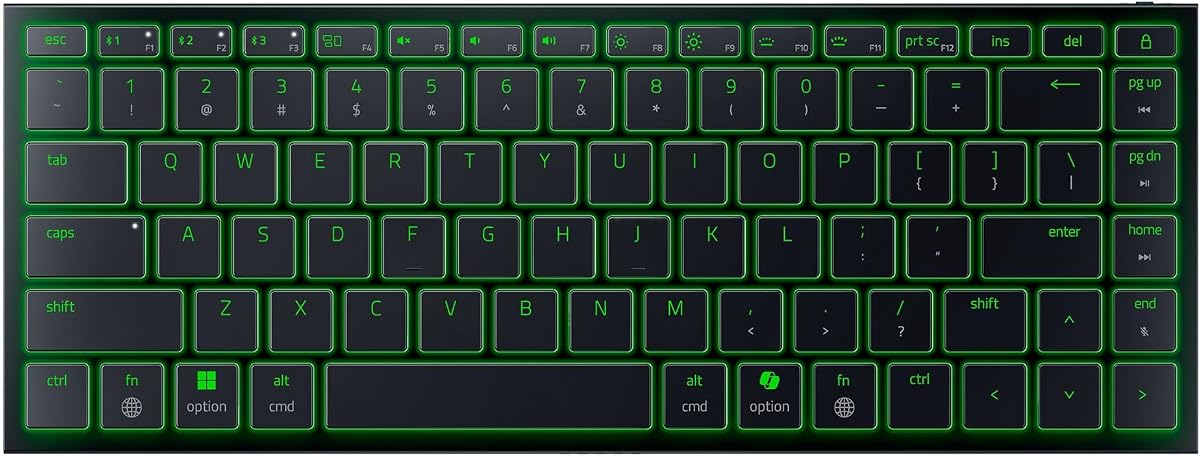
The Razer Joro Wireless is designed for portability without sacrificing the core features of a gaming keyboard. With a 75 percent layout and ultra low profile keys, it fits easily into bags while maintaining a full function row and arrow keys. Rated at 4.0 stars, it appeals to travelers who need a compact solution for both work and gaming across different devices.
We may earn a commission when you buy through this link, at no additional cost to you.
Its ultra low profile switches minimize strain and provide quick actuation with satisfying tactile feedback. The keyboard pairs with up to three devices via Bluetooth 5.0, allowing effortless switching between Windows, Mac, and mobile setups. Razer Chroma RGB provides dynamic lighting effects, and Snap Tap technology enhances directional changes in gameplay for faster responses.
While the battery life can vary based on RGB settings, Power Saving Mode helps extend usage between charges. At just 16.5 mm thin and weighing 374 grams, it is effortlessly lightweight for daily carry. However, the low profile design may not suit users accustomed to standard mechanical height, so trying before buying is advisable.
This keyboard is ideal for gamers and professionals who travel frequently and need a versatile input device. It balances portability with gaming performance, making it a strong contender for mobile setups. We recommend it for those prioritizing size and weight without wanting to compromise on connectivity or visual customization.
The slim 16.5 mm profile and 374 gram weight make it easy to carry in backpacks or laptop bags anywhere.
Snap Tap technology prioritizes inputs for faster directional changes, perfect for competitive gameplay on the go.
We may earn a commission when you buy through this link, at no additional cost to you.
The Cherry G80-1800LPCEU-0 is a classic industrial keyboard designed for performance and durability in specialized computing environments. While it has a lower user rating of 3.7 stars, its technical specifications highlight its value for specific use cases. It features 104 keys with gold crosspoint contacts that ensure reliable switching performance over an extremely high service life.
We may earn a commission when you buy through this link, at no additional cost to you.
The compact 16-inch size makes it space-saving and ergonomic, suitable for environments where desk real estate is limited. Codeset 3 support via PS/2 connection allows it to be used on Unix computers, which is a niche but essential feature for certain technical and industrial systems. The build quality aligns with Cherry's reputation for longevity and high standards.
While it lacks modern wireless features, its focus on robust wired connectivity and compatibility with legacy systems makes it a practical choice for specific industries. The keyboard fulfills high demands for reliability, though it may not appeal to general consumers looking for extra features. It remains a solid option where mechanical stability and technical compatibility are paramount.
Recommended for users who need a proven, compact keyboard for Unix or industrial environments. It prioritizes function and compatibility over modern aesthetics. We suggest this for specialized setups where technical support for legacy systems is a requirement for daily operations.
Codeset 3 support via PS/2 connection ensures compatibility with Unix systems and older industrial computers.
Individual keys are designed for extremely high service life, making this a long-term investment for heavy use.
We may earn a commission when you buy through this link, at no additional cost to you.
The Cherry Stream Wired TKL is a space-saving compact keyboard designed for quiet and efficient typing. Rated at 4.3 stars, it is ideal for those who do not need a number pad and prefer a more ergonomic setup. The keyboard features CHERRY SX scissor technology that ensures a precise pressure point and an unbeatable typing experience even after long periods of use.
We may earn a commission when you buy through this link, at no additional cost to you.
Without the number pad, the mouse and keyboard sit closer together, putting users in a more natural and ergonomic position. This design reduces strain on the arms and wrists during extended work sessions. The keyboard is awarded the globally recognized GS mark for safety and features 2 red status LEDs for Caps Lock and Scroll Lock visibility.
Multimedia keys allow for easy control of volume and other functions without opening applications. The non-slip rubberized feet and integrated metal plate provide stability, preventing the keyboard from slipping during intense typing sessions. While it is a wired option without modern features like RGB, its focus on comfort and quietness is clear.
This keyboard is perfect for office environments or home workspaces where quiet operation and ergonomics are priorities. It is best for users who type frequently and do not rely on numeric entry. We recommend it for those seeking a simple, reliable, and quiet typing solution with a compact footprint.
Removing the numpad brings the mouse closer, promoting a natural arm position that reduces strain during typing.
The SX scissor technology ensures precise pressure points and whisper-quiet operation for shared environments.
We may earn a commission when you buy through this link, at no additional cost to you.
The Logitech Pebble Keys 2 K380s is a compact Bluetooth keyboard known for its slim design and ease of use across multiple devices. Rated at 4.3 stars, it is made with recycled plastic and features a familiar laptop-like typing experience. While technically a 75 percent layout, it offers a space-saving solution for mobile workers who prioritize portability over a dedicated numeric keypad.
We may earn a commission when you buy through this link, at no additional cost to you.
Users can connect up to three devices via Bluetooth and switch between them instantly with dedicated Easy-Switch buttons. This multi-device capability is valuable for professionals who work across Windows, macOS, iPadOS, and ChromeOS. The keyboard includes a 3-year battery life and auto-sleep power-saving mode to minimize worry about recharging during daily use.
The round, scooped keys are designed for comfort and feel good on the fingertips. Logi Options+ app allows customization of Fn keys to access search, emoji, and other shortcuts. However, the round keys may take some adjustment for users accustomed to square caps, and the lack of a numpad is a consideration for heavy number entry.
Best suited for mobile professionals and casual users who need a sleek, portable keyboard for light work and note-taking. It balances style, sustainability, and functionality in a lightweight package. We recommend it for those who value easy switching between devices and a minimalist, travel-friendly design.
Works with Windows, macOS, iPadOS, and ChromeOS allowing flexible connections across different operating systems.
Made with at least 49 percent post-consumer recycled plastic to reduce environmental impact and waste.
We may earn a commission when you buy through this link, at no additional cost to you.
The ProtoArc XK04 Foldable is an ultra-compact keyboard designed specifically for use with phones and tablets on the go. Rated at 4.5 stars, it folds into a small form factor with a premium PU leather cover that protects it during travel. When unfolded, it provides a physical typing capability for devices up to 10.76 inches, making it ideal for note-taking and messaging anywhere.
We may earn a commission when you buy through this link, at no additional cost to you.
Bluetooth 5.1 allows connection to up to three devices simultaneously with dedicated keys for switching without re-pairing. The compact layout fits comfortably on airplane trays or cafe tables where desk room is minimal. With auto-sleep standby, the keyboard can last up to 150 days on a single charge via USB-C, ensuring it is ready whenever needed.
The keycaps are smaller than standard desktop keys, which may take some getting used to, but the design is optimized for mobile efficiency. This keyboard is not meant to replace a full desktop setup but to extend typing comfort to mobile devices. Its lightweight and portable design make it a convenient companion for business travelers and students.
This keyboard is best for anyone who needs to type frequently on mobile devices without using a virtual keyboard. It offers a solid middle ground between phone keyboards and bulkier tablets. We recommend it for users prioritizing portability and protection for their on-the-go typing needs.
Integrated PU leather cover shields the keyboard from scratches and damage while adding a premium look to the build.
Designed specifically for phones and tablets with a compact layout that fits well on small surfaces like airplane trays.
We may earn a commission when you buy through this link, at no additional cost to you.
Selecting the right 1800 compact keyboard involves evaluating several key factors to match your specific workflow and environment.
The 1800 form factor retains a full-size layout minus some non-essential keys like the right numpad. Ensure the compact size fits your desk but still includes the numeric keypad you need for data entry. A compact layout allows for more mouse movement space and better ergonomics.
Prioritize the 1800 layout if you need the number pad but want a smaller footprint than a full 104-key board.
Mechanical switches offer durability and tactile feedback, ideal for gaming and heavy typing. Membrane switches provide a quieter and softer feel which may be preferred in shared spaces. Consider the switch feel, sound, and expected lifespan when choosing for your environment.
Choose mechanical switches for longevity and feedback, or membrane for quiet and budget-friendly options.
Wired USB connections provide reliability and zero latency, making them great for gaming and office work. Wireless options via Bluetooth or USB dongles offer flexibility for multi-device setups and cleaner desks. Ensure the connection type matches your computer's available ports and your mobility needs.
Select wired for performance and wireless for portability and multi-device flexibility.
Look for keyboards with robust frames and metal plates to prevent flex during typing. Industrial-grade models offer higher service life ratings for heavy use environments. Check for features like water resistance or spill protection if your environment is prone to accidents.
Verify build materials and ratings to ensure the keyboard will withstand your daily usage habits and demands.
Some keyboards offer RGB lighting, macro support, and software-based key mapping for enhanced productivity. Hot-swappable switches allow for easy customization without soldering for enthusiast users. Ensure the accompanying software is compatible with your OS and offers the features you need.
Opt for models with robust software and hot-swap features if you plan to customize your setup extensively.
Consider keyboards with adjustable angles, wrist rests, or high-profile designs for improved typing comfort. Reduced strain is crucial for long work sessions to prevent fatigue. A compact layout also helps align the mouse and keyboard closer together for a better arm posture.
Prioritize adjustable feet or ergonomic designs if you type for hours daily to maintain health and comfort.
Wireless keyboards should offer long battery life or USB-C rechargeability to avoid interruptions. Check if battery performance is affected by features like RGB lighting or high polling rates. A battery that lasts months reduces the hassle of frequent replacements or charging cycles.
Look for low-power modes and rechargeable options to ensure your wireless keyboard stays ready for long periods.
Ensure the keyboard works with your operating system and any legacy systems you may use in industrial contexts. Some keyboards offer PS/2 support for older machines, while others focus on modern Bluetooth standards. Check for dedicated media keys and shortcut support that integrate with your daily software suite.
Verify OS compatibility and special connection options to ensure seamless integration with your specific computing environment.
Proper placement of your keyboard ensures ergonomic comfort during long work sessions. Position the compact keyboard so that your mouse is within easy reach on the same level. This setup reduces wrist strain and promotes a natural typing posture for healthier productivity.
Regular cleaning of the keys with a soft brush or compressed air removes dust and debris. For spills, disconnect the keyboard immediately and clean with a lightly dampened cloth. Avoid harsh chemicals that might damage the keycaps or internal components of the device.
A 1800 compact keyboard features a layout that retains essential keys including the number pad but reduces the overall footprint. It eliminates extra navigation and function keys to save space while maintaining full functionality. This makes it ideal for users who need number entry but want more desk space.
Yes, many 1800 compact keyboards are optimized for gaming with features like high polling rates and anti-ghosting. The compact layout provides more room for mouse movements which is crucial in FPS games. Mechanical options also offer the tactile feedback needed for precise control.
Several modern models offer Bluetooth or USB wireless options for multi-device support and cleaner setups. However, some industrial models remain wired for reliability in critical environments. Check the specific product specifications if wireless is a priority for your needs.
The defining feature of the 1800 layout is the inclusion of a numeric keypad in a smaller frame. This distinguishes it from TKL or 65 percent keyboards that often omit the numpad. Ensure you check the layout description if number entry is essential for you.
Hot-swap switches allow you to remove and replace key switches without soldering tools. You simply pull out the old switch and snap in a new one of your preferred type. This feature adds significant customization and longevity value to the keyboard.
Most keyboards support both Mac and Windows systems with adjustable key mapping. However, some specialized industrial models may have legacy OS dependencies. Always verify the compatibility details in the product description before purchasing.
Choosing the right 1800 compact keyboard ultimately depends on your specific needs for layout, connectivity, and typing feel. The HyperX Eve 1800 offers great value for budget gamers while the Cherry G80-1800 stands out for industrial reliability. Each model provides a unique balance of space-saving design and functional performance.
Prioritize the features that matter most to your workflow such as wireless flexibility or mechanical feedback. If you need a keyboard that adapts to your style, look for hot-swap capabilities or customizable lighting. Your ideal keyboard should support your typing needs without consuming excessive desk real estate.
Please remember that availability and pricing fluctuate frequently across retailers. Verify current prices and stock before finalizing your purchase to ensure you get the best deal. With the right compact keyboard, you can optimize your workspace for both comfort and efficiency.