
Logitech Brio 101
4.4Editor score
1080p Full HD resolution
RightLight 2 technology
Slide privacy cover
This expert guide compares the top 1080p webcams for streaming and meetings, evaluating video quality, audio clarity, privacy features, and compatibility for
Choosing a reliable 1080p webcam ensures you look professional during video calls and streams. High definition video and clear audio are essential for remote work, online learning, and content creation in today digital connected world.
We evaluated ten top-rated models based on resolution, sensor quality, microphone performance, and ease of use. Each product was selected for its ability to deliver sharp visuals and consistent reliability across different operating systems and platforms.
Every pick highlights key strengths and ideal use cases to help you find the perfect fit for your setup. Please note that availability and offers may change over time, so check current listings before purchasing.
4.4Editor score

4.6Editor score

4.4Editor score
The following table provides a side-by-side comparison of all ten models, highlighting their core specifications and key features to simplify your decision process.




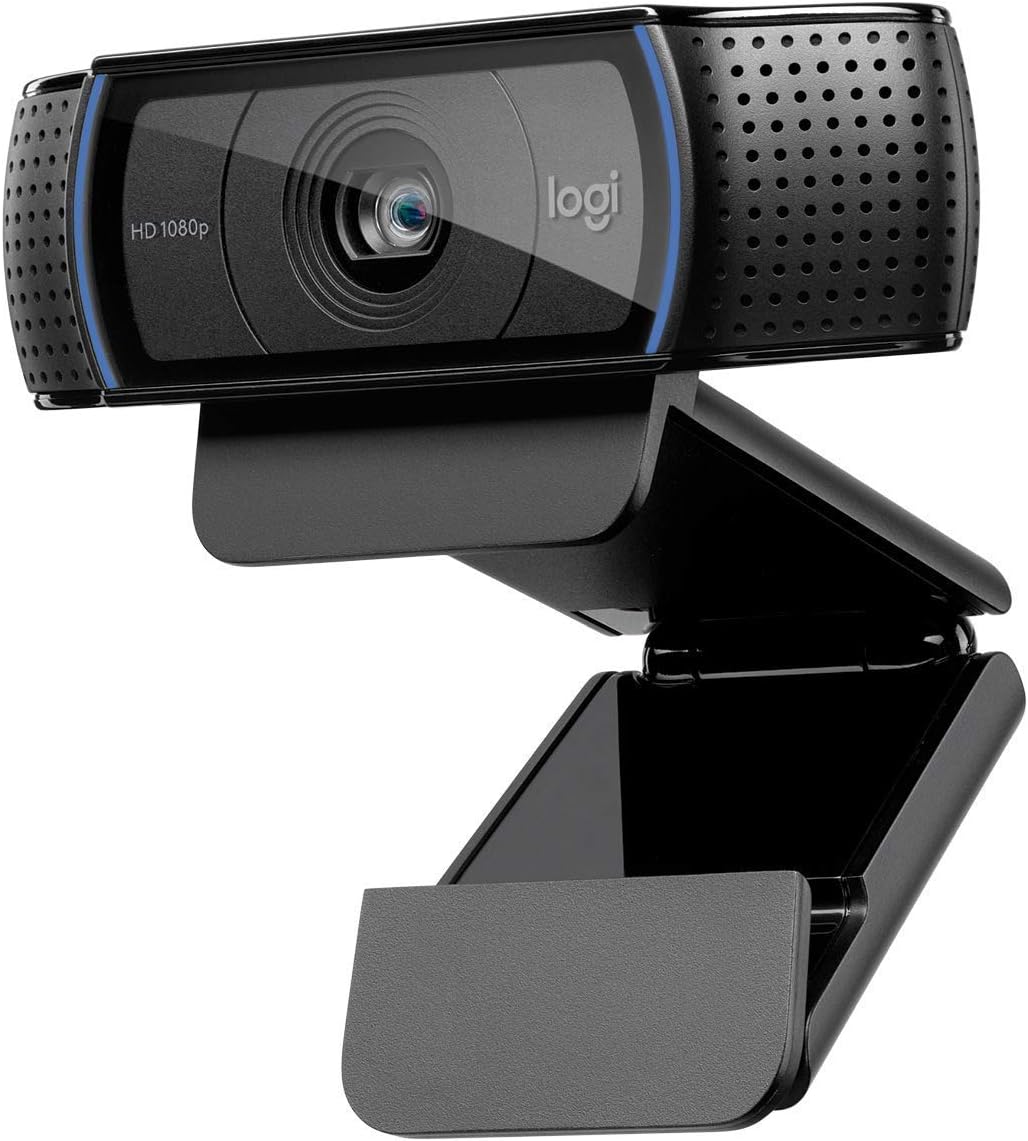


The Logitech C920x stands out as a top performer in the 1080p category with its sharp image quality and reliable autofocus. Users consistently praise its ability to deliver crisp visuals even in moderate lighting conditions, making it ideal for daily meetings.
We may earn a commission when you buy through this link, at no additional cost to you.
Its dual stereo microphones capture natural sound from a distance, reducing the need for external audio gear. The HD autofocus ensures you stay in focus as you move slightly, while the light adjustment feature brightens your image in dimmer rooms.
The main drawback is the lack of a built-in privacy shutter, which means you may need to rely on software or manual covers. Additionally, the price point is higher than budget options, but the performance justifies the cost for serious users.
This webcam is best suited for professionals and streamers who prioritize image fidelity and audio quality. It works seamlessly across major platforms like Zoom and Teams, offering a hassle-free experience for remote work and content creation.
The combination of HD autofocus and stereo microphones ensures you look and sound professional during calls.
Included software licenses allow for background virtual without extra hardware costs.
We may earn a commission when you buy through this link, at no additional cost to you.
The Logitech Brio 101 offers exceptional value by delivering Full HD video at a budget-friendly price point. Its integrated privacy shutter provides peace of mind when not in use, which is a rare feature in this price range.
We may earn a commission when you buy through this link, at no additional cost to you.
RightLight 2 technology automatically adjusts brightness to reduce shadows on your face, ensuring you look presentable even in challenging lighting. The plug-and-play design means you can start using it immediately without installing drivers.
While the fixed focus is limiting for users who move around a lot, the clarity at a standard desk distance is sufficient for most meetings. The microphone is adequate for personal use but might require an external mic for large rooms.
This model is perfect for students and home workers looking for an affordable upgrade over built-in laptop cameras. It balances cost and functionality well, making it an accessible entry point into dedicated webcams.
The sliding cover offers physical protection for your lens without adding bulk to your setup.
Automatic brightness adjustments help maintain visibility during early morning or evening calls.
We may earn a commission when you buy through this link, at no additional cost to you.
The EMEET S600 brings premium features to the table with its Sony sensor and phase detection autofocus technology. This results in incredibly sharp images that remain focused even when you shift positions during a conversation.
We may earn a commission when you buy through this link, at no additional cost to you.
Its ability to stream in 4K makes it future-proof for creators who want the highest quality possible, though 1080p at 60fps is also supported for smoother motion. The adjustable field of view allows you to frame your shot precisely without moving the camera.
The noise-canceling algorithm filters out background sounds effectively, ensuring your voice comes through clearly. However, accessing all features requires installing specific software, which might be a hurdle for some users.
This webcam is ideal for serious streamers and content creators who need top-tier performance. The durability and build quality reflect its premium positioning, making it a solid investment for long-term use.
The Sony sensor and PDAF ensure professional-level focus and color accuracy.
Adjustable field of view lets you customize the camera angle to suit your space.
We may earn a commission when you buy through this link, at no additional cost to you.
The Logitech C920S is a refined version of the classic C920, adding a privacy shutter for enhanced security. It maintains the high image quality and stereo audio that users have come to expect from the C920 line.
We may earn a commission when you buy through this link, at no additional cost to you.
Full HD recording ensures that your videos look professional and vibrant, while the light correction helps maintain visibility in various environments. The stereo audio captures natural sound, making it suitable for both calls and recorded content.
However, it does not include the XSplit VCam license found in some newer models, which limits background customization options. The autofocus is reliable but not as advanced as phase-detection systems in higher-end cameras.
This model is a safe bet for anyone wanting a trusted brand with solid performance. It fits well in office settings where reliability and privacy are key concerns for daily communication.
The snug privacy cover ensures the lens is fully blocked when not in use.
Known for stability and compatibility, it works reliably across different platforms.
We may earn a commission when you buy through this link, at no additional cost to you.
Designed with corporate environments in mind, the Logitech C920e offers certifications for major platforms like Zoom and Microsoft Teams. This ensures seamless integration into enterprise workflows without compatibility issues.
We may earn a commission when you buy through this link, at no additional cost to you.
The 78-degree field of view strikes a balance between capturing the user and showing items on a desk. The omnidirectional microphones pick up voice clearly from a distance, which is helpful for shared spaces.
An attachable privacy screen provides physical coverage when needed, and the sturdy clip allows for secure mounting on various monitor types. Device management software also supports IT teams in maintaining fleet standards.
While it lacks some consumer-friendly perks, its reliability and certifications make it a strong choice for businesses. It is built to handle the demands of frequent daily use in professional settings.
Official certifications ensure smooth operation with corporate communication tools.
Multiple mounting options allow easy installation on monitors or tripods.
We may earn a commission when you buy through this link, at no additional cost to you.
The EMEET C960 features a 90-degree field of view, making it suitable for capturing multiple people or a wider workspace. This wide-angle lens is useful for small team meetings without needing a wide room.
We may earn a commission when you buy through this link, at no additional cost to you.
It includes dual omnidirectional microphones to capture audio from different angles, enhancing voice clarity during calls. The USB connectivity is versatile, supporting both Type-A and Type-C connections for newer laptops.
However, the focus is fixed, so you need to position the camera at the right distance for a sharp image. The auto-exposure works well in normal lighting but may struggle in very dark environments.
This webcam is a practical choice for home offices or small teams needing a wider perspective. It offers a balance of features and price that suits casual to moderate professional use.
The wide field of view helps capture more participants in a single frame.
Support for multiple USB types ensures compatibility with older and newer devices.
We may earn a commission when you buy through this link, at no additional cost to you.
The NexiGo N60 is a budget-friendly option that delivers 1080p video with a glass lens for better clarity. Its wide compatibility with operating systems ensures it works on most devices without extra drivers.
We may earn a commission when you buy through this link, at no additional cost to you.
The built-in noise-canceling microphone helps reduce background noise, improving audio quality for standard calls. A physical privacy cover protects the lens when the camera is not active, adding a layer of security.
While the fixed focus limits flexibility compared to autofocus models, it works well for stationary setups. Some users may experience occasional audio delay that requires firmware updates, but support is available.
This camera is a good entry-level choice for those needing basic high-definition video. It balances essential features with a low price, making it accessible for students and remote workers.
Support for Windows, Mac, and Linux ensures it fits most existing setups.
The physical cover allows you to visually confirm the lens is not recording.
We may earn a commission when you buy through this link, at no additional cost to you.
The original Logitech C920 remains a benchmark for 1080p webcams with its reliable performance and widespread use. Its widescreen format delivers professional-looking video for calls and recordings.
We may earn a commission when you buy through this link, at no additional cost to you.
Automatic light correction adjusts the exposure to keep your face visible in various lighting conditions. The clip design fits securely on most laptops and monitors, providing a stable mounting solution.
However, it lacks newer features like privacy shutters or advanced software licenses, which might be expected in modern models. Despite this, the core video and audio quality remains high for general use.
This model is ideal for users who want a proven, straightforward camera without extra complexity. It continues to be a dependable option for daily communication and casual streaming needs.
Years of positive reviews confirm its stability and consistent performance.
The standard mounting clip works with most standard monitors and laptops.
We may earn a commission when you buy through this link, at no additional cost to you.
The Logitech Brio 105 is designed for business environments needing a cost-effective 1080p solution. It includes RightLight 2 technology to automatically balance lighting for clearer images.
We may earn a commission when you buy through this link, at no additional cost to you.
The integrated webcam cover adds privacy protection, which is essential for remote employees working from home. It is also certified for Google Meet and supports Chromebooks, broadening its utility.
Audio is handled by a built-in mic that is sufficient for quiet rooms but may need help in noisy environments. The build is simple but durable for daily corporate use.
This webcam is a smart choice for organizations deploying hardware to many employees. It offers essential business features like privacy and light adjustment at a manageable cost.
Certifications and privacy tools meet the needs of professional remote work.
Automatic adjustments help maintain a consistent look across different offices.
We may earn a commission when you buy through this link, at no additional cost to you.
The Logitech Brio 100 (Renewed) offers an affordable entry into 1080p video with a narrow field of view. It is designed for individual use where a focused shot of the user is preferred.
We may earn a commission when you buy through this link, at no additional cost to you.
Plug-and-play compatibility ensures it works easily with most video conferencing applications without extra steps. The built-in microphone captures audio conveniently without needing additional hardware.
While the 58-degree field of view is tighter than others, it reduces distractions and keeps the focus on the speaker. Being a renewed unit, it can offer significant savings compared to new models.
This option is suitable for budget-conscious users needing basic high-definition video. It provides a reliable upgrade from laptop cameras for those who prefer a focused view during calls.
A narrower field of view keeps attention on the speaker rather than the background.
Renewed units provide a budget-friendly path to HD video quality.
We may earn a commission when you buy through this link, at no additional cost to you.
Selecting the right webcam involves considering several factors beyond just resolution. This guide outlines key aspects to help you choose a model that fits your specific needs.
While 1080p is the standard, the frame rate affects motion smoothness. Look for 30fps as a minimum, but 60fps is better for dynamic content.
Higher resolution ensures detail and sharpness, making you look more professional in meetings.
Autofocus allows the camera to adjust as you move, while fixed focus requires manual setup. Autofocus is generally more convenient for interactive calls.
Fixed focus works well if you sit in one spot, but autofocus offers more flexibility.
Microphones vary in clarity and noise cancellation. Dual stereo mics provide better sound than single mics in noisy environments.
If you work in a busy space, consider a model with strong noise cancellation or external mic support.
Physical privacy covers or shutters give you control over when the camera is active. This is crucial for security and peace of mind.
Always check if a model includes a shutter or if you need to buy one separately.
Low-light correction helps maintain visibility in dim rooms. Features like RightLight adjust brightness automatically to reduce shadows.
Good lighting adjustment ensures you look presentable even without perfect studio lights.
The field of view determines how much space the camera captures. Wider angles suit group calls, while narrower angles focus on individuals.
Choose a view that matches your typical meeting style, whether solo or collaborative.
Ensure the webcam works with your operating system and platforms like Zoom or Teams. USB-A is common, but USB-C is needed for newer devices.
Plug-and-play support simplifies setup without needing complex drivers or software.
A sturdy clip or tripod thread allows secure placement. Look for flexibility to mount on monitors or laptops easily.
Stable mounting prevents the camera from shifting during use and ensures consistent framing.
Position the camera at eye level to create a natural and flattering angle during video calls. Avoid placing it too low to prevent unflattering perspectives.
Regularly clean the lens with a soft microfiber cloth to remove dust and smudges that can affect image quality. Avoid harsh chemicals that might damage the coating.
Update drivers and software periodically to ensure compatibility with the latest applications. Keeping firmware current helps maintain optimal performance and security.
Most modern 1080p webcams support plug-and-play functionality, meaning they work immediately upon connection without extra drivers. However, installing manufacturer software can unlock additional features like advanced controls or firmware updates.
Natural light from a window in front of you provides the best results. If using artificial light, place a soft light source behind your monitor to evenly illuminate your face without harsh shadows.
Yes, most webcams are designed to work with laptops via USB ports. Ensure your laptop has an available USB-A or USB-C port depending on the camera's cable type for proper connectivity.
Blurry video often results from improper focus, insufficient lighting, or a dirty lens. Adjust your position to the recommended distance, clean the lens, or check your settings to ensure 1080p is selected.
Yes, most webcams are compatible with macOS without needing extra software. Check the product specifications to confirm support for your specific Mac version to avoid any potential issues.
Position the microphone closer to your mouth and reduce background noise by closing windows or using noise-canceling features. For critical calls, consider using a separate external microphone for better audio fidelity.
Yes, 1080p offers sharper details and clearer images compared to 720p, making you appear more professional. It handles lighting variations better, though it may use slightly more bandwidth during calls.
A privacy shutter is a physical cover that slides or flips to block the camera lens when not in use. This provides a visual guarantee that the camera is off, enhancing security and privacy.
We reviewed ten excellent options ranging from budget-friendly models to premium choices. The Logitech C920x offers the best balance, while the EMEET S600 stands out for advanced features.
Prioritize autofocus and audio quality if you spend many hours on calls. Privacy covers are also a valuable addition for daily security and peace of mind.
Check current availability and specifications before buying to ensure the model meets your needs. Prices and stock change frequently, so visiting the product pages is recommended.