
Canon imageCLASS LBP6030w
3.8Editor score
Compact space saving design
Wireless connectivity options
Fast 19 pages per minute
This guide compares the top 10 laser printers with cheap toner options for home and office use based on price yield performance and features.
Finding a laser printer with cheap toner can save you significant money over time. These devices offer fast printing speeds and reliable output for home offices. We focus on models that balance upfront costs with long-term supply expenses.
Our team analyzed ten popular models available in the market today. We looked at print speeds connectivity options and overall build quality. The list includes both single-function and all-in-one devices for various needs.
Each pick shows key specifications and why it stands out in its category. Prices and availability change frequently so check current listings before buying. We aim to help you find the right fit for your budget and workflow.
3.8Editor score

4.1Editor score

4.3Editor score
This side by side comparison covers all ten products selected for their value and performance. We highlight key differences in speed connectivity and toner options to help you decide quickly.





The Brother HL-L2405W is a standout choice for home offices needing reliable monochrome output. With a rating of 4.1 stars it delivers sharp prints quickly. Its compact size fits easily on small desks while maintaining robust performance.
We may earn a commission when you buy through this link, at no additional cost to you.
Key strengths include its 30 pages per minute speed and dual band wireless connectivity. You can print from mobile devices easily using the Brother Mobile Connect app. The 250 sheet tray reduces the need for frequent refills during busy workdays.
While it lacks automatic duplex printing the manual feed slot allows for specialty paper handling. The toner subscription service helps keep costs predictable over time. These trade-offs are acceptable for users prioritizing speed and simplicity.
Ideal for small teams or individuals who print frequently. Its balance of performance and affordability makes it a top recommendation. Check current deals to maximize savings on this efficient device.
Prints up to 30 pages per minute ensuring you stay productive during busy periods.
Connect via dual band wireless or USB for seamless integration with multiple devices.
We may earn a commission when you buy through this link, at no additional cost to you.
The Canon imageCLASS LBP6030w offers an entry point into laser printing without breaking the bank. Rated at 3.8 stars it suits users with moderate printing needs. Its small design makes it perfect for tight spaces like home offices.
We may earn a commission when you buy through this link, at no additional cost to you.
It prints up to 19 pages per minute which is sufficient for occasional documents. Wireless connectivity allows printing from phones or tablets easily. The energy saver mode uses less than 2 watts helping reduce electricity bills.
Lacking multi-function features it focuses purely on print tasks. This simplicity keeps costs down but may require a separate scanner for copying. For basic needs it remains a solid value choice for budget conscious buyers.
Best for students or light home users needing occasional black and white prints. Its low initial cost and reliable operation make it a practical pick. Verify current availability and pricing before purchase.
Compact size fits anywhere in your home school or small office environment.
Uses less than 2 watts in Energy Saver mode to minimize power usage.
We may earn a commission when you buy through this link, at no additional cost to you.
The Brother MFC-L2820DW combines print scan and fax in a compact all-in-one package. With a 4.3 star rating it delivers premium quality for small offices. Its touchscreen simplifies navigation for complex tasks like cloud scanning.
We may earn a commission when you buy through this link, at no additional cost to you.
Print speeds reach 36 pages per minute with automatic duplex saving paper and time. The 50 page auto document feeder handles multi page scans efficiently. Wireless connectivity supports dual band for stable connections across devices.
The Refresh EZ Print Subscription offers up to 50 percent savings on genuine toner. This feature addresses long-term cost concerns effectively. While the upfront price is higher the value over time justifies the investment for active users.
Ideal for small businesses needing versatile functionality without sacrificing speed. Its robust feature set and cost saving toner options make it a top tier pick. Confirm stock and current pricing for the best deal.
Combines print copy scan and fax in one compact footprint for busy offices.
Enjoy savings of up to 50 percent on genuine toner with subscription services.
We may earn a commission when you buy through this link, at no additional cost to you.
The Canon imageCLASS MF3010 VP is a wired multifunction printer suited for stable office setups. Rated at 4.2 stars it provides reliable scanning and copying alongside printing. The included toner offers up to 2300 pages reducing initial costs.
We may earn a commission when you buy through this link, at no additional cost to you.
It scans in color up to 600 dpi which is useful for digitizing documents. The energy saver mode uses about 1.2 watts in sleep mode to save power. Paper capacity supports up to 150 sheets for light volume tasks.
Lack of wireless means it connects via USB to a single computer. This limits flexibility but ensures a secure and direct connection. For users who prioritize simplicity over mobility this model delivers consistent results.
Best for small offices where wired connectivity is sufficient for daily tasks. Its all-in-one capabilities and included supplies make it a practical starter option. Check availability and current pricing before finalizing your purchase.
Up to 2300 page toner yield in the box helps get you started quickly.
Uses approximately 1.2 watt in sleep mode to keep energy costs low.
We may earn a commission when you buy through this link, at no additional cost to you.
The Brother HL-L2460DW delivers fast monochrome printing with automatic duplex for efficiency. Rated at 4.0 stars it suits home offices needing high volume output. Its compact build maintains functionality without consuming much desk space.
We may earn a commission when you buy through this link, at no additional cost to you.
Prints up to 36 pages per minute with dual band wireless for stable connectivity. The Brother Mobile Connect app lets you manage jobs remotely with ease. A 250 sheet tray reduces refills during busy workdays significantly.
While it lacks scanning features the focus on print quality and speed is strong. The toner subscription service provides savings and convenience for ongoing supplies. This balance appeals to users prioritizing document output over multifunction capabilities.
Ideal for individuals or small teams producing frequent reports or invoices. Its speed and connectivity options streamline workflow effectively. Verify current pricing and stock status for the best value today.
Saves time and reduces paper waste with automatic two sided printing.
Connect via dual band wireless Ethernet or USB for flexible setup options.
We may earn a commission when you buy through this link, at no additional cost to you.
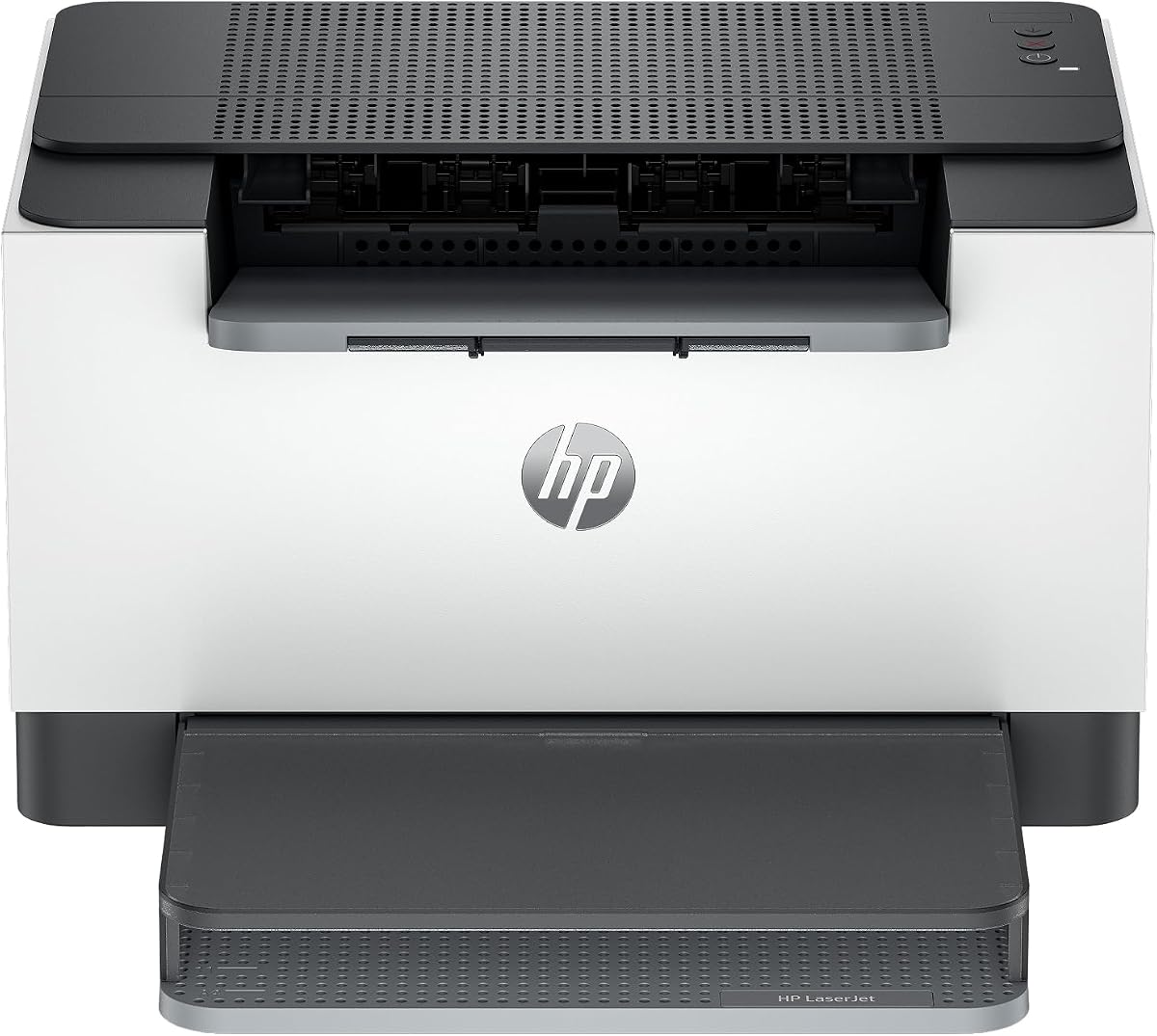
The HP LaserJet M110w is designed for small teams needing compact professional prints. Rated at 3.9 stars it offers reliable output for basic needs. Its small size fits anywhere without disrupting workspace aesthetics.
We may earn a commission when you buy through this link, at no additional cost to you.
Prints up to 21 pages per minute with wireless connectivity for easy mobile printing. The HP Smart app simplifies repetitive tasks like scanning to the cloud. Self reset Wi-Fi helps resolve connectivity issues without technical support.
It uses original HP chips which may limit third party toner options. This ensures quality but can affect long term costs compared to other brands. For users valuing simplicity and trust HP this model remains a viable choice.
Best for startups or home offices with limited space and budget. Its ease of use and reliable performance support productivity. Check current deals to maximize value on this compact device.
Fits anywhere in your home office with its world smallest design in class.
HP Smart app eliminates steps and lets you scan to the cloud easily.
We may earn a commission when you buy through this link, at no additional cost to you.
The HP LaserJet M209dw provides fast two sided printing for small teams. Rated at 4.2 stars it handles reports and documents efficiently. Built-in security features protect your printer from potential attacks effectively.
We may earn a commission when you buy through this link, at no additional cost to you.
Prints up to 30 pages per minute with dual band Wi-Fi for stable connections. The self reset feature resolves connectivity issues automatically reducing downtime. Instant ink eligibility offers flexible supply options based on usage.
While auto two sided printing saves paper the tray capacity may need refilling. Users should weigh instant ink costs against traditional toner purchases carefully. For tech savvy teams this model balances speed and security well.
Ideal for small offices needing robust security and fast output. Its wireless features and speed enhance workflow productivity. Review current subscription options and pricing before committing to a plan.
Up to 19 images per minute two sided for quick multipage projects.
Built-in security features help protect your printer from potential attacks.
We may earn a commission when you buy through this link, at no additional cost to you.
The Canon imageCLASS LBP122dw is a wireless duplex printer ideal for home users. Rated at 3.9 stars it delivers fast black and white output efficiently. Its compact design fits easily into small home office spaces.
We may earn a commission when you buy through this link, at no additional cost to you.
Prints up to 30 pages per minute with duplex to save paper. The Canon PRINT app supports printing on the go from mobile devices. High capacity toner options reduce the frequency of replacements.
It focuses solely on printing which limits versatility for multi-task offices. This simplicity keeps costs manageable for basic document needs. For individuals needing reliable duplex printing this model is a practical option.
Best for personal printing needs or light home office tasks. Its speed and compact size make it an efficient choice. Check current listings for the best deals on this device.
Prints both sides automatically to save paper and reduce waste efficiently.
Print on the go with Canon PRINT app and other mobile options.
We may earn a commission when you buy through this link, at no additional cost to you.
The HP LaserJet MFP M235sdw is an all-in-one solution for office tasks. Rated at 4.0 stars it handles print scan and copy with speed. Built-in security features protect your printer from potential attacks effectively.
We may earn a commission when you buy through this link, at no additional cost to you.
Prints up to 28 pages per minute with duplex for quick multipage projects. Dual band Wi-Fi with self reset ensures stable connections without technical help. Ethernet is included for wired network setups where needed.
The all-in-one functionality suits offices needing to save space and budget. However higher initial cost and potential ink subscription requirements should be considered. This model balances performance with security well for small business use.
Ideal for small offices needing versatile features without complex setups. Its security and speed support productive workflows efficiently. Verify current pricing and availability for the best value.
Finishes multipage projects quickly with fast in-class two-sided printing speed.
Built-in security features help protect your printer from potential attacks.
We may earn a commission when you buy through this link, at no additional cost to you.
The Brother HL-L2480DW combines laser print scan and copier in one footprint. Rated at 4.5 stars it delivers efficiency for small offices and home workers. Its touchscreen enables effortless navigation for cloud-based tasks.
We may earn a commission when you buy through this link, at no additional cost to you.
Prints up to 36 pages per minute with automatic duplex to save time. The Brother Mobile Connect app manages jobs from mobile devices easily. A 250 sheet tray supports high volume printing without frequent refills.
The touchscreen allows integration with apps like Google Drive and Dropbox. This feature simplifies scanning directly to cloud storage without computer dependency. While slightly larger the functionality makes it a versatile office choice.
Best for small offices needing a reliable all-in-one with smart features. Its speed and connectivity streamline workflow effectively. Review current subscription details and pricing for maximum value today.
2.7 inch touchscreen enables effortless navigation and cloud app printing.
Automatic duplex printing saves time and reduces paper waste effectively.
We may earn a commission when you buy through this link, at no additional cost to you.
Selecting a laser printer with cheap toner requires balancing initial costs with long-term supply expenses. We highlight key factors to consider before purchasing.
Check the estimated page yield for standard and high-capacity toner cartridges. Higher yield options often cost more upfront but lower the cost per page significantly over time. Compare original versus compatible cartridges to find the best value for your usage.
Always calculate the cost per page rather than focusing solely on cartridge price to get an accurate long-term expense estimate.
Print speeds range from 19 to 36 pages per minute depending on the model. Higher speeds benefit busy offices needing quick document turnover. Match the volume capacity to your monthly needs to avoid over or underbuying.
Choose a printer with a speed rating that matches your busiest days to maintain workflow efficiency.
Wireless connectivity allows printing from mobile devices and multiple computers easily. Dual band Wi-Fi offers better stability in environments with many networks. Ethernet ports provide secure wired connections for office security.
Ensure the printer supports your existing network protocols to avoid compatibility issues during setup.
All-in-one devices combine printing scanning and copying which saves space and cost. Single-function printers are cheaper but require separate hardware for scanning tasks. Consider your workflow needs to decide if extra features justify the price.
Opt for multifunction units if you regularly digitize documents or need fax capabilities without additional machines.
Larger paper trays reduce the frequency of manual refills during high volume periods. Manual feed slots support specialty media like envelopes or labels. Check the maximum paper size supported for your document types.
Select a tray size that minimizes interruptions to your workflow for consistent productivity.
Energy saver modes reduce power consumption when the printer is idle. Look for models with low wattage in sleep mode to lower electricity bills. Efficient models often comply with environmental standards reducing your carbon footprint.
Prioritize energy efficient units to save on operational costs while supporting green initiatives.
A one-year limited warranty covers basic manufacturing defects and parts. Free online or live chat support helps resolve technical issues quickly. Extended warranties may be worth it for heavy usage environments.
Verify the support terms and contact options before purchase to ensure timely assistance if problems arise.
Some brands offer toner subscription services that deliver supplies before you run out. These programs often include discounts on genuine toner and eliminate inventory management. Review the terms to understand cancellation policies and savings.
Use subscription options if you value convenience and predictable supply costs over upfront control.
Set up the printer on a flat stable surface near a power outlet and network connection. Install the included toner cartridge carefully to avoid spills or damage to internal parts. Download the recommended software to ensure all features work correctly.
Keep the printer free of dust and debris by wiping the exterior regularly with a soft cloth. Clean the paper feed rollers occasionally to prevent jams and ensure smooth paper flow. Use only approved paper types to maintain print quality and avoid clogs.
Run a test page monthly to check print quality and calibrate settings if needed. Store spare toner cartridges in a cool dry place to preserve toner quality. Update firmware through the manufacturer portal to maintain security and performance over time.
A laser printer is considered cheap in toner costs if it has a high page yield per cartridge or supports third-party alternatives. Some models also offer subscription services that discount genuine toner significantly. Compare the cost per page across different models to find the true value.
Most manufacturers allow non-genuine toner but may restrict warranty claims if issues arise from third-party cartridges. Some models like HP printers may block cartridges without original chips via firmware updates. Check the specific brand policy before using alternative supplies to avoid problems.
Divide the price of a toner cartridge by its estimated page yield to get the cost per page. Factor in shipping and any subscription discounts to refine the total. This metric reveals long-term expenses more accurately than the sticker price alone.
Wireless printers save costs by reducing cable needs and allowing mobile printing without additional hardware. They often have lower electricity use due to modern designs. However initial setup may require more time to configure network settings correctly.
Use standard 20lb or 24lb copy paper for most black and white documents to avoid jams. Specialty papers like envelopes should be run through the manual feed slot to protect rollers. Avoid damp or wrinkled paper to maintain consistent print quality and prevent waste.
Subscription services often provide savings of up to 50 percent on genuine toner with convenient delivery. They eliminate the risk of running out unexpectedly during busy periods. However ensure the subscription terms allow easy cancellation if your usage drops.
Clean the printer monthly by wiping exterior surfaces and clearing dust from vents. Clean the paper rollers every few months to prevent jams. Internal components should only be serviced by authorized technicians to avoid damage.
Most home office laser printers last 5 to 7 years with regular use and proper care. Maintenance tasks like firmware updates and cleaning extend this lifespan significantly. High volume usage may reduce longevity but durable models remain cost-effective.
We reviewed ten laser printers with cheap toner options offering reliable performance for home and office users. The Brother HL-L2405W and MFC-L2820DW stand out for speed and toner subscription savings. The Canon imageCLASS LBP6030w remains a top budget pick for simplicity.
Prioritize models with high toner yields or subscription services to keep long-term costs low. Match connectivity and multifunction features to your daily workflow needs. Balancing upfront price with supply expenses ensures the best overall value.
Check current prices and availability as deals change frequently on Amazon. We recommend verifying warranty terms and support options before purchasing. With these picks you can find a printer that fits both your budget and printing demands.