
EMEET C960 4K Webcam for PC
4.5Editor score
Affordable 4K resolution option
Dual omnidirectional microphones
Plug-and-play with privacy cover
Finding the right external webcam for your Mac is essential for crisp video calls and streaming. Modern models offer 4K resolution, advanced autofocus, and built-in microphones to ensure you look and sound your best during every meeting or broadcast.
We evaluated ten top-rated webcams compatible with macOS based on image quality, audio performance, and ease of use. Our analysis covers plug-and-play models and those with software customization to help you find the perfect fit for your workspace.
Each pick highlights specific strengths like low-light handling or privacy covers so you can compare features side by side. Please note that product availability and pricing may change over time so check the latest details before making your final decision.
4.5Editor score

4.6Editor score

4.6Editor score
As an Amazon Associate we earn from qualifying purchases.
This side-by-side comparison highlights the key specifications and strengths of each webcam to help you make an informed choice based on your specific needs for clarity audio and connectivity.



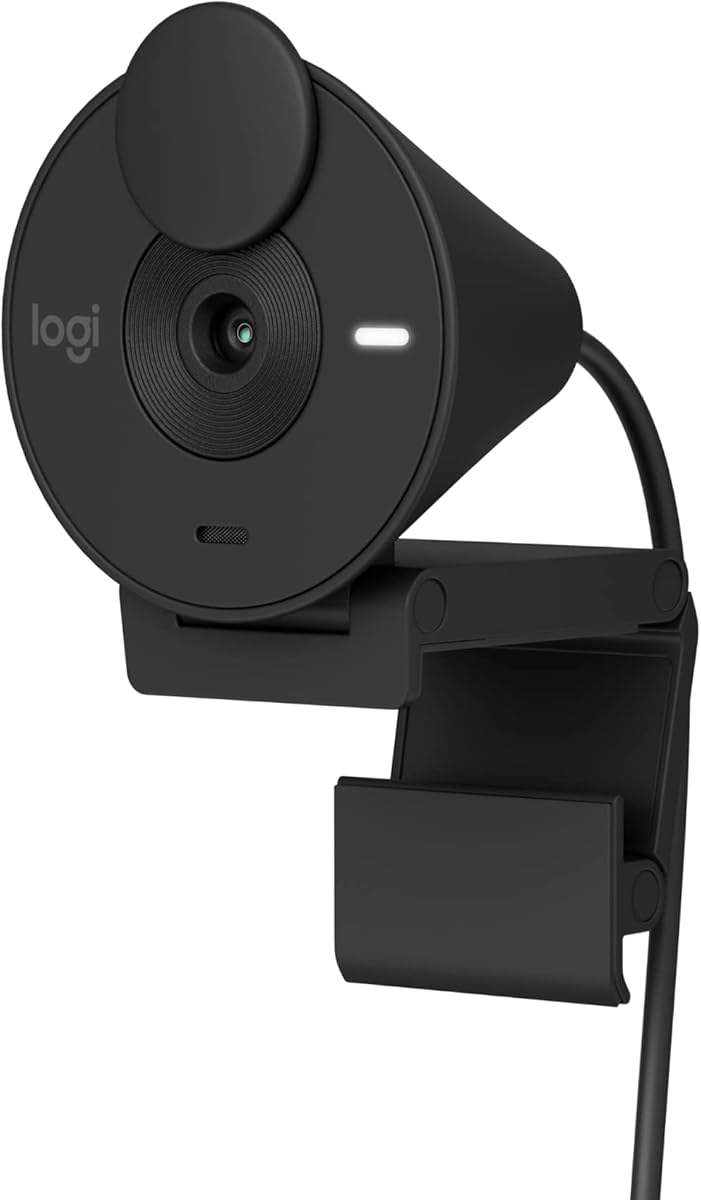


The Acer 4K Webcam stands out as the top choice for Mac users seeking premium quality. With its high rating of 4.6 stars and robust build, it delivers true-to-life visuals that elevate your video calls.
We may earn a commission when you buy through this link, at no additional cost to you.
Its standout feature is the Sony 1/2 inch sensor paired with Phase Detection Autofocus, ensuring crisp shots even in motion. The dual noise reduction microphones capture your voice clearly while filtering out background distractions.
While the price is higher than standard models, the durability of the aerospace-grade aluminum body and the magnetic privacy cover justify the investment. It may need an adapter for some setups but the performance is worth it.
This webcam is ideal for professionals and creators who prioritize image quality and security. We recommend it as the best overall pick for seamless, high-resolution conferencing on macOS.
The Sony sensor ensures balanced exposure and rich detail in every frame.
The magnetic cover snaps securely to block the lens when not in use.
We may earn a commission when you buy through this link, at no additional cost to you.
The Anker PowerConf C200 offers excellent value with 2K resolution and advanced audio features. It earns a 4.4 rating for reliable performance in various lighting conditions.
We may earn a commission when you buy through this link, at no additional cost to you.
Its AI noise cancellation ensures your voice stands out during calls, while customizable viewing angles let you frame your shot perfectly. The integrated cover adds a necessary layer of security.
While it lacks the sharpness of 4K models, it provides a premium experience at a lower price point. The software is straightforward, which suits users who prefer simplicity over advanced controls.
Choose this webcam if you need high-quality video without breaking the bank. It is a solid budget pick for home offices and casual streaming.
Choose from three angle settings to find your ideal composition.
AI noise cancellation filters out ambient sounds for clearer voice pickup.
We may earn a commission when you buy through this link, at no additional cost to you.
The EMEET C960 delivers pure 4K quality with a genuine sensor that avoids false upscaling. Rated 4.5 stars, it balances high performance with user-friendly features.
We may earn a commission when you buy through this link, at no additional cost to you.
Its PDAF autofocus keeps you sharp during movement, and the auto light correction adapts to your environment. The dual omnidirectional mics provide natural audio without needing external hardware.
Users should note that it defaults to 1080p and requires software to enable 4K. However, the privacy cover and tripod thread make it versatile for both desk and portable setups.
This model is perfect for businesses needing clear video for meetings. It stands out as a premium option with true resolution and reliable autofocus.
PDAF technology delivers fast and accurate focus stability.
Auto light adjustment ensures visibility in both dim and bright settings.
We may earn a commission when you buy through this link, at no additional cost to you.
The NexiGo N60 is a reliable budget option with 1080p clarity and essential features. It earns a 4.3 rating for consistent performance across major video platforms.
We may earn a commission when you buy through this link, at no additional cost to you.
Its glass lens provides sharp images at optimal distances, and the noise-canceling microphone reduces background noise effectively. The software control adds flexibility for users wanting to tweak settings.
While the build is simpler than premium models, it includes a privacy cover and supports Mac OS X 10.7 and higher. It is a practical choice for everyday calls where high-end specs are not needed.
Ideal for students and remote workers, this webcam offers great functionality at a low price. It prioritizes ease of use and essential privacy features.
The 3.6mm glass lens ensures clarity within standard desk distances.
Works with Windows, Mac, Android, and Chrome OS effortlessly.
We may earn a commission when you buy through this link, at no additional cost to you.
The Logitech Brio 100 provides Full HD clarity with a focus on balanced lighting and simple setup. Its 4.4 rating reflects its reliability for standard meetings and streaming.
We may earn a commission when you buy through this link, at no additional cost to you.
RightLight technology boosts brightness to reduce shadows, ensuring you look your best even in suboptimal lighting. The built-in microphone is sufficient for casual calls and the slide cover offers quick privacy.
While it lacks advanced software adjustments, it is certified for Zoom and Teams. The use of recycled plastic and color options makes it appealing for those who value sustainability.
This model is a great entry-level choice for Mac users. It delivers consistent video quality with trusted brand reliability.
RightLight adjusts exposure automatically for a balanced look.
Made with a minimum of 34 percent post-consumer recycled plastic.
We may earn a commission when you buy through this link, at no additional cost to you.
The Logitech Brio 301 combines privacy convenience with reliable 1080p video. It holds a 4.4 rating for meeting certification and easy customization via Logi Tune.
We may earn a commission when you buy through this link, at no additional cost to you.
Its spin shutter provides instant privacy, which is faster than sliding covers. The noise reduction mic ensures your voice is clear without echoing from the room.
While it uses a mono mic, it suppresses background sound effectively. The Logi Tune app allows color and image adjustments, adding flexibility not found in basic models.
Choose this for professional setups needing certified reliability. It balances simplicity with necessary software control for tailored video experiences.
Spin the shutter to block the lens instantly and securely.
Use Logi Tune to adjust colors and image quality to your liking.
We may earn a commission when you buy through this link, at no additional cost to you.
The Logitech C920e is designed for business environments with certification for major platforms. Its 4.6 rating highlights its reliability and clear audio capture.
We may earn a commission when you buy through this link, at no additional cost to you.
The 78-degree FOV frames users well for sharing projects. Dual omnidirectional mics capture voice clearly from one meter away. The attachable privacy screen ensures security during breaks.
Its sturdy clip fits various monitors and the 1/4-inch thread supports tripod use. While it lacks advanced features like auto-light balance, it is built for consistent workplace performance.
This is the go-to choice for corporate teams. It offers the necessary certification and stability for professional daily use.
Certified to ensure seamless integration with business tools.
Dual mics capture natural voice audio clearly.
We may earn a commission when you buy through this link, at no additional cost to you.
The Logitech C922x is built for creators needing higher frame rates and background tools. It holds a 4.6 rating for its streaming-focused features and reliable autofocus.
We may earn a commission when you buy through this link, at no additional cost to you.
At 720p, it offers 60fps for smooth action, while 1080p is available at 30fps. The included XSplit VCam license lets you remove backgrounds without a green screen.
The stereo audio is a plus for podcasts or gaming. However, it lacks a privacy shutter which is a drawback for office use. The HD light correction keeps images bright.
If you stream or record video, this is the top choice. It delivers the flexibility and quality needed for content creation.
Capture fluid video with the 60fps option at 720p resolution.
Remove backgrounds instantly with the included XSplit VCam license.
We may earn a commission when you buy through this link, at no additional cost to you.
The Logitech C920S builds on the classic design with a privacy shutter for added security. It maintains a 4.6 rating for consistent video quality and audio clarity.
We may earn a commission when you buy through this link, at no additional cost to you.
HD autofocus keeps you sharp during calls and the stereo dual mics capture natural sound. The glass lens ensures vibrant colors and detailed images.
While it lacks the software features of the C922x, it is a solid workhorse. The shutter provides essential privacy, making it a safe choice for daily meetings.
This model is perfect for users who want proven reliability. It delivers clear video and sound without unnecessary complexity.
High-quality glass lens for crisp and vibrant video.
Dual mics provide balanced stereo audio.
We may earn a commission when you buy through this link, at no additional cost to you.
The Acer 4K Webcam is a lightweight option with 4K output and fast cooling. It earns a 4.4 rating for its portability and premium features.
We may earn a commission when you buy through this link, at no additional cost to you.
Its all-metal body dissipates heat effectively for long sessions. The magnetic cover snaps securely to protect privacy and the Sony sensor ensures high-quality visuals.
While the USB-A connection may need an adapter for modern Macs, the performance is strong. It is compact enough to fit in any bag for mobile workers.
Choose this for travel or shared desks where space is limited. It offers top-tier video quality in a small form factor.
Metal unibody design ensures heat dissipates quickly.
Weighing only 57 grams, it is ultra-portable.
We may earn a commission when you buy through this link, at no additional cost to you.
Choosing the right webcam involves considering resolution, audio quality, and compatibility to ensure a seamless experience on your Mac.
Resolution determines the clarity of your video feed. Look for 1080p for standard calls or 4K for high-detail streaming. A larger sensor like the Sony 1/2 inch ensures better low-light performance and color accuracy.
Prioritize cameras with genuine sensors and avoid those that rely on upscaling.
Autofocus keeps your image sharp even if you move during a call. Phase Detection Autofocus is faster and more accurate than standard autofocus. This feature prevents blurriness during dynamic meetings.
Always check if the model supports smooth and reliable focusing.
Built-in microphones vary in quality. Dual microphones with noise reduction capture your voice clearly while filtering out keyboard clicks or wind. Some models offer stereo audio for a more immersive experience.
Ensure the mic quality matches your communication needs.
Privacy covers are essential for protecting your space. Slide, spin, or magnetic covers allow you to block the lens instantly. Some models include a built-in screen for added security.
Always select a webcam with a reliable privacy mechanism.
Ensure the webcam works with macOS and your conferencing apps. Most modern models use USB-A or USB-C. Plug-and-play setups avoid driver issues. Check if adapters are needed for newer Mac models.
Verify that the model meets your specific system requirements.
The Field of View determines how much of the room is visible. A 78-degree view suits individual users while wider views are better for group calls. Some models allow software adjustments to frame your shot.
Choose a FOV that matches your environment size.
Metal bodies offer durability and better heat dissipation than plastic. Lightweight models are easier to transport for remote work. Look for designs that ensure stability on different monitors.
Invest in a build that suits your daily usage habits.
Software like Logitech Tune or EMEETLINK allows color and brightness adjustments. Some models include licenses for background replacement tools. Ensure the app is compatible with macOS.
Review the included software to understand the customization options available.
Plug the webcam into an available USB port and allow macOS to recognize it automatically. Open your preferred conferencing app and navigate to settings to select the camera as the default input.
Clean the lens gently with a microfiber cloth to avoid smudges. Dust can affect image quality so wipe the glass regularly. Avoid using harsh chemicals that might damage the coating.
Store the webcam in a protective case when transporting it. Ensure the privacy cover is closed to prevent scratches. Keep the cable organized to avoid tangles and wear.
Yes, most modern external webcams are compatible with macOS. Check the product details to confirm support for your specific macOS version. Most plug-and-play models require no drivers.
Many 4K webcams require USB 3.0 for full bandwidth. Older Macs may have USB 2.0 ports which limit resolution. Check your Mac specifications before purchasing a 4K model.
Blurry images often result from poor lighting or slow autofocus. Ensure your room is well-lit and clean the lens. Adjust your seating distance to fit the optimal focus range.
A privacy cover blocks the lens when you are not on a call. It provides peace of mind against unauthorized viewing. It is a simple hardware layer of security.
Yes, external webcams are great for streaming. Look for models with adjustable settings and high frame rates. Some include software tools for background removal and effects.
Muffled audio often indicates a mic issue. Ensure the webcam mic is selected in system settings. Move closer to the mic or try a model with dual noise-reducing mics.
Most webcams on this list are plug-and-play and need no drivers. However, advanced features might require specific software. Always check the manufacturer website for the latest updates.
We highlighted ten top webcams with the Acer 4K as our top pick for overall performance and clarity. The EMEET and Logitech models offer strong alternatives for budget and business users.
Prioritize resolution and audio quality to ensure clear communication. Features like autofocus and privacy covers add value for professional and casual users.
Remember to check current availability and compatibility details before purchasing. This guide remains a useful reference for upgrading your video setup.