
CORSAIR RS120 ARGB 120mm PWM Fans Triple Pack
4.6Editor score
Daisy-chain connectivity
2100 RPM speeds
AirGuide technology
Discover the top Corsair case fans for cooling and lighting. This guide compares performance, noise, and features to help you choose the right model.
Choosing the right cooling solution is vital for any PC build. Corsair offers a wide range of case fans that balance airflow, noise, and aesthetic appeal. Their products integrate seamlessly with modern motherboards and lighting ecosystems.
We analyzed technical specifications, user feedback, and real-world performance metrics. This list covers diverse needs from budget builds to high-end enthusiast setups. Each entry highlights unique features like magnetic bearings and smart connectivity.
Every pick showcases specific strengths in airflow or lighting control. Prices and availability fluctuate so check current listings before buying. Our goal is to simplify your decision with clear, data-driven insights for your next upgrade.
4.6Editor score

4.7Editor score

4.6Editor score
This side-by-side comparison highlights key differences across the ten models. We evaluate airflow, static pressure, and lighting capabilities to help you find the perfect match for your chassis and cooling needs.

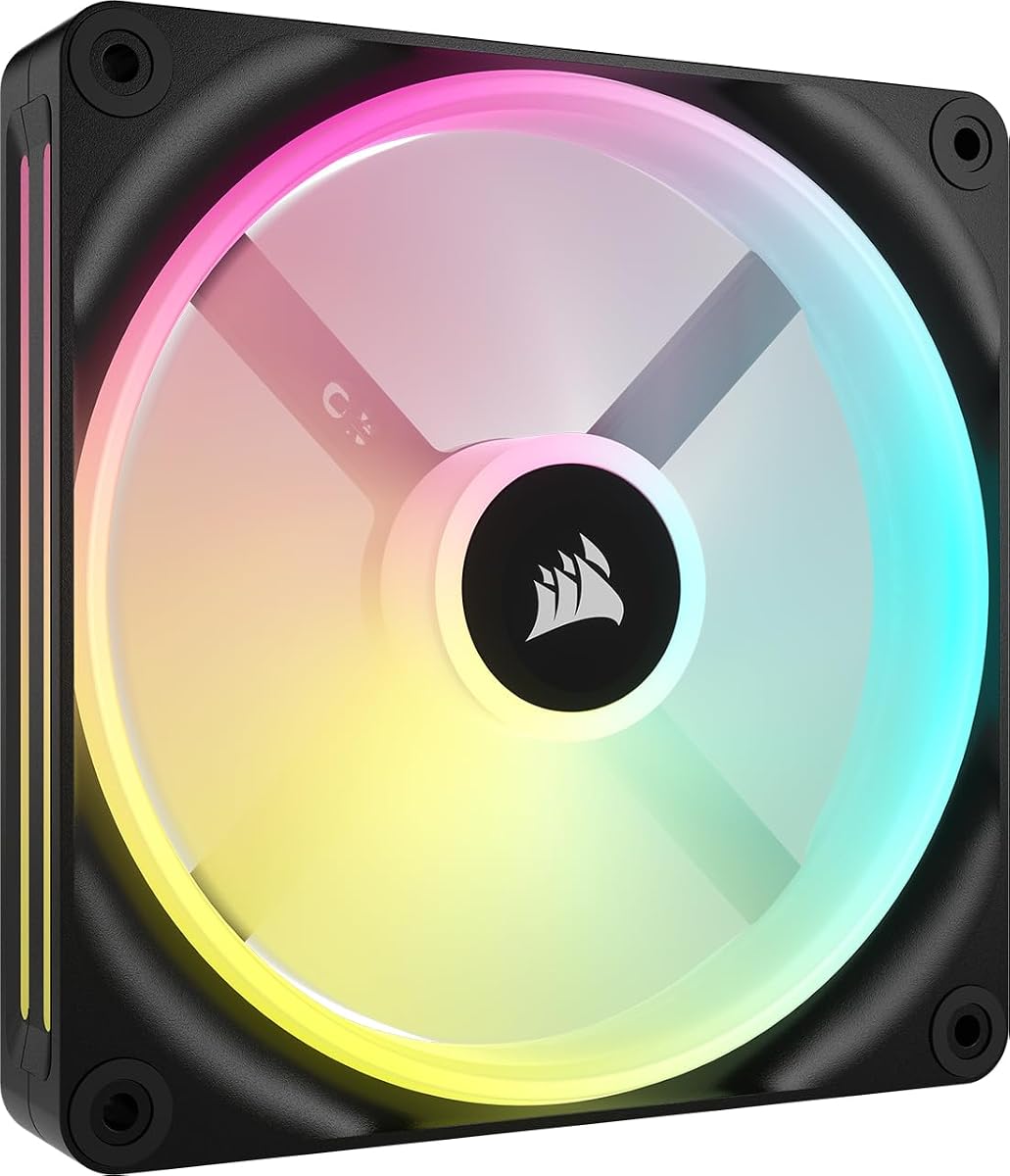


This triple pack delivers excellent value with robust airflow and efficient control. It earns a strong rating due to its balance of performance and ease of use in most cases.
We may earn a commission when you buy through this link, at no additional cost to you.
The RS120 ARGB fans use AirGuide technology to direct airflow precisely. They reach speeds up to 2100 RPM and push 72.8 CFM effectively cooling components even under load.
The daisy-chain design reduces cable clutter significantly. However, full control requires a compatible motherboard ARGB header so check your system before installing these.
Budget-conscious builders will appreciate this kit. It offers reliable cooling and clean looks without expensive hubs making it a top choice for standard builds.
One PWM and ARGB connector controls all three fans reducing motherboard load and keeping your interior tidy.
With over 72 CFM airflow these fans move air efficiently through radiators or standard intake positions.
We may earn a commission when you buy through this link, at no additional cost to you.
This kit stands out for its included hub and advanced lighting features. It delivers premium cooling and visual flair for users invested in the iCUE ecosystem.
We may earn a commission when you buy through this link, at no additional cost to you.
The LX120 fans push 69.9 CFM with high static pressure ideal for radiators. Dual light loops and 18 LEDs create vivid effects across your build.
Cable management is nearly zero with bridge connectors. The main drawback is the cost and dependency on the proprietary hub and software for full use.
Enthusiasts seeking top-tier RGB integration will love this set. It offers unmatched connectivity and performance for those ready to invest in a smart system.
Unlike other kits this includes the Link System Hub saving extra costs and simplifying the installation process immediately.
Dual loops and vibrant LEDs offer unique effects beyond standard strips for a truly custom visual experience.
We may earn a commission when you buy through this link, at no additional cost to you.
These white reverse fans solve the intake visibility issue elegantly. The top choice for modern white builds seeking clean airflow without visible motor hubs.
We may earn a commission when you buy through this link, at no additional cost to you.
The reverse rotor keeps the lighting fully visible when installed as intake. They deliver 65.8 CFM and support zero RPM modes for silent idle performance.
Cables hide behind the fan frame for a clean look. The price is higher than standard models but the aesthetic gain is significant for white cases.
White build enthusiasts should prioritize this option. It combines form and function beautifully ensuring your lighting setup looks perfect from every angle.
Reverse blades expose the frame and lighting even when mounted to the front or top for flawless visual results.
Pure white finish matches high end white components perfectly avoiding the mismatched look of black fans.
We may earn a commission when you buy through this link, at no additional cost to you.
The black variant offers the same reverse benefits for dark builds. It ensures your RGB rings shine brightly without blocking the view with motor mounts.
We may earn a commission when you buy through this link, at no additional cost to you.
Performance matches the white version with 65.8 CFM airflow and 2100 RPM. The reverse rotor design keeps the aesthetic clean regardless of airflow direction.
Ideal for those wanting high performance and neat cabling. The price reflects the premium design but the visual upgrade is worth it for many.
Dark system builders will find this kit essential. It solves the classic intake cable and motor look while delivering strong cooling performance.
The motor moves to the back so the front remains clear for unobstructed lighting and airflow visibility.
2.81mm H2O static pressure ensures air pushes through radiators or dense filters effectively.
We may earn a commission when you buy through this link, at no additional cost to you.
This single 140mm fan offers massive airflow and dual zone lighting. It fits larger cases well and integrates with Link hubs for advanced control.
We may earn a commission when you buy through this link, at no additional cost to you.
Delivering 82.5 CFM it keeps large systems cool efficiently. The 34 LEDs provide dynamic effects including the exclusive Time Warp mode when linked.
Cost is higher per unit compared to 120mm packs. You must also buy a hub separately for full control adding to the total setup price.
Large case owners needing extra airflow will value this. It bridges the gap between standard cooling and advanced RGB features effectively.
Two distinct light zones allow more complex patterns than a single ring offers.
Refined magnetic levitation ensures smooth operation and lower noise at low speeds.
We may earn a commission when you buy through this link, at no additional cost to you.
This triple reverse kit offers a seamless look for high end builds. It combines the benefits of reverse rotors with premium cooling power.
We may earn a commission when you buy through this link, at no additional cost to you.
The LX120-R pushes 66.7 CFM with 4.72mm H2O pressure ideal for radiators. Dual loops and bridge connectors ensure a tidy and visually stunning setup.
The main challenge is the cost and hub requirement. If you need a fully synchronized reverse array this is currently one of the best options.
Premium builders will find this kit perfect. It hides cables and frames while delivering strong cooling and rich RGB effects.
With nearly 5mm H2O pressure these fans push air through dense radiators efficiently.
Bridge connectors link fans directly reducing wire clutter significantly.
We may earn a commission when you buy through this link, at no additional cost to you.
This thick 140mm fan delivers unmatched airflow with lower noise. It is perfect for chassis allowing deeper radiators or specific mounting spots.
We may earn a commission when you buy through this link, at no additional cost to you.
The 5mm thicker blades move 102.9 CFM at just 1600 RPM. This design reduces noise while maintaining high cooling performance under load.
It requires thicker slots which may limit compatibility. However for those who can install it the cooling gain is substantial.
Thick fan fans and enthusiasts seeking low noise will love this. It offers a unique solution for high volume airflow with minimal sound.
The extra 5mm depth allows larger blades for more air with less vibration.
Moves massive air volumes at lower speeds keeping noise levels minimal.
We may earn a commission when you buy through this link, at no additional cost to you.
A robust thick fan without RGB costs less than others. It provides strong cooling for standard cases needing extra static pressure or airflow.
We may earn a commission when you buy through this link, at no additional cost to you.
The 30mm thickness and polymer frame boost performance and durability. It pushes 72 CFM with high pressure making it great for radiators.
Without RGB this appeals to functional builds. It requires thicker slots but delivers consistent performance at a reasonable price.
Builders prioritizing airflow and budget will find this ideal. It balances high pressure and affordability for reliable cooling.
Liquid Crystal Polymer increases rigidity reducing vibration and improving performance over plastic.
Extra 5mm thickness allows more air movement for better radiator performance.
We may earn a commission when you buy through this link, at no additional cost to you.
This white 140mm fan offers solid airflow and high pressure. It is perfect for users seeking bright RGB and strong cooling in larger chassis.
We may earn a commission when you buy through this link, at no additional cost to you.
With 95.7 CFM and 3.79mm H2O pressure it handles radiators well. The RGB lighting is vivid and integrates with Link hubs for smart control.
Price is higher and hub is extra. Still, for white builds needing big fans, this is a top choice.
White build fans will appreciate the style. It delivers efficient cooling with a clean look.
95.7 CFM provides excellent airflow for large chassis cooling.
Vivid LEDs with windowed frame for bright effects.
We may earn a commission when you buy through this link, at no additional cost to you.
This renewed kit offers a full hub and two fans at a lower cost. It is ideal for users wanting to start a Link ecosystem affordably.
We may earn a commission when you buy through this link, at no additional cost to you.
You get two QX140 fans and a hub in one package. The white color matches popular builds while saving on separate purchases.
Renewed items may have minor cosmetic imperfections. Ensure you check seller ratings and return policies before buying for peace of mind.
Smart shoppers will find this a great deal. It provides a complete smart cooling setup without the premium price.
Includes fans and hub for immediate smart cooling setup.
Lower cost entry point for the Link ecosystem.
We may earn a commission when you buy through this link, at no additional cost to you.
Selecting the right fan involves considering airflow, noise, size, and connectivity. This guide breaks down key factors to help you decide.
Airflow (CFM) matters for open spaces while static pressure (mm H2O) helps push air through dense obstacles like radiators.
For radiators prioritize static pressure. For open chassis airflow is more critical.
120mm fans fit most cases and offer higher RPM for speed. 140mm fans move more air at lower RPM for less noise.
Choose 120mm for tight spaces. Choose 140mm for quieter, higher volume cooling.
Corsair offers standard 5V ARGB and proprietary iCUE Link. Standard RGB works with any motherboard ARGB header.
iCUE Link requires a hub but simplifies cabling and lighting control significantly.
Standard fans hide lights on the back when mounted as intake. Reverse fans flip this so lights face outward even on intake.
Choose reverse for clean aesthetics when mounting fans as intake.
This bearing reduces friction and noise for longer life. It is a standard feature across most high-end Corsair models.
Expect quiet operation and reliability with any fan using this bearing.
PWM headers allow software control of fan speeds. This lets you balance cooling and noise dynamically.
Ensure your motherboard supports 4-pin PWM for full control.
Daisy-chain fans use one cable per group. Bridge connectors link fans to a central hub.
Use daisy-chain for simple setups. Use bridges for iCUE Link hubs to eliminate wires.
Prices vary by features. Standard fans are cheaper while Link hubs add cost. Buying kits often saves money per fan.
Buy packs for value. Buy hubs separately if your case supports standard daisy-chain.
Install fans facing the correct direction for airflow. Use the printed arrows on the frame to guide intake or exhaust placement.
Update your BIOS and iCUE software to ensure all smart features work correctly. This improves performance and lighting control.
Dust fans regularly using compressed air. Clean filters and blades to maintain airflow and prevent noise buildup over time.
Yes standard 5V ARGB fans work with most motherboard headers. However iCUE Link fans require a Corsair hub. Always check compatibility before buying.
Reverse fans hide the motor on the back when mounted as intake. This keeps RGB visible on all sides. It is ideal for clean aesthetics.
No standard fans use motherboard headers. The Hub is required only for Link fans. It simplifies cabling for smart control.
Check your case specs. Most support 120mm and 140mm. Thick fans need extra depth for mounting. Measure before purchasing.
High static pressure helps push air through dense radiators and filters. It is crucial for liquid cooling and dust filtering cases.
Modern models are quiet even at high RPM due to magnetic bearings. However noise varies by model and speed settings.
Yes you can mix fans of different sizes or speeds. Control is easiest when using similar connectors or a shared hub.
Yes many models include zero RPM support. Fans stop at low loads to reduce noise. Check product specs to confirm.
We found the RS120 ARGB for budget builds and the LX120 Link for high-end RGB. The Reverse fans offer the best visual appeal for modern cases.
Prioritize airflow and static pressure based on your cooling needs. Lighting style and cabling should guide your choice between standard and Link models.
Prices fluctuate so verify current listings before purchasing. These models offer strong performance and reliability for any PC project.