
2×2 4k Video Wall Controller
4.6Editor score
Accepts HDMI and DVI inputs
Provides 11 splicing modes
Features 180 degree rotation
This guide compares the top HDMI Video Wall Controllers for seamless multi-screen displays, analyzing features like 4K support, rotation, and audio extraction
Creating a stunning multi-screen display requires the right hardware to manage signals effectively. An HDMI Video Wall Controller acts as the brain of your setup, splitting and arranging content across multiple screens without compromising quality. Choosing the right model ensures your audience sees a seamless and professional presentation every time.
We evaluated the top ten controllers based on resolution support, display modes, and ease of use. Each product was assessed for its ability to handle 4K inputs, support various wall configurations, and provide reliable control options. Our goal is to help you find a device that fits your specific installation needs and budget constraints.
Each pick below highlights key strengths and potential limitations to guide your decision-making process. You will find detailed breakdowns of features, pros, and cons for every model listed. Please note that product availability and pricing can change frequently, so verify current details before making a final purchase.
4.6Editor score

4.8Editor score

4.2Editor score
The following table provides a side-by-side comparison of all ten reviewed models. It highlights essential specifications such as input types, output configurations, and unique features to help you quickly identify the best fit for your project.



This J-Tech Digital model stands out as the top choice for users needing reliable performance and strong support. It supports 4K input at 30Hz and provides 1080P outputs, making it suitable for high-quality presentations. The device includes audio extraction and edge masking to ensure a seamless visual experience.
We may earn a commission when you buy through this link, at no additional cost to you.
The eight display modes allow for flexible setups ranging from 2×2 grids to vertical or horizontal strips. You can route audio through SPDIF Optical or 3.5mm ports for external sound systems. The edge masking function helps correct distortion by adjusting pixel edges, which is crucial for professional-looking installations.
While it does not support 4K at 60Hz for outputs, the 30Hz limit is acceptable for most static content applications. The lack of HDR10 support may be a consideration for high-end media playback. However, the free lifetime technical support from a US-based team adds significant value to the purchase.
This controller is ideal for advertisers and businesses needing stable multi-screen displays. It balances features like rotation and audio routing with a straightforward interface. If you prioritize reliability and support over ultra-high frame rates, this model is the best overall option available today.
Edge masking and rotation features help minimize bezel gaps for a unified image across multiple screens.
Lifetime technical support from a dedicated US team ensures assistance whenever installation or configuration issues arise.
We may earn a commission when you buy through this link, at no additional cost to you.
This controller offers exceptional value for those needing a functional multi-screen setup without breaking the bank. It supports both HDMI and DVI inputs, allowing integration with older devices. The 11 splicing modes provide flexibility for different room layouts and display needs.
We may earn a commission when you buy through this link, at no additional cost to you.
A standout feature is the memory function, which remembers your last settings when power is cycled. This ensures consistent performance without requiring reconfiguration after every use. The remote control and button press options make it easy to switch modes quickly during presentations.
The main limitation is that DVI inputs do not support 4K resolution, which limits high-end visual fidelity. Additionally, the audio output is basic and may require external amplification for larger venues. However, these trade-offs are reasonable given the low cost and core functionality provided.
It is an excellent choice for small businesses or schools needing a simple video wall. The plug-and-play design means no drivers are required, simplifying installation. If your budget is tight but you need reliable screen splitting, this model delivers the essential features you need.
This model provides core video wall functionality at a fraction of the cost of premium alternatives.
Built-in memory retains your preferred settings so you do not need to reprogram after power loss.
We may earn a commission when you buy through this link, at no additional cost to you.
This advanced controller is designed for demanding environments where high frame rates and remote management are essential. It accepts 4K at 60Hz input and routes it to displays without delay. The web control feature allows you to manage the matrix from a networked computer easily.
We may earn a commission when you buy through this link, at no additional cost to you.
The seamless switching capability ensures that content transitions smoothly between sources, which is critical for live broadcasts or professional presentations. You can upscale or downscale outputs to match different screen resolutions, ensuring consistency across varied hardware. The multiviewer presets simplify complex display configurations.
The high cost reflects the professional-grade features included in the device. It may be overkill for small retail displays but is perfect for control rooms or large venues. The learning curve for web control might be steep for non-technical users but offers significant power for IT professionals.
If you need enterprise-level reliability and high-speed video processing, this model is unmatched. The ability to control everything via LAN makes it ideal for distributed systems. It is the best premium choice for those who require top-tier performance and flexibility.
Supports 4K60Hz inputs to ensure smooth motion and high fidelity for dynamic video content.
Web control interface enables remote configuration and monitoring for large-scale installations.
We may earn a commission when you buy through this link, at no additional cost to you.
This OREI model brings versatility to the table with its support for USB-C sources alongside standard HDMI. It allows you to connect laptops and media players directly without needing adapters. The device handles 4K at 60Hz input, ensuring high-resolution content is captured accurately.
We may earn a commission when you buy through this link, at no additional cost to you.
Control is robust with RS-232 options, which is useful for integration into larger automation systems. You can use the included remote or front panel to switch modes like 2×2 or 1×4 easily. Audio extraction ensures you can route sound to speakers while keeping the visual signal on screens.
The output resolution is limited to 1080p, which might not utilize full 4K screens but is fine for most commercial uses. Lack of HDR10 support means it is better suited for standard content. The 1-year warranty provides peace of mind for the purchase.
It is a strong contender for setups needing USB-C input flexibility. The combination of audio extraction and rotation makes it adaptable for different installation needs. If you need to connect modern laptops to a video wall, this model is a practical solution.
USB-C input allows direct connection of newer laptops and devices without extra dongles.
RS-232 ports enable control integration with professional automation systems for advanced setups.
We may earn a commission when you buy through this link, at no additional cost to you.
This model emphasizes reliability with its dual voltage power supply and support for international adapters. It accepts 4K at 60Hz input and manages EDID to ensure compatibility with connected displays. The optical audio output offers high-quality sound routing for external systems.
We may earn a commission when you buy through this link, at no additional cost to you.
You can configure various display modes to suit your physical layout. The RS-232 control is essential for advanced users who need programmable options. The unit is designed to be straightforward to set up and operate, making it accessible for non-technical users.
The 1080p output limit means you might not get the full resolution of 4K monitors, but the input quality is maintained. While the remote is functional, advanced automation requires RS-232 setup. The international power support is a major plus for global deployments.
It is a reliable choice for users needing international compatibility and solid input support. The optical audio ensures you get good sound without extra hardware. If you are deploying screens outside the US, this model is worth considering for its power versatility.
Dual voltage power supply allows deployment in various countries without heavy external converters.
Optical output provides high-fidelity sound options for professional audio systems.
We may earn a commission when you buy through this link, at no additional cost to you.
This device combines a matrix switcher with video wall functionality, offering robust routing capabilities. You can send any of the four inputs to any of the four outputs seamlessly. Web control adds a layer of convenience for managing the system remotely via a network.
We may earn a commission when you buy through this link, at no additional cost to you.
The seamless switching ensures that when you change sources, there is no visible glitch or delay. It supports 4K at 60Hz, keeping the visual experience smooth and sharp. This is particularly useful in environments where multiple signals need to be managed on a large display.
Setup might require some technical knowledge due to the matrix capabilities. While it offers great flexibility, it may be more than what is needed for simple single-source splits. The documentation can be dense for those unfamiliar with matrix switching concepts.
It is ideal for control rooms or media setups where multiple sources are available. If you need to switch between cameras and media players while maintaining a video wall, this fits the bill. The web control makes ongoing management much easier.
Matrix functionality allows any input to be sent to any output for maximum flexibility.
Web interface enables management from any device on the same network for ease of use.
We may earn a commission when you buy through this link, at no additional cost to you.
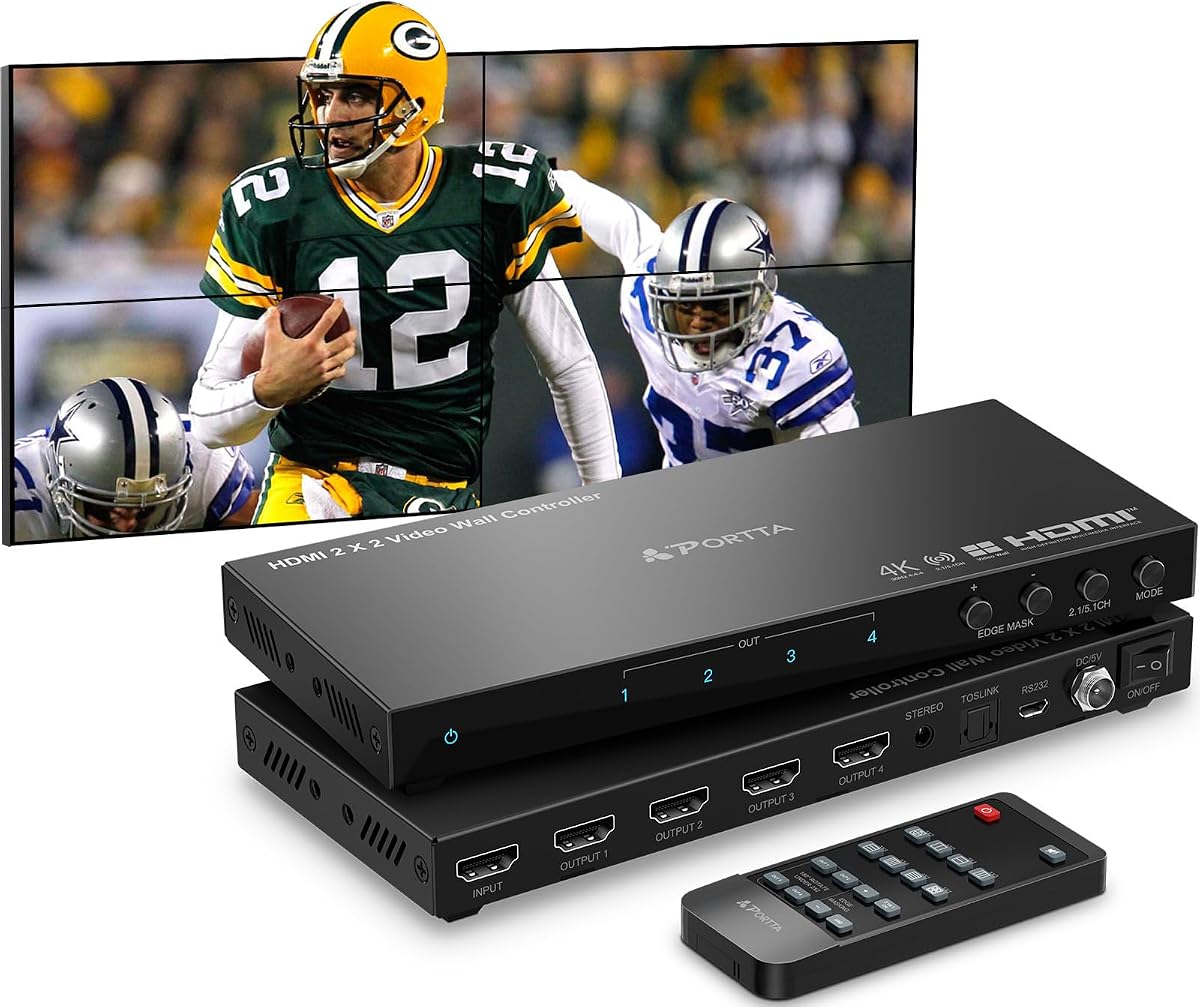
The PORTTA controller offers a balanced set of features for general video wall needs. It supports 11 display modes including split and full screen configurations. You can rotate images by 180 degrees which helps in adjusting screen orientation for better viewing.
We may earn a commission when you buy through this link, at no additional cost to you.
Audio extraction via Toslink and 3.5mm ensures you can connect external sound systems easily. The remote control and RS232 options provide both manual and automated control pathways. With a 2-year warranty, the unit promises reliable long-term performance.
The resolution is fixed at 1080p for outputs which may limit 4K screen usage. Also the input is limited to 30Hz which might affect high-speed video playback. Despite this it covers the basics for signage and static content very well.
It is a solid choice for shops needing a simple reliable wall. The warranty adds trust in the product quality. If you need multiple modes and audio routing without high-end frame rates this model works well for most applications.
Eleven splicing modes ensure you can adapt the layout to your physical screen arrangement easily.
Two-year warranty coverage provides extended protection for your investment in this hardware.
We may earn a commission when you buy through this link, at no additional cost to you.
This controller supports true 4K input and output which maintains resolution across the wall. It accepts both HDMI and USB-C signals making it versatile for modern devices. The unit is designed for 24×7 operation ensuring stability in continuous display applications.
We may earn a commission when you buy through this link, at no additional cost to you.
The 180 degree rotation allows you to install screens in any orientation for a clean look. Remote control makes switching between modes simple even for non-technical staff. It is built to handle constant use without overheating or dropping signals.
The cost is higher than 1080p controllers but the resolution advantage is significant. You get full pixel density which is crucial for detailed graphics or text. The setup process is designed to be straightforward with clear instructions included.
It is ideal for retail stores needing sharp graphics on 4K screens. If you require stability for 24×7 operation this model is a top choice. The combination of high resolution and robust build makes it a strong competitor.
Both input and output ports handle 4K resolution to maintain full image detail on all screens.
Designed for 24×7 operation to ensure consistent performance in demanding environments.
We may earn a commission when you buy through this link, at no additional cost to you.
This unit allows direct media playback from USB disks without needing an external player. You can plug in a drive and it automatically starts playing content on the wall. It supports various video and audio formats making it useful for digital signage.
We may earn a commission when you buy through this link, at no additional cost to you.
Image adjustment tools allow you to tweak brightness and contrast for consistent visuals. IR extension support means you can place the controller out of sight while controlling it remotely. It accepts HDMI 2.0 inputs for high bandwidth signals.
The USB playback feature is great but requires formatted drives and compatible codecs. If you rely on network playback you might find this local option slightly limited. However for simple signage it saves the need for a separate media player.
It is perfect for businesses that need to play preloaded content from drives. If you want to reduce cable clutter and hardware count this model helps. The image settings ensure you can fine-tune the look to match your environment.
Direct support for USB drives allows content to be played without extra computer hardware.
Image adjustment tools let you optimize brightness and sharpness for the specific room lighting.
We may earn a commission when you buy through this link, at no additional cost to you.
This controller is unique in supporting up to six screens in a single wall setup. It allows for complex layouts like 2×3 which are ideal for large presentations. The unit maintains 4K resolution so every screen shows sharp content.
We may earn a commission when you buy through this link, at no additional cost to you.
Both HDMI and USB-C inputs ensure you can connect various sources easily. It is designed to run 24×7 which makes it suitable for public spaces with constant display needs. Remote control and simple buttons make switching layouts easy.
If you need more than four screens this is one of the few affordable options. The cost is higher than 4-screen units but buying multiple 4-screen controllers would be more expensive. It scales up nicely for larger projects.
It is an excellent choice for trade shows or large conference rooms. If your project requires six monitors this model simplifies the setup significantly. The stability and output flexibility make it a top pick for larger walls.
Outputs for up to six monitors allow you to build larger walls without needing multiple controllers.
Multiple layout options like 2×3 ensure you can arrange the screens to fit your space perfectly.
We may earn a commission when you buy through this link, at no additional cost to you.
Selecting the right controller involves considering several technical and practical factors. These steps will help you narrow down the options to find the best match for your specific video wall needs.
Look for controllers that support 4K at 60Hz inputs to ensure high frame rates for motion. If you are playing standard video 30Hz may be sufficient but 60Hz is preferred for live feeds. Ensure the bandwidth matches your source cables to prevent signal degradation.
Choose a model that matches the resolution of your source content to avoid compression artifacts.
Decide how many screens you need to connect. Most units support 2×2 but some offer 4×4 or even 6 outputs. Consider your future needs; buying a model with extra ports allows for expansion without replacing the device later.
Select an output count that aligns with your current screen count and potential future growth.
Check if the unit supports remote control RS-232 or web interfaces. RS-232 is vital for integration with automation systems. Web control allows you to manage the wall from a computer which is useful for IT teams.
Prioritize remote options that fit your existing setup to simplify daily operation and maintenance.
Verify if the controller has audio extraction ports like SPDIF or 3.5mm. This allows you to separate sound from video which is needed for external speakers. Some units keep audio on HDMI which is fine if your TV speakers are sufficient.
Ensure the device offers audio routing options that match your sound system requirements.
Edge masking and bezel adjustment features are critical for creating a seamless look. These features crop the image slightly to hide the bezels between screens. Without this the image may appear disjointed or pixelated at the gaps.
Opt for a model with pixel masking to maintain a unified visual experience across the wall.
If you install screens vertically the controller must support rotation. 180-degree rotation allows you to flip the image to match the orientation of the screens. This feature ensures text and graphics appear upright regardless of how the monitors are mounted.
Choose a controller with rotation support if your physical installation requires vertical screens.
Hardware failures can happen so check the warranty terms. A one-year minimum is standard but some offer two or three years. Look for US-based support if you are in North America to ensure quick assistance when issues arise.
Verify warranty length and support availability to protect your investment over time.
Determine your spending limit. Cheaper units may lack 4K support or advanced control. Higher-end models include web control and high bandwidth. Balance the cost against the features you actually need.
Select the model that offers the necessary features without unnecessary expense.
Connect all HDMI cables to the input and output ports securely. Ensure the cables are high quality to support the bandwidth required for 4K content. Power on the controller before connecting your source devices to avoid signal handshake issues.
Use the included remote or software to select your desired display mode. Adjust edge masking and rotation settings to fit your physical screen layout. Test different modes to see how your content aligns across the screens.
Keep the device in a well-ventilated area to prevent overheating. Regularly check that firmware is updated if available. Clean the vents with compressed air to maintain optimal performance over time.
Yes you should use high-speed HDMI cables to ensure 4K content is transmitted correctly. Standard cables might not support the required bandwidth. Always check the cable rating to avoid signal loss or resolution drops.
Most models support 4K input but outputs are often limited to 1080p. You will get a clear image but not full 4K resolution on each screen. Check the specs if you require full native resolution on all displays.
Bezel compensation adjusts the image to hide the frame between screens. Without it the bezel appears as a thick gap in your content. This feature ensures your content looks like it is on one big display.
If you choose a matrix controller you can switch between sources via the remote or app. Simple splitters usually require you to disconnect to change input. Check the features list to ensure your unit supports switching.
Many models include audio extraction ports for speakers or soundbars. Some keep audio in the HDMI signal which is fine if your screens have speakers. Verify audio options if you need external sound systems.
Most devices do not require updates but if available check the manufacturer website. Some units support updates via USB drive. Always check the user manual for specific instructions before proceeding.
Choosing the right HDMI Video Wall Controller depends on your specific needs for resolution control and budget. The J-Tech Digital models stand out for their balance of features and reliability. For those needing more screens the ISEEVY 6-screen option offers great flexibility.
Prioritize resolution and bezel correction to ensure a professional look for your setup. Audio extraction and control methods are secondary factors that can refine the experience. Always ensure your cables and screens match the controller capabilities.
Prices and stock can change so verify availability before purchasing. These guides help you navigate the market to find a reliable solution. Use the comparison table to make an informed decision that fits your project.