HDMI Multiviewer Switch
4.8Editor score
12 display modes included
4K at 30Hz support
IR remote control included
This guide compares the top ten HDMI multiviewer options for 2026 to help you choose the best model for seamless screen switching and monitoring.
Choosing the right HDMI multiviewer can transform how you monitor multiple screens without needing complex setups. These devices allow you to display several inputs on one screen simultaneously. They are essential for security, gaming, and professional environments where oversight is critical.
We evaluated ten leading models based on resolution support, switching speed, and display modes. Our analysis focuses on real-world performance and compatibility with common devices like consoles and cameras. We considered user feedback to ensure reliability and ease of use.
Each pick below highlights specific strengths for different needs and budgets. You will see detailed specs and pros to help you decide quickly. Please note that product prices fluctuate frequently so check current listings before purchasing.
4.8Editor score

4.3Editor score

4.2Editor score
The following table presents a side-by-side comparison of all ten selected models to help you quickly identify the best fit for your specific setup requirements.




This PORTTA HDMI Multiviewer Switch stands out as a reliable choice for users needing to monitor four distinct video sources on a single display. With a solid rating of 4.3 stars it has gained trust among buyers who value ease of use and visual clarity. Its seamless switching capability ensures that you do not experience black screens when changing inputs which is vital for live monitoring scenarios.
We may earn a commission when you buy through this link, at no additional cost to you.
The device offers six versatile viewing modes including Picture in Picture and full screen options. It supports high definition resolutions up to 1080p at 60Hz making it suitable for gaming consoles and PC setups. The inclusion of Toslink and 3.5mm audio outputs allows you to send sound to external speakers without needing extra splitters. You can control it via an IR remote or RS232 interface for professional integration.
While it lacks 4K support this model focuses on delivering stable performance at 1080p which is sufficient for most security and gaming setups. The downscaler function helps adapt signals from different sources smoothly. The only significant limitation is having just one output port which means you cannot feed this signal to multiple screens simultaneously without additional hardware.
This multiviewer is ideal for home users or small offices that need to keep an eye on security cameras and media players at once. Its compact design and comprehensive feature set make it a top recommendation for those seeking value and functionality. We recommend this for anyone prioritizing seamless switching and audio flexibility.
The seamless switch feature eliminates waiting time during input changes ensuring continuous monitoring without screen interruptions.
With Toslink and 3.5mm outputs you can easily connect external audio systems for better sound quality from your sources.
We may earn a commission when you buy through this link, at no additional cost to you.
OREI 4×1 Out Quad Screen Multiviewer is a strong contender for those who need to connect modern HDMI sources to older VGA displays. It maintains a solid 4.3 rating by delivering consistent performance for basic viewing needs. This device supports up to 1080p resolution which is standard for many monitor setups.
We may earn a commission when you buy through this link, at no additional cost to you.
The unit features five flexible display modes allowing you to arrange four inputs in various layouts. You can switch sources using the included IR remote or front panel buttons. The inclusion of a VGA output is particularly useful for legacy projectors or monitors that do not have HDMI ports. It ensures you can still utilize older hardware effectively.
The lack of 4K support means it is not suitable for ultra high definition sources but it handles 1080p well. Audio options are limited compared to other models but they are sufficient for basic needs. The design is straightforward and easy to set up without technical expertise.
This model is best for users who need to integrate legacy equipment into a modern HDMI setup. Its ability to provide VGA output makes it a unique choice in a crowded market. We suggest it for offices with older display infrastructure.
The VGA output allows you to connect to older monitors and projectors that lack HDMI inputs.
You can control input switching via the included remote or manual buttons for quick access.
We may earn a commission when you buy through this link, at no additional cost to you.
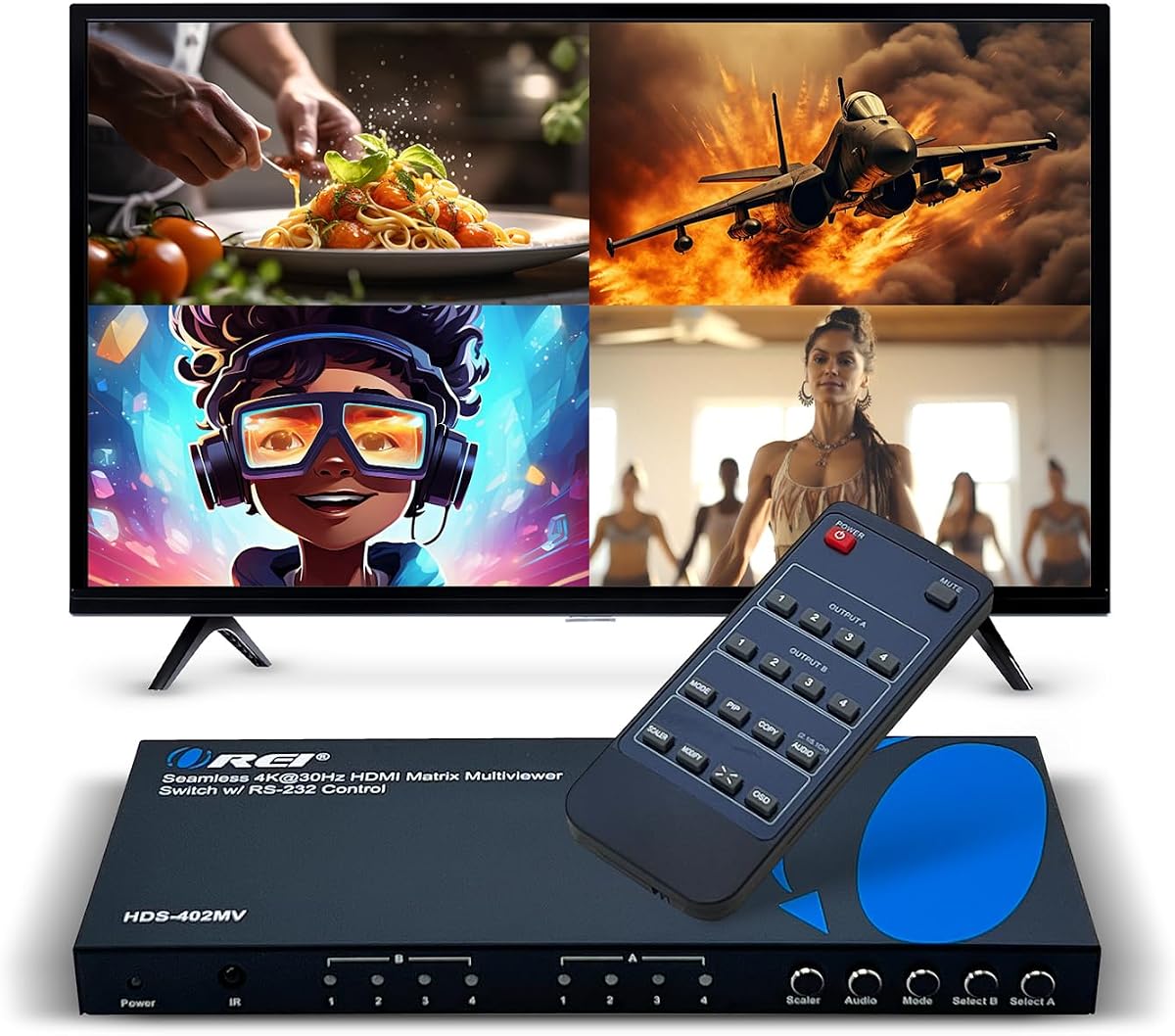
OREI 4×1 Multiviewer Switch offers higher resolution support than many competitors with 4K at 30Hz capability. It has earned a 4.3 rating due to its robust feature set that includes audio extraction and RS-232 control. This makes it a preferred choice for users who need to separate audio from video for better sound systems.
We may earn a commission when you buy through this link, at no additional cost to you.
The unit supports multiple audio formats including Dolby Digital and DTS allowing for high quality sound. You can extract audio to optical or analog outputs to connect to amplifiers. RS-232 control allows for integration into larger systems like smart home setups or professional AV installations. It includes five viewing modes for flexible display configurations.
One limitation is that audio extraction typically works with one source at a time which may require manual switching. The price is higher than basic models but the added features justify the cost for demanding users. You get better resolution options and control flexibility here.
We recommend this model for home theater enthusiasts or professional users who need precise control over video and audio signals. The inclusion of RS-232 makes it highly adaptable for custom setups. It is a solid investment for those who value audio quality and integration.
The audio extractor allows you to send sound to a dedicated amplifier for better sound quality.
RS-232 ports allow integration with automation systems for remote management and control.
We may earn a commission when you buy through this link, at no additional cost to you.
OREI 4×2 Quad Multi HDMI Viewer stands out with its dual output capability which is rare for multiviewers in this price range. It has an impressive 4.7 rating reflecting high user satisfaction with its performance and build quality. This model supports four inputs and can route them to two separate displays simultaneously.
We may earn a commission when you buy through this link, at no additional cost to you.
It supports resolutions up to 4K at 30Hz and includes downscaling for compatibility. You can control it via RS-232 or IR remote for convenient operation. The dual outputs allow you to connect two monitors or TVs to see the same multiviewed content. This is ideal for control rooms or dual monitor setups.
The unit offers five display modes and includes audio outputs for flexible sound routing. While it does not support 4K at 60Hz it covers most standard needs effectively. The higher price reflects its advanced dual output functionality and control options.
This device is perfect for scenarios where you need to display multiview content on multiple screens. The dual output feature reduces the need for additional splitters. We recommend it for professional environments requiring redundant display setups.
Dual HDMI outputs allow you to feed the same signal to two monitors or TVs simultaneously.
Includes RS-232 and IR controls to fit both manual and automated system requirements.
We may earn a commission when you buy through this link, at no additional cost to you.
OREI 4×1 Multi HDMI Viewer supports ultra high definition with 4K at 60Hz which is a significant step up from 30Hz models. It has a 4.0 rating based on its ability to handle high resolution content smoothly. This model is designed for users who need fast refresh rates for gaming or motion intensive tasks.
We may earn a commission when you buy through this link, at no additional cost to you.
It includes HDCP 2.2 support which ensures compatibility with protected content sources. RS-232 control and EDID management allow for integration into complex systems without signal issues. You can switch between five display modes easily using the remote or front buttons. The unit handles audio extraction to optical and analog outputs.
While it is pricier than standard models the 60Hz support makes it worth it for high performance needs. It is less flexible in display modes compared to some rivals but maintains signal quality well. You get better bandwidth for modern consoles and PCs.
We suggest this multiviewer for gamers and professionals who need 4K at 60Hz performance. The high bandwidth ensures smooth motion and clear visuals. It is a top pick for high end setups.
Supports 4K at 60Hz ensuring smooth motion and low latency for fast moving content.
HDCP 2.2 compliance allows you to display protected content without signal issues.
We may earn a commission when you buy through this link, at no additional cost to you.
This 4K@60Hz HDMI Multiviewer offers eight versatile viewing modes which is one of the most options in its class. It has a 3.9 rating reflecting mixed user experiences regarding audio synchronization. It supports ultra high definition and provides a range of layouts for monitoring.
We may earn a commission when you buy through this link, at no additional cost to you.
You can choose from eight distinct modes including full screen dual split and quad view. It supports 4K at 60Hz which is excellent for high quality inputs. Seamless switching ensures smooth transitions between sources when in full screen mode. It works with a wide range of devices including cameras and consoles.
Audio synchronization can be tricky with some setups which may cause slight lag. The visual performance remains strong and the mode variety is a major plus. It is a solid choice if you need many display layouts.
We recommend this device for users who prioritize layout variety and high resolution support. It is a good fit for home offices and media rooms. Keep an eye on audio setup to avoid sync issues.
Eight viewing modes give you flexibility to customize how you view multiple inputs.
Supports 4K at 60Hz ensuring you get the best picture quality from your sources.
We may earn a commission when you buy through this link, at no additional cost to you.
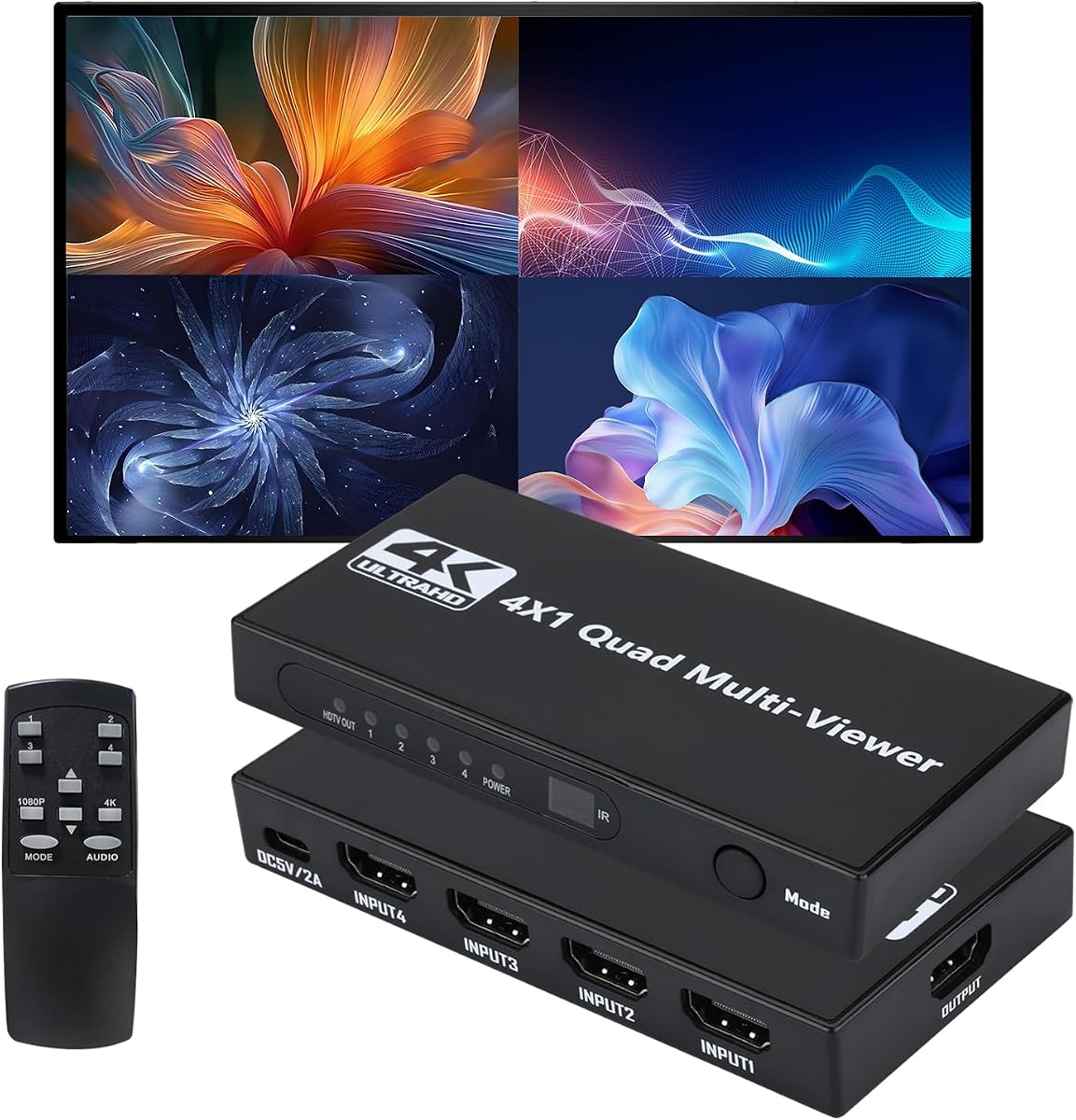
HDMI Multiviewer Switch is a fantastic budget friendly option that does not compromise on features. It holds an exceptional 4.8 rating due to its value and extensive feature list. This model is perfect for users who need multiple view options without breaking the bank.
We may earn a commission when you buy through this link, at no additional cost to you.
It offers twelve display modes which is more than most models in this price category. You get 4K at 30Hz support and seamless switching. The included IR remote makes control easy without touching the device. It also supports image stretching for different aspect ratios.
The remote requires AAA batteries which are not included so you need to provide your own. It is limited to one output but that is typical for this budget range. It works well with PCs and game consoles.
We recommend this as the best budget choice for small setups and personal monitoring. It offers the most features for the lowest price. It is ideal for casual users and home offices.
With twelve display modes you can view inputs in almost any configuration you need.
Delivers 4K support and remote control at a very competitive price point.
We may earn a commission when you buy through this link, at no additional cost to you.
J-Tech Digital 4×1 is designed with robust audio extraction capabilities that allow you to send sound to external systems easily. It has a 3.6 rating reflecting mixed reviews on usability and build. It supports 4K at 60Hz which is excellent for high quality video.
We may earn a commission when you buy through this link, at no additional cost to you.
It includes optical and RCA audio outputs for flexible sound routing. You can manage layout using On-Screen Display which makes adjustments intuitive. It supports 7.1 audio channels for immersive setups. The device is compatible with many HDMI sources and includes mounting ears.
The software options and OSD help in advanced configurations but may require some setup time. It is pricier than average but the audio features justify the cost for home theater users. Ensure you check compatibility before purchase.
We recommend this for home theater enthusiasts who need advanced audio routing. It is a strong choice for high resolution audio and video setups. Check user feedback for setup nuances.
Optical and RCA outputs allow you to connect to high quality sound systems easily.
On-Screen Display allows you to adjust layouts and ratios without external software.
We may earn a commission when you buy through this link, at no additional cost to you.
OREI 4×1 Out Quad offers great value for users needing reliable switching and monitoring features. It has a strong 4.4 rating reflecting user satisfaction with its performance. This model is perfect for those who need to mix HDMI and legacy signals on one screen.
We may earn a commission when you buy through this link, at no additional cost to you.
It supports 1080p and includes 3.5mm audio for easy connections. The unit works with many devices and comes with a remote control for convenience. It also provides a VGA output which adds versatility. Setup is straightforward and does not require drivers.
While it lacks 4K support it handles standard resolution content well. It is a practical choice for budget conscious buyers who still want essential features. The remote and included accessories add to the value.
We suggest this for home offices and small businesses needing basic multiview functionality. It offers a good balance of features and price. It is a reliable choice for standard resolutions.
Provides essential features at a competitive price point for most home users.
Supports both HDMI and VGA inputs to fit varied device requirements.
We may earn a commission when you buy through this link, at no additional cost to you.
J-Tech Digital 4×4 HDMI Matrix is a premium solution for professional environments requiring total control over video sources and destinations. It has a 4.2 rating reflecting strong performance in enterprise settings. This model goes beyond simple multiviewing to provide full matrix routing and web control.
We may earn a commission when you buy through this link, at no additional cost to you.
It supports 4×4 routing allowing you to send any input to any output combination. You can use LAN and web interfaces to manage the system remotely. It includes ten video wall modes for advanced displays. Support is available for technical assistance and setup.
The price is high and setup is more complex than simpler models. You need professional knowledge or technical support to fully utilize all features. It offers unmatched flexibility and control for advanced needs.
We recommend this for corporate offices control rooms or high end commercial installations. It offers the highest level of routing and control available. It is the ultimate choice for large scale setups.
Route any of the four inputs to any of the four outputs freely and independently.
LAN and web interfaces allow for remote management without physical interaction with the device.
We may earn a commission when you buy through this link, at no additional cost to you.
Selecting the right multiviewer depends on your specific display and resolution needs along with the number of inputs you require.
Ensure the multiviewer supports the resolution you need for your sources. Many units max out at 1080p which is sufficient for standard monitoring but high end users should look for 4K at 60Hz support.
Higher resolution support ensures clarity and future proofing as your sources improve.
Standard models offer four inputs and one output which is enough for most home and office use. If you need to feed the signal to multiple screens look for dual output models.
More outputs allow you to create redundant displays without needing additional hardware.
Check how many layout options the device offers. Some units provide basic splits while others include Picture in Picture and custom ratios.
More modes give you flexibility in how you organize your video feeds on the screen.
If audio routing is important look for models with optical or analog outputs. Some units extract audio allowing you to send it to external speakers or amplifiers.
Good audio options ensure you do not lose sound quality when splitting video.
Control options vary from basic remote to RS-232 and LAN interfaces. Choose a control method that fits your setup environment.
Professional control interfaces allow for integration with automation systems.
Ensure the device works with your sources such as gaming consoles and security cameras. Check for HDCP support to avoid signal issues with protected content.
Good compatibility ensures you do not run into connection problems.
Connect all your HDMI sources to the input ports and the display to the output port. Plug in the power adapter and ensure the device is powered on before connecting sources.
Use the remote or front buttons to switch between inputs. Adjust display modes as needed using the OSD menu if available.
Keep the device in a well ventilated area to prevent overheating. Clean the ports occasionally with compressed air to avoid dust buildup.
Many modern multiviewers include audio extraction features. They allow you to send video to your display while sending audio to an external amplifier or sound bar via optical or analog ports.
Quality depends on the specific model. Higher end units process signals with minimal loss while budget models may introduce slight compression. Always check the resolution capabilities to ensure it matches your source.
Yes most HDMI multiviewers work with any device that outputs HDMI signals including security cameras and NVR boxes. Ensure the cameras output HDMI directly or via a compatible converter.
Most units allow you to connect up to four HDMI inputs. You can plug and unplug devices as needed but ensure the switch supports hot swapping.
No multiviewers are plug and play devices that work with the HDMI standard. They do not require drivers or software on your computer to function.
If your display has lower resolution capabilities the multiviewer may downscale the signal. Some units allow you to manually set output resolutions to match your monitor's limits.
We highlighted the best options ranging from budget friendly models to professional matrix solutions. The PORTTA and OREI brands offer great value for standard use cases.
Consider your resolution needs and audio routing requirements before making a decision. Higher end units provide better control and support for advanced setups.
Check current listings for the latest prices and stock availability. Product prices change frequently so compare options before finalizing your purchase.