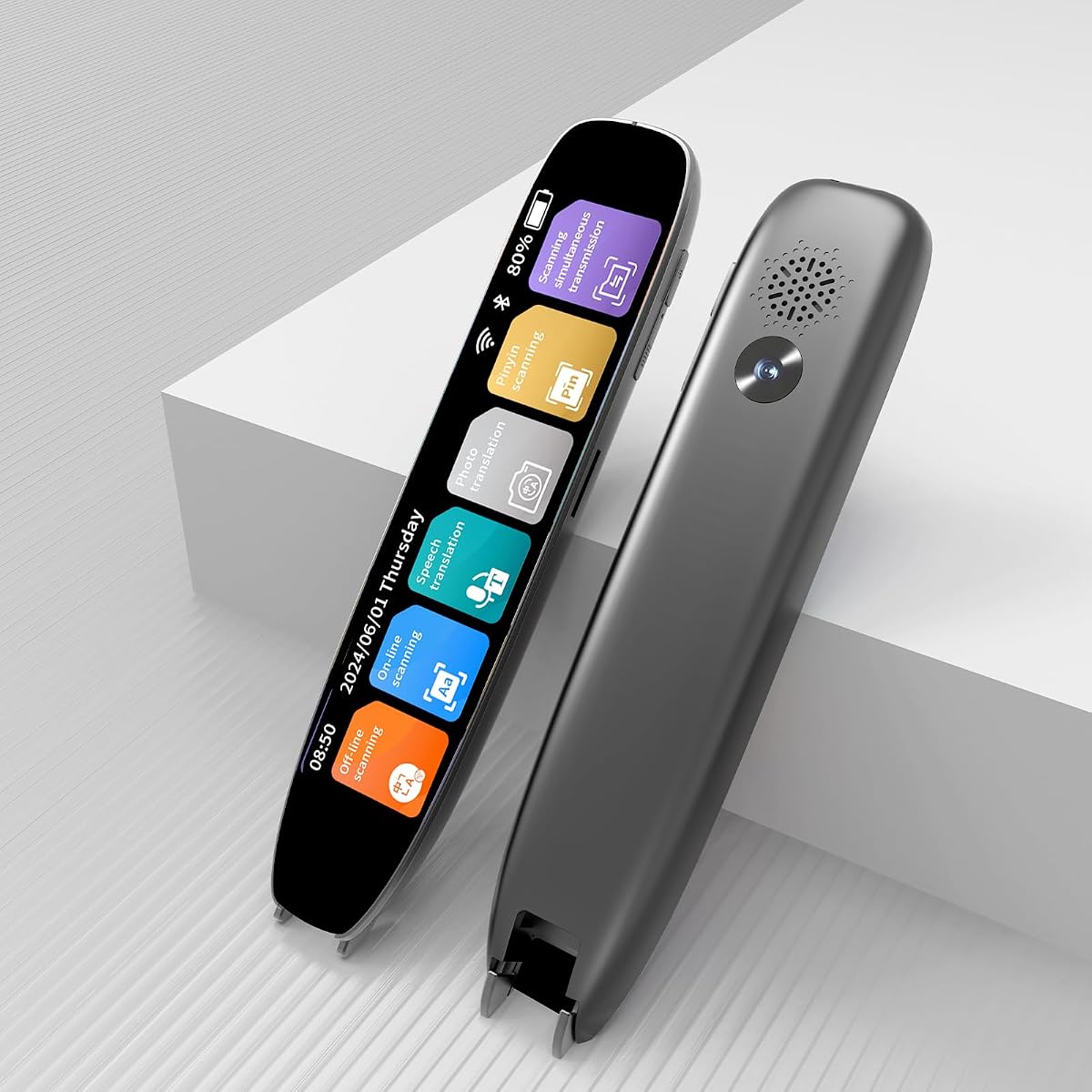
Scan Translator Pen
3.8Editor score
142 online languages
Bluetooth connectivity
Text extraction
Finding the right assistive tool can transform how individuals with dyslexia approach written material. These devices scan text and read it aloud, helping users overcome barriers to comprehension and fluency.
This guide evaluates ten leading reading pens based on scanning accuracy, speech quality, translation capabilities, and ease of use. We focus on features that directly support learners, students, and professionals needing reliable text-to-speech support.
Each selection highlights specific strengths like offline modes, language support, and portability. Prices and availability vary, so verify current details before purchasing to ensure the device meets your specific needs.
3.8Editor score

4.0Editor score
3.9Editor score
As an Amazon Associate we earn from qualifying purchases.
This table provides a quick side-by-side overview of key capabilities across all ten selected models to help you narrow down the best fit for your requirements.




The Scanmarker Pal stands out as a top choice for dyslexia support due to its instant text to speech capabilities. Users benefit from highlighted words while listening, which enhances comprehension significantly during study sessions.
We may earn a commission when you buy through this link, at no additional cost to you.
Its ability to scan and translate text in over 100 languages makes it versatile for travelers and language learners alike. Offline support for major languages ensures reliability without needing a constant internet connection.
While the price point is higher than budget options, the precision and speed justify the investment for serious users. The compact design fits easily into bags, making it practical for daily school or office use.
This pen is ideal for students and adults seeking a reliable tool to overcome reading barriers. It effectively bridges the gap between printed text and digital accessibility with seamless audio integration.
Highlighted text paired with audio reading helps users track words visually while processing sound.
Support for over 100 languages makes this device useful beyond just reading difficulties.
We may earn a commission when you buy through this link, at no additional cost to you.
The VORMOR Translator Pen features a large touch screen that simplifies navigation for users of all ages. Its high accuracy rate ensures that scanned text is processed correctly, reducing frustration during reading sessions.
We may earn a commission when you buy through this link, at no additional cost to you.
Beyond standard scanning, this pen supports photo translation and voice recording, making it a multipurpose tool. The two way real-time voice translation helps users communicate effectively in foreign languages during travel.
Collins Dictionary integration adds significant value for students looking to expand their vocabulary. The reverse scanning direction setting is a thoughtful inclusion that accommodates left-handed users effectively.
Ideal for those needing a robust device with both text-to-speech and translation capabilities, this pen offers comprehensive support. The combination of screen size and functional versatility makes it a strong contender in the market.
Photo translation and voice recording expand utility beyond simple text scanning for comprehensive study.
Reverse scanning settings and large screens improve usability for diverse user needs and preferences.
We may earn a commission when you buy through this link, at no additional cost to you.
This Scan Translator Pen offers an accessible entry point into dyslexia tools without sacrificing essential features. With support for 142 online languages, it provides extensive coverage for multilingual learners and travelers.
We may earn a commission when you buy through this link, at no additional cost to you.
The inclusion of offline translation for ten major languages ensures usability even in areas with poor connectivity. Its lightweight design fits comfortably in pockets, making it convenient for daily use on the go.
Users can enjoy audio playback through Bluetooth headphones, which helps minimize distractions during study or work. While the interface is basic, the core scanning and reading functions perform reliably for most tasks.
For students or seniors seeking a cost-effective reading aid, this device delivers strong value. It balances functionality and affordability well, making it a practical choice for general learning support needs.
Affordable pricing combined with broad language support makes this device accessible to more users.
Offline language support ensures the device remains functional even without internet access abroad.
We may earn a commission when you buy through this link, at no additional cost to you.
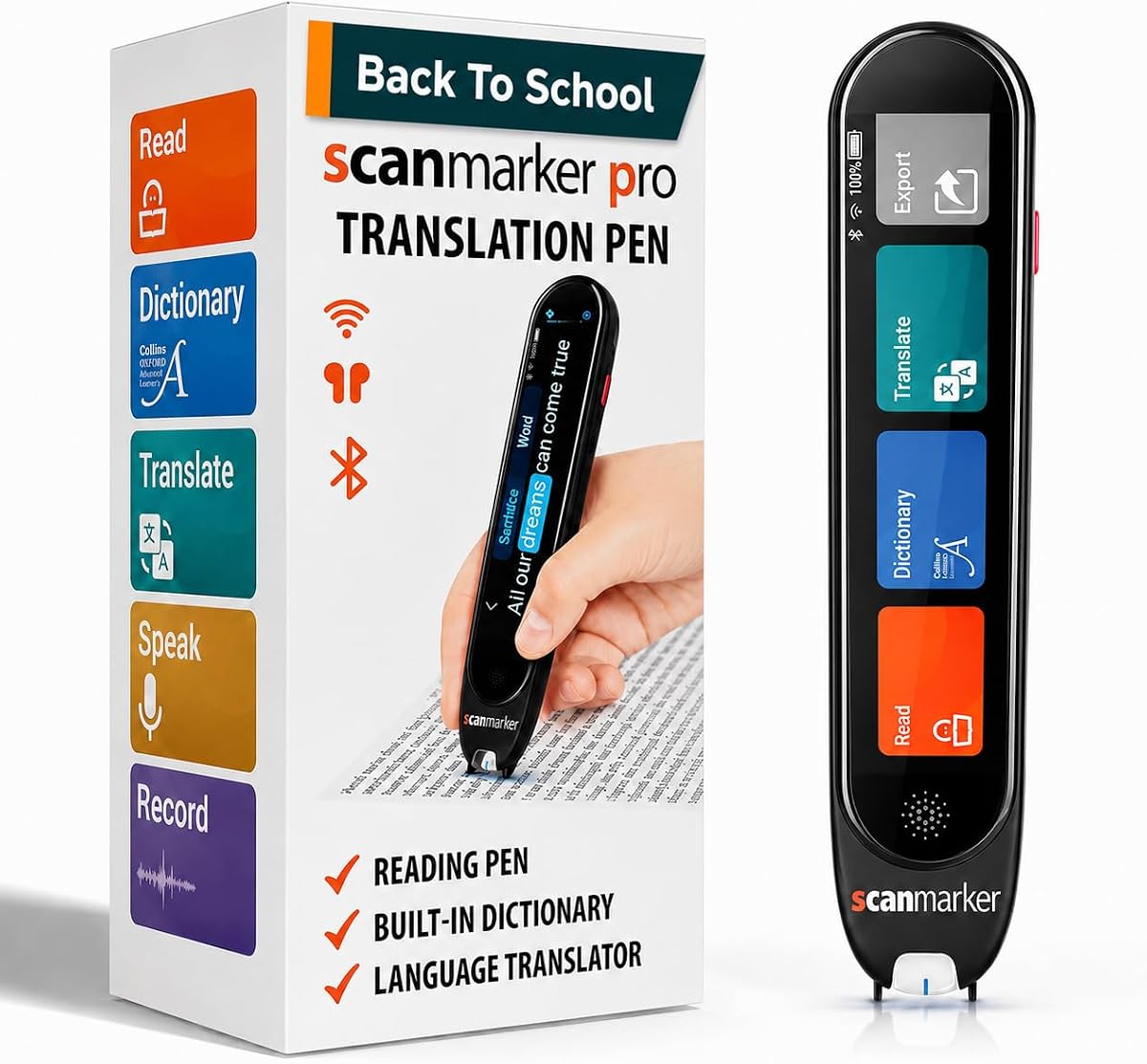
The Scanmarker Pro distinguishes itself as a fully standalone device that does not require connecting to other devices for basic operation. This simplifies the workflow for users who want immediate results without setup hassle.
We may earn a commission when you buy through this link, at no additional cost to you.
It includes a built-in English dictionary which helps enhance vocabulary comprehension directly while reading. The note-taking feature allows users to capture memos directly on the device, streamlining organization for students and professionals.
Portability is a key strength, with a lightweight design that fits easily into pockets. The ability to connect to earbuds ensures private listening, which is ideal for focused learning environments.
This model is best suited for users who prioritize simplicity and immediacy in their assistive tools. The premium features like dictionary integration add significant value for those focused on educational improvement and literacy.
Standalone operation removes technical barriers, allowing users to focus on reading rather than setup.
Integrated dictionary tools support vocabulary growth alongside general reading comprehension and literacy.
We may earn a commission when you buy through this link, at no additional cost to you.
This version of the Scan Translator Pen provides excellent value for budget-conscious buyers seeking core functionalities. It supports over 142 languages online and ten offline, covering most daily translation needs effectively.
We may earn a commission when you buy through this link, at no additional cost to you.
The integrated voice recorder allows users to capture lectures or meetings, adding utility beyond simple reading. Syncing to your phone for editing makes note-taking seamless and efficient for academic or professional tasks.
Bluetooth connectivity ensures users can listen to text-to-speech audio privately through headphones. This helps maintain focus in shared environments like libraries or classrooms where external noise can be distracting.
Ideal for students and elderly users who need straightforward assistance without complex features. Its reliability and comprehensive language support make it a practical choice for general reading and translation tasks.
Voice recording and Bluetooth audio allow for flexible learning styles beyond just visual text processing.
Simple interface and lightweight design ensure easy handling for elderly users or children.
We may earn a commission when you buy through this link, at no additional cost to you.
The SVANTTO Translator Pen focuses heavily on audio quality and text conversion capabilities for diverse learners. It supports 102 languages with offline capabilities for common ones like English and Spanish for consistent use.
We may earn a commission when you buy through this link, at no additional cost to you.
Adjustable text-to-speech reading speeds allow users to match their comprehension pace, which is crucial for dyslexia support. Smart noise reduction technology ensures that recordings remain clear even in busy environments like lecture halls.
Files can be transmitted to phones or computers for easy sorting, helping organize study materials efficiently. This feature supports systematic learning management for both students and educators who need reliable data tracking.
A solid choice for those prioritizing audio feedback and recording capabilities in a portable device. Its ability to convert text into editable memos quickly saves time during study sessions or work meetings.
Adjustable speed settings provide personalized pacing that accommodates different reading abilities effectively.
Editable memos and file syncing help maintain structured and accessible study materials over time.
We may earn a commission when you buy through this link, at no additional cost to you.
The NEWYES AI Pen incorporates advanced artificial intelligence features to assist with homework and language learning. Real-time AI Chat and homework checker functions provide immediate feedback that helps clarify complex questions quickly.
We may earn a commission when you buy through this link, at no additional cost to you.
With 16GB storage, users can store vast amounts of scanned text and notes without needing constant file management. The device adapts with six reading levels, making it suitable for pre-readers up to advanced users.
Built-in AI dictionary and photo recognition enhance the tool's utility for detailed study sessions. The ability to export to various formats like txt and pdf ensures compatibility with other digital tools and apps.
This pen is ideal for tech-savvy users looking for an all-in-one learning solution. The integration of AI tools makes it particularly effective for academic support and complex translation tasks alike.
AI-powered chat and homework checking provide dynamic support that goes beyond simple text reading.
Large storage space ensures users can save extensive notes and documents for later reference easily.
We may earn a commission when you buy through this link, at no additional cost to you.
Designed for global users, this Translation Pen excels with extensive online and offline language support. It allows users to scan and extract text quickly, which is valuable for business travelers needing fast information retrieval.
We may earn a commission when you buy through this link, at no additional cost to you.
The built-in camera supports photo translation, enabling quick translation of menus or signs without manual typing. This feature ensures smooth communication in foreign environments where reading printed text might be challenging.
Bluetooth connectivity allows for private listening, making it suitable for public spaces or quiet study areas. The text excerpt function helps users focus on key details rather than copying entire documents manually.
Ideal for travelers and professionals who need reliable translation and reading support on the move. Its combination of scanning speed and language variety makes it a versatile companion for diverse international scenarios.
Photo translation and wide language coverage simplify navigation and communication during international trips.
Text excerpt features allow users to capture key information efficiently without unnecessary manual effort.
We may earn a commission when you buy through this link, at no additional cost to you.
The Translator Pen distinguishes itself with a high-definition camera capable of decoding complex text layouts. Unlike standard scanners limited to plain text, this device handles images and non-standard formats with high precision.
We may earn a commission when you buy through this link, at no additional cost to you.
Users can sync editable files directly to their phones, streamlining the process of document sorting and organization. The smart recording feature captures meetings and lectures clearly, ensuring important information is never missed.
With support for 142 languages online and ten offline, it covers nearly every scenario for language learners and travelers. The HD camera allows flexible translation in diverse environments where text might not be flat.
Perfect for professionals and students dealing with varied text sources including menus and complex documents. Its robust camera technology ensures reliable performance where other scanners might fail on irregular formats.
5MP HD camera ensures accurate recognition of text in images and non-flat layouts effectively.
Direct phone sync and smart recording ensure data is organized and accessible immediately after capture.
We may earn a commission when you buy through this link, at no additional cost to you.
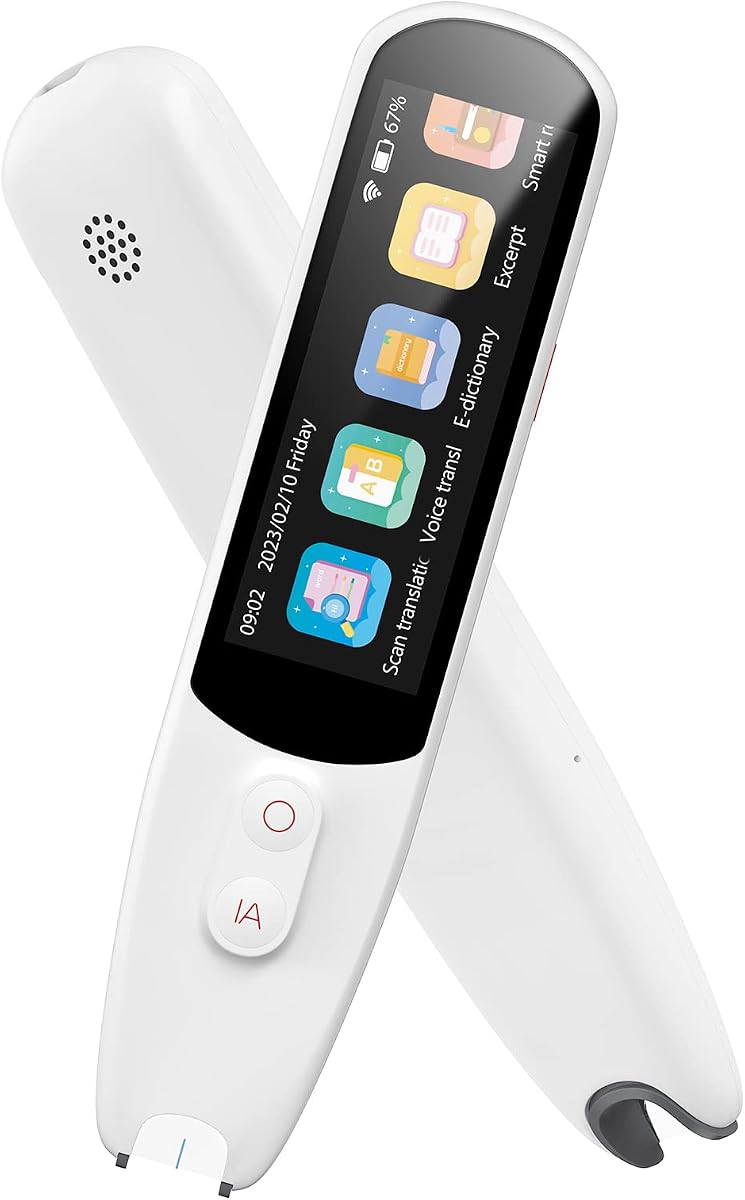
Weighing only 70 grams, this Scan Translation Pen is designed for maximum comfort and portability during extended use. It supports 142 languages online and ten offline, making it a versatile tool for learners and travelers.
We may earn a commission when you buy through this link, at no additional cost to you.
The left-right-hand mode selection ensures comfort for all users, reducing fatigue during long study or work sessions. This humanized touch makes the device accessible to both left and right-handed individuals equally.
Bluetooth headphones provide an immersive audio experience for those who need private listening options. The ability to sync text excerpts to phones aids in quick data collection and note management without hassle.
Ideal for students or seniors who prioritize lightweight design without sacrificing language capabilities. Its thoughtful ergonomics and broad support make it a strong choice for daily reading assistance needs.
Hand mode selection ensures comfort for all users reducing fatigue during prolonged usage sessions.
Lightweight construction allows the device to fit easily into pockets for daily carrying.
We may earn a commission when you buy through this link, at no additional cost to you.
Selecting the right reading pen requires evaluating features that match your specific learning or professional needs.
High OCR accuracy ensures that scanned words are converted correctly into text and audio. Poor accuracy leads to frustration and misreading of content which undermines the tool's purpose for dyslexia support.
Look for pens claiming over 98% accuracy to ensure reliable performance across different fonts and backgrounds.
For multilingual learners, the number of supported languages is critical. Models vary from 100 to 140+ languages, so verify that your target language is included in the list.
Offline support for key languages ensures usability even without internet access during travel or in restricted environments.
Clear and expressive text-to-speech audio is essential for comprehension. Adjustable speeds allow users to match the reading pace with their processing ability for better retention.
Bluetooth connectivity is a valuable feature that enables private listening through headphones in noisy environments.
A lightweight and compact design ensures the device can be carried easily to school or work. Ergonomic handles or adjustable scanning directions can reduce strain on the hand during extended use.
Choose a device that fits comfortably in your pocket or bag to encourage consistent daily use for learning.
Features like photo translation, voice recording, and note-taking add significant value beyond basic reading. These tools support broader learning needs such as vocabulary building and meeting organization.
Prioritize devices with built-in dictionaries or AI helpers if your primary goal is academic improvement or complex translation.
Prices range significantly between budget and premium models. Higher price often reflects better hardware quality and advanced features like large screens or integrated AI capabilities.
Weigh the cost against your specific needs to ensure you are paying only for the features you will actually use regularly.
Bluetooth and USB connectivity allow for seamless file transfer between the pen and other devices. This helps in managing and editing saved notes or scanned text efficiently.
Ensure the pen supports syncing with your preferred phone or computer platform for a smooth workflow.
Begin by fully charging the device and installing any required companion apps on your phone or computer. Ensure Bluetooth is enabled so the pen can sync data and audio output without interruption during use.
Hold the pen steady over the text and move it smoothly in a single line to ensure precise scanning. Adjust the speed of your hand based on the text density to capture words clearly without distortion or errors.
Store the device in a protective case when not in use to prevent damage to the lens and buttons. Regularly clean the camera sensor with a soft cloth to maintain optimal scanning performance over time.
Yes, most models offer offline translation for a selection of major languages. While full language lists require online access, core reading and speech functions work reliably offline for daily study needs.
Many pens support scanning from digital screens like tablets and phones in addition to printed text. However, glare or refresh rates on screens can sometimes affect accuracy compared to standard printed paper.
Battery life typically ranges from several hours of active scanning to standby time lasting multiple days. Regular charging is recommended to ensure the device is ready for daily study or travel use.
Some advanced models include specific settings for left-handed scanning directions. This feature helps left-handed users avoid smudging or blocking the sensor while scanning text comfortably.
Yes, most devices allow file transfer via USB or Bluetooth to phones and computers. You can export text in formats like TXT or PDF for easy editing and integration with other study materials.
Yes, text-to-speech features are beneficial for ESL students and those with learning difficulties beyond dyslexia. These tools assist with pronunciation and comprehension for a wide range of users needing reading support.
The ten products reviewed offer a range of capabilities from basic reading assistance to advanced AI-driven learning tools. Each model addresses specific needs like offline translation, screen size, or audio clarity.
Prioritize features that align with your daily activities whether you are a student, traveler, or professional. Investing in a device with high scanning accuracy and audio quality will yield the best results for reading comprehension.
Remember that prices and availability can change so always check current listings before purchasing. Selecting the right tool today can significantly enhance your efficiency and confidence when handling written text.