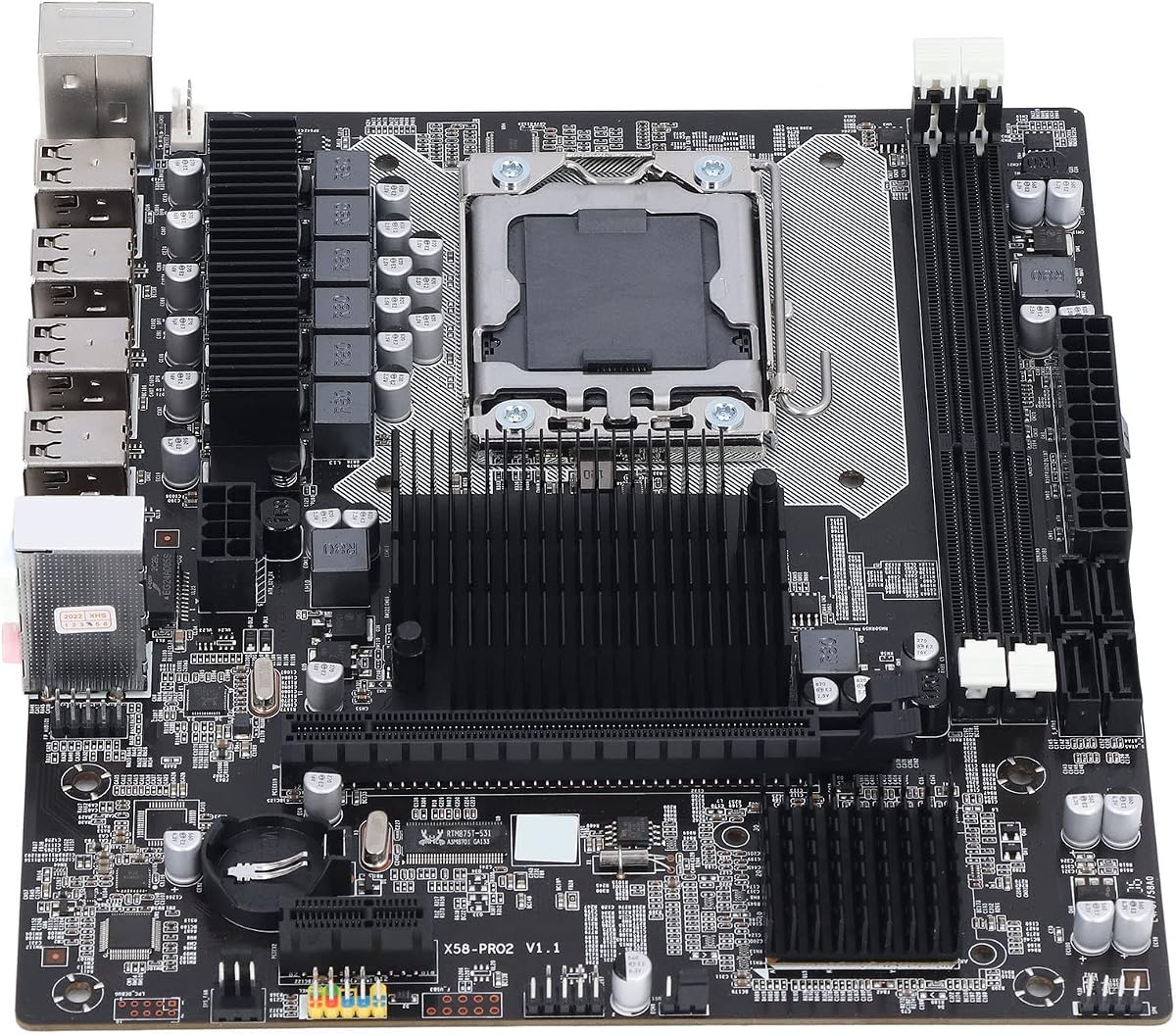
X58 Gaming Motherboard
4.0Editor score
Supports ECC and non-ECC memory
Solid capacitors for stable power delivery
Standard ATX power connectors included
This guide compares the top Lga 1366 Motherboard options for enthusiasts seeking legacy X58 chipset performance and triple channel memory support today.
Finding a reliable Lga 1366 Motherboard can be challenging as the platform ages but remains popular for specific workstation and enthusiast builds today.
We compared ten top models based on chipset features connectivity options and user feedback to help you choose the right board for your needs.
Each pick highlights unique strengths and trade-offs so you can match a board to your budget while noting that availability and pricing may fluctuate.
4.0Editor score

5.0Editor score

4.0Editor score
The following table provides a side-by-side overview of the key specifications and features for each of the ten Lga 1366 Motherboard models reviewed here.

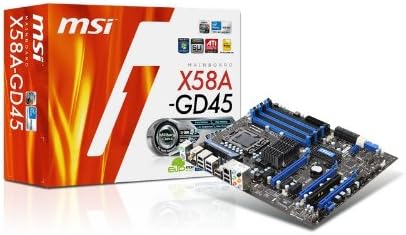


The ASUS P6T7 WS SuperComputer stands out as a top choice for users needing extreme multi-GPU and memory capabilities on the X58 platform.
We may earn a commission when you buy through this link, at no additional cost to you.
It features support for 3-Way SLI and CrossFireX which is rare and valuable for rendering or compute tasks that demand multiple graphics cards.
While it offers impressive connectivity and expansion options the board is older so finding it in stock can be difficult for new builds.
For workstations requiring maximum RAM and GPU scaling this board remains a highly recommended solution despite its age and power demands.
This board supports up to three graphics cards in SLI or CrossFireX configurations enabling significant performance gains for parallel computing tasks.
The inclusion of two Realtek Gigabit LAN controllers with teaming technology provides network redundancy and faster throughput for data transfers.
We may earn a commission when you buy through this link, at no additional cost to you.
This X58 Gaming Motherboard offers an affordable entry point for those looking to build or repair a legacy LGA 1366 system without breaking the bank.
We may earn a commission when you buy through this link, at no additional cost to you.
It includes solid capacitors which help ensure stable power delivery and improved durability under load for everyday desktop tasks.
The limitation to two DDR3 DIMM slots means you cannot expand memory as much as six-slot boards but it suits basic dual-channel configurations.
If you need a cost-effective board for a simple workstation or retro gaming rig this model provides the essential features you need.
Designed for budget-conscious builders this board delivers core X58 functionality at a fraction of the cost of premium workstation alternatives.
The use of all solid capacitors in the circuitry helps maintain voltage stability and extends the lifespan of the motherboard over time.
We may earn a commission when you buy through this link, at no additional cost to you.
The Supermicro X8DTN+ Motherboard is a premium option designed for heavy-duty workstation tasks requiring dual Intel Xeon processors and vast memory.
We may earn a commission when you buy through this link, at no additional cost to you.
Its Intel 5520 chipset allows for dual CPU configurations which dramatically increases processing power for virtualization or heavy rendering workloads.
While it offers up to 288GB of DDR3 ECC memory the cost and power requirements make it less suitable for typical home enthusiast builds.
For professional environments where uptime and compute power are critical this board delivers enterprise grade stability and expandability.
Supporting two LGA 1366 CPUs simultaneously provides unmatched multi-threaded performance for tasks like video editing or scientific computing.
The support for up to 288GB of ECC Registered DIMM ensures data integrity and allows for large datasets in memory intensive applications.
We may earn a commission when you buy through this link, at no additional cost to you.
The ASUS P6X58D Premium was one of the first boards to integrate USB 3.0 and SATA 6Gb/s into the X58 chipset for faster peripheral connectivity.
We may earn a commission when you buy through this link, at no additional cost to you.
Its 16+2 phase power design ensures stable power delivery to the CPU which is beneficial for overclocking and sustained performance under load.
The Stack Cool 3+ solution uses heat pipes to dissipate heat effectively allowing for quieter operation compared to standard fan-based heatsinks.
This board is ideal for users who want modern I/O speeds on a legacy platform without sacrificing the core benefits of the X58 chipset.
Native USB 3.0 and SATA 6Gb/s support allow for faster data transfer rates with external drives and SSDs compatible with the era.
The passive heat pipe design helps keep the VRM temperatures low without the noise of additional fans which improves overall system acoustics.
We may earn a commission when you buy through this link, at no additional cost to you.
The MSI X58A-GD45 offers a robust combination of data transfer speeds and expansion slots making it a strong contender for mid-range gaming rigs.
We may earn a commission when you buy through this link, at no additional cost to you.
It features revolutionary SuperSpeed USB 3.0 and next-generation SATAIII which double the data transfer rates compared to previous generation interfaces.
Active Phase Switching APS helps control power demand dynamically which can reduce heat and improve overall system efficiency during lighter tasks.
This board is a solid choice for builders who prioritize fast storage and GPU connectivity on the X58 platform without overspending.
Support for SATAIII at 6Gbps provides double the bandwidth of SATAII allowing for much faster boot times and application loading speeds.
The Active Phase Switching technology adjusts the number of active power phases based on system load to optimize energy efficiency.
We may earn a commission when you buy through this link, at no additional cost to you.
The ASUS P6X58D-E provides a well-rounded feature set that balances memory capacity audio and expansion options for general enthusiast use.
We may earn a commission when you buy through this link, at no additional cost to you.
It supports six DDR3 DIMM slots in a triple channel configuration which significantly increases memory bandwidth for CPU intensive tasks.
The Realtek ALC889 8-Channel High Definition Audio CODEC delivers quality sound without needing a dedicated sound card for most users.
If you need a reliable board with solid all-around performance this model offers the necessary tools for a stable and fast desktop build.
The ability to utilize triple channel memory architecture maximizes data throughput between the CPU and RAM for improved performance.
The onboard 8-channel audio CODEC ensures immersive sound quality for gaming and multimedia without extra hardware costs.
We may earn a commission when you buy through this link, at no additional cost to you.
The Supermicro X8STI is designed for reliability and comes with dual Intel Gigabit LAN controllers which are valuable for NAS or server applications.
We may earn a commission when you buy through this link, at no additional cost to you.
It supports Nehalem processor families including Core i7 Extreme and provides solid memory support with up to 24GB ECC or Non-ECC DIMMs.
The onboard Matrox G200eW Graphic Controller offers basic display output which is handy for headless servers needing remote management access.
This board is a great choice for enthusiasts who want server grade stability and network features in a standard ATX workstation build.
Two Intel 82574L Gigabit Ethernet controllers provide dedicated network channels or teaming options for high availability setups.
The integrated Matrox G200eW controller allows for basic display output without needing a discrete graphics card for initial setup.
We may earn a commission when you buy through this link, at no additional cost to you.
The Dx58So Extreme Series board positions itself as a high-performance option for users seeking the reliability of the Intel X58 chipset.
We may earn a commission when you buy through this link, at no additional cost to you.
It supports the LGA 1366 socket and ATX form factor making it compatible with a wide range of cases and coolers available today.
While specific feature details are sparse the Extreme Series designation implies a focus on overclocking and thermal performance for power users.
This model suits those looking for a niche high-end solution where standard enthusiast features are prioritized for legacy system builds.
As part of the Extreme Series this board is optimized for enthusiasts who demand maximum stability and overclocking headroom.
The standard ATX form factor ensures it fits in most mid-tower and full-tower cases without requiring specialized chassis modifications.
We may earn a commission when you buy through this link, at no additional cost to you.
The Asus P6T Deluxe V2 offers a balanced feature set for enthusiasts who want to leverage the high-speed capabilities of the X58 chipset.
We may earn a commission when you buy through this link, at no additional cost to you.
It supports Intel Dynamic Speed Technology and system bus speeds up to 6400 MT/s which helps maximize performance for CPU bound tasks.
While it only supports Non-ECC Unbuffered memory it provides full ATX features including multiple expansion slots for standard desktop use.
This board is a solid option for builders looking for a complete feature set on a classic platform without needing ECC memory support.
Support for Intel Dynamic Speed Technology allows for better power management and performance scaling depending on workload demands.
The standard ATX layout provides ample room for expansion cards and storage drives typical of a high-end desktop workstation.
We may earn a commission when you buy through this link, at no additional cost to you.
The Intel DX58SO Extreme Series is a direct implementation of the X58 chipset providing native support for Intel Core i7 processors.
We may earn a commission when you buy through this link, at no additional cost to you.
It offers a generous count of twelve USB ports which was a highlight for users needing multiple peripherals without buying hubs or adapters.
With support for up to 16GB of DD3 system memory and 7.1 Dolby Digital Audio it meets the needs of most home users effectively.
This board is a reliable choice for those seeking original Intel support for the LGA 1366 socket in a standard ATX form factor.
Twelve USB ports provide ample connectivity for keyboards mice webcams and storage drives without needing external hubs.
The 7.1 Dolby Digital Audio support ensures high quality sound output for gaming and multimedia experiences on the desktop.
We may earn a commission when you buy through this link, at no additional cost to you.
Selecting the right Lga 1366 Motherboard requires understanding key features like memory support expansion slots and connectivity options to match your build goals.
Most boards offer six DDR3 DIMM slots for up to 24GB or more of triple channel memory which significantly boosts performance over dual channel options.
Look for boards with ECC support if you need data integrity for workstation tasks or Non-ECC support for standard gaming builds.
Check the number and type of PCIe slots needed for multi-GPU setups such as SLI or CrossFireX support which is critical for high-end rendering or gaming.
Ensure there are enough x16 slots and they run at appropriate speeds for your graphics cards to avoid performance bottlenecks.
Modern boards include USB 3.0 and SATA 6Gb/s ports which allow for faster data transfers with external drives and SSDs.
Evaluate the number of USB ports on the rear panel to avoid needing hubs for multiple peripherals in your setup.
Dual LAN ports provide redundancy or teaming capabilities which are valuable for servers or NAS builds requiring reliable network connectivity.
Integrated Gigabit controllers from brands like Intel or Realtek ensure stable network performance without needing extra network cards.
A robust power delivery system with multiple phases such as 16+2 phase design ensures stable power to the CPU especially during overclocking.
Look for solid capacitors and effective VRM cooling solutions to maintain system stability under heavy loads.
Ensure the board matches your case size with standard ATX boards fitting most mid-tower and full-tower cases without issues.
Check clearance for large CPU coolers or GPUs since older board layouts may have limited space in the center area.
Some boards offer advanced BIOS utilities for overclocking and system tuning which are important for enthusiasts looking to squeeze out extra performance.
Consider whether the board supports legacy features you may need such as legacy USB keyboard support or older OS compatibility.
Prices for these legacy boards vary widely so determine your budget early to narrow down options between premium workstation models and budget consumer boards.
Availability can be limited so be prepared to check multiple sources if you need a specific model for your particular build requirements.
Install the board in a compatible ATX case using the provided standoffs to prevent short circuits and ensure proper airflow for cooling components.
Connect the 24-pin and 8-pin power connectors securely to ensure stable power delivery to the motherboard and CPU during operation.
Regularly clean dust from heatsinks and fans to maintain optimal thermal performance and prevent overheating during intensive computing tasks.
Lga 1366 Motherboards support Intel Core i7 Extreme Edition and Core i7 processors along with select Intel Xeon 3500 series CPUs. Always check the specific manufacturer support list for your board model to ensure compatibility with your chosen processor.
Some of the earlier models and certain boards like the ASUS P6X58D Premium and MSI X58A-GD45 feature native USB 3.0 support while many older ones do not. Check the product specifications carefully if USB 3.0 is a requirement for your setup.
Yes some workstation focused boards like the ASUS P6T7 WS SuperComputer and Supermicro models support ECC memory for data integrity while most consumer boards only support Non-ECC unbuffered memory.
Most boards support up to 24GB of DDR3 memory though some workstation models can support significantly more. The capacity depends on the number of DIMM slots and the memory type supported by the chipset.
They are best suited for legacy system repairs or specific enthusiast builds rather than new builds since components are older and less readily available in the current market compared to modern platforms.
Standard ATX power supplies work well with most boards as long as they have the necessary 24-pin and 8-pin CPU power connectors. High-end workstation models may benefit from higher wattage PSUs for multi-GPU setups.
The top picks range from the versatile ASUS P6T7 WS SuperComputer to budget options like the X58 Gaming Motherboard offering choices for every budget.
Prioritize memory capacity and connectivity options like USB 3.0 or dual LAN based on your specific performance and usage needs.
Always verify current availability and pricing before purchase since these older models may have fluctuating stock levels in the market.