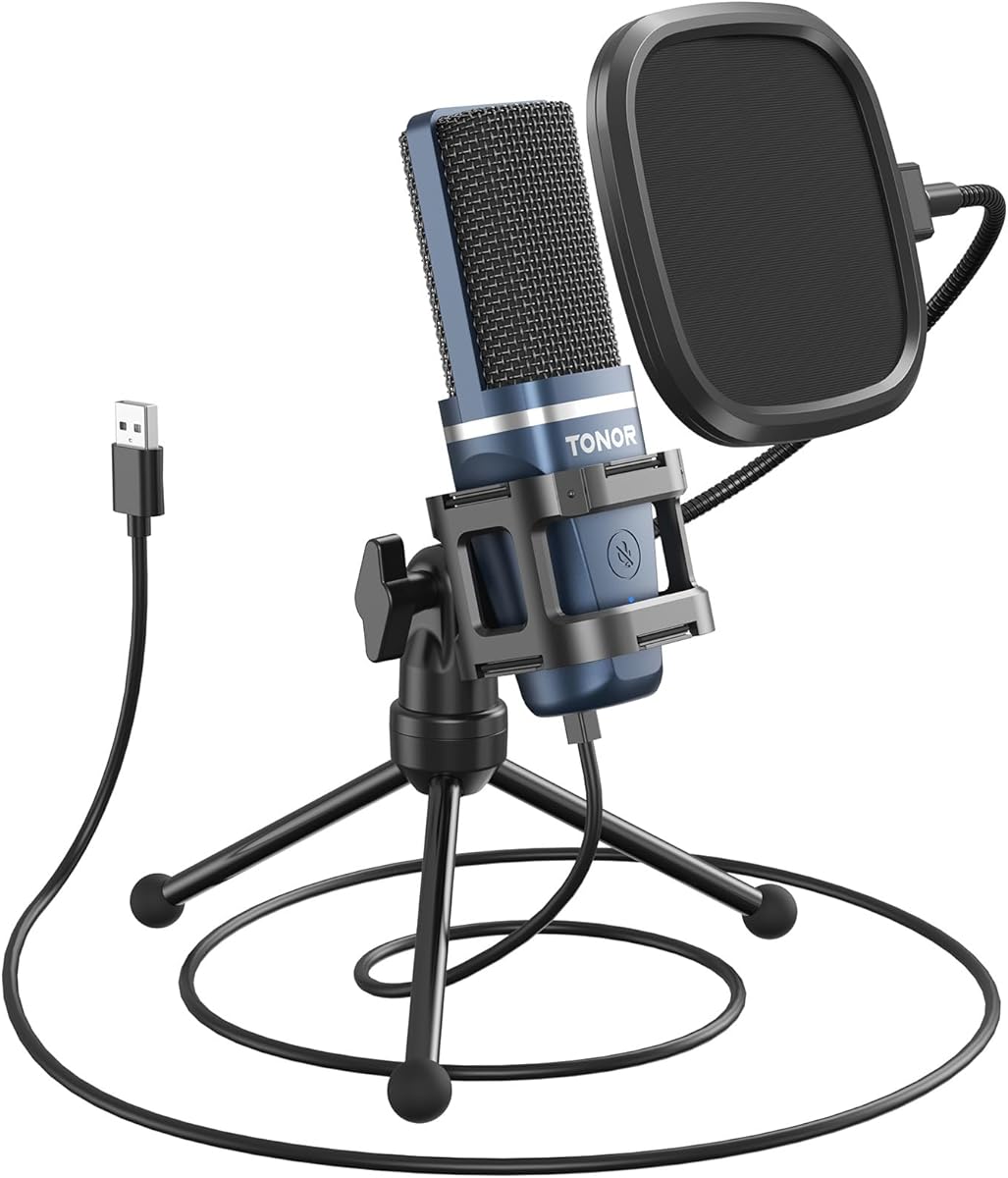
TONOR Podcast Microphone
4.3Editor score
Cardioid pickup pattern for clear voice
Plug and play with no drivers
Includes shock mount and pop filter
Finding a cheap podcast microphone does not mean sacrificing audio quality. Many creators start with limited budgets but still need professional sound. This guide highlights affordable mics that deliver clear vocals and reliable performance for beginners and intermediates alike.
We compared ten real products based on sound clarity, build quality, connectivity, and user feedback. Each entry offers unique features like noise cancellation, RGB lighting, or plug-and-play ease. Our goal is to help you find the best value without overspending on unnecessary extras.
Each pick shows a specific strength such as budget friendliness, durability, or advanced controls. Prices fluctuate daily due to sales and supply changes. Always check the current listing before purchasing to ensure you get the best deal available at this time.
4.3Editor score

4.4Editor score

4.6Editor score
As an Amazon Associate we earn from qualifying purchases.
This side-by-side comparison lists all ten microphones with their key specifications and links. Use this table to quickly identify which mic fits your specific recording needs, budget, and setup requirements.




The ZealSound Podcast Microphone offers exceptional value for creators seeking professional quality without a high price tag. Rated highly by users, it delivers clear audio with built-in noise reduction and real-time monitoring features that are rare at this price point.
We may earn a commission when you buy through this link, at no additional cost to you.
Its intelligent noise reduction mode effectively filters out background distractions like fans and keyboard clicks. The dedicated knobs for gain, volume, and echo allow you to fine-tune your sound instantly without needing software adjustments. This level of control is typically found in more expensive models.
While the mute button is small and the base is heavy, these are minor trade-offs given the audio performance. The lack of a boom arm means it sits on your desk, which may limit positioning options for some setups. However, the included accessories cover most basic needs.
Buy this if you need a versatile mic for podcasting or streaming that offers advanced controls out of the box. It is ideal for users who want physical knobs to adjust their audio on the fly. The zero latency monitoring ensures you hear exactly what you record.
The built-in noise reduction button allows you to switch modes instantly for cleaner audio in noisy environments.
Adjust the echo knob to add depth to your voice or keep it dry for professional podcasting.
We may earn a commission when you buy through this link, at no additional cost to you.
The Amazon Basics Condenser Microphone is designed for those who want a straightforward recording solution without complex settings. It delivers clear vocals for basic streaming or recording needs. The cardioid pickup pattern helps isolate your voice from background noise.
We may earn a commission when you buy through this link, at no additional cost to you.
With a one-tap mute button and a stable 360-degree stand, this mic is user-friendly and practical. The shock absorber reduces vibrations from your desk. It connects via USB with no drivers needed. This simplicity makes it great for beginners or casual users.
The main limitation is the lack of advanced controls like gain knobs or monitoring. It relies on system settings for volume adjustments. The sound is decent but lacks the richness of higher-end models. It is a functional tool rather than a creative powerhouse.
Choose this if you need a reliable mic for basic Zoom calls or simple podcasting. It works well when you want a device that just works without fiddling with settings. The price makes it an easy recommendation for entry-level users.
The plug-and-play design means you can start recording immediately after connecting the USB cable to your PC.
The built-in shock absorber and silicone boot help prevent desk vibrations from affecting your recordings.
We may earn a commission when you buy through this link, at no additional cost to you.
The TONOR Podcast Microphone stands out for its complete bundle including shock mount and pop filter. This makes it a great starting point for new creators who need all the essentials. The sound quality is solid for the price range.
We may earn a commission when you buy through this link, at no additional cost to you.
It features a cardioid pickup pattern that focuses on your voice while minimizing background noise. The included shock mount reduces vibration noise from typing. You get a pop filter to reduce harsh plosive sounds. Everything you need is in the box.
While the build is mostly plastic, it holds up well for casual use. The audio quality is decent but may lack detail for professional studio work. The gain adjustment is handled externally or via software. It is perfect for learning the basics of recording.
Select this mic if you want a full kit without buying extra accessories separately. It is excellent for first-time podcasters or streamers on a tight budget. The included items save you money and simplify your initial setup process.
The package includes a shock mount and pop filter which helps improve audio quality without extra cost.
The cardioid pattern captures sound from the front while rejecting noise from the sides and rear.
We may earn a commission when you buy through this link, at no additional cost to you.
The FIFINE K669B is praised for its solid metal construction and practical volume knob. It delivers crisp audio for meetings and recordings. The cardioid pattern ensures your voice is the focus. It is a reliable choice for daily professional use.
We may earn a commission when you buy through this link, at no additional cost to you.
The on-board volume knob allows you to adjust mic levels instantly without going into settings. The sturdy build withstands regular handling well. It captures clear and smooth sound. This model is well suited for voiceovers and calls where clarity matters.
However, it lacks a headphone monitoring jack which makes real-time audio checks difficult. The cable is included but not exceptionally long. You might need an extension for larger desks. Despite this, the audio performance remains strong and consistent.
Buy this if you need a durable mic for professional meetings or voiceovers. The metal body and volume control offer convenience and longevity. It is a practical tool for users who value build quality and simple controls.
The dedicated volume knob on the mic body allows for quick adjustments during recording sessions.
Solid metal construction ensures the mic remains stable and durable over long periods of use.
We may earn a commission when you buy through this link, at no additional cost to you.
The FIFINE AmpliGame AM8 offers versatility with both USB and XLR connections. This allows for growth as your setup improves. The dynamic capsule handles loud sounds well. It is a powerful choice for streamers and gamers.
We may earn a commission when you buy through this link, at no additional cost to you.
RGB lighting adds a visual touch to your setup. The tap mute is handy for quick silences. A gain knob helps tailor your output levels. The design supports desk use or mounting on stands. It bridges the gap between simple USB mics and pro gear.
XLR functionality requires a separate cable and interface which adds to the cost. The dynamic mic needs to be close to your mouth for best results. While the price is higher, the flexibility justifies it for serious creators.
Choose this if you want a mic that can grow with your equipment. It suits those who might upgrade to an audio interface later. The combination of USB ease and XLR potential makes it a smart long-term investment.
Switch between USB for simplicity and XLR for advanced audio interfaces without changing microphones.
The dynamic capsule reduces background noise and handles high volume levels without distortion.
We may earn a commission when you buy through this link, at no additional cost to you.
The Logitech Blue Yeti remains a top standard in USB microphones. Its three-capsule array delivers broadcast quality sound for podcasts and music. The four pickup patterns offer unmatched flexibility for different recording scenarios.
We may earn a commission when you buy through this link, at no additional cost to you.
You can switch between cardioid, omnidirectional, bidirectional, and stereo modes. The Blue VOICE software adds professional effects to enhance your voice. Onboard controls let you adjust gain and mute easily. It is a trusted tool for many professional content creators.
The mic is quite large and heavy which might require a stable surface. It is also pricier than budget options. However, the audio fidelity and features are worth the cost. It handles complex recordings better than most entry-level mics.
Invest in this if you need high-quality audio for professional projects. It is perfect for podcasts requiring multiple people or studio recording. The reliability and sound quality make it a worthy upgrade from basic models.
Four pickup patterns allow you to record solo, groups, or instruments with one microphone.
Blue VOICE software provides real-time vocal effects to ensure a polished broadcast sound.
We may earn a commission when you buy through this link, at no additional cost to you.
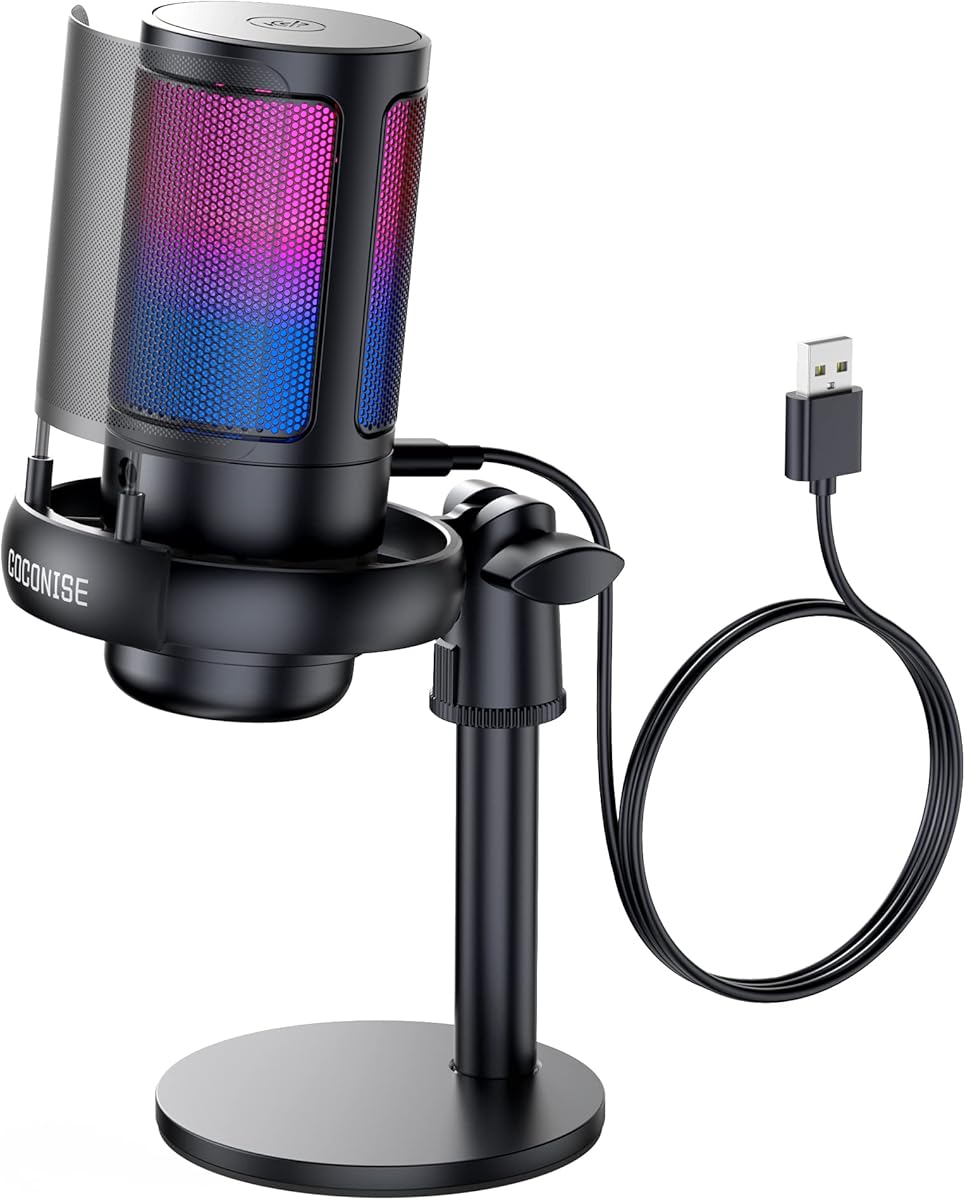
The COCONISE Gaming Microphone focuses on visual appeal with gradient RGB lighting. It suits gaming setups where aesthetics matter. The sampling rate is high, capturing detailed audio. The touch mute feature is convenient during gameplay.
We may earn a commission when you buy through this link, at no additional cost to you.
When muted the lights turn off so you know your status instantly. The weighted base keeps the mic stable during intense sessions. The included metal pop filter reduces plosive sounds. It balances function with gaming style effectively.
The lights may be distracting for pure podcasting. The build is lighter than metal competitors but holds up. The sampling rate is high but actual sound depends on placement. It is a fun choice for gamers.
Buy this if you want a mic that matches your gaming rig. It offers good sound with a visual flair. The mute indicator prevents accidental broadcasting. It is a great gift for streamers who value style.
The RGB lights turn off when muted providing clear visual status of the mic.
With a 192kHz sampling rate this mic captures detailed audio for professional sounding streams.
We may earn a commission when you buy through this link, at no additional cost to you.
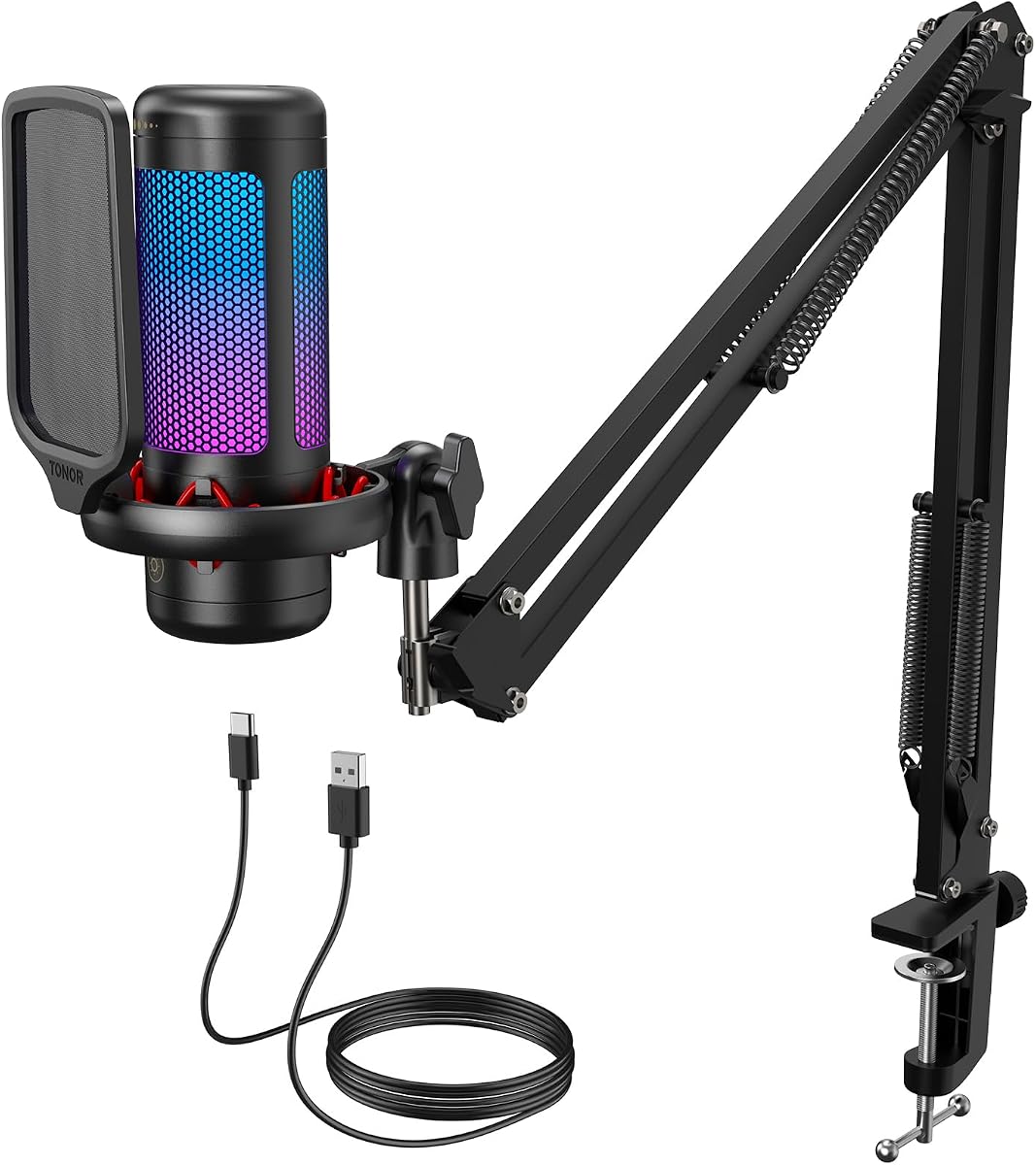
The TONOR TC310+ comes with a metal boom arm making it a complete setup. This saves you from buying a separate stand. The sound quality is clear and detailed. It includes RGB lights and gain control for customization.
We may earn a commission when you buy through this link, at no additional cost to you.
The boom arm allows you to position the mic exactly where needed. It frees up desk space compared to tabletop stands. The gain knob helps balance volume. RGB modes let you match your gaming setup. It is designed for streamers.
Installation might require some effort to secure the clamp. It needs a desk thick enough to hold the arm. The mic is good but requires proper positioning for best results. The bundle value is high.
Choose this if you want a full setup ready to go. It is ideal for streamers needing a clean desk look. The included arm is sturdy and adjustable. It offers great value for the included accessories.
The boom arm allows you to move the mic away from your keyboard for better clarity.
Gain control and RGB settings allow you to tailor the mic to your specific setup.
We may earn a commission when you buy through this link, at no additional cost to you.
The MAONO A04 offers high resolution recording with 192kHz sampling. This ensures smooth and detailed audio reproduction. It comes with a scissor arm and shock mount. The setup is robust for serious home recording.
We may earn a commission when you buy through this link, at no additional cost to you.
The 16mm diaphragm provides a strong bass response. The shock mount holds the mic steady to reduce noise. The anti-interference ferrite ring on the cable reduces signal noise. It supports Windows Mac and gaming consoles well.
The scissor arm might make squeaking noises if not tightened properly. It requires some time to set up compared to simple desktop mics. The sound quality is professional grade. It is a great choice for podcasters.
Buy this if you want a full studio setup at a budget. The high resolution specs ensure your recordings sound crisp. It is perfect for voiceovers and detailed podcasts. The included arm saves money and adds flexibility.
192kHz 24bit sampling captures rich audio details that are lost in lower quality mics.
The kit includes a scissor arm and shock mount for professional positioning and stability.
We may earn a commission when you buy through this link, at no additional cost to you.
The FIFINE AmpliGame A6V earned an iF Design Award for its build and function. It offers high SNR to reduce background noise. The gradient RGB adds a nice touch. It is easy to use with a physical gain knob.
We may earn a commission when you buy through this link, at no additional cost to you.
The quick mute button is responsive and turns off RGB to show status. The shock mount absorbs vibration from keyboard tapping. The pop filter reduces plosives effectively. It comes with a tripod stand for easy placement.
The RGB lighting is fixed and not customizable by color. The stand is basic compared to a boom arm. However the audio quality is strong. It is a well-rounded option for streamers. The design is sleek and durable.
Select this if you want a reliable mic with good aesthetics. The high SNR ensures clear voice capture in noisy rooms. It is suitable for gaming and podcasts. The included accessories help you start recording quickly.
With 70dB SNR this mic minimizes background noise interference during streams.
The iF Design Award highlights its functional and aesthetic excellence in user interface design.
We may earn a commission when you buy through this link, at no additional cost to you.
Choosing the right cheap podcast microphone involves more than just the price tag. You need to consider sound quality, connectivity, and features that match your workflow. This guide breaks down the key factors to help you decide.
There are two main types of microphones: condenser and dynamic. Condenser microphones are more sensitive and capture detailed audio. This makes them ideal for controlled environments like home studios. They are common in cheap podcast microphones because of their clarity.
Dynamic microphones are less sensitive but handle loud sounds well. They are more durable and reject background noise better. If you record in a noisy room a dynamic mic might be better. For quiet spaces a condenser will give you richer vocals.
The pickup pattern determines where the mic hears sound. Most cheap podcast microphones use a cardioid pattern. This means it captures sound from the front and rejects noise from the sides. It is perfect for solo podcasting or streaming.
Some models offer multiple patterns like omnidirectional or bidirectional. This allows recording multiple voices or group discussions. If you plan on interviews later check if the mic supports these patterns. It adds flexibility for future content changes.
USB microphones are the most common for cheap podcast microphone choices. They plug directly into your computer without extra hardware. This makes setup quick and easy for beginners. Look for USB 3.0 support for better data transfer.
Some higher budget options support XLR connections. This allows you to use audio interfaces for more control. If you think you might upgrade later consider a mic that supports both. It gives you room to grow without buying a new mic.
Build quality affects the longevity of your microphone. Metal construction is more durable than plastic. Look for a solid base that prevents tipping. A stable mic ensures consistent positioning for better audio.
Check the included stand and shock mount. A good shock mount reduces desk vibrations. If the base is light it might move easily. Read reviews about stability to ensure it can handle your daily use.
Noise control is critical for clear recordings. Some microphones have a dedicated noise reduction button. Others rely on a strong cardioid pattern to isolate your voice. If you record in a noisy environment prioritize these features.
Also check for a mute button. A physical mute button is faster than software controls. It prevents accidental transmissions during live streams. Look for a visual indicator like an LED light to confirm mute status.
Cheap podcast microphones often come in kits. These kits may include a pop filter shock mount or boom arm. These accessories save you money on separate purchases. A pop filter reduces harsh 'p' sounds in your voice.
Ensure the cable length is sufficient for your desk. A short cable might limit your placement options. Some models include USB-C adapters for modern devices. These add-ons improve convenience and compatibility.
Frequency response determines the range of sounds the mic captures. A wide range from 20Hz to 20kHz is standard for voice. This ensures your vocals sound natural. Check if the mic emphasizes bass for warmth.
Higher sampling rates like 192kHz capture more detail. This is important for music or high fidelity recording. For speech 44kHz to 48kHz is usually enough. Higher rates are better if you edit audio later.
Ensure the mic works with your recording software. Most support Windows and Mac. Check if specific software like Blue VOICE is included. These tools help enhance your sound without expensive plugins.
Compatibility with streaming apps is also key. The mic should work with OBS or Discord easily. Drivers should not be required for basic use. Plug and play is a major convenience factor for daily use.
Position the microphone correctly for the best sound. Speak directly into the front of the mic about 6 inches away. If it is a top addressed model aim the top toward your mouth. This reduces noise from your keyboard.
Use the physical controls to manage your audio. Adjust the gain knob to prevent distortion. If the mic has a mute button use it during breaks. This stops background noise from recording when you are not speaking.
Maintain your mic to ensure longevity. Keep it dry and free of dust. Use a pop filter to protect the capsule from saliva. Clean the exterior with a soft cloth. Store it in a safe place when not in use.
Yes, many cheap podcast microphones offer sound quality suitable for professional work. They often feature cardioid patterns and clear audio. If you record in a quiet space the results are excellent.
Most USB microphones do not need an audio interface. They plug directly into your computer. Some models support XLR but that is optional. USB is simpler for beginners.
Use the mic in a quiet room to reduce noise. Enable any built-in noise cancellation if available. Use a pop filter to reduce mouth noise. Adjust your gain settings to avoid picking up room noise.
Many microphones support PlayStation 5 via USB. Check the product specs to ensure compatibility. Most plug-and-play mics work without drivers. It is a great way to improve game chat audio.
Condenser mics are more sensitive and capture detail. Dynamic mics are sturdier and reject noise. For home recording condenser is often better. For noisy rooms dynamic is better.
Use a soft dry cloth to wipe the exterior. Do not use water directly on the grille. Remove the pop filter to clean it separately. Avoid touching the internal capsule.
We have reviewed ten excellent cheap podcast microphone options for 2026. Each one offers unique features to suit different needs and budgets. Whether you want simplicity or advanced controls there is a pick for you.
Prioritize audio clarity and build quality when choosing. Look for features like mute buttons and monitoring jacks. The right mic will help you produce better content. Start with your budget and specific use case.
Prices change frequently so check the current listing before buying. Ensure the features match your setup needs. With the right microphone you can create professional sounding audio. Happy recording and streaming.