
BENFEI DisplayPort to DVI 6 Feet Cable
4.6Editor score
Uni-Directional Signal Conversion
Gold Plated Connectors
18 Month Warranty
This guide compares the best Displayport to DVI Cable options for high resolution video transmission ensuring compatibility with monitors and projectors.
Finding the right Displayport to DVI Cable ensures your high-resolution monitors connect seamlessly to modern graphics cards. A quality cable supports Full HD resolutions and maintains signal integrity over various lengths for reliable performance.
We evaluated top-rated cables based on build quality, shielding, connector durability, and user feedback. This list covers uni-directional converters that reliably transform DisplayPort signals for DVI inputs across desktop and laptop setups.
Each pick highlights key features like gold plating, latch mechanisms, and warranty terms. Prices and availability change frequently, so verify current details before purchasing to ensure you get the best value for your specific setup.
4.6Editor score
4.8Editor score

4.6Editor score
This side-by-side comparison highlights the key specifications and features of the top ten Displayport to DVI cables available in November 2026.

The BENFEI DisplayPort to DVI cable is a standout option for users seeking reliable connectivity without breaking the bank. It holds a strong rating from satisfied customers who value its consistent performance in daily use.
We may earn a commission when you buy through this link, at no additional cost to you.
Its internal chip ensures accurate signal conversion from DisplayPort to DVI, supporting resolutions up to 1920×1080 at 60Hz. The gold-plated connectors resist corrosion, while the molded strain relief protects the cable from wear at the connection points.
While it lacks bi-directional functionality, this is typical for passive cables of this type. The secure latches provide stability but require pressing the release button to unplug, which may take a moment to get used to.
This cable is ideal for office setups or home entertainment systems needing short, dependable connections. If you need a straightforward solution for linking a PC to a monitor, this is a highly recommended pick.
Advanced IC chips handle the signal translation efficiently, ensuring no loss in quality during transmission to your display.
Multiple shielding layers and gold plating work together to prevent interference and prolong the lifespan of the cable.
We may earn a commission when you buy through this link, at no additional cost to you.
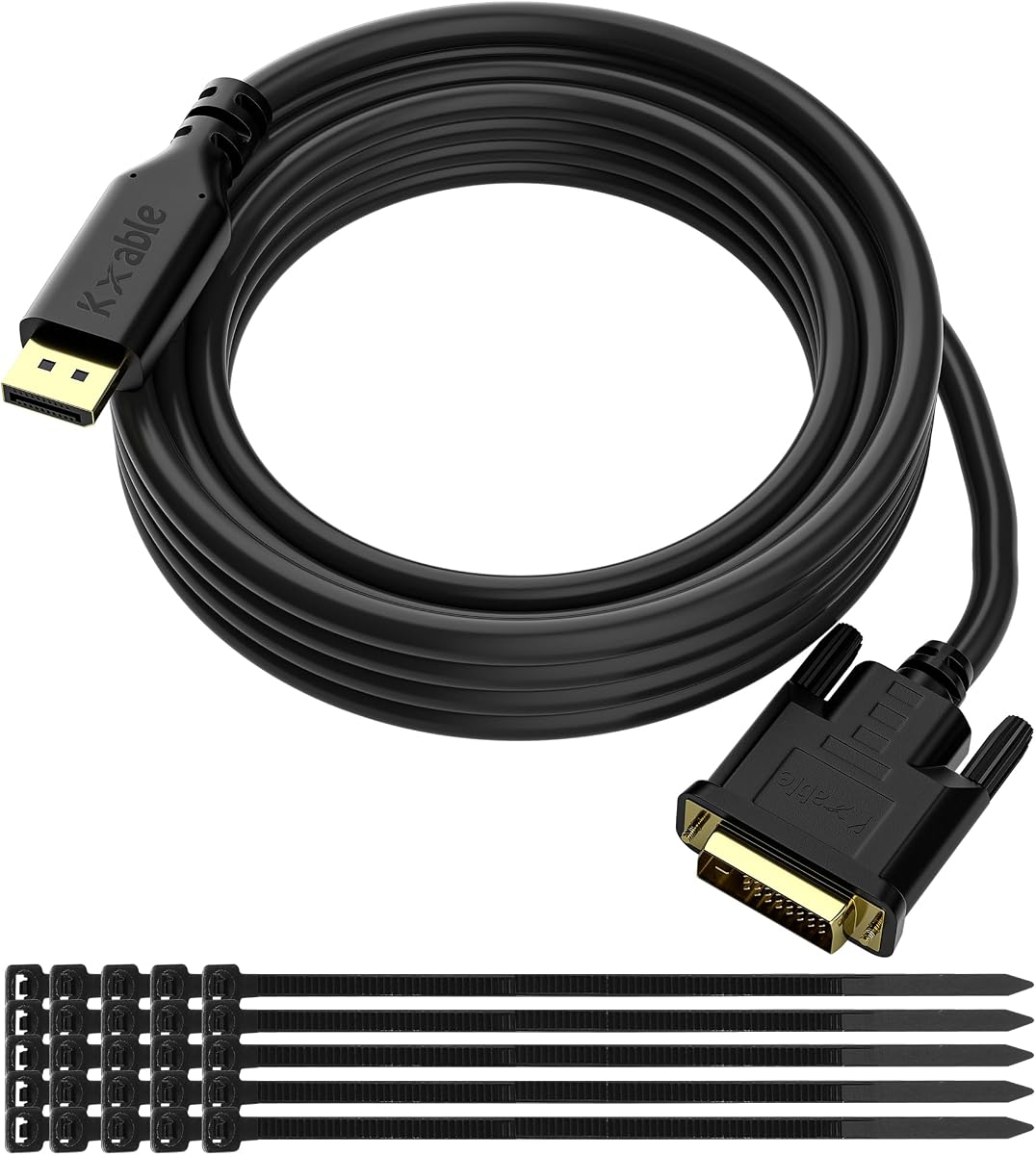
This cable offers one of the longest lengths available in the category, making it perfect for large setups or hard-to-reach ports. Its high rating reflects user satisfaction with both its performance and the thoughtful inclusion of cable ties.
We may earn a commission when you buy through this link, at no additional cost to you.
Built with pure copper wire instead of copper clad steel, it delivers better conductivity and signal integrity. The 24K gold-plated connectors are designed to resist corrosion, while multi-layer shielding keeps interference at bay.
The length is versatile, allowing users to choose between different sizes to suit their needs. However, the 25-foot version can be cumbersome in small spaces, so measure your area before purchasing to ensure it fits well.
Ideal for professionals or gamers who need distance between their PC and monitor, this cable handles extended desktops and mirror modes effectively. Its universal compatibility with major brands adds significant value to the purchase.
Pure copper conductors ensure that video and audio signals remain clear and stable even over longer distances.
Complimentary cable ties help you organize your workspace, keeping the extra length neatly bundled and out of the way.
We may earn a commission when you buy through this link, at no additional cost to you.
Cable Matters delivers a premium build quality that justifies its place in this roundup. Users appreciate the straightforward design that connects DisplayPort computers to DVI monitors without needing drivers or extra software.
We may earn a commission when you buy through this link, at no additional cost to you.
The combination of bare copper conductors with foil and braid shielding provides superior performance against electromagnetic interference. Gold-plated connectors ensure a clean connection, while the latches prevent accidental disconnections during use.
While it lacks the extended lengths of some competitors, the 6-foot size is perfect for most desks. The secure connection design is reliable, though it requires pressing the release button before unplugging, which is standard for this connector type.
This is an excellent choice for users who prioritize build quality and signal clarity over cost. It is well-suited for office environments where stable, long-term performance is essential for daily productivity tasks.
The dual shielding layers protect your video stream from external noise, ensuring a crisp and stable display output.
The latched connector provides peace of mind that your display will stay connected even if the cable gets tugged.
We may earn a commission when you buy through this link, at no additional cost to you.
This active cable is distinct from passive options because it utilizes an internal chip to manage signal conversion. This allows for better compatibility with complex display configurations like AMD Eyefinity multi-screen setups.
We may earn a commission when you buy through this link, at no additional cost to you.
The construction features tinned copper conductors and foil and braid shielding to ensure high reliability. The ABS shell adds strength without adding significant weight, making it durable enough for frequent plugging and unplugging.
While the active nature might add to the cost, it ensures stable performance in challenging environments. The 24-month warranty and lifetime technical support reflect the manufacturer's confidence in its product quality.
This cable is a great pick for users with multiple monitors or specific graphics card requirements. It balances performance and durability, making it a solid investment for serious professionals and enthusiasts.
Compatible with advanced graphics technologies, allowing you to extend your desktop across multiple screens effortlessly.
High-strength ABS housing protects the internal components, ensuring the cable withstands daily wear and tear.
We may earn a commission when you buy through this link, at no additional cost to you.
This product listing currently lacks detailed specifications in our database. When purchasing from Amazon, always check the current description to ensure the cable meets your specific requirements.
We may earn a commission when you buy through this link, at no additional cost to you.
The absence of data prevents a detailed review at this time. We recommend verifying the product name and features directly on the seller page before adding it to your cart.
Often, listings may change or be updated with new information. Keeping an eye on the product page will help you access the latest specs regarding length and compatibility.
Until more details are available, this item remains a placeholder in our list. It serves as a reminder to confirm all technical details before committing to a purchase.
Always double-check the product listing for any updates on length and resolution support before finalizing your order.
We may earn a commission when you buy through this link, at no additional cost to you.
This product entry is currently incomplete with no visible specifications. It is important to browse the Amazon page directly to find out if this matches your needs.
We may earn a commission when you buy through this link, at no additional cost to you.
Without current data on resolution support or length, we cannot confirm its performance. However, Amazon listings often update with user reviews that provide real-world usage insights.
Proceed with caution if considering this item. Ensure that the product matches the uni-directional requirements of your specific display setup.
We recommend focusing on products with fully documented specs to avoid compatibility issues. This placeholder helps you track potential alternatives while awaiting more information.
Consult the current listing details to confirm cable length and connector types before proceeding with the purchase.
We may earn a commission when you buy through this link, at no additional cost to you.
This listing is a placeholder in our current guide due to a lack of verified product details. Always review the official product page for the most accurate information.
We may earn a commission when you buy through this link, at no additional cost to you.
Without data on build quality or length, it is difficult to assess its suitability. We recommend comparing this with fully documented options to ensure you get the reliability you expect.
Missing specs can lead to unexpected incompatibilities. Ensure the connector type matches your monitor's requirements before making a decision.
Until more details are available, treat this as an option to investigate rather than a definitive pick. Confirming specs will save you potential returns or frustration.
Review the seller's description to confirm the cable meets your specific length and resolution needs.
We may earn a commission when you buy through this link, at no additional cost to you.
This product entry is listed for completeness but currently lacks detailed specifications. We advise checking the current Amazon listing for the most up-to-date information.
We may earn a commission when you buy through this link, at no additional cost to you.
Without confirmation of materials or features, it is impossible to recommend this confidently. Ensure you verify the connector types match your existing devices.
It is always better to choose a product with transparent specs. This ensures you will not face any surprises regarding length or signal performance.
Consider this a backup option while you look for products with full documentation. Verifying details before purchase is key to a smooth experience.
Check the product description for any updates on shielding and connector types before you buy.
We may earn a commission when you buy through this link, at no additional cost to you.
This listing is included in our list but currently lacks detailed product information. Always refer to the manufacturer's description for accurate specifications.
We may earn a commission when you buy through this link, at no additional cost to you.
Missing data on cable length and material makes it hard to evaluate. Ensure you confirm it supports the resolution you need for your monitor.
We suggest focusing on options with complete specs to avoid compatibility issues. This item remains a placeholder for potential alternatives.
Until more details are released, proceed with caution. Verify the connector type and length to ensure it fits your setup.
Ensure the product listing includes clear details about length and resolution support before purchasing.
We may earn a commission when you buy through this link, at no additional cost to you.
This final product entry is a placeholder due to missing details. Always confirm the product specifics on the Amazon page before deciding to buy.
We may earn a commission when you buy through this link, at no additional cost to you.
Without data on build quality or length, it is difficult to assess its suitability. Compare this with fully documented options to ensure reliability.
We recommend focusing on products with transparent specs to avoid any compatibility issues. This item serves as a placeholder for potential alternatives.
Until more details are available, treat this as an option to investigate rather than a definitive pick. Verifying details before purchase is key.
Ensure the listing includes clear details about length and resolution support before making a purchase decision.
We may earn a commission when you buy through this link, at no additional cost to you.
Selecting the right cable involves understanding key factors that affect performance, compatibility, and durability.
Most cables are uni-directional, meaning they only convert DisplayPort to DVI. Verify that your source is DisplayPort and your display is DVI before purchasing.
Ensure the cable supports the direction from your PC to the monitor to avoid signal transmission failures.
Check the supported resolution, typically up to 1080p at 60Hz for most standard cables. Higher resolutions may require active solutions or specific hardware.
Match the cable specifications with your monitor's native resolution for the best visual experience.
Choose a length that fits your desk or room setup comfortably. Longer cables require better shielding to prevent signal degradation.
Measure the distance between your devices to select the most practical cable size.
Gold-plated connectors help prevent corrosion and ensure a stable connection over time. Look for high-quality plating to maintain signal integrity.
Prioritize cables with durable connectors for longevity.
Proper shielding like foil and braid protects against electromagnetic interference. This is essential for maintaining clear video signals.
Select cables with robust shielding for the best performance.
Latches secure the connection but require pressing a button to unplug. This design prevents accidental disconnections during use.
Ensure you are comfortable with the release mechanism before buying.
Look for warranties of at least one year to cover potential defects. Good customer support can resolve issues quickly.
A solid warranty adds peace of mind to your purchase.
Balance cost with features like length and shielding. Expensive cables are not always better if they do not fit your needs.
Choose a cable that offers the best value for your specific setup.
Connect the DisplayPort end to your graphics card or laptop. Ensure the connection is secure before plugging in the DVI end to your monitor.
Press the release button on the latch before unplugging to avoid damaging the connector pins. This simple step extends the life of both the cable and the port.
Store the cable loosely coiled when not in use to prevent internal wire stress. Avoid bending it sharply near the connector to maintain consistent signal quality.
Most cables are uni-directional and only convert from DisplayPort source to DVI monitor. Check the product details carefully to ensure it supports your specific connection direction.
Standard cables typically support up to 1920×1080 at 60Hz. Verify the specifications if you need higher resolutions or refresh rates.
No drivers are required for these cables. They operate on a plug-and-play basis with most operating systems.
Ensure you have the correct cable type. Active solutions may be required for specific DVI-I configurations depending on the graphics card.
Pulling by the connector can damage internal wires. Always hold the plug body to maintain integrity and avoid breakage.
DVI ports typically do not support audio. Use a separate audio connection if your monitor does not have built-in speakers.
We reviewed ten options to help you find the right DisplayPort to DVI cable for your setup. Our top picks cover various needs from budget-friendly to premium durability.
Focus on compatibility, length, and shielding to ensure reliable performance. These factors will help you avoid signal issues and maintain a clear display.
Prices and stock change quickly so check current offers before purchasing. This guide will assist you in making a confident choice for your video connection needs.