
Epson Workforce Pro WF-7310
3.8Editor score
Fast heat-free tech
Large paper trays
Reliable for work
This guide compares the top A3 printers for quality and speed to help you choose the right wide-format inkjet for office or creative needs.
Finding the right A3 printer can transform your workflow by enabling professional wide-format prints without leaving your desk. These machines handle everything from architectural blueprints to vibrant marketing materials with ease.
We evaluated each model based on print quality, speed, connectivity options, and total cost of ownership. Our analysis focuses on real-world performance metrics and user feedback to ensure reliable recommendations.
Each pick highlights specific strengths like cost efficiency or photo fidelity. Keep in mind that pricing fluctuates regularly, so verify current deals before making your final purchasing decision for your workspace.
3.8Editor score

4.0Editor score

3.9Editor score
This side-by-side comparison highlights key specifications across all ten models to help you quickly identify the best fit for your specific printing requirements.



The Epson EcoTank Photo ET-8550 stands out as a top choice for users needing professional photo and graphic output in a wide format. It receives high marks for its ability to produce stunning visual results without the recurring cost of traditional cartridges.
We may earn a commission when you buy through this link, at no additional cost to you.
Its six-color Claria ET Premium ink system ensures vibrant hues and sharp details across all projects. The included ink bottles provide enough supply for thousands of pages, making it an economical choice for high-volume creators over time.
While the upfront investment is significant, the long-term savings on consumables quickly offset the initial cost for frequent users. The printer handles various media types well, though its size requires dedicated desk or office space.
This model is ideal for photographers and designers who demand lab-quality prints directly from their workspace. It balances performance with efficiency effectively for those prioritizing output quality and operational savings.
The bottle refill method drastically reduces cost per page compared to standard cartridges.
Six distinct ink channels allow for deeper color depth and smoother gradients.
We may earn a commission when you buy through this link, at no additional cost to you.
The Epson Workforce Pro WF-7820 is engineered for offices that need to print large documents quickly and efficiently. It delivers fast speeds and supports heavy workloads without frequent interruptions or maintenance requirements.
We may earn a commission when you buy through this link, at no additional cost to you.
Its PrecisionCore Heat-Free technology reduces energy consumption while maintaining rapid output times for business tasks. The device includes a 50-sheet automatic document feeder which simplifies copying and scanning of multi-page files.
Users must adhere to using genuine Epson cartridges to avoid potential warranty issues or damage. While this ensures quality, it limits flexibility compared to third-party ink options available for some other brands.
This printer is best suited for professional environments where reliability and speed take precedence over cost savings on ink. It provides a complete solution for printing, scanning, copying, and faxing large formats.
Heat-free operation allows for quick warmup and consistent speed during busy periods.
Combines printing scanning copying and faxing into one efficient wide-format unit.
We may earn a commission when you buy through this link, at no additional cost to you.
The Epson Workforce Pro WF-7310 offers an entry point into wide-format printing without sacrificing essential performance features. It delivers fast speeds and large paper capacity making it suitable for small offices or busy home setups.
We may earn a commission when you buy through this link, at no additional cost to you.
Users benefit from zero warmup time which keeps workflows moving smoothly during urgent tasks. The two 250-sheet trays allow for extended printing sessions without constant reloading of paper supplies.
While it lacks the advanced features of higher-end models the core functionality remains robust and reliable. Genuine cartridge requirements ensure consistent output quality though long-term ink costs should be considered.
This model represents a practical choice for those needing A3 capabilities at a reasonable price point. It balances cost and performance well for standard business document and graphic printing needs.
Starts printing immediately after sending a job for better workflow efficiency.
Two standard trays reduce refill frequency during high-volume printing sessions.
We may earn a commission when you buy through this link, at no additional cost to you.
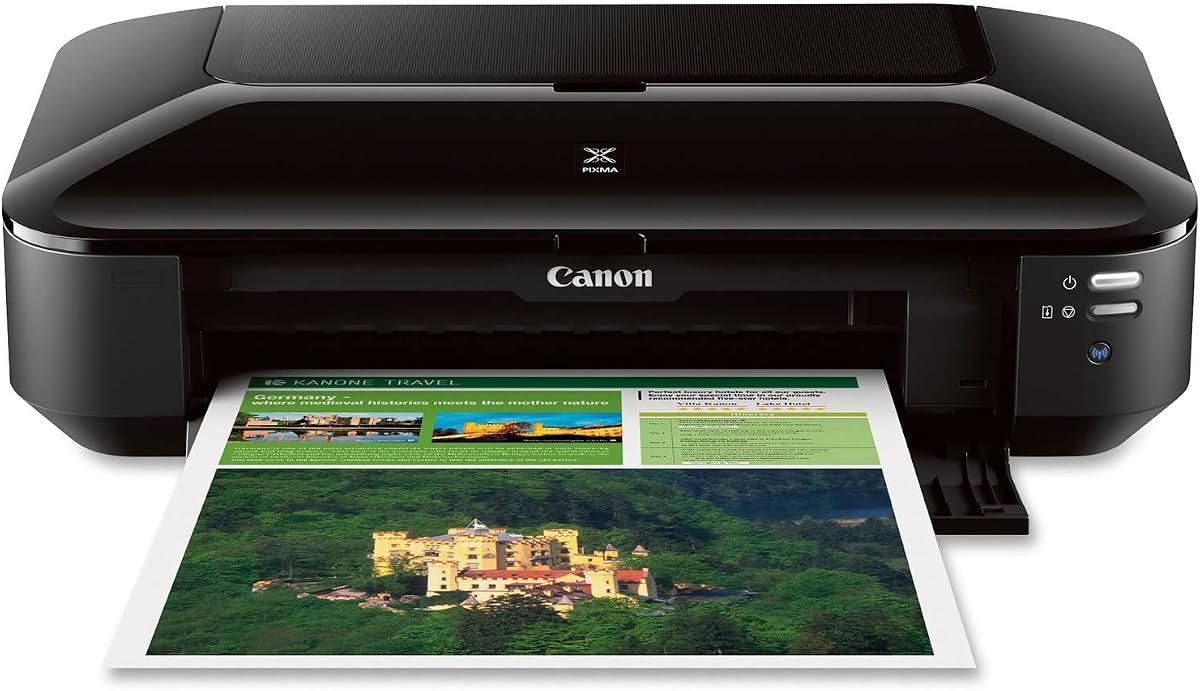
The Canon Pixma iX6820 is recognized for its ease of use with mobile devices and cloud services. It delivers sharp text and graphics suitable for business documents and general creative projects alike.
We may earn a commission when you buy through this link, at no additional cost to you.
Users can send print jobs directly from smartphones using AirPrint and Google Cloud Print integration. The five individual ink system allows for efficient replacements and vibrant color reproduction on various media.
Its compact footprint makes it easier to fit on smaller desks compared to bulkier models. However the paper handling is less robust than larger office units which may limit heavy usage.
This printer is a solid option for users prioritizing mobile convenience and high resolution output. It offers reliable performance for everyday tasks without requiring complex setup procedures.
Seamless integration with iOS and Android devices for effortless remote printing.
Fine print head technology ensures crisp details on all printed materials.
We may earn a commission when you buy through this link, at no additional cost to you.
The Epson EcoTank ET-15000 focuses on delivering maximum value through its high capacity ink system. It is designed for environments where reducing consumable costs is a primary concern without needing quality.
We may earn a commission when you buy through this link, at no additional cost to you.
Users can print thousands of pages before needing refills which significantly lowers the cost per page over time. The machine includes fax capabilities alongside standard print scan and copy functions for a complete office tool.
While the unit is substantial in size it offers great reliability for sustained workloads. Connectivity includes Wi-Fi and Ethernet options to support various network configurations in modern offices.
This model is ideal for businesses seeking long-term savings on ink purchases. Its balance of capacity and functionality makes it a practical choice for frequent wide-format printing needs.
Refillable tanks eliminate the need for frequent cartridge replacements entirely.
Eliminates need for separate fax machine in small office setups.
We may earn a commission when you buy through this link, at no additional cost to you.
The Epson Workforce Pro WF-7840 is built to handle demanding office environments with consistent performance. Its large paper capacity and fast speeds make it suitable for teams requiring regular wide-format document output.
We may earn a commission when you buy through this link, at no additional cost to you.
The DURABrite Ultra ink ensures prints dry quickly and resist smudging which is crucial for handling documents immediately after printing. Users can also rely on various cloud services for remote printing flexibility.
While the upfront cost is higher the reliability and capacity reduce downtime and maintenance needs. It integrates well into existing networks with robust security features and wireless options available.
This model is best for offices where volume and efficiency are critical factors. It provides a stable platform for professional printing tasks without frequent interruptions or supply issues.
Instant-dry pigment inks prevent smearing and ensure professional-looking documents.
500-sheet tray supports large jobs without manual intervention.
We may earn a commission when you buy through this link, at no additional cost to you.
The HP OfficeJet Pro 9135 brings intelligent features to office printing with its AI formatting capabilities. It helps users optimize web pages and emails for print to reduce waste and improve document clarity.
We may earn a commission when you buy through this link, at no additional cost to you.
Instant Ink subscription ensures you never run out of supplies and offers savings compared to standard retail purchases. The printer includes a robust security system to protect data and network access effectively.
Users benefit from fast speeds and reliable connectivity options including dual-band Wi-Fi for stable network performance. The intuitive touchscreen interface makes navigation straightforward for all team members.
This model is excellent for businesses wanting to leverage technology for efficiency and waste reduction. It offers a modern approach to office printing with smart tools and dependable hardware.
Automatically adjusts layouts to prevent wasted pages and awkward formatting.
Automatic ink delivery helps maintain productivity without manual ordering.
We may earn a commission when you buy through this link, at no additional cost to you.
The Brother INKvestment 6960 focuses on delivering high speed and efficiency for small business environments. It offers a balance of fast print rates and large paper capacity to keep workflows moving smoothly.
We may earn a commission when you buy through this link, at no additional cost to you.
Users can scan directly to popular cloud apps from the touchscreen which simplifies digital archiving processes. The high-yield ink system provides substantial page counts reducing the frequency of supply changes.
While it supports 11×17 format rather than A4 it covers most common business document needs effectively. The design emphasizes ease of use with intuitive mobile controls and network integration options.
This model is recommended for teams needing speed and convenience in daily printing tasks. It combines performance with modern connectivity to support versatile office operations.
Engineered for speed delivering up to 31 pages per minute consistently.
Directly scans documents to services like Dropbox and Google Drive.
We may earn a commission when you buy through this link, at no additional cost to you.
The Epson Workforce WF-7710 is a trusted model known for reliable performance across various document types. It excels at borderless wide-format printing which is valuable for creative and professional outputs.
We may earn a commission when you buy through this link, at no additional cost to you.
PrecisionCore technology ensures sharp text and images while maintaining efficiency in daily operations. Users can send faxes and manage various tasks directly from the printer without needing extra peripherals.
While color speeds are moderate the quality output justifies the wait for detailed projects. The unit supports Amazon Dash replenishment to help keep supplies stocked automatically when needed.
This model is ideal for users seeking a dependable wide-format solution for mixed media. It balances print quality and versatility effectively for diverse office and creative requirements.
Delivers sharp and accurate output with consistent speed across jobs.
Creates edge-to-edge prints suitable for presentations and creative tasks.
We may earn a commission when you buy through this link, at no additional cost to you.
The HP OfficeJet Pro 9730 is designed for professionals who need accurate color reproduction in wide formats. It offers a unique P3 color gamut which provides richer hues than standard RGB profiles.
We may earn a commission when you buy through this link, at no additional cost to you.
AI tools optimize layout and formatting to reduce wasted paper and improve visual presentation of documents. The printer also includes security features to safeguard sensitive data during network operations.
Users can rely on Instant Ink delivery to maintain supplies efficiently without frequent manual checks. The large touchscreen simplifies navigation and task management for various workflows.
This model is recommended for creative professionals and businesses prioritizing color fidelity. It delivers high-quality prints that match on-screen designs closely for professional results.
P3 support offers more vivid colors for design and creative work.
Reduces waste by optimizing layouts before sending jobs to printer.
We may earn a commission when you buy through this link, at no additional cost to you.
Selecting the right wide-format printer involves balancing budget, speed, and output quality to match your specific workflow needs.
Consider how many pages you need to print daily. Faster models with high duty cycles are better for busy offices while slower units work for occasional use.
Look for ppm ratings and monthly page limits to ensure the device can handle your workload without overheating.
Tank systems offer lower costs per page but higher upfront prices. Cartridge units are cheaper initially but cost more over time for heavy printing.
Choose based on how frequently you print and your budget for consumables to optimize long-term expenses.
Wi-Fi and Ethernet allow for shared access in offices. Cloud services and mobile apps add convenience for printing from remote devices.
Ensure the printer supports your network setup and preferred devices for seamless integration.
Large trays reduce the need for manual refills during big jobs. Check the max size and tray count to see if it fits your workflow.
More capacity means less downtime for loading paper which improves efficiency in shared environments.
Higher DPI leads to sharper text and graphics. Photo enthusiasts need color-accurate models while text documents require clear black output.
Review sample prints or specs to ensure the quality meets your specific professional standards.
Wide-format printers are generally larger than standard ones. Measure your desk space to ensure it fits comfortably without clutter.
Consider weight and mobility if you need to move the device frequently between locations.
Networked devices should offer encryption and secure printing to protect data. Look for tools that prevent unauthorized access to documents.
This is crucial for businesses handling sensitive information and ensuring compliance.
User-friendly interfaces simplify setup and daily tasks. Mobile apps enable printing from phones which increases convenience for remote workers.
Check if the manufacturer offers support for your operating system and mobile devices.
Always start by loading paper correctly in the trays to prevent jams. Ensure the rollers are clean before loading new sheets for smooth feeding.
Keep the printer covered when not in use to avoid dust buildup which can affect print quality. Store ink in cool dry places to maintain longevity.
Run maintenance cycles regularly to clean nozzles and align printheads. This keeps output sharp and prevents clogs over time.
While many printers accept third-party ink manufacturers often recommend genuine cartridges to preserve warranty. Using non-genuine ink may void support if it causes mechanical issues.
Print at least once a week to keep ink flowing through the system. Running a nozzles cleaning cycle via software can clear blockages if they occur.
A3 paper is twice the size of A4 allowing for larger documents and detailed graphics. These printers are built specifically to handle wider media sizes.
Initial price, ink cost per page, and durability determine total cost. Tank systems usually save money for high volume while cartridge units suit low volume.
Most support glossy and matte photo paper for special projects. Always check the manual for specific media settings to ensure best results.
Typically 10 to 20 minutes including driver installation and Wi-Fi connection. Most models provide clear guides to simplify the process for users.
Our top picks include the Epson EcoTank Photo ET-8550 for quality and the Workforce Pro WF-7310 for budget. Each offers distinct advantages depending on your specific needs.
Prioritize ink efficiency and paper capacity if you print daily. Mobile connectivity and security are essential for modern office setups.
Prices fluctuate frequently so check current deals before buying to ensure you get the best value for your investment.