
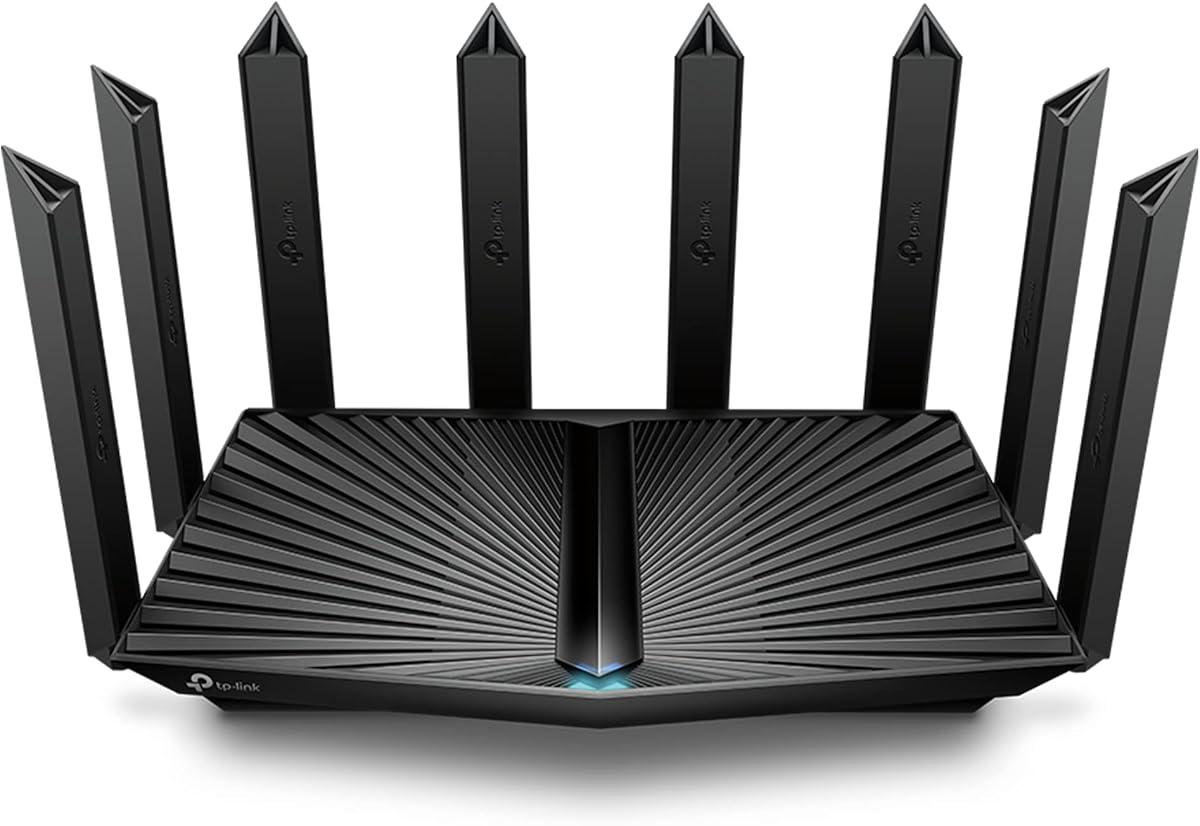
TP-Link AX5400 WiFi 6 Router
4.5Editor score
AX5400 dual band speeds
2000 sq ft coverage area
USB 3.0 media sharing
This guide compares the top 10 long range WiFi routers for 2026 helping you find the best coverage speed and reliability for your home network needs.
Finding the right long range WiFi router is essential for maintaining a strong and reliable internet connection throughout your home. Whether you live in a large house or have many connected devices, the right router ensures seamless streaming and gaming without interruption.
We have evaluated the leading models on the market based on coverage area, speed capabilities, antenna design, and user feedback. This comparison helps you understand which router offers the best value and performance for your specific household requirements and internet plan.
Each pick below highlights key features and pros and cons to help you make an informed decision quickly. Please note that pricing and availability can change so checking the latest details on the product pages is recommended before purchasing your new device.
4.5Editor score

4.3Editor score
4.2Editor score
The following table provides a side-by-side look at the top long range WiFi routers available this year. Compare their key specifications coverage areas and unique features to decide which model fits your home network needs best.






The TP-Link BE6500 stands out as a top choice for those seeking future-proof connectivity. With its advanced WiFi 7 technology and Multi-Link Operation it offers optimized performance for the latest devices like the iPhone 16 Pro and Samsung Galaxy S24 Ultra.
We may earn a commission when you buy through this link, at no additional cost to you.
Its 6-stream dual-band design delivers total bandwidth up to 6.5 Gbps enabling seamless 4K and 8K streaming as well as AR and VR gaming. The inclusion of 2.5G WAN and LAN ports ensures that your wired connections keep up with high-speed internet plans.
While it offers excellent coverage up to 2400 square feet and supports many devices simultaneously users should note it is not compatible with the Deco mesh ecosystem. This limitation may matter if you already own Deco devices but for new builds it is a powerful standalone option.
This router is ideal for tech enthusiasts and households with many connected devices needing robust security and speed. The HomeShield security and secure-by-design pledge add peace of mind making it a reliable central hub for your smart home network.
Multi-Link Operation combines frequency bands for lower latency and improved reliability across applications and devices.
Multiple 2.5G ports allow multi-gig modem integration and fast local data transfers for NAS or gaming rigs.
We may earn a commission when you buy through this link, at no additional cost to you.
The TP-Link AXE5400 leverages the 6 GHz band to provide more bandwidth and faster speeds than standard WiFi 6 routers. This makes it especially responsive for gaming and video chatting where latency matters most for a smooth experience.
We may earn a commission when you buy through this link, at no additional cost to you.
True Tri-Band design and OFDMA technology increase network capacity four times allowing many devices to transmit data simultaneously without congestion. The unique housing design helps dissipate heat ensuring long-term reliability even under heavy usage conditions.
While it lacks the newest WiFi 7 features it delivers strong performance at a competitive price point. Users must have devices supporting 6 GHz to fully benefit but existing hardware still works well with the 5 and 2.4 GHz bands.
This router is a great middle-ground for homes needing better performance than basic WiFi 6 without jumping to WiFi 7. Its EasyMesh compatibility and robust security features make it a versatile choice for expanding coverage across a large home.
This band offers less interference and higher throughput for the fastest devices in your network.
EasyMesh support lets you add compatible routers or extenders to eliminate dead zones seamlessly.
We may earn a commission when you buy through this link, at no additional cost to you.
The TP-Link AX5400 is a high-value router that delivers gigabit WiFi speeds ideal for 8K streaming and large file transfers. Its 4T4R and HE160 technologies on the 5 GHz band enable ultra-fast connections up to 4.8 Gbps.
We may earn a commission when you buy through this link, at no additional cost to you.
Coverage extends up to 2000 square feet with six high-power antennas and beamforming that concentrate signal strength toward devices. The USB 3.0 port allows easy media sharing or private cloud storage without needing a separate server.
While it lacks the latest WiFi 7 capabilities it offers solid performance and reliability at a very competitive price. The improved vented areas help reduce heat ensuring stable operation during extended usage periods for busy households.
This router is perfect for families wanting strong WiFi performance without overspending on cutting-edge tech. Its universal ISP compatibility and HomeShield security make it a practical choice for most home internet plans and setups.
High-power FEM and six antennas work together to push signals through walls and floors effectively.
USB 3.0 port connects external drives for streaming media or backup files across your network.
We may earn a commission when you buy through this link, at no additional cost to you.
The TP-Link AX6000 provides excellent throughput with up to 4804 Mbps on 5 GHz and 1148 Mbps on 2.4 GHz bands. Its 2.5G multi-gigabit port prevents bottlenecks and supports emerging multi-gig wired internet plans.
We may earn a commission when you buy through this link, at no additional cost to you.
Eight high-gain antennas with beamforming ensure vast coverage and strong connections throughout larger homes. MU-MIMO and OFDMA technology boost efficiency allowing many devices to share data streams without slowing down the network.
While it misses the 6 GHz band found in WiFi 6E routers it remains a powerful option for users with fast ISP plans. The Alexa integration and OneMesh support add convenience for smart home control and network expansion.
This router suits users wanting strong wired capabilities without moving to WiFi 7. Its VPN support and security features provide flexibility for remote access and safe browsing for family members at home or away.
The 2.5G port unlocks multi-gig internet plans ensuring your router does not limit your connection.
Alexa compatibility allows voice commands to toggle guest WiFi or check status without opening apps.
We may earn a commission when you buy through this link, at no additional cost to you.
The NETGEAR Nighthawk RS90 delivers dual-band WiFi 7 performance in a compact form factor ideal for busy homes. It offers up to 3.6 Gbps across 2.4 and 5 GHz bands which is 1.2 times faster than typical WiFi 6 routers.
We may earn a commission when you buy through this link, at no additional cost to you.
Setup is straightforward with the free Nighthawk app guiding you through network management and speed tests. The 2.5G WAN port supports multi-gig internet plans while four 1G LAN ports connect consoles TVs and storage drives reliably.
Although it supports up to 50 devices some large households might need more capacity. The included NETGEAR Armor security trial is useful but requires a subscription afterward for continued protection against online threats and malware.
This router is perfect for users wanting next-gen speeds without a bulky system. Its reliable performance and easy management make it a solid upgrade for those with gigabit or multi-gig internet service plans.
The Nighthawk app lets you manage guests devices and speed tests from anywhere with internet access.
The 2.5G WAN port ensures your router can fully utilize faster internet plans from providers.
We may earn a commission when you buy through this link, at no additional cost to you.
The NETGEAR Nighthawk Tri-Band WiFi 7 router offers blazing fast speeds up to 9.3 Gbps across 2.4 5 and 6 GHz bands. The added 6 GHz band provides a dedicated lane for your fastest devices ensuring no slowdowns from older connections.
We may earn a commission when you buy through this link, at no additional cost to you.
It supports up to 100 devices making it suitable for tech-heavy households with many smart gadgets streaming boxes and computers. Two 2.5G LAN ports allow multiple wired devices to benefit from ultra-fast data transfers and low latency.
While the price is higher than dual-band models the performance gains justify the cost for power users. Coverage reaches up to 2500 square feet ensuring strong signals even in larger single-story homes or multi-story layouts.
This router is best for users needing maximum speed and device capacity. Its robust wired options and security features make it a complete solution for future-proof home networking and high-performance gaming setups.
Three bands mean more bandwidth for simultaneous tasks without sacrificing speed or stability.
Two 2.5G LAN ports let you connect multiple high-speed devices like NAS or gaming PCs.
We may earn a commission when you buy through this link, at no additional cost to you.
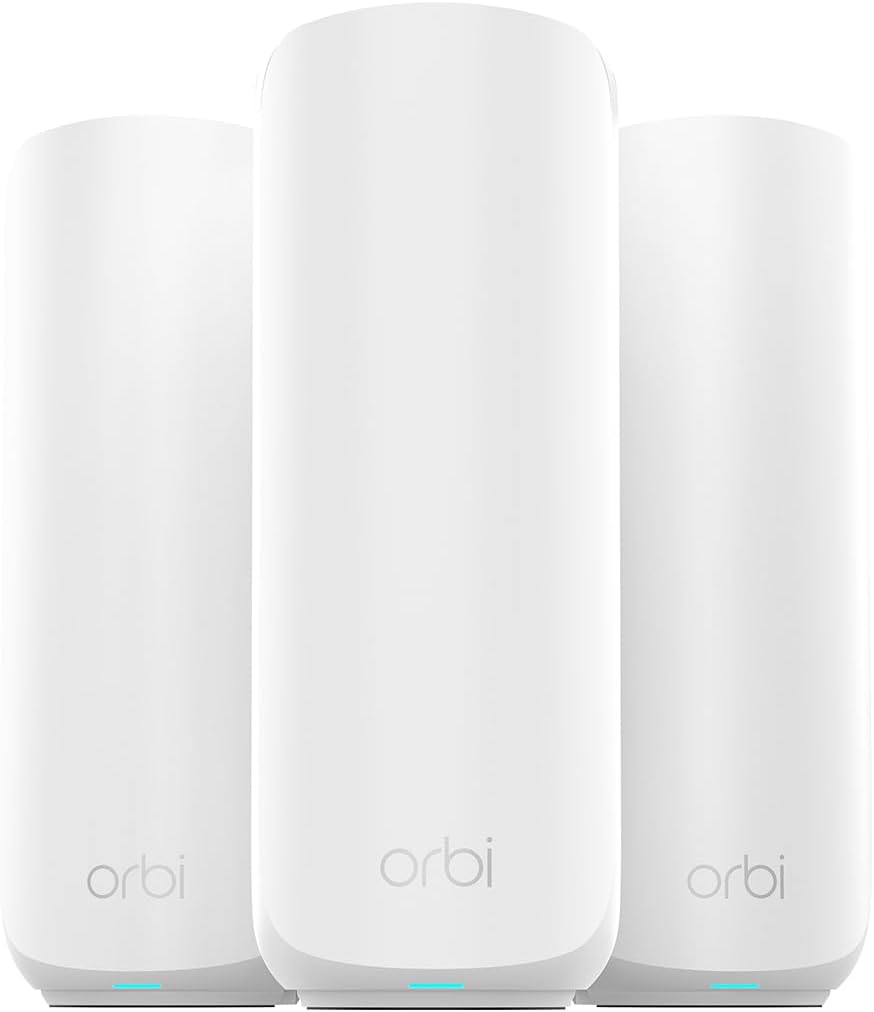
The NETGEAR Orbi 370 mesh system blankets large homes with up to 6000 square feet of seamless WiFi 7 coverage. Its router and satellites create a single network eliminating dead zones and providing reliable connections from front door to backyard.
We may earn a commission when you buy through this link, at no additional cost to you.
Enhanced backhaul technology ensures fast WiFi across all devices even when multiple people stream or game simultaneously. The Orbi app simplifies setup and management allowing you to control devices and guest networks from anywhere.
While the initial investment is higher than standalone routers the coverage and ease of use are worth it for large properties. Adding more satellites is easy to adapt to multi-story homes or complex layouts without technical hassle.
This system is ideal for large homes needing uniform strong signals everywhere. Its security features and compatibility with any ISP make it a hassle-free upgrade for households prioritizing consistent performance over budget.
Satellites work with the router to ensure every room gets fast reliable WiFi without switching networks.
Built with WiFi 7 this system will deliver the performance your home needs for years to come.
We may earn a commission when you buy through this link, at no additional cost to you.
The TP-Link Deco X55 mesh system covers up to 6500 square feet with seamless WiFi 6 performance that outperforms traditional boosters. Its three-pack ensures wide coverage and strong reliable signals for up to 150 connected devices.
We may earn a commission when you buy through this link, at no additional cost to you.
Each unit offers three Gigabit ports supporting wired backhaul for better speeds. The AI-driven mesh intelligently learns your home environment to deliver optimal WiFi tailored to your layout and usage patterns for consistent results.
While it does not include WiFi 7 it provides excellent value and reliability for most homes. The secure-by-design pledge and HomeShield security features ensure your network stays safe without requiring expensive subscriptions.
This system is ideal for large households wanting whole-home coverage at an affordable price. Its flexible setup and strong security make it a practical choice for eliminating dead zones and simplifying network management.
AI learns your home environment to adjust WiFi settings and ensure the best unique to your home.
Ethernet ports allow you to connect units via cable for even faster and more stable performance.
We may earn a commission when you buy through this link, at no additional cost to you.
The TP-Link BE9300 offers full 2.5G LAN and WAN ports allowing peak device performance for multiple wired connections. Its tri-band WiFi 7 speeds reach up to 5760 Mbps on the 6 GHz band enabling ultra-fast downloads and streaming.
We may earn a commission when you buy through this link, at no additional cost to you.
Six strategically positioned antennas and beamforming ensure higher capacity and reliable connections. The private IoT network feature uses HomeShield and WPA3 encryption to protect smart devices separately from your main network.
This router is designed for tech-savvy users needing extensive wired bandwidth for NAS or workstations. While it supports EasyMesh for expansion its primary strength lies in its robust wired capabilities and security segmentation.
Best for home offices or media centers needing multiple fast LAN ports. Its VPN support and IoT isolation provide extra control and safety for users who prioritize both performance and network security.
Four 2.5G LAN ports ensure multiple devices get peak speeds without sharing a single connection.
A separate WiFi network for IoT devices keeps smart gadgets isolated and safer from threats.
We may earn a commission when you buy through this link, at no additional cost to you.
The TP-Link AC1200 is an affordable router that upgrades your network to 1200 Mbps speeds ideal for 4K streaming and general browsing. Its four Gigabit LAN ports allow you to connect wired devices directly for stable connections.
We may earn a commission when you buy through this link, at no additional cost to you.
Beamforming technology concentrates signals toward devices improving range and performance compared to older routers. MU-MIMO on the 5 GHz band allows multiple devices to enjoy high speeds simultaneously without slowdowns.
While it lacks the latest WiFi 6 capabilities it remains a solid choice for smaller homes or apartments needing budget-friendly performance. OneMesh support enables easy expansion with range extenders to cover more area later.
Best for first-time buyers or small households on a tight budget. Its WPA3 security and reliable gigabit ports make it a practical upgrade from older equipment without breaking the bank.
Delivers reliable dual-band speeds and gigabit ports at an entry-level price for everyday users.
OneMesh compatibility lets you add range extenders to expand coverage if your needs grow.
We may earn a commission when you buy through this link, at no additional cost to you.
Choosing a long range WiFi router requires considering several key factors to ensure it meets your home size device count and performance needs. This guide walks you through the most important aspects to look for before making a purchase.
Coverage area determines how far your WiFi signal reaches. Look for routers rated for your square footage such as 2000 to 6000 square feet depending on your home size. Larger homes may benefit from mesh systems to avoid dead zones.
Prioritize models with high antenna counts and beamforming to concentrate signals where they are needed most for consistent coverage.
WiFi standards like WiFi 6 6E and 7 define speed and device handling capabilities. WiFi 7 offers the fastest speeds and lowest latency but requires compatible devices. Older standards work well for most everyday tasks.
Choose the latest standard if you have many smart devices or want future-proofing for new laptops and phones.
Dual-band routers use 2.4 and 5 GHz while tri-band adds a 6 GHz band. Tri-band offers more lanes for data reducing congestion when many devices are connected. Dual-band is sufficient for smaller households.
Select tri-band if you stream 4K gaming or run many smart home gadgets at once for better performance.
Antenna design impacts signal reach and stability. Routers with multiple high-gain antennas and beamforming focus signals toward connected devices improving range. External antennas usually provide better coverage than internal ones.
Look for at least four antennas for large homes to ensure strong signals through walls and floors.
Ethernet ports connect devices like consoles NAS drives and desktop PCs. Modern routers may include 2.5G ports for multi-gig speeds which prevent bottlenecks with fast internet plans. Ensure enough LAN ports for your needs.
Prioritize models with 2.5G ports if you use wired devices requiring high bandwidth for work or gaming.
Security protects your network from intruders and malware. Look for routers with WPA3 encryption built-in firewall and optional services like TP-Link HomeShield or NETGEAR Armor for deeper protection.
Choose routers offering regular firmware updates and VPN support to keep your data safe on and off home.
Mesh compatibility allows you to expand coverage by adding satellites or extenders. Systems with OneMesh or EasyMesh create a single network name making roaming between rooms seamless without reconnecting.
Opt for mesh capable routers if you live in a large or multi-story home needing consistent signals everywhere.
A good management app simplifies setup and ongoing control. Look for apps that let you run speed tests pause devices and create guest networks easily from your phone.
Select routers with intuitive apps so you can manage your network without needing a computer or technical expertise.
Start by placing your router in a central elevated location away from thick walls and electronics like microwaves to maximize range. Keep it on a flat surface with space around vents to prevent overheating during heavy use.
Connect your modem to the WAN port using an Ethernet cable and power on the router. Follow the on-screen instructions or mobile app to complete setup and set a strong admin password to secure your network.
Regularly check for firmware updates through the router admin or app to keep security patches current. Periodically reboot your router to clear memory and maintain stable performance especially after power outages or heavy usage.
For large homes over 3000 square feet a mesh system or high-power router rated for 6000 square feet is recommended. Mesh units placed strategically eliminate dead zones better than a single router alone.
Yes most routers require a separate modem or gateway to connect to your internet service provider. These devices work together to deliver internet to your home network.
WiFi 7 offers faster speeds lower latency and better multi-device handling than previous standards. It is worth it if you have many devices need 8K streaming or future-proofing for new tech.
Most routers work with any ISP such as Xfinity Verizon or AT&T. You will need a compatible modem or gateway to connect with these routers to your provider.
Modern routers can support anywhere from 50 to 150 devices depending on the model. Mesh systems and WiFi 7 routers typically handle more simultaneous connections efficiently.
No mesh systems do not require monthly fees for operation. Some offer optional subscription-based security services like NETGEAR Armor or TP-Link HomeShield but basic features are free.
The top picks include the TP-Link BE6500 for best overall performance the AX5400 for value and the NETGEAR Orbi 370 for mesh coverage. Each offers unique strengths depending on your budget and home layout needs.
Prioritize coverage area and WiFi standard based on your household size and connected devices. If you need whole-home consistency consider mesh systems whereas standalone routers work well for compact spaces.
Check current prices and availability before buying as deals can vary by retailer. Ensure your modem is compatible and your internet plan matches your router capabilities for the best experience.