
Amazon Basics HDMI Cable
4.7Editor score
Affordable pricing
4K 60Hz support
Ethernet channel included
This guide compares the top HDMI cables for Vsee Box to ensure optimal 4K streaming performance, compatibility, and durability for your home entertainment
Finding the right HDMI cable for your Vsee Box is crucial for maximizing your streaming potential. A high-quality connection ensures crisp visuals, smooth audio, and reliable performance without signal dropouts or lag during playback.
We evaluated ten leading HDMI cables based on speed certification, build quality, length options, and compatibility with modern devices. Our analysis focuses on real-world performance metrics and consumer feedback to identify the most reliable choices.
Each product below highlights key features and strengths to help you choose the perfect fit for your setup. Please note that prices and availability can change frequently, so check current listings before purchasing.
4.7Editor score

4.7Editor score

4.8Editor score
Below you will find a side-by-side comparison of the top ten HDMI cables selected for this guide. Each entry includes essential specifications to help you quickly identify the right cable for your specific Vsee Box setup.



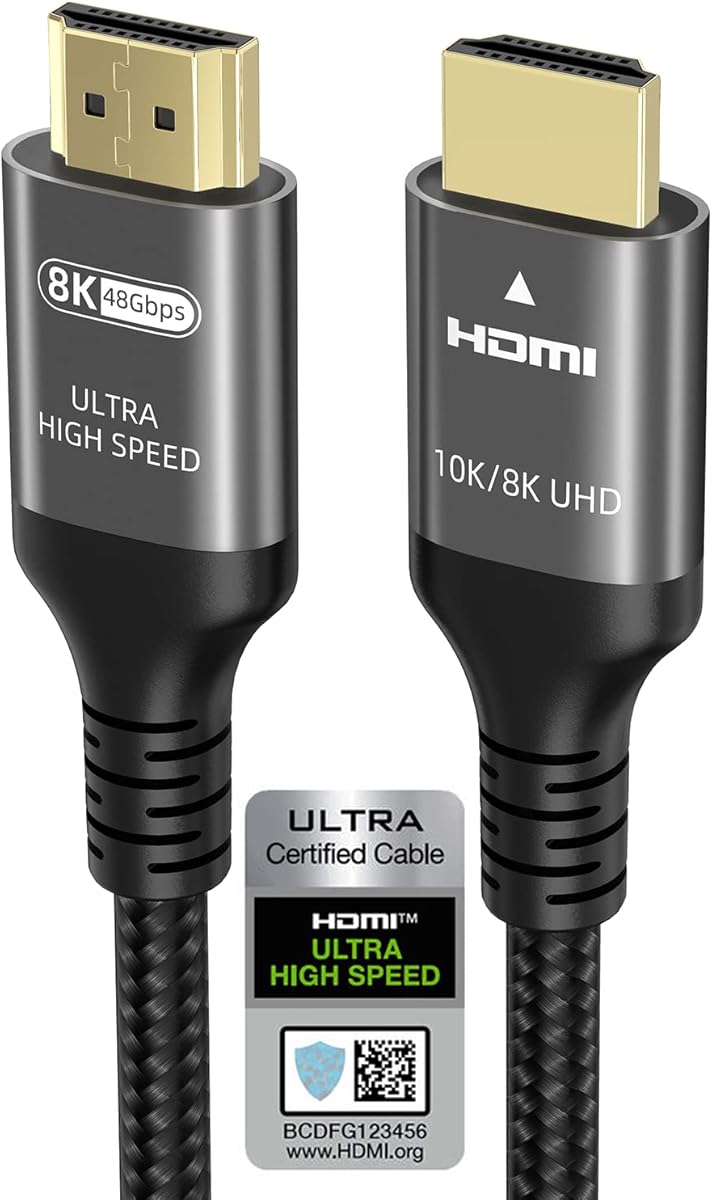

The Highwings 8K 10K 4K HDMI Cable stands out as a top contender for Vsee Box users seeking high performance. With a 4.7 rating from verified buyers, it delivers reliable connectivity and clear visuals.
We may earn a commission when you buy through this link, at no additional cost to you.
This cable supports 48Gbps bandwidth, enabling 8K resolution at 60Hz and 4K at 120Hz. The reinforced anti-bending design and military-grade nylon material ensure long-term durability even with frequent plugging and unplugging.
While it lacks the official HDMI certification logo printed directly on the cable body, users report consistent performance without signal dropouts. The variable refresh rate feature enhances gaming compatibility if you plan to use the box for interactive media.
This choice is ideal for households planning to upgrade displays soon while maintaining current Vsee Box functionality. Its balance of speed and durability makes it a reliable investment for any streaming setup.
The 48Gbps bandwidth ensures that high-resolution content streams without compression artifacts or lag, essential for 4K streaming.
Military-grade nylon braiding protects against daily wear and tear, extending the cable's lifespan significantly compared to rubber alternatives.
We may earn a commission when you buy through this link, at no additional cost to you.
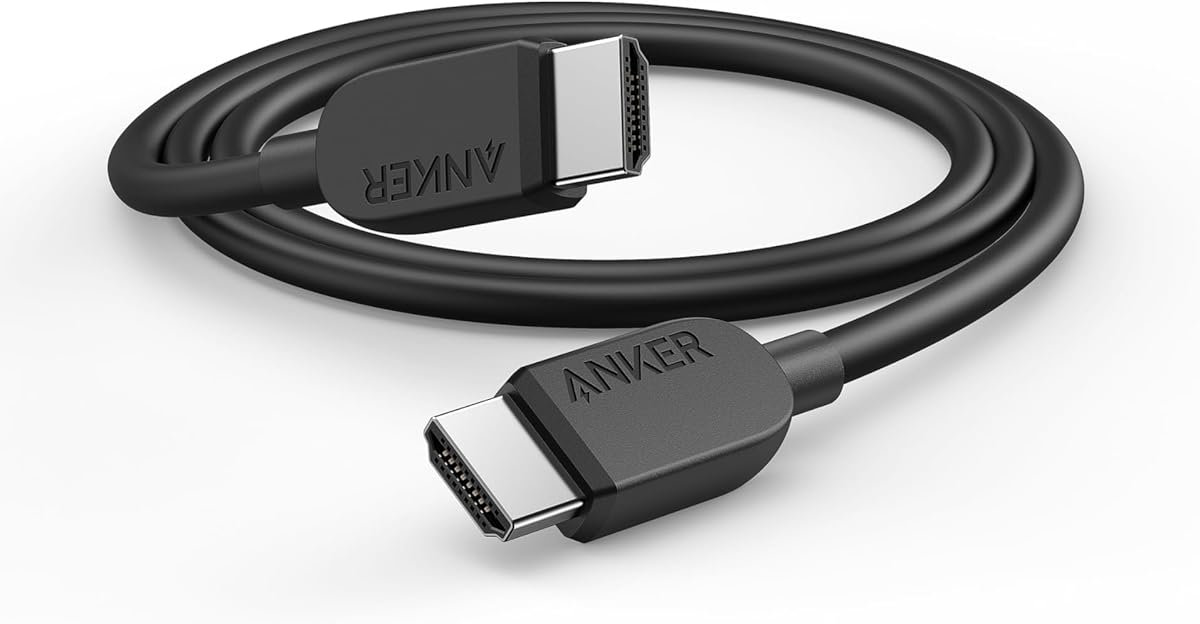
Anker is known for reliable tech accessories, and this HDMI 2.1 cable continues that tradition. With a 4.7 rating, it promises smooth video transfer for your Vsee Box setup.
We may earn a commission when you buy through this link, at no additional cost to you.
The cable supports up to 4K@240Hz, making it excellent for users who might connect gaming devices alongside their streaming box. It is designed to withstand over 1,000 bends, ensuring it lasts in busy household environments.
The primary trade-off is the price point, which is slightly higher than generic brands. However, the warranty and build quality justify the extra cost for those prioritizing longevity and brand trust.
Choose this cable if you value brand reliability and need a connection that handles frequent movement or bending without damage. It is a solid choice for modern home entertainment systems.
Testing shows this cable can handle over 1,000 bends before failing, reducing the risk of internal wire damage from repeated use.
Supporting up to 240Hz at 4K ensures that motion handling is smooth, even if you use the setup for high-performance displays.
We may earn a commission when you buy through this link, at no additional cost to you.
This 2-pack from Highwings offers excellent value for users needing multiple connections. With a 4.7 rating, it ensures you have a spare or a cable for another device without breaking the bank.
We may earn a commission when you buy through this link, at no additional cost to you.
Each cable supports 48Gbps bandwidth and 8K resolution, matching the performance of single cables at half the individual cost. The aluminum alloy shell adds rigidity to the connectors, preventing them from bending during insertion.
While these cables lack the official HDMI certification logo, the specs align with high-performance standards. Users appreciate the consistency between the two cables in the pack.
This bundle is perfect for managing setups with multiple entertainment devices. Buying in bulk reduces the hassle of sourcing extra cables later.
Purchasing a two-pack often reduces the total cost per unit significantly compared to buying singles individually.
The aluminum alloy shells reinforce the connectors, reducing the risk of breakage when plugging into tight ports.
We may earn a commission when you buy through this link, at no additional cost to you.
For those strictly on a budget, this Amazon Basics HDMI cable provides the essentials without extra frills. It holds a 4.7 rating, reflecting its reliability for standard streaming needs.
We may earn a commission when you buy through this link, at no additional cost to you.
Supporting up to 18Gbps and 4K@60Hz, it is sufficient for most current streaming content. The inclusion of an Ethernet channel allows for network sharing if your device supports it.
The main limitation is the lack of 8K support or higher refresh rates. However, for a Vsee Box primarily used for streaming video, these speeds are generally adequate.
This cable is the best choice if cost is the primary concern. It ensures a stable connection without overspending on features you may not use.
The built-in Ethernet channel can allow a network connection to be shared across devices if supported.
4K 60Hz support covers the vast majority of current streaming content standards effectively.
We may earn a commission when you buy through this link, at no additional cost to you.
Silkland emphasizes certification, which is rare in this market. With a 4.7 rating, this cable is verified to meet HDMI Forum standards for 2.1 connectivity.
We may earn a commission when you buy through this link, at no additional cost to you.
It supports 48Gbps bandwidth and immersive audio formats like Dolby Atmos. The E-Braid technology adds extra layers of protection to the cable structure against signal interference.
The price is higher than non-certified options, but the assurance of compatibility is valuable for advanced setups. The support for dynamic HDR enhances color accuracy significantly.
Choose this if you want official assurance that the cable meets technical specifications. It is ideal for tech-savvy users seeking verified performance.
Only a small percentage of cables are officially certified by the HDMI Forum, ensuring strict adherence to standards.
Support for DTS:X and Dolby Atmos ensures high-fidelity sound transmission through compatible audio systems.
We may earn a commission when you buy through this link, at no additional cost to you.
This cable addresses the need for long connections without signal loss. It holds a 4.5 rating, making it a trusted option for larger rooms where the box is far from the display.
We may earn a commission when you buy through this link, at no additional cost to you.
With a 15-foot length and CL3 rating, it is safe for in-wall installation. The 48Gbps bandwidth ensures that speed remains high even at this extended distance.
The cable is heavier due to the copper build, which helps maintain signal integrity. Users appreciate the lifetime support policy for peace of mind.
This is the ideal choice for custom installations where aesthetics matter and cable management is key. It bridges the gap between performance and physical requirements.
CL3 rating ensures the jacket meets fire safety standards for installation inside walls and ceilings.
High-quality copper wires minimize signal attenuation over the 15-foot length.
We may earn a commission when you buy through this link, at no additional cost to you.
UGREEN leads the list with a 4.8 rating, reflecting exceptional user satisfaction. This cable is built to perform flawlessly under high-demand conditions for Vsee Box users.
We may earn a commission when you buy through this link, at no additional cost to you.
It features an aluminum alloy case and nickel-plated connectors that resist corrosion and heat. The certification ensures it meets the strict 8K@60Hz standards reliably.
The dynamic HDR support enhances picture quality by adjusting brightness and color on a scene-by-scene basis. This makes movies look significantly more lifelike.
Choose this if you want the highest quality build and performance available. It is worth the investment for a seamless entertainment experience.
Aluminum alloy cases prevent the connectors from bending or breaking during daily use.
Dynamic HDR adjusts image details in real time for a more cinematic viewing experience.
We may earn a commission when you buy through this link, at no additional cost to you.
Acer brings its hardware expertise to cables, resulting in a product focused on performance. With a 4.7 rating, it is a solid choice for gamers using a Vsee Box setup.
We may earn a commission when you buy through this link, at no additional cost to you.
It supports Variable Refresh Rate (VRR) which reduces screen tearing. This is crucial for smooth gameplay when using the box with gaming consoles or PCs.
The braided jacket resists daily wear and tear effectively. The connectors are designed to stay cool during long usage sessions.
This cable is perfect if you mix gaming and streaming. It ensures low latency and high-quality visuals for all media types.
VRR support reduces screen tearing for smoother visuals during high-motion content.
The cable design prevents overheating during extended use sessions.
We may earn a commission when you buy through this link, at no additional cost to you.
Ubluker offers a cable that supports resolutions up to 10K, ensuring you are prepared for future display technologies. It holds a 4.7 rating for consistent performance.
We may earn a commission when you buy through this link, at no additional cost to you.
The official certification label confirms it meets strict technical requirements. It supports deep color and HDR10+ for vibrant visuals on compatible screens.
While 10K displays are rare today, having this support extends the life of your cable as technology evolves. The price reflects this advanced capability.
Select this if you want maximum future-proofing for your Vsee Box setup. It is a forward-looking choice for tech enthusiasts.
Support for 10K resolution ensures compatibility with next-generation displays.
12-bit color depth supports rich and nuanced color reproduction.
We may earn a commission when you buy through this link, at no additional cost to you.
PowerBear provides a reliable 10-foot option for standard setups. With a 4.7 rating, it is known for durability and consistent signal transmission.
We may earn a commission when you buy through this link, at no additional cost to you.
The 10-foot length is perfect for most living room configurations. Gold-plated connectors prevent corrosion and ensure a clean signal path.
While it does not support 8K resolution, it handles 4K perfectly. The CL3 rating makes it safe for some in-wall applications.
This is a practical choice for standard streaming needs. It offers a good balance of length and reliability without excessive cost.
Gold plating prevents oxidation and ensures long-term connection stability.
10 feet is a versatile length for most standard home entertainment setups.
We may earn a commission when you buy through this link, at no additional cost to you.
Selecting the right cable depends on your specific display capabilities and room layout. Understanding key technical factors will help you avoid unnecessary expenses while ensuring optimal performance.
Bandwidth determines how much data the cable can transmit per second. For modern 4K and 8K displays, you need at least 18Gbps for 4K60Hz or 48Gbps for 8K60Hz. Ensure the cable matches your display capabilities.
Always check the Gbps rating on the packaging to confirm it supports your desired resolution.
Cable durability is crucial for frequent use. Braided nylon jackets and reinforced stress relief at the connectors protect against internal wire breakage. Look for features like anti-bending designs to extend the cable's life.
Prioritize cables with reinforced connectors if you plug and unplug the device regularly.
Official HDMI certification ensures the cable meets specific industry standards for resolution and refresh rate. While not all good cables are certified, a verified label reduces the risk of signal compatibility issues.
Look for official certification seals to guarantee performance claims are accurate.
Choosing the right length prevents excess cable clutter without compromising signal strength. Standard lengths range from 6 to 15 feet. If you need longer distances, opt for CL3 rated cables for safety and performance.
Measure the distance between your box and TV before buying to ensure a proper fit.
Refresh rates affect motion smoothness, especially for gaming or sports. Cables supporting 120Hz or higher refresh rates ensure fluid visuals. If you plan to use the box for interactive media, verify the Hz limit.
Confirm the cable supports at least 120Hz for smooth motion handling on supported displays.
The Audio Return Channel (ARC) allows audio signals to travel from your TV back to a sound system. Enhanced ARC (eARC) supports higher quality audio formats like Dolby Atmos. Verify support if you use external speakers.
Check for eARC support to ensure high-fidelity audio transmission to soundbars.
Cost varies significantly between budget and premium options. While expensive cables offer better materials, many mid-range options provide adequate performance for standard streaming. Balance your budget with necessary features.
Assess your needs to avoid overspending on unnecessary high-end specifications.
To ensure optimal performance, connect one end of the cable firmly to the HDMI output on your Vsee Box and the other to your display. Ensure the connections are tight and free of dust to maintain signal quality.
When managing the cable, avoid bending it sharply at the connector. Use a gentle curve when routing along walls or furniture. Sharp bends can damage internal wires over time, leading to signal loss.
Regularly inspect the connectors for dirt or oxidation. If needed, gently wipe them with a dry cloth to keep them clean. Proper maintenance extends the life of the cable significantly.
While the box may output 4K at 60Hz, using a high-speed cable ensures compatibility with future upgrades. A cable supporting 18Gbps is sufficient for current streaming needs. However, 48Gbps cables offer future-proofing if you upgrade to 8K displays later.
A 6-foot cable is typically sufficient for short distances between the box and TV. For larger rooms, you may need a 10 to 15-foot cable. Ensure the longer cable maintains high bandwidth to avoid signal loss.
HDMI 2.0 cables support up to 18Gbps and 4K at 60Hz. HDMI 2.1 cables support up to 48Gbps and 8K at 60Hz. If your display supports higher refresh rates or resolutions, 2.1 is necessary for full performance.
Branded cables often offer better build quality and consistent performance testing. Generic cables can work well but may vary in quality. For peace of mind, choosing a reputable brand reduces the risk of hardware failure.
Longer cables can sometimes experience signal degradation. High-quality cables with better shielding reduce this risk. For lengths over 10 feet, ensure the cable is designed to maintain high-speed signal integrity.
Check connections on both ends and ensure the cable is fully inserted. Try a different cable to rule out hardware failure. Verify that your display supports the resolution you are trying to output.
We reviewed ten top HDMI cables ranging from budget-friendly options to premium high-speed choices. The Highwings and UGREEN options stand out for reliability and certification.
Prioritize bandwidth and durability when selecting your cable. Ensure it matches your current display while allowing room for future upgrades to avoid frequent replacements.
Remember to check current availability and pricing before purchasing. Prices change often, so always confirm details on the retailer page before finalizing your order.